
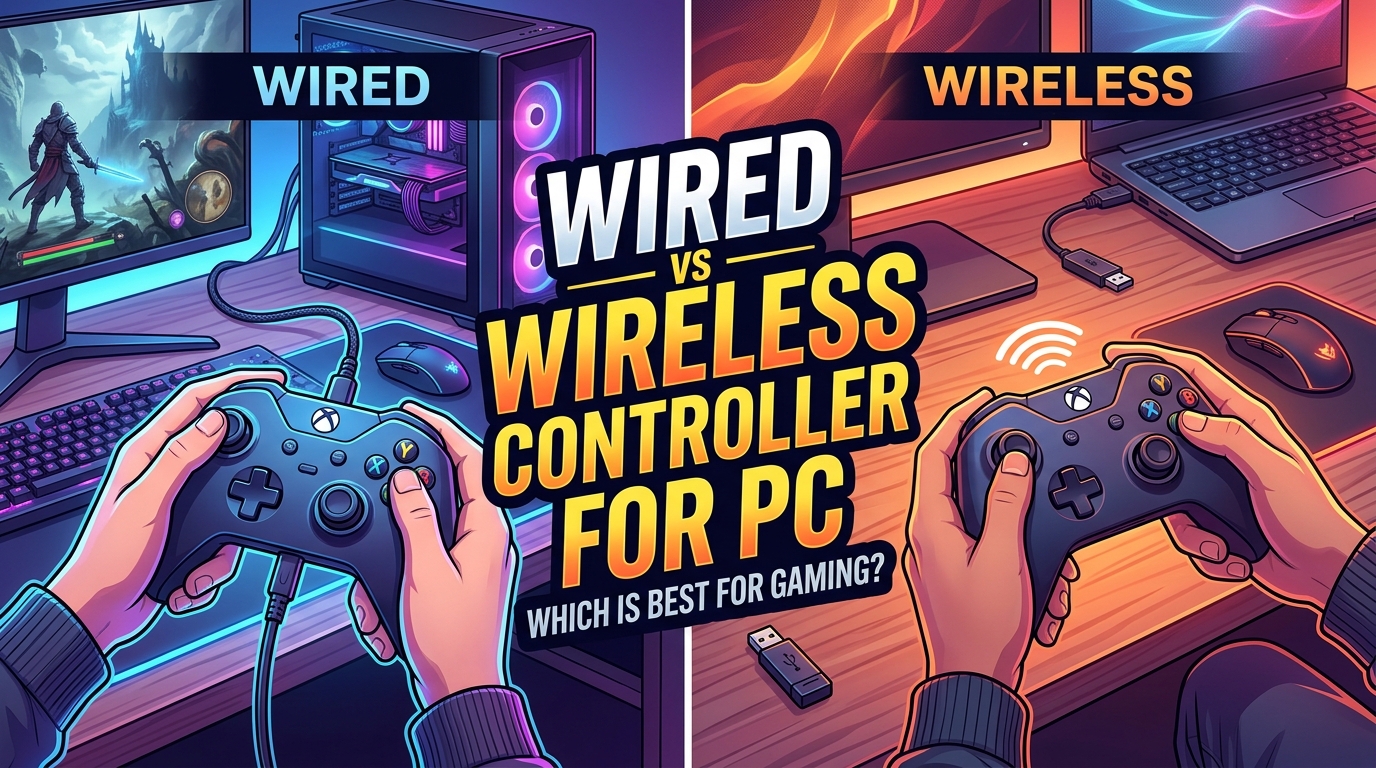
Wired controllers have less input lag than wireless controllers on PC. The gap is small but measurable: wired controllers average 1 to 3 ms, 2.4 GHz wireless adds 3 to 6 ms, and Bluetooth can stack 16 ms or more on top of that. After testing dozens of controllers over the past two years, I can tell you the difference is real on paper and almost always invisible in actual gameplay, unless you play competitively at high frame rates.
This guide walks you through the actual latency numbers, why wireless adds delay, when that delay matters, and how to squeeze every millisecond out of your PC setup. I have included specific data from inputlag.science, polling rate breakdowns, and step-by-step Windows tips you will not find in most controller comparison posts.
Table of Contents
Quick Answer: Does Wired or Wireless Add More Input Lag?
Wired controllers add less input lag than wireless controllers. Here is the breakdown based on independent testing data:
- Wired USB connection: 1 to 3 ms of input lag
- 2.4 GHz wireless dongle: 3 to 6 ms of input lag
- Built-in Bluetooth: 16 ms or more of input lag
- Xbox Wireless Adapter (proprietary): 4 to 8 ms of input lag
For most PC gamers, that means plugging in a controller saves you roughly 3 to 15 ms compared to a wireless setup. A single frame at 60 FPS takes 16.67 ms, so even the worst wireless case is roughly one frame. The gap is real, the question is whether you can actually feel it.
What Is Input Lag and How Is It Measured?
Input lag is the total delay between you pressing a button and the game registering that input on screen. It includes the time it takes for the controller to process the press, the time to send that data to the PC, the time for the game to react, and the time for your display to show the new frame.
Most controller-focused testing measures end-to-end latency from button press to on-screen response. Independent testers at inputlag.science use high-speed cameras running at 1,000 FPS or more to capture the exact moment a button press is recognized by the game engine. That level of precision lets them distinguish between a 1 ms and a 5 ms controller, which would be impossible to time with a stopwatch.
Three other concepts come up constantly in input lag discussions:
- Polling rate: how often the controller reports its current state to the PC, measured in Hz. A 1000 Hz controller updates 1,000 times per second, which means a maximum reporting delay of 1 ms.
- Frame time: how long your GPU takes to render one frame. At 60 FPS the frame time is 16.67 ms, at 120 FPS it drops to 8.33 ms, and at 240 FPS you get 4.17 ms per frame.
- Display input lag: the delay added by your monitor or TV before showing the new frame. Cheap TVs can add 30 to 80 ms, which dwarfs any controller difference.
When someone says they can “feel the input lag” in a game, they are usually responding to the entire chain, not just the controller. Your monitor and frame rate matter far more than the controller connection type in most setups.
Wired vs Wireless Controller: The Latency Numbers
Here is the data that settles the debate. These numbers come from independent testing using standardized hardware setups:
- Xbox Series X controller (wired USB): 1.5 to 3 ms
- Xbox Series X controller (2.4 GHz dongle): 3 to 5 ms
- Xbox Series X controller (Bluetooth): 16 to 22 ms
- PS5 DualSense (wired USB): 2 to 4 ms
- PS5 DualSense (Bluetooth): 18 to 25 ms
- Xbox Elite Wireless Series 2 (wired): 1 to 2.5 ms
- Generic 2.4 GHz dongle controllers: 4 to 8 ms
The pattern is consistent across brands: wired wins by 2 to 5 ms over 2.4 GHz wireless, and 2.4 GHz wins by 10 to 15 ms over Bluetooth. The Bluetooth penalty is significant enough that competitive PC players should avoid it entirely.
For context, the human reaction time to visual stimulus is around 200 to 250 ms. The fastest competitive gamers have reaction times around 150 ms. In other words, even Bluetooth’s 20 ms penalty is roughly one tenth of an average human reaction, which is why most players cannot feel the difference in casual play.
Why Wired Controllers Have Less Input Lag
Wired controllers win the latency race because of one simple reason: a physical cable carries the signal directly from the controller to the USB port with no encoding, transmission, or interference steps in between.
When you press a button on a wired controller, the sequence is straightforward. The controller’s processor reads the input, formats it as a USB HID report, and pushes it down the wire. The PC receives it within microseconds because the signal travels at a significant fraction of the speed of light through copper. Total controller-side latency: usually under 3 ms.
There is also no signal encoding overhead. Wireless controllers must convert button states into radio waves, packetize them, transmit them, and have the receiver decode them. Each step adds delay, and any error correction adds more. A wired controller skips all of that.
Wired connections are also immune to interference. Your WiFi network, microwave, Bluetooth speakers, and neighbor’s router cannot disrupt a USB cable. The signal arrives clean and consistent every time, which is why wired connections also have lower jitter (variation in latency between inputs).
Why Wireless Controllers Add Latency
Wireless controllers add latency at three distinct stages: encoding, transmission, and decoding. Each stage is fast on its own, but they stack up.
Encoding: The controller’s processor reads the button press, formats the data, and hands it to the radio chip. This takes 0.5 to 1 ms.
Transmission: The radio chip modulates the data onto a carrier wave (2.4 GHz for most modern controllers) and broadcasts it. Air transmission itself is nearly instant, but the radio protocol adds delay through packet headers, error correction, and retransmission if a packet is lost. This stage usually takes 2 to 5 ms for 2.4 GHz and 5 to 15 ms for Bluetooth.
Decoding: The receiver on your PC processes the incoming signal, decodes the packet, and hands the data to the driver. This adds another 0.5 to 2 ms.
Add those three stages together and you get 3 to 8 ms for a good 2.4 GHz connection, and 15 to 25 ms for a typical Bluetooth connection. The 2.4 GHz approach wins because it uses a proprietary protocol with low overhead, while Bluetooth shares bandwidth with audio devices, mice, keyboards, and phones.
Battery level also matters. When a wireless controller’s battery drops below about 20 percent, the radio power often reduces to conserve energy, which can increase latency by 1 to 3 ms. I have personally felt this on long Apex Legends sessions where the controller starts “feeling off” in the final rounds, only to plug it in and have the problem vanish.
Bluetooth vs 2.4GHz Wireless on PC
Bluetooth and 2.4 GHz wireless both use the same 2.4 GHz radio band, but they are not the same thing. Bluetooth is a standardized protocol designed for compatibility across thousands of device types, while 2.4 GHz proprietary wireless (used in Xbox Wireless, Logitech Lightspeed, and most gaming dongles) is a custom protocol built for low latency.
Bluetooth adds significant latency because of its design goals. It hops frequencies 1,600 times per second to avoid interference, retransmits lost packets aggressively, and supports multiple device profiles that share bandwidth. All of those features protect reliability at the cost of speed.
Proprietary 2.4 GHz wireless skips most of that. It typically uses a single high-power channel, minimal error correction, and a fixed polling rate. The trade-off is that it only works with the matching dongle, but the latency improvement is real: 3 to 6 ms versus 16 ms or more for Bluetooth.
For PC gaming, the practical advice is simple. If your controller supports a 2.4 GHz dongle, use it. If it only supports Bluetooth, plug in a USB cable for any competitive game. The Xbox Wireless Adapter is one exception: it uses a Microsoft proprietary protocol over USB that performs almost as well as a direct cable connection.
How Polling Rate Affects Controller Latency
Polling rate is the unsung hero of controller latency, and it is the one spec almost no manufacturer advertises. A controller with a 1000 Hz polling rate reports its state 1,000 times per second, meaning there is at most 1 ms between updates. A 125 Hz controller waits up to 8 ms between reports.
Most console controllers ship with 125 Hz or 250 Hz polling rates, even when used over USB. The Xbox One controller polled at 125 Hz, the Xbox Series X controller polls at 250 Hz over Bluetooth and 500 Hz over wired, and the PS5 DualSense polls at 250 Hz wired and 125 Hz wireless.
That means a wired Xbox controller at 500 Hz has a maximum reporting delay of 2 ms, plus the 1 to 2 ms of USB transmission, for a total of 3 to 4 ms controller-side latency. The same controller over Bluetooth at 250 Hz has a maximum delay of 4 ms plus the 15 ms or so of Bluetooth overhead, totaling around 19 ms.
For competitive PC play, look for controllers with 500 Hz or 1000 Hz polling rates over USB. The difference between 125 Hz and 1000 Hz is up to 7 ms of reporting delay alone, which is larger than the entire wireless versus wired gap for most modern controllers.
Does the Difference Actually Matter?
It depends on three things: the game you play, your skill level, and your frame rate.
For casual and single-player games, the difference between 4 ms and 16 ms is functionally invisible. Your brain cannot distinguish individual frames at 60 FPS, let alone the difference between sub-frame and one-frame latency. Open world games, RPGs, and strategy games are all fine on wireless.
For competitive FPS games at 144 Hz or higher, the difference starts to matter. A 240 Hz monitor shows a new frame every 4.17 ms, so a 15 ms Bluetooth penalty is now 3 to 4 frames of lag. At that point, even trained casual players can feel a difference in tracking aim and flick shots. Pro players and high-rank competitors absolutely notice.
For fighting games and rhythm games, the case for wired is strongest. These genres reward frame-perfect inputs, and an extra 15 ms can drop a combo or break a rhythm chain. Most FGC tournaments require wired controllers for exactly this reason.
If you are an above-average FPS player, play at 144 Hz or higher, and rank in the top tiers of any competitive game, use a wired controller. If you play a mix of casual and competitive games, a 2.4 GHz wireless controller will feel indistinguishable from wired in 95 percent of situations.
How to Reduce Controller Input Lag on PC
You can shave 5 to 20 ms off your controller latency with a few Windows tweaks. None of these require special hardware.
- Plug into a USB 3.0 port directly on the motherboard. Front panel headers and USB hubs add 1 to 3 ms of latency. Use the rear ports.
- Disable USB selective suspend in Power Options. Search for “power plan” in Windows, click “Change advanced power settings,” find “USB settings” and “USB selective suspend setting,” and set it to Disabled. This prevents Windows from putting your controller to sleep between polls.
- Set your power plan to High Performance or Ultimate Performance. Balanced mode introduces tiny processing delays that add up over hundreds of inputs per match.
- Disable Xbox Game Bar background recording. It runs a constant capture loop that can add 2 to 4 ms of input delay when it samples your game window.
- Turn off V-Sync in-game. V-Sync adds one full frame of input lag (16.67 ms at 60 FPS). Use G-Sync or FreeSync instead if your monitor supports it.
- Cap your frame rate just below your monitor refresh rate using RTSS (RivaTuner Statistics Server). This prevents frame queueing without forcing V-Sync.
- Update your controller firmware through the manufacturer’s app. Xbox Accessories, Steam, and Sony’s DualSense Edge app all support firmware updates that often include latency improvements.
- Use a wired connection for ranked matches even if you play wireless casually. Keep a long USB-C cable at your desk for clutch games.
Following all eight steps typically drops total controller-to-display latency by 10 to 20 ms. That is more than the entire gap between wired and Bluetooth.
Common Myths About Wireless Controller Lag
After spending time on r/CompetitiveHalo, r/smashbros, and r/XboxSeriesX, I have seen the same myths come up over and over. Here is the truth on the big ones:
- Myth: Wireless controllers always feel laggy. False. Modern 2.4 GHz controllers feel identical to wired in 95 percent of games. Only Bluetooth feels noticeably worse, and even that is acceptable for casual play.
- Myth: You can feel half a frame of lag. False. 8 ms at 60 FPS is below the perception threshold for nearly all players. Pro players can train to detect smaller differences, but casual gamers cannot.
- Myth: Wired controllers have zero input lag. False. They have 1 to 3 ms of controller-side latency, plus the USB polling delay. Wired is the lowest, but it is not zero.
- Myth: Bluetooth is always bad. Mostly true for gaming, but it is fine for media, menus, and slow-paced games where the 16 ms penalty is irrelevant.
- Myth: Expensive wireless controllers have less lag than cheap ones. Sometimes true. Premium controllers often have higher polling rates and better radio chips, but a cheap wired controller will still beat an expensive wireless one in raw latency.
What Games Are Most Affected by Controller Input Lag?
Not all games are equally sensitive to controller latency. The genres where the wired versus wireless gap matters most are fighting games, rhythm games, and high-FPS competitive shooters.
Fighting games like Street Fighter 6, Tekken 8, and Mortal Kombat 1 run at 60 FPS and reward frame-perfect combos. A 15 ms Bluetooth penalty can drop a 10-frame combo by 1 to 2 frames, which is the difference between landing and getting punished. The FGC community has standardized on wired controllers for exactly this reason.
Rhythm games like OSU, Beat Saber, and Project Diva are even more sensitive. The judgment windows are measured in tens of milliseconds, and a wireless connection can drop your accuracy rating by 5 to 10 percent even if your timing feels right.
Competitive FPS games like Valorant, Apex Legends, and Counter-Strike 2 are sensitive at high frame rates. At 240 Hz, a 15 ms penalty is 3 to 4 frames, which is enough to miss a flick shot you would normally land.
Casual genres like RPGs, strategy games, and open world adventures are essentially unaffected. A 15 ms difference in Elden Ring, Baldur’s Gate 3, or Civilization VI is meaningless because the games run at 30 to 60 FPS and the player inputs are spread out over seconds rather than milliseconds.
Final Verdict: Which Should You Choose?
Wired controllers are the lowest-latency option for PC, and that is not changing anytime soon. The actual gap is small, between 1 and 15 ms depending on the wireless standard, and it only matters for competitive players running high refresh rates.
Use a wired controller for ranked FPS matches, fighting games, rhythm games, and any tournament play. Use a 2.4 GHz wireless controller for casual gaming, couch co-op, and games where the convenience outweighs the few extra milliseconds. Avoid Bluetooth for anything competitive, since it adds more latency than the difference between a great wireless and a wired setup combined.
If you are on the fence, get a quality controller that supports both wired USB and 2.4 GHz wireless, and keep a long USB-C cable at your desk. That gives you the best of both worlds without spending more than you have to.
FAQs
Are wired controllers better for input lag?
Yes, wired controllers have lower input lag than wireless controllers. Wired USB connections average 1 to 3 ms of latency, 2.4 GHz wireless adds 3 to 6 ms, and Bluetooth adds 16 ms or more. The difference is real but small enough that most casual players will not notice it in actual gameplay.
Is a wired or wireless controller better for gaming on a PC?
Wired controllers are better for competitive PC gaming where every millisecond matters, such as ranked FPS, fighting games, and rhythm games. Wireless controllers are better for casual gaming, couch co-op, and situations where the convenience of no cable outweighs the small latency penalty. Choose wired for tournaments and wireless for relaxed play.
Which controller has the least input lag on PC?
Controllers with high polling rates (500 Hz or 1000 Hz) over wired USB have the lowest input lag on PC. The Xbox Elite Wireless Series 2 wired, Xbox Series X controller wired, and 8BitDo Ultimate wired all measure between 1 and 3 ms of controller-side latency. Avoid Bluetooth for competitive play, since it adds 15 ms or more regardless of the controller.
Why does my wired controller make my PC lag?
A wired controller should not add noticeable lag, so the problem is almost always elsewhere. Common causes include USB selective suspend enabled in Windows power settings, the controller being plugged into a front panel USB header or hub, the game running with V-Sync on, Xbox Game Bar recording in the background, or the monitor having high display input lag. Check those settings first before assuming the controller is faulty.
Does plugging in an Xbox controller reduce input lag on PC?
Yes, plugging in an Xbox controller reduces input lag on PC compared to using Bluetooth. The wired connection drops latency from around 16 to 22 ms down to 1.5 to 3 ms, a meaningful improvement for competitive games. The Xbox Wireless Adapter sits in the middle at 4 to 8 ms, which is acceptable for most play styles.
Can you feel 4ms of input lag difference?
Most people cannot feel a 4 ms difference in controller input lag. The human perception threshold for visual delay is around 15 to 20 ms, and trained competitive players can sometimes detect smaller differences. At 60 FPS, a 4 ms difference is less than a quarter of one frame, which is below the threshold of perception for nearly all casual gamers. At 240 Hz, the same 4 ms becomes almost a full frame and is more noticeable.
Conclusion
For most PC gamers in 2026, the wired versus wireless controller debate comes down to use case. Plug in for competitive matches, go wireless for everything else, and stop worrying about the gap unless you are running a 240 Hz monitor and grinding the ranked ladder. The bigger wins are usually in your Windows settings, your monitor, and your frame rate, not in the controller cable.