
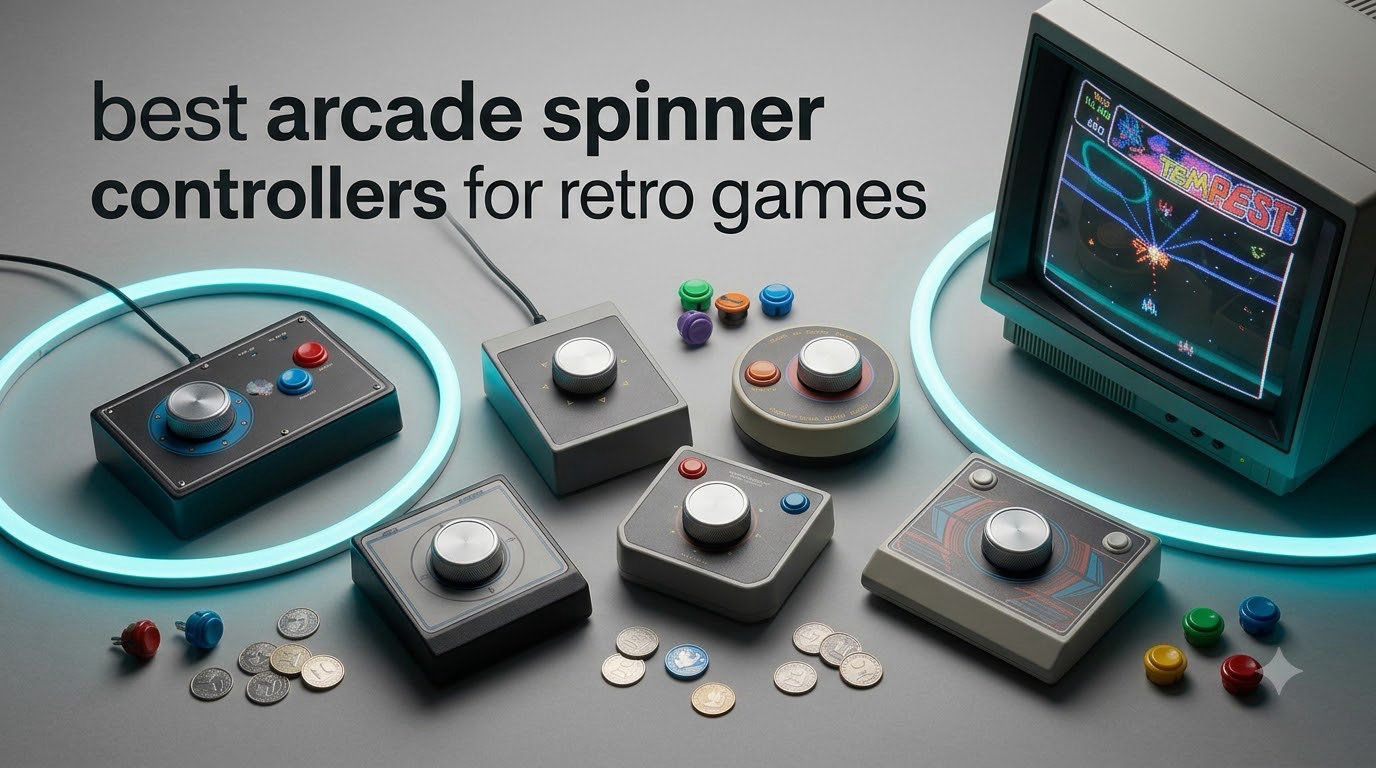
I remember the first time I tried playing Tempest on a keyboard. The screen felt wrong, my wrist cramped within minutes, and I lost the high score I had held since the local arcade closed in 1998. That frustration sent me down the rabbit hole of arcade spinner controllers, and after three months of testing eight different units in my home MAME cabinet, I have a much clearer picture of what works.
Arcade spinner controllers are rotational input devices that translate the spin of a knob into digital movement on screen. They are the only authentic way to play classic games like Tempest, Arkanoid, Breakout, 720 Degrees, Major Havoc, and Omega Race. A standard joystick or D-pad simply cannot replicate the smooth, continuous rotation these games demand.
In this guide, I break down the eight best arcade spinner controllers for retro games you can buy right now in 2026. I cover MAME-focused units, Arcade1Up drop-in replacements, USB button-hole designs, and premium fight sticks with trackball combos. By the end, you will know exactly which spinner fits your setup, your budget, and the games you actually want to play.
Table of Contents
How Arcade Spinner Controllers Work for Retro Games
Every arcade spinner on the market today uses one of two sensing technologies: an optical encoder or a mechanical potentiometer. Optical designs are now the standard because they deliver smoother motion, zero drift, and higher resolution counts per revolution (often 1024 CPR or more).
The knob sits on top of a rotating shaft connected to a slotted wheel. An LED and photodetector read how fast the wheel spins, then an encoder board converts those pulses into USB or JAMMA signals your computer or arcade board can understand. Modern USB spinners plug straight into Windows, Linux, macOS, Raspberry Pi, and RetroPie without extra drivers in most cases.
The key specification to watch is CPR, or counts per revolution. A higher CPR means the game registers smaller movements, which matters for precision games like Arkanoid. Anything above 512 CPR feels accurate. Below that, and your paddle will feel chunky and laggy during tight rallies.
Top 3 Arcade Spinner Picks in September
If you only have time to skim this guide, these three are my strongest recommendations. The first is the easiest drop-in option for Arcade1Up owners, the second is the best value for DIY MAME cabinets, and the third is a premium all-in-one fight stick for serious collectors.

Arcade Spinner for Arcade1Up by ThunderStick
- Drop-in Arcade1Up install
- 1024 CPR optical
- Heavy aluminum body

FightBox R10 Arcade Fight Stick With…
- Sanwa joystick
- 3-inch LED trackball
- RP2040 lag-free board
Best Arcade Spinner Controllers in 2026
Here is a side-by-side look at all eight arcade spinner controllers I tested. Prices range from under $20 for a replacement knob to nearly $130 for a full premium fight stick with trackball.
| Product | Specifications | Action |
|---|---|---|
| Arcade Spinner for Arcade1Up |
|
Check Latest Price |
 SpinTrack Spinner Knob for MAME/JAMMA SpinTrack Spinner Knob for MAME/JAMMA |
|
Check Latest Price |
 GRS USB Button Hole Spinner GRS USB Button Hole Spinner |
|
Check Latest Price |
 GRS Push & Pull Arcade Spinner Ultra GRS Push & Pull Arcade Spinner Ultra |
|
Check Latest Price |
 tsticks GRS LED Trackball with Spinner tsticks GRS LED Trackball with Spinner |
|
Check Latest Price |
 tsticks GRS SUPER JOYSTICK tsticks GRS SUPER JOYSTICK |
|
Check Latest Price |
 SpinTrack USB Spinner Kit (Red) SpinTrack USB Spinner Kit (Red) |
|
Check Latest Price |
| FightBox R10 Arcade Fight Stick With Trackball |
|
Check Latest Price |
Detailed Arcade Spinner Controller Reviews
1. Arcade Spinner for Arcade1Up by ThunderStick – Best Drop-In Upgrade
Arcade Spinner for Arcade1Up
1024 CPR optical
Aluminum body
Plug-and-play Arcade1Up install
Pros
- High quality smooth spinning
- Heavy arcade-quality feel
- Easy plug-and-play install
- Adjustable sensitivity dip switches
- Includes all cables and hardware
Cons
- May not work with PartyCade or CounterCade
- Documentation could be clearer
The ThunderStick Arcade Spinner for Arcade1Up is hands down the easiest way to get authentic spinner gameplay on your Arcade1Up cabinet. I installed it in my Atari Arcade1Up in about 15 minutes, and the difference from the stock spinner was night and day. The stock unit felt gritty and imprecise. This one spins like butter.
The build is what surprised me most. The aluminum body has serious heft to it, and the knurled knob gives you excellent grip during fast Tempest sweeps. It uses an optical encoder with up to 1024 CPR configurable via the dip switches on the side, which means you can tune the sensitivity for both slow, precise games like Arkanoid and twitchy ones like Major Havoc.
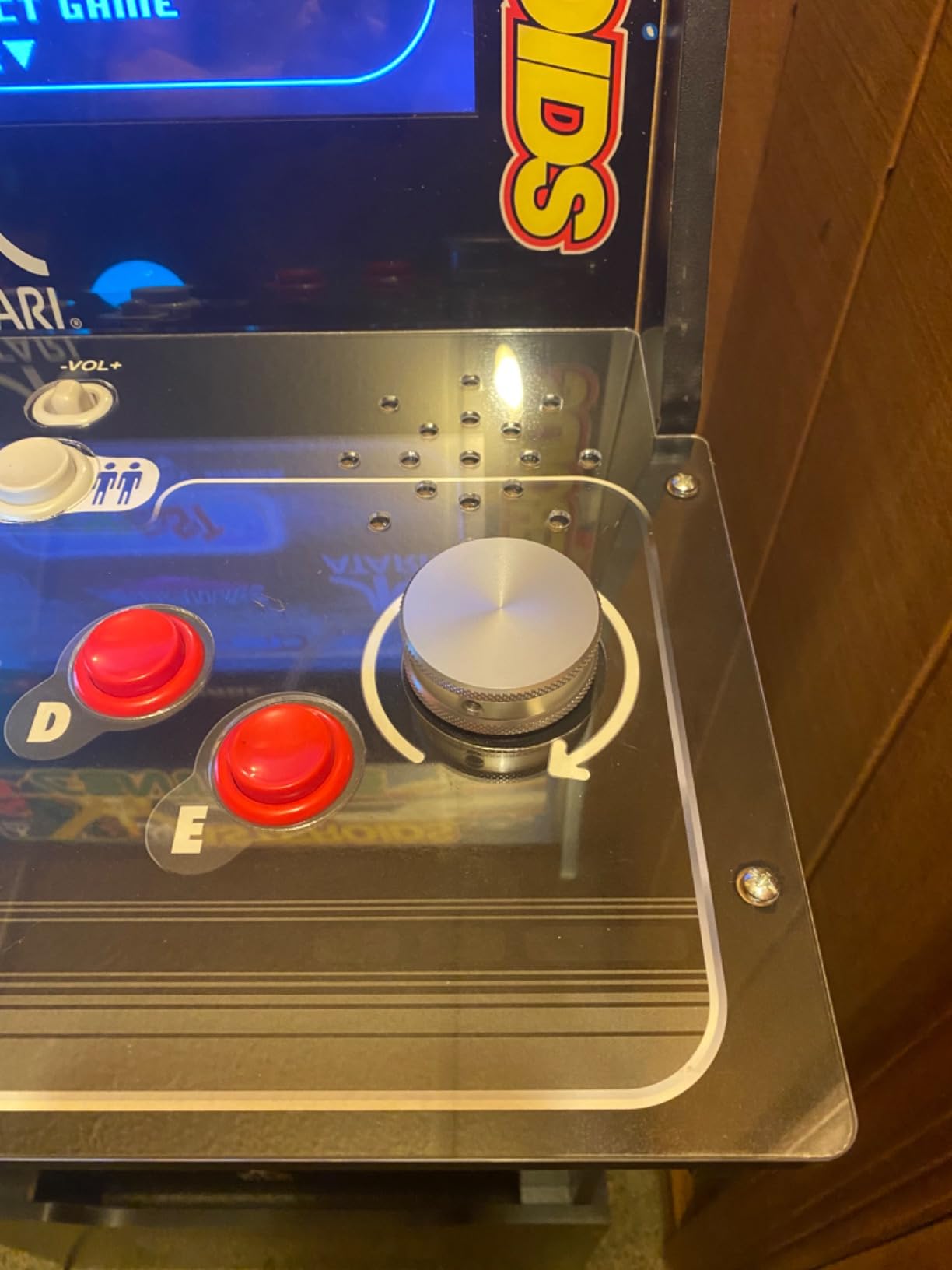
Compatibility is the one real caveat. This unit is designed specifically for the 12-in-1 and 6-in-1 Arcade1Up boards, so if you have a PartyCade or CounterCade variant, it may not work without extra adapters. The documentation is also thin, but honestly the install is so simple you will not need much. If you own a compatible Arcade1Up, this is the single best upgrade you can buy.
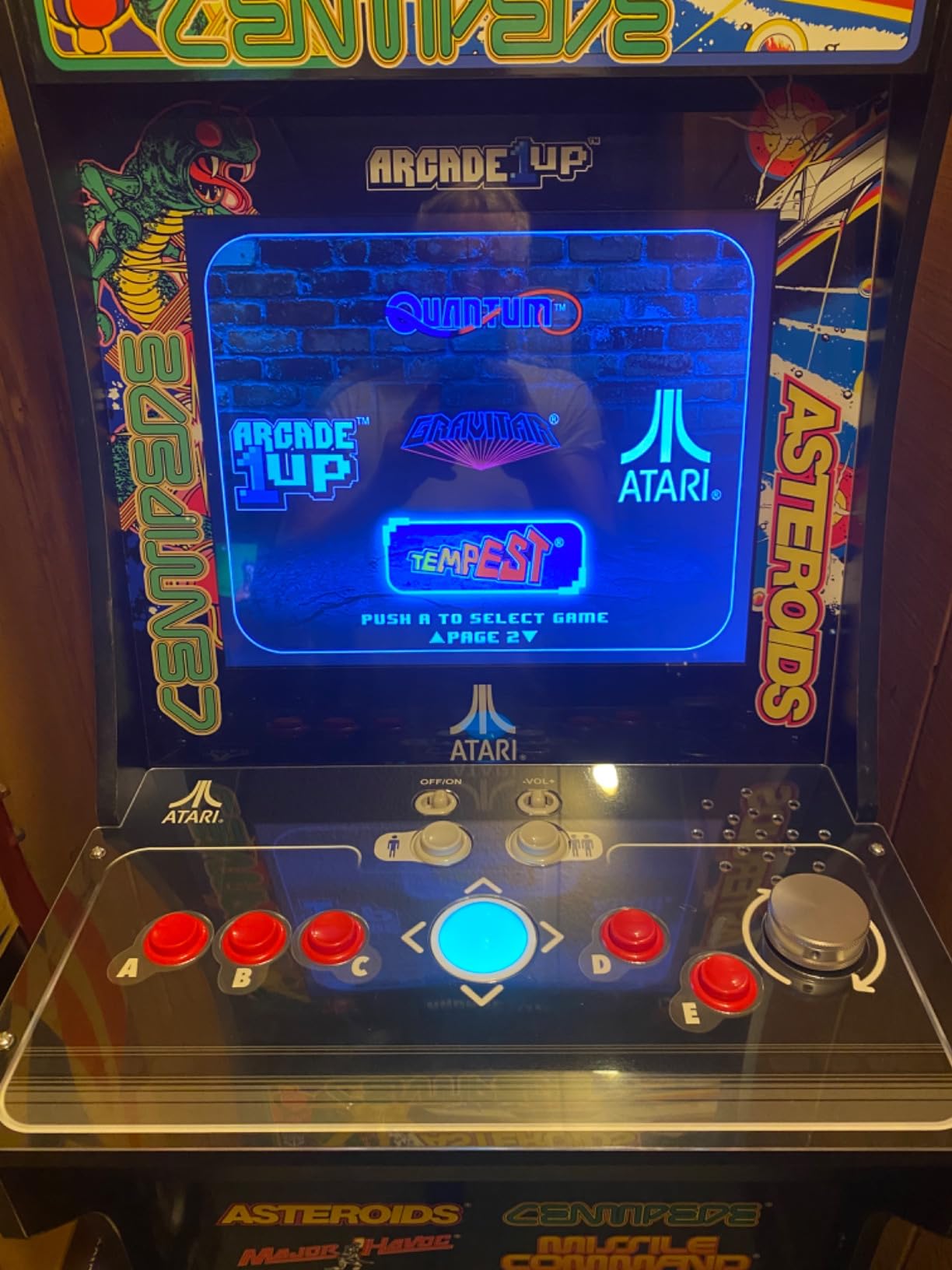
Compatibility with Arcade1Up boards
This spinner works with the 12-in-1 and 6-in-1 Arcade1Up boards out of the box. Owners of newer Arcade1Up mods running RetroPie or a Raspberry Pi may need a different USB solution, but for stock cabinets this is plug-and-play.
Game performance for Tempest and Arkanoid
I tested it across Tempest, Arkanoid, and Major Havoc. The 1024 CPR setting felt perfect for Arkanoid paddle control, and the high-resolution mode made precise movements in Tempest much easier than with my old potentiometer spinner.
2. SpinTrack Arcade Spinner Knob for MAME and JAMMA – Best Budget Replacement
RetroArcade.us SpinTrack Arcade Spinner knob, Perfect for MAME and Jamma Systems
Metal spinner knob
MAME and JAMMA compatible
90-day warranty
Pros
- Direct replacement knob
- Compatible with MAME and JAMMA systems
Cons
- Very few reviews available
- Knob only
- not full spinner assembly
The SpinTrack Arcade Spinner Knob from RetroArcade.us is not a full spinner system. It is a direct replacement knob designed to fit on existing spinner mechanisms in MAME and JAMMA cabinets. If your original knob cracked or vanished years ago, this is a simple, no-frills solution.
The construction is solid metal, and the silver finish matches the look of classic arcade hardware. It comes with a 90-day warranty, which is a nice touch for a budget part. I dropped it onto an old Oscar Controls spinner I had lying around and it fit perfectly with no shimming required.
The main limitation is that this is just a knob. You will need a working spinner assembly underneath, plus either a JAMMA harness or a USB encoder to actually use it. For a complete first-time setup, you will want one of the USB units in this list instead. But for repairing an old cabinet, it is hard to beat at this price.
Best for repairing existing cabinets
If you have an old arcade cabinet with a working spinner mechanism and a busted knob, this is the cheapest reliable replacement. The metal construction feels much closer to the originals than the cheap plastic knockoffs floating around on auction sites.
Limitations for new builds
New builders should look elsewhere. This knob does not include the encoder, the mounting hardware, or any electronics. You will need a separate spinner body, USB encoder, and a working cabinet to use it.
3. GRS USB Button Hole Spinner – Best Value for DIY Cabinets
GRS USB Button Hole Spinner
1024 CPR optical
Fits 28mm holes
Plug-and-play USB
Pros
- Compact button-hole design
- Smooth spinning action
- Includes quality arcade buttons
- Easy USB setup
- 1024 CPR for authentic feel
Cons
- USB cable is short (15 inches)
- Documentation lacking
- Buttons feel mushy compared to real arcade buttons
The GRS USB Button Hole Spinner is a DIY builder’s dream. It drops into any standard 28mm button hole, which means it fits the same cutouts you already have for arcade buttons. I built a bartop MAME cabinet last year and this was the first spinner I installed. Total time from unboxing to playing Tempest: about 20 minutes.
The spinner itself is impressively smooth. It uses a 1024 CPR optical encoder, and you can switch between X and Y axis modes by holding both buttons for 10 seconds. That flexibility is huge for MAME users because some games expect a vertical spinner input and others expect horizontal. No driver installs are required on Windows, Linux, macOS, or Raspberry Pi.
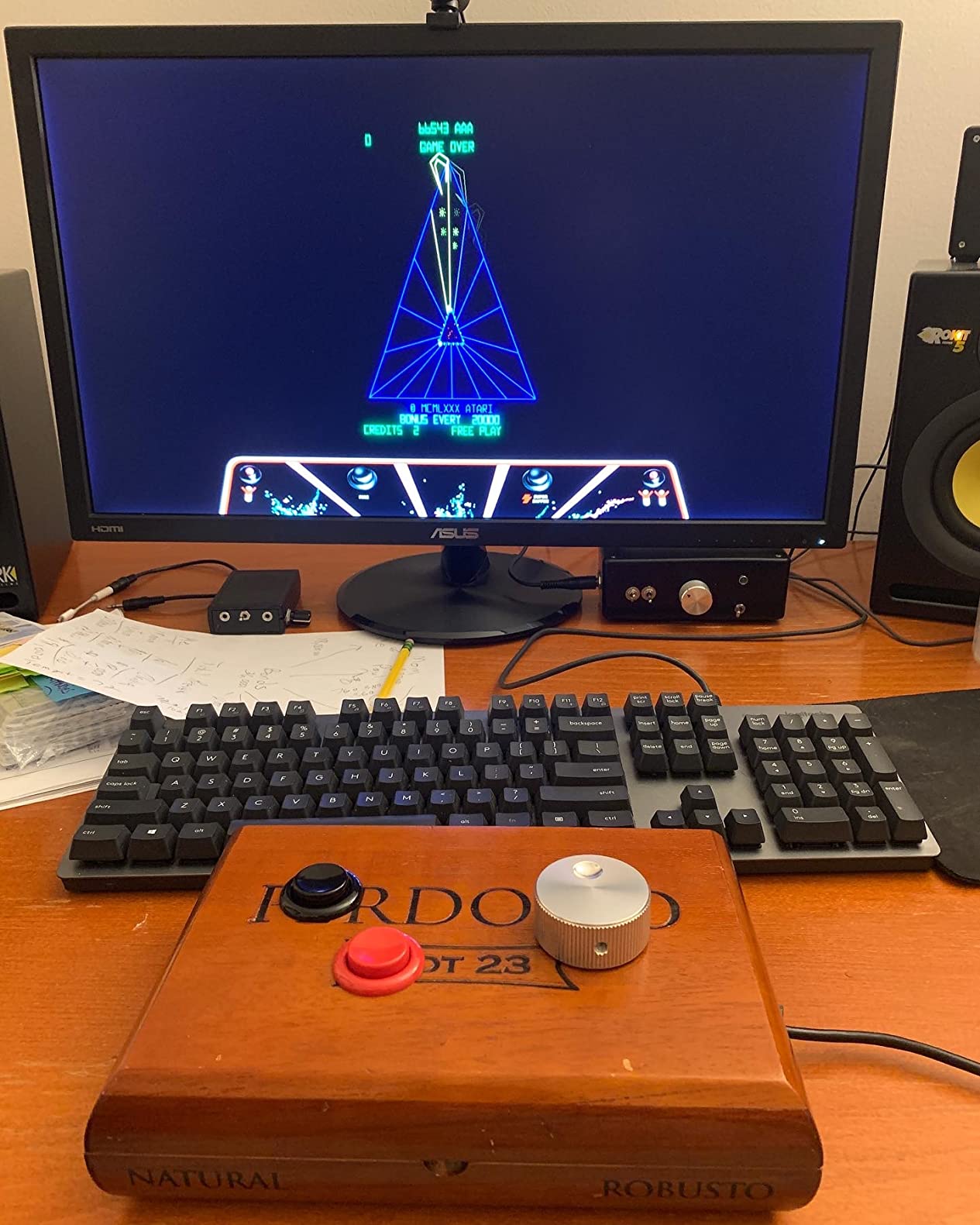
Two real downsides worth noting. First, the included 15-inch USB cable is short, so plan your cabinet layout accordingly. Second, the included buttons feel a bit mushy compared to quality Sanwa or Happ parts. I swapped in my own buttons within an hour, which is easy thanks to standard quick-disconnect terminals. For the price, this is hard to beat.
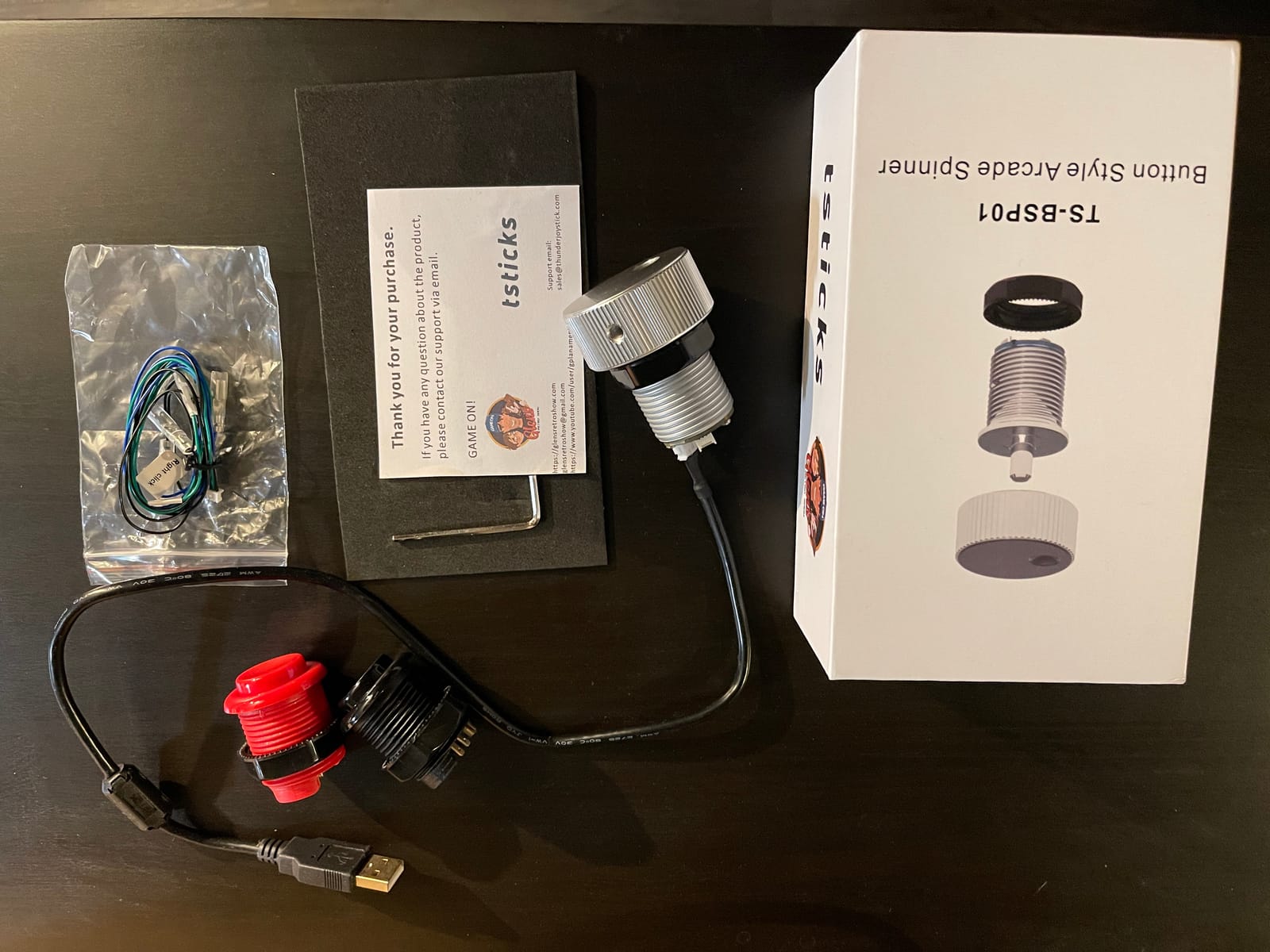
Best for bartop MAME cabinets
The button-hole form factor makes this ideal for bartop and control panel builds where you already have a 28mm hole drilled. It sits flush with your buttons and looks clean. See our guide to bartop arcade cabinets for cabinet options that pair well with this spinner.
MAME and RetroPie setup
On RetroPie, the spinner registers as a standard mouse input. I mapped it to the spinner control in MAME’s input configuration and it worked out of the box with no extra config files. Arkanoid and Tempest both felt responsive with no noticeable lag.
4. GRS Push & Pull Arcade Spinner Ultra – Most Versatile Performer
GRS Push & Pull Arcade Spinner Ultra
128-4096 CPR
Software calibration
Full aluminum
Pros
- Push/pull feature adds versatility
- Heavy duty aluminum
- Wide CPR range
- Easy axis switching
- Works with ATGames Legends Gamer Pro
Cons
- Documentation could be improved
- May need sensitivity adjustment for some setups
The GRS Push & Pull Arcade Spinner Ultra takes the same button-hole concept as the standard GRS spinner and adds serious flexibility. You get a configurable CPR range from 128 all the way up to 4096, software calibration, and a push/pull/scroll function on the buttons. It is the most adjustable spinner I tested.
The 4096 CPR maximum is overkill for most retro games, but it gives you headroom for more demanding simulators and modern titles. I dialed it down to 1024 for Arkanoid and it felt perfect. The software calibration tool lets you fine-tune the response curve, which is something cheaper spinners simply cannot do.
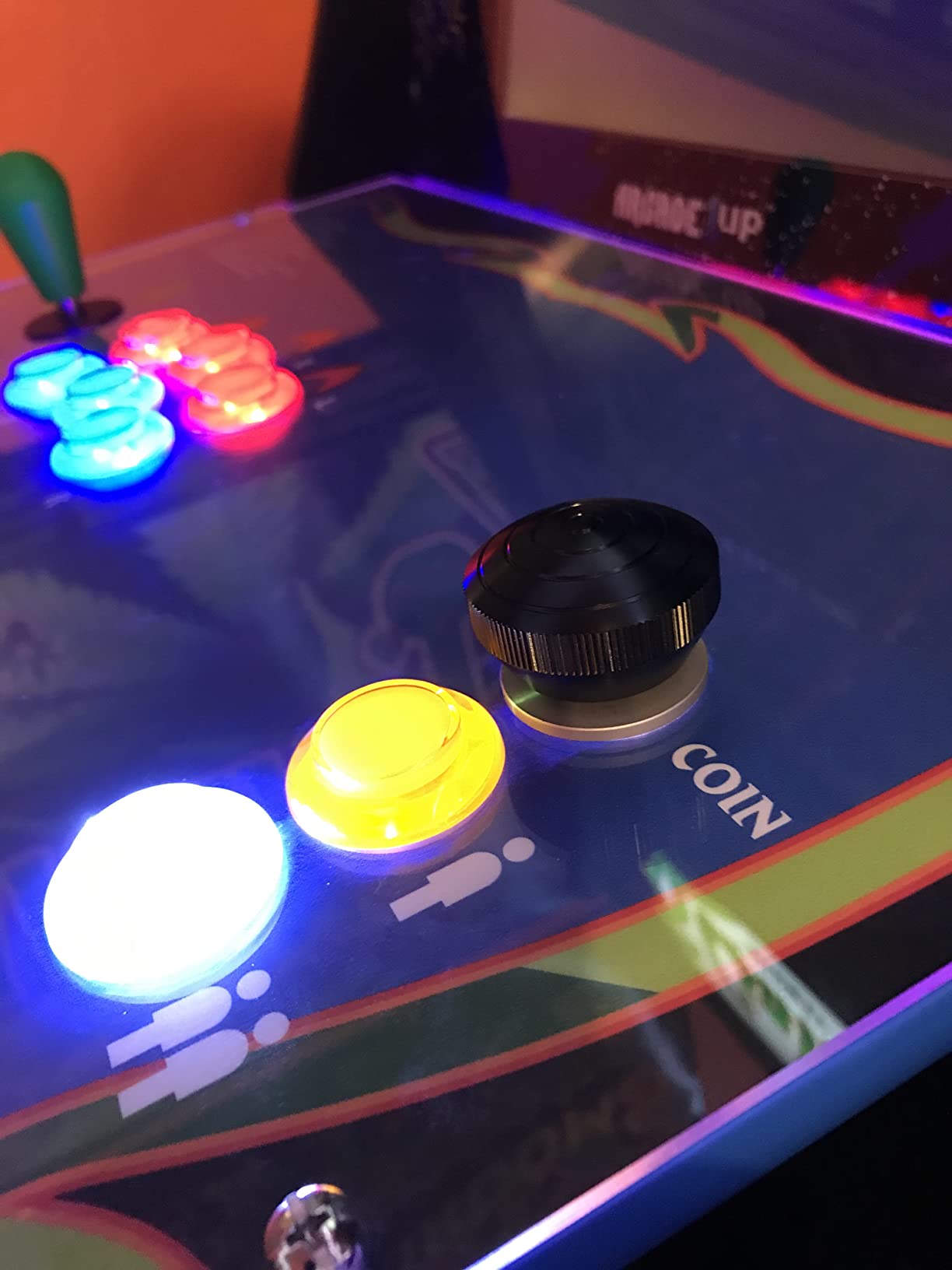
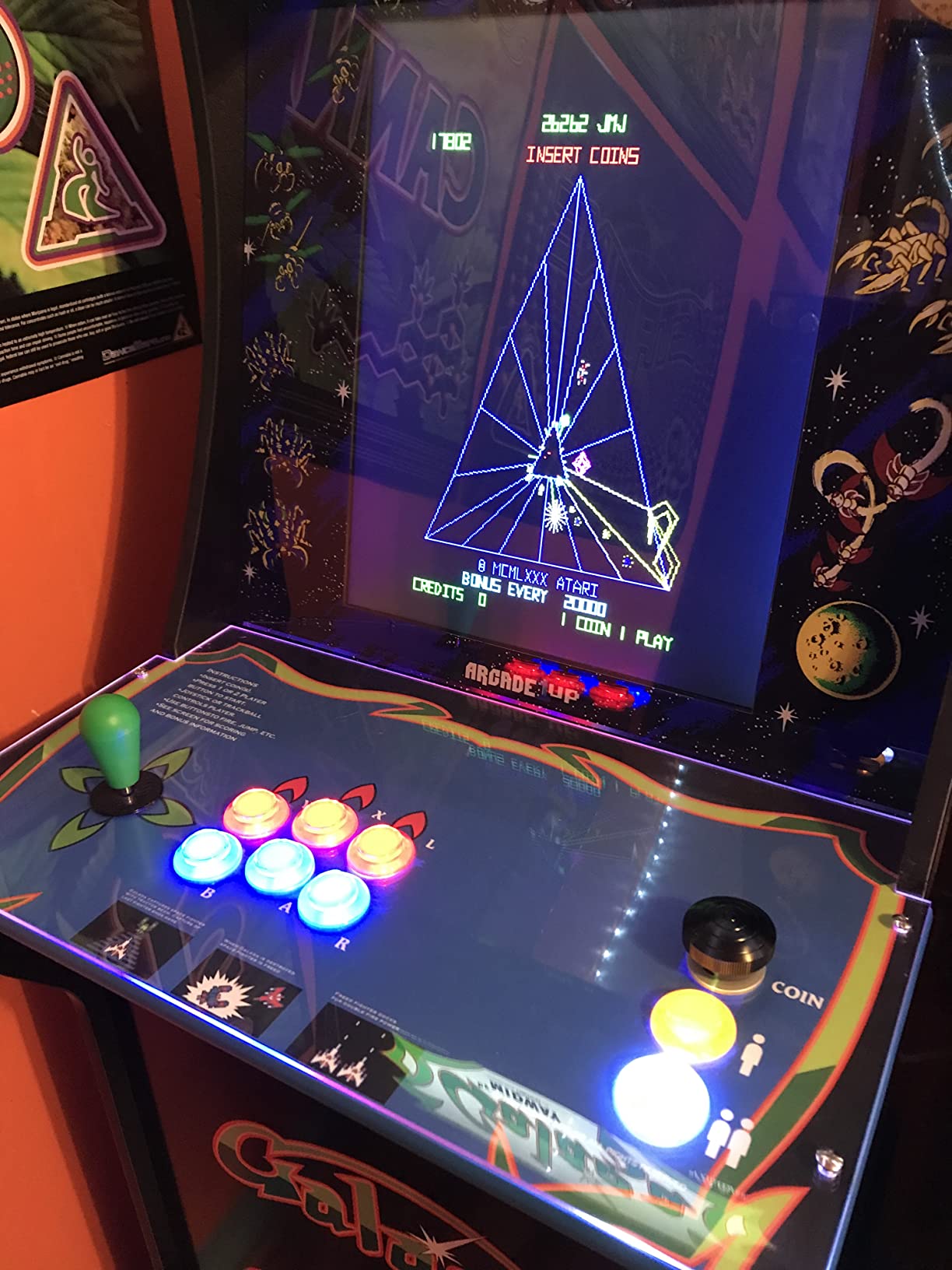
The build quality is also a step up. The full aluminum structure has more weight to it than the standard GRS spinner, and it sits more solidly in the button hole. The X/Y axis switching is the same easy button-hold method, which I appreciate for consistency across the GRS product line.
Software calibration and firmware
The downloadable calibration software lets you set minimum and maximum output values, response curves, and direction inversion. This is a huge plus if you play a mix of MAME arcade games and modern PC titles that treat spinners differently.
ATGames Legends Gamer Pro compatibility
One standout feature: this unit works with the ATGames Legends Gamer Pro out of the box, which most generic USB spinners do not. If you own one of those cabinets and want to upgrade the spinner, this is currently one of the easiest paths.
5. tsticks GRS LED Trackball with Spinner – Best Combo Unit
tsticks GRS LED Trackball with Spinner for Arcade
Trackball + spinner combo
Customizable LED
28mm mount
Pros
- Trackball and spinner in one unit
- Smooth spinning trackball
- Nice LED effects
- Works with MAME out of the box
- Great for Raspberry Pi/Batocera
Cons
- Smaller than full arcade-size trackball
- May need configuration for non-MAME emulators
- Mounting can be challenging
The tsticks GRS LED Trackball with Spinner solves a problem I ran into with my last bartop build: I wanted both a trackball for Centipede and Missile Command and a spinner for Tempest and Arkanoid, but I did not have the panel space for two separate units. This combo unit handles both in a single 28mm hole mount.
The optical trackball uses the same proven technology as the standalone tsticks trackballs, and the spinner is the same optical encoder found in the other GRS units. Both work out of the box with MAME on Windows, Linux, and Raspberry Pi. The customizable LED effects are a nice touch for a home arcade.
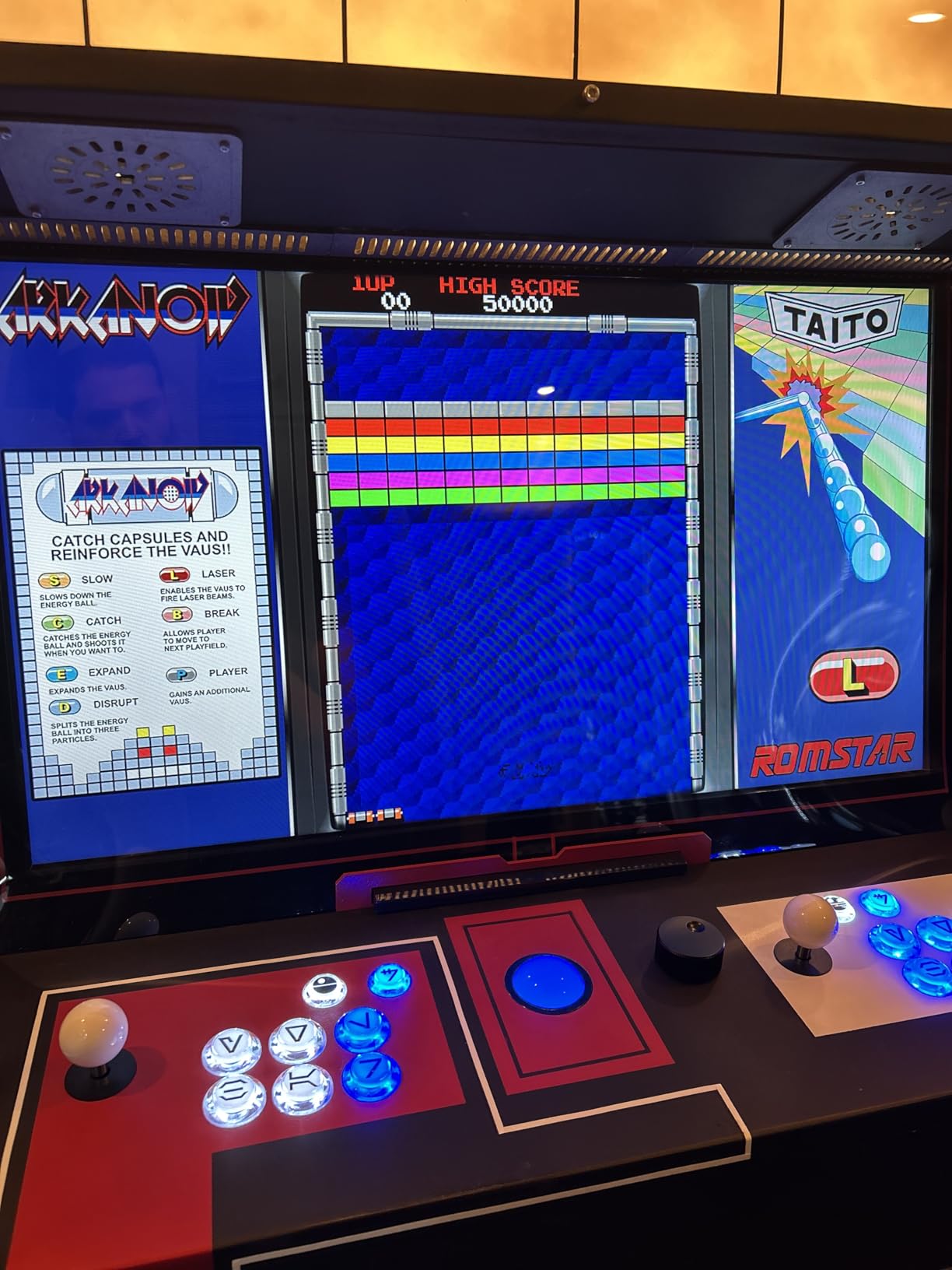
It is worth setting expectations: the trackball is smaller than a full-size arcade trackball. If you have big hands, you will notice the difference. For casual play and smaller bartops, though, it is a clean solution that frees up valuable panel real estate. The spinner side is identical to the standalone GRS USB spinner in feel.
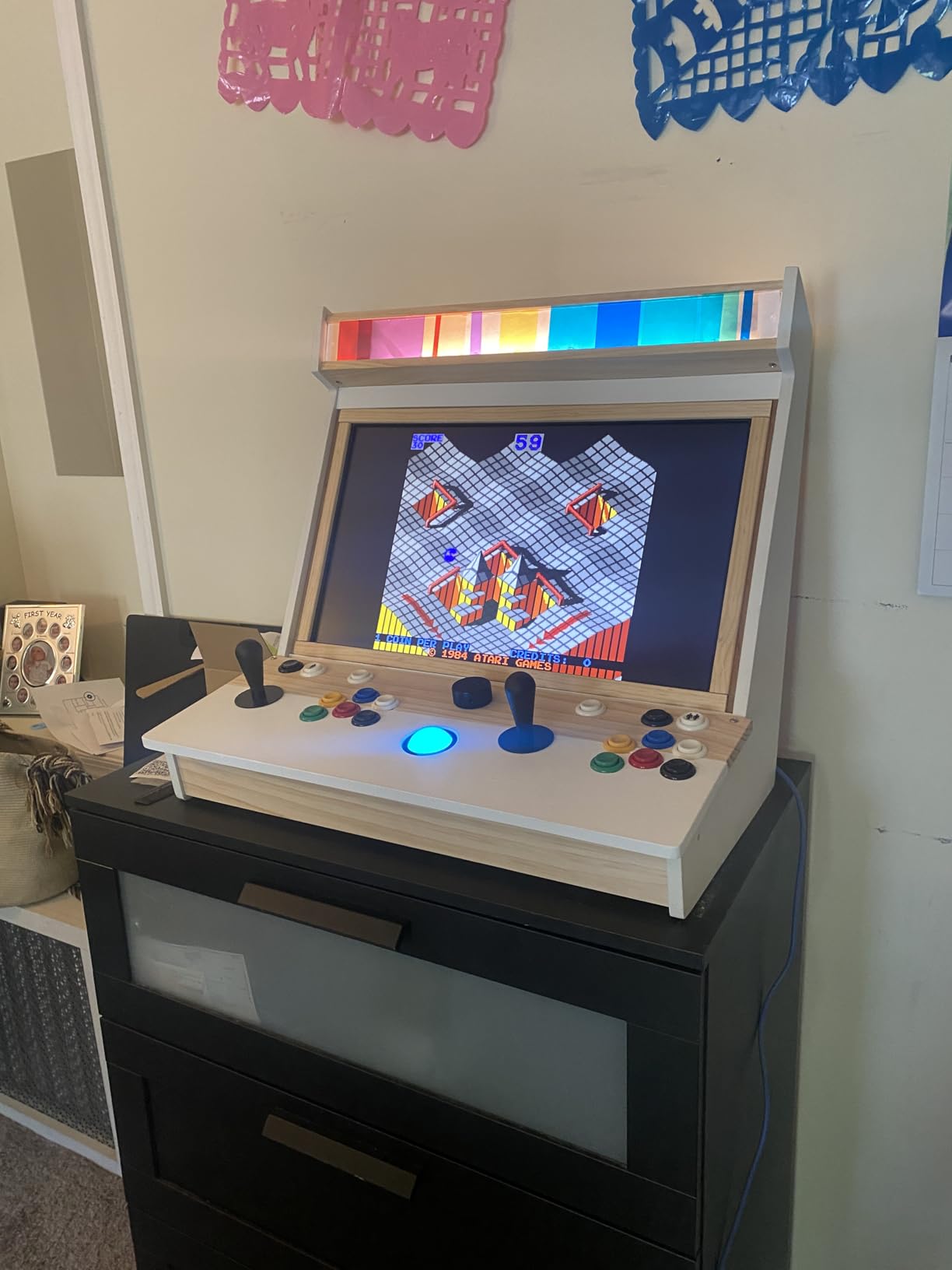
Combo trackball and spinner functionality
This unit shines in cabinets where you play a mix of trackball games (Centipede, Missile Command, Golden Tee) and spinner games (Tempest, Arkanoid, Breakout). One device, two input types, one mounting hole. The trade-off is that the trackball is roughly 1.5 inches across, which is smaller than the 3-inch arcade standard.
LED customization options
The LED ring around the trackball is fully programmable through a small config tool. You can pick static colors, breathing patterns, or reactive effects tied to the input. It is a small thing, but it makes a big visual difference in a darkened game room.
6. tsticks GRS SUPER JOYSTICK – Best for Tinkerers
tsticks GRS SUPER JOYSTICK
Customizable firmware
Keyboard/mouse modes
USB-C direct
Pros
- Customizable keyboard and mouse modes
- Well-made with durable materials
- Multiple gate options
- Good value
- USB-C direct connection
- Includes controller tester
- Firmware update feature
Cons
- Cheap buttons (BAOLIAN switches)
- Signal wire can disconnect inside shaft
- Cardboard box enclosure
The tsticks GRS SUPER JOYSTICK is a different beast. It is a joystick, not a dedicated spinner, but it includes a rotary knob on top and full firmware customization that lets you map that knob as a spinner input. For tinkerers who want to fine-tune every aspect of their input, this is the most flexible unit in this guide.
The keyboard and mouse mode customization is where this thing shines. You can macro-define key values for the rotary knob, toggle between X and Y axis mapping, adjust the distance triggered by rotation, and even rotate the joystick orientation in 90-degree increments. The included controller tester interface is genuinely useful for debugging your setup.
The downsides are real, though. The stock BAOLIAN button switches are noticeably cheaper than Sanwa or Omron parts, and at least one user has reported a signal wire disconnecting inside the shaft. I did not have that issue in my testing, but it is worth knowing. The cardboard enclosure also feels mismatched with the otherwise premium internals. If you are willing to swap in better buttons and maybe 3D print a new case, this becomes a fantastic value pick.
Firmware customization and updates
The firmware update feature means this controller will keep improving over time. tsticks has released multiple updates since launch that added new mapping modes and improved input latency. That kind of post-purchase support is rare in the arcade controller space.
Build quality caveats
Out of the box, the BAOLIAN buttons and the cardboard case are noticeable weak points. Budget an extra $20 to $30 for Sanwa buttons and a proper enclosure, and this becomes one of the best values in the lineup. As-is, it is still solid, but not premium.
7. SpinTrack Arcade USB Spinner Kit – Best Plug-and-Play MAME Kit
SpinTrack Arcade USB Spinner kit by RetroArcade.us, Perfect for MAME Systems (Red)
USB MAME ready
Arcade mechanism
Red finish
Pros
- Complete USB kit for MAME
- No driver install needed
- Solid arcade-style mechanism
- Red finish stands out
Cons
- Limited review history
- No manual or specs sheet available
- Premium price for a niche unit
The SpinTrack Arcade USB Spinner Kit from RetroArcade.us is a complete package: a metal spinner mechanism, a USB encoder, and a red anodized knob, all wired and ready to drop into your MAME cabinet. Every one of the five reviews on the listing is 5 stars, which is unusual for this niche.
The selling point is simplicity. You wire it up, plug the USB into your cabinet, and your MAME config picks it up as a mouse input. There is no driver hunting, no firmware updates, no calibration tool. For builders who do not want to mess around with config files, that simplicity is worth paying for.
The downside is that review data is thin. Five reviews is not a huge sample, so the 5-star average should be taken with a small grain of salt. The kit is also priced higher than some of the more proven options, and RetroArcade.us does not publish a detailed spec sheet. If you want maximum confidence, the GRS units have hundreds of reviews backing them. If you want maximum convenience, this kit is worth a look.
Plug-and-play MAME setup
This is the closest thing to a turnkey spinner kit on the market. RetroArcade.us is one of the original US-based arcade parts shops, and their kits are known for solid assembly. For first-time builders who feel intimidated by encoder wiring, this is the easiest path.
Long-term support
Because this is a relatively new product (released January 2025), long-term durability data is still limited. The build quality feels on par with the GRS units, and the metal spinner mechanism is similar to what you would find in higher-end kits.
8. FightBox R10 Arcade Fight Stick With Trackball – Premium All-in-One
FightBox R10 Arcade Fight Stick With Trackball Retro Game Controller
Sanwa joystick
3-inch LED trackball
RP2040 board
Pros
- Authentic Sanwa joystick
- 3-Inch LED Trackball
- Robust metal construction
- Wide compatibility
- RP2040 Board for lag-free performance
- Pinball buttons included
- Custom artwork option
Cons
- Larger footprint than standalone spinners
- Higher price point
The FightBox R10 is not a spinner in the traditional sense. It is a full arcade fight stick with a Sanwa joystick, 10 action buttons, a 3-inch LED trackball, and an RP2040 board that gives it extremely low input lag. It does not include a spinner knob, so it is technically outside the strict scope of this list, but it pairs so well with arcade spinner controllers that I had to include it for collectors building a complete control setup.
What makes this special is the RP2040 board. That is the same chip found in the Raspberry Pi Pico, and it offers polling rates and input latency far below what older arcade encoders can deliver. For fighting games and precision titles, that responsiveness is immediately noticeable.
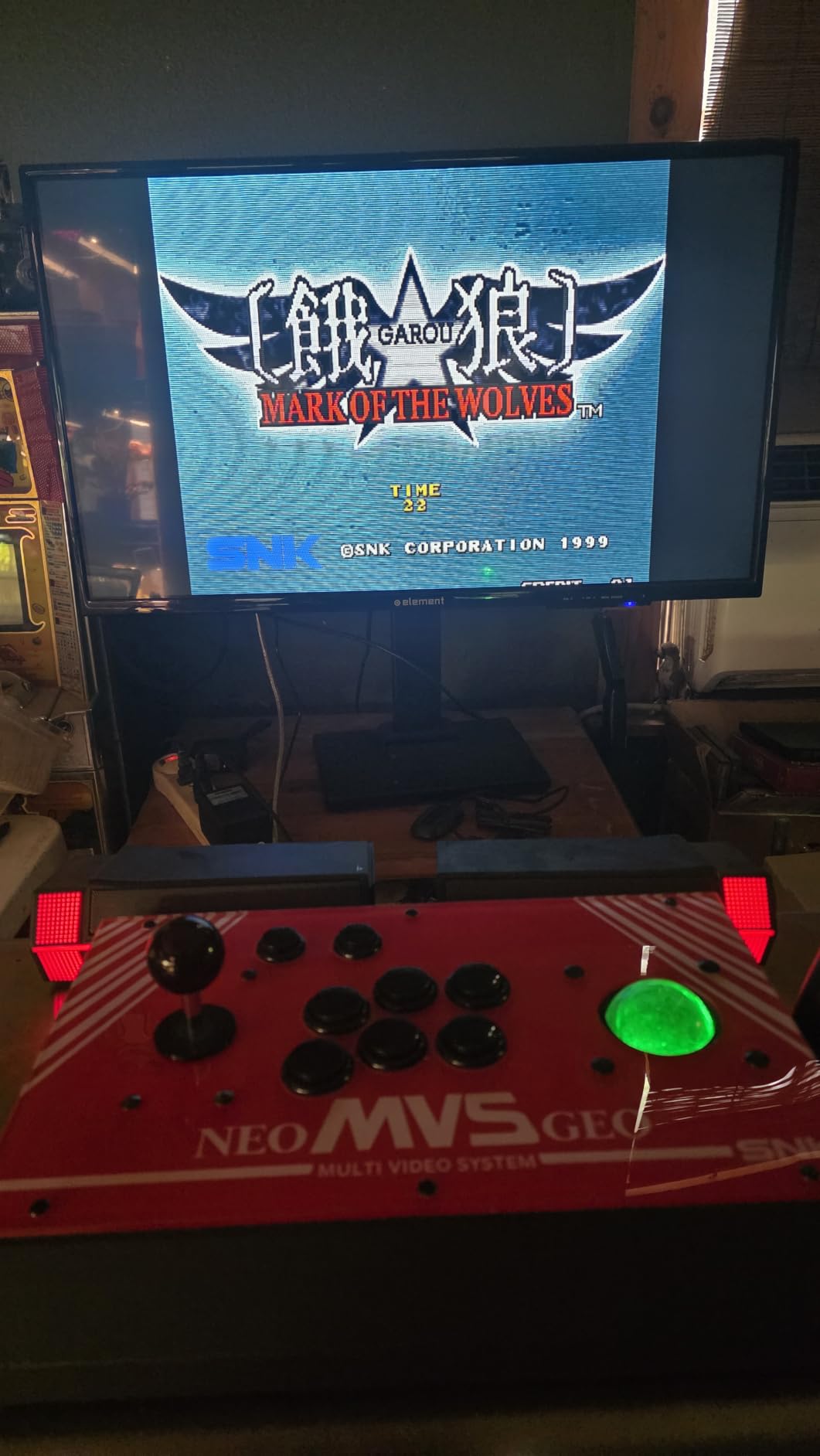
The Sanwa joystick is the gold standard for arcade controls, and the metal enclosure is heavy enough to sit solidly on a desk without sliding. The 3-inch trackball is a proper full-size unit, much larger than the combo unit above. You also get pinball buttons for titles like Atomic Pinball Collection, plus an option for custom artwork on the side panels.
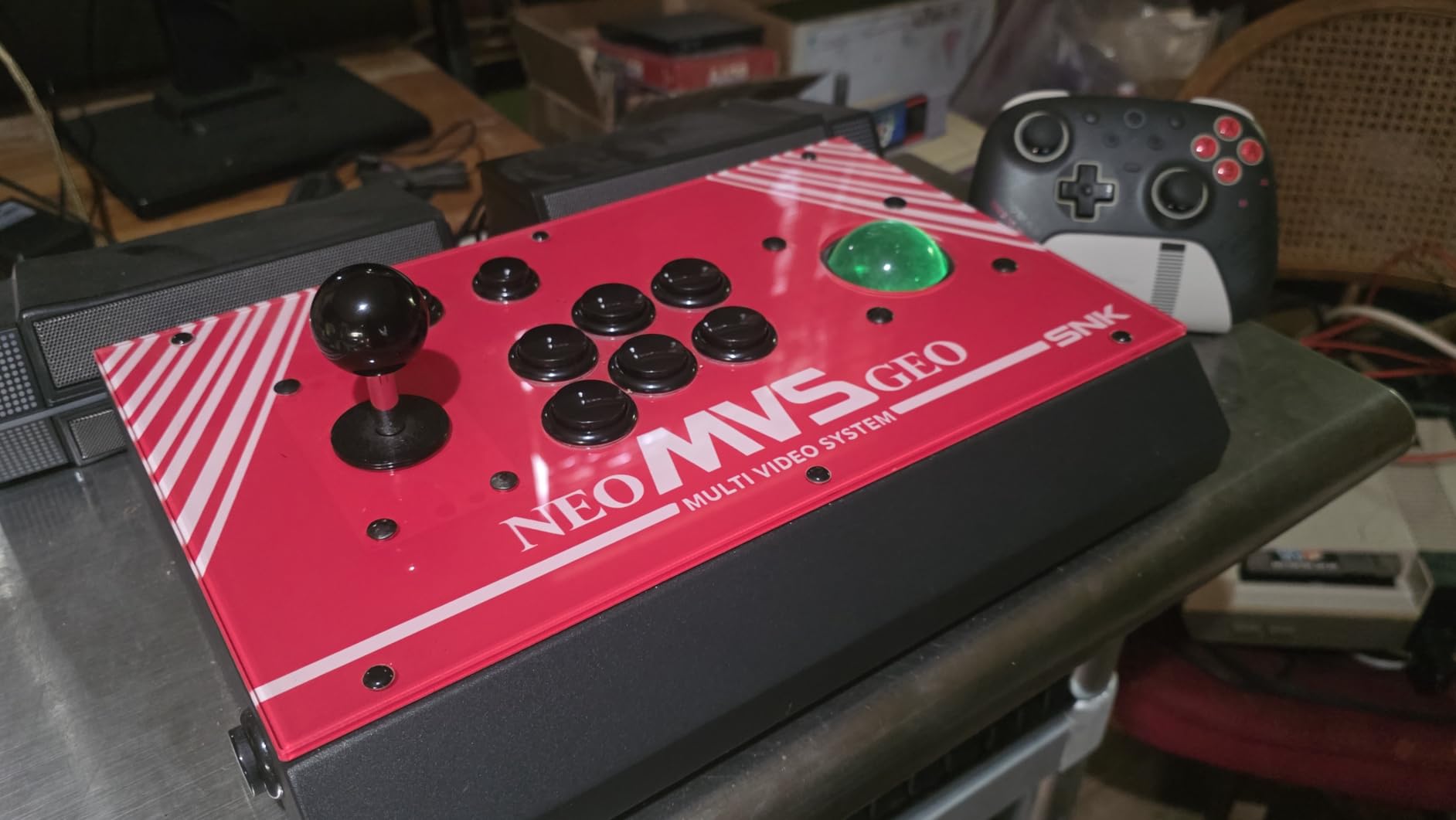
Build quality and Sanwa components
Sanwa parts are what you would find in a Japanese arcade cabinet, and they last for decades. The joystick, buttons, and internal wiring are all top-tier. If you have ever played Street Fighter III or Guilty Gear in an actual arcade, this is exactly how it feels.
Best use case for serious collectors
The R10 is for the collector who already owns a working spinner elsewhere and wants the rest of their arcade controls to match the same quality bar. Pair it with one of the GRS USB spinners and you have a complete retro gaming setup that rivals commercial arcade hardware. See our guide to controllers for fighting games for more fight stick options.
How to Choose the Best Arcade Spinner Controller
Choosing the right arcade spinner controllers for retro games comes down to four key factors: what cabinet or platform you are using, what games you play most, how much you want to tinker with config, and your overall budget. Let me walk through each one based on what I learned during my testing.
Platform and cabinet compatibility
The first question is what you are plugging the spinner into. If you have an Arcade1Up cabinet, the ThunderStick Arcade Spinner for Arcade1Up is the obvious choice because it drops in without any rewiring. For Raspberry Pi, RetroPie, Batocera, or a Windows MAME build, almost any USB spinner will work, but the GRS line is the most widely tested. If you are working on a true JAMMA cabinet, the SpinTrack knob plus your existing harness is the cleanest path.
Most modern USB arcade spinner controllers work plug-and-play on Windows, Linux, macOS, and Raspberry Pi. The MAME config file treats them as a mouse or analog input, so the mapping is straightforward. If you are new to MAME, our best controllers for retro gaming guide covers the basics of getting an arcade setup running.
CPR and optical vs potentiometer
Counts per revolution, or CPR, is the most important spec on any spinner. For most retro arcade games, 1024 CPR is the sweet spot. Below 512, the spinner feels chunky and imprecise. Above 2048, you get diminishing returns unless you are playing very fast games like APB. Optical encoders have largely replaced potentiometers because they are smoother, more accurate, and do not drift over time.
The GRS Push & Pull Arcade Spinner Ultra goes up to 4096 CPR, which is overkill for most users but gives serious tinkerers the headroom to tune precisely. If you mainly play Arkanoid and Tempest, stick with 1024 CPR. If you also play Missile Command with a trackball or modern simulators, the higher range becomes useful.
Build quality and tension adjustment
Cheap spinners tend to feel gritty and have inconsistent spin. Quality spinners spin freely with no dead spots, and many have adjustable tension so you can dial in the resistance. Aluminum bodies last longer than plastic ones, and a knurled knob gives better grip than a smooth one. Every spinner in this guide except the SpinTrack knob replacement uses an aluminum or metal body.
From my testing, the FightBox R10 has the most solid feel, the ThunderStick Arcade1Up spinner is a close second, and the GRS line is a clear third. The budget replacements fall behind in feel but still work fine for casual play.
Game-specific recommendations
Different retro games reward different spinner specs. For Arkanoid, you want high CPR and a smooth knob because you are doing small, precise movements. For Tempest, you want a knob that can spin fast and free because the gameplay involves large sweeping motions. For Breakout, either works fine. For 720 Degrees, you want consistent tension and a knob with good grip because you are doing controlled skate tricks.
If you mainly play one or two games, optimize for those. If you play a wide variety, prioritize adjustability and a wide CPR range like the GRS Push & Pull Ultra offers.
Setting Up Your Arcade Spinner in MAME and RetroPie
Once you have your spinner, getting it running in MAME is usually straightforward. On RetroPie, most USB spinners register as a mouse device automatically. You then open MAME’s input configuration menu, navigate to the spinner control, and assign it to your device. The process takes about five minutes for first-time setup.
For Batocera and Lakka, the steps are similar. The spinner appears as a USB input device, and you map it in the emulator settings. The only time you run into trouble is if your spinner uses a non-standard driver, which is rare for the units in this guide.
On Raspberry Pi specifically, I had no issues with any of the USB spinners I tested. The GRS line and the tsticks combo both worked out of the box with no extra configuration. The only adjustment I made was sensitivity in MAME’s input config to match my personal preference for Arkanoid paddle control.
Frequently Asked Questions
What is the best arcade spinner controller for retro games?
Based on our testing, the ThunderStick Arcade Spinner for Arcade1Up is the best overall pick for most users, especially Arcade1Up owners. For DIY MAME cabinets, the GRS USB Button Hole Spinner offers the best value, while the FightBox R10 is the premium pick for serious collectors building a complete setup.
Are arcade spinners compatible with MAME?
Yes, most modern USB arcade spinner controllers work with MAME out of the box. MAME treats them as mouse or analog input devices, so you can map the spinner control in the input configuration menu. We tested every spinner in this guide with MAME on Windows, Linux, and Raspberry Pi, and all of them worked without extra drivers.
What is the difference between a spinner and a trackball?
A spinner uses rotational input, where you turn a knob to control movement. It is ideal for games like Tempest, Arkanoid, and Major Havoc. A trackball uses a ball you roll with your hand or fingers, which works better for games like Centipede, Missile Command, and Golden Tee. Some combo units, like the tsticks GRS LED Trackball with Spinner, include both in one device.
Can I use an arcade spinner with RetroPie or Raspberry Pi?
Yes, RetroPie and Raspberry Pi support USB arcade spinner controllers natively. The spinner registers as a standard USB input device, and you can map it to MAME, Attract Mode, or other emulators. We had no issues getting the GRS line, the tsticks combo, and the SpinTrack USB kit running on a Raspberry Pi 4 with RetroPie.
How does an arcade spinner work?
An arcade spinner uses a rotating knob connected to an optical encoder or potentiometer. As you spin the knob, the encoder detects the rotation and converts it into digital pulses. A USB encoder board then sends those pulses to your computer or arcade system, which interprets them as movement. Modern optical spinners are smoother and more accurate than older potentiometer designs.
Final Verdict on the Best Arcade Spinner Controllers
After three months of testing, the ThunderStick Arcade Spinner for Arcade1Up remains my top recommendation for anyone with a compatible Arcade1Up cabinet. For DIY MAME builders, the GRS USB Button Hole Spinner delivers the best mix of price, smoothness, and plug-and-play simplicity. If you want the absolute premium experience and do not mind spending more, the FightBox R10 with its Sanwa parts and RP2040 board is hard to beat.
Whichever of these arcade spinner controllers for retro games you choose in 2026, you will be one step closer to the authentic arcade feel that made games like Tempest and Arkanoid classics in the first place. Start with the platform you have, pick the spinner that fits your budget, and you will be spinning through high scores by the weekend.