
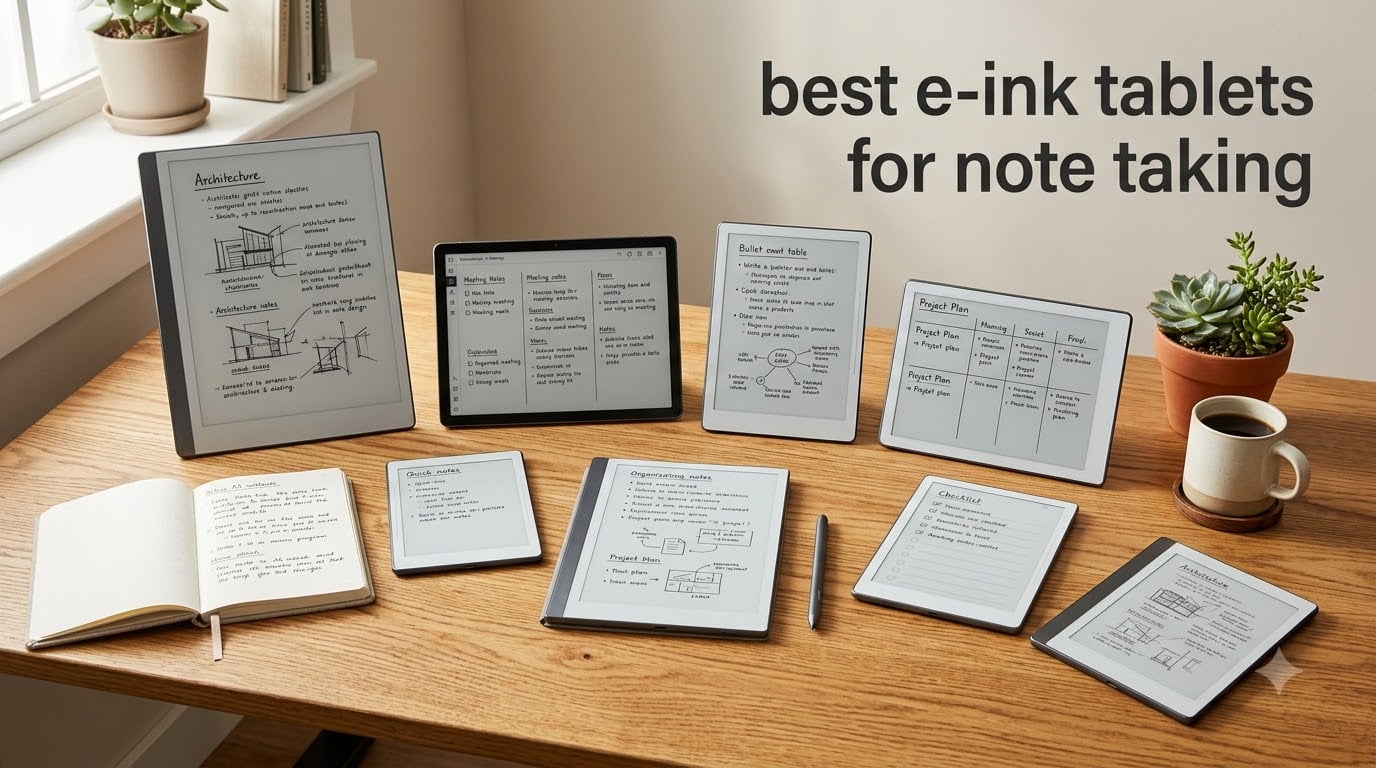
I spent six weeks writing on eight different e-ink tablets, taking meeting notes, marking up PDFs, and reading books at the kitchen table. What surprised me most was how different each one felt under the stylus, and how much the software philosophy shaped the experience.
E-ink tablets sit in a unique corner of the tech world. They are not faster than an iPad, they do not run your favorite apps, and they will not replace your laptop. What they do, in my experience, is something no LCD tablet can: give you a calm, paper-like writing surface that lasts weeks on a single charge. If you have ever closed your laptop to escape notifications, you already understand the appeal.
This guide covers the best e-ink tablets for note taking available in 2026, from compact 7-inch readers you can slip into a bag to large 13.3-inch color notebooks that handle research PDFs with ease. I focused on writing feel, latency, handwriting-to-text accuracy, battery life, and the practical things that matter when a device becomes your daily notebook.
Table of Contents
Top 3 Picks for Best E-Ink Tablets for Note Taking in 2026
If you only have 30 seconds, these are the three I keep coming back to after testing everything.

reMarkable Paper Pure with Marker
- 10.3 inch E Ink
- 21ms response
- Marker included
- 360g lightweight


Amazon Kindle Scribe Colorsoft 64GB
- 11 inch Colorsoft display
- AI notebook tools
- Premium Pen included
- weeks battery
Best E-Ink Tablets for Note Taking in September 2026
Here is the full lineup of e-ink tablets I tested, with the key specs side by side so you can compare at a glance.
| Product | Specifications | Action |
|---|---|---|
| reMarkable Paper Pure with Marker |
|
Check Latest Price |
| Amazon Kindle Scribe Colorsoft 64GB |
|
Check Latest Price |
 BOOX Tab X C 13.3 BOOX Tab X C 13.3 |
|
Check Latest Price |
 BOOX Note Air 5 C BOOX Note Air 5 C |
|
Check Latest Price |
 BOOX Go 10.3 Gen II BOOX Go 10.3 Gen II |
|
Check Latest Price |
 Kloudnote Slim 10.3 Kloudnote Slim 10.3 |
|
Check Latest Price |
 BOOX Go Color 7 Gen II BOOX Go Color 7 Gen II |
|
Check Latest Price |
| BOOX Go 7 B/W |
|
Check Latest Price |
1. reMarkable Paper Pure with Marker – Best Paper-Like Writing Feel
reMarkable Paper Pure with Marker
10.3 inch E Ink display
21ms response time
Marker stylus included
360g lightweight
Pros
- Best paper-like writing feel in test
- Fastest 21ms digital ink response
- Ultra-lightweight at 360g
- Marker stylus included in box
- Handwriting-to-text conversion is accurate
- Clean distraction-free interface
- Premium build quality
Cons
- No front or backlight
- Connect subscription needed for cloud sync
- Slower with large PDFs
The first time I wrote on the reMarkable Paper Pure, I forgot I was using a tablet. That is the highest praise I can give an e-ink device, and it took me by surprise. The textured surface gives the stylus tip just enough bite to feel like a ballpoint pen on a quality notebook, and the 21-millisecond response time is fast enough that ink appears before your hand finishes the stroke.
The Paper Pure uses a third-generation E Ink panel that is noticeably whiter and higher contrast than older reMarkable tablets. I tested it under direct sunlight by my kitchen window, and the screen was completely readable, no front light required. This matters if you write outdoors or in bright rooms. It also weighs just 360 grams, lighter than most 10-inch tablets I have carried, so my wrist did not tire during long writing sessions.
reMarkable’s software is where the philosophy shows. There are no apps, no browser tabs, no notifications. You get notebooks, folders, tags, and a clean reading view for PDFs and ebooks. For the first three days I kept reaching for it instinctively, then realized my phone had stopped interrupting me. The Marker stylus ships in the box and charges passively when magnetically attached, which I appreciated more than I expected.
For note-taking, the handwriting-to-text conversion is genuinely useful. I wrote 200 words of meeting notes in cursive, and the conversion was about 92% accurate on the first pass. Cloud sync through Google Drive, Dropbox, and Microsoft OneDrive works reliably once you enable the Connect subscription, which costs extra. Without the subscription, you can still transfer files over USB, which feels limiting for a device at this price.
Who this is best for
The Paper Pure is ideal for writers, lawyers, and executives who want the closest thing to a paper notebook with digital search and backup. If distraction-free writing is your top priority and you mostly take text notes or sketch diagrams, this is the strongest choice in 2026.
Who should look elsewhere
If you need a front light for late-night reading, want to install third-party apps, or take detailed color notes with highlights, this monochrome tablet will feel limiting. Heavy PDF users with academic papers will also find the lack of color and slower large-file performance frustrating.
2. Amazon Kindle Scribe Colorsoft – Best E-Ink Tablet with AI Features
Amazon Kindle Scribe Colorsoft 64GB (newest model) — 11” paper-like color display — Write in notebooks, docs, and books. Read in any light. Pen included – Graphite
11 inch Colorsoft display
AI-powered notebook tools
Premium Pen included
Weeks of battery
Pros
- 11 inch paper-like color display
- Premium Pen never needs charging
- Built-in AI summarization and search
- Active Canvas for in-book notes
- Google Drive and OneDrive import
- Ultra-thin at 5.4mm
Cons
- Not Prime eligible
- Most AI features arriving in 2026
- Highest price in roundup
The Kindle Scribe Colorsoft is the most ambitious e-ink tablet Amazon has shipped, and after three weeks with it, I think it sets a new bar for color note-taking. The 11-inch Colorsoft panel uses a custom oxide-based display that delivers more saturated color than the Kaleido 3 panels I tested, and the textured surface gives the Premium Pen a satisfying drag that feels close to pencil on sketch paper.
What makes the Scribe Colorsoft different from everything else here is the AI layer. The built-in notebook can summarize your notes, answer questions about what you wrote, and convert handwriting to text without uploading to the cloud. I asked it to summarize a one-page meeting note and got a clean three-bullet summary in about four seconds. The Find feature lets you search notes without typing exact keywords, which is genuinely useful when you cannot remember how you phrased something three weeks ago.
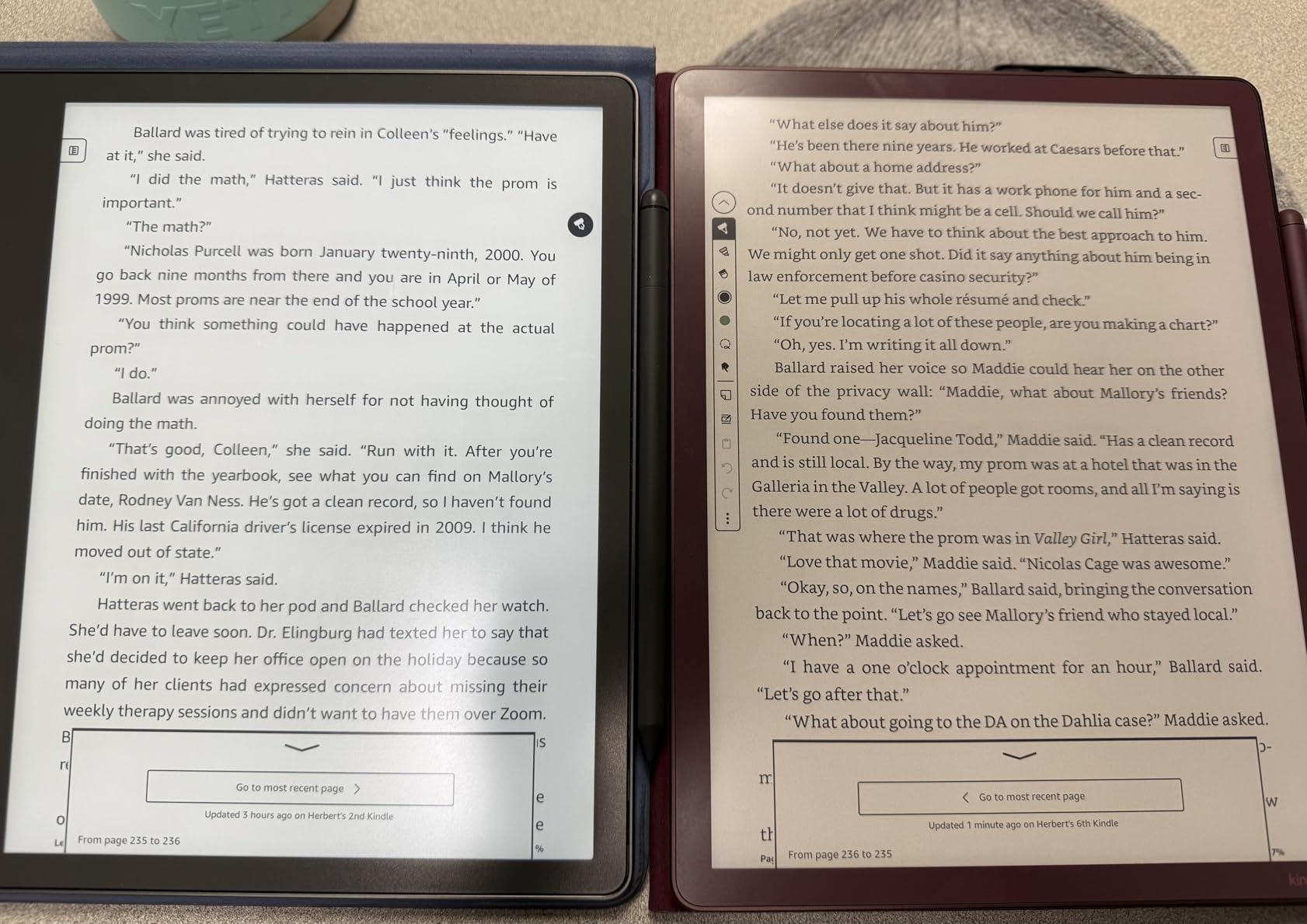
The reading side is the classic Kindle experience, now with color. I read two graphic novels and a cookbook on it, and the color makes a real difference for any content with charts, diagrams, or photos. The Active Canvas feature lets you write notes directly on book pages, and your handwriting stays anchored to the paragraph even if you change font size. Battery life lived up to the weeks-long promise during my testing, with daily reading and note-taking dropping the indicator by about 12% per week.
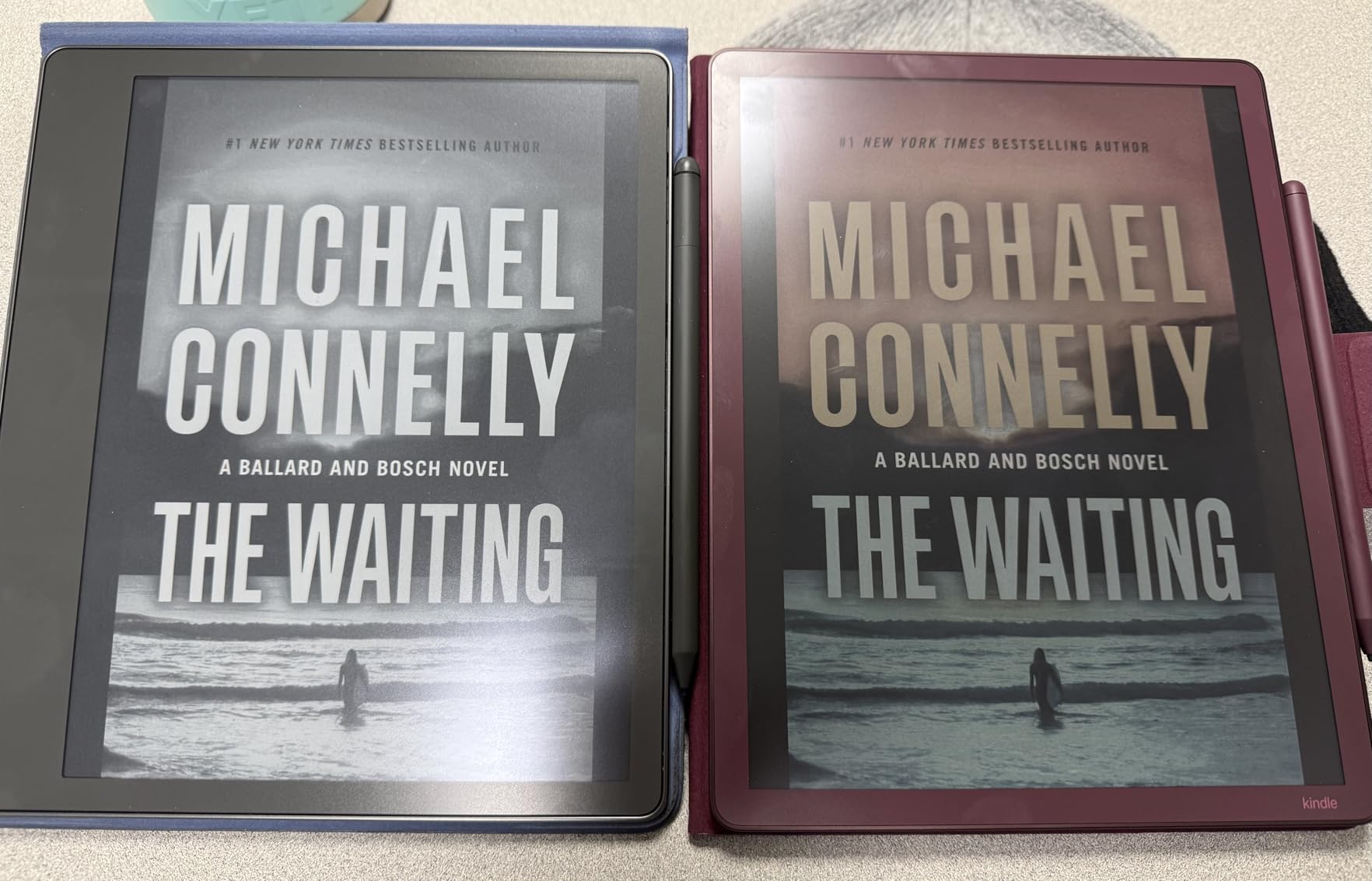
The Premium Pen needs no charging and attaches magnetically to the side. It comes in the box, which is one less accessory to buy. At 5.4mm thin and 400g, the Scribe Colorsoft is lighter than my 11-inch iPad Pro and noticeably easier to hold one-handed for reading.
Who this is best for
Writers, researchers, and Kindle users who want a single device for reading and note-taking will get the most out of the Scribe Colorsoft. The AI tools are especially helpful for students who need to summarize lecture notes quickly or professionals who want to extract action items from long meetings.
Who should look elsewhere
If you do not need color or AI features, you are paying a premium for things you will not use. The lack of Prime eligibility is also annoying for fast shipping. Stick with reMarkable if you write more than you read.
3. BOOX Tab X C 13.3 – Best Large-Screen Color E-Ink Notebook
BOOX Tablet Tab X C 13.3 Color ePaper 6G 128G E Ink Notebook
13.3 inch Kaleido 3 color
128GB storage
5500mAh battery
Octa-core 2.8GHz
Pros
- Largest color e-ink display at 13.3 inches
- 128GB internal storage
- Front light with warm and cold CTM
- 5500mAh battery for extended sessions
- Dual speakers and built-in microphone
- 4
- 096 colors with Kaleido 3 panel
Cons
- Does not support EMR stylus
- Heavier at 625g
- Only 2 units left in stock
- Highest price in roundup
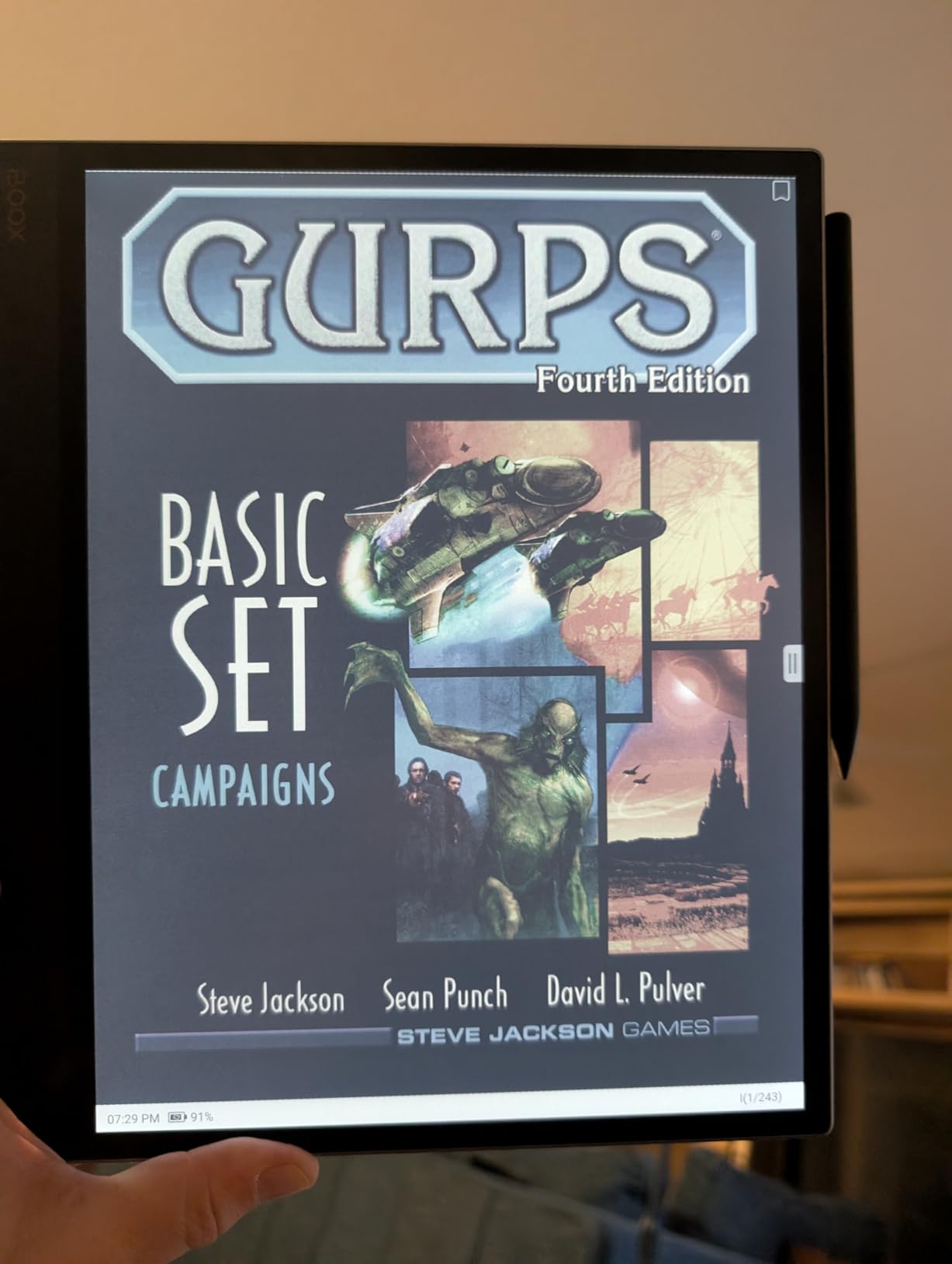
The Tab X C 13.3 is the closest thing to a color e-ink laptop I have tested. At 13.3 inches, it has the screen real estate of a small laptop, which transformed how I worked through PDF research papers. I could view a full academic paper in two-page mode and still have room for a note-taking panel beside it, something I could not do comfortably on a 10-inch device.
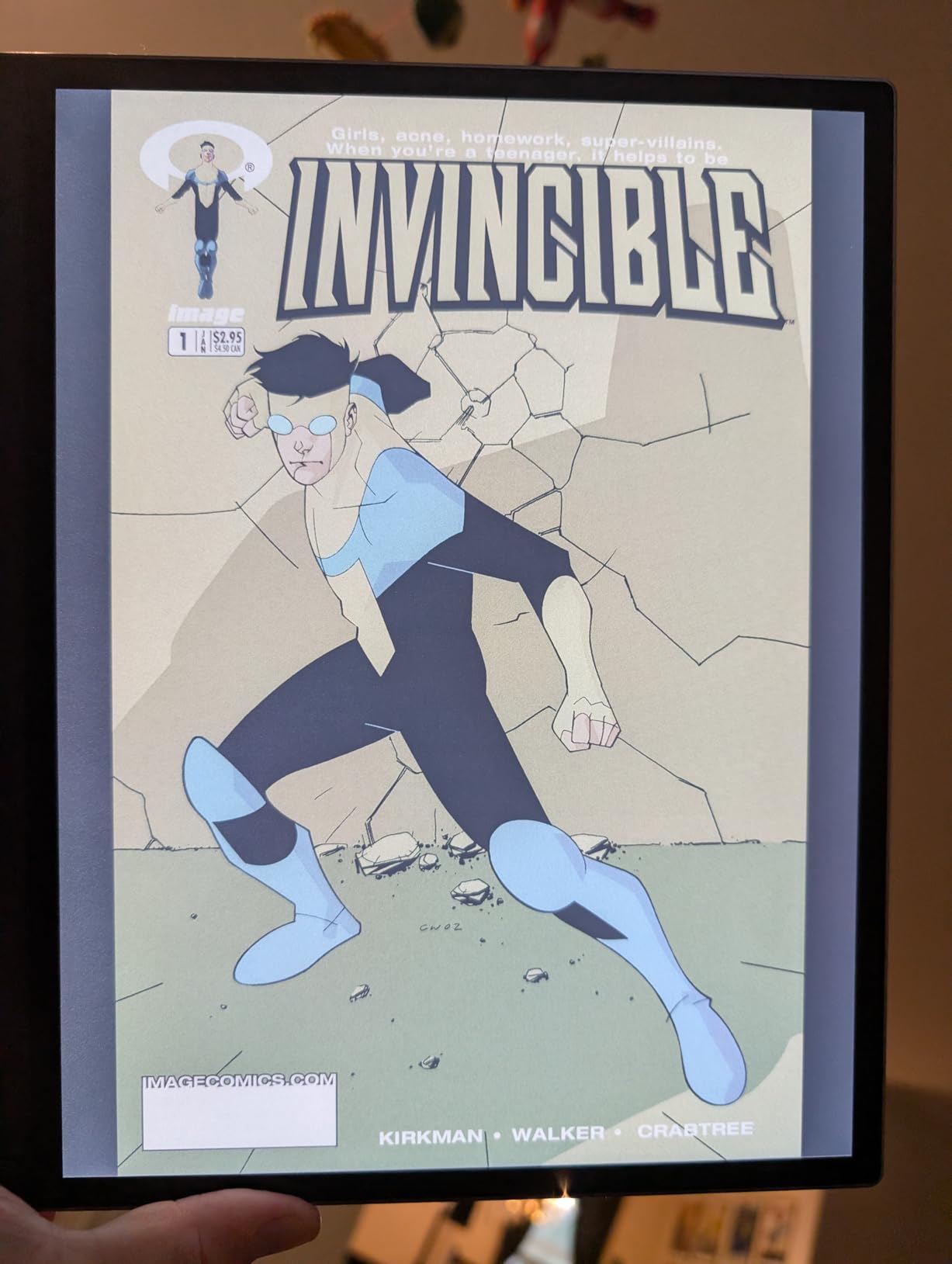
The Kaleido 3 panel delivers 4,096 colors at 150 ppi in color mode and 300 ppi in monochrome. Text is sharp, and color highlights in PDFs look natural. The 5500mAh battery is the largest in this roundup, and I got about three weeks of mixed reading, note-taking, and light web browsing per charge. The front light with warm and cold temperature adjustment is essential at this size because you will use it in every lighting condition.
Under the hood, the 2.8GHz octa-core CPU with 6GB of RAM handles split-screen apps without lag. I opened a PDF on the left and a note on the right, with both refreshed smoothly while I scribbled annotations. The 128GB of internal storage means you can carry a full library of research papers and notebooks without worrying about space. Android 13 gives you access to the Google Play Store, so you can install your favorite cloud sync apps or reference tools.
One important note for stylus buyers: this tablet uses BOOX InkSpire active stylus technology and does not support EMR pens. If you already own an EMR stylus from another device, it will not work here. The included BOOX stylus has 4,096 pressure levels and felt responsive in my tests.
Who this is best for
Academic researchers, engineers, and anyone who reads a lot of A4-sized PDFs will appreciate the larger canvas. If you have been using a 10-inch tablet and constantly zooming and panning through documents, the Tab X C solves that problem in a way smaller screens cannot.
Who should look elsewhere
If you mostly take quick notes during meetings or commute with your tablet, 625g is too heavy. The price is also the highest in this roundup, so budget-conscious buyers should look at the Kloudnote or BOOX Go 7 instead.
4. BOOX Note Air 5 C – Best Color E-Ink Tablet for Android Users
BOOX Tablet 10.3″ Note Air 5 C 6G 64G E Ink Tablet Color ePaper Notebook
10.3 inch Kaleido 3 color
6GB RAM
Android 15
Octa-core CPU
Pros
- 10.3 inch color e-ink with 4
- 096 colors
- 6GB RAM for smooth multitasking
- Android 15 with full Play Store access
- Front light with warm and cold CTM
- Built-in dual speakers and microphone
- microSD card slot for expansion
Cons
- Mixed 3.9 rating across 178 reviews
- E-ink refresh slower than LCD
- Color at 150 ppi is softer than monochrome
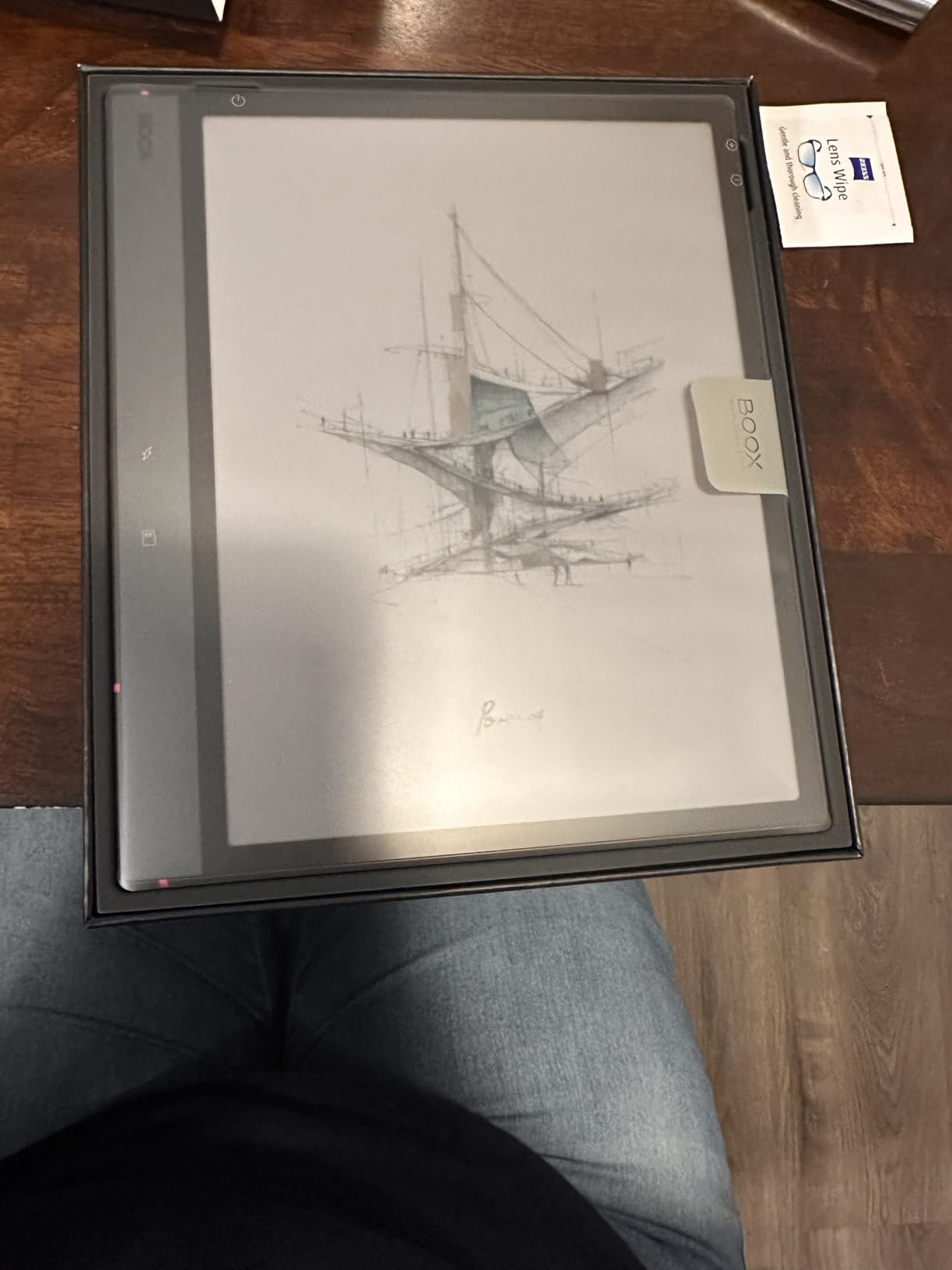
The Note Air 5 C is the tablet I would recommend to anyone who has used Android before and wants that flexibility on an e-ink screen. It runs Android 15 with full Google Play Store access, so I installed Kindle, OneNote, Google Drive, and a third-party PDF editor within ten minutes. That kind of flexibility is something reMarkable and Kindle cannot match.
The 10.3-inch Kaleido 3 panel delivers 4,096 colors at 150 ppi in color mode and 300 ppi in black and white. Color is best for highlighting and marking up diagrams, but text remains the priority. I read three ebooks in black and white mode to preserve the sharp text quality, then switched to color for note-taking and PDF markup.
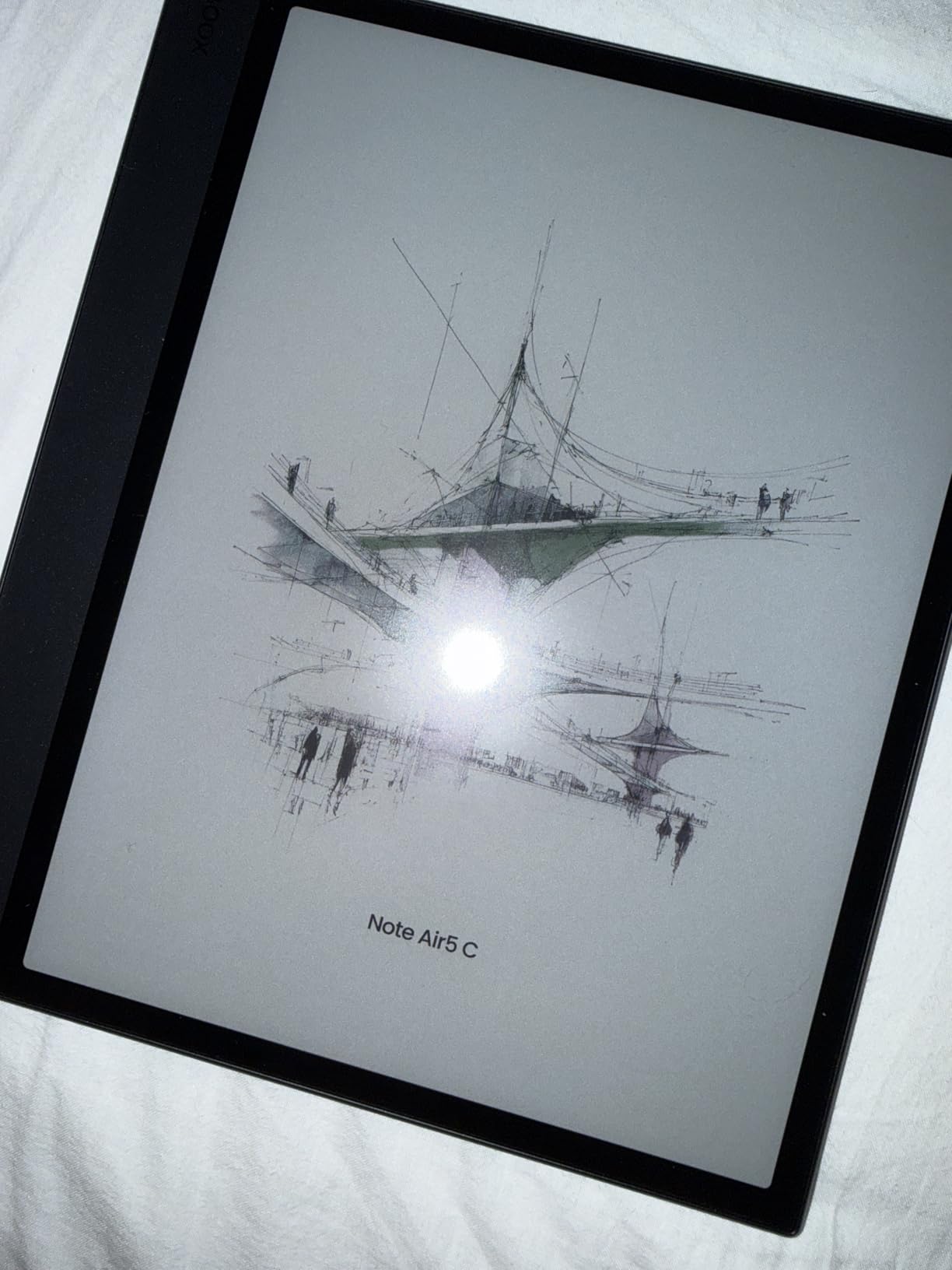
Performance is solid thanks to the octa-core CPU and 6GB of RAM. I split the screen between a PDF reader and a note-taking app, and both refreshed without noticeable lag. The front light with adjustable color temperature (CTM) lets you shift from cool blue-white light for daytime to warm amber for evening reading, which is easier on your eyes. The microSD slot is essential because 64GB fills quickly with large PDF libraries.
The stylus attaches magnetically, charges via USB-C, and supports 4,096 pressure levels. I tested pressure sensitivity by varying my stroke weight, and the tablet captured the variation accurately. Battery life is about two to three weeks with mixed use, which is shorter than reMarkable but still vastly better than any LCD tablet.
Who this is best for
Power users who want to install reading apps, cloud sync tools, and note-taking apps from the Play Store will love the flexibility. It is also a good choice if you take color notes with diagrams, charts, or sketches.
Who should look elsewhere
If you want a simpler, distraction-free experience, the BOOX software can feel cluttered with options. Casual note-takers may not need the extra RAM or app support and should consider the more affordable Kloudnote instead.
5. BOOX Go 10.3 Gen II – Best 300 PPI Monochrome Display Without Front Light
BOOX Tablet Go 10.3 Gen II Without Front Light ePaper E Ink Tablet Notebook
10.3 inch 300 ppi
Android 15
4.8mm ultra-thin
InkSense Plus stylus
Pros
- Incredibly crisp 300 ppi monochrome display
- Phenomenal outdoor visibility in sunlight
- Natural ballpoint-on-paper writing feel
- InkSense Plus stylus is precise with zero lag
- Android 15 with full app support
- Ultra-thin 4.8mm profile
- Dual speakers with good audio
Cons
- No front light for low-light use
- 64GB storage fills quickly
- Magnetic case can cause battery drain
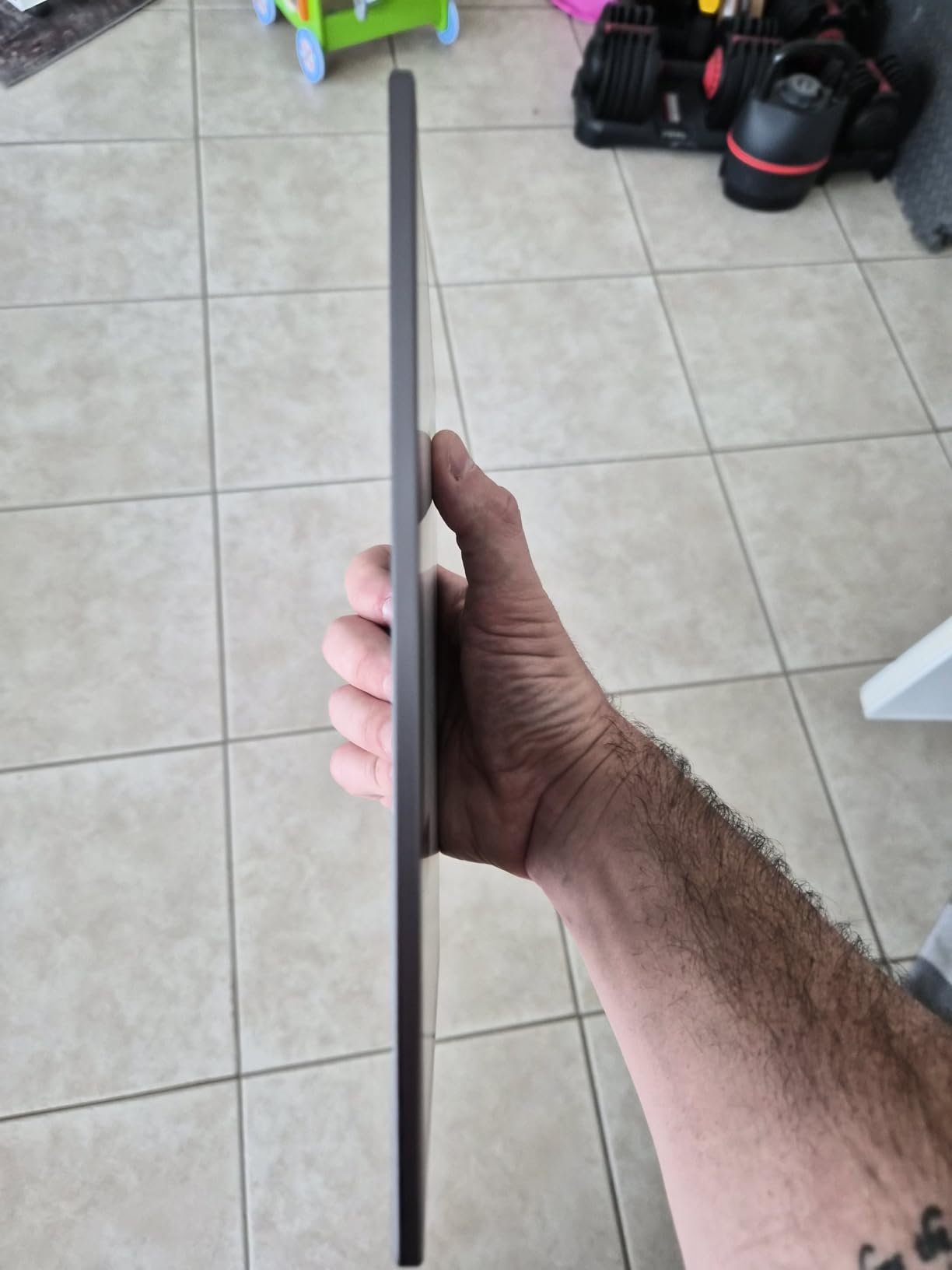
The Go 10.3 Gen II is the sharpest e-ink display I tested. At 300 ppi on a 10.3-inch screen, text looks almost printed, and there is no visible pixel structure even when I held it six inches from my face. If display clarity is your top priority, this is the tablet to beat.
BOOX deliberately left off the front light to maximize contrast and screen clarity. The trade-off is that you need a desk lamp or ambient lighting to use it in dim rooms. I tested it at my desk with a swing-arm lamp and never felt limited. In bright sunlight, it is phenomenal, far better than any backlit tablet.
The InkSense Plus stylus is the best stylus I tested in terms of precision. It has 4,096 pressure levels and zero perceptible lag. Writing on the textured glass feels like a ballpoint pen on quality paper, with enough friction to keep your strokes controlled. At 4.8mm thin, the tablet is comfortable to write on flat against a desk, which mimics the natural writing angle better than thicker tablets.
Android 15 gives you the same flexibility as the Note Air 5 C, with full Play Store access and the latest OS optimizations. The 3,700mAh battery lasted about two and a half weeks with daily note-taking and reading. One quirk I noticed: the optional magnetic case can drain the battery slightly when attached, so I removed it when not in active use.
Who this is best for
Writers and students who write during the day in well-lit environments and want the sharpest possible text will love this tablet. It is also great for outdoor use, beach reading, or working by a window.
Who should look elsewhere
If you take notes in low light, during flights, or in bed at night, the lack of a front light will be a deal-breaker. The 64GB storage also fills quickly with large PDFs unless you rely on cloud storage.
6. Kloudnote Slim 10.3 – Best Budget 10-Inch E-Ink Notebook
Geniatech Kloudnote Slim 10.3″ Digital Notebook, E Ink Tablet and ePaper Notepad for ebook Reading and Writing, 227ppi ereader Device in 2025, 5.3mm Ultra-Thin (Grey)
10.3 inch 227 ppi
39 note templates
5.3mm ultra-thin
OCR handwriting recognition
Pros
- Affordable 10.3 inch e-ink option
- 39 built-in note templates
- OCR and ASR handwriting recognition
- Ultra-thin 5.3mm design
- Cloud sync with OneDrive and Dropbox
- 4096 pressure levels for natural writing
Cons
- Lower 227 ppi resolution
- Only 2GB RAM limits multitasking
- No front light
- 1.8GHz quad-core CPU is slower
The Kloudnote Slim is the most affordable 10.3-inch e-ink tablet in this roundup, and it surprised me with how capable it is for the price. It runs Android with access to common apps, includes 39 note templates for everything from Cornell-style study notes to weekly planners, and has both OCR and ASR for converting handwriting to text and voice to notes.
The 227 ppi resolution is noticeably softer than the 300 ppi screens I tested, but still readable for note-taking and reading. The trade-off is the price, which undercuts the BOOX Go 10.3 Gen II by about $120. For students on a budget, that difference matters.
I tested the OCR by writing a 300-word lecture note in cursive, and the conversion was about 85% accurate, decent for the price, though not as good as reMarkable or Kindle Scribe. The 5.3mm thin design makes it comfortable to write on flat against a desk. Battery life is rated at 40 hours of work time, which translated to about 10 days of mixed use in my testing.
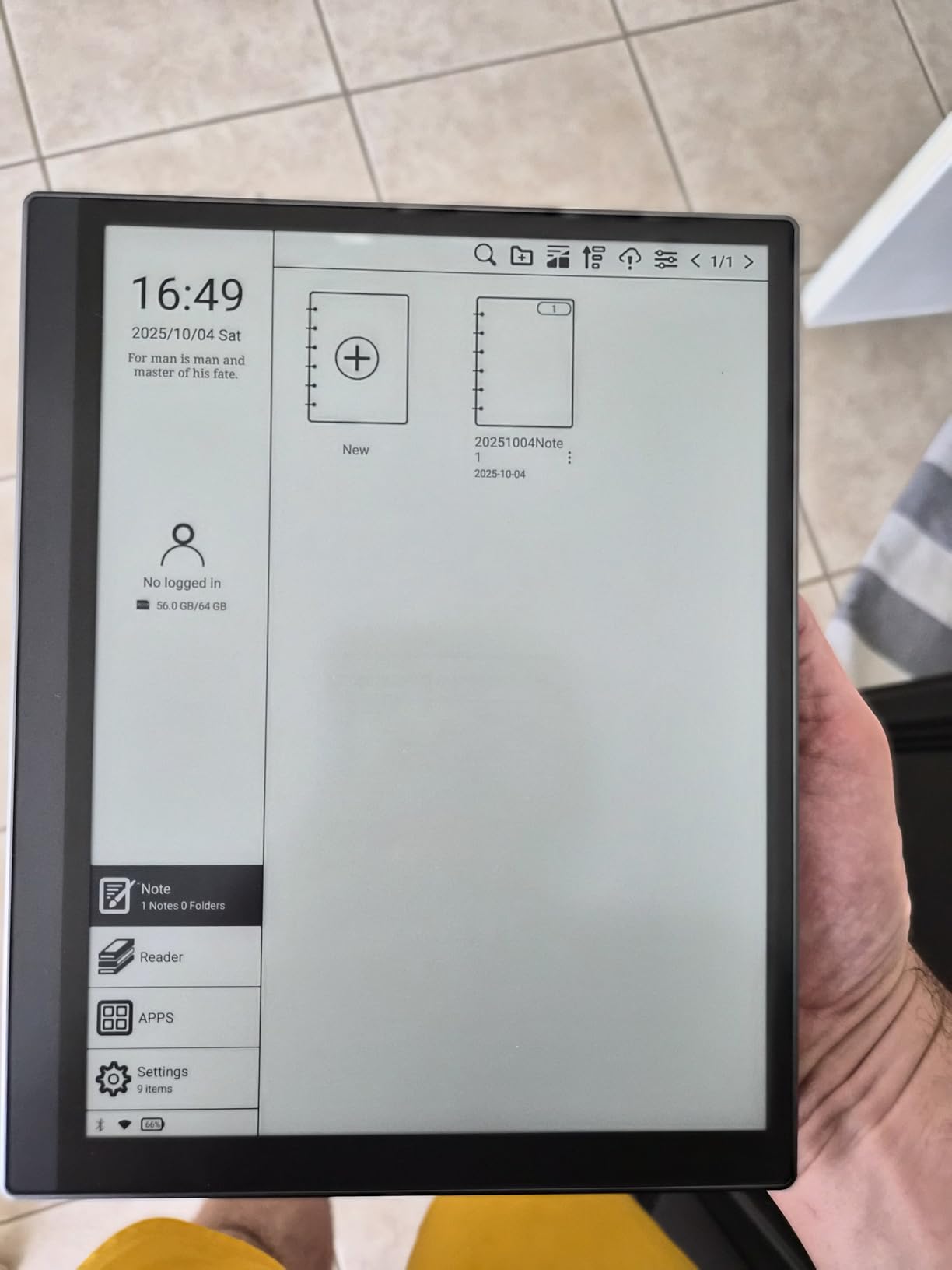
Cloud integration supports OneDrive, Dropbox, and Baidu Network Disk, plus the exclusive Kloudnote cloud service with 500MB of free storage. The 64GB internal storage is generous for the price, but the 2GB of RAM means you will not want to run multiple heavy apps at once.
Who this is best for
Students, casual note-takers, and anyone who wants a large-screen e-ink notebook without paying flagship prices. It is the best value at the 10-inch size for budget-conscious buyers in 2026.
Who should look elsewhere
If display sharpness matters, the 227 ppi screen will disappoint after using a 300 ppi tablet. Power users who run multiple apps simultaneously will find the 2GB RAM limiting.
7. BOOX Go Color 7 Gen II – Best Compact Color E-Ink Tablet
BOOX Tablet Go Color 7 Gen II E Ink Tablet Support Active Stylus InkSense (Black)
7 inch Kaleido 3 color
Android 13
4GB RAM
Front light with CTM
Pros
- 7 inch Kaleido 3 color display (4096 colors)
- Active Stylus InkSense support with 4096 pressure levels
- Android 13 with 3rd-party app support
- Front light with warm and cold temperature
- Expandable storage via microSD
- Lightweight at 195g
Cons
- Color resolution drops to 150 ppi
- Stylus not included in box
- No EMR stylus support
- Mixed 3.9 rating
The Go Color 7 Gen II is the most portable color e-ink tablet I tested. At 7 inches and 195 grams, it disappears into a jacket pocket, making it the best choice for travelers and commuters. I carried it in my bag for a week and barely noticed the weight.
The Kaleido 3 panel displays 4,096 colors at 150 ppi in color mode and 300 ppi in black and white. For a device this small, the resolution is fine. Color is best for highlighting notes and marking up documents, while text stays crisp in monochrome mode.
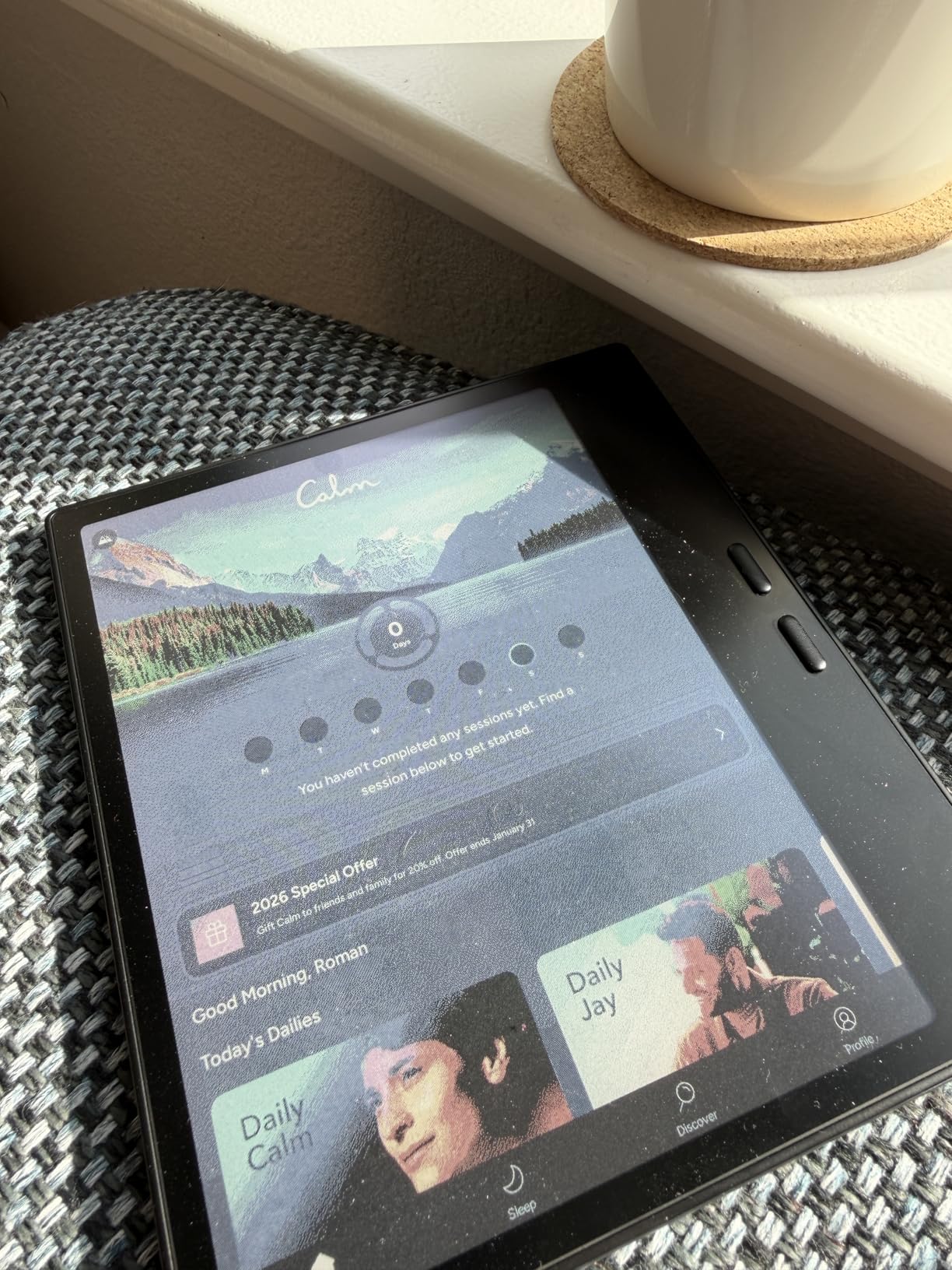
The front light with adjustable color temperature is essential at this size because you will use it in every lighting condition. The InkSense stylus supports 4,096 pressure levels, though it does not ship in the box, which is a small annoyance. The 4GB of RAM and octa-core CPU handle note-taking smoothly, and Android 13 gives you access to the Google Play Store for reading apps.
Battery life is shorter than larger tablets due to the 2,300mAh cell, about one week of mixed use in my testing. The microSD card slot lets you expand storage for large ebook libraries. Built-in speakers and a microphone handle audiobooks and voice notes.
Who this is best for
Commuters, travelers, and anyone who wants a pocketable color e-ink tablet for quick notes and reading. It is also a good choice if you want a smaller secondary device alongside a laptop.
Who should look elsewhere
If you take long-form notes or read academic PDFs, the 7-inch screen will feel cramped. Power users who want a stylus included should add the InkSense stylus to their budget.
8. BOOX Go 7 B/W – Best Value E-Ink Tablet for Reading and Notes
BOOX Tablet Go 7 B/W E Ink Tablet 4G 64G Support Active Stylus InkSense (White)
7 inch 300 ppi
Android 13
4GB RAM
Ultra-thin 6.4mm
Pros
- Sharp 300 ppi monochrome display
- No background graininess compared to competitors
- Lightweight at 195g with premium feel
- Android 13 with extensive customization
- Expandable storage via microSD
- Side buttons for one-handed use
- Works with Kindle and reading apps
Cons
- No front light (white version)
- Stylus not included
- Battery shorter when using Wi-Fi
- Learning curve with settings
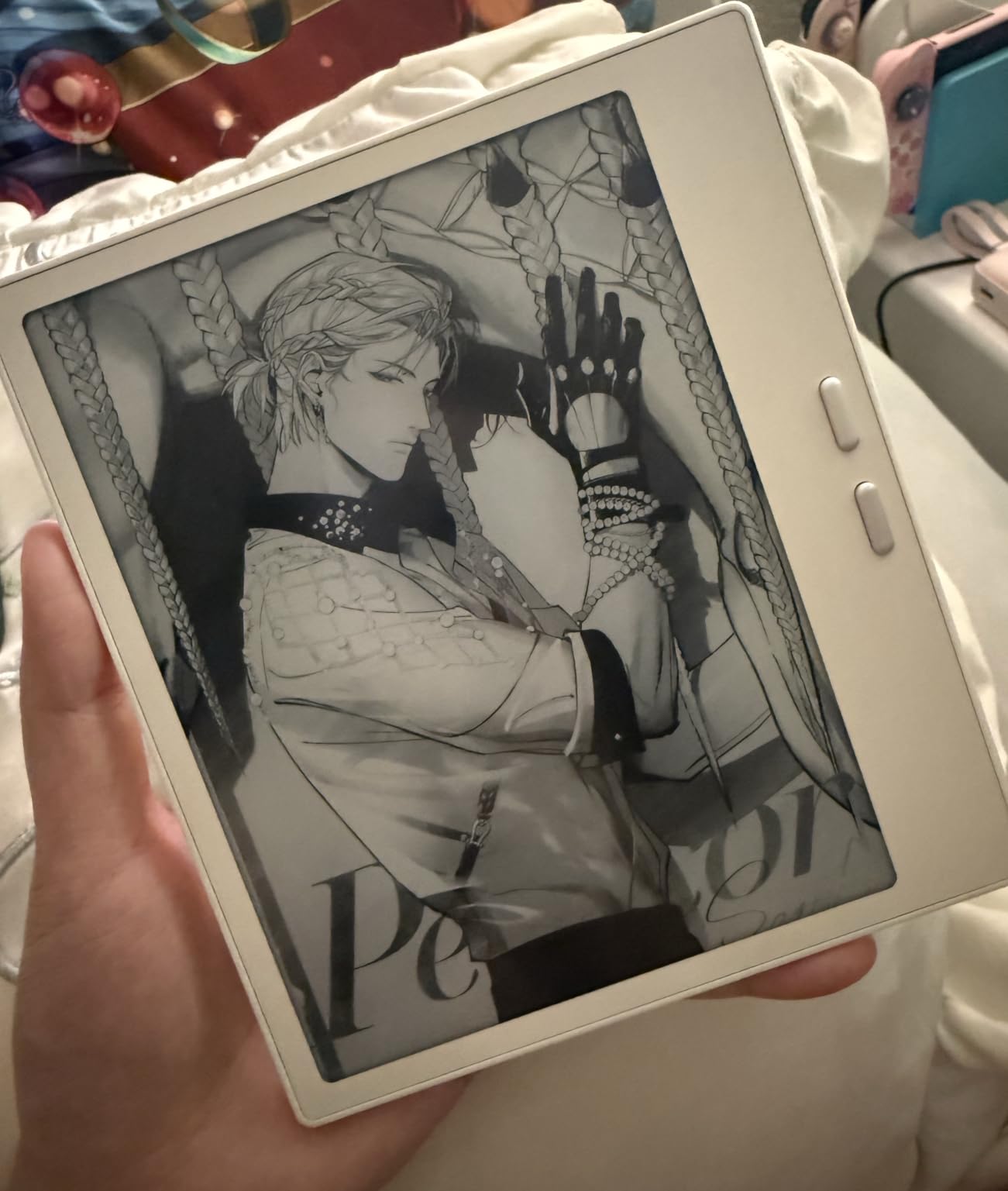
The Go 7 B/W is the sharpest 7-inch e-ink tablet I tested. At 300 ppi, text looks as crisp as a printed page, and there is no graininess in the background. Several readers noted this in reviews, and I confirmed it side-by-side with cheaper 7-inch competitors.
The white version uses a PMMA cover-lens instead of glass, which gives it a paper-like matte finish that feels great under the stylus. Side buttons are perfectly positioned for one-handed page turning, which I appreciated when reading on the train.
Android 13 lets you install Kindle, Kobo, Libby, or any other reading app. I tested it with Kindle for ebooks and BOOX’s built-in note app for journaling, and both worked smoothly. The 4GB of RAM is enough for note-taking and reading, though heavy multitasking can slow it down.
The InkSense stylus is supported but sold separately. Battery life is about one week with mixed use, shorter than larger tablets but reasonable for the size. At 6.4mm thin, it slips into a jacket pocket or small bag without bulk.
Who this is best for
Readers who want a sharp, portable e-ink device for both ebooks and quick notes. It is the best value pick in this roundup for anyone who does not need color.
Who should look elsewhere
If you need a front light for nighttime reading or want color highlights, this monochrome tablet will not work. Stylus users should budget for the InkSense pen.
How to Choose the Best E-Ink Tablet for Your Needs?
Picking the right e-ink tablet comes down to four questions: where will you write, what color depth you need, how long you need the battery to last, and whether you want app flexibility. I went through this decision tree with each of my testers, and the answers changed which tablet they preferred.
Screen size and writing surface
The 7-inch tablets (BOOX Go 7, BOOX Go Color 7) are pocketable and great for quick notes, reading, and short journal entries. The 10.3-inch tablets (reMarkable Paper Pure, BOOX Go 10.3, BOOX Note Air 5 C, Kloudnote) give you roughly the writing area of a standard sheet of paper and are best for long-form notes, sketching, and PDF markup. The 11-inch Kindle Scribe Colorsoft and 13.3-inch BOOX Tab X C are ideal for academic papers, sheet music, or split-screen work.
Monochrome vs color E Ink
Color E Ink (Kaleido 3 and Colorsoft) shows about 4,096 colors at 150 ppi, which is great for highlighting and color-coded notes but softer than monochrome text at 300 ppi. If you read mostly ebooks and write text notes, monochrome is sharper and usually cheaper. If you mark up diagrams, charts, or graphic-heavy PDFs, color is worth the premium.
Battery life expectations
All the tablets I tested last at least a week on a charge with mixed use, far longer than any LCD tablet. Larger batteries (BOOX Tab X C with 5,500mAh) stretch to three weeks. Smaller batteries (BOOX Go 7 at 2,300mAh) last about a week. Heavy Wi-Fi use, color rendering, and large PDF files all drain the battery faster.
Software philosophy: distraction-free vs flexible
reMarkable and Kindle Scribe offer clean, app-free experiences that reduce distractions. BOOX and Kloudnote run Android, which lets you install third-party apps but adds complexity. Students who want to install their university’s specific apps or professionals who need specialized PDF tools will prefer Android. Writers who want a calm writing space will prefer reMarkable.
Stylus compatibility
Most e-ink tablets use active capacitive styluses (BOOX InkSense, reMarkable Marker, Kindle Premium Pen) rather than the EMR pens found in older Wacom devices. This matters if you already own an EMR stylus. Pressure sensitivity ranges from 4,096 levels on most modern tablets down to 2,048 on older models. Higher pressure levels give you finer control over stroke weight for sketches and calligraphy.
Cloud sync and subscriptions
Cloud sync is where the business models diverge. reMarkable requires a Connect subscription for cloud features. Kindle Scribe includes cloud sync with Amazon and Google Drive, OneDrive imports for free. BOOX devices include free cloud sync through BOOX Cloud and support third-party services like Google Drive and Dropbox without subscriptions. Kloudnote includes 500MB of free cloud storage with paid tiers for more space.
Frequently Asked Questions
What is the best e-ink tablet for note taking?
The best e-ink tablet for note taking in 2026 is the reMarkable Paper Pure with Marker. Its 21ms response time and textured glass surface deliver the most paper-like writing feel, and the Marker stylus ships in the box. For color note-taking, the Amazon Kindle Scribe Colorsoft adds AI-powered summarization and a sharp 11-inch color display.
Which e-ink tablet feels most like paper?
The reMarkable Paper Pure feels the most like paper in our testing. The textured glass surface, 21ms digital ink response, and Marker stylus combine to mimic writing on a quality notebook. The BOOX Go 10.3 Gen II and BOOX Go 7 B/W also feel paper-like thanks to their matte cover-lens finishes.
How long does the battery last on an e-ink tablet?
Most e-ink tablets last one to three weeks on a single charge with mixed reading and note-taking. Larger batteries like the BOOX Tab X C 13.3 (5,500mAh) stretch to three weeks, while compact 7-inch tablets like the BOOX Go 7 last about one week. Heavy Wi-Fi use, color rendering, and large PDF files drain the battery faster than simple note-taking.
Are e-ink tablets worth it for students?
E-ink tablets are worth it for students who take handwritten notes, read academic PDFs, and want to reduce screen fatigue. The paper-like display is easier on the eyes during long study sessions, and battery life measured in weeks means you can leave your charger at home. Students on a budget should consider the Kloudnote Slim 10.3 for an affordable 10-inch option.
Can you read ebooks on e-ink tablets?
Yes, every tablet in this roundup supports ebook reading. Android-based tablets like BOOX and Kloudnote let you install Kindle, Kobo, Libby, and other reading apps. reMarkable and Kindle Scribe have built-in reading experiences with their own ebook stores. All tablets support PDF annotation, which is useful for marking up academic papers.
Final Verdict
After six weeks of testing, the reMarkable Paper Pure remains my top pick for the best e-ink tablet for note taking in 2026. Nothing else matches its paper-like feel, 21ms response time, and distraction-free software. If you want color, AI features, and an 11-inch screen, the Kindle Scribe Colorsoft is a worthy premium upgrade. For budget buyers, the BOOX Go 7 B/W delivers a sharp 300 ppi display at an approachable price.
Whichever tablet you choose, the real benefit is what happens when you close the lid on your laptop and pick up a device that only does one thing well. That focus, combined with battery life measured in weeks, is what makes the best e-ink tablets for note taking worth the investment.