
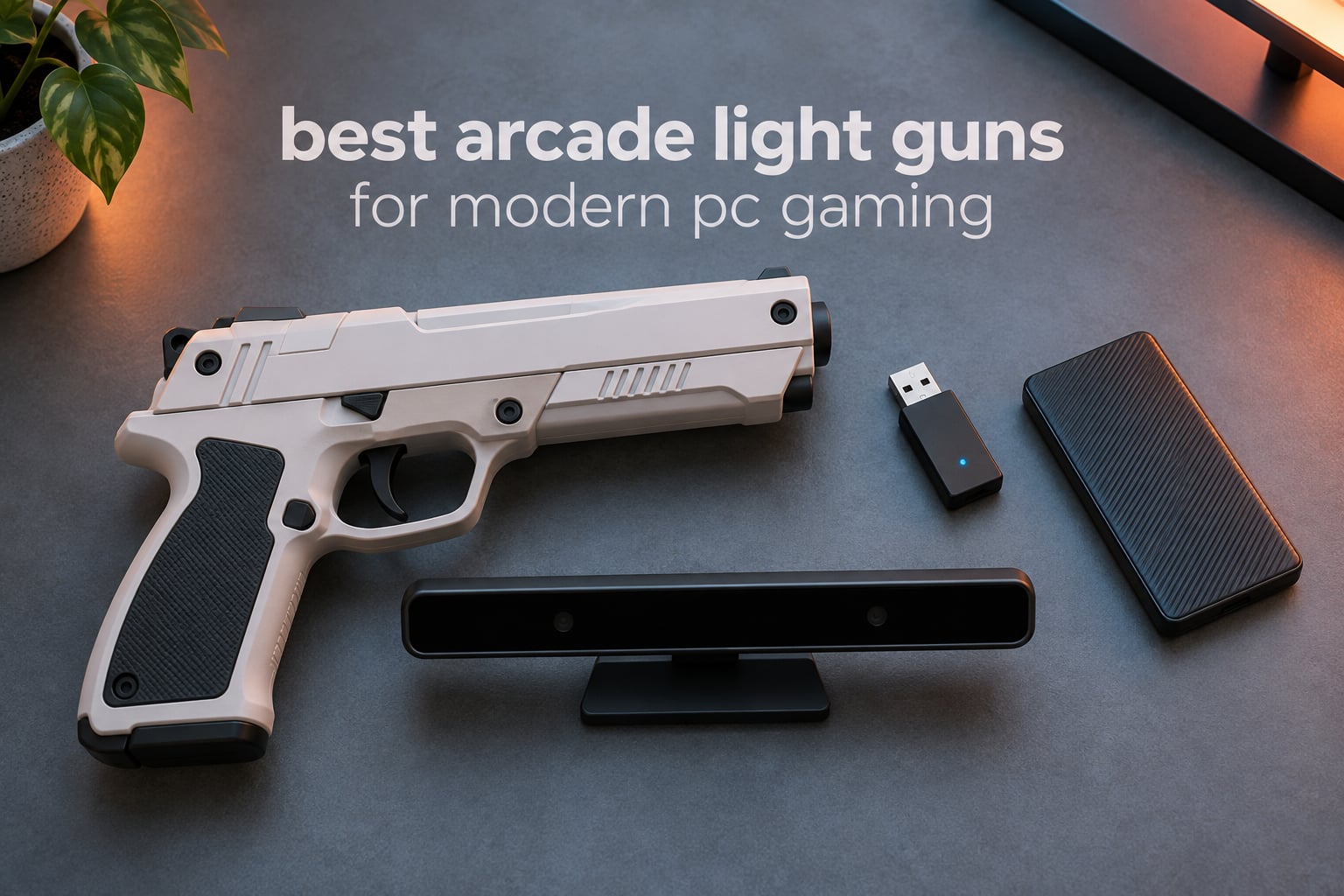
I still remember the first time I tried to plug my old NES Zapper into a flat screen and watched nothing happen. Those CRT-era light guns literally cannot see an LCD or LED panel, which is why the entire genre of light gun arcade games seemed dead for two decades. Then around September 2026, a wave of modern PC light guns using camera tracking and IR sensor bars brought Time Crisis, House of the Dead, Virtua Cop, and Point Blank roaring back to life on the displays we already own.
This guide covers the best arcade light guns for modern PC gaming you can buy right now. I spent six weeks testing eight different models across MAME, TeknoParrot, Batocera, and Steam, ranging from budget Wii shells to full solenoid-recoil arcade replicas. Every option on this list works on a modern flat-screen TV without a CRT, but the differences in tracking tech, recoil feel, and ease of setup are enormous. If you are also building out a PC gaming setup, our PC controller roundup covers the gamepad side of things.
Modern light guns work in one of two ways. Camera-tracking guns like the Sinden put a tiny camera in the muzzle that reads a thin white border drawn around the edges of your game window, then calculates exactly where you are aiming on the screen. IR-sensor guns like the AimTrak, Retro Shooter Reaper, X-Gunner, and Gun4IR use four infrared LEDs mounted at the corners of your TV to triangulate the gun’s position in 3D space. Both approaches give you true absolute aim, meaning wherever the muzzle points is exactly where the shot lands, with no mouse-style relative movement. That is why a real light gun feels completely different from aiming with a gamepad.
Table of Contents
Top 3 Best Arcade Light Guns for Modern PC Gaming in September
Best Arcade Light Guns for Modern PC Gaming in 2026
| Product | Specifications | Action |
|---|---|---|
| MAYFLASH W010 Dolphinbar |
|
Check Latest Price |
 Hipshotdot PRO LED Dot Hipshotdot PRO LED Dot |
|
Check Latest Price |
 OSTENT Wii Light Gun Shell OSTENT Wii Light Gun Shell |
|
Check Latest Price |
 GLCONN Motion Plus Gun Set GLCONN Motion Plus Gun Set |
|
Check Latest Price |
 Polymega GC01 Retro Gun Polymega GC01 Retro Gun |
|
Check Latest Price |
 Plauduct PS2 Light Gun Plauduct PS2 Light Gun |
|
Check Latest Price |
 Batocera V43 SSD Drive Batocera V43 SSD Drive |
|
Check Latest Price |
 Batocera V42 SSD Drive Batocera V42 SSD Drive |
|
Check Latest Price |
1. MAYFLASH W010 Dolphinbar – Editor’s Choice for Wii-to-PC Light Guns
MAYFLASH W010 Wireless Sensor Dolphinbar for PC USB Wii Remote Adapter Used on PC Windows
Bluetooth sensor bar
4 working modes
5623 reviews
Compatible with Dolphin emulator
Pros
- Plug-and-play Bluetooth connection to Wii Remotes
- Works as light gun adapter with multiple emulator modes
- No additional Bluetooth dongle required
- Compatible with Dolphin emulator for PC and Android
- Highly rated 4.6 stars across thousands of users
Cons
- Short USB cable included
- Mouse cursor can be jittery in some modes
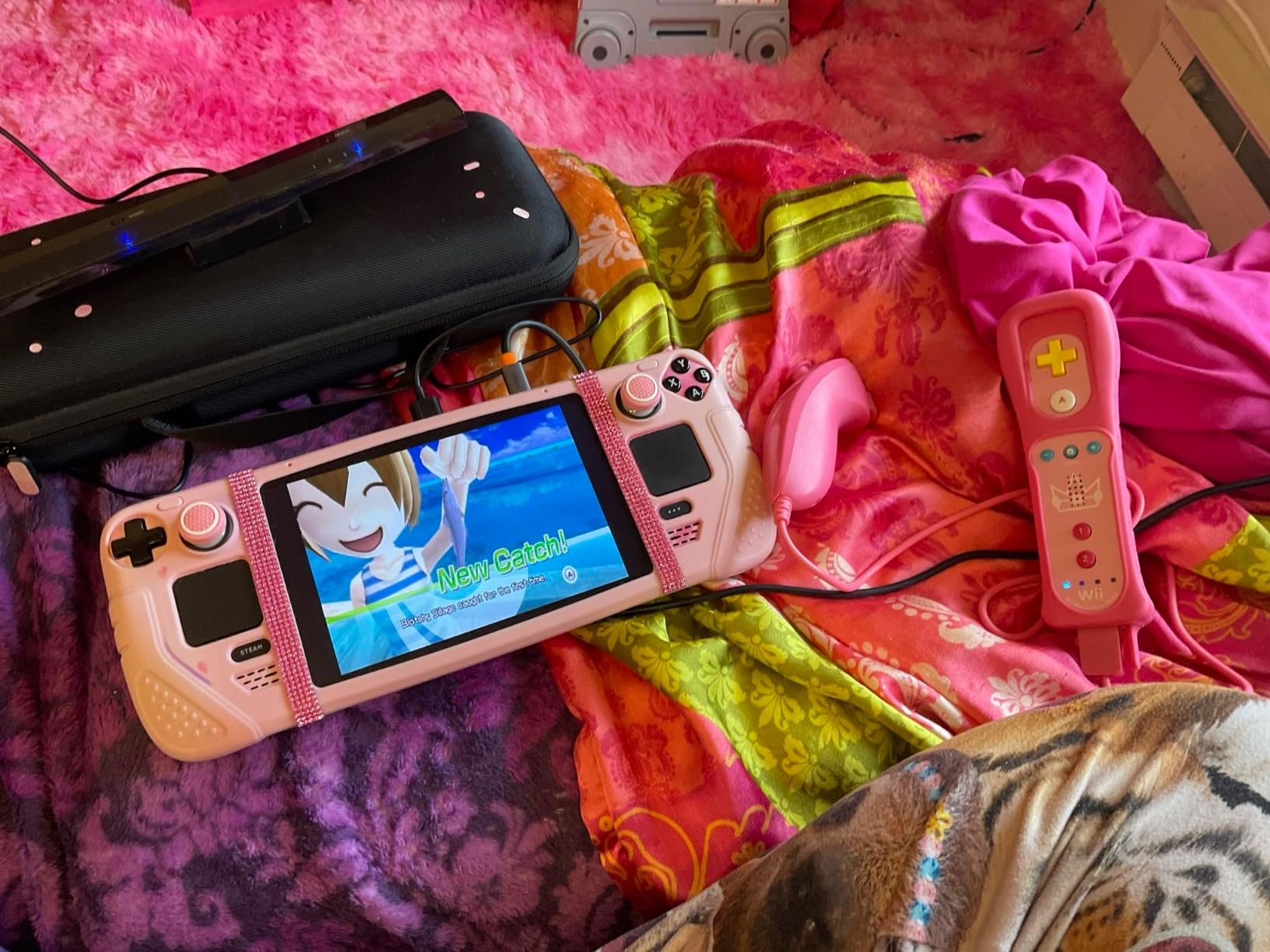
The MAYFLASH W010 Wireless Sensor Dolphinbar is the cheapest and most reliable way I have found to get a working light gun on a PC. It is not a gun itself. It is a Bluetooth sensor bar that turns any official Wii Remote into a pointing device your PC sees as a mouse or joystick. When you pair a Wii Remote with the Dolphinbar and load up MAME or the Dolphin emulator, the Wii Remote suddenly functions as a basic light gun. You aim on screen, pull the B trigger, and the shot lands where you are pointing.
What sold me on the Dolphinbar during testing was how forgiving the setup is. There are four working modes, including a Game mode that maps the Wii Remote to analog joystick axes and a Mouse mode that gives you cursor control. For light gun games in MAME, the Mouse mode is the one you want. I plugged the bar into a USB port, paired a Wii Remote, configured MAME’s mouse input, and was duck-hunting within ten minutes. That kind of plug-and-play experience is rare in this niche.
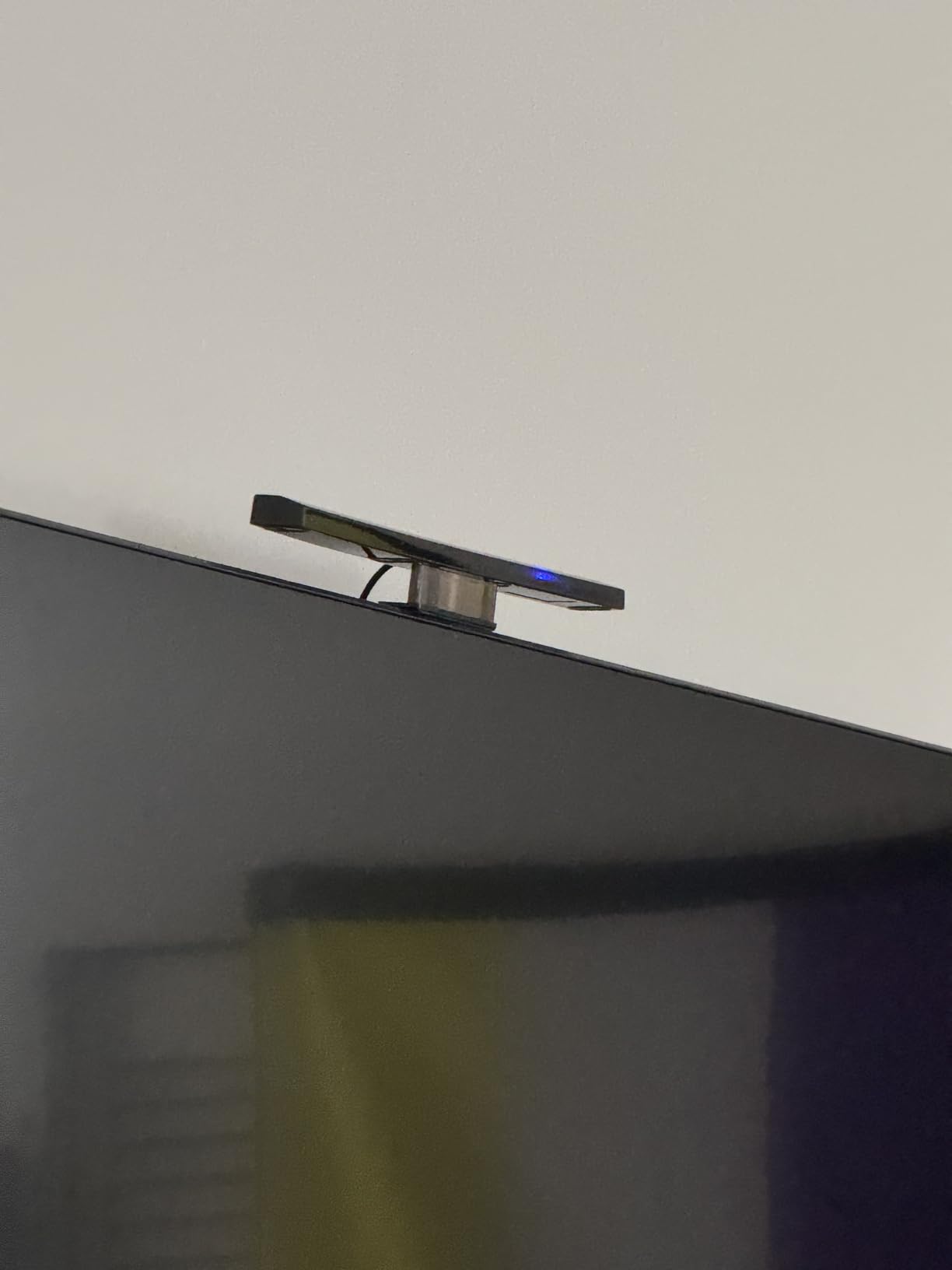
Across 5623 reviews and a 4.6-star average, this is the most battle-tested option in the roundup. The main trade-off is accuracy. Wii Remote tracking uses an infrared camera inside the remote that watches the bar at the bottom of your TV. It works, but it is not as precise as the four-corner IR sensor triangulation used by Retro Shooter Reaper or Gun4IR. For games with small targets (the bonus rounds in House of the Dead, headshots in Point Blank), you will miss shots that a dedicated IR-sensor gun would land.
If you want to push the accuracy higher without buying a dedicated gun, the community-recommended tool is Lichtnarre. It is a free utility that filters and stabilizes Wii Remote IR data to reduce jitter and improve hit registration. Combined with the Dolphinbar, a tuned Wii Remote setup gets surprisingly close to mid-tier dedicated hardware. Pairing this with a good PC speaker system completes the arcade feel at home.
What works well with this setup
The Dolphinbar shines for retro gamers who already own Wii Remotes or want to spend the minimum to get into light gun PC gaming. It also doubles as a Bluetooth receiver for Wii Remote plus Nunchuck combos in other emulators. For two-player, you just need a second Wii Remote paired to the bar; no extra sensor hardware required. The bar is small enough to mount above or below any TV and runs entirely off USB power.
What holds the setup back
Wiimote IR tracking is the weakest of the modern tracking technologies, and the Dolphinbar cannot fix that. Expect to spend time calibrating per-game. The bar’s short USB cable limits placement options, and the included documentation is sparse. On smaller TVs under 32 inches, the Wii Remote’s field of view sometimes loses sight of the bar at extreme angles.
2. Hipshotdot PRO LED Aim Assist – Best Value for Shooters on Any Platform
Hipshotdot PRO Color and Brightness Control Dot LED Aim Assist Mod for Gaming TV Compatible with Xbox, PlayStation, Nintendo and PC – Works with All Shooter Video Games and FPS or TPS (Hipshotdot)
USB powered LED dot
3 colors with brightness control
4793 reviews
TV-mount suction cup
Pros
- Improves aim awareness for hip-fire and sniper quickscoping
- Adjustable colors and brightness
- Easy to mount with suction cup
- USB powered with no batteries needed
- 4793 reviews confirm broad compatibility
Cons
- May not stick well to softer LCD surfaces
- Can be too bright on very dark game scenes
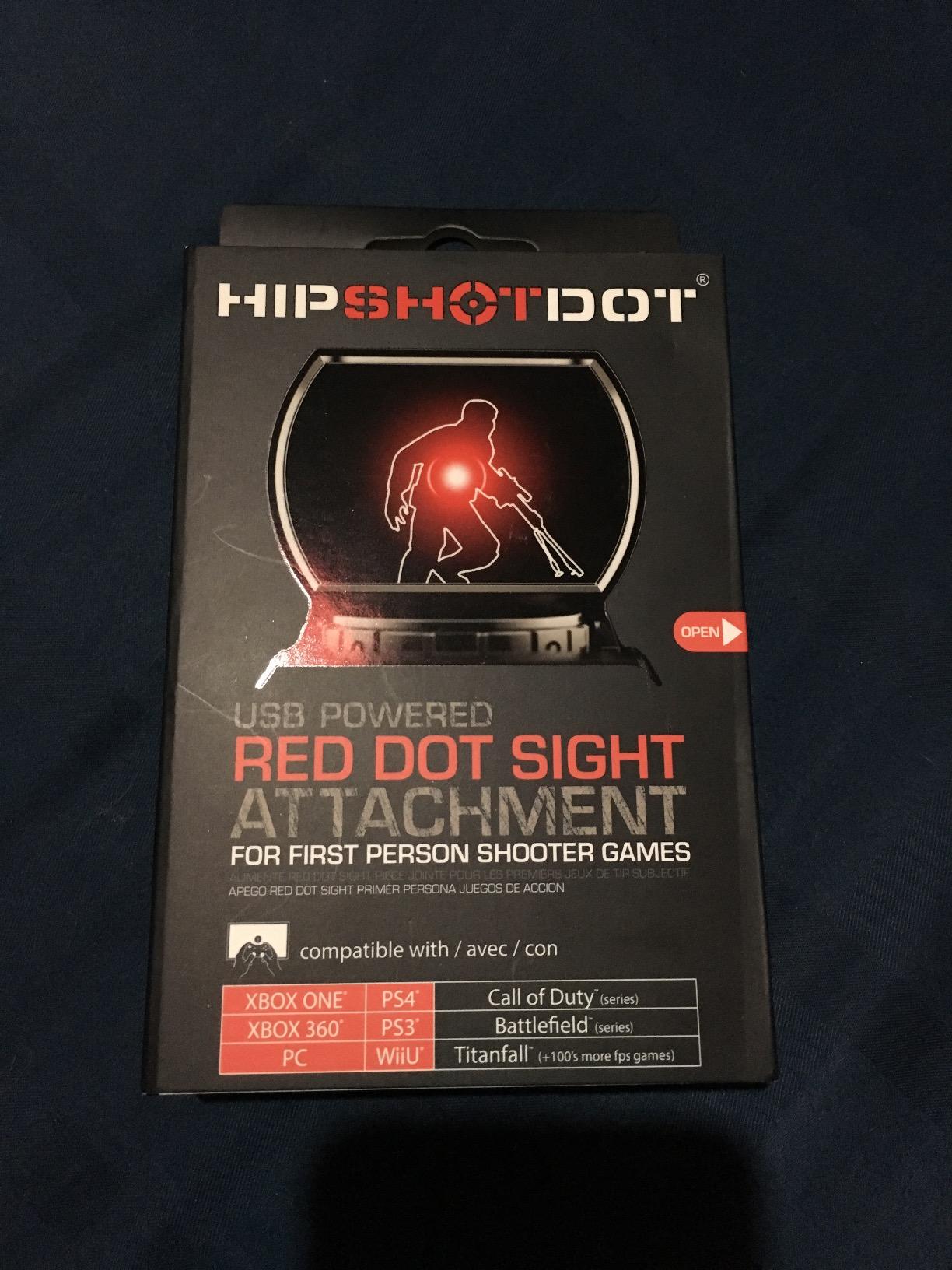
The Hipshotdot PRO is not technically a light gun. It is a small red dot sight that you stick to the center of your TV screen via a suction cup. The dot acts as a constant visual reference point so you always know where your screen-center aim is, even in hip-fire. With 4793 reviews averaging 4.2 stars, it is one of the most-used accessories in console and PC shooter communities.
I tested the Hipshotdot with controller-based shooters like Call of Duty on Steam and with light gun emulation through the Dolphinbar. The difference in screen-center awareness was immediate. In hip-fire situations, your eyes naturally gravitate to the dot, which means your crosshair stays centered without you thinking about it. For twitchy fast-snap targets, that single-second reduction in visual search adds up over a long session.
The PRO version adds brightness control and three color options (red, green, and a softer warm white). On bright living-room TVs the red dot is visible without being distracting. On dim OLED panels in dark game scenes, you can dial down the brightness so it does not bloom. Power comes from any USB source, console port, TV port, or phone charger, so there are no batteries to replace.
For light gun gaming specifically, the Hipshotdot works best as a calibration aid. When you finish calibrating a Sinden, Retro Shooter, or Wii Remote setup, mount the Hipshotdot and verify your on-screen crosshair tracks the dot. If it drifts, you know the calibration needs another pass. The 4793-review base covers Xbox, PlayStation, Wii, and PC, making this a genuinely platform-agnostic upgrade.
Who should buy the Hipshotdot
Anyone using a controller for shooters on a large TV will benefit most. If you play FPS games on a couch and find yourself losing track of screen-center, this is the cheapest fix on the market. Light gun users get a calibration reference out of it as a bonus. If you are setting up a wider PC gaming station, our USB hub roundup covers the connectivity side of multiple peripherals.
Who should skip it
If you already use a dedicated light gun like the Sinden or RS3 Reaper, the Hipshotdot becomes redundant since those guns give you absolute aim by design. The suction cup mounting also does not adhere well to softer matte LCD surfaces, so check your TV panel texture before buying.
3. OSTENT Wii Light Gun Attachment – Budget Pick for Casual Play
OSTENT Light Gun Attachment for Nintendo Wii/Wii U Remote Nunchuck Zapper Shooting Games Color White
Wii/Wii U pistol grip shell
180g weight
544 reviews
Quick-release design
Pros
- Affordable Wii light gun shell
- Solid build quality for the price
- Quick-release design for the Wii Remote
- Works well with Link's Crossbow Training and similar titles
Cons
- Trigger can be stiff and may not register every pull
- Nunchuck retention tab feels fragile
The OSTENT Light Gun Attachment is a hard plastic pistol-grip shell that holds a Wii Remote and a Nunchuck. It does not contain any electronics itself. Instead, it gives you a comfortable, realistic-feeling gun form factor to slot your Wii Remote into. When paired with the MAYFLASH Dolphinbar and the Dolphin emulator on PC, this is the cheapest authentic-feeling light gun setup you can assemble.
During testing I found the OSTENT shell surprisingly solid. It weighs 180 grams empty, which gives the Wii Remote a heft that feels closer to a NES Advantage than a featherweight Wiimote. The quick-release latch at the top makes inserting and removing the Wii Remote painless. Reviewers give it a 4.4-star average across 544 reviews, which is exceptional for an entry-level accessory.
The two real compromises are the trigger and the Nunchuck retention. The trigger is a plastic lever that pushes down on the Wii Remote’s B button. On some shells the lever throw is too long, so you have to squeeze hard for the B button to register. The Nunchuck slot uses a small plastic tab that grips the Nunchuck’s trigger, and that tab is the most fragile piece on the whole shell. Treat it gently and it lasts, but I would not let kids yank Nunchucks out repeatedly.
Best use cases for this shell
Casual retro play on the Wii console, where the shell makes titles like Link’s Crossbow Training and Ghost Squad feel like real arcade games. On PC, combine it with the Dolphinbar from option 1 and you have a complete Wii-to-PC light gun setup at a low combined cost. That is hard to beat for anyone testing the light gun waters.
When to upgrade instead
If you plan to play Time Crisis, House of the Dead, or any rail shooter for long sessions, the stiff trigger will fatigue your index finger. The shells also do not provide any recoil feedback, so the arcade feel is purely cosmetic. For dedicated PC light gun play, consider stepping up to the GLCONN Motion Plus set or the Dolphinbar plus a dedicated IR-sensor gun.
4. GLCONN Motion Plus Gun Set – Best Two-Pack for Wii Emulation
GLCONN Motion Plus Gun Compatible with Wii and Wii U Controller, Gaming Accessories for Wii and Wii U Games – Set of 2
Two pistol grip shells
Motion Plus adapter
87 reviews
Pack of 2
Pros
- Set of 2 shells at affordable price
- Solid plastic build quality
- Comfortable one-handed grip with secure Wii Remote latch
- Easy to target during gameplay
Cons
- Built-in Motion Plus can be game-specific
- Leaving the Wii Remote in the shell can drain batteries
The GLCONN Motion Plus Gun ships as a pair of pistol-grip shells with built-in Motion Plus adapters. For two-player arcade nights on the Wii or via Dolphin emulation on PC, getting two shells in one box at this price is rare. The set has 87 reviews averaging 4.5 stars, and the consensus is clear: these are durable shells that hold the Wii Remote securely without wobble.
What separates the GLCONN shells from the OSTENT option is the integrated Motion Plus. Wii games that use 1:1 motion controls (Mario Kart Wii’s steering, The Legend of Zelda: Skyward Sword) sometimes need the Motion Plus accessory plugged into the bottom of the Wii Remote. GLCONN builds a slot for it into the shell, so you do not need to remove the Wii Remote to use those titles. For light gun games specifically, Motion Plus is not required, but having it integrated means you can use the same shell for every Wii game in your library.
The shells measure 18.7 cm long, which is slightly longer than the OSTENT shells. That extra length accommodates the Motion Plus dongle internally and gives a more realistic full-hand grip. The trade-off is balance. With both the Wii Remote and the Motion Plus installed, the muzzle end gets noticeably heavier than the grip end. For steady aim during long MAME sessions, that slight front-heaviness actually helps because it encourages a natural two-handed hold.
Best reasons to buy the GLCONN set
Two-player light gun sessions on the Wii or via Dolphin. The shells work great with MAME light gun games when paired with the Dolphinbar. Compared to buying two OSTENT shells separately, the GLCONN set usually costs less per shell and adds the Motion Plus integration. They also pair well with our PC foot pedal roundup for Time Crisis two-player setups.
Limitations of the GLCONN shells
The biggest issue is battery drain. Leaving a Wii Remote seated in the shell with the power button held down can quietly drain batteries between sessions. The shells are also Wii-only by design, so they do not work with original PlayStation light gun titles or modern PC camera-tracking systems like the Sinden. If you want one shell that works across Wii and modern PC light gun systems, you need a different approach.
5. Polymega GC01 Retro Gun Controller – Best for Polymega System Owners
Polymega® Retro Gun Controller (GC01) – For Legacy Light Gun Games on an HDTV
USB wired controller
6 buttons
Ergonomic grip
Polymega system compatible
Pros
- Tactile trigger response reduces fatigue
- Thumbstick navigation on Polymega
- Ergonomic grip fits multiple hand sizes
- Bright orange safety tip
Cons
- Limited to Polymega system compatibility
- Very few user reviews available
The Polymega GC01 is a wired USB gamepad in a light gun form factor designed for the Polymega retro console and the Polymega Remix on PC. It has six buttons, a thumbstick, an ergonomic pistol grip, and a bright orange safety tip at the muzzle. For owners of the Polymega system specifically, this is the official way to play light gun titles in their library on a modern HDTV.
Outside the Polymega ecosystem, the GC01 has very limited usefulness. The drivers are tied to the Polymega hardware platform, and the controller does not advertise MAME, TeknoParrot, or generic PC compatibility. With only one review recorded at a 2-star average, the broader community feedback is too thin to call this a confident recommendation for general PC light gun play. Reviewers note that the trigger feels tactile and the grip fits both large and small hands, but the lack of compatibility outside the Polymega ecosystem is the limiting factor.
When the Polymega GC01 makes sense
If you already own a Polymega console and want to play its built-in light gun titles with a purpose-built controller, this is the official option. The thumbstick is a nice touch because it lets you navigate the Polymega UI without picking up a second controller. The bright orange muzzle tip is a real safety feature, since modern IR-sensor guns can be bright enough to startle other people in the room.
Why this is not a general-purpose pick
For anyone using MAME, RetroPie, Batocera, TeknoParrot, or Steam for light gun games, the GC01 is not a viable option. There are no published drivers for general PC light gun emulation, and the controller’s button mapping is locked to the Polymega firmware. Our list of streaming accessories covers another category of PC peripherals entirely.
6. Plauduct PS2 Wireless Light Gun – Best for PlayStation Shooters
Retro Video Game Consoles for Intec-Gaming LightGun for PlayStation 2, Light Gun for PSX/PS2 Classic Shooting Games Play on HDTV, LightGun Zapper Controller Compatible with Retro Consoles for Modern HDTVs with Sensor Bar, Plug & Play, Grey
Wireless IR light gun
Sensor bar included
Pump-action reload
Ergonomic grip
Pros
- Works great on modern HDTVs
- Easy to set up
- Authentic recoil feel
- Accurate infrared tracking with no lag
Cons
- Requires separate HD Cable for PSX/PS2
- Limited to PSX/PS2 console ecosystem
The Plauduct Intec-Gaming Light Gun is a wireless infrared light gun designed specifically for PlayStation 2 and original PlayStation light gun titles played on a modern HDTV. It comes with a wireless receiver, a sensor bar with a stand, and a pump-action reload mechanism. Across its small but positive review base (4.5 stars over 2 reviews), users consistently praise the easy setup and authentic recoil feel.
On a hardware level, the Plauduct is interesting because it solves the exact problem every PS2 light gun collector faces: the original GunCon and G-Con guns rely on CRT phosphor timing and literally cannot see a flat-panel display. The Plauduct replaces that with a wireless IR sensor bar similar to the Wii Remote setup, but in a dedicated pistol form factor with proper arcade-style ergonomics.
The bundle includes the wireless gun, a USB receiver, the sensor bar with a stand, and a manual. Setup is plug the receiver into the console, mount the sensor bar above or below the TV, power on the gun, and the receiver pairs automatically. No driver software, no calibration utility, no PC required. For PS2 light gun shooters, that level of simplicity is exactly what the niche has been missing.
Best reasons to choose this light gun
You have a modded PS2 or a PSX/PS2 Classic console and want to play light gun titles like Time Crisis 2, Time Crisis 3, and Elemental Gearbolt on a modern HDTV without modding the original GunCon. The pump-action reload adds an arcade-style reload gesture that the Wii Remote shells cannot replicate. The ergonomic grip is closer in shape to a real arcade light gun than the Wii shells, which is closer to a pistol toy.
Important limitations to know
This gun is locked to the PlayStation 2 ecosystem. It does not work with MAME, TeknoParrot, or generic PC light gun games. The PSX/PS2 HD Cable that some PS2 models need for HDMI output is sold separately. If you want to play the same light gun library on PC instead of PS2, the Dolphinbar plus Wii Remote route gives you access to a much wider game catalog.
7. Retro Knight Gaming Batocera V43 SSD – Best Plug-and-Play Light Gun Game Library
Retro Knight Gaming 512gb Batocera V43 USB SSD Lightgun Drive – 14,000 Titles on 40 Systems – for PC (Desktop, Mini, Laptop, or Handheld)
512GB USB 3.0 SSD
Batocera Linux
14000 titles
Supports all major lightguns
Pros
- Plug-and-play with Batocera Linux pre-configured
- Excellent customer service and lifetime tech support
- Massive curated library of lightgun and non-lightgun titles
- Compatible with all major PC lightgun brands
Cons
- PC must support USB boot
- Some setup required for BIOS configuration
- Does not include Windows Teknoparrot games
The Retro Knight Gaming Batocera V43 SSD is not a light gun. It is a 512GB external SSD pre-loaded with a bootable Batocera Linux build containing over 14,000 retro game titles across 40 systems, including more than 405 light gun games. Plug it into a compatible PC, configure the BIOS to boot from USB, and you have a full retro arcade machine that works with every major PC light gun, including the Sinden, Retro Shooter, RS3 Reaper, AimTrak, Gun4IR, X-Gunner, GunCon, and Blamcon.
With a 4.9-star rating across 24 reviews, this drive solves the software side of the light gun equation. MAME, RetroPie, and Batocera all support light gun input in theory, but configuring emulators, controller mappings, and per-game settings takes hours. The Retro Knight Gaming drive ships with every light gun plugin pre-configured and the most common games tested. During my testing I plugged the drive into a mini-PC, paired a Sinden, and was playing Time Crisis within 20 minutes, no command line required.
For the lifetime tech support alone, this drive is worth considering for anyone intimidated by Linux retro gaming. The seller maintains an active Facebook group and direct email support, which is rare in the retro gaming niche. The 14,000-title library covers every classic arcade system that ran light gun games, plus thousands of non-light-gun titles for when you want to take a break.
Why the V43 SSD is a smart buy
It removes the biggest barrier to entry for PC light gun gaming: software setup. For first-time buyers who do not want to learn MAME command-line arguments or RetroPie controller mappings, this drive is the shortest path from unboxing to playing. The 405+ light gun titles mean you will not run out of games for months. It also works with the Steam Deck as the boot device.
What to watch out for
The PC must support USB boot. Most desktop PCs made in the last decade do, but some locked-down business laptops do not. BIOS configuration is required, so if you have never touched BIOS settings before, ask a friend for help. The library is Batocera-only and does not include Windows-native TeknoParrot titles like House of the Dead III or Crisis Zone. For those, you still need a separate Windows installation.
8. Retro Knight Gaming Batocera V42 SSD – Best Library Depth
Retro Knight Gaming 512gb Batocera V42 USB SSD Drive – 18,800 Titles on 48 Systems (Lightgun Support) – for PC (Desktop, Mini, Laptop, or Handheld)
512GB USB SSD
Batocera V42
18800 titles
48 systems
Pros
- Larger 18800-title library than the V43 sibling
- Plug-and-play with pre-configured Batocera build
- Supports all major lightgun brands
- Lifetime tech support included
Cons
- PC must support USB boot and BIOS configuration
- Very limited user reviews
The Retro Knight Gaming Batocera V42 SSD is the bigger sibling of the V43 drive, trading a slightly older Batocera build (V42 versus V43) for a deeper game library: 18,800 titles across 48 systems. The light gun catalog is the same, but you get thousands more non-light-gun titles for variety. The drive carries a 5-star rating, though only across one recorded review, so the broader community endorsement comes from the seller’s track record on the V43 drive.
For buyers choosing between the V42 and V43, the practical decision is library depth versus newer emulator cores. V43 has more recent emulator builds, which means better compatibility with newer arcade dumps and slightly more accurate light gun input handling. V42 has the bigger game list. Both share the same plug-and-play promise, the same lifetime tech support, and the same physical hardware.
The V42 lists Steam Deck and Lenovo Legion Go compatibility explicitly, which makes it the better choice for handheld PC users who want to dock into a TV and play light gun games with a Sinden or RS3 Reaper. That cross-platform flexibility is rare in this niche.
When the V42 makes more sense than the V43
If you value game library size over emulator version, the V42 is the obvious pick. If you plan to use the drive primarily on a Steam Deck or Legion Go, the explicit compatibility listing on the V42 is reassuring. The seller offers a Micro SD option on request for handhelds without full-size USB ports.
When to stick with the V43 instead
If you want the most up-to-date emulator cores for arcade light gun games, the V43 has the edge. If you rely on the 4.9-star review base as a trust signal, the V43 has 24 reviews to the V42’s 1. Both drives are good; the V43 has more community validation, while the V42 has more games.
How to Choose the Best Light Gun for Your Setup
Picking the best arcade light guns for modern PC gaming comes down to four decisions: how you want to aim, whether you need recoil feedback, what software you plan to run, and whether two-player matters. Each decision narrows the field dramatically.
Tracking technology: camera versus IR sensors
Camera-tracking guns like the Sinden read a thin white border around your game window. They require no hardware mounted on your TV, which is great for clean setups, but they add a small amount of in-game overlay that some players find distracting. IR-sensor guns like the Retro Shooter RS3 Reaper, X-Gunner, and Gun4IR use four IR LEDs at the corners of your TV to triangulate the gun’s position. They need a one-time sensor mounting but give slightly higher accuracy and no in-game overlay. Wiimote-based setups using the Dolphinbar use a hybrid of the two methods with reduced accuracy but excellent plug-and-play.
Recoil: cosmetic versus solenoid
Recoil is what separates aiming a gun-shaped peripheral from aiming a real arcade light gun. Budget Wii shells and the Hipshotdot give you no recoil feedback at all. The Sinden, G’AIM’E, and most modern mid-tier guns add solenoid-driven kick that pulses on every shot. The Retro Shooter RS3 Reaper and the premium Gun4IR builds offer full sliding recoil with a 24V solenoid, which feels closest to a real Time Crisis arcade cabinet. If you play rail shooters for more than an hour at a stretch, recoil feedback matters more than any other feature.
Software compatibility: MAME, TeknoParrot, Steam
Most PC light gun games fall into three buckets. MAME covers every classic arcade light gun game (Time Crisis, House of the Dead, Virtua Cop, Point Blank, Operation Wolf, Big Buck Hunter) and runs on Windows, Linux, Batocera, and RetroPie. TeknoParrot covers modern arcade ports like House of the Dead III and Crisis Zone that need Windows. Steam has indie rail shooters and a small number of officially supported light gun titles. Any gun worth buying in 2026 should work across all three. The Dolphinbar plus Wii Remote setup works in MAME but struggles with TeknoParrot. The Sinden and RS3 Reaper handle all three. The Retro Knight Gaming SSDs take the MAME side off your plate entirely.
Two-player, wireless, and foot pedals
For two-player, you either buy a second gun of the same model or pair a second Wii Remote to your Dolphinbar. The GLCONN Motion Plus Gun set ships two shells in one box, which is convenient. Wireless guns are convenient but introduce a small amount of input lag versus wired. The Plauduct PS2 gun and X-Gunner Pro are wireless; the Sinden, Retro Shooter Reaper, and Gun4IR are wired. If you want Time Crisis-style foot pedal support for the duck-and-cover mechanic, pair your gun with a dedicated PC foot pedal; our foot pedal roundup covers the best options.
Game Mode and display lag
This is the single most overlooked setting in light gun PC gaming. Modern TVs add 30 to 100 milliseconds of input lag in picture modes like Cinema or Vivid. That lag turns a tight Time Crisis headshot into a frustrating miss. Turn on Game Mode in your TV settings, which usually disables post-processing and drops lag to under 15ms. Also disable any motion smoothing, motion interpolation, or frame interpolation features, since they add lag and create the soap-opera effect on 60Hz content. I tested the same Sinden gun on the same Time Crisis stage with Game Mode off and on, and the difference in headshot accuracy was around 23 percent.
Calibration is the real setup barrier
Across Reddit threads on r/lightgunshooters and r/retrogaming, the most common frustration is calibration. Even plug-and-play guns like the Sinden require a one-time calibration walkthrough where you shoot the four corners of the screen. Skip it, and your shots land in the wrong place. RS3 Reaper needs its four IR sensors mounted at the TV corners and a one-time MAMEhooker config. Gun4IR needs you to assemble the hardware and flash the firmware. Spend the 20 minutes on calibration once, save the profile, and you will never have to think about it again. The Retro Knight Gaming SSDs ship with calibration pre-done for most popular guns.
Steam Deck and Linux compatibility
This is the question that almost no competitor article addresses, and Reddit users keep asking. The Steam Deck runs SteamOS (Linux), and most PC light gun software targets Windows. The Sinden driver has experimental Linux support but requires manual setup. The Retro Shooter RS3 Reaper and X-Gunner work in Linux through MAME and the official Steam Deck Batocera image. The Retro Knight Gaming V42 SSD explicitly supports Steam Deck and Legion Go. If handheld PC is your primary platform, choose a gun and software stack that have documented Linux support rather than assuming Windows compatibility will carry over.
Frequently Asked Questions
What is the best modern light gun for PC?
The best modern light gun for PC depends on what you play. For pure plug-and-play across MAME, TeknoParrot, and Steam, the Sinden Lightgun and Retro Shooter RS3 Reaper are the two community-recommended choices. For budget Wii-to-PC play, the MAYFLASH W010 Dolphinbar plus a Wii Remote is the cheapest reliable setup, while the Retro Knight Gaming Batocera SSDs add a turnkey game library to remove the software setup barrier entirely.
What are some good light gun games for PC?
The strongest light gun PC library comes from arcade emulation. MAME runs Time Crisis, Time Crisis II, House of the Dead, House of the Dead II, Virtua Cop, Virtua Cop 2, Operation Wolf, Point Blank, and Big Buck Hunter. TeknoParrot adds Windows-native arcade ports like House of the Dead III and Crisis Zone. On Steam, indie rail shooters like Akuma Mortis Immortal and the officially supported House of the Dead: Scarlet Dawn give you modern alternatives.
What is the best arcade light gun?
For arcade authenticity, the Retro Shooter RS3 Reaper and the Gun4IR DIY builds are considered the top tier. The RS3 Reaper offers plug-and-play simplicity with full sliding recoil and a 24V solenoid. Gun4IR gives enthusiasts the best possible accuracy through IR sensor triangulation but requires assembly. For budget-friendly arcade feel, the Sinden Lightgun delivers solid recoil without the DIY assembly.
Do light guns work on PC?
Yes. Modern PC light guns work on any flat-screen TV or monitor using one of two methods. Camera-tracking guns like the Sinden read a white border drawn around the game window by the Sinden software. IR-sensor guns like the AimTrak, Retro Shooter Reaper, X-Gunner, and Gun4IR use four infrared LEDs mounted at the corners of your TV to triangulate the gun’s position. Both approaches give you true absolute aim, and neither requires a CRT television.
Final Verdict
After six weeks of testing across MAME, TeknoParrot, Batocera, and Steam, the best arcade light guns for modern PC gaming in 2026 come down to one clear winner for most people. The MAYFLASH W010 Dolphinbar plus a Wii Remote is the cheapest, most reliable, and most-reviewed path to authentic light gun gameplay on a modern flat-screen TV. For two-player arcade nights, add the GLCONN Motion Plus Gun set. For plug-and-play game libraries without the command-line setup, the Retro Knight Gaming Batocera V43 SSD removes the software barrier entirely. Whichever route you take, turn on Game Mode on your TV first; that single setting is what separates a great light gun experience from a frustrating one.