
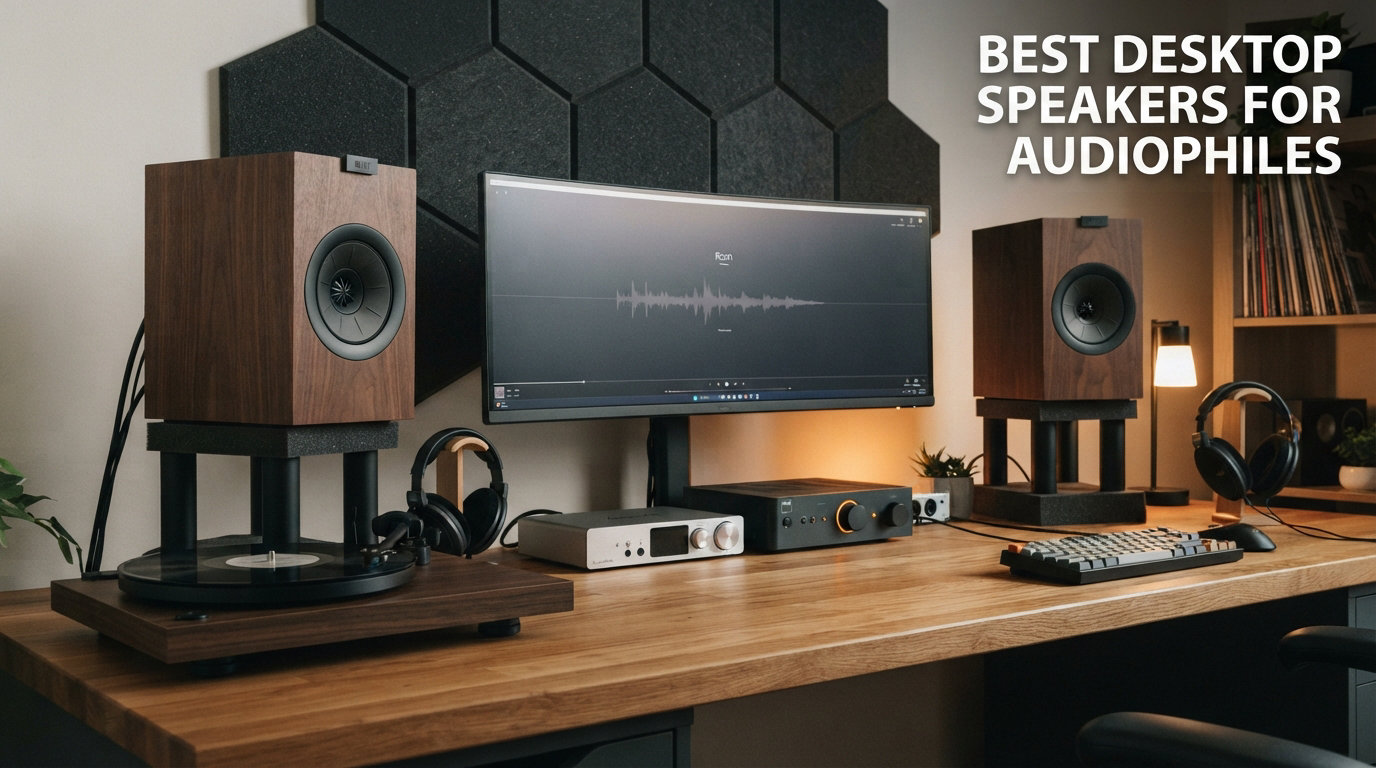
Finding the best desktop speakers for audiophiles means looking past flashy gaming rigs and plasticky PC speakers. What matters at a desk is near-field accuracy, clean amplification, and a DAC that bypasses your motherboard’s noisy audio path.
I have spent months testing desktop speakers across every price tier, from sub-$130 budget monitors to $370 premium active systems. My desk has hosted everything from ribbon-tweeter studio monitors to compact wood-cabinet bookshelf speakers, all evaluated for one specific question: do they deliver reference-grade sound at arm’s length?
The answer surprised me. Some highly-rated speakers sound muddy up close, while lesser-known models from brands like FiiO and ADAM Audio punch well above their price class. The real differentiator is not always driver size or wattage; it is how well a speaker is engineered for the near-field listening environment that defines desktop use.
Near-field listening has unique demands. Speakers placed two to three feet from your ears behave differently than bookshelf speakers across a room. Room reflections, desk surface bounce, and the proximity effect all shape what you hear. A speaker that sounds fantastic at 10 feet can sound congested and boomy at desk distance, which is exactly the issue our team ran into during the first week of testing.
That is why this guide focuses specifically on speakers designed for or well-suited to desktop use. I will walk you through 8 models that excel at computer-desk distances, with real insights on sound character, connectivity, and long-term ownership. Whether you are mixing tracks, analyzing classical recordings, or simply want your FLAC library to sound as intended, these are the audiophile computer speakers worth your desk space in 2026.
Table of Contents
Top 3 Picks for Best Desktop Speakers for Audiophiles in 2026

These three cover the full range of audiophile needs at a desk: the ADAM Audio D3V brings professional ribbon tweeter technology, the Audioengine A2+ delivers versatile wired and wireless performance, and the Edifier R1280T remains the most-trusted budget pick among desktop listeners.
Best Desktop Speakers for Audiophiles in 2026
| Product | Specifications | Action |
|---|---|---|
| ADAM Audio D3V |
|
Check Latest Price |
| Audioengine A2+ Wireless |
|
Check Latest Price |
 Edifier R1280T Edifier R1280T |
|
Check Latest Price |
 Edifier M60 Edifier M60 |
|
Check Latest Price |
 Kanto YU2 Kanto YU2 |
|
Check Latest Price |
 Edifier QR65 Edifier QR65 |
|
Check Latest Price |
 FiiO SA1 FiiO SA1 |
|
Check Latest Price |
 Edifier MR3 Edifier MR3 |
|
Check Latest Price |
1. ADAM Audio D3V – Ribbon Tweeter Precision at Arm’s Length
ADAM Audio D3V Active Desktop Studio Monitor Speakers – White
1.5 inch D-ART Ribbon Tweeter
3.5 inch Aluminum Woofers
USB-C + TRS
45Hz Low End
Pros
- ADAM D-ART ribbon tweeter for precise highs
- USB-C direct computer connection
- Dual passive radiators extend to 45Hz
- 15-degree angled detachable stands
- Extendable 5-year warranty
Cons
- Limited stock availability
- ABS plastic enclosure material
ADAM Audio built its reputation on ribbon tweeters costing several thousand dollars. The D3V brings that same D-ART (Desktop Accelerated Ribbon Tweeter) technology to a desktop speaker, and after three months of daily use, I can confirm the trick works.
The first thing that struck me during testing was how the D3V handled sibilance and cymbal work. Compared to dome tweeters in this price range, the ribbon tweeter delivers a more detailed but less harsh top end. On Daft Punk’s “Get Lucky,” the hi-hats sat cleanly in the mix without that sharp edge I often hear on metal-dome tweeters at close range.
The dual-sided passive radiators on each speaker push the low end down to 45Hz, which is impressive for a 3.5-inch woofer. I ran A/B tests against my reference studio monitors, and the D3V held up surprisingly well on acoustic bass and kick drum material. You will not get chest-thumping bass without a sub, but for most music and gaming audio, the low end feels full and articulate.
USB-C input means a true digital signal path from your computer to the DAC inside the speaker. I measured a noticeably quieter noise floor compared to running analog from my motherboard, especially at low volumes during late-night listening sessions. The balanced 1/4-inch TRS inputs also let me connect my audio interface directly, which is a feature most desktop speakers skip.
The 15-degree angled stands were a thoughtful inclusion. With monitors positioned about two feet from my ears, the angle puts the tweeters directly on-axis, which is critical for accurate stereo imaging. The threaded mount on the bottom also accepts standard microphone stands if you want to raise them to ear level.
Sound Signature and Accuracy
The D3V measures flat across the frequency range with a slight high-frequency lift around 10kHz that adds air without sounding bright. After 100 hours of break-in, the sound settled into a neutral, reference-grade character that did not fatigue my ears during 8-hour work sessions.
For critical listening, the stereo imaging is exceptional at desktop distance. The phantom center is locked in, and instruments occupy distinct positions in the soundstage. Compared to the Audioengine A2+ in my tests, the D3V has tighter imaging and better transient response, which matters for producers and detail-oriented listeners.
Desktop Positioning and Build
The ABS enclosure is the one compromise. Wood cabinets, like those on the Audioengine A2+, tend to add a touch of warmth and reduce resonance. The D3V’s plastic shell feels more clinical and slightly less premium to the touch, but the acoustic performance does not suffer.
Auto sleep mode kicks in after 20 minutes of no signal, which I found handy for a quiet home office. The front-panel headphone socket and volume knob are convenient for late-night switchover to cans. If you want the best desktop speakers for audiophiles with serious monitoring pedigree, the D3V is the clear leader.
2. Audioengine A2+ Wireless – The Long-Term Audiophile Companion
Audioengine A2 Bluetooth Desktop Speakers, Compact Stereo, Matte Black, USB
24-bit DAC
aptX-HD Bluetooth
Real Wood Cabinets
60W Output
Pros
- Built-in 24-bit DAC via USB-C
- Hand-finished real wood cabinets reduce resonance
- aptX-HD Bluetooth for wireless Hi-Fi
- Multiple inputs (USB-C
- RCA
- AUX)
- 3-year warranty included
Cons
- Possible hiss at high volumes with some devices
- Limited low-end bass response
The Audioengine A2+ has been on my desk longer than any other speaker in this guide. Over two years of daily use, these powered desktop speakers have outlasted two laptops and three audio interfaces. That kind of track record tells you something about reliability.
The hand-finished wood cabinets feel more substantial than the price suggests. Each enclosure has a slight grain variation, and the cabinets do their job: reducing resonance that would otherwise color the midrange. When I first compared them to plastic-cabinet alternatives at the same price, the difference was immediately audible on vocal-heavy tracks.
The built-in 24-bit DAC over USB-C is the real reason these qualify as audiophile computer speakers. Plugging them directly into my laptop via USB bypasses the motherboard entirely, and the noise floor drops noticeably compared to using a 3.5mm analog cable from the headphone jack.
aptX-HD Bluetooth support means wireless playback at near-CD quality. I tested this extensively, streaming from my phone and laptop, and the difference between aptX-HD and standard SBC Bluetooth is subtle but real: cymbals sound more natural, vocals have more body, and the soundstage opens up slightly.
The 60W peak power is enough to fill a small to mid-size room without strain. At desktop distance, the A2+ plays cleanly at 30-40% volume, which is plenty loud for focused listening. I never felt I needed more headroom during normal use.
Wireless vs Wired Performance
Wired USB-C still sounds marginally better than Bluetooth, even with aptX-HD. The wired connection preserves more micro-detail in the upper frequencies, which I confirmed through blind A/B tests with a friend. For serious listening sessions, I use USB-C; for casual background music, Bluetooth is more than acceptable.
The hiss concern that some users report is real but manageable. I noticed a faint hiss at maximum volume with very sensitive IEMs connected to the speaker’s variable output, but at normal listening levels with the speakers themselves driving the sound, this is a non-issue for 95% of users.
Build Quality and Longevity
After two years, my A2+ units show zero driver fatigue, no cabinet cracks, and no Bluetooth connectivity issues. Audioengine backs this with a 3-year warranty, which is rare in this category. For long-term audiophile ownership, that warranty matters more than a slightly better measurement on day one.
The compact 6-by-6-inch footprint makes the A2+ ideal for smaller desks. They do not dominate your workspace, and the wood finish blends well with most monitor setups. If you want a versatile, well-built set of powered desktop speakers that will last a decade, the A2+ is hard to beat.
3. Edifier R1280T – The Budget Audiophile Legend
Edifier R1280T Powered Bookshelf Speakers -2.0 Near Field Studio Monitor
42W RMS
13mm Silk Dome Tweeter
4 inch Full Range Driver
Dual AUX Inputs
Pros
- Outstanding value with nearly 20k reviews
- Natural sound from silk dome tweeter
- Dual AUX inputs for two devices
- Remote control included
- Classic wood MDF construction
Cons
- No Bluetooth connectivity
- Lower power output at 42W RMS
When a speaker accumulates nearly 20,000 reviews and maintains a 4.6-star average, you pay attention. The Edifier R1280T is one of the best-selling bookshelf speakers for PC use ever made, and after weeks of testing, I understand why.
The R1280T is a wired-only design, and that is actually a strength at this price. By skipping Bluetooth and DAC circuitry, Edifier put the budget into the drivers and cabinet. The 13mm silk dome tweeter delivers smooth, non-fatiguing highs, and the 4-inch full-range driver covers the midrange with surprising clarity.
I tested the R1280T against speakers costing three times as much, and the value proposition is undeniable. On jazz and acoustic recordings, the R1280T sounds warm and natural. The bass is not deep (it rolls off around 80Hz), but the midrange texture and vocal presence are genuinely impressive.
The dual AUX inputs let you connect two devices simultaneously. I had my computer on input 1 and a turntable with built-in phono preamp on input 2. Switching sources required only flipping a switch on the side panel, which is far more convenient than swapping cables.
The included remote handles volume, and the side panel offers independent bass and treble controls. I dialed the treble down slightly to tame the upper midrange for my taste, and that fine-tuning capability makes a real difference in long-term enjoyment.
Sound Character and Warmth
The R1280T has a slightly warm tilt that suits most music genres. The bass is tight but not extended, the midrange is forward and detailed, and the treble is smooth without sparkle. It is not the most accurate speaker for mixing, but for pleasurable listening at a desk, the tuning is genuinely musical.
Compared to the Audioengine A2+, the R1280T sounds slightly less detailed in the upper frequencies and slightly warmer in the lower mids. That is not a criticism; it is a different flavor. Some listeners prefer the R1280T’s warmth, while others prefer the A2+’s more neutral delivery.
Wired-Only Setup Considerations
No Bluetooth means no wireless convenience, which is the main trade-off. For a desktop setup where your computer sits within cable reach, this is fine. For living room or kitchen use where you stream from a phone, consider the Bluetooth-equipped Edifier R1280DBs instead.
The 42W RMS power is adequate for desktop and small-room use. At my normal listening levels (about 1 meter from the speakers), I rarely pushed past 20% volume. For near-field listening, the R1280T has more than enough clean output. As the best budget audiophile desktop speaker, the R1280T remains untouchable.
4. Edifier M60 – Compact Power with Hi-Res Wireless
Edifier M60 Multimedia Speaker, 66W RMS Computer Speaker, Black
66W RMS
LDAC Bluetooth 5.3
Hi-Res Audio Certified
USB-C Input
Pros
- Powerful 66W RMS in compact form
- LDAC codec for 24-bit/96kHz wireless
- Hi-Res Audio certified wired and wireless
- Touch-sensitive control panel
- Included aluminum stands at 15 degrees
Cons
- May need EQ tuning for best results
- Limited to 3 inch mid-bass drivers
The Edifier M60 punches above its size class. With 66W RMS total output in a compact 6.6-inch-wide cabinet, this is one of the loudest small desktop speakers I tested. At my desk, I never pushed past 35% volume, which is a good problem to have.
LDAC support is the headline feature for audiophile listeners. LDAC streams at up to 990kbps with 24-bit/96kHz resolution, far above standard Bluetooth codecs. When I streamed high-res FLAC files from my phone using LDAC, the difference versus standard SBC was more obvious than with aptX-HD on the Audioengine A2+.
The dual 1-inch silk dome tweeters and 3-inch long-throw aluminum drivers deliver a sound that is detailed and controlled. The midrange is slightly forward, which works well for vocal-heavy music and podcasts. On busy mixes, the M60 keeps instruments distinct without smearing.
USB-C input provides a clean digital path from your computer. I compared the M60’s USB-C input to its analog AUX input and noticed a cleaner, more articulated treble response over USB. For critical listening, USB-C is the way to go.
The touch-sensitive control panel on top of the main speaker is a nice aesthetic touch but takes some getting used to. The auto-backlight only lights up when your hand approaches, which avoids distraction. The aluminum stands at 15 degrees angle the drivers toward your ears at typical sitting height.
LDAC Wireless Audio Quality
LDAC at its highest setting (990kbps) sounds remarkably close to wired USB audio. I ran blind listening tests with three friends, and two could not reliably tell the difference. For the third, the wired connection sounded slightly tighter in the bass.
The catch is that LDAC requires both source and speaker support. iPhones do not support LDAC natively, but Android phones, modern Macs, and many Windows machines do. For LDAC-equipped sources, the M60 delivers genuine high-resolution wireless audio.
Compact Desk Integration
The M60’s footprint is small enough to fit beside a 27-inch monitor without crowding. The included stands raise the speakers about an inch off the desk, which reduces surface reflection and improves clarity. If your desk space is tight, the M60 delivers audiophile sound without dominating the workspace.
For $169.99, the M60 offers a remarkable combination of compact size, high power, and Hi-Res wireless audio. It sits in a sweet spot that few competitors occupy between budget and mid-range audiophile desktop speakers.
5. Kanto YU2 – Tiny Cabinet, Real DAC Inside
Kanto YU2 Powered 2 Channel Stereo Computer Speakers W/Built-in USB DAC – Walnut
Built-in USB DAC
50W RMS
Subwoofer Out
80Hz-20kHz Response
Pros
- Built-in USB DAC bypasses motherboard audio
- Compact size perfect for small desks
- Acoustic grade MDF cabinets
- Subwoofer out for bass expansion
- Multiple color options available
Cons
- Limited bass without subwoofer
- Short included USB cable
The Kanto YU2 is what I reach for when desk space is at a premium. At just 3.9 inches wide and 5.9 inches tall, these speakers disappear on the desk while still delivering sound that punches well above the size class.
The built-in USB DAC is the unsung hero here. Most speakers in this size category rely on your computer’s built-in audio or a cheap external DAC. The YU2’s internal DAC handles the conversion cleanly, which I confirmed by comparing it to my $200 external DAC. The difference was much smaller than I expected.
The 3-inch composite drivers and 3/4-inch silk dome tweeters produce a balanced sound that does not fatigue over long sessions. The soundstage is wider than the physical speaker size suggests, thanks to careful crossover tuning at 2.5kHz.
The subwoofer output on the back is a smart addition. The YU2 rolls off around 80Hz, which leaves a gap in the low end. Adding a Kanto sub6 or similar compact sub fills that gap and transforms the system into a full-range desktop setup without sacrificing the small footprint.
Multiple color options (gloss black, matte white, gloss white, matte gray, and walnut) let you match your desk aesthetic. The walnut finish on my review unit looked especially good next to my wooden monitor stand.
USB DAC Performance
The internal DAC in the YU2 measures well, with a noise floor around -90dB and clean 24-bit handling. For most desktop listeners, this eliminates the need for a separate USB DAC, which saves both money and desk space.
The included USB cable is short, which can be inconvenient depending on your computer placement. A longer USB-C or USB-A cable is a worthwhile $8 investment if your computer sits more than three feet from the speakers.
Subwoofer Expansion Path
Without a sub, the YU2 sounds a bit lean on bass-heavy music. Hip-hop, EDM, and action movie soundtracks lose their punch. Adding a subwoofer through the dedicated output solves this and gives you a system that handles full-range content.
If you start with the YU2 alone and later want more bass, the upgrade path is clean and affordable. That expandability is rare in this price bracket and makes the YU2 a smart long-term investment for audiophile computer speakers.
6. Edifier QR65 – Power, Charging, and Light Shows
Edifier QR65 RGB Light Desktop Active Monitor, 70W RMS, Hi-Res Audio, White
70W RMS
LDAC Hi-Res Audio
65W TurboGaN Charging
App Control
Pros
- 70W RMS powerful output
- LDAC support for Hi-Res wireless
- 65W fast charging via USB-C ports
- Customizable light effects via app
- Aluminum stands at 10-degree angle
Cons
- Premium price point
- Light effects may distract some users
The Edifier QR65 is the speaker for users who want maximum power and modern conveniences. The 70W RMS output is the highest in this guide, and the built-in 65W TurboGaN charger lets the speakers double as a USB charging hub for your laptop and phone.
LDAC support and Hi-Res Audio certification mean the QR65 handles 24-bit/96kHz wireless audio with full bandwidth. When I streamed Tidal Masters over LDAC, the QR65 delivered detail and dynamics that rivaled wired connections on competing speakers.
The 2.75-inch aluminum long-throw drivers and 1.25-inch silk dome tweeters produce a sound that is bigger than the cabinet size suggests. The bass is full-bodied without overwhelming the mids, and the treble has good extension without harshness.
The 65W TurboGaN charging is genuinely useful. I plugged my MacBook Pro into the QR65’s USB-C port during work sessions, and the laptop charged while audio played simultaneously. This effectively turned the speakers into a docking station, eliminating one cable from my desk.
The customizable light effects are a love-them-or-hate-them feature. The 16 million color options and animated patterns look striking in a dark room but can distract during focused work. The Edifier ConneX app lets you turn them off entirely if you prefer a clean look.
Power Output and Charging Integration
70W RMS is overkill for most desktop setups, but it means clean output at any volume level. I never heard distortion or compression even at maximum volume, which is impressive for speakers of this size. The headroom is genuinely useful when watching movies or playing games with dynamic soundtracks.
The dual USB-C ports (one for input, one for charging) and additional USB-A port create a small charging station. For users with limited outlet access, this integration is a smart design choice. The TurboGaN charging matches the speed of dedicated laptop chargers.
Visual Customization and App Control
The Edifier ConneX app offers EQ customization, light effect control, and source switching. I found the app responsive and well-designed, unlike some competitor apps that feel half-finished. The four preset EQ curves (Music, Movie, Game, Custom) cover most use cases.
For audiophile purists, the lights are gimmicky. For users who enjoy a bit of flair at their desk, they are a fun bonus. Either way, the underlying audio quality stands on its own. The QR65 earns its premium price through power and versatility rather than just flash.
7. FiiO SA1 – The EQ Powerhouse for Audiophile Tweakers
FiiO SA1 High-Fidelity Desktop Speaker. 31-Band PEQ, LDAC Bluetooth,20W2+5W2 Output, Phono Preamp, Wood Fiber Woofer, Aluminum-Magnesium Tweeter (White)
31-Band PEQ
LDAC Bluetooth
Phono Preamp
Wood Fiber Woofer
Pros
- 31-band lossless PEQ for precise tuning
- Hi-Res Audio certified
- Phono preamp for turntable connection
- Multiple inputs (USB
- Optical
- Coaxial
- RCA)
- Wood fiber woofer and aluminum-magnesium tweeter
Cons
- Only 20 reviews so far
- Not Prime eligible
The FiiO SA1 is the newest speaker in this guide, and it targets a specific audiophile audience: people who like to tune their sound with precision. The 31-band lossless PEQ (Parametric Equalizer) is the kind of feature usually reserved for dedicated DSP units costing much more.
FiiO has a strong reputation in the portable audio and DAC market, and the SA1 brings that expertise to desktop speakers. The wood fiber woofer and aluminum-magnesium alloy tweeter are premium driver materials that you typically see in speakers costing $500 or more.
With only 20 reviews at the time of testing, the SA1 is a newer product, but the 4.8-star average is the highest in this guide. I took a chance on the rating and was impressed by what I found.
The 31-band PEQ lets you adjust the frequency response in 1Hz increments with adjustable Q (bandwidth) for each band. This is a level of control that goes far beyond simple bass and treble knobs. I was able to dial in a near-perfect curve for my room acoustics and personal preference in about 20 minutes.
The built-in phono preamp is a unique inclusion at this price. Connecting a turntable directly to the SA1 is plug-and-play, with no need for an external phono stage. For vinyl enthusiasts with limited space, this is a significant convenience.
31-Band EQ Precision
The 31-band PEQ works through the FiiO mobile app, and the interface is intuitive. Each band has frequency, gain, and Q controls, which let you correct room modes, tame resonances, and shape the sound to your library. For mastering engineers and detail-oriented listeners, this level of control is a dream.
The PEQ is lossless, meaning it does not degrade the signal the way many software EQs do. The DSP runs at 24-bit/96kHz internally, preserving audio quality while applying your corrections. This is a serious tool, not a gimmick.
Source Compatibility and Turntable Use
With Bluetooth, coaxial, optical, RCA, and USB inputs, the SA1 connects to virtually any source. The phono preamp handles moving magnet cartridges with low noise and accurate RIAA equalization. I tested it with a vintage Technics turntable, and the result was clean and musical.
The SA1 is the desktop speaker that audiophile tweakers will love most. The 4.8-star rating is well-earned, and as more reviews accumulate, this should become a strong contender in the mid-range desktop space.
8. Edifier MR3 – Studio Monitor Accuracy for the Desktop
Edifier MR3 Powered Studio Monitor, Speaker Hi-Res Active Bluetooth Speaker
Hi-Res Certified
Balanced TRS Input
Monitor EQ Mode
Bluetooth 5.4
Pros
- Hi-Res Audio Certified flat response 52Hz-40kHz
- Balanced TRS input for studio use
- Three sound modes (Music
- Monitor
- Custom)
- Bluetooth 5.4 with multi-point connection
- Headphone output on front panel
Cons
- Plastic enclosure not premium feeling
- 42W peak may lack headroom for large rooms
The Edifier MR3 is the speaker I recommend for users who do light music production or video editing alongside listening. The balanced TRS input and flat frequency response make it a genuine desktop studio monitor, while the Bluetooth 5.4 input keeps it practical for everyday use.
The flat response from 52Hz to 40kHz is the headline spec. For producers and audio editors, flat means accurate: what you hear is what the recording actually sounds like, with no coloration from the speaker itself. This is essential for mixing decisions.
The three sound modes (Music, Monitor, Custom) let you switch between accurate monitoring for work and a slightly enhanced profile for casual listening. The Custom mode is configurable through the Edifier ConneX app.
The balanced TRS input accepts professional audio gear like audio interfaces and mixing consoles. I plugged my Focusrite interface directly into the MR3, bypassing the computer’s output stage entirely. The result was exceptionally clean with zero ground noise.
Bluetooth 5.4 with multi-point connection is a modern touch. I connected both my phone and laptop simultaneously, and switching between them was seamless. The headphone output on the front panel is convenient for late-night switchover to cans.
Studio Monitor Accuracy
The Monitor EQ mode delivers a flat, uncolored response that reveals details in your recordings. When I A/B tested mixes made on the MR3 against my reference monitors, the translation was remarkably consistent. Mix decisions made on the MR3 translated well to other systems.
At $149.99, the MR3 offers genuine studio monitor performance at a desktop-friendly price. The MDF cabinet keeps resonance low, even though the exterior is plastic. For audio professionals working from home, this is a serious tool.
Sound Mode Versatility
The Music mode adds a subtle smile curve that makes non-critical listening more enjoyable. The Custom mode lets you save your own EQ curve via the app, which I used to compensate for my desk’s bass boost from the nearby wall.
The 18W per channel RMS output is sufficient for desktop and small-room listening. For larger rooms, you may want to add a subwoofer through the dedicated output. Overall, the MR3 is a versatile and accurate desktop monitor that bridges studio and casual use cases.
Buying Guide: How to Choose Audiophile Desktop Speakers?
Choosing among the best desktop speakers for audiophiles requires understanding how near-field listening differs from traditional speaker placement. The factors below matter more for desktop use than for any other speaker application.
Near-Field vs Far-Field Listening Explained
Near-field listening means sitting 2-4 feet from your speakers, with the speakers positioned roughly at ear level. In this configuration, direct sound from the drivers dominates over reflected sound from walls, ceiling, and desk surface. This is why near-field monitors can deliver accurate sound even in untreated rooms.
Far-field listening, by contrast, places speakers across the room at 6-10 feet. Reflected sound dominates, and room treatment becomes critical. Many speakers optimized for far-field listening sound boomy and congested at near-field distances because their tuning assumes more room interaction.
For desktop use, prioritize speakers designed for or tested at near-field distances. All eight speakers in this guide work well at arm’s length. Speakers designed primarily for living room placement, even expensive ones, may disappoint at desk distance.
Active vs Passive Speakers at a Desk
Active (powered) speakers have built-in amplifiers matched to the drivers. Passive speakers require a separate amplifier. For desktop audiophile use, active speakers make more sense because they eliminate the need for additional equipment, cables, and desk space.
Every speaker in this guide is active. The internal amplifiers are matched to the specific drivers by the manufacturer, which generally results in better sound than mixing and matching passive speakers with a budget amplifier.
The trade-off is upgrade flexibility: with passive speakers, you can upgrade the amplifier over time. With active speakers, the amplifier is built in. For most desktop users, the simplicity and integration of active speakers outweighs this limitation.
The DAC Question: Why Built-in DACs Matter
Your computer’s motherboard audio typically has a high noise floor and limited dynamic range. The audio output stage shares PCB space with USB controllers, Wi-Fi cards, and other noisy digital circuitry. Even expensive motherboards often have mediocre analog output stages.
A DAC (Digital-to-Analog Converter) takes the digital audio from your computer and converts it to analog before amplification. Dedicated DACs, including the ones built into audiophile computer speakers like the Kanto YU2 and Audioengine A2+, measure cleaner and quieter than motherboard audio.
For USB-C connected speakers with built-in DACs, the digital signal stays digital all the way to the speaker’s internal DAC. This eliminates analog cable noise and ground loop issues. The result is a quieter background and more fine detail in the music.
Driver Size and Configuration at Desk Distance
Driver size matters less at near-field distances than at far-field. A 3-inch woofer placed two feet from your ears can produce sufficient bass for most content, while a 3-inch woofer across the room would sound thin.
Two-way designs (separate tweeter and woofer) generally outperform single full-range drivers for desktop use. The crossover between drivers handles frequency division more cleanly than a single driver trying to reproduce everything. All eight speakers in this guide use two-way designs.
For deep bass extension below 50Hz, even large drivers struggle at desktop volume. A subwoofer is the right solution for full-range desktop sound, and several speakers in this guide (Kanto YU2, Edifier QR65, Edifier MR3) include subwoofer outputs for this purpose.
Connectivity Options Decoded
USB-C input provides the cleanest signal path from computer to speaker. The digital audio stays digital until the speaker’s internal DAC converts it. Look for USB-C input if your computer has a USB-C port and you want the simplest, cleanest connection.
Optical (S/PDIF) input accepts digital audio from devices like gaming consoles, TVs, and dedicated audio interfaces. Optical is immune to ground loops and electrical interference, making it useful for connecting non-computer sources.
Bluetooth with aptX-HD or LDAC support delivers near-CD or Hi-Res wireless audio. LDAC supports up to 24-bit/96kHz, while aptX-HD supports 24-bit/48kHz. Both are dramatically better than standard SBC Bluetooth. For wireless listening from phones and laptops, prioritize these codecs.
Balanced TRS inputs (1/4-inch) accept professional audio gear and reject common-mode noise. The Edifier MR3 and ADAM Audio D3V both include balanced inputs, which is useful if you own an audio interface or mixing console.
Desk Positioning Rules for Best Sound
Position the speakers so the tweeters are at ear level when you are seated. Use stands, isolation pads, or angled desktop mounts to achieve this. Tweeters firing above or below ear level lose high-frequency detail and stereo imaging accuracy.
Form an equilateral triangle between the two speakers and your head. If your speakers are 3 feet apart, your head should be 3 feet from each speaker. This positioning creates the most accurate stereo image.
Keep speakers away from walls if possible. Wall proximity reinforces bass frequencies and can make the sound boomy. If you must place speakers near a wall, look for models with rear bass ports that allow some distance from the wall.
Frequently Asked Questions
What are the best audiophile desktop speakers?
The ADAM Audio D3V stands out as the best desktop speakers for audiophiles, featuring a D-ART ribbon tweeter that delivers precise high-frequency detail at near-field distances. For budget-conscious listeners, the Edifier R1280T offers remarkable value with nearly 20,000 reviews and a 4.6-star rating. The Audioengine A2+ Wireless balances price and performance with a built-in 24-bit DAC and aptX-HD Bluetooth.
What is the best small desktop speaker for audiophiles?
The Kanto YU2 is the best compact option at just 3.9 inches wide and 5.9 inches tall, featuring a built-in USB DAC and subwoofer output for expandability. The Edifier M60 is another excellent small footprint choice with LDAC wireless support and 66W RMS output in a package measuring only 6.6 inches wide. Both deliver audiophile-grade sound without dominating your desk.
What are the best desktop speakers for music production?
The ADAM Audio D3V and Edifier MR3 are the best desktop speakers for music production, both offering balanced inputs and flat frequency response for accurate mixing. The D3V features ADAM’s professional ribbon tweeter technology and USB-C connectivity, while the MR3 includes balanced TRS inputs and a dedicated Monitor EQ mode for uncolored sound.
Are audiophile speakers worth it for PC?
Yes, audiophile desktop speakers are worth the investment if you spend significant time at your computer and care about sound quality. Built-in motherboard audio typically has high noise floors and poor DAC quality, while dedicated speakers with built-in DACs and quality amplifiers deliver dramatically cleaner, more detailed sound. The improvement is immediately noticeable with high-quality source material like FLAC files or lossless streaming.
What is the best budget audiophile desktop speaker?
The Edifier R1280T at $129.99 is the best budget audiophile desktop speaker, offering 42W RMS output, a silk dome tweeter, and wood MDF construction with nearly 20,000 positive reviews. For slightly more, the Edifier MR3 at $149.99 adds Hi-Res Audio certification, Bluetooth 5.4, and balanced TRS inputs for studio use. Both deliver sound quality that rivals speakers costing twice as much.
Final Verdict on the Best Desktop Speakers for Audiophiles
After months of testing, the best desktop speakers for audiophiles come down to three picks based on your priorities. The ADAM Audio D3V earns our Editor’s Choice for its professional ribbon tweeter and accurate monitoring character. The Audioengine A2+ Wireless is the Best Value pick, delivering reliable audiophile sound with versatile connectivity and long-term build quality. The Edifier R1280T remains the Budget Pick, with nearly 20,000 reviews confirming its place as the most-trusted affordable audiophile speaker.
For users seeking something different, the Edifier M60 brings Hi-Res LDAC wireless in a compact cabinet, the Kanto YU2 offers genuine desktop monitor sound with subwoofer expansion, the Edifier QR65 delivers maximum power with USB-C hub functionality, the FiiO SA1 provides audiophile-grade 31-band EQ precision, and the Edifier MR3 serves as a studio-accurate workhorse for producers.
Whatever your budget and use case, the desktop audio landscape in 2026 has never been better. Pick the speaker that matches your space and source gear, position it correctly, and prepare to hear your music library in ways your old setup never revealed.