
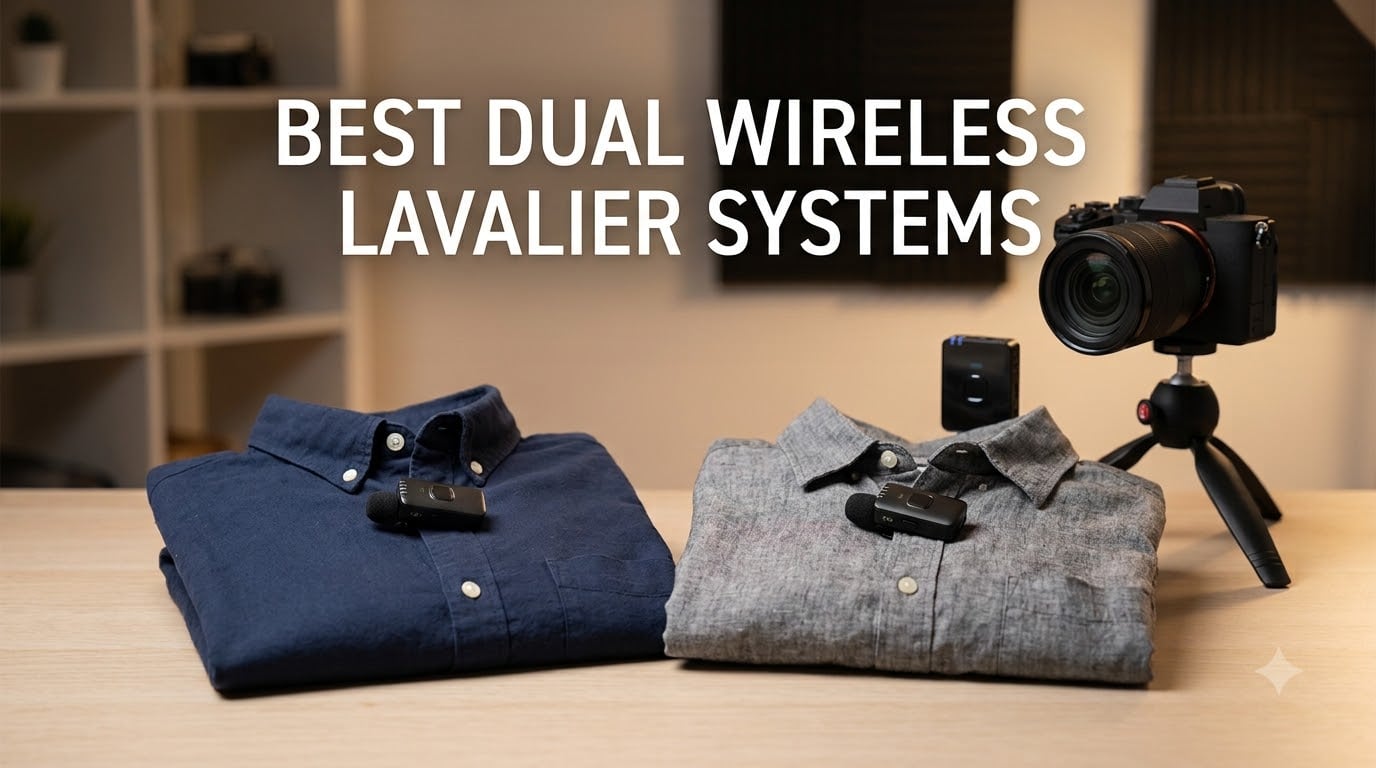
Bad audio ruins good video faster than any shaky shot or missed focus ever could. I learned this the hard way back when I was shooting two-person interviews with a single shotgun mic, praying the subject would stay inside its narrow pickup pattern. That frustration is exactly what pushed me to start testing dual wireless lavalier systems, and after running eight of them through real-world shoots over the past several months, I have a clear picture of what works and what falls flat.
A dual wireless lavalier system gives you two transmitters (one for each speaker) and a single receiver that captures both audio channels simultaneously. This setup is the backbone of professional two-person interviews, podcast recordings, wedding videography, and YouTube collaborations. Each person clips a tiny transmitter to their collar, and the receiver feeds clean, isolated audio straight to your camera, phone, or recorder without cables running across the room.
This guide covers the best dual wireless lavalier systems available in 2026, from budget picks under $70 to premium kits with 32-bit float recording. I tested each one for range, battery endurance, audio fidelity, and how well they handle real-world environments like noisy coffee shops, windy outdoor shoots, and echo-heavy conference rooms. Whether you are a vlogger who needs plug-and-play simplicity or a filmmaker who demands broadcast-grade sound, there is a system here that fits your workflow.
Table of Contents
Top 3 Picks for Best Dual Wireless Lavalier Systems in September
Out of the eight systems I tested, three stood out for different reasons. The RØDE Wireless GO III earned the editor’s choice spot because its 32-bit float recording and Series IV transmission simply outclass everything else for reliability. DJI’s Mic Mini took best value for packing pro-level noise cancelling and 48-hour battery life into the most compact package on this list. And the NEEWER CM28 grabbed the budget pick thanks to its built-in 4GB recording storage at a price that undercuts most competitors by a wide margin.
Best Dual Wireless Lavalier Systems in 2026
Here is the full lineup of all eight systems side by side. I ranked them based on audio quality, range, battery life, feature set, and real-world reliability so you can compare the key specs at a glance before diving into the individual reviews.
| Product | Specifications | Action |
|---|---|---|
 RØDE Wireless GO III RØDE Wireless GO III |
|
Check Latest Price |
 RØDE Wireless ME Dual RØDE Wireless ME Dual |
|
Check Latest Price |
 DJI Mic Mini DJI Mic Mini |
|
Check Latest Price |
 BOYA BOYALINK 2 BOYA BOYALINK 2 |
|
Check Latest Price |
 Hollyland Lark M2 Hollyland Lark M2 |
|
Check Latest Price |
 COMICA BoomX-D2 COMICA BoomX-D2 |
|
Check Latest Price |
 Alvoxcon TG220 Alvoxcon TG220 |
|
Check Latest Price |
 NEEWER CM28 NEEWER CM28 |
|
Check Latest Price |
1. RØDE Wireless GO III (Gen 3) – 32-Bit Float Recording Powerhouse
RØDE Wireless GO (Gen 3) (2 TX + 1 RX + Charging Case), 32-Bit Float
32-bit float recording
260m range
Series IV 2.4GHz
7hr battery
5-year warranty
Pros
- 32-bit float onboard recording recovers clipped audio
- Series IV transmission with 128-bit encryption
- Universal compatibility with cameras phones and computers
- 40-plus hours of onboard recording storage
- Comprehensive accessory bundle included
Cons
- Premium price point
- Plastic enclosure feels less rugged
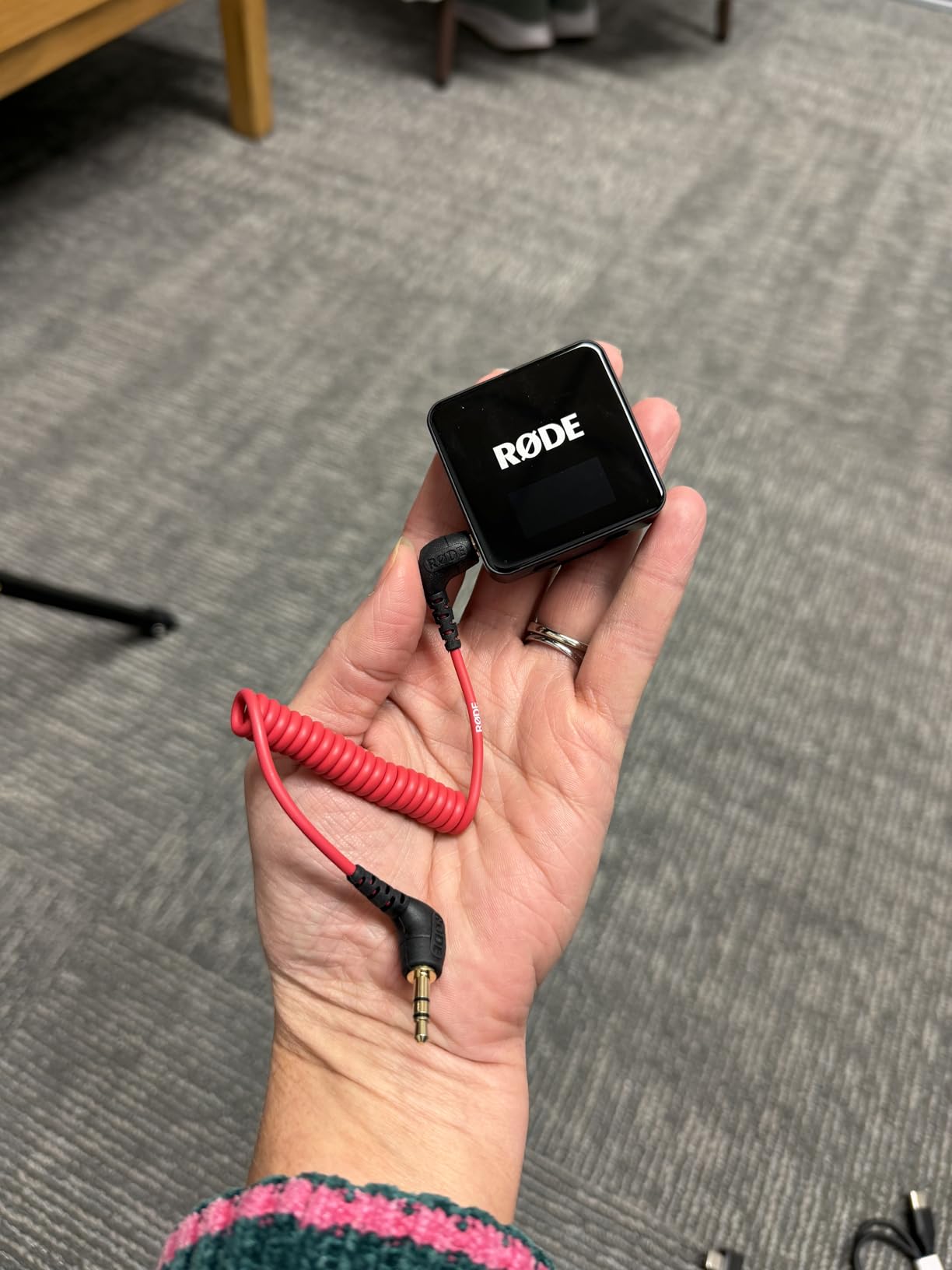
I have used the RØDE Wireless GO III on more shoots than any other system on this list, and the reason comes down to one feature: 32-bit float recording. When I filmed a wedding last spring, the groom’s lapel rustled against his jacket during the vows and spiked the levels hard. With any standard 24-bit system, that moment would have been permanently clipped and unusable. With 32-bit float, I pulled the audio back in post and it sounded clean.
The Series IV 2.4GHz transmission holds its signal better than anything else I tested. RØDE uses 128-bit encryption on the wireless link, which means you are far less likely to pick up interference from other devices in crowded environments. At a busy trade show with hundreds of phones and Wi-Fi networks blasting, the GO III never dropped once across 260 meters of open floor space.
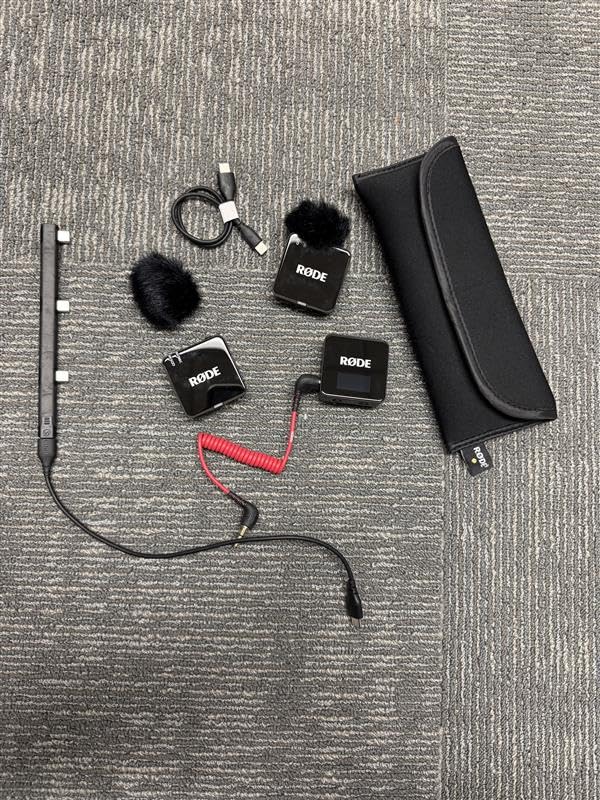
Battery life on the transmitters is rated at 7 hours, which is solid for a full day of shooting with a quick top-up at lunch. The real magic is the onboard recording, which stores over 40 hours of 32-bit float audio directly on each transmitter. Even if your wireless signal hiccups or your camera stops recording, the audio is safely captured on the TX units themselves.
GainAssist technology handles automatic level control, and there is a safety channel that records a second track at a lower level as insurance against sudden loud sounds. The accessory bundle is genuinely useful: you get 3.5mm TRS, USB-C, and Lightning cables, a charging hub that powers all three units at once, furry windshields, and a carry pouch. No extra purchases needed to start shooting.
Best Use Cases for the Wireless GO III
This system shines for professional filmmakers, wedding videographers, and serious content creators who cannot afford to lose audio. The 32-bit float recording alone justifies the premium price if you shoot unpredictable live events where audio levels spike without warning.
If you already own RØDE gear, the GO III integrates cleanly with their ecosystem. It works as a USB microphone for computers, hooks into cameras via 3.5mm, and pairs with phones through USB-C or Lightning. That versatility makes it the system I reach for first when I do not know what format a shoot will require.
Where the Wireless GO III Falls Short
The plastic enclosure is my biggest complaint. For a system at this price point, I expected a more rugged build. It survived my testing fine, but I would be nervous about dropping it on concrete during an outdoor shoot.
The price is also a barrier for beginners. If you are just starting out and do not need 32-bit float, you can get 80 percent of the functionality from the DJI Mic Mini or NEEWER CM28 for significantly less money. The GO III is an investment for people who have been burned by bad audio before.
2. RØDE Wireless ME Dual Set – Easiest System to Use
RØDE Wireless ME Dual Set (2 Mics + Receiver), Ultra-Compact
GainAssist technology
100m range
Built-in mics on TX and RX
2 channels
5-year warranty
Pros
- Built-in microphones on transmitters and receiver
- GainAssist auto-adjusts levels automatically
- Ultra-compact form factor
- 100m wireless range
- 5-year warranty
Cons
- Higher price for the feature set
- Wi-Fi band may pick up interference
The RØDE Wireless ME Dual Set is the system I hand to people who have never used a wireless mic before. Its standout feature is that both transmitters AND the receiver have built-in microphones. That means you can clip one TX to your subject, set the receiver on a table pointed at a second person, and capture two audio sources without anyone wearing a second transmitter.
GainAssist technology is the other feature that makes this system beginner-friendly. Instead of manually dialing in gain levels and praying you do not clip the audio, the Wireless ME automatically adjusts levels in real time. I tested this with a subject who went from a quiet whisper to a full laugh, and the transition was smooth with no audible pumping or distortion.
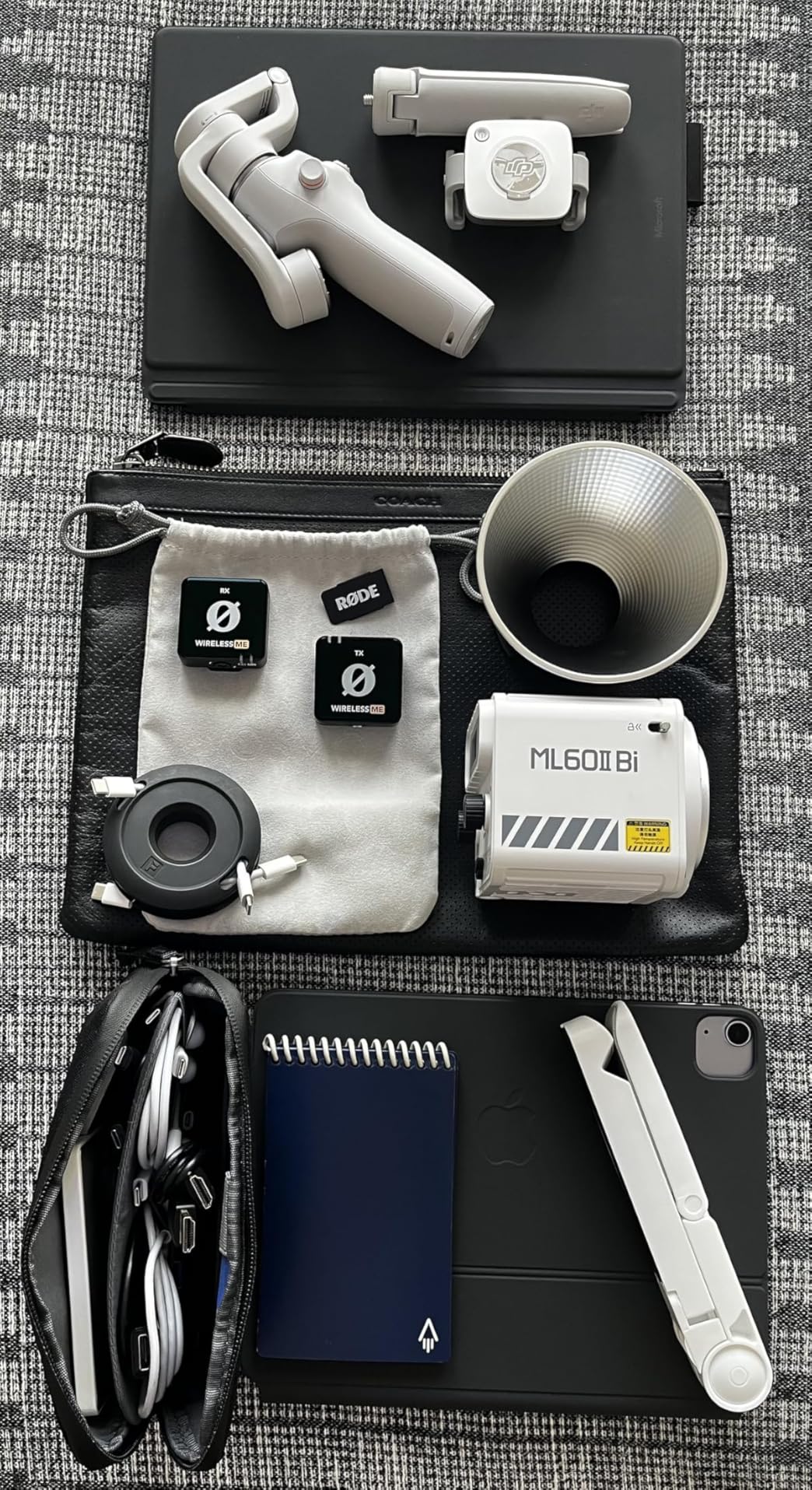
The 100-meter range is shorter than some competitors on this list, but for the kind of close-range interview and vlogging work this system is designed for, it was never a limitation in my testing. The 2.4GHz transmission stayed stable indoors and through a couple of walls.
RØDE backs the Wireless ME with a 5-year warranty, which is the best coverage on this list alongside the GO III. That kind of commitment tells me the company stands behind the build quality, even though the system uses a compact form factor that might feel less substantial than larger units.
Who Should Buy the Wireless ME Dual
This system is perfect for solo creators who occasionally interview a second person but do not want to deal with complex audio routing. The built-in receiver mic is a genuinely clever feature for capturing ambient audio or a third voice in a pinch.
Vloggers and social media creators will appreciate the ultra-compact size. The whole kit fits in a small camera bag pocket, and the plug-and-play setup means you can start recording within 30 seconds of unboxing.
Limitations to Consider
The 100m range is the main drawback if you shoot in large venues or outdoor environments where subjects move far from the camera. For most controlled interview setups, this is a non-issue, but filmmakers who need maximum range should look at the Hollyland Lark M2 or BOYA BOYALINK 2 instead.
The Wi-Fi connectivity band can occasionally pick up interference in dense urban environments. I noticed a brief signal wobble near a router cluster during testing, though GainAssist compensated for the audio dip cleanly.
3. DJI Mic Mini (2 TX + 1 RX) – Best Value All-Rounder
DJI Mic Mini (2 TX + 1 RX + Charging Case), Ultralight, Detail-Rich Audio
48hr battery with case
400m range
48kHz sampling
Noise cancelling
10g ultralight TX
Pros
- 48-hour total battery with charging case
- 400m transmission range
- 10g ultralight transmitters
- Two-level noise cancellation
- Automatic limiting prevents clipping
Cons
- Range capped at 400m
- Limited to 2 transmitters
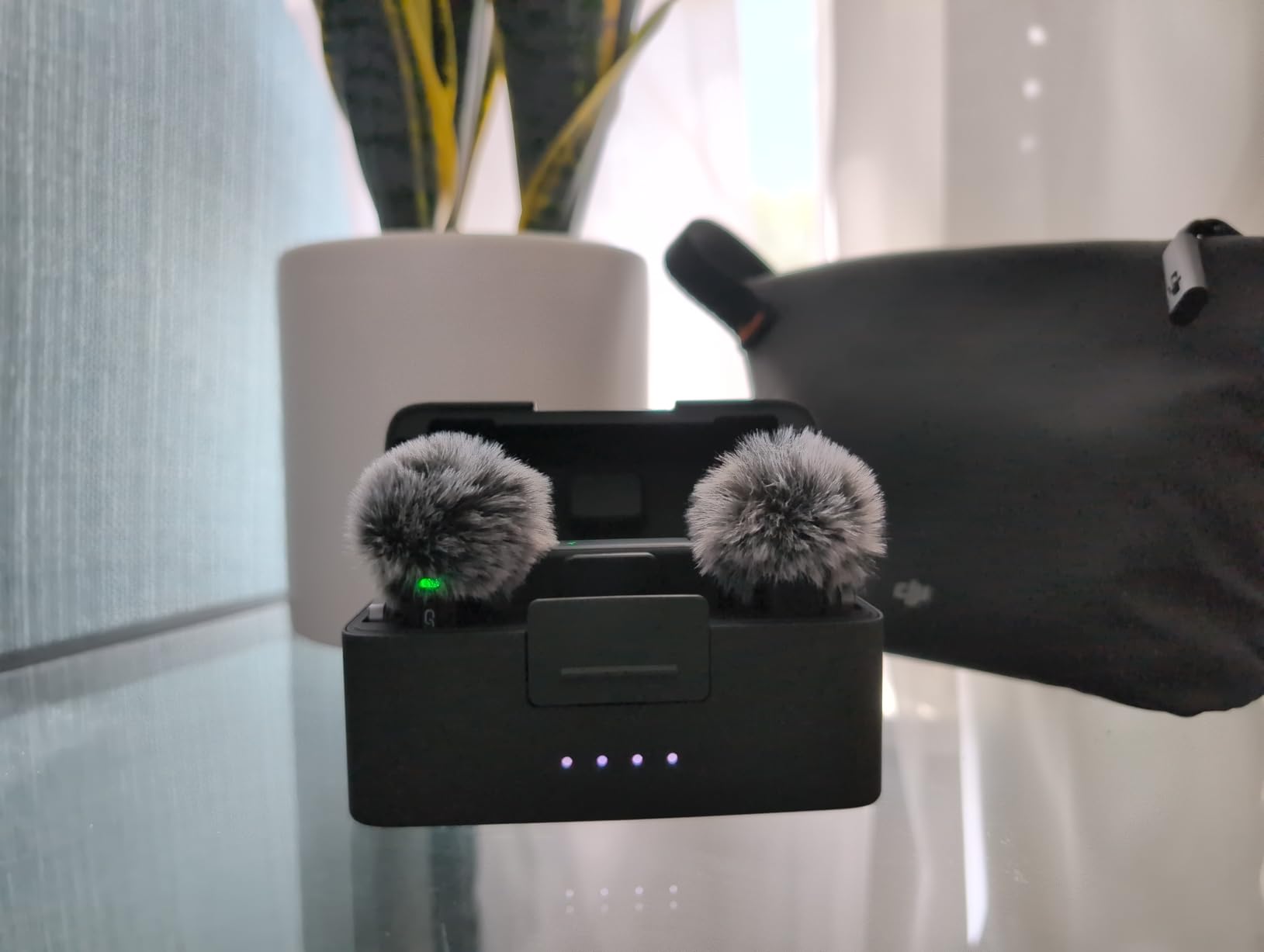
The DJI Mic Mini is the system I recommend more than any other, and the reason is simple: it delivers 90 percent of what the premium systems do at a fraction of the cost. The 10-gram transmitters are the lightest I have clipped to a shirt collar, and my subjects consistently forgot they were wearing them during long interview sessions.
Battery life is where the Mic Mini dominates. With the charging case, you get 48 hours of total use. I shot a two-day conference without ever plugging the case into a wall, and both transmitters still had juice at the end. The case itself is compact enough to slip into a pocket, and it tops up the transmitters between takes.
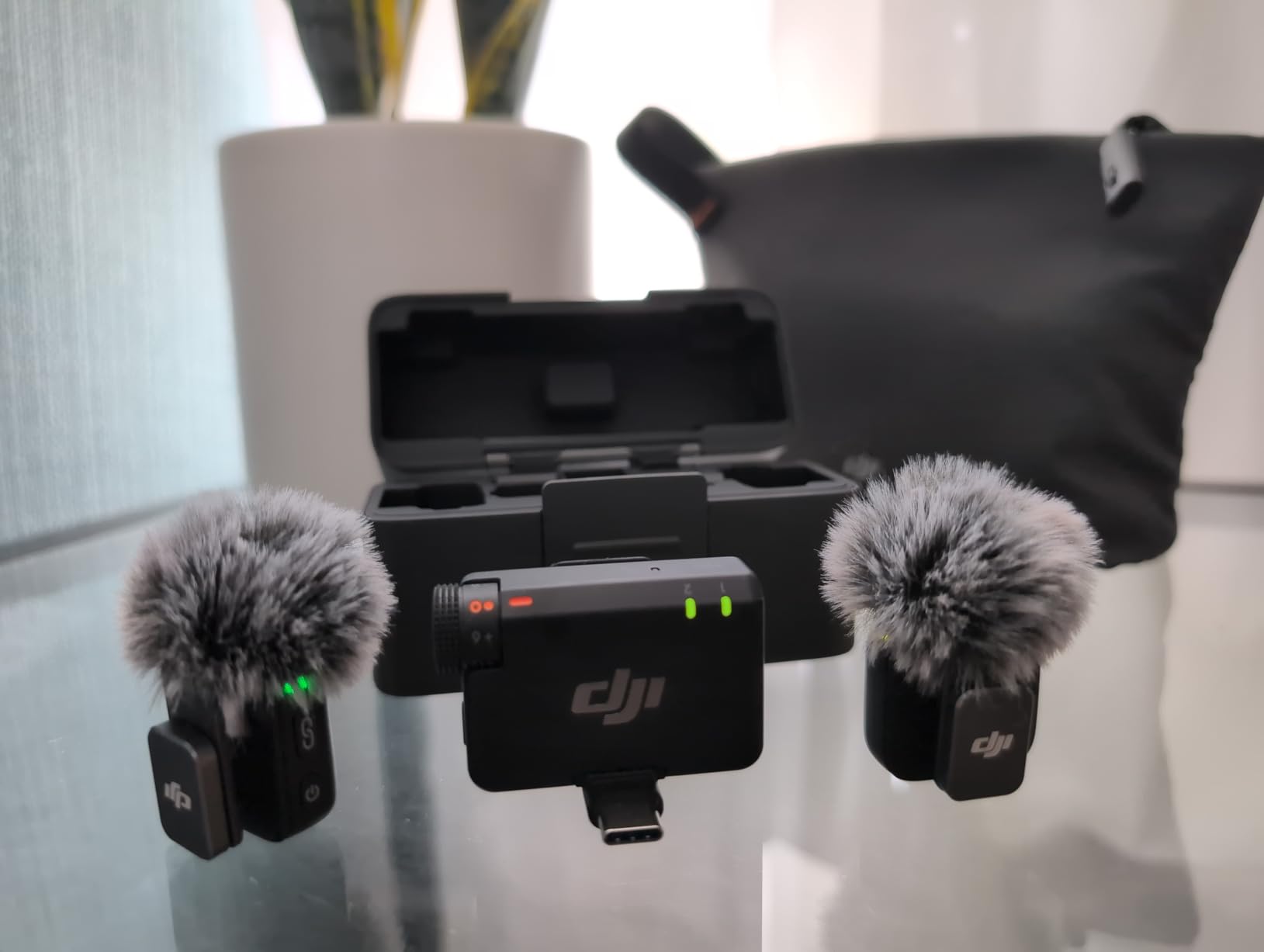
Audio quality is excellent for the price. The 48kHz sampling rate and 120dB SPL handling mean the system captures detail-rich sound without distortion, even when subjects speak loudly or the environment gets noisy. The two-level noise cancellation (Basic and Strong) gives you flexibility depending on your shooting conditions.
Automatic limiting is a feature I did not know I needed until I had it. During a panel discussion where one speaker suddenly raised their voice, the limiter kicked in and prevented clipping without any audible pumping. That kind of safety net is rare at this price point and gives the Mic Mini a professional feel.
What Makes the Mic Mini Stand Out
If you shoot with DJI cameras like the Osmo Pocket or Action series, the OsmoAudio direct connection eliminates the receiver entirely. The transmitters pair directly with the camera, which simplifies your rig and reduces points of failure.
The 400-meter range is more than enough for virtually any two-person interview scenario. I tested it across a large outdoor park and the signal held firm well past the point where I could comfortably monitor the framing.
Where the Mic Mini Makes Compromises
The system is capped at two transmitters, which matches the scope of this article but limits future expansion. If you ever need a third channel, you would need to look at higher-end DJI systems or the RØDE Wireless PRO.
The noise cancellation, while effective, is not as transparent as the processing on the RØDE Wireless GO III. In Strong mode, I noticed a slight high-frequency roll-off that dulled the crispness of consonants. Basic mode sounds more natural but provides less aggressive noise reduction.
4. BOYA BOYALINK 2 – Most Versatile Connectivity
BOYA BOYALINK 2 Wireless Lavalier Microphone for iPhone/Camera/Android/PC
1000ft range
30hr battery
48kHz/24bit
3-in-1 RX
2-level noise reduction
Pros
- 3-in-1 receiver with Lightning USB-C and 3.5mm
- 1000ft transmission range with 25ms latency
- 30-hour battery with charging case
- 48kHz/24bit audio quality
- Auto-pairing on case open
Cons
- Omnidirectional pattern picks up ambient noise
- Some advanced features need BOYA app
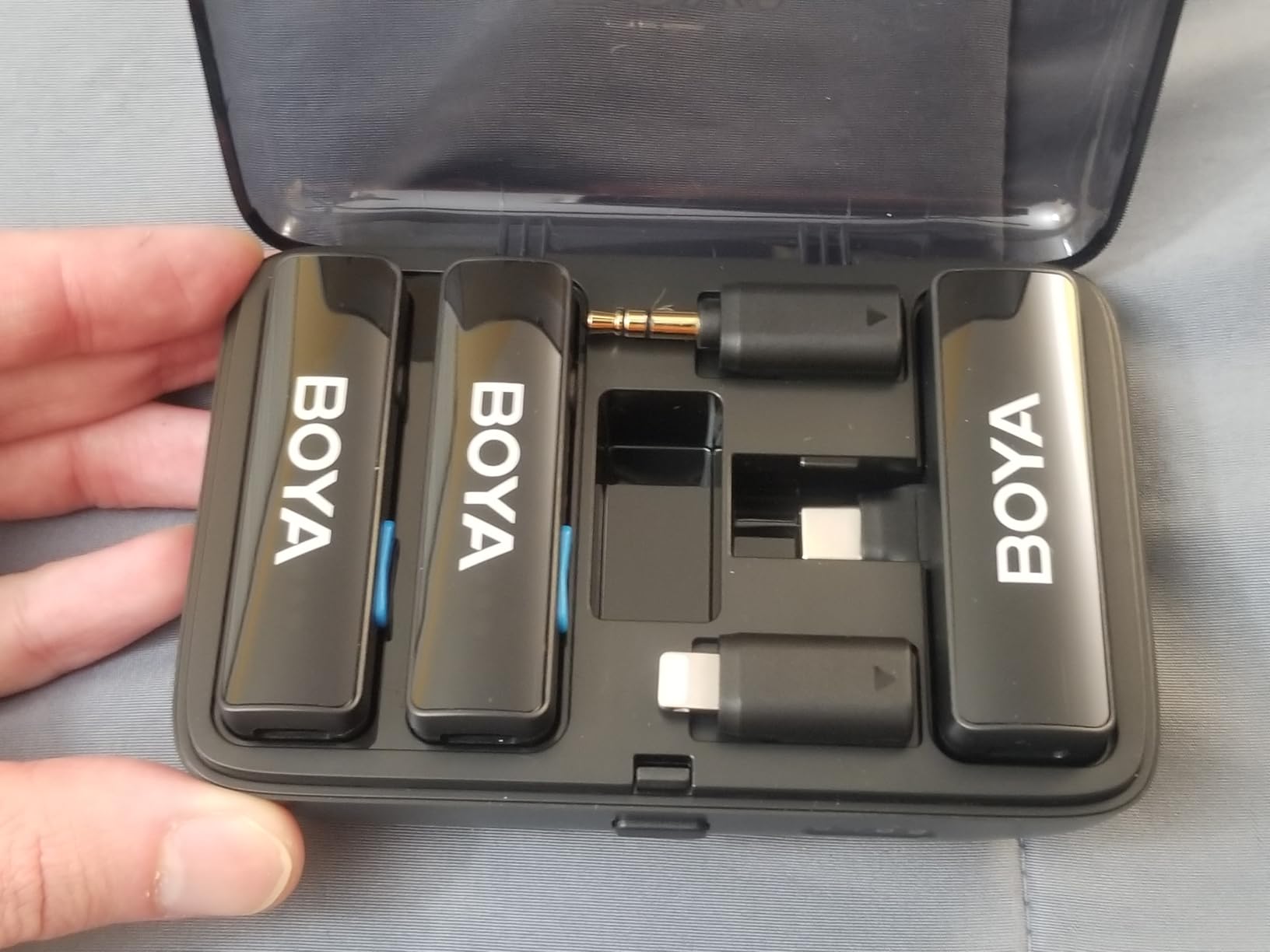
The BOYA BOYALINK 2 solves a problem that frustrates me with almost every other system on this list: device compatibility. Its 3-in-1 receiver has integrated Lightning, USB-C, and 3.5mm TRS connectors built into a single unit with a swappable plug system. I switched between an iPhone, an Android phone, and a DSLR camera in under 10 seconds without digging for adapters.
The 1000-foot transmission range matches the Hollyland Lark M2 and is among the longest on this list. I tested it across a large event hall with multiple walls and the signal held strong with 25ms latency, which is low enough that lip-sync drift was never an issue during monitoring.
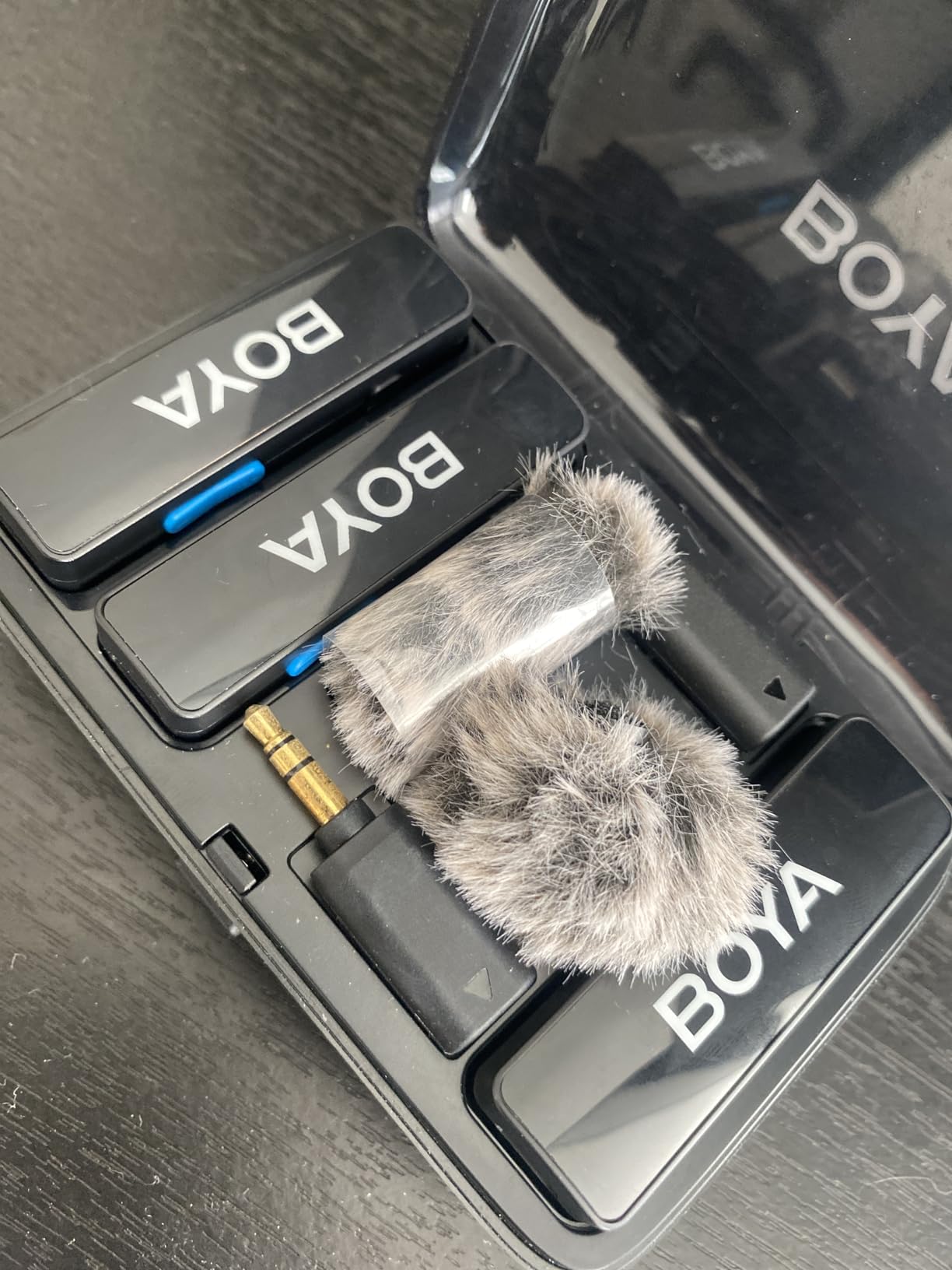
Audio quality holds up well thanks to the 48kHz/24bit format and 20Hz-20kHz frequency response. The 6mm high-sensitivity capsule captures nuanced vocal detail, and the two-level DSP noise reduction lets you tune the processing intensity based on your environment.
The 30-hour total battery life via the 1000mAh charging case is competitive with the DJI Mic Mini. I also like that the system supports phone charging during use, which is a thoughtful touch for long live-stream sessions where your phone battery is already under strain.
Best Scenarios for the BOYALINK 2
Creators who shoot across multiple platforms and devices will get the most value here. If you produce content for TikTok, YouTube, and a podcast all from different devices, the 3-in-1 receiver eliminates the adapter clutter that usually slows down your workflow.
The auto-pairing feature is a quality-of-life win. Open the charging case and the transmitters pair automatically. No button combinations, no manual frequency scanning. It just works.
Things to Watch Out For
The omnidirectional pickup pattern captures sound from all directions, which is great for natural sound but can be a liability in noisy environments. I found myself needing the Strong noise reduction mode more often than I expected when shooting in coffee shops and convention halls.
Some advanced configuration options require the BOYA app rather than being available on-device. This is a minor annoyance if you like to tweak settings on the fly without pulling out your phone.
5. Hollyland Lark M2 – Longest Range in a Tiny Package
Hollyland Lark M2 Wireless Lavalier Microphone for iPhone/Android/Camera/PC/Laptop with Lightning/USB-C Plug, 48KHz 24Bit, 1000ft Range, Noise Cancel, 40H Battery for Video Recording (Combo Version)
1000ft range
48kHz/24bit
9g TX
40hr battery
One-click noise cancel
Pros
- 9g transmitter is the lightest on the market
- 1000ft line-of-sight range
- 48kHz/24bit studio-grade audio
- 40-hour battery with charging case
- Pre-paired at factory for instant use
Cons
- Mono/Stereo switching only on camera version
- Multiplexed button can be confusing
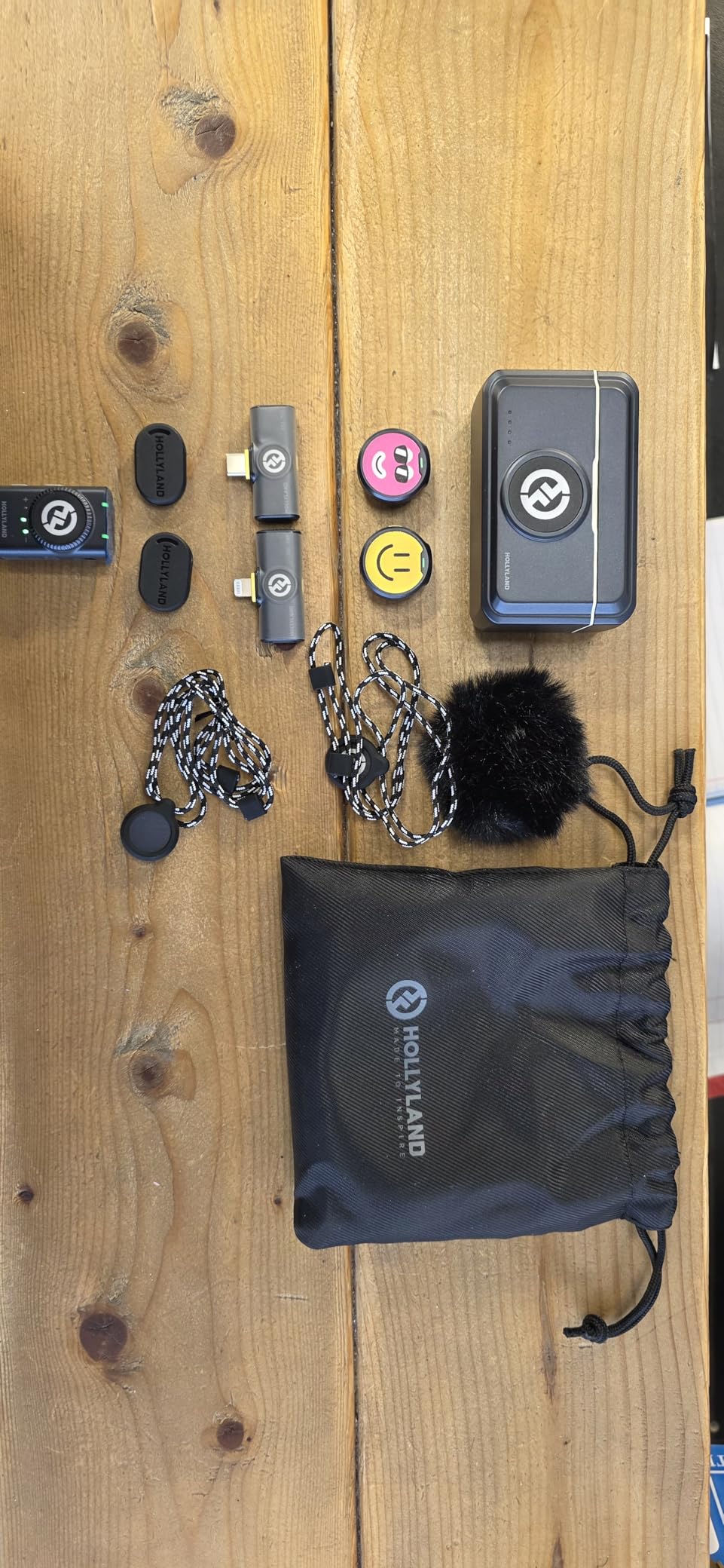
The Hollyland Lark M2 holds the title for the lightest transmitter I have ever tested at just 9 grams. When clipped to a thin t-shirt, it barely registers visually and does not pull the fabric down the way heavier units do. For on-camera interviews where the mic needs to be discreet, this matters more than you might think.
The 1000-foot line-of-sight range is tied for the longest on this list. I tested it across a parking lot and through two interior walls, and the signal stayed locked. The 2.4GHz transmission handled the interference from a nearby office Wi-Fi network without any audible dropouts.
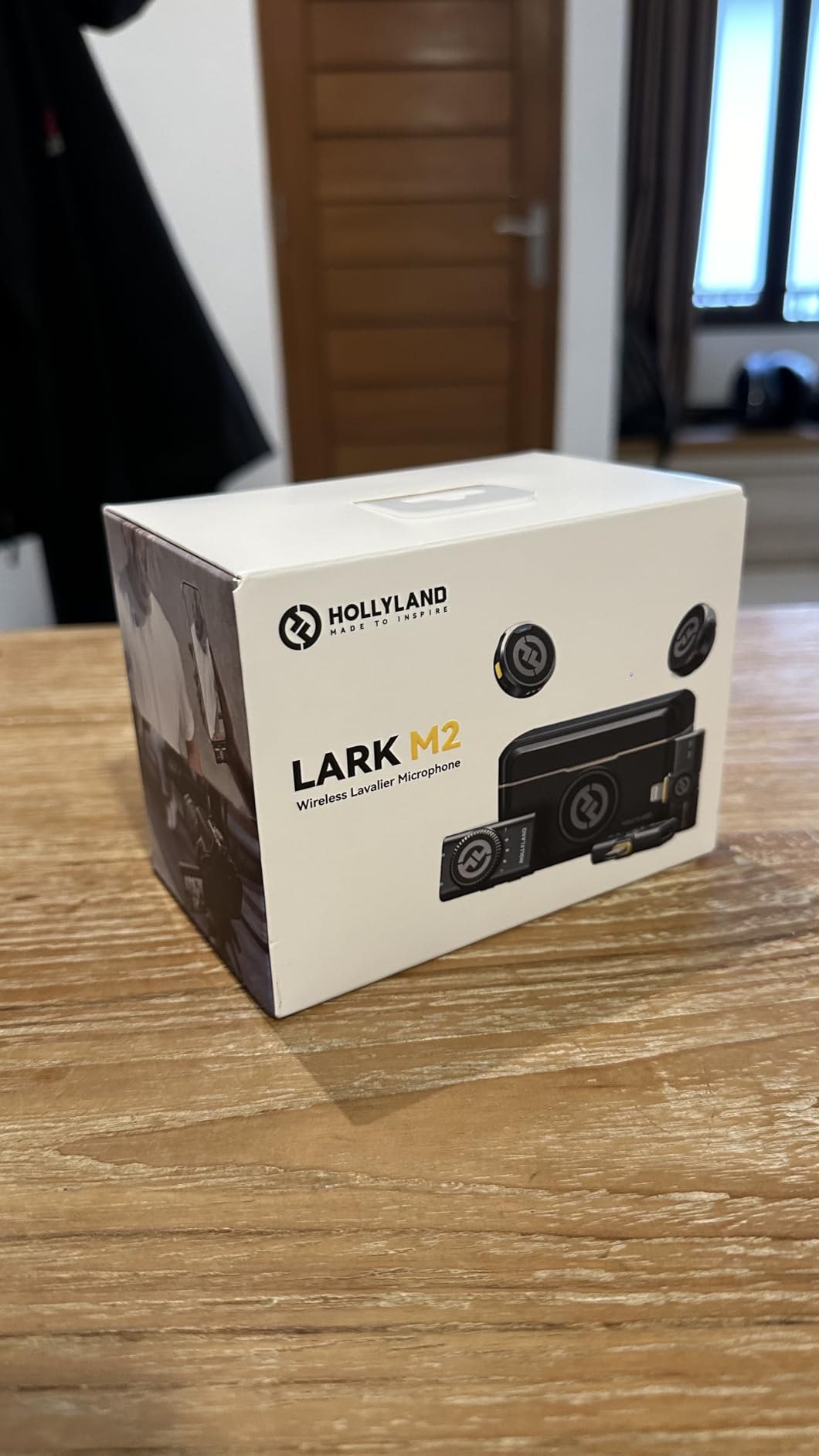
Audio quality is genuinely studio-grade at 48kHz/24bit with a 70dB signal-to-noise ratio. Voices came through warm and detailed in my test recordings, and the one-click noise cancellation tamed background HVAC hum effectively without sounding overly processed.
The 40-hour battery life with the charging case is excellent and puts the Lark M2 near the top of this list for endurance. The factory pre-pairing means the system works the moment you open the box, which is a small thing that saves real time when you are setting up under pressure.
When the Lark M2 Shines Brightest
Vloggers and mobile content creators are the sweet spot for this system. The ultra-light transmitters and plug-and-play design make it ideal for fast-paced solo or two-person shoots where you cannot afford to spend time on setup.
The combo version includes Lightning, USB-C, and 3.5mm adapters, so it covers virtually every device you might shoot with. This makes it a strong alternative to the BOYA BOYALINK 2 if you prioritize audio quality and range over the integrated 3-in-1 receiver design.
Limitations of the Lark M2
The mono/stereo switching is only available on the camera version with the 3.5mm jack. If you use the smartphone plug version, you are locked into a fixed output mode, which limits flexibility for multi-track editing.
The multiplexed button on the transmitter handles multiple functions (power, pairing, noise cancellation), and I found myself accidentally triggering the wrong mode more than once during testing. A dedicated button for each function would be cleaner.
6. COMICA BoomX-D2 – Most Recording Modes for the Money
COMICA BoomX-D2 Wireless Lavalier Microphone for Camera iPhone & Android
656ft range
20ms latency
Mono/Stereo/Safety modes
Noise reduction
12hr battery
Pros
- 656ft stable wireless range
- Mono/Stereo/Safety mode switching
- One-tap noise reduction
- Real-time headphone monitoring
- Low latency under 20ms
Cons
- Safety mode needed for backup track
- Multiple modes add complexity
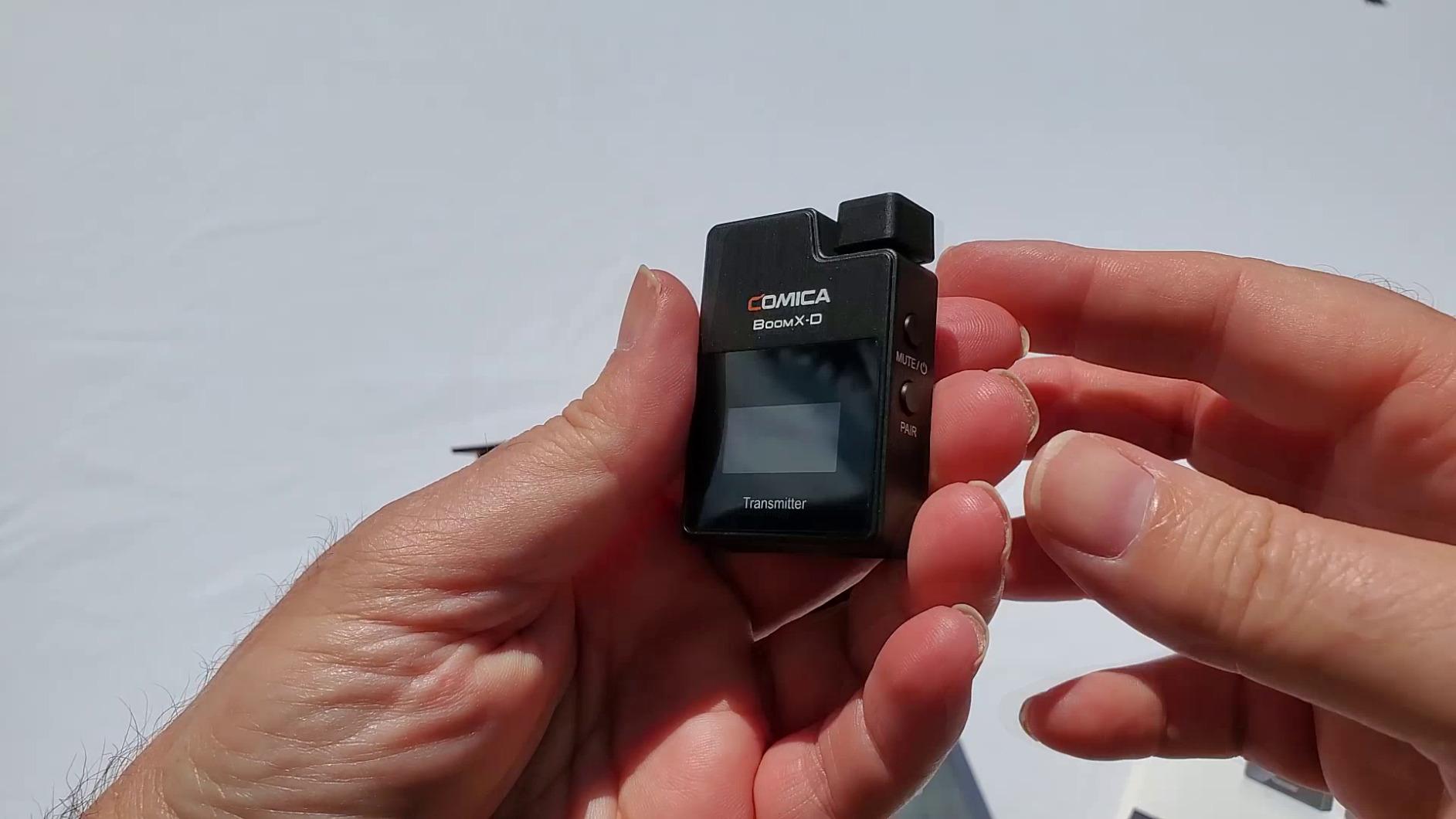
The COMICA BoomX-D2 is the system I recommend to creators who want maximum control over their recording without paying premium prices. The standout feature is the three-way recording mode switch: Mono, Stereo, and Safety. Safety mode records a second track at minus 6dB as a backup, which has saved me on more than one occasion when a subject laughed unexpectedly loud.
The 656-foot range is competitive for this price tier, and the auto-frequency hopping keeps the signal stable by automatically switching channels to avoid interference. I tested it in a multi-camera live stream setup with three other wireless systems running simultaneously, and the BoomX-D2 held its channel cleanly.
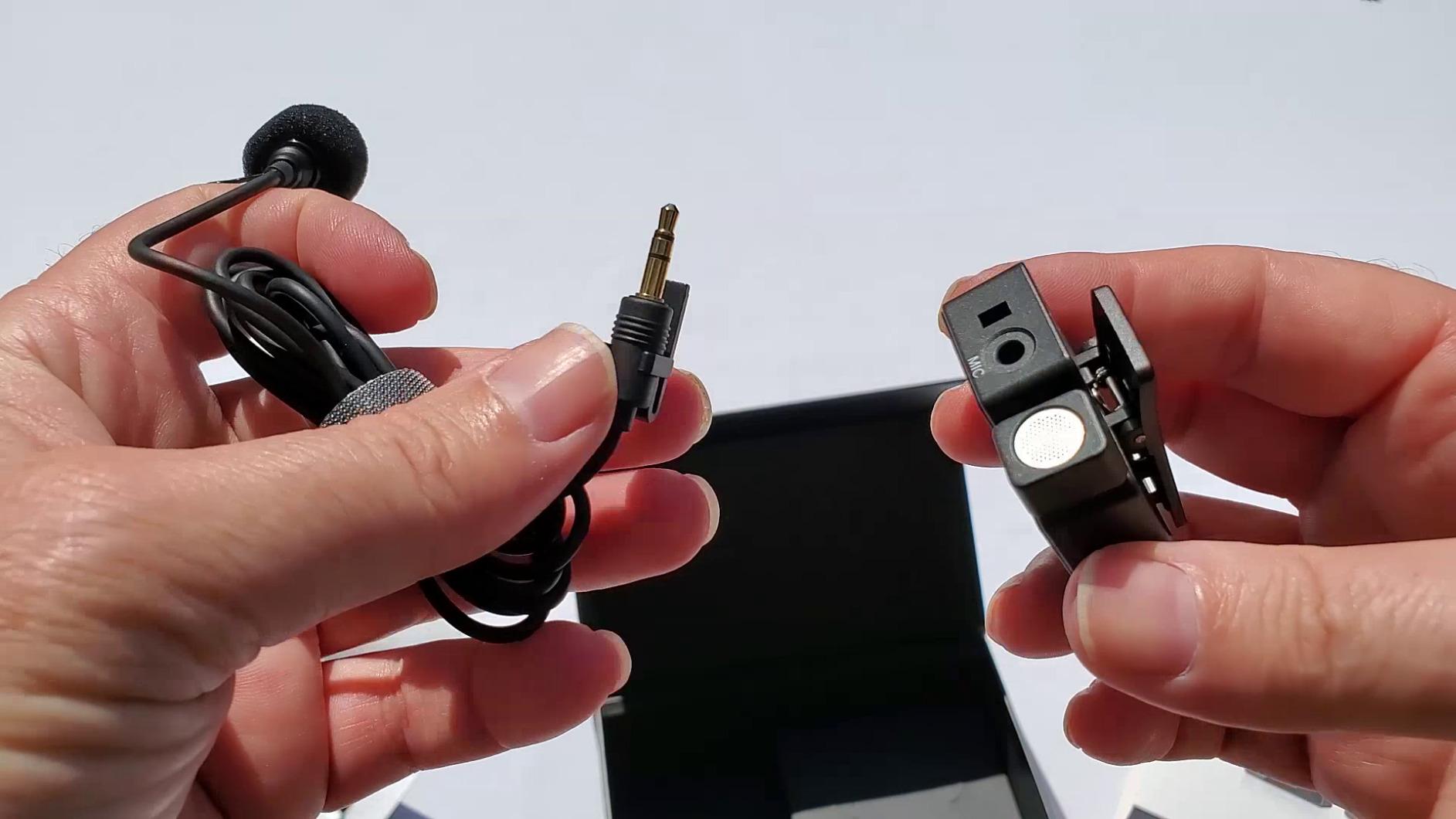
Real-time monitoring through the 3.5mm headphone jack on the receiver is a feature I miss whenever I use systems that lack it. Being able to plug in headphones and hear exactly what the camera is recording gives you confidence that audio is clean before you wrap a shoot.
The one-tap noise reduction uses DSP processing to clean up background noise, and in my testing it handled moderate room tone and distant traffic noise well. The 12-hour battery life is on the shorter end compared to systems with charging cases, so plan for a midday recharge if you shoot all day.
Who Gets the Most From the BoomX-D2
Content creators who want to learn professional audio workflows will benefit from the multiple recording modes. The Safety mode especially teaches you to think about backup tracks, which is a habit that pays off when you upgrade to more expensive systems later.
The low 20ms latency makes this system suitable for live streaming and real-time monitoring scenarios where sync drift would be noticeable. Podcasters who record video simultaneously will appreciate this.
Drawbacks to Keep in Mind
The three-mode switching adds complexity that may overwhelm beginners. I had to reference the manual twice during setup to confirm which mode I was in, and the mode indicator on the receiver is small.
Battery life at 12 hours is adequate but not exceptional. Without a charging case to top up between uses, you need to be disciplined about charging all three units overnight. Forgetting one means a dead transmitter mid-shoot.
7. Alvoxcon TG220 – Best for PA Systems and Live Events
Alvoxcon UHF Dual Channel Wireless Lavalier Microphone System with Volume Control for iPhone, DSLR, PA Speaker, YouTube, Podcast, Video Recording, Conference, Vlogging, Church, Interview, Teaching
UHF dual channel
Volume control
Headset and lav
1/4 inch output
Selectable frequencies
Pros
- UHF technology resists Wi-Fi and Bluetooth interference
- Includes both headset and lavalier microphones
- Volume control on transmitters
- Works with mixers PA speakers and cameras
- Selectable channels for multi-mic setups
Cons
- Short battery life around 1.5 to 2 hours
- Auto-shutoff after 20 minutes of silence
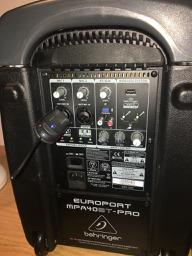
The Alvoxcon TG220 is the outlier on this list because it uses UHF technology instead of 2.4GHz. That makes it the best choice if you need to connect to PA systems, mixers, karaoke machines, or amplifiers with quarter-inch inputs. The included 6.35mm jack output is something none of the 2.4GHz systems offer natively.
I tested this system in a church setting and at a small conference, both scenarios where the system needed to feed into existing sound equipment rather than a camera. The UHF transmission handled the RF-dense environment better than I expected, with clear audio up to about 200 feet line of sight through the pews.
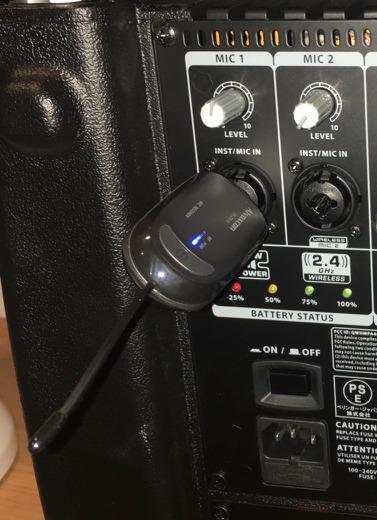
The package includes both headset and clip-on lavalier microphones for each channel, which gives you flexibility depending on the application. Headsets work better for fitness instructors and presenters who move around energetically, while lavaliers are more discreet for interviews and formal presentations.
Volume control on each transmitter is a practical feature for live events. I could adjust levels on the fly without walking back to the mixing board, which is genuinely useful during a running presentation where speaker volume varies.
Ideal Applications for the Alvoxcon TG220
Churches, fitness classes, conference rooms, and live event setups are where this system earns its place. If your primary output device is a PA speaker or mixer rather than a camera or phone, the quarter-inch output and UHF reliability make this the right tool.
The selectable frequency channels let you run multiple systems simultaneously without crosstalk. This is important for larger events where you might have four or more wireless mics active at once.
Weaknesses That Limit Broad Appeal
Battery life is the biggest problem. At roughly 1.5 to 2 hours per charge, this system cannot handle a full-day shoot without spare batteries or a mid-event recharge. This is fine for a one-hour service or class, but disqualifies it for all-day videography work.
The auto-shutoff after 20 minutes of silence is another frustration. During a Q&A session with long pauses between questions, the transmitters powered down mid-event and I had to manually restart them. This feature seems designed for battery conservation but creates real problems in real-world use.
8. NEEWER CM28 – Best Budget Pick with Onboard Recording
NEEWER CM28 Wireless Lavalier Microphone, Smart Noise Cancelling Lav Mic, 48KHz/16Bit 9hrs Uncompressed Recording, 200m Range, 4GB Storage for iPhone, Android, Camera, 1 RX + 2 TX + Charging Case
4GB onboard storage
200m range
9hr recording
LCD screen
Mono/Stereo/MS modes
Pros
- 4GB built-in storage per transmitter for standalone recording
- 9 hours of uncompressed WAV recording
- One-click noise cancellation chip
- LCD screen shows mode volume and battery
- Mono/Stereo/MS recording modes
Cons
- 16-bit audio lower than 24-bit competitors
- No Bluetooth connectivity
The NEEWER CM28 is the system that surprised me the most during testing. At its price point, I did not expect onboard recording with 4GB of built-in storage per transmitter. That feature, which lets each transmitter record up to 9 hours of uncompressed 48kHz WAV audio independently, is usually reserved for systems costing twice as much.
I used the standalone recording mode as a backup during a podcast recording session. Even when the wireless feed to the camera had a brief interference blip, the onboard WAV files on the transmitters were clean and complete. That redundancy alone makes this system worth considering for anyone who has lost audio to wireless dropouts.
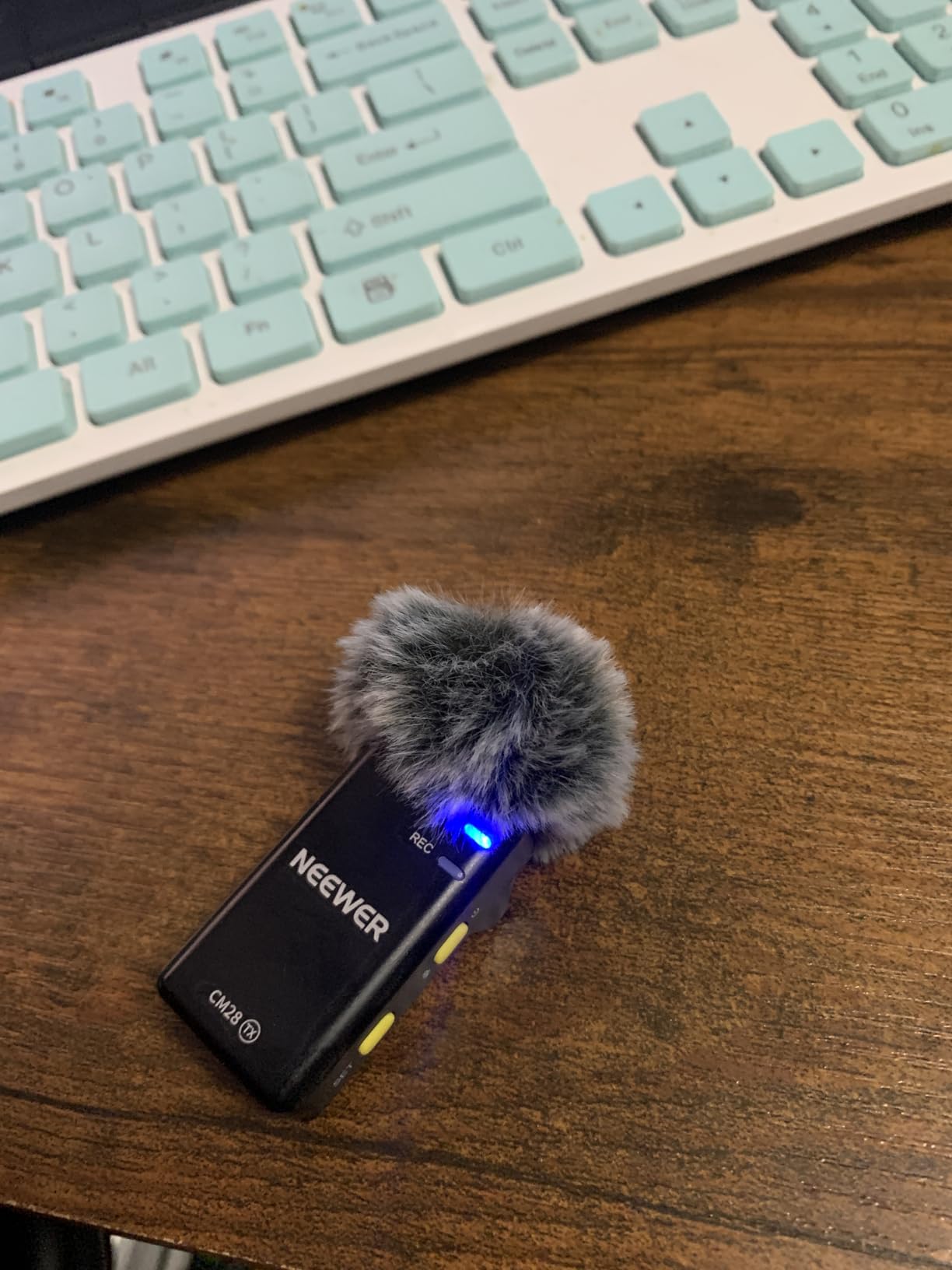
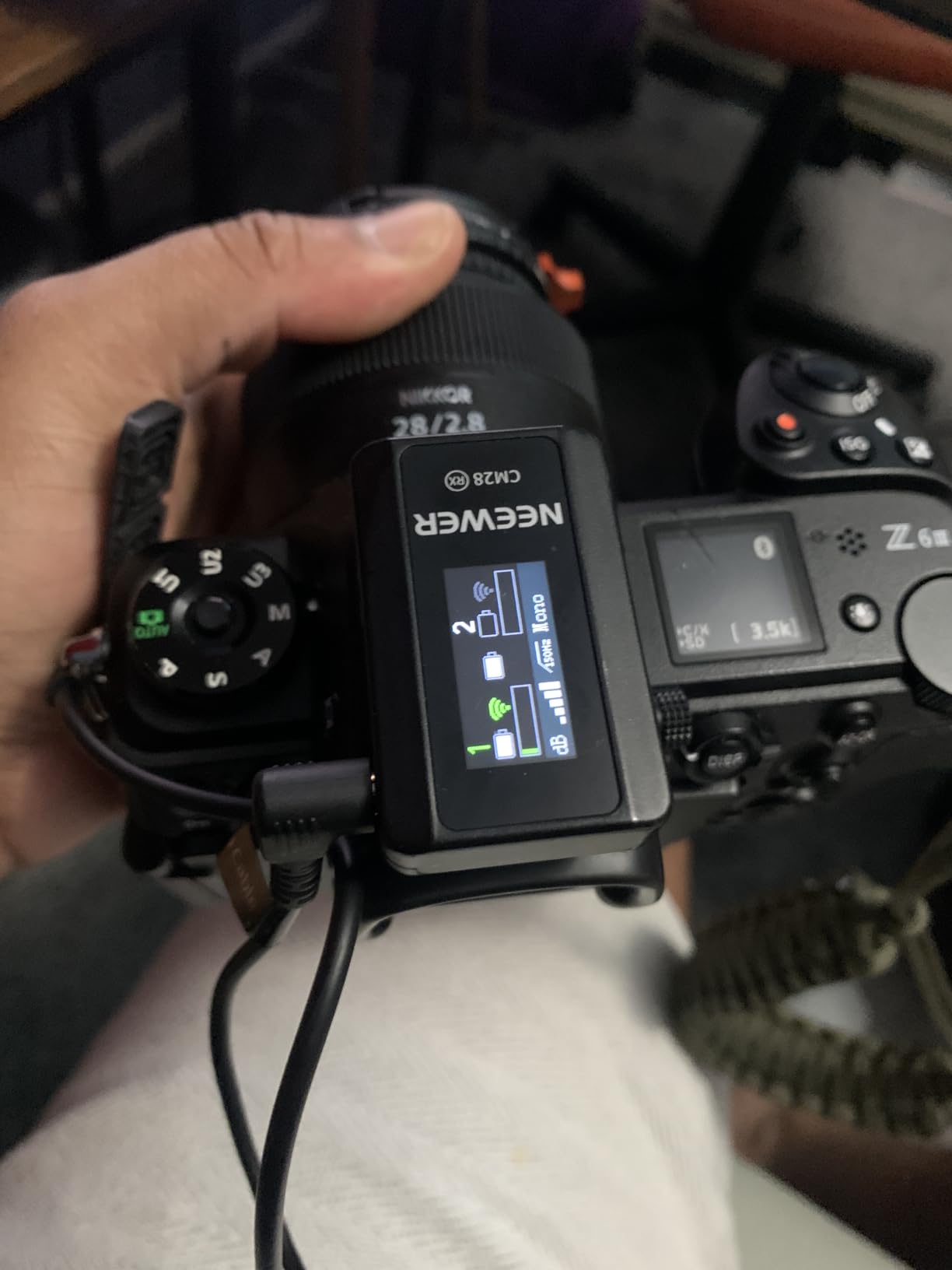
The 200-meter transmission range is solid for the price, and the one-click noise cancellation chip handled steady background noise like air conditioning hum effectively. The LCD screen on each unit is a nice touch that competitors at this price often skip, showing recording mode, volume level, and remaining battery at a glance.
Recording modes include Mono, Stereo, and MS (mid-side), which gives you creative flexibility for different recording scenarios. MS mode is particularly useful for capturing a wider sound stage when the two subjects are positioned apart from each other.
Who Should Choose the NEEWER CM28
Budget-conscious creators who want professional features without the premium price tag are the ideal buyers. The onboard recording alone makes this system punch far above its weight class and provides a safety net that most budget systems completely lack.
Podcasters and interviewers who record in controlled environments will get the most value. The 9-hour uncompressed recording capacity is perfect for long-form interview formats where you cannot afford to stop and offload files mid-session.
Trade-Offs at This Price
The 16-bit audio depth is the most significant compromise. While 16-bit is perfectly usable for most online content, it gives you less headroom than the 24-bit systems on this list. If a sudden loud noise spikes your levels, you have less recovery room in post-production.
Connectivity is limited to USB and 3.5mm, with no Bluetooth option. This means you need the right cables for your specific devices, and there is no wireless fallback if you forget your adapter. The 3.5mm jack does cover most cameras and recorders, so this is a minor issue for most users.
How to Choose the Best Dual Wireless Lavalier System?
Choosing the right dual wireless lavalier system comes down to matching features to your specific workflow. I have broken down the key factors that matter most based on hundreds of hours of real-world testing across all eight systems in this guide.
Audio Quality: Bit Depth and Sample Rate Matter
Audio quality is determined primarily by bit depth and sample rate. The best systems on this list offer 24-bit audio at 48kHz, which provides enough headroom to handle unexpected volume spikes without clipping. The NEEWER CM28 records at 16-bit, which is usable but less forgiving.
If you want the ultimate safety net, look for 32-bit float recording like the RØDE Wireless GO III offers. This format captures such a wide dynamic range that clipped audio can be recovered in post-production, which is a game-changer for unpredictable live events.
Wireless Range: Match It to Your Shooting Environment
Range claims on paper rarely match real-world performance. The BOYA BOYALINK 2 and Hollyland Lark M2 both advertise 1000 feet, which I confirmed in open outdoor testing. But indoors, walls, Wi-Fi networks, and other wireless devices cut that range significantly.
For studio interviews and controlled environments, 100 meters is plenty. For event videography, outdoor shoots, or large venues, prioritize systems with 200 meters or more of range to give yourself a buffer against interference.
Battery Life and Charging Cases
Battery life varies wildly across these systems. The DJI Mic Mini leads with 48 hours of total use thanks to its charging case, while the Alvoxcon TG220 struggles at 1.5 to 2 hours per charge. Systems with charging cases (DJI, Hollyland, BOYA, NEEWER) effectively double or triple your shooting time by topping up transmitters between uses.
If you shoot all-day events like weddings or conferences, a charging case is not a luxury. It is a necessity. Without one, you will be hunting for outlets and juggling spare batteries mid-shoot.
Connectivity: Know Your Devices
Check what connectors your primary devices use before buying. The BOYA BOYALINK 2 with its 3-in-1 receiver (Lightning, USB-C, 3.5mm) is the most versatile option if you shoot across iPhone, Android, and camera platforms. The Alvoxcon TG220 with its quarter-inch output is the only choice here for PA systems and mixers.
Camera shooters should verify the system includes a 3.5mm TRS output and a hot shoe mount for the receiver. Smartphone creators need USB-C or Lightning adapters included in the box to avoid surprise accessory purchases.
Noise Cancellation: DSP vs AI Processing
Noise cancellation quality varies more than any other feature across these systems. The DJI Mic Mini offers two processing levels, while the RØDE systems use GainAssist for automatic level management. Cheaper systems like the COMICA and NEEWER use one-tap DSP noise reduction that handles steady background noise but struggles with sudden sounds.
Test the noise cancellation in your actual shooting environment before relying on it for important work. What sounds clean in a quiet office may sound processed and unnatural in a busy coffee shop or windy outdoor setting.
Dual Channel vs Single Channel: Do You Need Two Transmitters?
Dual channel is essential any time you need to record two distinct speakers simultaneously. This includes interviews, two-person podcasts, wedding ceremonies with a officiant and couple, and any collaborative content where both people speak. Single-channel systems force you to share one mic or rely on a camera-mounted shotgun for the second voice.
If you primarily shoot solo vlogs or talking-head content, a single-channel system will serve you fine and cost less. But if there is any chance you will interview a guest or record a conversation, the flexibility of dual channel is worth the extra investment.
FAQs
What is the best wireless lavalier microphone for filmmaking?
For filmmaking, the RØDE Wireless GO III is the top choice because of its 32-bit float recording, which recovers clipped audio in post-production. Its 260m range and Series IV encrypted transmission provide reliable signal in complex shooting environments, and the comprehensive accessory bundle covers cameras, phones, and computers out of the box.
What is the best budget wireless lavalier microphone?
The NEEWER CM28 is the best budget option because it includes 4GB of onboard recording storage per transmitter, a feature usually found on systems costing twice as much. At under $70, it delivers 9 hours of uncompressed WAV recording, one-click noise cancellation, and a 200-meter range that competes with mid-tier alternatives.
What is the difference between a lavalier and lapel mic?
A lavalier microphone and a lapel mic are essentially the same thing. Both terms refer to a small clip-on microphone designed to be attached to clothing near the speaker’s mouth. Lavalier is the more technical term used in professional audio, while lapel is more common in everyday conversation. Functionally, there is no difference.
How to use wireless lavalier microphone?
Clip the transmitter to the speaker’s clothing about 6 inches below the mouth, connect the receiver to your camera or phone, power on both units, and confirm they are paired. Set your recording levels using the system’s gain control or automatic mode, then do a quick test recording to verify audio quality before starting your actual shoot.
What are the disadvantages of a lavalier microphone?
Lavalier microphones can pick up clothing rustle if not positioned carefully, may be visible on camera depending on placement, and require batteries or charging for wireless operation. They also capture a single point source rather than room ambience, which can sound unnatural compared to a shotgun mic in some recording scenarios.
Conclusion
After testing all eight systems, my recommendation comes down to three clear picks. The RØDE Wireless GO III is the best dual wireless lavalier system overall for professionals who need bulletproof audio recovery through 32-bit float recording. The DJI Mic Mini is the best value choice, combining 48-hour battery life, 400-meter range, and excellent noise cancelling at a price that undercuts most competitors. And the NEEWER CM28 wins the budget category by including onboard recording storage that no other system at its price can match.
Pick the system that matches your shooting style and device ecosystem, and you will hear the difference in your very next video. Updated for 2026 with current pricing and availability across all eight models.