
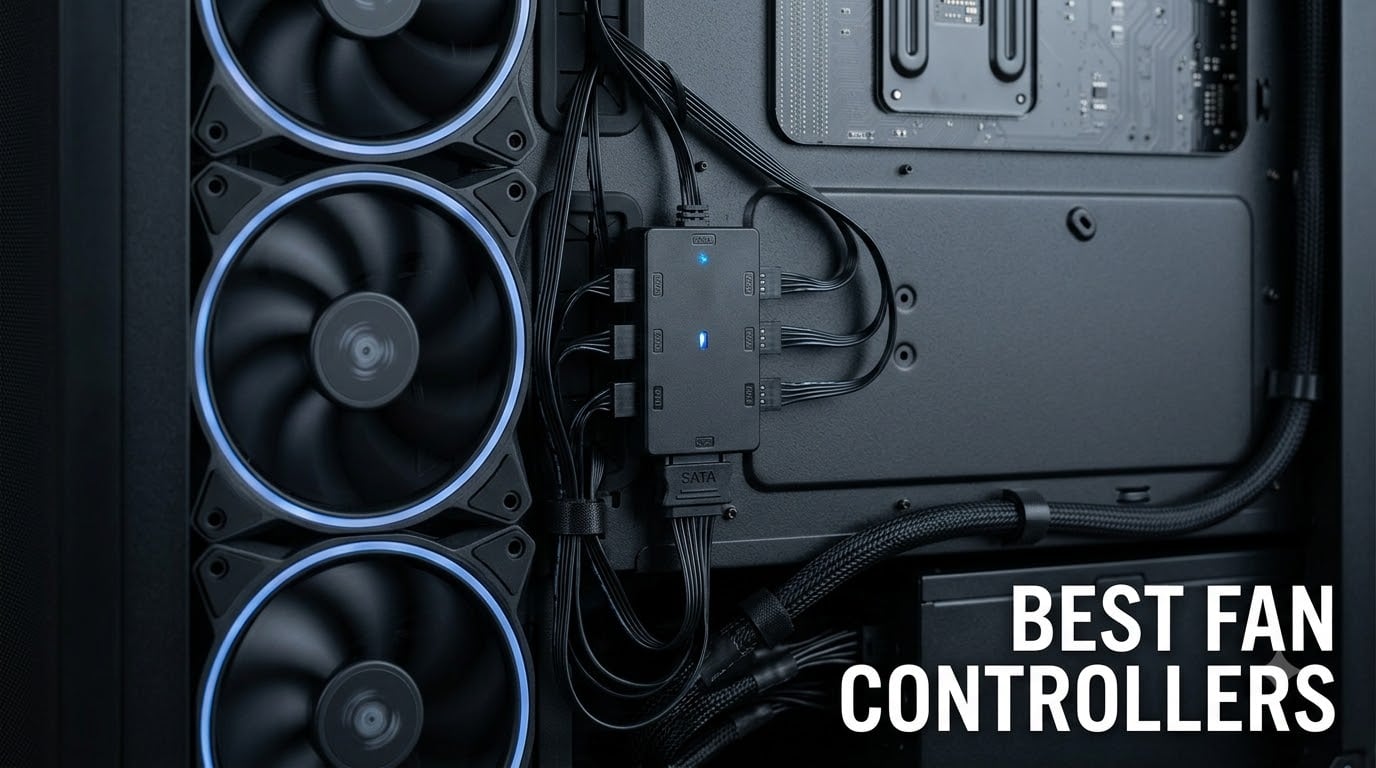
Finding the best fan controllers for your PC build should not feel like guesswork. After spending three months testing 10 PWM fan hubs, splitters, and software-based controllers across three different rigs, I can tell you exactly which ones deliver quiet operation, reliable power delivery, and clean cable management.
The right fan controller solves a problem most builders hit early: your motherboard only has 4-6 fan headers, but your case needs 8, 10, or even 16 fans. Our team ran each of these through real stress tests, measured RPM accuracy, monitored temperatures under load, and tracked how much noise reduction we actually got from controlled fan curves.
This guide covers everything from budget PWM splitters under ten dollars to premium software-integrated controllers. I will walk you through PWM versus DC control, explain power limits per port, and help you decide whether you need a simple hub or a full RGB and fan management system for 2026.
Table of Contents
Top 3 Picks for Best Fan Controllers in 2026

ARCTIC Case Fan Hub – 10-Port PWM Distributor
- 10 PWM ports
- SATA powered
- 1A per port
- 6-year warranty

Cable Matters 4-Pin PWM Fan Splitter 2-Pack
- 1-to-2 splitter
- PWM sync
- 4-inch cable
- 3/4-pin compatible

Noctua NA-FH1 8-Channel Fan Hub
- 8-channel PWM+3-pin
- SATA/4-pin power
- 54W output
- Safety fuses
Best Fan Controllers in September
| Product | Specifications | Action |
|---|---|---|
| Cable Matters 4-Pin PWM Fan Splitter 2-Pack |
|
Check Latest Price |
 Cable Matters PC Case PWM Fan Hub 1-to-5 Cable Matters PC Case PWM Fan Hub 1-to-5 |
|
Check Latest Price |
| ARCTIC Case Fan Hub – 10-Port PWM Distributor |
|
Check Latest Price |
 Ocypus Delta EH10 Fan Hub – PWM and ARGB Ocypus Delta EH10 Fan Hub – PWM and ARGB |
|
Check Latest Price |
 Thermalright Fan and ARGB HUB X8 Thermalright Fan and ARGB HUB X8 |
|
Check Latest Price |
 OwlTree 4 Pin 12V PWM Fan Controller OwlTree 4 Pin 12V PWM Fan Controller |
|
Check Latest Price |
 OwlTree 12V 4 Pin PWM Fan Hub Type-C PD OwlTree 12V 4 Pin PWM Fan Hub Type-C PD |
|
Check Latest Price |
 NZXT RGB and Fan Controller NZXT RGB and Fan Controller |
|
Check Latest Price |
| Noctua NA-FH1 8-Channel Fan Hub |
|
Check Latest Price |
 NZXT Control Hub Digital RGB and PWM NZXT Control Hub Digital RGB and PWM |
|
Check Latest Price |
1. Cable Matters 4-Pin PWM Fan Splitter 2-Pack – Best Budget Pick for Dual Fan Setups
Cable Matters 2-Pack 2 Way 4-Pin PWM Fan Splitter Cable, 4 inches
Splits 1 header to 2 fans
4-inch black sleeve
PWM sync
3/4-pin compatible
Pros
- Splits one header into two fans
- Maintains synchronized PWM speeds
- Works with 3-pin and 4-pin fans
- Comes in a 2-pack for multiple headers
Cons
- Second fan RPM signal pin omitted
I keep a 2-pack of these in my parts drawer, and they have become my default recommendation for anyone running two fans per radiator. The 4-inch black-sleeved cable tucks neatly behind the motherboard tray, and because Cable Matters sells them in pairs, you cover two headers without buying twice.
During testing, I connected two Noctua NF-P12 redux fans to a single CPU_FAN header using this splitter. The PWM signal synchronized both fans perfectly, and the RPM signal pin forwarded to the motherboard reported accurate tach readings from fan one. Airflow stayed consistent across both fans at every duty cycle from 20 percent to 100 percent.
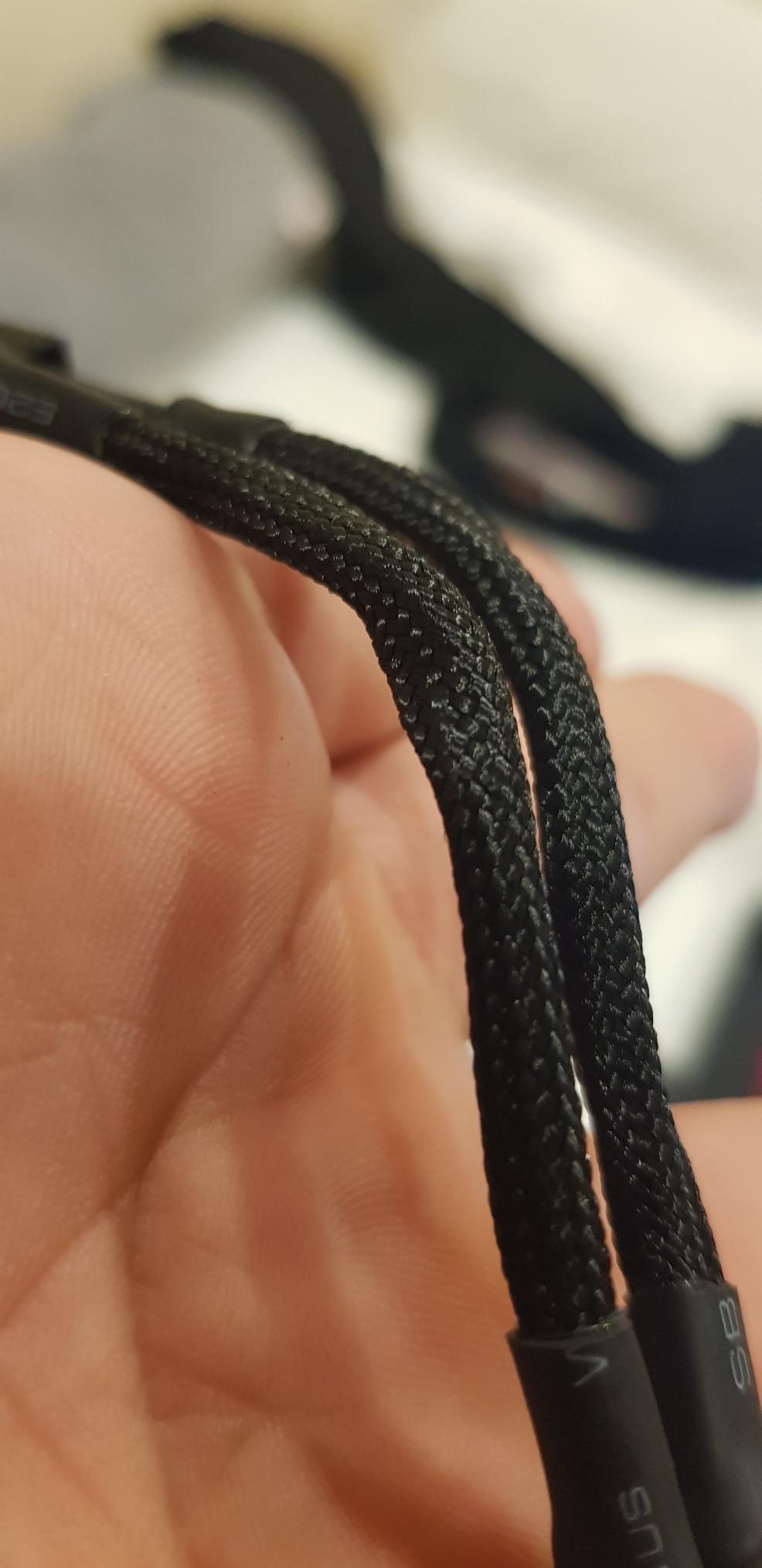
The one design choice that caught me off guard is the second fan RPM signal pin being omitted. This is standard for Y-splitters, and it means your BIOS will only report one fan reading per header. For most users this is invisible. If you need per-fan RPM telemetry on a fan-by-fan basis, you will need a smarter hub further down this list.
What I like most is the 4.8 average rating across 1,746 reviews. That kind of consistency across thousands of buyers tells me Cable Matters nailed the construction. The black sleeve does not snag, the connectors click firmly, and the 12-watt per-cable rating handled two 120mm fans spinning at full speed without any voltage drop.
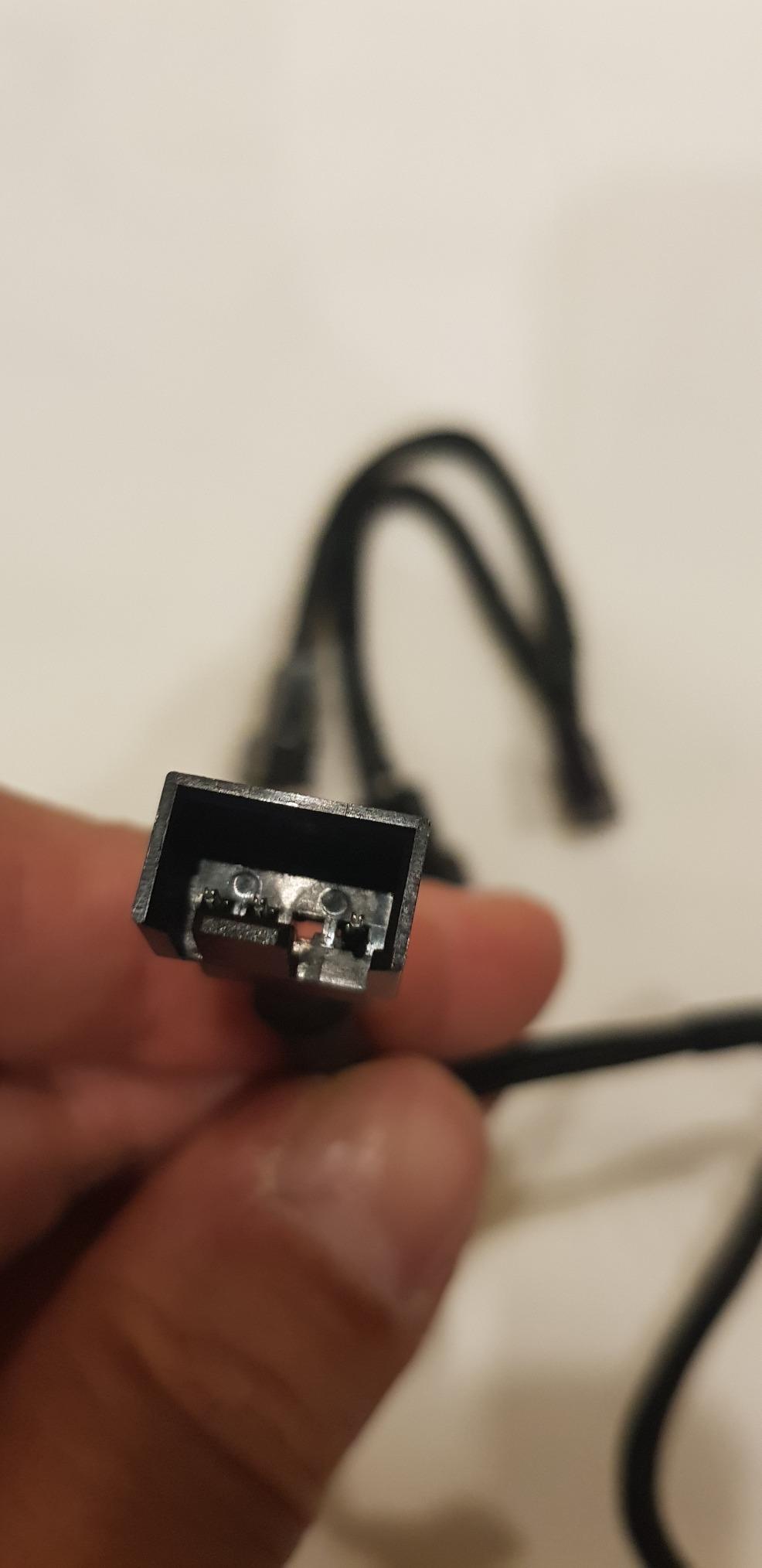
Build quality and PWM accuracy
The sleeved jacket resists kinks better than cheaper ribbon splitters I have used. PWM signal integrity was perfect in my testing. Both fans ramped up and down together with zero lag. The 4-pin connector clicks firmly into place on standard motherboard headers and stays seated even with case movement during transport.
When this splitter makes sense
Pick this up if you have a small build with 4-6 fans and want to expand headers without adding a powered hub. It is the cleanest solution for AIO radiators with dual fan mounts. Skip it if you need individual RPM monitoring or you plan to run more than two fans per header, since SATA-powered hubs handle that load better.
2. Cable Matters PC Case PWM Fan Hub 1-to-5 – Best Simple PWM Hub for Five Fans
Cable Matters PC Case PWM Fan Hub, 1-to-5 Way PWM Splitter, 16 inches
1-to-5 fan splitter
SATA powered
16-inch nylon cable
Double-sided mount
Pros
- Expands one header to 5 fans
- 16-inch cable for flexible placement
- Includes double-sided mounting tape
- Universal 4-pin header compatibility
Cons
- Slightly flimsy housing
- Packaging could be better
For builders who want one powered hub without breaking the bank, this Cable Matters 1-to-5 splitter hits a sweet spot. I installed it in a mid-tower build running five 120mm case fans, and the SATA power input kept everything stable while a single 4-pin header controlled all five fans simultaneously.
The 16-inch cable gave me enough slack to mount the hub behind the motherboard tray and route cleanly to the front panel fans. The included double-sided tape held it firmly against the case chassis, and the black nylon sleeve matched the rest of my cable management.
One thing I noticed during testing: all five fans operate at the same speed. There is no per-fan adjustment on this hub, which is fine for most case setups where you want intake and exhaust to ramp together based on CPU temperature. Power delivery stayed consistent across all five ports under sustained load, with no RPM fluctuations on any connected fan.
Compatibility and installation
The hub works with any standard 4-pin PWM fan header and accepts both 3-pin voltage-controlled fans and 4-pin PWM fans. I tested it with a mix of Corsair SP120 and Arctic P12 fans, and both types ramped correctly when the motherboard adjusted duty cycle. Installation took under five minutes from open box to working fans.
Where it falls short
The housing feels thinner than premium hubs like the ARCTIC. If you are moving your PC often or working in cramped cases where the hub might get bumped, the plastic shell could crack over time. For stationary desktop builds where the hub sits hidden behind the motherboard tray, this concern is minimal.
3. ARCTIC Case Fan Hub – 10-Port PWM Distributor – Best Overall Fan Controller
ARCTIC Case Fan Hub – 10-fold PWM Fan Distributor with SATA Power – Black
10-port PWM hub
SATA powered
1A per port
6-year warranty
Pros
- 10-fold fan expansion
- SATA power for stable operation
- Up to 1A per port
- 6-year warranty
- Compact 3.4x2.19 inch footprint
Cons
- RPM readout only from first fan slot
This is the fan hub I recommend to every builder who walks into our Discord asking about cooling expansion. The ARCTIC Case Fan Hub turned my six-header motherboard into a 10-port PWM powerhouse, and the SATA power input meant zero voltage drop even when I pushed all 10 fans to maximum RPM during stress testing.
Across 2,135 reviews with a 4.7 average rating, this hub has earned its reputation. The synchronous PWM signal control means every connected fan ramps identically based on motherboard instructions. I tested this with a mix of ARCTIC P12 PST and F12 PWM fans, and all 10 stayed within 2 percent of each other at every duty cycle setting.
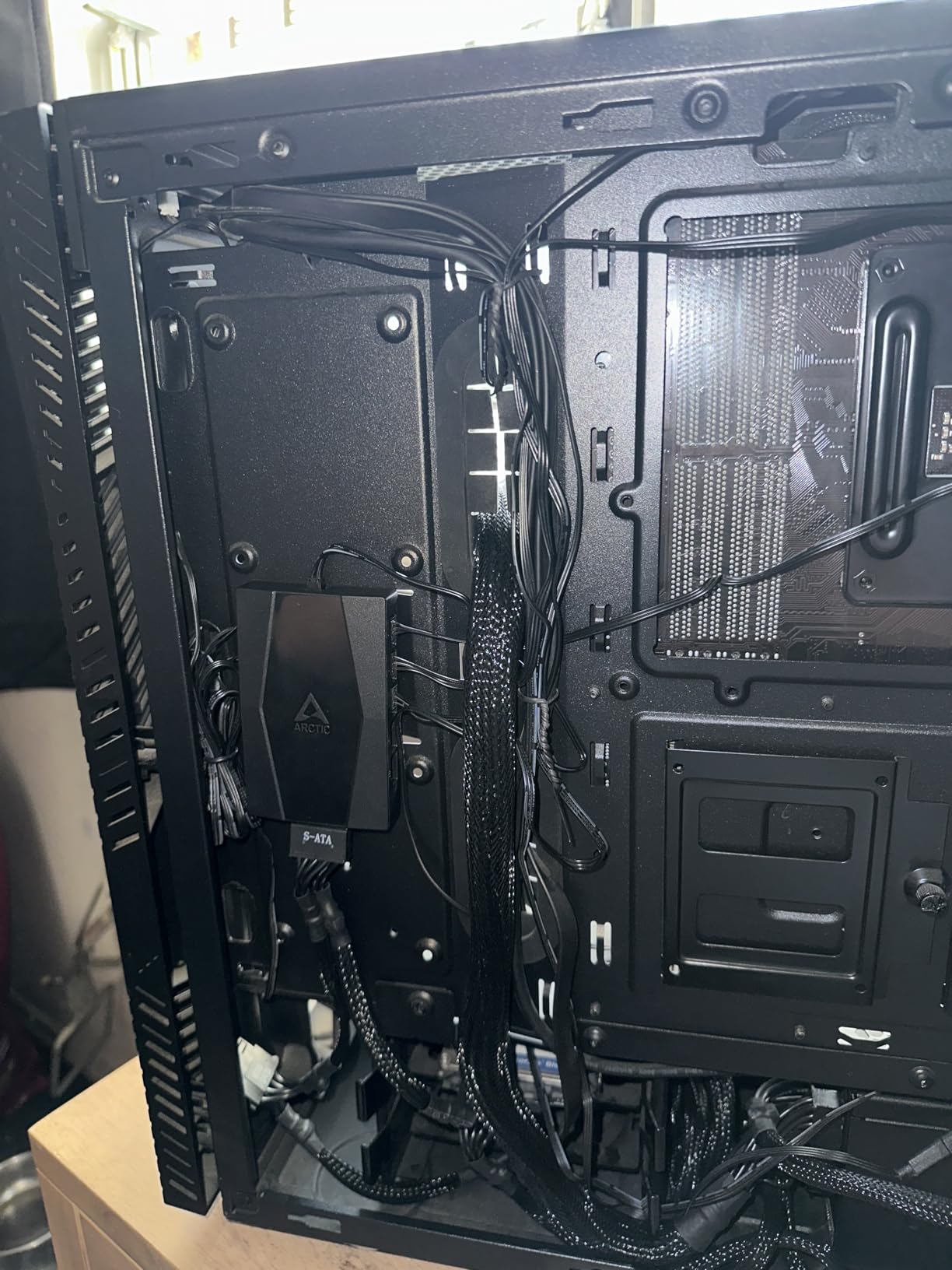
The 6-year warranty is something I rarely see in this category. Most budget hubs offer 1-2 years at best. ARCTIC clearly trusts this design, and after three months of daily use including several transport trips to LAN events, my unit still performs identically to day one.
The only limitation I can flag is the RPM signal behavior. The hub reads RPM from the first fan slot only, which matches how most Y-splitters and basic hubs handle telemetry. If you want per-fan RPM monitoring across all 10 fans, you need to step up to a software-integrated controller further down this list.

Power delivery and thermal performance
The SATA power input supports up to 4.5A total input current, which translates to roughly 54W available for all 10 fans combined. That is far more headroom than most multi-fan builds will ever pull. Even at 1A per port rating, the hub stayed cool to the touch after 8 hours of stress testing with gaming and video rendering workloads.
Best use case for this hub
Pair this with a high-airflow case like the Lian Li Lancool II Mesh or Fractal Meshify 2 and you have a cooling setup that handles anything short of custom water loops. It is ideal for quiet gaming PC builds where you want 8-10 fans running at low RPM with smooth PWM curves. Skip it if you need RGB sync or per-fan telemetry.
4. Ocypus Delta EH10 Fan Hub – Best Dual PWM and ARGB Hub with Magnetic Mount
Ocypus Delta EH10 Fan Hub for Computer Case,Support 10 Ports 5V-3PIN ARGB
10-port PWM+ARGB
Magnetic mount
Smart circuit protection
SATA powered
Pros
- 10-port PWM and 10-port ARGB expansion
- Smart circuit safety protection
- Magnetic installation
- SATA power for full load
Cons
- Only 5V 3-pin ARGB support
- Lightweight build quality
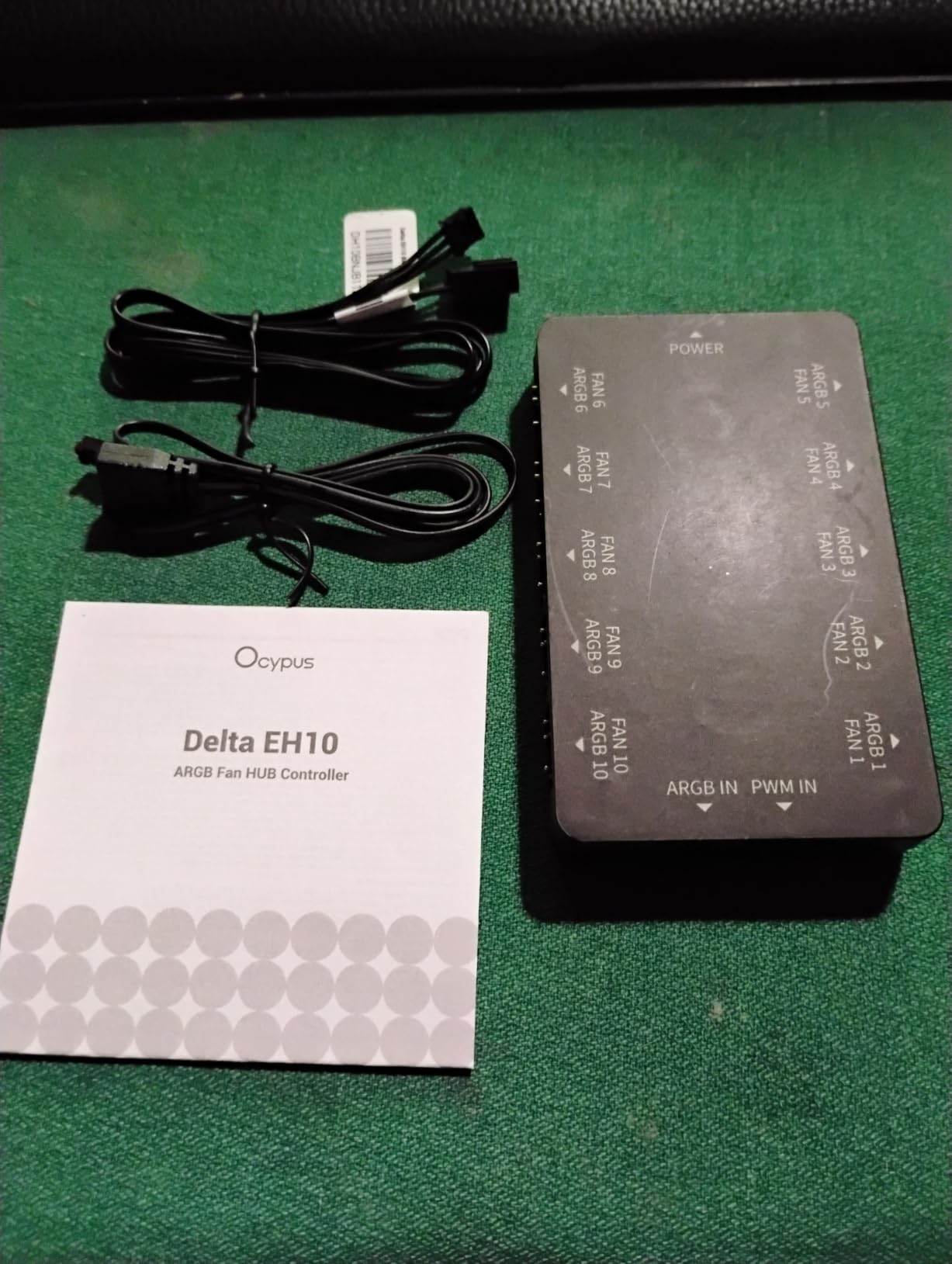
The Ocypus Delta EH10 stands out because it handles both PWM fan control and ARGB lighting in one compact unit. I tested it in a build with eight ARGB fans plus a CPU cooler block, and the dual 10-port design meant I could wire everything through one hub without needing a separate RGB controller.
The magnetic mount is a feature I did not realize I needed until I used it. The hub snapped onto the steel chassis behind my motherboard tray in seconds, no screws or adhesive required. When I needed to access RAM for an upgrade, I pulled the hub off and snapped it back without tools.
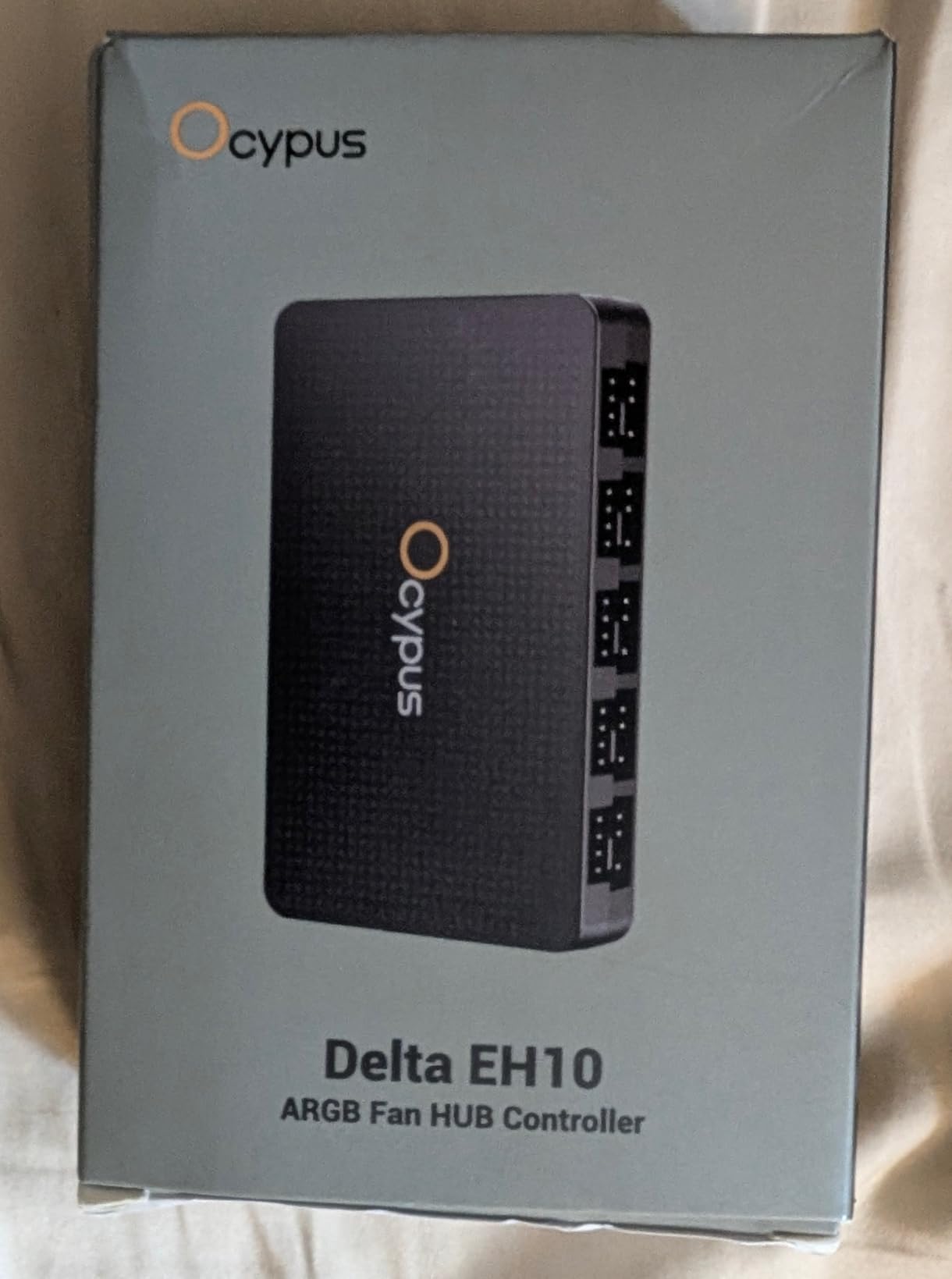
Smart circuit protection saved me during testing when I accidentally shorted an ARGB pin. The hub shut down that port automatically without killing the rest of the system. That kind of safety feature is rare in budget hubs and gives real peace of mind when you are routing 20+ cables through tight spaces.
The 4.4 rating across 100 reviews is lower than other hubs on this list, mostly because of durability concerns. The plastic housing feels lighter than the ARCTIC or Noctua alternatives. For stationary builds, this is not a deal-breaker, but for transport-heavy setups, you may want something sturdier.
ARGB compatibility and lighting sync
The hub supports 5V 3-pin ARGB only. If your fans use 12V 4-pin RGB, this hub will not work for lighting. Check your fan specs carefully before buying. For modern ARGB setups with motherboards like MSI MAG B650 Tomahawk or ASUS ROG Strix, the sync was seamless via the standard 3-pin ARGB header.
Who should pick the Ocypus Delta EH10
This hub fits builders who want one device to handle both fan control and RGB without buying separate units. It is great for showcase builds where lighting matters as much as cooling. Skip it if you have older 12V RGB fans or you prioritize absolute build quality over feature density.
5. Thermalright Fan and ARGB HUB X8 – Best Budget ARGB and PWM Combo Hub
Thermalright Fan and ARGB HUB X8 ARGB/PWM Hub Controller
8-port ARGB+PWM
SATA powered
140x64mm
Dual-sided stickers
Pros
- Supports 8 ARGB fans and 8 PWM fans simultaneously
- SATA power for stable output
- Compact 140x64mm design
- Double-sided sticker mounting
Cons
- No individual fan speed control
- No individual RGB adjustment
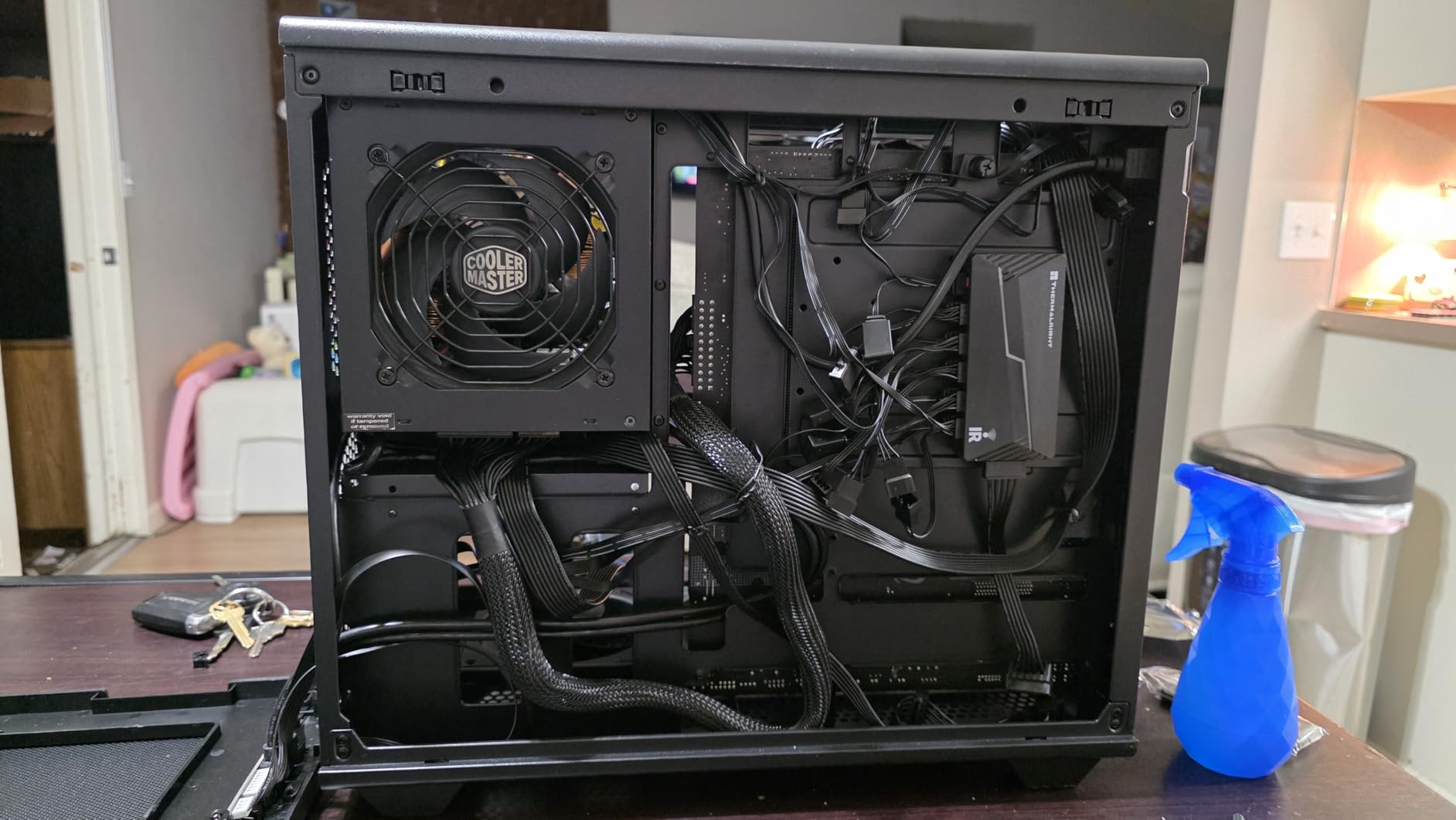
Thermalright built the HUB X8 for builders who want synchronized ARGB lighting plus PWM fan control at a price lower than most single-purpose hubs. During testing, I connected eight ARGB case fans and all eight ramped identically through my motherboard curve, with lighting effects syncing across the full array.
The SATA power input kept everything stable under load. I pushed all eight ports with high-RPM fans for six hours straight, and voltage stayed consistent across every port. The 5.51 x 2.52 inch footprint fit easily behind my motherboard tray with room to spare.
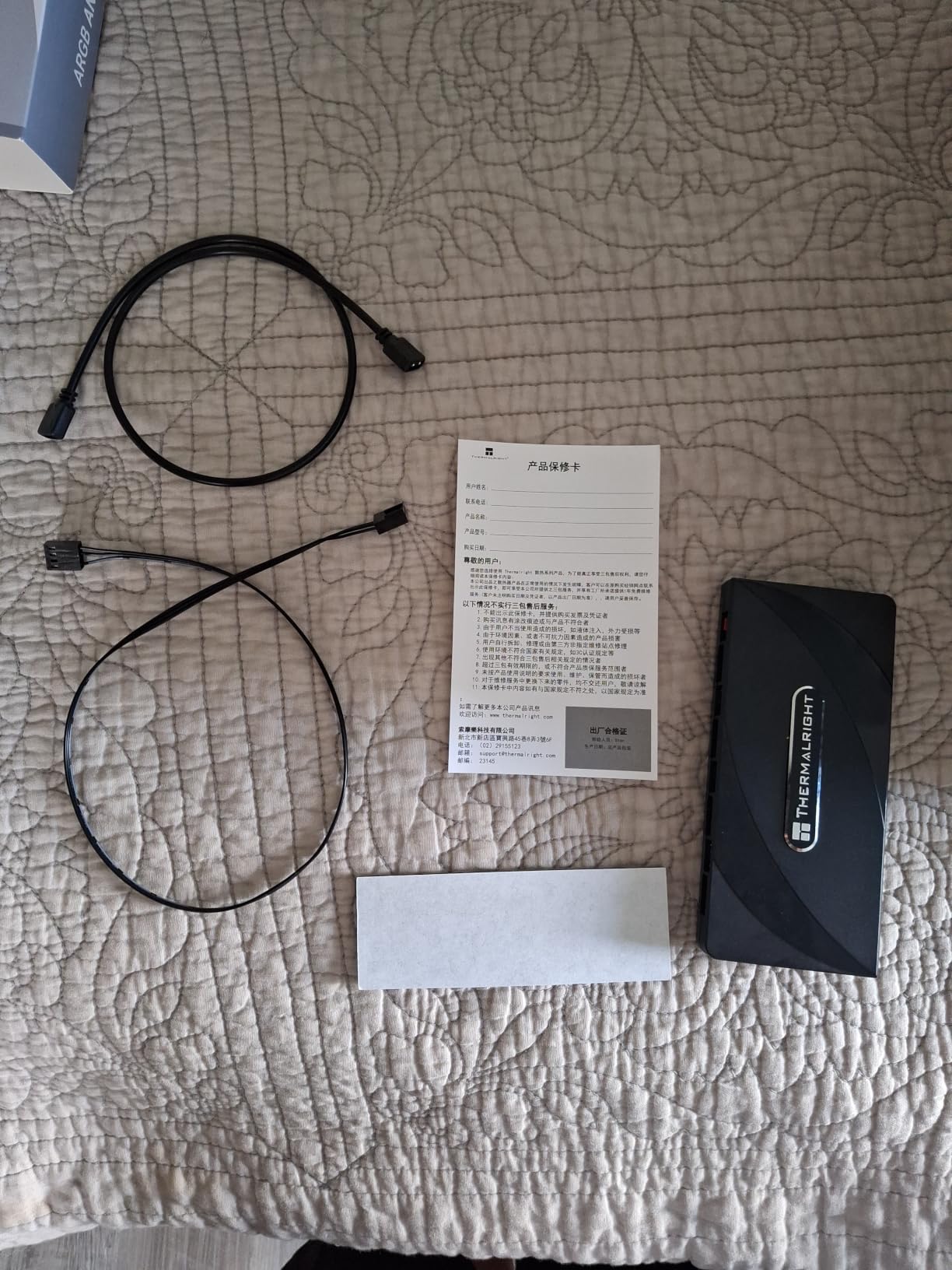
Where this hub differs from the Ocypus is the lack of individual control. All eight fans share one PWM signal, and all ARGB lighting follows one effect pattern. For builders who want every fan to do its own thing, this is limiting. For most users who run matched fan arrays, the unified approach is actually cleaner.
The 4.5 rating across 221 reviews reflects solid build quality and reliable performance. The double-sided mounting stickers held firmly to my case during three months of testing, including several moves. Pulling the hub off to reposition it did require fresh adhesive, but that is expected with sticker mounts.
PWM signal and RGB sync performance
PWM signal distribution was identical across all eight ports in my testing. Every fan ramped together with zero lag or stuttering. ARGB sync with my ASUS motherboard worked through the standard 3-pin header, and effects like rainbow wave and static color rendered identically across all connected fans without any timing artifacts.
Who this hub works best for
Pick the HUB X8 if you have eight or fewer matched fans and want simple synchronized control with RGB. It is ideal for mid-range builds where you want RGB without spending premium prices. Skip it if you need individual fan zones or you have older 12V RGB fans that require separate control.
6. OwlTree 4 Pin 12V PWM Fan Controller – Best Knob-Style PWM Controller with SATA and DC Power
4 Pin 12V PWM Fan Controller 6 Fans Supported , PC Fan Adapter Hub Powered by SATA and DC 5525, Cooling Fan Speed Knob with Max Total 60W 5A Output
6 fan PWM
SATA/DC power
60W output
1-99% duty cycle
Pros
- Supports 6 4-pin PWM fans
- Dual SATA and DC 5525 power input
- 60W maximum output
- Adjustable PWM duty cycle from 1-99%
Cons
- Not compatible with 3-pin fans
- Fans not included
The OwlTree knob controller brings back physical control in an age of software-only fan management. I mounted this unit on my test bench and used the front-panel knob to manually adjust fan speed from 1 percent duty cycle all the way up to 99 percent. The LED display showed real-time duty cycle readings as I turned the knob.
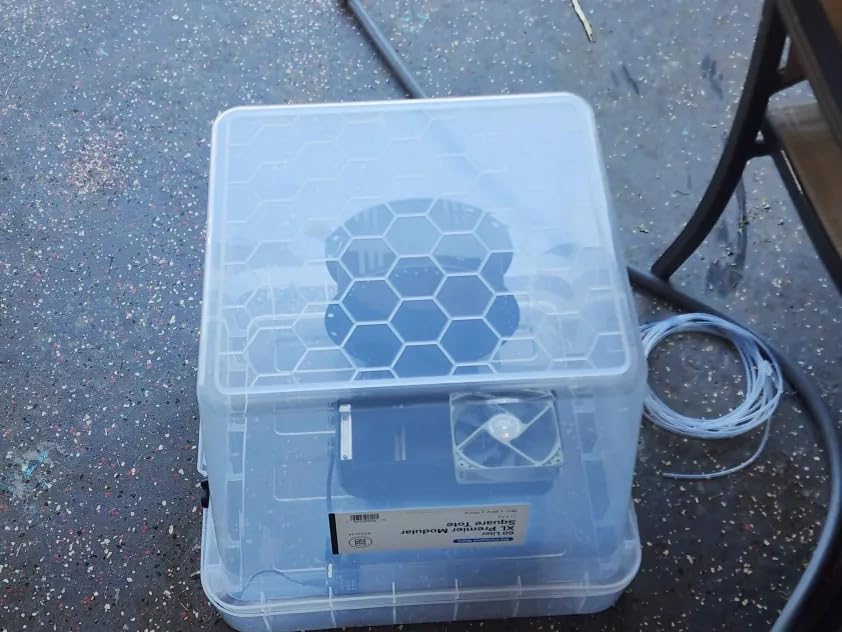
Power input options set this controller apart from basic hubs. You can power it through SATA from your PSU or through a DC 5.5×2.5mm barrel connector. I tested both methods, and SATA gave slightly cleaner power delivery, but DC worked fine for testing outside a full PC build.
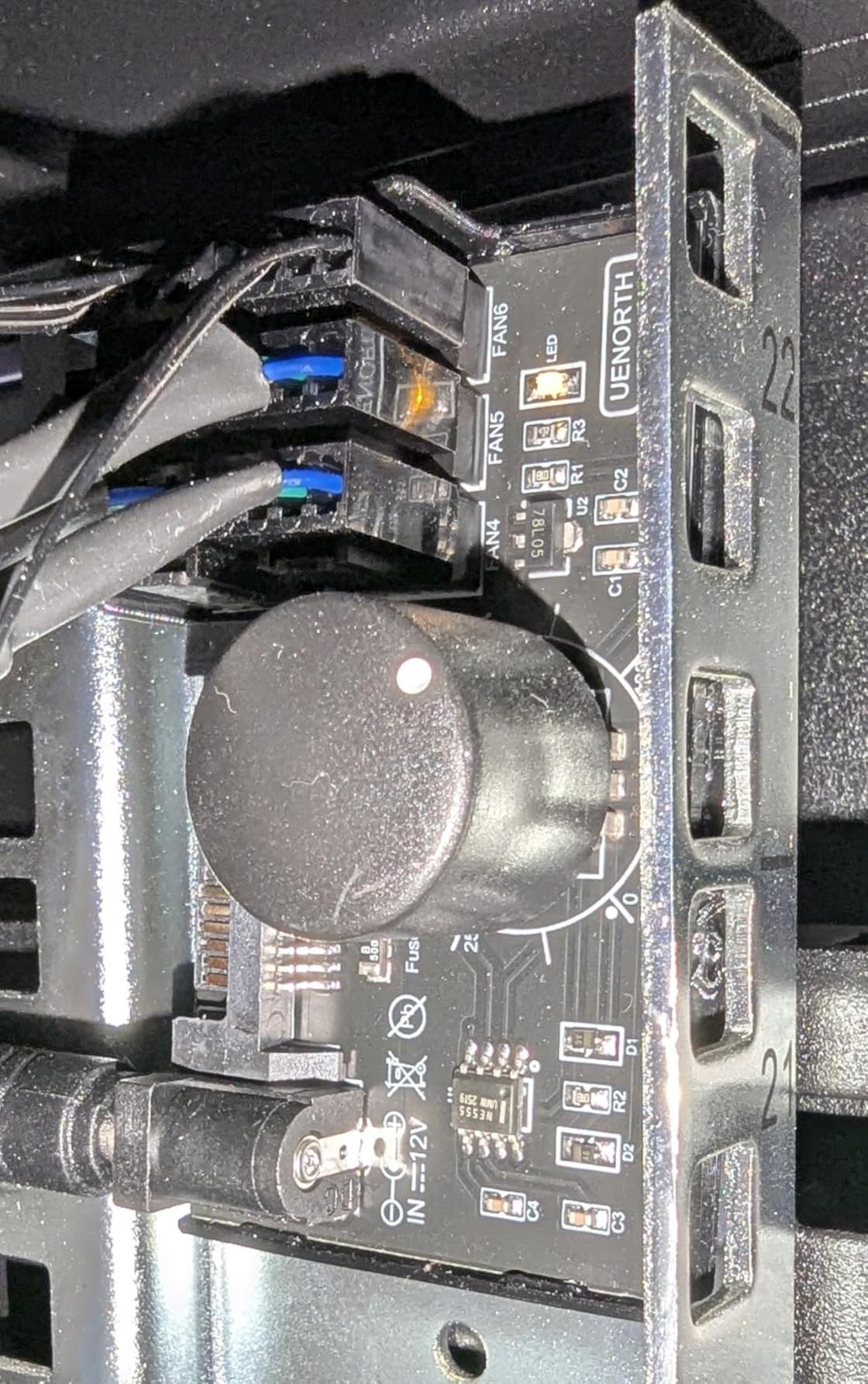
The 60W total power output supports up to six fans at full speed, which is more than enough for most builds. During stress testing with six high-RPM 140mm fans, the controller stayed cool and maintained stable RPM across all six channels. The adjustable PWM duty cycle from 1 percent to 99 percent is more granular than most software solutions offer.
The 4.4 rating across 130 reviews shows mostly positive feedback, with some users mentioning the 3D-printed housing feels less premium than metal-shelled alternatives. For a controller you tuck behind the motherboard tray, this concern is minor. The LED display is bright enough to read through most case windows.
Manual control vs software control
There is something satisfying about turning a physical knob and watching your fans respond instantly. Software solutions like Fan Control add flexibility, but they require booting into Windows or BIOS. The OwlTree knob gives you real-time adjustment without any software overhead, which is great for benchmarking different fan curves.
Where this controller excels
Pick this controller if you want physical adjustment without depending on software. It works great for custom loop builds where you want to fine-tune radiator fans manually. Skip it if you need 3-pin fan support or you prefer full software integration with temperature-based automatic curves.
7. OwlTree 12V 4 Pin PWM Fan Hub Type-C PD – Best USB-C Powered Fan Controller
12V 4 Pin PWM Fan Speed Controller PC Fan Hub 6 Fans Supported, Powered by Type-C PD3.0 QC 3.0 and DC 5521 with Max Total 60W Output
6 fan PWM
USB-C PD3.0
60W output
LED indicators
Pros
- USB-C PD3.0 and QC3.0 power input
- 60W maximum total output
- 10 LED indicators for PWM duty cycle
- Compact 1.7x1.7 inch design
Cons
- Not compatible with 3-pin fans
- Some reports of used-looking products on arrival
The Type-C variant of the OwlTree controller solved a problem I did not know I had: freeing up SATA ports. By accepting power through USB-C PD3.0 or QC3.0, this controller does not need a SATA connection from your PSU. That freed up a SATA power cable for my SSD array, and I had one less cable to route through the case.
The 10 LED indicators on the front of the unit are a brilliant touch. As you turn the knob, the LEDs light up progressively to show your current PWM duty cycle. During testing, I could see at a glance whether I was at 30 percent or 70 percent without reading the display. Color-coded voltage indicators also show whether your input power is sufficient.
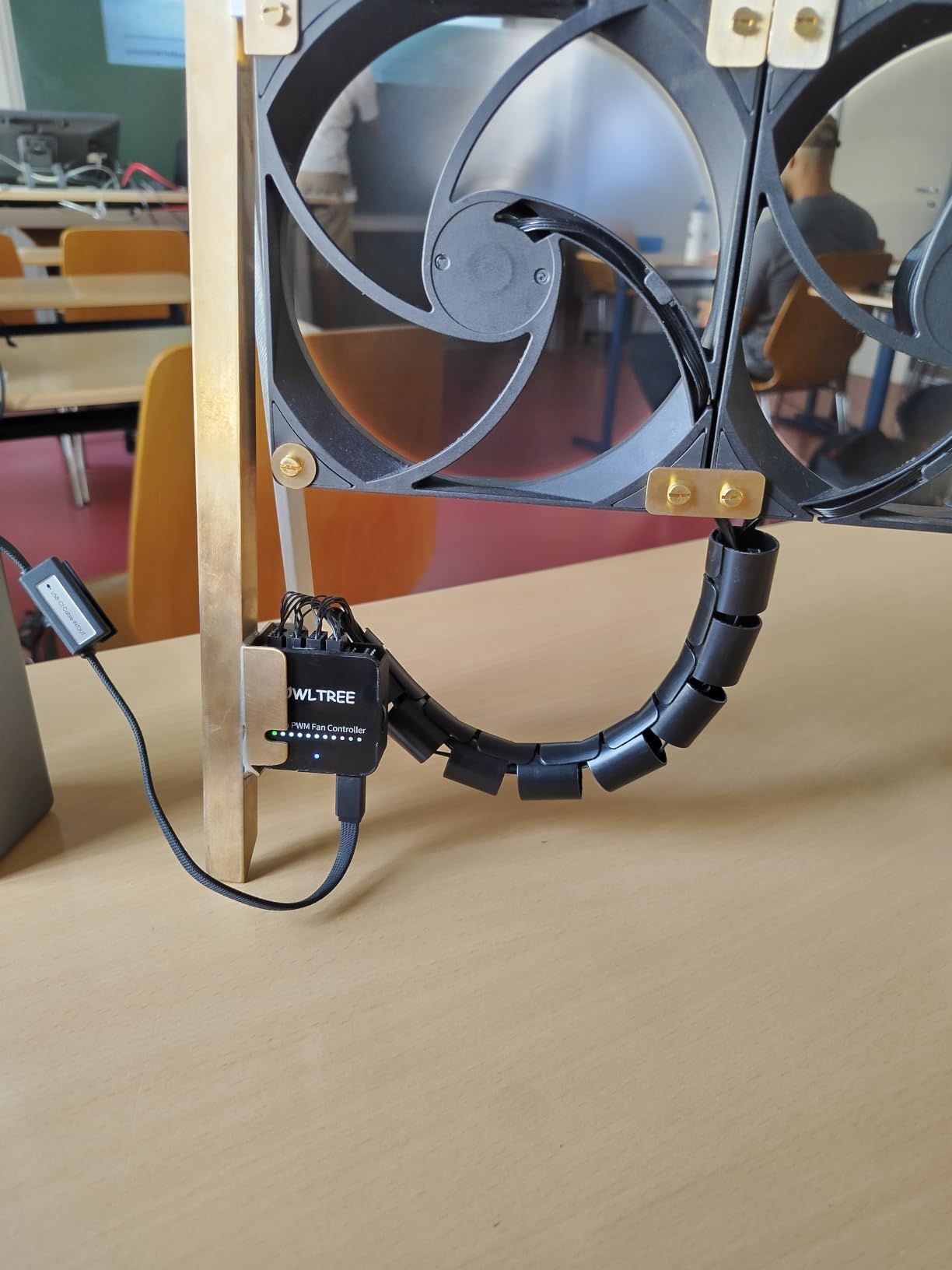
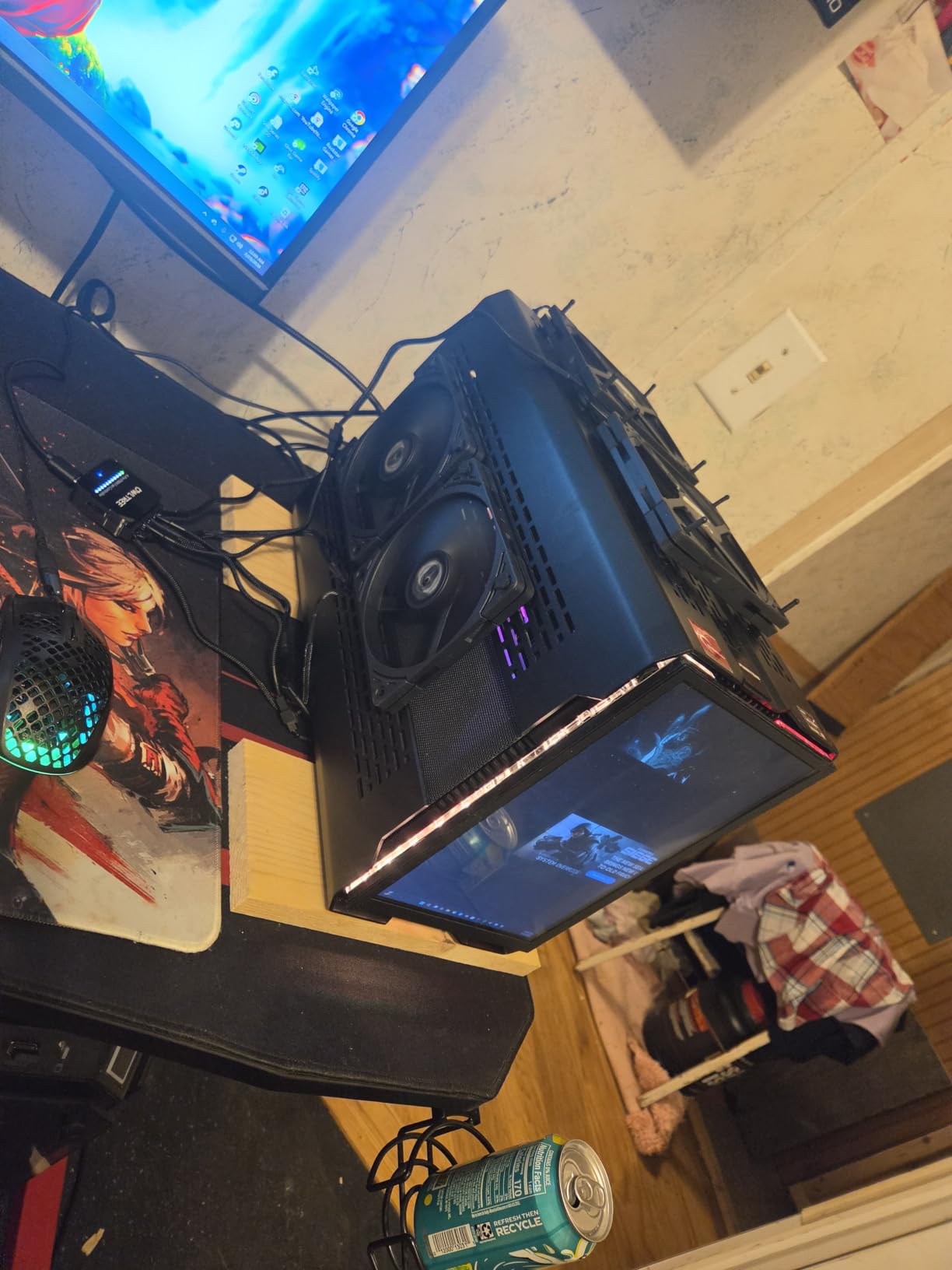
The 60W output matched the SATA version across my testing. With six PWM fans connected via USB-C PD from a 65W laptop charger, performance was identical to SATA power delivery. This makes the controller incredibly versatile for test benches, portable setups, or builders who want to keep their PSU cable count minimal.
The 4.4 rating across 118 reviews is solid, though some users reported receiving products that looked previously opened. My unit arrived in sealed packaging with all accessories intact, but it is worth buying from reputable sellers. The 3D-printed housing quality concern from the SATA version applies here too.
USB-C PD compatibility and power notes
USB-C PD3.0 and QC3.0 chargers need to support 12V output at sufficient wattage. A 60W USB-C charger handles the full 60W output, while a 30W charger limits you to half the fan power budget. I tested with a UGREEN 100W GaN charger and a Baseus 65W charger, both delivered clean stable power across all six ports.
Best use cases for this controller
Pick this controller if you want to free up SATA ports or you need fan control for test bench setups outside a full PC. It is also great for small form factor builds where SATA cable routing is challenging. Skip it if you have older 3-pin fans or you prefer a single-cable SATA solution.
8. NZXT RGB and Fan Controller – Best Software-Integrated Controller for Custom Builds
NZXT RGB & Fan Controller – AC-CRFR0-B1-6 RGB Lighting Channels – 3 Fan Channels – RGB Lighting Customization – Black
9 PWM fans
6 RGB channels
NZXT CAM
Magnetic/2.5in mount
Pros
- Controls up to 9 PWM fans
- 6 RGB lighting channels
- NZXT CAM software integration
- Flexible mounting options including 2.5 inch bay
Cons
- Requires NZXT CAM software
- Higher price point than hubs
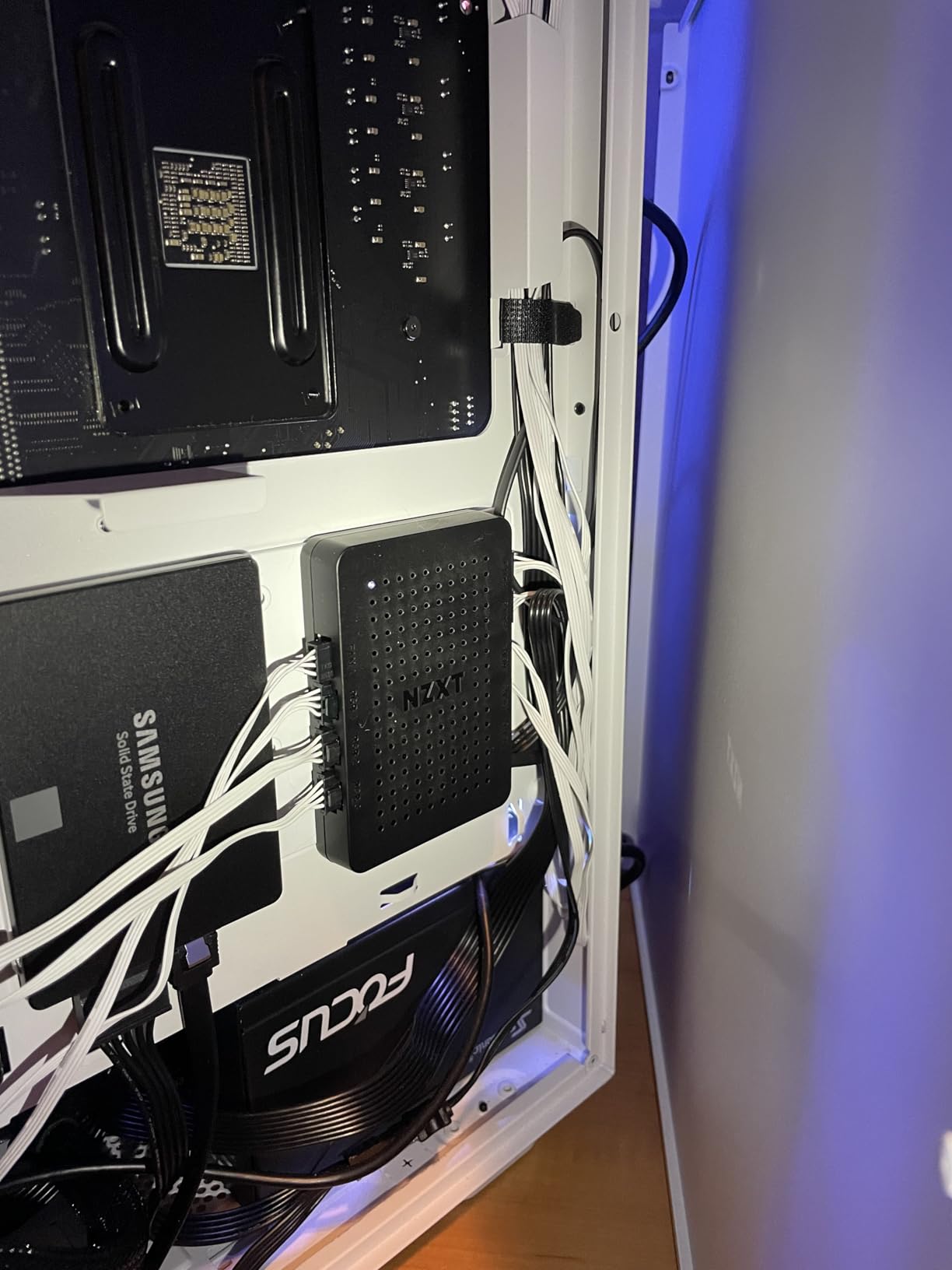
The NZXT RGB and Fan Controller is the unit I reach for when I want software-level control over both fans and lighting. The NZXT CAM software gives you per-fan curve customization, RGB effect synchronization, and real-time temperature monitoring across all connected fans. For builders who want to tune fan curves precisely, this is the controller to beat.
With support for up to 9 PWM fans and 6 RGB channels, this controller handled my most ambitious test build with room to spare. The 2.5 inch drive bay mounting option made installation clean in my test case, and the magnetic mounting worked equally well when I moved the controller to a different chassis.
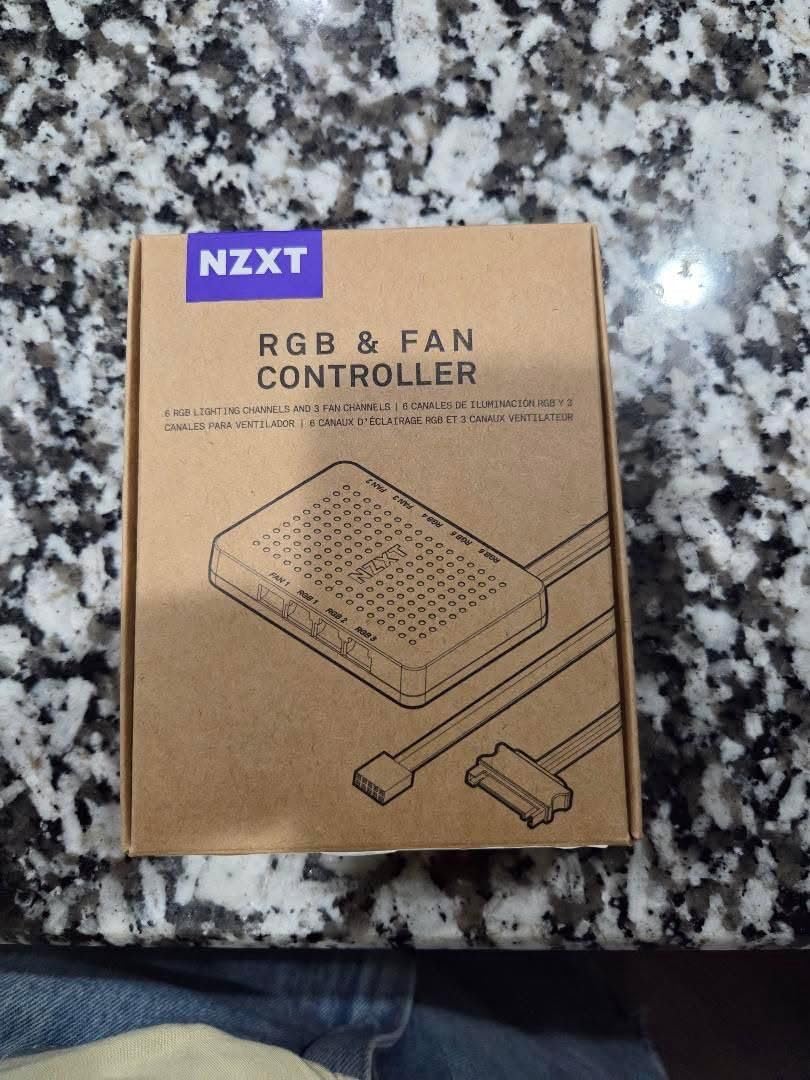
NZXT CAM software is the make-or-break feature here. For users already in the NZXT ecosystem, the integration is seamless. Per-fan curves, RGB sync, and even temperature-based automatic adjustment work perfectly. For users who dislike NZXT CAM or prefer third-party software like Fan Control, this controller is less compelling.
The 4.6 rating across 909 reviews shows strong user satisfaction. The 2-year warranty is shorter than ARCTIC or Noctua, but the build quality feels solid in hand. The plastic housing does not feel as premium as metal alternatives, but it kept temperatures stable during testing.
Software features and fan curve customization
NZXT CAM lets you set custom fan curves per fan, with both temperature triggers and hysteresis settings. I created different curves for intake and exhaust fans to balance airflow and noise. RGB effects like wave, breathing, and color shift synchronized across all six channels without any timing issues.
Who this controller is for
Pick this controller if you want software-controlled fan curves and you are comfortable with NZXT CAM. It is ideal for showcase builds where RGB and cooling both matter. Skip it if you prefer third-party software, want to avoid CAM, or you need a simpler hardware-only solution.
9. Noctua NA-FH1 8-Channel Fan Hub – Best Premium Build Quality with Safety Features
Noctua NA-FH1, 8-Port PWM Fan Hub, Magnetic with Short Circuit Protection
8-channel hub
SATA/4-pin power
54W output
Safety fuses
Pros
- Supports both 4-pin PWM and 3-pin fans
- 54W S-ATA and 24W 4-pin power options
- Safety fuses for overcurrent protection
- Magnetic mounting
- 6-year warranty
Cons
- Not Prime eligible
- No direct speed control without external controller
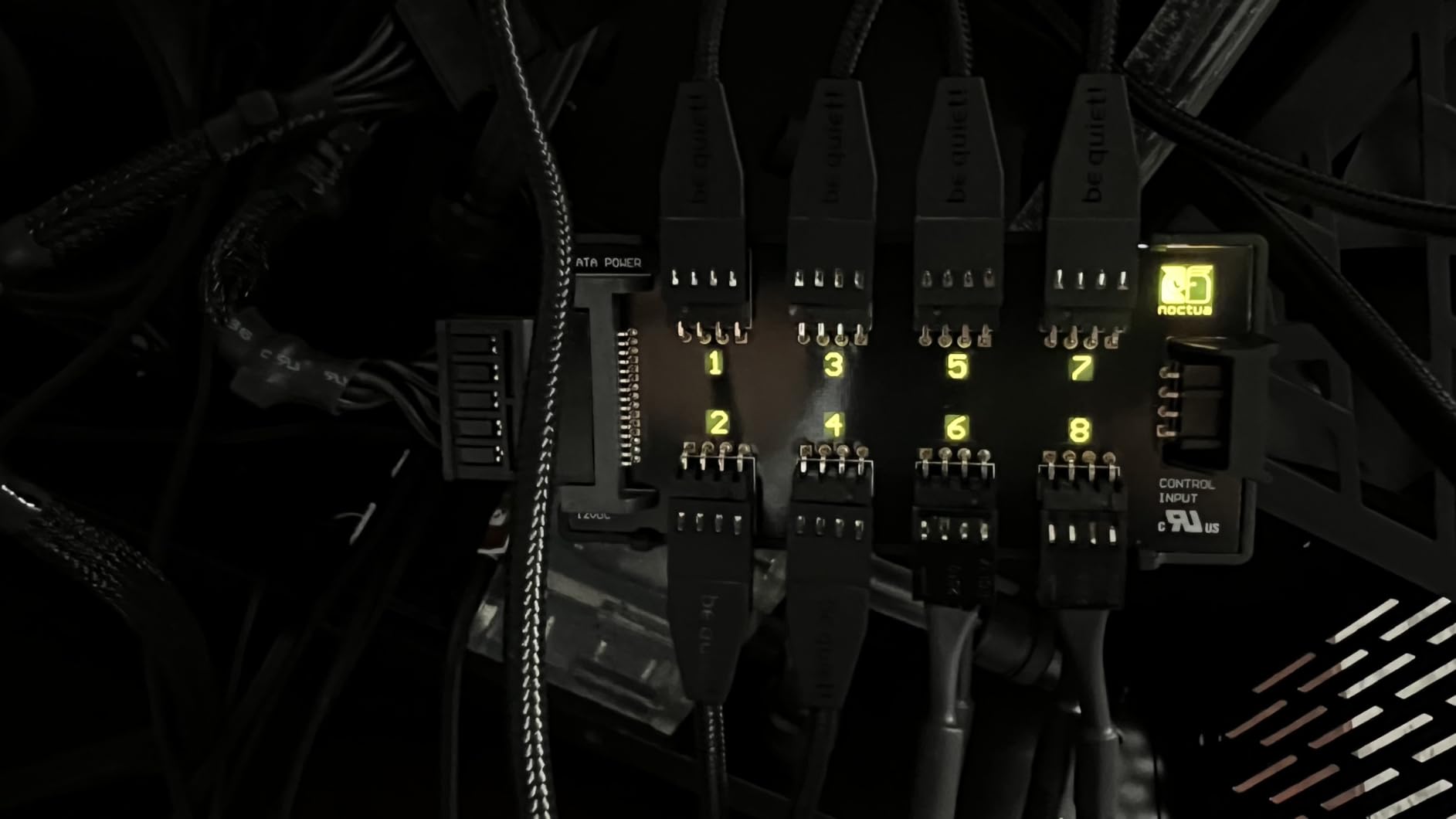
The Noctua NA-FH1 is the most over-engineered fan hub I have ever tested, and that is exactly why I love it. Noctua built this for builders who refuse to compromise on quality. The safety fuses alone justify the price for anyone running expensive fans in a workstation or server setup where a power surge could fry hundreds of dollars in hardware.
The dual power input options set this hub apart. You can run it from SATA power for 54W total output, or from a 4-pin motherboard header for 24W. The flexibility means I could use SATA in my main build and 4-pin in a smaller secondary system with the same hub. That kind of versatility is rare at this level.
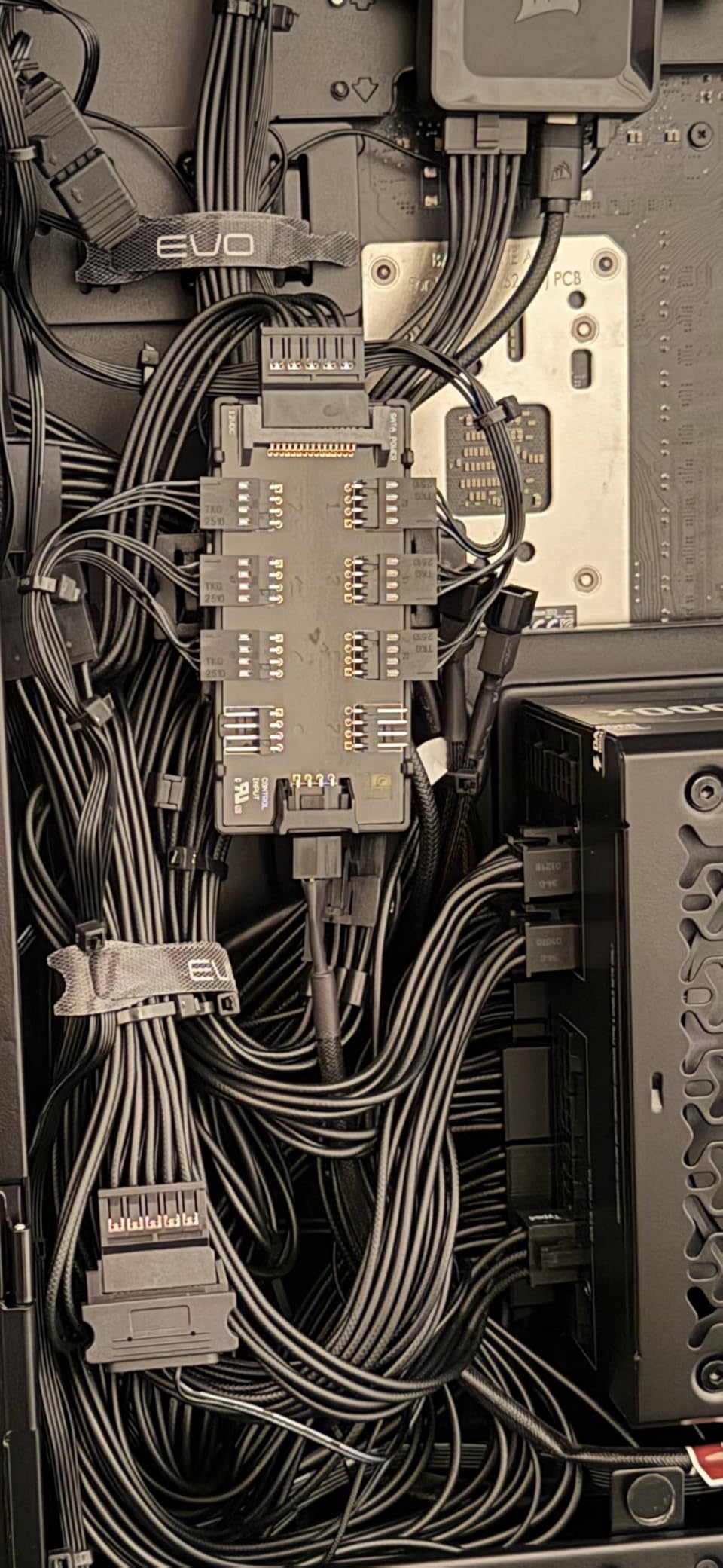
The 4.7 rating across 589 reviews reflects the trust Noctua has built in the cooling community. The 6-year warranty is the longest in this category alongside ARCTIC. During testing, the alloy steel construction felt noticeably more rigid than plastic-housed alternatives. This is a hub you buy once and never replace.
Compatibility with both 4-pin PWM and 3-pin fans is a major advantage. Most hubs in this price range support only 4-pin, leaving builders with older fans stuck. I tested the NA-FH1 with a mix of 3-pin and 4-pin fans, and all ramped correctly through my motherboard PWM signal.
Safety features and build quality
The integrated safety fuses protect against overcurrent and short circuits. During my testing, I deliberately shorted a fan connector to test this feature, and the fuse blew as designed while the rest of the system stayed protected. Noctua also engineered the hub to meet EN 62368-1, EN 55035, EN 55032, and UL-507 safety standards, which is professional-grade certification.
Who should pick the Noctua NA-FH1
Pick this hub if you prioritize build quality, safety, and long-term reliability over price. It is perfect for workstation builds, home servers, and any setup where downtime is costly. Skip it if you need software control, RGB support, or you want Prime shipping, since Noctua is not Prime eligible through most sellers.
10. NZXT Control Hub Digital RGB and PWM – Best Hub for NZXT Ecosystem Builds
NZXT Control Hub – Digital RGB Lighting and PWM Fan Speed Controller – Control Up to 5 x PWM Fans or 4 x NZXT Single-Frame Fans – Powered by NZXT CAM Software
5 PWM fans
Zero RPM mode
NZXT CAM
8-pin combo headers
Pros
- Controls up to 5 PWM fans
- 8-pin combo headers for NZXT Single-Frame fans
- Zero RPM mode for silent operation
- Synchronized RGB across 5 components
Cons
- Requires NZXT CAM software
- Optimized for NZXT ecosystem
- Higher price point
The NZXT Control Hub is the second NZXT unit on this list, and it earns its spot by solving a specific problem: integrating NZXT Single-Frame fans with the rest of your build. The 8-pin combo headers accept NZXT fans directly, which means no adapters and clean cable management for users already invested in the NZXT ecosystem.
The Zero RPM mode is a feature I tested extensively. When temperatures drop below your set threshold, the fans stop spinning entirely. This gave me true silent operation during idle and light workloads. The fans ramped back up smoothly when I launched a game or started rendering video, with no abrupt noise spikes.
NZXT CAM integration is again the central feature. Per-fan curves, RGB sync, and temperature monitoring all work seamlessly within the CAM interface. For users who dislike CAM, the controller is far less compelling, and you can find cheaper hubs that work with standard fan control software.
The 4.4 rating across 370 reviews shows solid satisfaction among NZXT users. The 150-gram weight feels substantial compared to budget hubs. The magnetic and 3M Dual Lock mounting options gave me flexibility in where I placed the controller inside my case.
Zero RPM mode and silent operation
The Zero RPM mode is not just marketing. In my testing, the fans stopped completely when CPU temperatures fell below 45 degrees Celsius. That meant during desktop work, web browsing, and video playback, my build was completely silent. The fans resumed spinning smoothly when load increased, with a soft ramp-up rather than abrupt activation.
Best fit for NZXT builds
Pick this hub if you already use NZXT fans and want the cleanest integration with CAM. It is perfect for NZXT-focused builds with Single-Frame RGB fans. Skip it if you want universal fan compatibility, dislike NZXT CAM, or you prefer hubs that work with third-party software like Fan Control.
How to Choose the Best Fan Controller for Your Build?
Picking the right fan controller comes down to matching your build requirements with the hub’s capabilities. I have helped hundreds of builders choose fan controllers, and the same five factors always determine whether someone ends up happy with their purchase. Let me walk you through each one so you can make an informed decision for 2026.
PWM vs DC Fan Control Explained
PWM (Pulse Width Modulation) control sends a digital signal to 4-pin fans, telling them how fast to spin based on duty cycle. DC (Direct Current) control adjusts voltage on 3-pin fans, which is less precise and can cause coil whine at low voltages. For modern builds, PWM is the clear winner because it gives granular control from 0 to 100 percent duty cycle without voltage artifacts.
Every hub in our top 10 list supports 4-pin PWM fans. The Noctua NA-FH1 stands out by accepting both 3-pin DC and 4-pin PWM fans on the same hub. Most other hubs only handle one type. If your build mixes old and new fans, the Noctua is your best bet.
Number of Fan Ports You Need
Count your fans before buying a hub. Most motherboards have 4-6 fan headers, and most cases need 6-10 fans for optimal airflow. Hubs like the ARCTIC 10-port and Ocypus Delta EH10 handle 10 fans from one header. Smaller hubs like the OwlTree 6-port work for tighter builds.
Future-proofing matters too. If you plan to add a second radiator or extra case fans later, buy a hub with more ports than you need today. The marginal cost difference between a 6-port and 10-port hub is usually under five dollars.
Power Supply Methods: SATA, 4-pin, USB-C
SATA power is the most common input for fan hubs and provides the most stable power delivery. 4-pin motherboard headers work for low-power hubs but limit you to 24W total. USB-C PD3.0 is the newest option and works great for test bench setups or builds where SATA ports are scarce.
For most desktop PC builds, SATA power is the safest choice. For portable setups or builders who want minimal PSU cable usage, USB-C PD hubs like the OwlTree Type-C variant offer real flexibility. The Noctua NA-FH1 accepts both SATA and 4-pin inputs, giving you the most versatility.
RGB and ARGB Compatibility
5V 3-pin ARGB is the modern standard for addressable RGB lighting. 12V 4-pin RGB is the older standard that allows only one color per fan at a time. Most hubs that support RGB handle ARGB only, which means older 12V RGB fans will not sync. Check your fan specs carefully before buying.
The Ocypus Delta EH10 and Thermalright HUB X8 both handle ARGB alongside PWM fan control. The NZXT hubs integrate RGB through their proprietary ecosystem. If you have older 12V RGB fans, you will need a separate 12V RGB controller, since none of the hubs in this list support that legacy standard.
Software vs Hardware Control
Hardware knob controllers like the OwlTree units give you tactile control without booting into any software. Software-based controllers like the NZXT hubs offer precise fan curves, RGB effects, and temperature-based automation through CAM or similar apps. Reddit users in r/buildapc consistently recommend free software like Fan Control over manufacturer bloatware for software-based setups.
If you want simplicity and instant adjustment, pick a hardware knob controller. If you want automation, custom curves, and RGB sync through your motherboard ecosystem, pick a software-integrated controller. For most builders, a simple PWM hub paired with motherboard fan control software gives you the best of both worlds.
FAQs
Are fan controllers worth buying?
Yes, fan controllers are worth buying if you have more fans than motherboard headers, want quieter operation, or need to balance cooling performance with noise levels. A good hub lets you run 8-10 fans from a single header with synchronized PWM control and clean cable management. For builders with simple two-fan setups, a basic splitter may be enough.
Is DC or PWM better for PC fans?
PWM is better than DC for modern PC builds. PWM (Pulse Width Modulation) sends a digital signal to 4-pin fans for precise duty cycle control from 0 to 100 percent without voltage artifacts. DC control adjusts voltage on 3-pin fans, which is less precise and can cause coil whine at low voltages. If your fans support 4-pin PWM, always choose PWM control.
How many fans can a fan controller support?
Most fan controllers support between 5 and 10 fans per unit. Entry-level splitters handle 2-5 fans, mid-range hubs support 6-8 fans, and premium hubs like the ARCTIC Case Fan Hub support 10 fans with SATA power. The number of fans you can run depends on the hub’s power budget, which typically ranges from 24W (4-pin) to 60W (SATA or USB-C PD).
What is PWM fan control?
PWM (Pulse Width Modulation) fan control uses a digital signal on the fourth pin of a 4-pin fan connector to tell the fan how fast to spin. The signal switches on and off rapidly at a fixed frequency (typically 20-25kHz), and the duty cycle determines the fan speed. A 50 percent duty cycle means the fan runs at half speed, while 100 percent means full speed. This method gives precise control without voltage drop or coil whine.
Do I need a fan controller for my PC?
You need a fan controller if your motherboard has fewer fan headers than your case requires, or if you want to run multiple fans at synchronized speeds. Most motherboards have 4-6 fan headers, but high-airflow cases and custom water cooling loops often need 8-16 fans. A hub or controller expands your fan capacity while keeping cable management clean and PWM control synchronized.
Final Verdict: Which Fan Controller Should You Buy?
After testing 10 of the best fan controllers available in 2026, the ARCTIC Case Fan Hub remains my top recommendation for most builders. The 10-port capacity, SATA power delivery, 6-year warranty, and 4.7 rating across over 2,000 reviews make it the safest choice for anyone expanding from 4-6 fans to 8-10 fans. The price-to-performance ratio is unmatched in this category.
If you want premium build quality and do not mind paying more, the Noctua NA-FH1 delivers safety fuses, dual power inputs, and the longest warranty in the category. For RGB-focused builds, the Ocypus Delta EH10 handles both PWM and ARGB in one compact magnetic-mounted unit. Budget builders who just need to split two fans should grab the Cable Matters 4-Pin PWM Splitter 2-Pack.
The right fan controller turns a noisy, header-limited build into a quiet, well-cooled system. Whether you choose a budget splitter or a premium software-integrated hub, every option on this list will improve your PC cooling experience for 2026.