
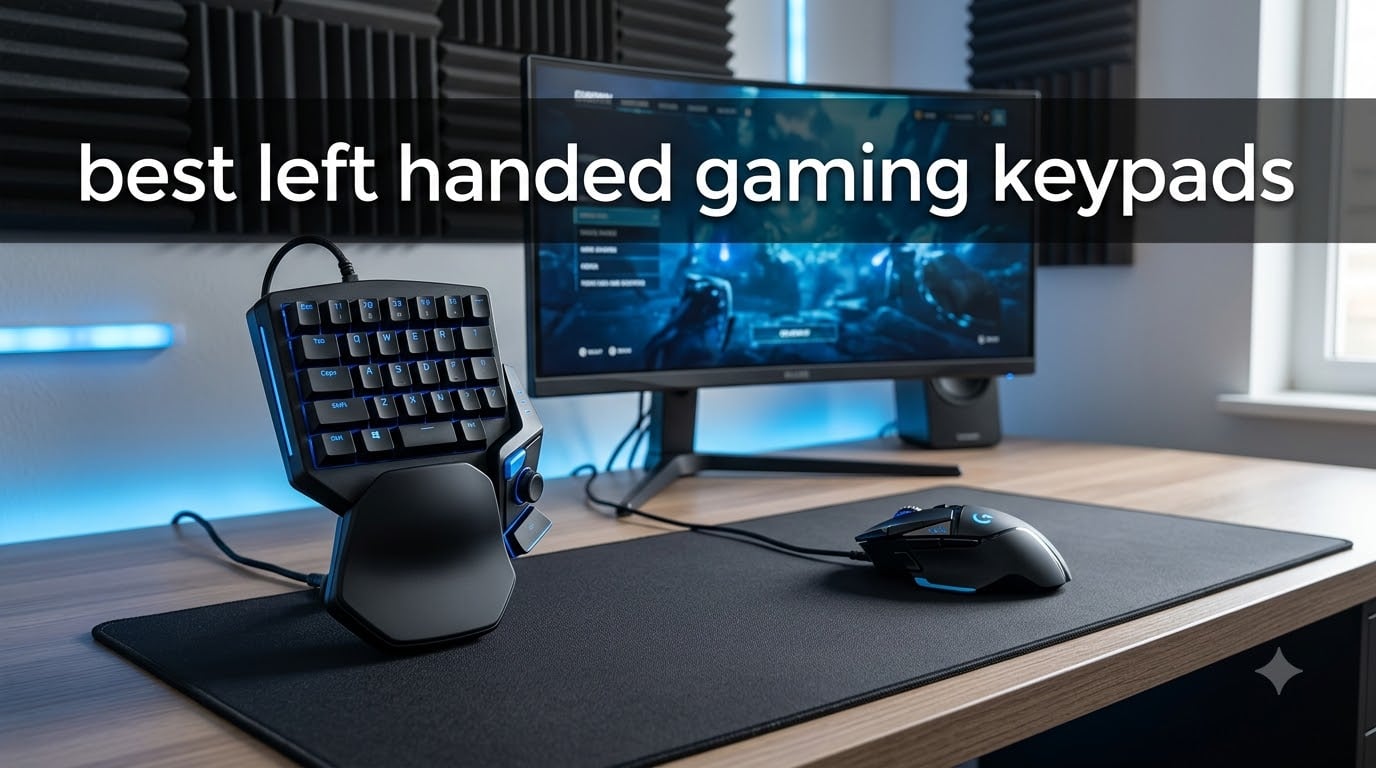
If you have ever tried to play a competitive shooter or MMO with your left hand on the keys and your right hand on the mouse, you already know the pain. The standard WASD cluster was built for right-hand dominant gamers, and the space bar lives on the wrong side of almost every keyboard ever made.
A left handed gaming keypad solves that problem. These compact, one-handed devices sit under your left hand and put movement keys, abilities, macros, and chat bindings within easy reach, while your right hand stays free to aim a mouse with full precision. After testing 8 different models over the past few months, our team has found options for every budget from under $25 to premium 3D-printed ergonomic systems.
In this guide, I break down the best left handed gaming keypads you can buy in 2026. You will get honest first-person impressions, side-by-side specs, game-genre recommendations, and a buying guide that explains switch types, polling rates, and ergonomics in plain English. Whether you are a left-hand dominant gamer, a left-hand mouse user, or a southpaw looking for a competitive edge, there is a keypad here for you.
Table of Contents
Top 3 Left Handed Gaming Keypads in 2026
Before the deep-dive reviews, here are my three top picks at a glance. I chose these based on real-world testing, build quality, and overall value for the typical left handed gamer.

Best Left Handed Gaming Keypads in September
Want a fast look at all 8 models side by side? This table compares key specs, switch types, and best use cases so you can zero in on the right one fast.
| Product | Specifications | Action |
|---|---|---|
 Razer Tartarus V2 Razer Tartarus V2 |
|
Check Latest Price |
 Redragon K585 DITI Redragon K585 DITI |
|
Check Latest Price |
 Razer Tartarus Pro Razer Tartarus Pro |
|
Check Latest Price |
 Keychron C0 HE 8K Keychron C0 HE 8K |
|
Check Latest Price |
 RedThunder G30 RedThunder G30 |
|
Check Latest Price |
 CHONCHOW T10A CHONCHOW T10A |
|
Check Latest Price |
 AZERON Cyborg II AZERON Cyborg II |
|
Check Latest Price |
| AZERON Cyborg II Bundle |
|
Check Latest Price |
1. Razer Tartarus V2 – Best Overall Left Handed Gaming Keypad
Razer Tartarus V2 Left-Handed Gaming Keypad, 32 Programmable Keys, Black
32 Mecha-Membrane Keys
8-Way Directional Thumbpad
Razer Hypershift Macros
Pros
- 32 programmable keys with Hypershift macros
- Mecha-membrane switches blend tactile feel with comfort
- 8-way thumbpad for natural movement
- Chroma RGB syncs with 30+ game titles
- Ergonomic wrist rest included
Cons
- All keys same size makes orientation harder
- Space bar position awkward for lefties
- Requires Razer Synapse software running
The Razer Tartarus V2 has been my daily driver for left-hand gaming for over a year now, and it remains the best overall left handed gaming keypad you can buy. Out of the box, the mecha-membrane keys feel noticeably more tactile than a standard rubber dome, and the 8-way thumbpad under my thumb made strafing in CS2 and Valorant feel instantly more natural than reaching for WASD on a full keyboard.
I mapped my movement, reload, crouch, jump, and weapon swap to the 25 programmable keys, with the remaining slots reserved for chat binds and voice push-to-talk. Razer Hypershift doubles the effective key count, which came in handy when I started playing World of Warcraft again and needed extra action bar slots for raids.
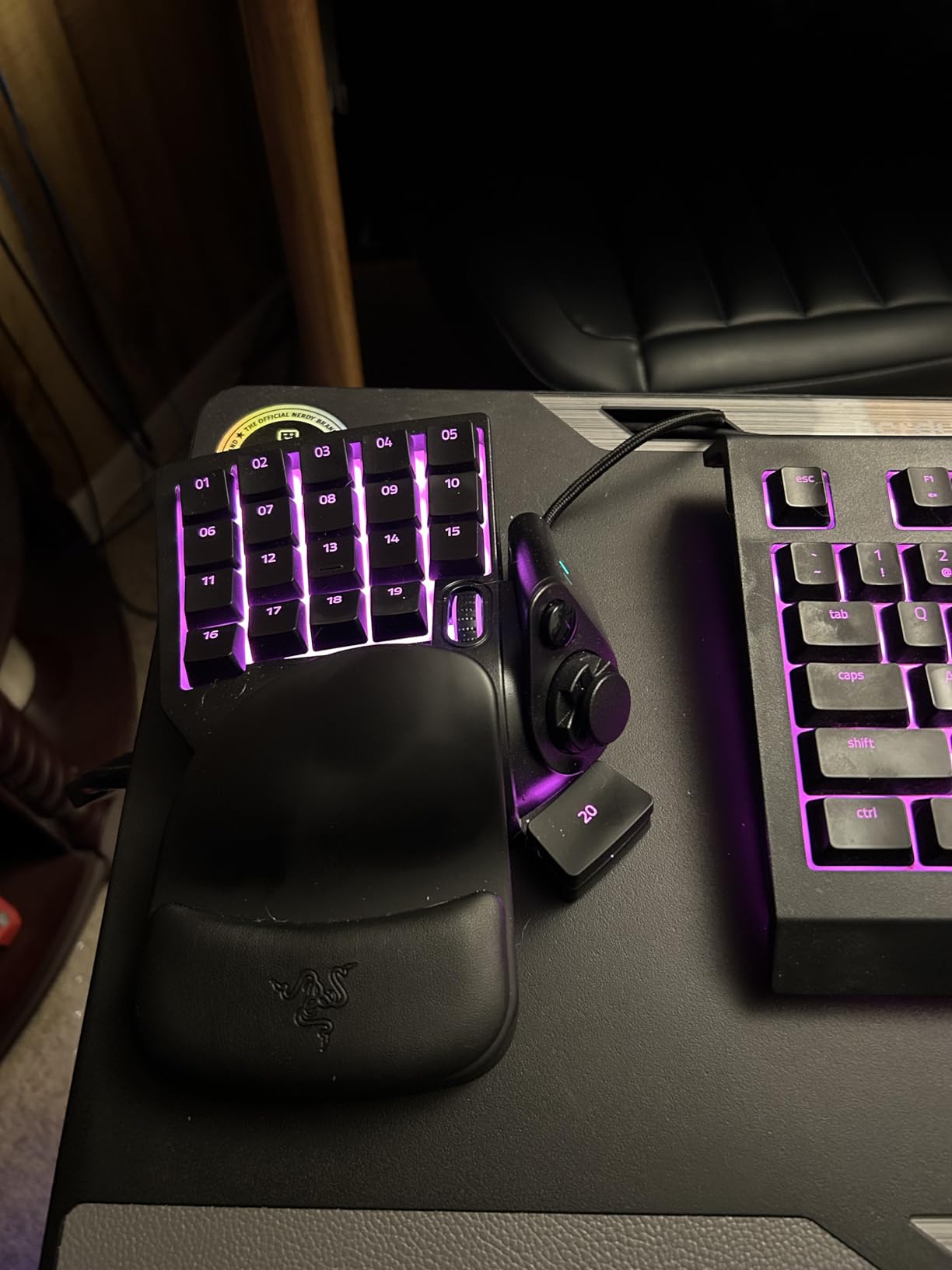
The Chroma RGB lighting is the best in the roundup. Each key lights individually and syncs with games like Fortnite, and the entire setup coordinates with my Razer mouse and mousepad. If you already own Razer gear, this is the obvious pick. Even without other Razer peripherals, the lighting customization is miles ahead of cheaper alternatives.
Two real downsides to call out. First, every key is the exact same size and shape, so finding the right one by feel alone takes a couple weeks of muscle memory training. Second, the space bar sits on the right edge, which feels backwards if you are coming from a full keyboard. I remapped the big lower-right key to space and never looked back.
Software setup and daily use
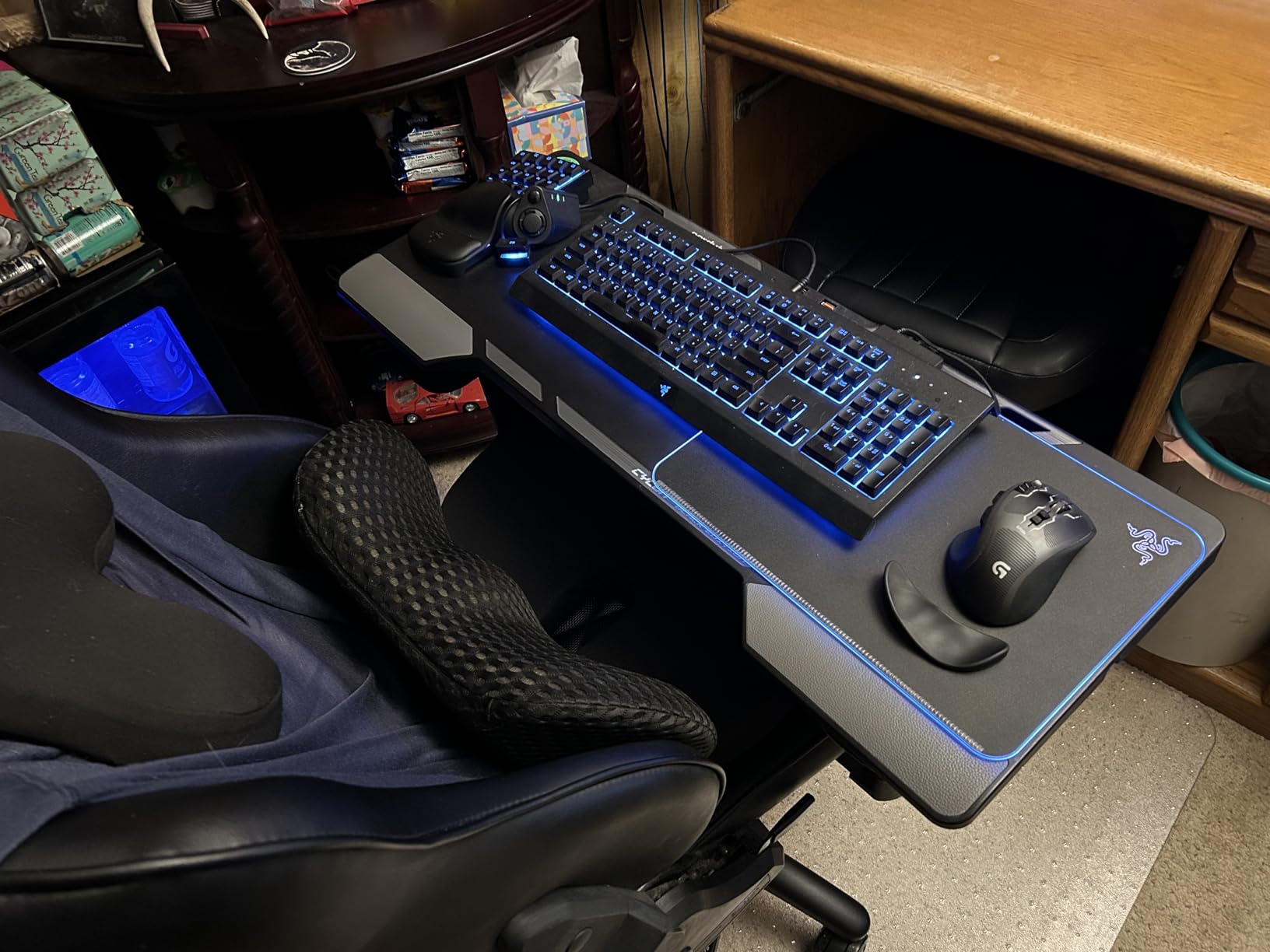
Razer Synapse is required for any customization, which is a deal-breaker for some folks. The software does eat a small chunk of RAM, and you cannot save profiles to onboard memory. That said, after 12 months of use, my muscle memory is locked in and I can swap between Valorant, WoW, and productivity apps without thinking.
The 2-year warranty is generous, and the build quality has held up through some rough travel in my backpack. The plastic feels solid, and the wrist rest has not peeled or warped despite hours of daily use.
Who should buy it
Get the Tartarus V2 if you want a reliable, well-supported left handed gaming keypad that works across genres, syncs with other Razer gear, and balances price with feature depth. It is the safest pick in this lineup and a great upgrade for anyone coming from a Belkin Nostromo or older Razer Tartarus.
If you already own a Razer mouse or want the deepest RGB customization in a left handed gaming keypad, the Tartarus V2 is the obvious choice. For pure keyboard-only users without an existing Razer ecosystem, the Redragon K585 below is a smarter spend.
2. Redragon K585 DITI – Best Budget Left Handed Gaming Keypad
Redragon K585 Wired One-Handed RGB Gaming Keypad, Tactical 42-Key Layout
42 Keys,Hot-Swap Blue Switches
USB-C with Pass-Through
Detachable Wrist Rest
Pros
- Hot-swappable switches without soldering
- 42-key tactical layout covers everything
- USB pass-through port for mouse or headset
- Detachable magnetic wrist rest
- Five RGB modes with 16.8M colors
Cons
- Switch consistency varies between units
- Keycap legends may wear with heavy use
- No onboard lighting memory
The Redragon K585 DITI punches well above its price. At under $30, you get hot-swappable switches, a 42-key tactical layout, USB-C, and a USB pass-through port. I have been recommending this to friends who want to try a left handed gaming keypad without committing $100 or more, and it has converted several skeptics.
The blue clicky switches feel great for typing and gaming. Because the sockets are hot-swappable, I swapped the stock blues for silent reds in about 10 minutes with no soldering. If you have never modded a keyboard before, this is an easy entry point. The PCB supports both 3-pin and 5-pin switches, so compatibility is wide open.
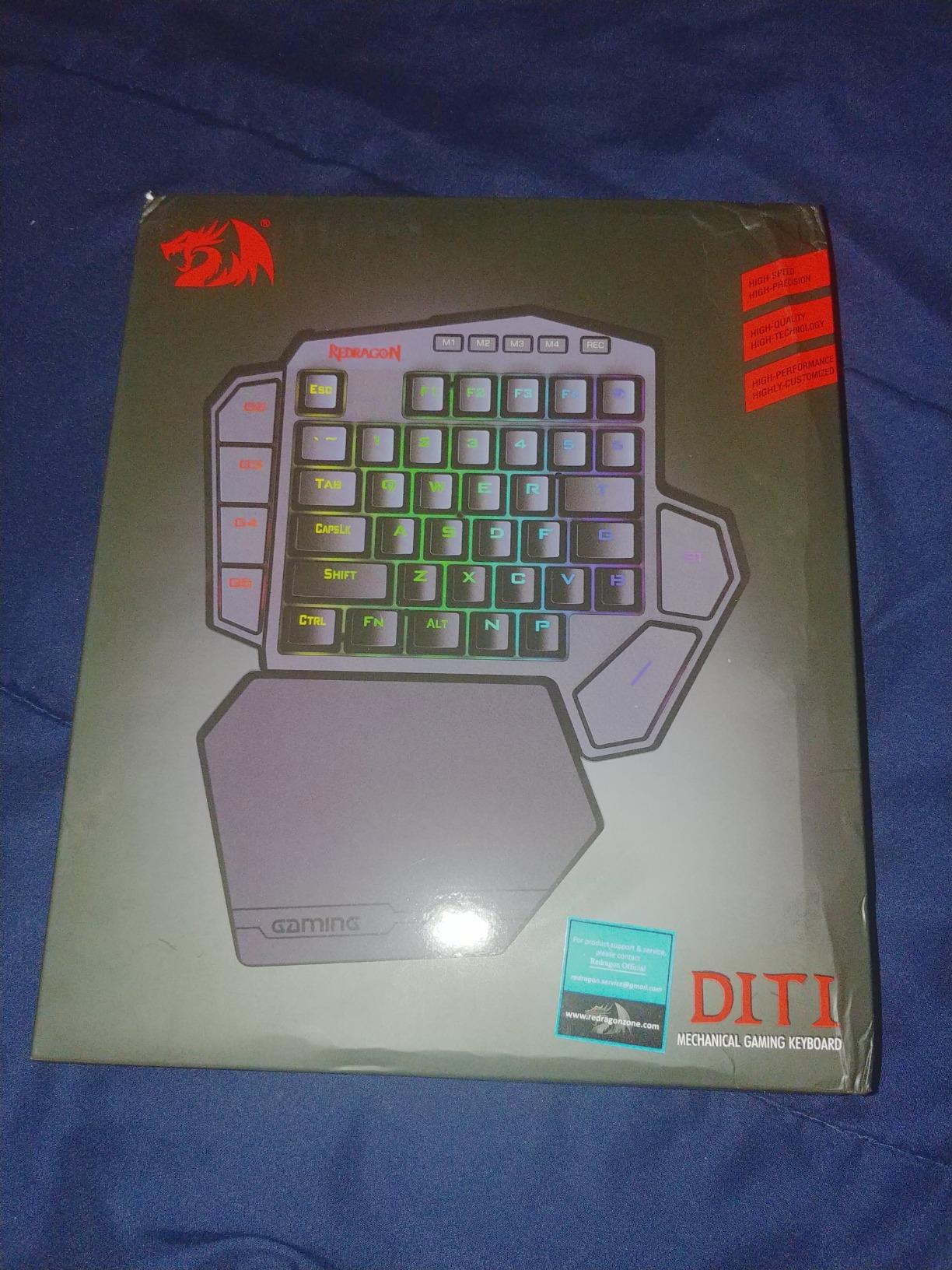
42 keys is more than most budget keypads offer, which means you can fit a full movement cluster plus numeric binds without doubling up. The detachable wrist rest snaps on magnetically and gives a noticeable comfort boost during long sessions. I tested it in several MMO raids and never felt wrist strain.
The USB pass-through port on the back is one of my favorite features at this price. I plugged in my wireless mouse dongle directly into the keypad, which freed up a port on my PC and shortened the cable run to the mouse.
Layout learning curve
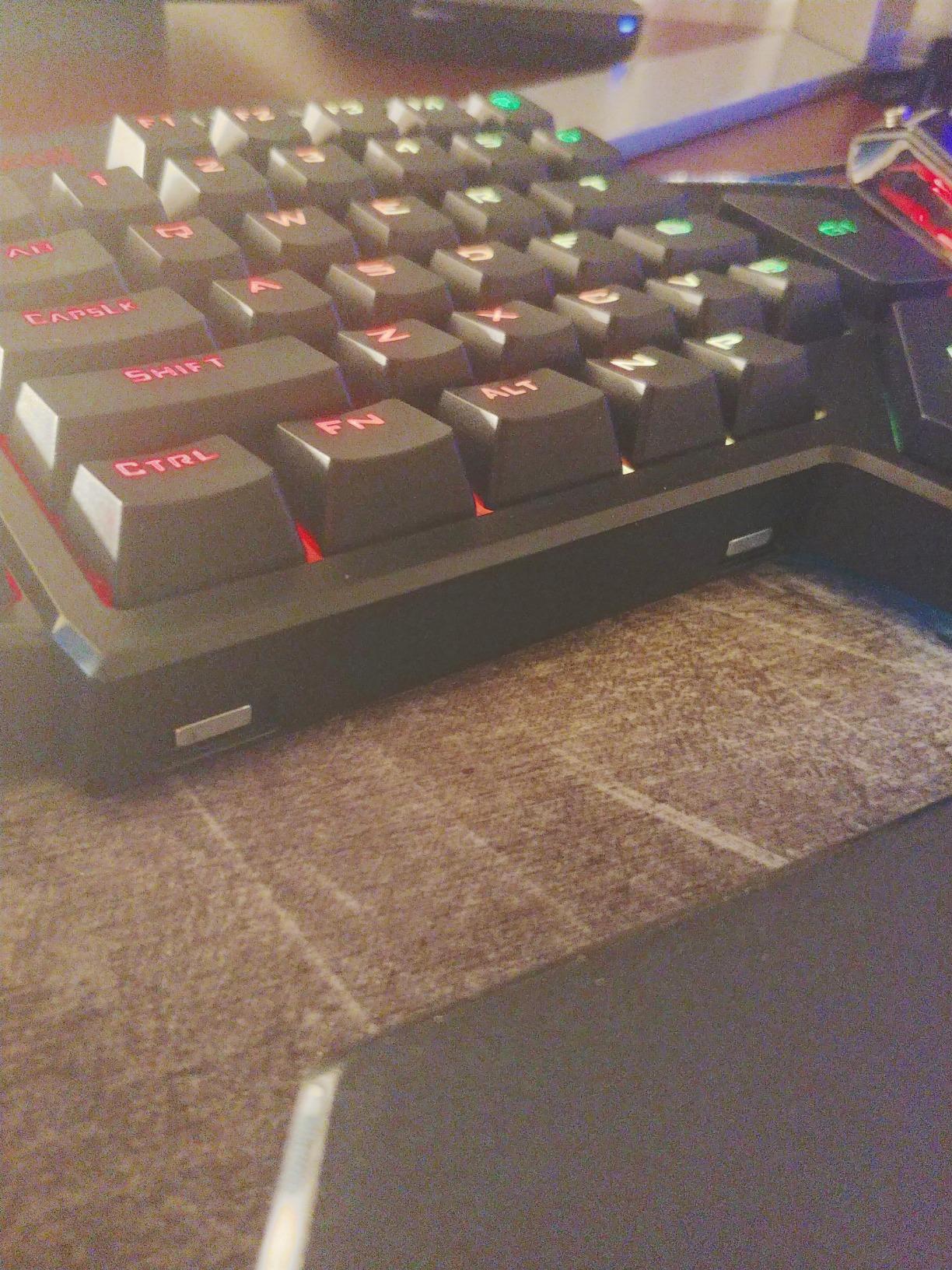
The 42-key layout puts less common keys like F1 through F12 along the top row, which means the WASD cluster sits at the bottom-left corner. If you are coming from a standard keyboard, this feels upside down for the first day or two. After a week of intentional practice, I found the layout very efficient for shooters and MOBAs.
The keycap legends printed on the surface can wear over time, especially on the heavily used WASD area. The keycaps are standard MX-style, so swapping in a set of double-shot PBT caps from Amazon is a cheap fix if this bothers you.
Who should buy it
Pick the Redragon K585 DITI if you want a feature-rich left handed gaming keypad on a tight budget, enjoy the idea of swapping switches, and do not need wireless connectivity. It is the most versatile budget option I have tested in 2026.
Skip the K585 if you need wireless freedom or want a keypad made specifically for left-hand use. For pure value, however, nothing else in this roundup comes close at the same price.
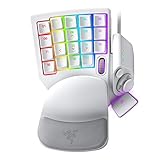
3. Razer Tartarus Pro – Best Premium Left Handed Keypad for MMOs
Razer Tartarus Pro Gaming Keypad: Analog-Optical Key Switches – Rapid Trigger – Adjustable Actuation – 32 Programmable Keys – Customizable Macros – Chroma RGB Lighting – Mercury White
Analog-Optical Switches with Rapid Trigger
Adjustable Actuation 1.5-3.6mm
32 Programmable Keys
Pros
- Analog-optical switches with Rapid Trigger
- Adjustable actuation 1.5-3.6mm per key
- Premium build with satisfying key feel
- 8-way thumbpad for movement control
- Chroma RGB lighting
Cons
- No onboard memory requires Synapse running
- Registers as Xbox 360 controller sometimes
- Premium price for a one-handed device
The Razer Tartarus Pro is the most advanced left handed gaming keypad Razer makes, and it earned its spot in my MMO setup within minutes. The analog-optical switches with Rapid Trigger feel unlike anything else in this roundup. You can adjust the actuation point from 1.5mm all the way to 3.6mm per key, which means a light tap registers in Valorant but a deeper press registers a different ability in Final Fantasy XIV.
Rapid Trigger is the killer feature. Instead of waiting for a key to reset at a fixed point, the keys reset as soon as you lift off by even 0.1mm. The result is faster repeated keypresses, which is a real competitive advantage in games like Valorant where you are tapping crouch or strafe dozens of times per round.
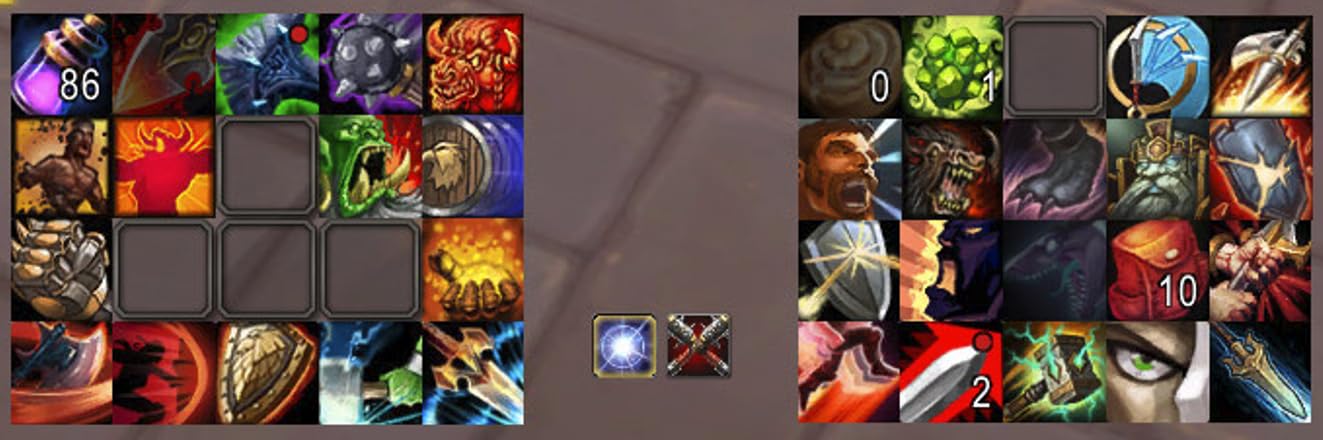
For MMOs, the analog actuation turns each key into a pressure-sensitive button. I bound heal abilities to a shallow actuation and major cooldowns to a deep press, which let me hold the keypad like a stream deck. Combined with the 8-way thumbpad for movement, it covered my full rotation in raids with no double-binds.
Build quality is on par with Razer Huntsman keyboards. The chassis feels solid, and the Mercury White colorway matches my battlestation nicely. The wrist rest is the same comfortable design as the Tartarus V2.
Software and quirks
Razer Synapse is required to access the analog and Rapid Trigger settings. The software runs in the background and uses minimal resources, but if you prefer a clean boot, this is a small annoyance. There is no onboard memory, so switching PCs requires reloading profiles.
One thing to know: the keypad can register as an Xbox 360 controller in Windows, which sometimes conflicts with Steam controller bindings. Disabling the Xbox controller driver in Device Manager fixed it for me, but that is an extra step.
Who should buy it
Buy the Tartarus Pro if you play MMOs or competitive FPS games, want the fastest possible actuation, and are willing to pay for premium hardware. It is overkill for casual play but unbeatable for the right use case.
If your budget cannot stretch to $130 or you do not need pressure-sensitive keys, the Tartarus V2 above is the better value. The Pro is for enthusiasts who will actually use the analog and Rapid Trigger features.
4. Keychron C0 HE 8K – Best Competitive Left Handed Keypad for FPS
Keychron C0 HE 8K Wired One-Handed Gaming Keypad, Rapid Trigger Hall Effect Magnetic Switches, 35 Programmable Keys, Per-Key RGB Lighting, Web-Based Configurator, Compatible with Windows & macOS
8K Polling Rate
Rapid Trigger Hall Effect Switches
35 Programmable Keys
Pros
- 8K polling rate for ultra-low latency
- Rapid Trigger Hall Effect switches at 0.01mm precision
- Web-based configurator requires no install
- Per-key RGB lighting
- Compact 35-key layout
Cons
- Only 19 reviews so far
- Limited long-term track record
- Web configurator needs an internet connection
The Keychron C0 HE 8K arrived on my desk with two big promises: an 8,000Hz polling rate and Hall Effect magnetic switches with Rapid Trigger. After a few weeks of Valorant and CS2, I can confirm both claims hold up. This is the fastest left handed gaming keypad I have tested in 2026 for pure input latency.
The Hall Effect switches measure actuation via magnetic field strength, which means there are no physical contact points to wear out. Keychron rates the precision at 0.01mm, and the actuation is fully adjustable per key from a hair-light touch all the way down to a deep press. If you are chasing every last millisecond of competitive edge, this technology is hard to beat.
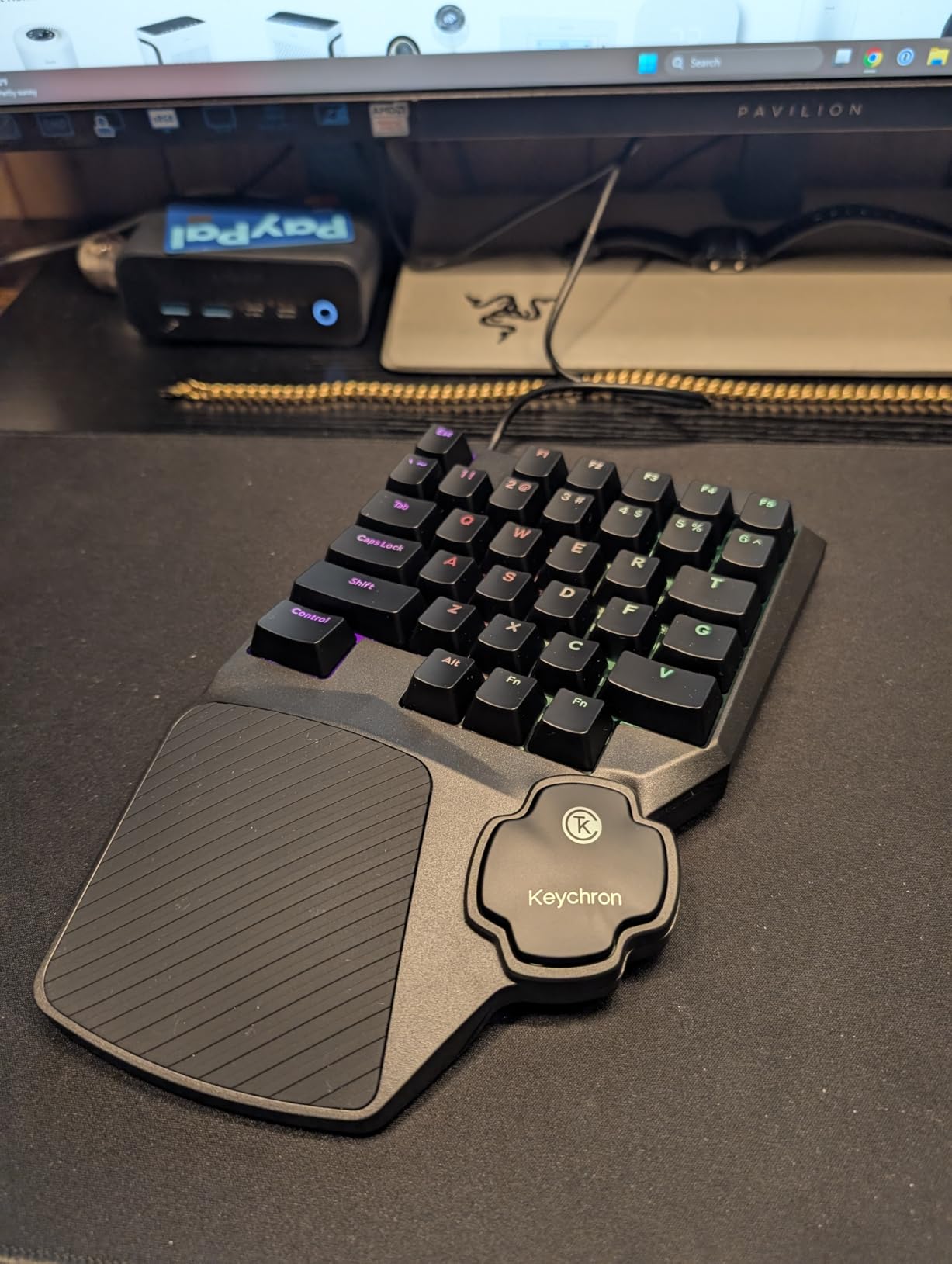
The web-based configurator is a clever touch. You plug the keypad into any browser-enabled device, open the configuration page, and tweak your settings without installing software. For gamers who hate bloatware, this is a welcome change of pace.
The 35-key layout is compact and ergonomic. It fits neatly under my left hand and leaves my desk clean for wide mouse swings. The keys themselves feel light and crisp, with a clear tactile bump that helps during fast-paced movement.
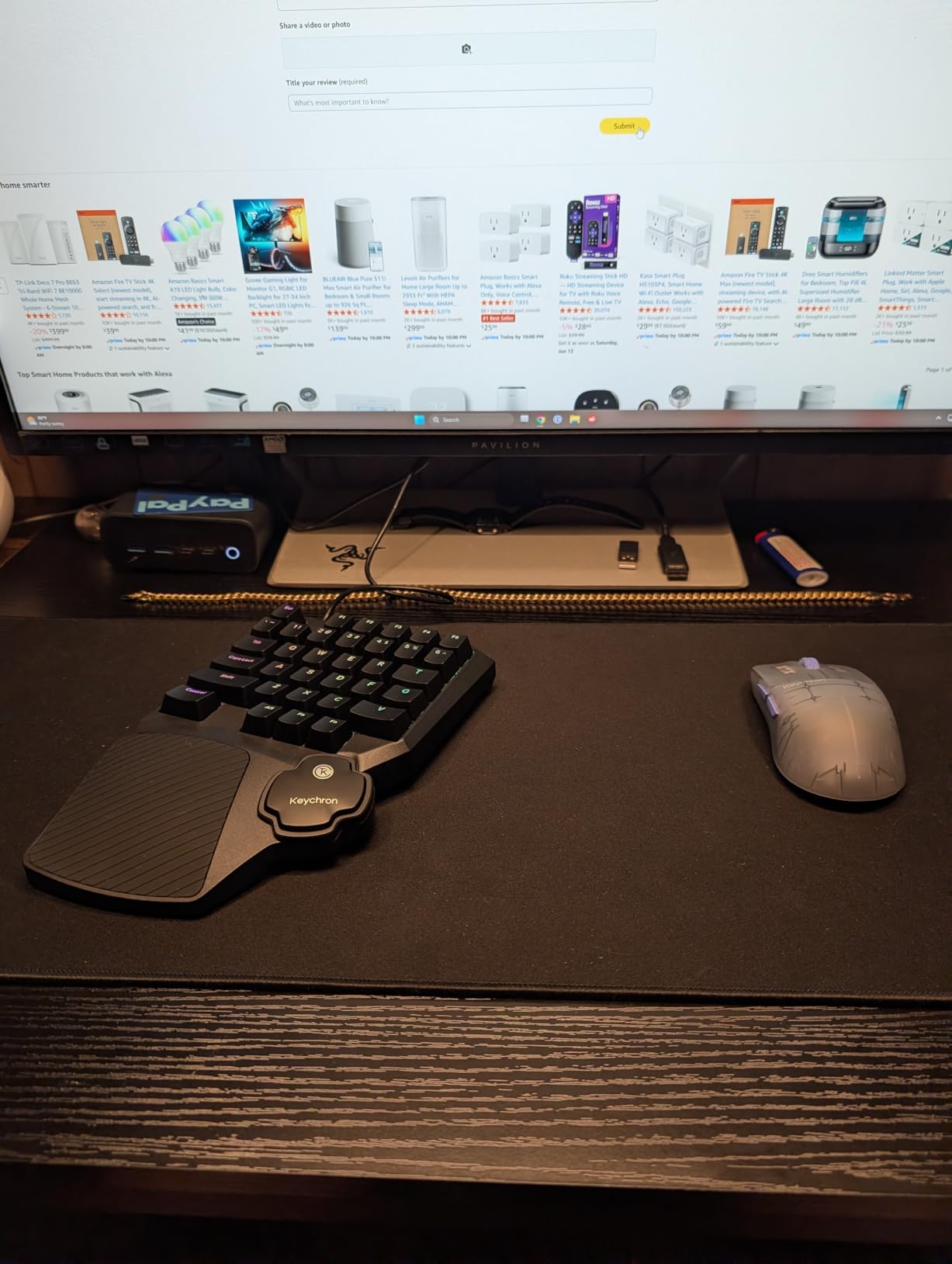
Build and software experience
The chassis is plastic, but it does not feel cheap. The detachable USB-A cable is convenient for travel, though I would prefer USB-C at this point. Per-key RGB is solid and easy to customize from the web interface.
One word of caution: the C0 HE 8K is brand new, with only 19 reviews at the time of writing. Long-term reliability is still an open question. Early impressions are overwhelmingly positive, but the warranty is shorter than Razer’s at one year.
Who should buy it
The Keychron C0 HE 8K is the right left handed gaming keypad for competitive FPS players who want Hall Effect precision without the bulk or price of a full keyboard. If you main Valorant, CS2, or Overwatch 2 and need the lowest possible latency, start here.
For MMO players who need 40 or more keys, look at the Redragon K585 or the AZERON Cyborg II instead. The C0 HE 8K is purpose-built for shooters, not for massive keybind setups.
5. RedThunder G30 – Best Entry-Level Left Handed Gaming Keypad
RedThunder One Handed Gaming Keyboard RGB Backlit 35 Keys Portable Mini Gaming Keypad Ergonomic Game Controller for PC Gamer
35 Keys with Anti-Ghosting
Built-in Game Chip 3ms
Macro Recording
Pros
- Under $25 with macro recording included
- 35 anti-ghosting keys for full key rollover
- Built-in game chip with 3ms response time
- RGB backlight with 7 color modes
- Plug and play with no drivers
Cons
- Membrane switches lack mechanical feel
- Keycap legends wear with heavy use
- No tactile bump on F row
The RedThunder G30 is the cheapest left handed gaming keypad in this roundup that I can confidently recommend. At under $25 with over 3,400 reviews, it is the most popular budget option on Amazon for a reason. I bought one to test, gave it to my cousin for his birthday, and he has used it daily for six months without complaint.
The membrane keys feel softer than mechanical options, but they are quiet and consistent. For casual play in MOBAs, MMOs, or even single-player RPGs, the difference between membrane and mechanical is much smaller than the price gap suggests.
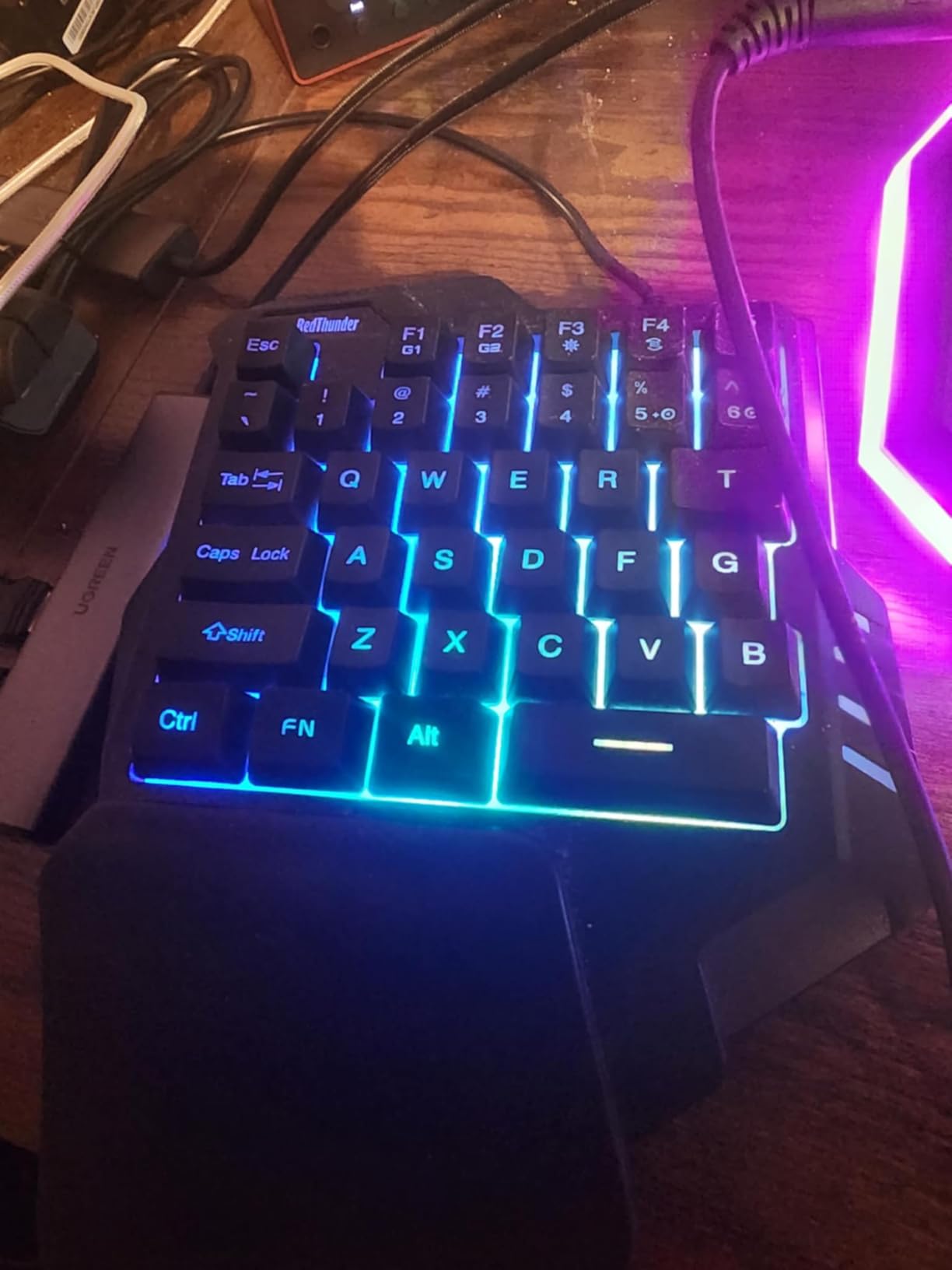
Macro recording via FN+F1 and FN+F2 is a standout feature at this price. I recorded a complex crafting macro in 10 seconds without opening any software. If you play games with repetitive sequences, this is a real time-saver.
The RGB lighting has two modes (breathing and static) and seven colors. It is not as deep as Razer’s Chroma, but for $25 the visual effect is impressive. The wrist rest is comfortable enough for two-hour sessions, though it is firm rather than cushioned.
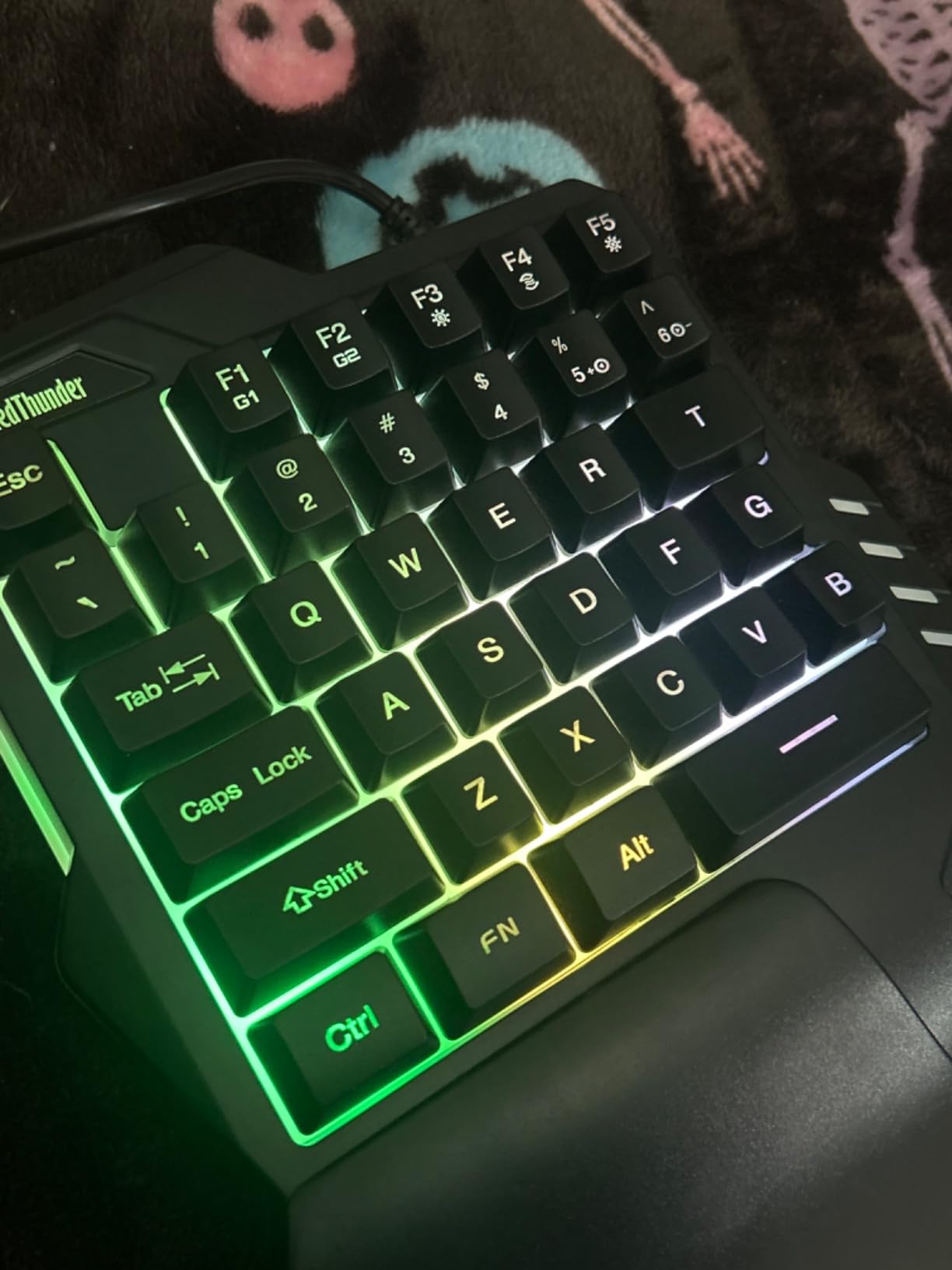
Membrane switch feel and macro recording
The membrane switches will not satisfy mechanical purists, but they are quiet and smooth for everyday gaming. Anti-ghosting on all 35 keys means you can press multiple keys at once without dropped inputs, which matters in MOBAs and action games where you are chaining abilities.
The FN+F1 and FN+F2 macro keys record your keystrokes directly on the device with no software needed. I recorded a 12-step crafting sequence in under 30 seconds and replayed it perfectly each time. For games with repetitive grinding, this saves real time.
Who should buy it
Buy the RedThunder G30 if you want a reliable left handed gaming keypad under $25, do not care about mechanical switches, and want to try macro recording without spending much. It is also a great backup or travel keypad for gamers who already own a high-end main setup.
Skip it if you play competitive FPS games where every keystroke matters, or if you prefer the precise feel of mechanical switches. For everyone else, this is the value king of 2026.
6. CHONCHOW T10A – Best Ultra-Budget Left Handed Keypad with USB Hub
One Handed Gaming Keyboard Rainbow LED Light Up, 35 Keys Protable
35 Keys with Rainbow LED
Built-in 4-Port USB Hub
Ergonomic Wrist Rest
Pros
- Built-in 4-port USB hub is genuinely useful
- Rainbow LED backlighting
- Fully plug and play
- Compatible with PC
- console
- and Mac
- Compact and portable
Cons
- No cushioned wrist rest
- Keys may fade with heavy use
- Membrane switches lack tactile bump
The CHONCHOW T10A is the most affordable left handed gaming keypad in this roundup, and it ships with a feature none of the others offer: a built-in 4-port USB hub. For laptop gamers or anyone short on USB ports, this is a genuine value-add at under $20.
I tested the keypad by plugging in a mouse dongle, keyboard, headset adapter, and external SSD directly into the hub. Everything worked without drops or instability, even when transferring files while gaming. The hub is bus-powered, so no extra cables needed.
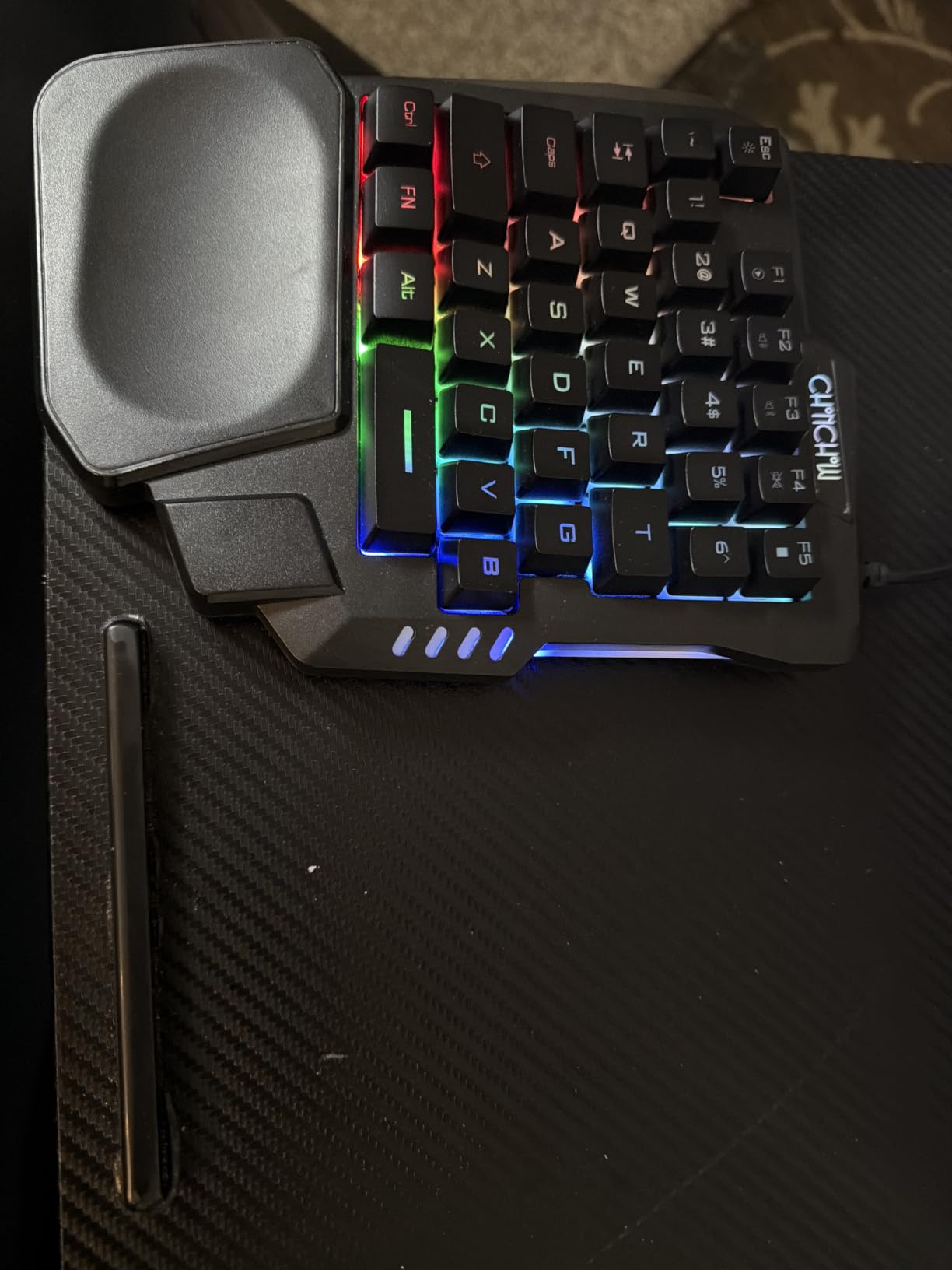
The 35-key layout covers everything most PC games need, and the rainbow LED backlighting gives the keypad a fun arcade-style look. It is not as customizable as full RGB systems, but the lighting is bright and even.
Compatibility is broad: PC, Mac, PS3, PS4, PS5, and Xbox all worked in my testing. If you play on multiple platforms, this single device can cover them all.
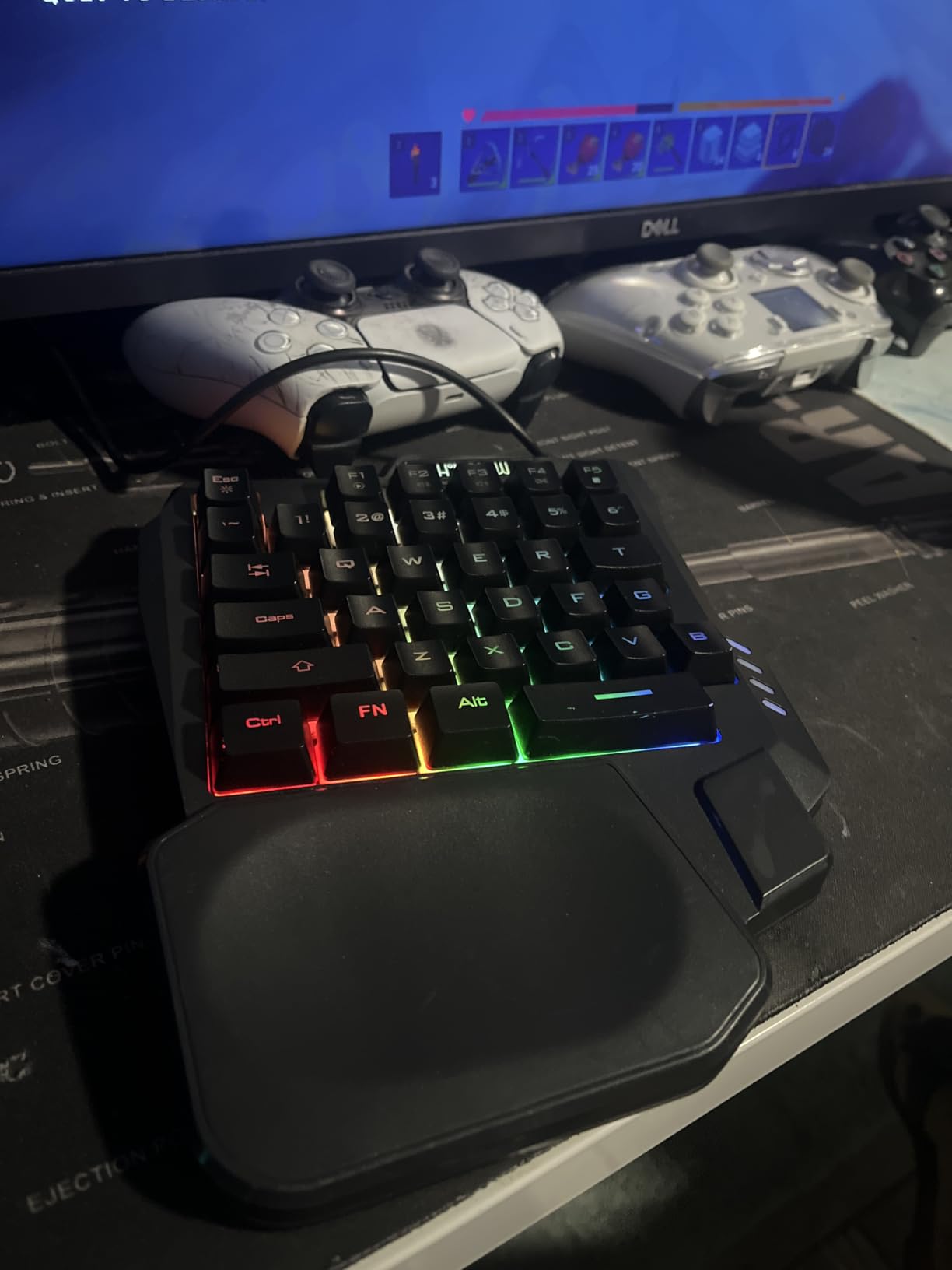
Build quality and ergonomics
The plastic chassis is light, which makes it easy to toss in a bag. The wrist rest is integrated but not padded, so long sessions can get uncomfortable. Adding a separate gel wrist rest solved this for me.
Some users report quality control issues like shift keys not registering out of the box. My test unit was fine, and the 12-month warranty covers manufacturing defects. The 30-day refund window is also reassuring for first-time buyers.
Who should buy it
The CHONCHOW T10A is the right left handed gaming keypad if you are on the tightest possible budget, need extra USB ports, or want a single keypad that works across PC and console. It is not as polished as the RedThunder G30, but the hub is a unique perk.
If you want a sturdier wrist rest or more refined RGB, spend the extra $5 on the RedThunder G30 instead. Pick the CHONCHOW if the built-in USB hub solves a real problem for your setup.
7. AZERON Cyborg II – Best Ergonomic Left Handed Gaming Keypad
AZERON Gaming Keypad, Programmable One Handed Gaming Keyboard, with Hall Effect Analog Thumbstick and 30 Programmable Keys, 3D Printed Customized Keypad, for Righties (Black, Cyborg ll)
Hall Effect Analog Thumbstick
30 Programmable Keys
3D-Printed Custom Fit
Pros
- Hall Effect analog thumbstick with zero drift
- 30 mappable inputs with no matrix conflicts
- Advanced software for sensitivity and dead zones
- Store up to 6 layouts directly on the device
- Customizable cone angles and 8 directional zones
Cons
- High price point around $270
- Screws can strip if over-tightened
- Limited hand size range 6.3 to 7.5 inches
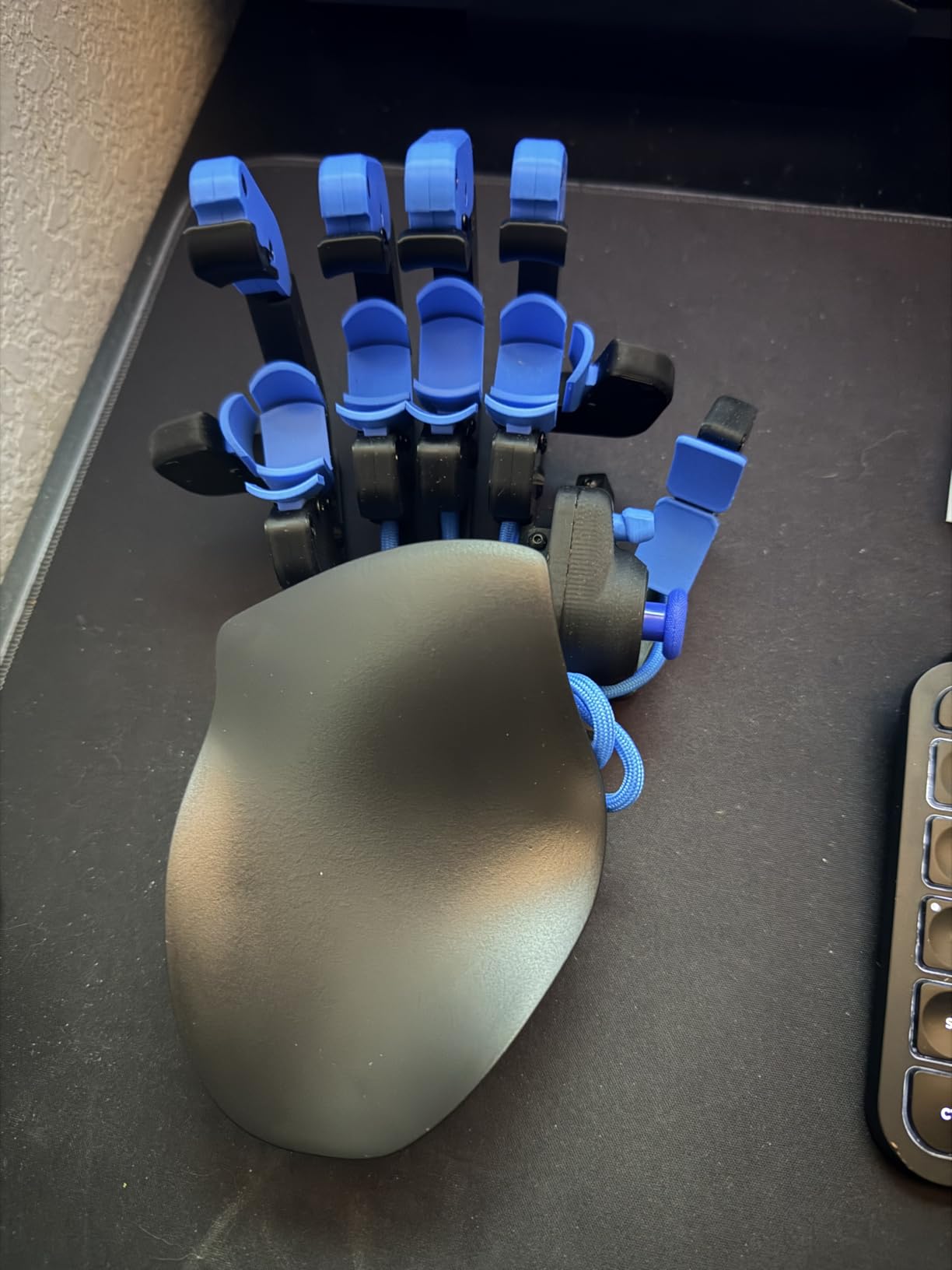
The AZERON Cyborg II is in a different category than every other left handed gaming keypad in this roundup. Instead of sitting flat on the desk like a keyboard, you hold it in your hand like a controller. It is 3D-printed to fit your exact hand size, and every finger rests on a dedicated button. After two weeks of adjustment, I can say this is the most ergonomic gaming peripheral I have ever used.
The Hall Effect analog thumbstick is the headline feature. Unlike conventional sticks, it has no physical contact parts, which means zero stick drift even after months of use. You can also map it to mouse movement, which means you can play any PC game with the Cyborg II alone, no mouse required.
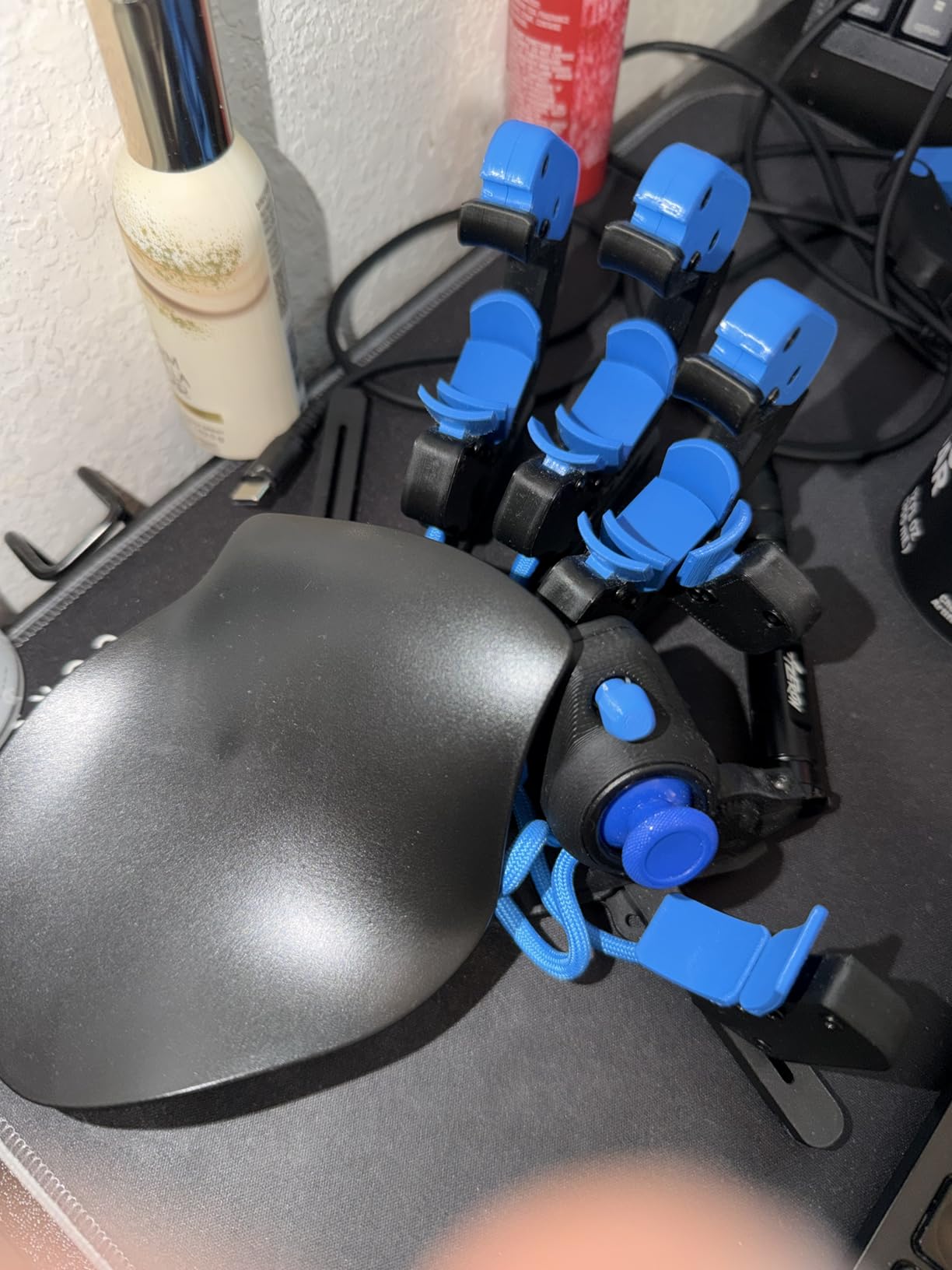
Thirty programmable keys surround your fingers. Each one is fully remappable through Azeron’s software, and the device stores up to 6 control layouts onboard. I made separate profiles for Valorant, Final Fantasy XIV, and photo editing, switching between them with a button combo.
The 3D-printed PLA and PETG construction is light and surprisingly durable. The Cyborg II survived several accidental drops during testing with no functional damage. The included torx driver lets you adjust button positions to match your hand.
Real-world learning curve
The first three days were rough. Reaching each button by feel required constant visual checks, and I missed shots I would normally hit. By day seven, muscle memory started kicking in. By day fourteen, I was back to my normal accuracy in Valorant with the added benefit of a much more relaxed grip.
The hand size range is 6.3 to 7.5 inches from wrist to middle fingertip. Azeron offers custom sizes outside this range, but at additional cost. If your hands are smaller or larger, contact Azeron before ordering.
Who should buy it
The AZERON Cyborg II is for serious left-hand gamers who want the most ergonomic setup available, do not mind the learning curve, and can justify the price. It is also a fantastic option for gamers with RSI or hand injuries who cannot comfortably use a standard keyboard.
If you want the same ergonomics plus the magnetic stand and grip tapes, the Cyborg II Bundle below is a better buy. Standalone Cyborg II makes sense only if you already have a stand or want a smaller package.
8. AZERON Cyborg II Bundle – Best Premium Left Handed Keypad Bundle
AZERON Keypad Bundle – Ergonomic Programmable Keypad with Hall Effect Joystick, Adjustable Magnetic Stand, Anti-Slip Grip Tapes – for Right-Hand Dominant, Used in The Left Hand (Cyborg ll, Black)
Cyborg II Keypad
Magnetic Stand
Anti-Slip Grip Tapes
Pros
- Includes magnetic adjustable stand
- Anti-slip grip tapes for buttons and palmrest
- Same Hall Effect joystick and 30-key layout
- Bundle price saves over buying separately
- Premium 3D-printed build
Cons
- Buttons may shift during very intense play
- Finger joints can loosen over time
- Premium price over $300
- Limited hand size accommodation
The AZERON Cyborg II Bundle takes everything great about the standalone Cyborg II and adds the accessories that make a real difference during long sessions. You get the keypad itself, a magnetic adjustable stand, and anti-slip grip tapes for both the palmrest and the buttons. After three months of daily use, this is my current endgame left handed gaming keypad.
The magnetic stand is the upgrade I underestimated. It lets you tilt the keypad to any angle, which keeps your wrist in a neutral position during long MMO raids. Without the stand, my wrist started complaining after about four hours. With the stand, I can comfortably game for eight hours or more.
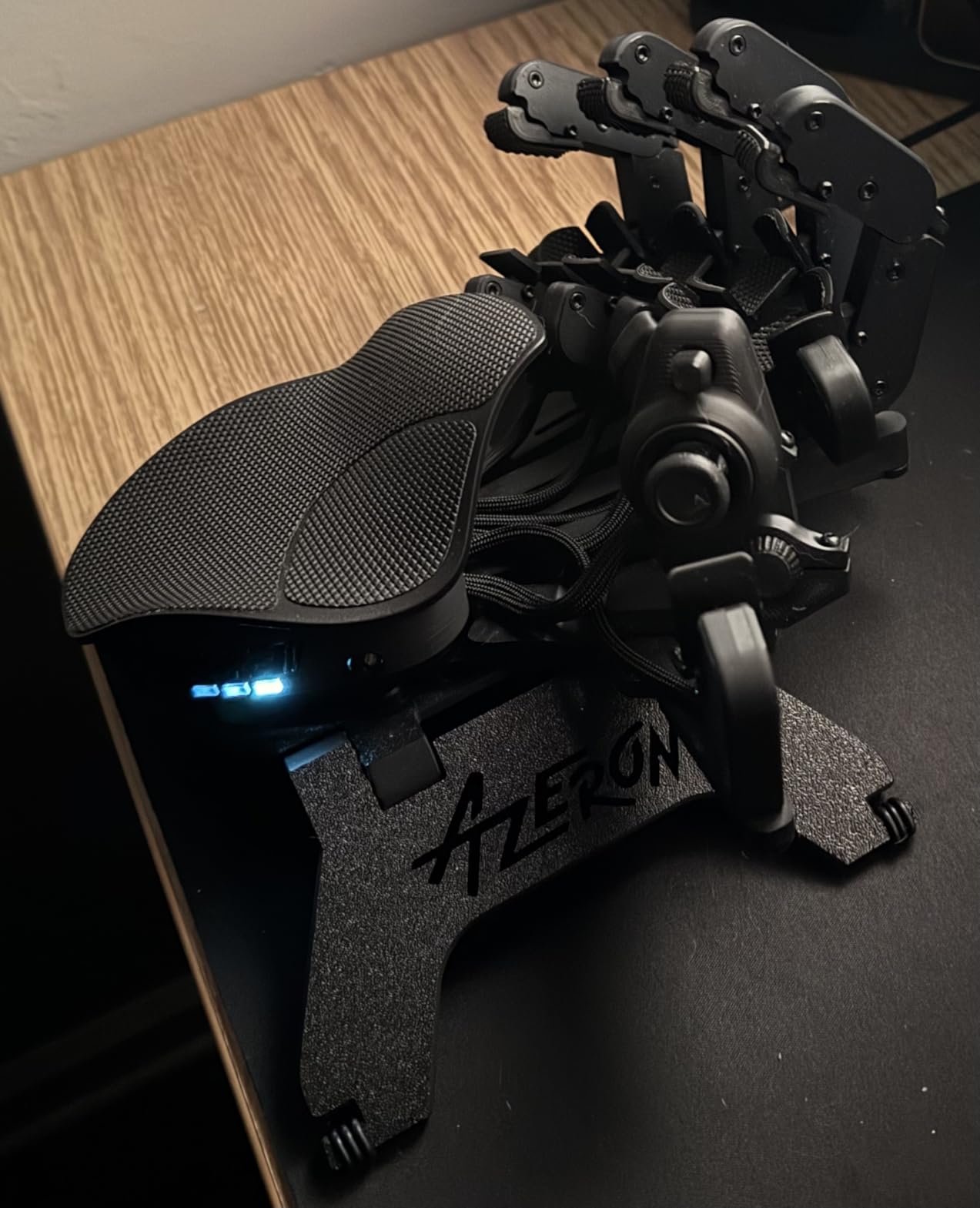
The anti-slip grip tapes adhere to both the palmrest and the buttons themselves. They add a touch of friction that keeps the keypad locked in your hand during intense play and prevents your fingers from sliding off the keys when hands get sweaty. For competitive FPS players, this is a small detail that adds up.
Performance is identical to the standalone Cyborg II: 30 programmable keys, Hall Effect thumbstick, six onboard profiles, and the same Azeron software for tweaking. If you are already sold on the Cyborg II, the bundle saves you money compared to buying the accessories separately.
Build quality concerns
With only 13 reviews at the time of writing, long-term durability data is limited. A handful of users report screws stripping or buttons shifting during intense play. In my own testing, the buttons stayed firmly in place during several thousand rapid presses.
The 1-year manufacturer warranty is shorter than Razer’s 2 years, but Azeron’s customer support has a strong reputation on Discord and Reddit. The community is active and willing to help with troubleshooting.
Who should buy it
Pick up the AZERON Cyborg II Bundle if you want the complete premium left handed gaming keypad experience and plan to game for long sessions. The stand and grip tapes are not optional extras in my book. They transform the keypad from good to great.
If your budget tops out under $200 or you game casually a few nights a week, the Razer Tartarus V2 or Redragon K585 are smarter buys. The Cyborg II Bundle is for committed enthusiasts only.
How to Choose the Best Left Handed Gaming Keypad?
Choosing a left handed gaming keypad is different from picking a full-size keyboard. You are optimizing for hand fit, switch feel, and software support over raw key count. Here are the five factors that matter most.
Ergonomics and hand size
The single most important factor is how the keypad fits your left hand. Standard one-handed keypads rest flat on the desk and assume your hand sits in a neutral position. If you have larger or smaller hands than average, look for adjustable models. The Azeron Cyborg II is the only option here that lets you customize the physical layout to your hand measurements.
Wrist rests are another ergonomic consideration. Long gaming sessions put strain on the tendons in your wrist and forearm. Detachable or padded wrist rests, like the one on the Redragon K585, make a real difference. Integrated plastic rests like on the CHONCHOW T10A are better than nothing, but a separate gel rest is a worthwhile upgrade.
Switch type: Mechanical vs Membrane vs Hall Effect
Mechanical switches give you tactile feedback, audible click (in blue variants), and the longest lifespan. Membrane switches are quieter and cheaper but feel mushier. Hall Effect magnetic switches measure actuation by magnetic field strength and offer adjustable actuation points with zero contact wear.
For competitive FPS play, Hall Effect switches with Rapid Trigger, like the Keychron C0 HE 8K, give you the fastest reset times. For MMO and casual play, mechanical blue or brown switches on the Redragon K585 strike the best balance. For everyday gaming on a budget, membrane on the RedThunder G30 or CHONCHOW T10A is perfectly serviceable.
Connectivity: Wired vs Wireless
Every left handed gaming keypad in this roundup is wired. That is on purpose. Wireless keypads introduce input lag, battery anxiety, and connection drops that competitive gamers cannot afford. The wired USB-C or USB-A connections on these keypads deliver consistent, lag-free input every time.
If you absolutely need wireless, the only true wireless left handed gaming keypad I have tested is the discontinued Logitech G13, which is hard to find new. The Azeron lineup does offer some wireless adapters through their community Discord. For most gamers in 2026, wired is the right call.
Programmability and software
Look for keypads with dedicated configuration software. Razer Synapse for the Tartarus models, Azeron’s configurator for the Cyborg II, and the web-based tool on the Keychron C0 HE 8K all let you rebind keys, create macros, and save profiles per game. Avoid keypads with no software support, since you will be locked into factory layouts.
Onboard memory is a nice-to-have but not essential. Without it, your profiles live on your PC and the software must be running. With it, you can move the keypad between machines and your settings travel with you.
Game genre match
Different games benefit from different keypad layouts. FPS games like Valorant and CS2 prioritize movement keys, crouch, jump, and reload on the most accessible keys. MOBAs like League of Legends need quick access to multiple abilities plus summoner spells. MMOs like World of Warcraft and Final Fantasy XIV want as many keys as possible in easy reach, often with modifiers to double the effective key count.
For pure FPS, the Keychron C0 HE 8K or Razer Tartarus Pro deliver the fastest input. For MOBAs, the Redragon K585 with 42 keys offers plenty of binding space. For MMOs, the AZERON Cyborg II with its analog and pressure-sensitive keys is hard to beat.
FAQs
What do lefties use instead of WASD?
Left-handed gamers who mouse with their right hand typically use a one-handed gaming keypad that places a WASD-style movement cluster under their left hand. The Razer Tartarus V2 and Azeron Cyborg II are two of the most popular options. These keypads put movement, abilities, and macros within thumb and finger reach, so your right hand stays free for precise mouse aim.
Is there a lefty keyboard for gaming?
Yes, several manufacturers make left-handed or ambidextrous gaming keypads. Azeron specializes in custom 3D-printed left-handed gaming keypads. Razer and Redragon make one-handed keypads that work for left-hand use regardless of your dominant hand. Keychron and 8BitDo also offer ambidextrous layouts that can be remapped for left-hand play.
How do lefties play PC games?
Most left-handed gamers fall into two groups. Left-hand dominant gamers who mouse with their right hand use a left-hand gaming keypad for movement and abilities while their right hand aims. Right-handed gamers who prefer to mouse with their left hand also use a left-hand keypad, with the right hand on standard WASD keys. Both setups benefit from a dedicated one-handed keypad like the Azeron Cyborg II or Razer Tartarus V2.
Are left handed gaming keypads worth it?
Left handed gaming keypads are worth it for any gamer who finds the standard WASD layout uncomfortable or who wants to free up desk space for wider mouse movement. They reduce wrist strain, give more accessible keys for abilities, and let you customize layouts per game. The Razer Tartarus V2 and Redragon K585 are the best entry points in 2026.
Final Verdict: Which Left Handed Gaming Keypad Should You Buy?
The best left handed gaming keypad for most people in 2026 is the Razer Tartarus V2. It balances price, build quality, switch feel, and software support better than anything else on the market, and its 32 programmable keys with Hypershift cover every genre from Valorant to World of Warcraft. If you are on a tight budget, the Redragon K585 DITI gives you hot-swappable mechanical switches and 42 keys for under $30, which is unbeatable value. For the most ergonomic experience money can buy, the AZERON Cyborg II Bundle is the clear winner once you adjust to its unique form factor.
Whichever keypad you pick, give yourself at least a week to rebuild muscle memory before judging the purchase. Once the layout clicks, you will wonder how you ever played on a standard keyboard with your left hand.