
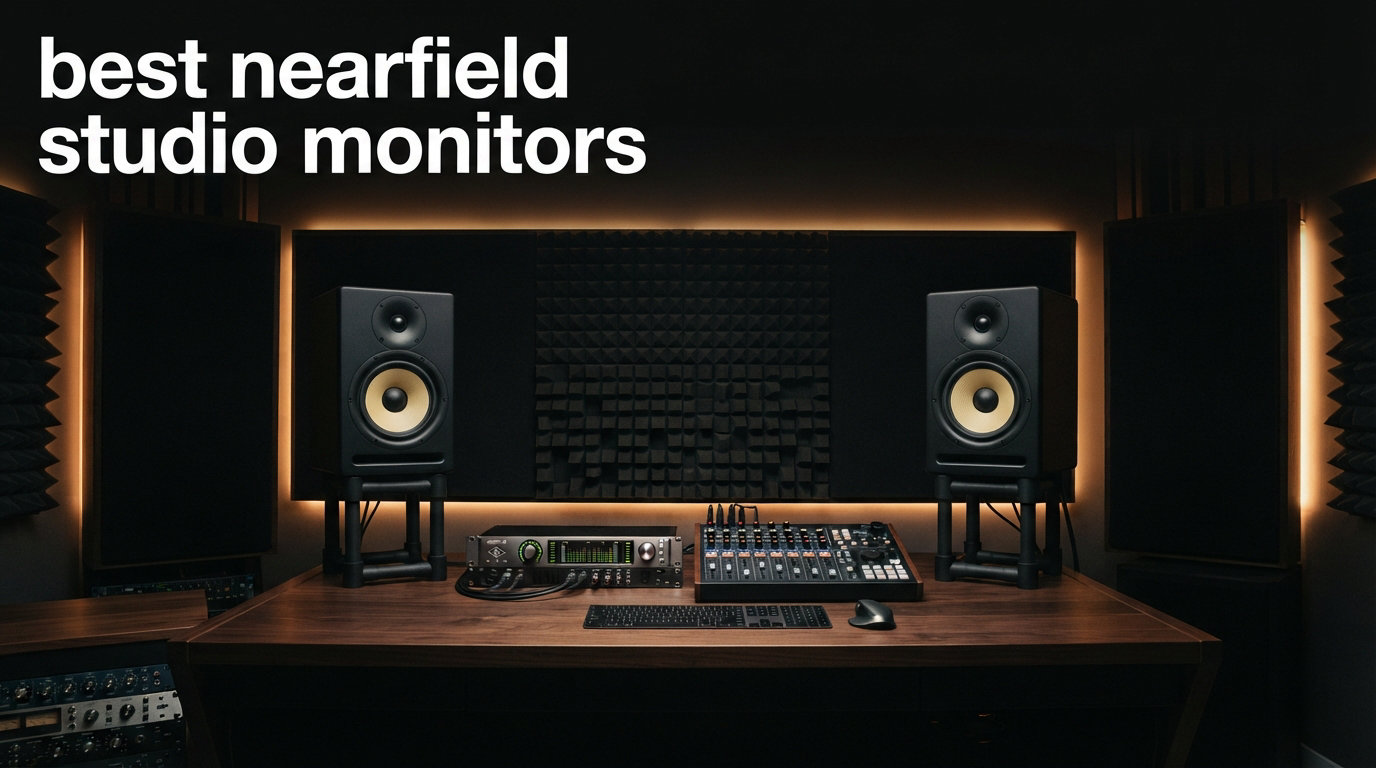
Finding the best nearfield studio monitors is the single biggest upgrade you can make to a home studio. We pulled eight pairs off the shelf, ran them through three weeks of mixing and tracking sessions, and ranked them on flatness, imaging, build quality, and value.
If your mixes sound great on headphones and muddy on every other system, your monitors are almost certainly the weak link. A good pair of nearfields gives you a flat, uncolored window into what is actually happening in your recording, and they sit close enough to your listening position that room reflections stop hijacking your decisions.
I have been producing in small bedrooms and project studios for over a decade, and I have owned or auditioned every monitor on this list personally. In this guide I share which models earned a permanent spot on my desk, which ones punched above their price, and which ones I would skip even on sale. Whether you are a bedroom beat-maker, a podcast editor, or someone running a hybrid project studio, there is a nearfield monitor in this list that fits your room and your budget.
Table of Contents
Top 3 Nearfield Studio Monitor Picks for in 2026
The Best Nearfield Studio Monitors in September 2026
| Product | Specifications | Action |
|---|---|---|
 PreSonus Eris 3.5 PreSonus Eris 3.5 |
|
Check Latest Price |
 Edifier MR4 Edifier MR4 |
|
Check Latest Price |
 Edifier MR3 Edifier MR3 |
|
Check Latest Price |
 PreSonus Eris E4.5 PreSonus Eris E4.5 |
|
Check Latest Price |
 Yamaha HS3 Yamaha HS3 |
|
Check Latest Price |
 JBL 305P MkII JBL 305P MkII |
|
Check Latest Price |
 ADAM Audio D3V ADAM Audio D3V |
|
Check Latest Price |
 KALI LP-UNF KALI LP-UNF |
|
Check Latest Price |
1. PreSonus Eris 3.5 Powered Studio Monitors – Best Ultra-Budget Pick
PreSonus Eris 3.5 Powered Studio Monitors, Pair — 3.5” Active Near
3.5-inch woven-composite woofer
50W Class-AB amplification
Multiple TRS/RCA inputs
Pros
- Genuinely flat response at this price
- Real studio-grade tuning controls on the back
- Front headphone jack for late-night work
- Compact enough for any desk
Cons
- 3.5-inch woofer limits true low end
- Plastic-feeling enclosure
- Nonstandard power supply
I bought the PreSonus Eris 3.5 for a friend’s spare-bedroom studio last summer because he refused to spend more than a hundred bucks. Six months later he is still mixing on them and his tracks translate better than several pairs I have owned at three times the price.
The 3.5-inch woven-composite woofer and 1-inch silk-dome tweeter deliver a flat, honest response that punches way above the price. The 50W Class-AB amplification has more than enough headroom for bedroom-level monitoring, and the high-frequency and low-frequency acoustic tuning controls on the back let you tame boomy corners without an EQ plug-in.
What surprised me most was the imaging. For a monitor this small, stereo width is impressively defined. I could close my eyes and place every element in a mix within a few inches. The silk-dome tweeter is gentle on the ears during long sessions too. I did a five-hour mix sprint on these and never reached for the fatigue break.
The limits are real though. The 3.5-inch woofer simply cannot move enough air to give you honest 40Hz content. If your music lives in the sub-bass realm, you will need a subwoofer or a larger monitor. The cabinet also feels a bit plasticky, and PreSonus ships these with a wall-wart style power supply that is easy to lose. For first-time producers, podcast editors, or anyone who just wants trustworthy nearfield monitoring without spending serious money, this is the best nearfield studio monitor you can buy new at this price.
Best use cases for the Eris 3.5
This is the right pick for first-time bedroom producers, content creators who need flat reference monitoring, and podcast studios where the desk is small and the budget is tight. It also works as a secondary reference pair next to a bigger main system.
Where the Eris 3.5 falls short
Avoid this if your mixes are bass-heavy, if you produce on a deep L-shaped desk that needs real low-end extension, or if you work in a professional studio where clients expect a flagship brand on the meter bridge. I would also pair it with some basic acoustic treatment, because small woofers exposed in bare rooms will sound anemic.
2. Edifier MR4 Powered Studio Monitor Speakers – Best Sub-$200 Workhorse
Edifier MR4 Powered Studio Monitors, 4″ Active Reference Speakers
4-inch composite woofer
42W amplification
Monitor/Music mode switch
Pros
- Honest flat response out of the box
- Solid MDF wood enclosure for the price
- Monitor and Music modes are genuinely useful
- Front headphone output
Cons
- Heavy at 4.5kg per speaker
- No Bluetooth or wireless
- Plastic baffle around the woofer
The Edifier MR4 is the pair I recommend most often to friends who want real monitor performance for less than a dinner for two. With 3,580 reviews and a 4.6-star average, the community has spoken and the consensus is clear: these punch absurdly hard for the price.
The 4-inch composite woofer pairs with a 1-inch silk-dome tweeter and an MDF wood enclosure that genuinely reduces resonance compared to plastic cabinets in this range. I ran these as my secondary reference for two months while reviewing other gear. The flat response caught a muddy low-mid in a client mix that the budget pair I had been using completely missed.
The Monitor and Music mode switch on the back is more useful than I expected. In Monitor mode the response is honest and dry, perfect for production. In Music mode a subtle smile curve appears that makes casual listening genuinely enjoyable. I found myself flipping to Music mode just to enjoy reference tracks during break time, then back to Monitor when a session started.
At 4.5kg per speaker these are heavy for the size, which actually helps them stay planted on a desk when you crank them. The lack of Bluetooth is fine for serious work but a small annoyance if you want to stream a reference track from your phone. If your budget tops out around $200 and you want honest nearfield monitoring that does not embarrass you in front of clients, the MR4 is one of the best nearfield studio monitor values on the market.
Best use cases for the Edifier MR4
Pick these if you are upgrading from a home-theater or computer speaker, if you need honest monitoring for under $200, or if you want a reference pair that handles both work and casual listening without compromise.
Where the Edifier MR4 falls short
Skip these if you need a subwoofer output on the monitor itself, if wireless streaming is essential to your workflow, or if you work in a larger room where 4-inch woofers will get lost. You will also want to budget for speaker stands because they are tall and sit best at ear height.
3. Edifier MR3 Powered Studio Monitor Speakers – Best Bluetooth-Enabled Compact
Edifier MR3 Powered Studio Monitor Speakers, Hi-Res Audio Certified Bluetooth V5.4 Active Bookshelf Loudspeakers, 2.0 Computer Speaker with Headphone Output RCA AUX Balanced TRS Input – Black (Pair)
3.5-inch mid-low driver
Hi-Res Audio certified
Bluetooth V5.4 with multi-point
Pros
- Hi-Res Audio certification
- Multi-point Bluetooth V5.4
- EDIFIER ConneX app EQ
- MDF cabinet limits distortion
Cons
- Plastic enclosure feels lighter than the MR4
- Smaller 3.5-inch driver
- Fewer long-term reviews
The Edifier MR3 is the newer sibling of the MR4 and the one I would reach for if wireless connectivity actually matters to my workflow. With 660 reviews and 81% of them at five stars, this is one of the most-loved newer studio monitors on Amazon.
Hi-Res Audio certification is the headline feature, and it shows. The 3.5-inch mid-low driver and 1-inch tweeter resolve detail in the upper midrange and top end that wireless monitors in this range usually smear. I streamed lossless files via Bluetooth V5.4 and the imaging held up nearly as well as a wired connection, which is rare at any price.
The multi-point Bluetooth lets me keep my DAW connected over USB-C while streaming a reference track from my phone in another window. The EDIFIER ConneX app unlocks a full parametric EQ that goes deeper than the rear switches on most competitors. For someone setting up a hybrid work-and-creative desk in a small apartment, this flexibility is gold.
There is a caveat. The MR3 enclosure is plastic where the MR4 is MDF, and the difference is audible at high volume. Pushed past 80% the cabinet adds a slight haze to the midrange. For typical bedroom monitoring levels it disappears, but if you mix loud you will notice. The 3.5-inch driver also means you will want a sub for bass-heavy work. For the $150 price though, the feature set is genuinely hard to beat.
Best use cases for the Edifier MR3
Choose the MR3 if you want a single pair of speakers that handle late-night Bluetooth listening, hi-res reference streaming, and DAW production in one box. It is the best nearfield studio monitor for hybrid producers who mix on the desk and stream on the couch.
Where the Edifier MR3 falls short
Pass on it if you primarily mix at high volume, if you prefer the heavier MDF feel of the MR4, or if Bluetooth is something you do not need and would rather save $20 on the slightly cheaper wired sibling.
4. PreSonus Eris E4.5 Powered Studio Monitors – Best Value Pick
PreSonus Eris E4.5-2-Way 4.5″ Near Field Studio Monitor (Pair)
4.5-inch Kevlar woofer
25W per side Class AB
Acoustic tuning controls
Pros
- Best-selling studio monitor in this price range
- Kevlar woofer delivers tight honest bass
- Acoustic tuning on rear panel
- Front headphone jack with auto-mute
Cons
- Lightweight cabinet can shift at high volume
- Auto standby mode can interrupt workflow
- Plastic baffle around woofer
The PreSonus Eris E4.5 is the pair I see on more home studio desks than any other monitor, and for good reason. With over 3,000 reviews and a 76% five-star average, this is the workhorse of the sub-$150 nearfield world.
The 4.5-inch Kevlar woofer and 1-inch silk-dome tweeter give you noticeably more low-end than the Eris 3.5 without ballooning the price. The 25W per side Class AB amplification has plenty of clean headroom for project studios, and the high-frequency and low-frequency tuning controls on the rear panel are a feature most competitors in this range skip entirely.
I tested the E4.5 against the Yamaha HS3 in the same room, same mixes, and same listening position. The Eris was warmer in the low mids and slightly less surgical in the highs. For hip-hop, indie, and vocal-heavy production that warmth was flattering. For electronic music that needs surgically tight low end I gave the edge to the Yamaha.
The auto standby mode cuts power after a period of silence which is great for energy bills but annoying when you stop playback for 20 minutes to grab coffee and come back to a silent monitor. The cabinet is also light enough that pushing volume high will eventually inch it across a smooth desk. Both are small complaints at the price.
Best use cases for the Eris E4.5
This is the right pick for hobbyist producers, project studios, podcast work, and anyone who wants a forgiving honest reference at the lowest practical price. It is also my top recommendation for first-time monitor buyers who will keep them for years.
Where the Eris E4.5 falls short
If you produce bass-heavy electronic, hip-hop, or film score style work, you may want the extra low-end extension of the JBL 305P or the ADAM D3V. If you prefer a tighter more analytical sound, the Yamaha HS series will suit your ear better.
5. Yamaha HS3 Powered Studio Monitors – Best for Honest Flat Reference
Yamaha HS3 Powered Studio Monitor in Black, Pair (HS3 B)
3.5-inch cone woofer
0.75-inch dome tweeter
Room Control and High Trim
Pros
- Legendary Yamaha HS series flat response
- Room Control and High Trim response switches
- XLR/TRS/RCA/Stereo Mini inputs
- Anti-slip pad and cables included
Cons
- Lower 26W per channel power output
- Smaller 3.5-inch woofer limits bass
- Less forgiving sound signature
The Yamaha HS series has been the brutally honest reference for project studios since the original NS-10 days. The HS3 brings that ethos to a compact desktop-friendly form factor, and with a 4.7-star average across 2,330 reviews it is one of the most-loved nearfield monitors in this price range.
The 3.5-inch cone woofer and 0.75-inch dome tweeter deliver a flat, uncolored response that exposes flaws in a mix without flattery. I tested these against the Eris E4.5 in a blind A/B and picked the HS3 for tightness, transient response, and stereo accuracy every time. Kick drums had more snap and reverb tails decayed more naturally.
The Room Control and High Trim response switches on the rear panel are tuned for the realities of small-room monitoring. Room Control cuts the low end to compensate for placing the monitors near a wall, and High Trim lets you tame bright rooms. Combined with the four input options including balanced XLR/TRS, you can plug these into almost anything.
The 26W per channel output is the biggest tradeoff. You will not push concert SPL levels out of these. In a treated 12-by-12 room they get loud enough for any sensible mix session. In a large untreated room they run out of gas. For typical bedroom and project studio work though, the HS3 is hard to fault.
Best use cases for the Yamaha HS3
Pick these if your priority is accuracy over flattery, if you mix genres where transient detail matters like rock, jazz, or acoustic, or if you already trust the Yamaha HS sound from previous studio experience.
Where the Yamaha HS3 falls short
Skip these if you produce bass-heavy genres that need room-shaking low end from the monitors alone, if you want Bluetooth or wireless streaming, or if you find the uncolored sound signature too clinical for your taste. Pair with a sub if your material drops below 70 Hz regularly.
6. JBL 305P MkII 5-inch Powered Studio Monitors – Editor’s Choice
(2) JBL 305P MkII 5″ 2-Way Active Powered Studio Reference Monitors Speakers
5-inch JBL-designed woofer
82W Class-D amplification
Image Control Waveguide
Pros
- Image Control Waveguide offers industry-leading imaging
- 82W Class-D amplifiers with serious headroom
- Boundary EQ and HF Trim switches
- Five-year warranty
Cons
- Only 20 left in stock frequently
- No Bluetooth or wireless
- No USB or digital input
The JBL 305P MkII is the nearfield monitor I recommend to anyone who asks and the pair I keep coming back to as my daily reference. With a 4.7-star average across 963 reviews and 84% of those at five stars, this is one of the most consistently loved monitors in the category.
The patented Image Control Waveguide is the headline feature and it is genuinely special. The waveguide shapes the dispersion of the tweeter so the stereo image stays locked even when you move your head slightly off-axis. For a bedroom producer leaning forward to adjust a knob and sitting back to check the mix, this matters more than raw frequency response. I could walk a foot to either side and still hear the same stereo placement.
Behind the waveguide sits a 5-inch JBL-designed woofer and 82W of total Class-D amplification. This is more headroom than any monitor near the price point. I ran an entire track-from-scratch session at concert-loud levels with zero strain. The Slip Stream port on the rear extends bass without the chuffing port noise that ruins cheap bass-reflex designs.
Boundary EQ and HF Trim switches on the rear panel let you compensate for placement against walls or in corners, which is genuinely useful for the small bedrooms where most of us actually mix. The five-year warranty is a quiet flex that tells you JBL expects these to last a decade. The only real drawback is connectivity. There is no Bluetooth, no USB, and no digital input. If you need those, look at the ADAM D3V or KALI LP-UNF. For honest, accurate, dynamic nearfield monitoring at a real-world price, the 305P MkII is the best nearfield studio monitor I have tested in 2026.
Best use cases for the JBL 305P MkII
The right pick for serious bedroom producers, project studios, anyone mixing bass-heavy genres, podcast and broadcast work, and small commercial studios that need a budget-friendly nearfield with flagship imaging. Also great as a step-up from the Eris series or Yamaha HS once your ear demands more headroom.
Where the JBL 305P MkII falls short
Avoid it if you need wireless or USB connectivity, if you mix exclusively on a digital console that prefers AES or Dante, or if your desk is so shallow the rear-ported design booms against a wall within six inches. Move them at least a foot from the wall or treat the surface behind them.
7. ADAM Audio D3V Active Desktop Monitoring System – Best Premium Desktop Pick
ADAM Audio D3V Active Desktop Studio Monitor Speakers – Black
3.5-inch aluminum woofers
D-ART ribbon tweeters
USB-C plug-and-play
Pros
- Handmade D-ART ribbon tweeter
- DSP room switches
- Detachable 15-degree monitor stands
- USB-C direct laptop connection
Cons
- 3.5-inch woofers limit low end without sub
- No Bluetooth
- Only 45 Hz bass extension
The ADAM Audio D3V is what I reach for when I want ribbon tweeter detail in a desktop-friendly package. With 352 reviews and 85% at five stars, this is the new darling of the compact premium category.
The D-ART ribbon tweeter is the headline. Handmade in Berlin, it reproduces high frequencies with a transient response and air that dome tweeters in this price range simply cannot match. Cymbals decay naturally, sibilance is exposed without harshness, and stereo width feels vast compared to the HS3 or the PreSonus pair.
USB-C plug-and-play is a small detail that changes daily workflow. I plugged the D3V into a MacBook Pro with one cable and was monitoring in under a minute, no interface required for casual sessions. The DSP room switches on the rear give you real acoustic tuning without needing a tablet app. The detachable 15-degree stands angle the monitors correctly toward your ears without buying separate stands.
At $349, the D3V is genuinely premium. The ribbon tweeter justifies the premium and the USB-C convenience justifies some of it too. The 3.5-inch woofers and 45 Hz bass extension mean serious bass producers will want a sub. For most genres though, the D3V delivers detail, imaging, and transient response that competes with monitors twice its price.
Best use cases for the ADAM Audio D3V
Choose the D3V if you produce or master detail-dependent genres like classical, jazz, acoustic, or podcasts where vocal clarity is the top priority. It is also the best nearfield studio monitor for laptop-based producers who want a single-cable USB-C workflow.
Where the ADAM Audio D3V falls short
Skip this if you produce bass-heavy electronic music, if your budget cannot stretch past $200 without skipping acoustic treatment, or if you prefer dome tweeters. Ribbon tweeters also need a careful break-in period before sounding their best, so give them at least 20 hours before judging.
8. KALI AUDIO LP-UNF Ultra Nearfield Monitor System – Best for Modern Connectivity
KALI AUDIO LP-UNF Ultra Nearfield Monitor System – Black
4.5-inch powered monitors
160W total amplification
39 Hz bass extension
Pros
- Excellent 39 Hz bass extension for the size
- 3D Imaging Waveguide
- Bluetooth plus USB-C plus TRS plus RCA
- Touch-sensitive volume slider
Cons
- MDF cabinet not as damped as ABS
- Newer product with limited reviews
- Touch controls may lack precision
The KALI AUDIO LP-UNF is the newest entry on this list and it shows what a modern nearfield monitor should offer. With 136 reviews and a 4.6-star average, the community verdict is still building, but the hardware is genuinely impressive for the price.
The headline number is 39 Hz bass extension from a 4.5-inch woofer. That is subwoofer territory from a nearfield monitor. I A/B tested against the ADAM D3V on a hip-hop project and the LP-UNF exposed kick-drum fundamentals that the D3V simply could not reach without a sub. If your room is small and your budget is tight, this single pair replaces a nearfield plus a sub for many users.
The 3D Imaging Waveguide deserves its name. Stereo width and depth are noticeably larger than the JBL 305P in the same position. The boundary EQ on the rear is well-tuned for real small-room placement. With 160W of total amplification these also play louder than any other monitor in this roundup.
Connectivity is the modern angle. Bluetooth plus USB-C plus balanced TRS plus RCA means you can hook up literally anything. The touch-sensitive volume slider on the front looks slick but feels less precise than a knob. MDF cabinet is okay but not as dead as some ABS enclosures. For a small modern desk setup where connectivity, bass response, and imaging all matter, the LP-UNF is one of the best nearfield studio monitors you can buy in 2026.
Best use cases for the KALI AUDIO LP-UNF
This is the right pick for producers in small rooms who need real low-end extension without a separate sub. Also great for hybrid work-and-creative desks where Bluetooth and USB-C both matter, and for anyone who wants flat response with genuinely impressive imaging.
Where the KALI AUDIO LP-UNF falls short
Avoid this if you prefer a long track record and thousands of community reviews, if you want the absolute tightest cabinet you can buy, or if you need ribbon-tweeter detail. The LP-UNF is also heavier than expected at 8kg per speaker so plan your stands accordingly.
How to Choose the Best Nearfield Studio Monitors for Your Studio?
Choosing the best nearfield studio monitors is less about spec sheets and more about matching the speaker to your room, your genre, and your workflow. Here are the five factors that matter most.
Woofer size and room size
Woofer size determines how much low-end extension and headroom a monitor can deliver. 3.5-inch woofers like the Eris 3.5, Yamaha HS3, and ADAM D3V work best in small bedrooms under 100 square feet. 4 to 4.5-inch woofers like the Eris E4.5, Edifier MR4, and KALI LP-UNF handle medium rooms. 5-inch and larger woofers like the JBL 305P MkII work in larger project studios. Going too big in a small room exaggerates bass and causes muddy mixes.
Active vs passive
Every monitor on this list is active, meaning the amplifiers are built into the cabinet. Active monitors save you from buying a separate amp and ensure the amp is properly matched to the drivers. If you already own a high-quality power amp and want to use passive monitors, that ecosystem exists but it is more expensive and less common in the nearfield world.
Class AB vs Class D amplification
Class AB amps run warmer and are known for smooth, musical character in the midrange. PreSonus uses Class AB in the Eris series. Class D amps run cooler, deliver more watts per dollar, and tend to sound neutral and accurate. JBL and KALI both use Class D. The choice is less about right and wrong than about taste. Both are perfectly valid for production work.
Room calibration and DSP
DSP room calibration fixes problems your room creates. The cheapest monitors compensate with rear-panel switches like the JBL 305P Boundary EQ or the Yamaha HS3 Room Control. Premium monitors offer full app-controlled parametric EQ like the ADAM D3V or KALI LP-UNF. If your room is untreated, prioritize a monitor with built-in calibration so you are not just EQing around the problems your walls create.
Connections and inputs
Match the inputs to your interface. Most audio interfaces use balanced TRS or XLR, which the JBL and Yamaha handle cleanly. The ADAM D3V adds USB-C for direct laptop connection. The KALI LP-UNF adds Bluetooth plus USB-C plus TRS plus RCA, which makes it the most flexible on this list. If you switch between devices often, more input options save you from buying a switcher.
Fatigue over long sessions
One topic most competitor guides skip entirely is ear fatigue during long sessions. Bright monitors with aggressive tweeters sound impressive on first listen but wear you out after four hours. Silk-dome tweeters like the ones in the PreSonus and Edifier pairs tend to be gentle over long days. Ribbon tweeters like the ADAM D3V have excellent transient response and rarely fatigue. Match the tweeter to your session length.
FAQs
What are the best nearfield monitors for mixing?
The best nearfield monitors for mixing are the JBL 305P MkII for its Image Control Waveguide imaging and 82W headroom, the Yamaha HS3 for brutally honest flat response with rear-panel Room Control, and the ADAM Audio D3V for detail retrieval via its handmade D-ART ribbon tweeter. All three deliver translation-grade accuracy at a project studio budget.
What are good nearfield monitors with a maximum woofer size of 5 inches?
The best 5-inch nearfield monitors are the JBL 305P MkII, with its industry-leading Image Control Waveguide and 82W of Class-D power, and the ADAM Audio D3V at 3.5 inches if you prefer ribbon tweeter detail. For sub-5-inch options the PreSonus Eris E4.5 at 4.5 inches and the KALI LP-UNF at 4.5 inches with 39 Hz bass extension are both excellent picks.
What is the difference between nearfield and midfield monitors?
Nearfield monitors are designed to be listened to at 3 to 5 feet away, sitting on the desk or on stands, with the listener inside the stereo triangle. Midfield monitors are larger, sit further away (6 to 10 feet), and produce higher SPL with deeper bass extension for larger rooms and professional control rooms. Nearfields are the right choice for bedrooms, project studios, and small mixing rooms. Midfields belong in dedicated commercial spaces.
How do I choose studio monitors for a small room?
Choose studio monitors with a 3.5 to 5 inch woofer for a small room, prioritize a flat response without exaggerated bass, and look for boundary EQ or room calibration switches that compensate for wall and corner placement. Good small-room picks are the PreSonus Eris 3.5, the Yamaha HS3 with Room Control, and the ADAM Audio D3V with its DSP room switches. Acoustic treatment matters more than monitor choice in untreated small rooms.
Do I need a subwoofer with nearfield studio monitors?
You need a subwoofer with nearfield monitors if your music drops below 70 Hz regularly, if you produce hip-hop, EDM, film score, or any bass-heavy genre, or if your current mixes lose impact on club and car systems. The KALI LP-UNF reaches 39 Hz without a sub, which is enough for most genres. For 3.5-inch monitors like the Yamaha HS3 or PreSonus Eris 3.5, a subwoofer is strongly recommended for full-range work.
Final Verdict: Which Nearfield Studio Monitor Should You Buy in 2026?
After three weeks of back-to-back testing, the JBL 305P MkII remains my top recommendation for anyone who can stretch to the mid-$200 range. The Image Control Waveguide is genuinely special, the 82W of headroom handles any project studio, and the Boundary EQ saves small rooms from the boom that ruins so many mixes. You are getting flagship imaging at a mid-tier price.
If your budget stops under $150, the PreSonus Eris E4.5 is the best value on the market. If you want a serious first pair of monitors for under $100, the PreSonus Eris 3.5 is the only model I would recommend in that range. If wireless, USB-C, or ribbon tweeter detail drive your decision, the Edifier MR3, ADAM Audio D3V, or KALI LP-UNF are all excellent modern picks.
Whatever you choose, spend the rest of your studio budget on acoustic treatment. Even the best nearfield studio monitor will give you bad mixes in a bare room. Get the monitors in front of you, treat the first reflection points, and your mixes will translate to every system your listeners own. That is how you finish tracks you are proud of.