
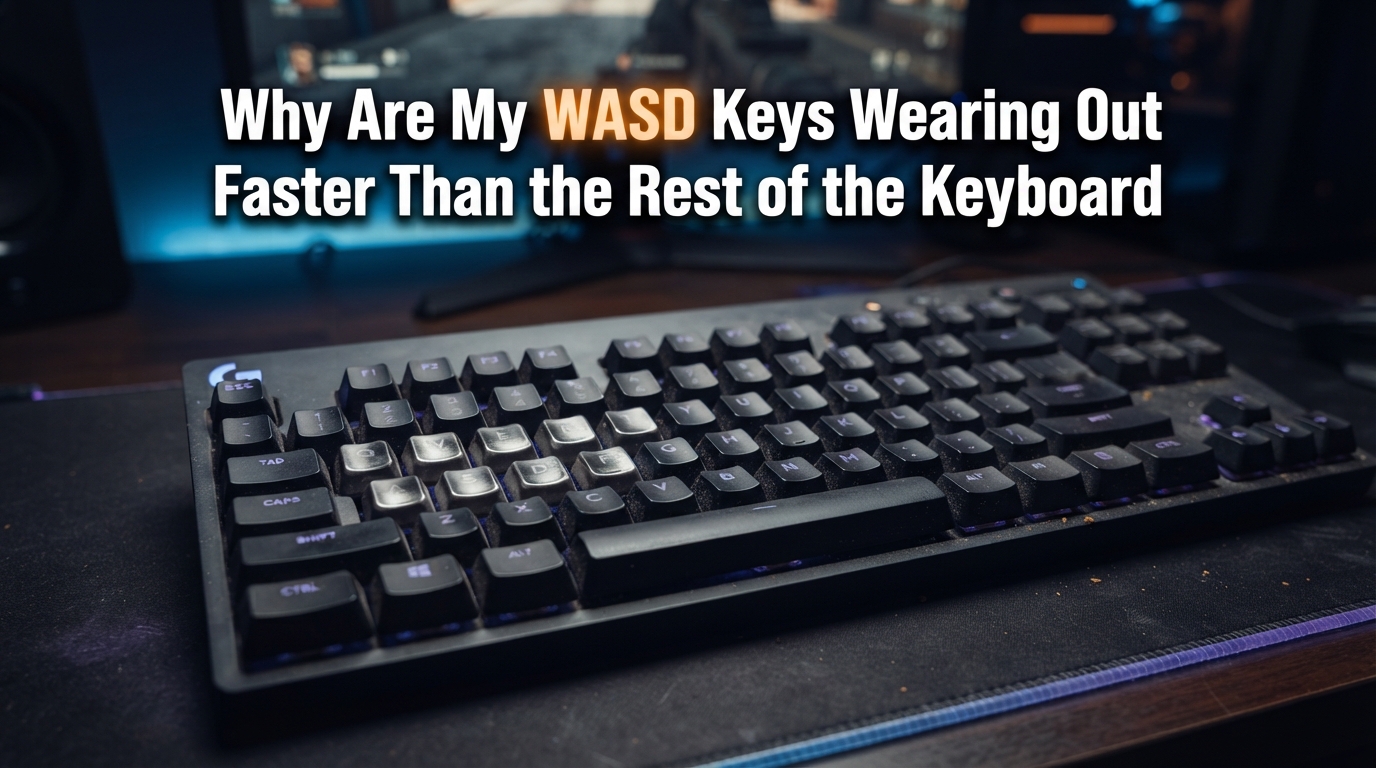
If you’ve noticed your WASD keys looking shinier, smoother, or more faded than every other key on your keyboard, you’re not imagining things. WASD keys wearing out faster than the rest of the keyboard is one of the most common frustrations among PC gamers, and there’s real physics and material science behind it.
I first noticed the problem myself about eight months into daily gaming sessions. My W key had developed a glossy patch where my index finger rested during long matches. The A and D keys were starting to show the same shine. Meanwhile, letters like Q, Z, and even the much-maligned Caps Lock still looked brand new.
After digging into the mechanics, keycap materials, and gaming habits that cause this wear, I realized the issue is both unavoidable and preventable. Let me walk you through exactly why your WASD keys deteriorate faster, what you can do about it, and how to keep your keyboard looking fresh.
Table of Contents
Why Your WASD Keys Wear Out Faster Than Other Keys
WASD keys wear out faster because they receive a disproportionate share of physical contact during gaming sessions. These four keys handle your movement, which means your fingers rest on them, slide across them, and tap them thousands of times per hour while playing.
Here’s the core breakdown: in a typical FPS gaming session, your left hand stays anchored on WASD almost continuously. The W key alone can see 3,000 to 5,000 presses per hour during intense gameplay. The S key gets additional wear from typing (more on that later). And your fingers don’t just tap these keys; they slide, rest, and drag across the surface.
Compare that to letters like Q, X, or Y, which might see a few dozen presses in the same hour. The sheer volume of contact, combined with the sliding friction of fingers resting in place, creates concentrated wear on those four keys specifically.
The result is what the community calls “shiny keys syndrome.” The legends fade, the surface becomes slick, and eventually the plastic itself starts to break down. One Reddit user reported their WASD keys becoming visibly perforated in just six months of regular gaming.
The Science Behind WASD Keys Wearing Out: Friction and Materials
The wear on your WASD keys happens through three main mechanisms: mechanical friction, oil absorption, and UV degradation. Each one contributes differently depending on your keyboard type and usage patterns.
Mechanical friction is the primary culprit. Every time your finger touches a keycap, microscopic abrasion occurs. The skin on your fingers isn’t smooth at a microscopic level; it has ridges and oils that act like fine sandpaper over time. When you tap a key, the contact is brief. But when you rest your fingers on WASD between actions (which gamers do constantly), the friction compounds significantly.
Oil and sweat absorption accelerates the visible wear. Skin oils seep into the plastic over time, and on keys that get constant contact, this oil builds up faster. The oils don’t just sit on the surface; they penetrate into the material, especially in lower-quality keycap plastics.
UV degradation affects keys with backlighting. Backlit keyboards often use clear or translucent plastic layers with printed legends. Constant exposure to the LED light underneath, combined with any ambient UV light, can degrade the printed lettering faster on keys that are pressed more often (because the contact exposes fresh plastic to the light source).
The keycap material itself plays a huge role. Most budget and mid-range keyboards use ABS (Acrylonitrile Butadiene Styrene) plastic, which is softer and more prone to shine development. Higher-end boards often use PBT (Polybutylene Terephthalate), which is denser and resists shine much better.
Gaming Habits That Accelerate WASD Key Wear
Not all gaming styles affect your keys equally. Certain habits create significantly more wear than others, and understanding them can help you adjust if preservation matters to you.
Claw grip and fingertip grip styles keep your fingers raised above the keys most of the time, reducing surface contact. But palm grip users often rest their fingertips directly on the WASD keys between movements, creating constant low-pressure contact that polishes the surface over time.
Rapid tapping games like rhythm games or competitive shooters put extreme stress on individual keys. I’ve seen players hit W key 200 times in a single minute during intense matches. That kind of rapid cycling creates heat through friction and accelerates plastic breakdown.
Drag-clicking and movement tricks also contribute. Some players slide their fingers across keys rather than lifting them, which maximizes surface abrasion. If you’re a movement-heavy game player (think Valorant, CS2, or Apex Legends), you’re putting significantly more wear on WASD than someone playing turn-based games.
Finally, long gaming sessions without breaks mean your fingers stay in contact with the keys for hours. The oils from your skin accumulate, and the constant low-grade friction never gets a chance to “rest.” This is why weekend warriors often see faster wear than casual players.
Typing vs Gaming Wear Patterns: What’s Different?
Typing and gaming create distinctly different wear patterns, which is why your S key often shows damage before the others. Typing distributes pressure across many keys more evenly, while gaming concentrates it on a few.
During typing, your fingers move constantly across the keyboard. Even heavy typists spread their contacts across the home row, top row, and bottom row. No single key receives the concentrated abuse that WASD gets during gaming.
The exception is the S key. It appears in both WASD (gaming movement) and the common typing cluster (S appears in words constantly, and it’s part of the RSTLNE frequency group). This dual use means S often wears faster than W, A, or D. One Reddit thread specifically noted: “S is the only letter in RSTLNE that also appears in WASD. If you type and game on the same keyboard, you’re going to wear out the S faster than the others.”
Interestingly, the spacebar often outlasts WASD despite being pressed more frequently. That’s because gamers hold the spacebar for crouching rather than tapping it. Holding creates less per-press friction than the constant tap-and-release motion of WASD.
Shift and Control keys also show heavy wear for many gamers because they’re held continuously during shooting. But again, holding produces different wear than tapping. The keys develop shine on the held spots but less overall degradation.
Shiny Keys Syndrome and Other Signs Your Keys Are Wearing Out
Shiny keys syndrome is the most visible sign of wear, but it’s not the only one. Recognizing the early warning signs helps you address the problem before the legends fade completely.
The first sign is usually a subtle change in texture. Run your finger over your W key, then over a rarely-used key like Scroll Lock. If the W key feels smoother or slicker, wear has begun even if it’s not yet visible.
Next comes the shine itself. Light reflects differently off worn plastic because the surface has been polished smooth. You might notice this most under bright lighting or when sunlight hits your keyboard at certain angles.
After that, legends start to fade. Printed legends (as opposed to double-shot or dye-sublimated legends) wear off as the print layer gets abraded. This happens faster on ABS keycaps with pad-printed or laser-etched legends.
The final stage is visible damage: cracks, pitting, or in extreme cases, perforation. This level of damage usually takes years of heavy use, but it’s accelerated by aggressive gaming styles and low-quality keycaps.
ABS vs PBT Keycaps: Which Material Resists Wear Better?
The material your keycaps are made from is the single biggest factor in how quickly WASD keys wearing out becomes a problem. ABS and PBT plastics behave very differently under stress.
ABS (Acrylonitrile Butadiene Styrene) is the most common keycap material because it’s cheap and easy to mold. It produces vibrant colors and crisp legends. Unfortunately, it’s also soft, porous, and prone to shine development. ABS keycaps can start showing wear within weeks of heavy gaming.
PBT (Polybutylene Terephthalate) is denser, harder, and more resistant to shine. PBT keycaps feel slightly rougher to the touch (some people prefer this, others don’t), but they maintain their texture and legends far longer. Many mechanical keyboard enthusiasts specifically upgrade to PBT keycaps to solve the WASD wear problem.
Doubleshot keycaps use a two-layer molding process where the legend is actually a separate piece of plastic, not printed on. These legends can never wear off because they’re part of the keycap structure itself. PBT doubleshot keycaps offer the best durability available.
The trade-off is cost. PBT keycaps typically cost more than ABS, and doubleshot legends are the most expensive to manufacture. But if you game heavily on the same keyboard for years, the investment often pays off.
Another consideration is dye-sublimated PBT, where the legend is heat-transferred into the plastic. These legends are extremely durable, though they may slightly soften with extremely heavy use over many years.
How to Prevent WASD Keys From Wearing Out
Prevention is always cheaper than replacement. These strategies can dramatically extend the life of your keys, especially if you implement them early.
Upgrade to PBT keycaps before wear becomes visible. Many keyboards allow you to swap keycap sets, and aftermarket PBT sets are widely available. This is the single most effective prevention method.
Keep your hands clean and dry before gaming. Oils and moisture accelerate wear. Washing your hands and drying them thoroughly before long sessions reduces the amount of oil transferred to your keys.
Take short breaks during long gaming sessions. Beyond reducing wear directly, breaks also reduce repetitive strain injuries. Even 5-minute breaks every hour help.
Use a keycap set with textured surfaces rather than smooth ones. Textured PBT resists shine development better than smooth finishes, even when both are the same material.
Consider your grip style. If you’re a palm grip user who rests fingers on keys, consciously lifting slightly between actions reduces surface contact. This takes practice but reduces wear significantly.
Clean your keyboard regularly with appropriate tools. Compressed air and a soft brush remove debris that can act as additional abrasive material against your keycaps.
Solutions for Already-Worn WASD Keys
If your WASD keys are already showing wear, you don’t necessarily need to replace the entire keyboard. Several solutions address the problem at different price points.
Replace individual keycaps. Most mechanical keyboards use standardized keycap sizes for the WASD cluster. You can buy single replacement keycaps or small sets specifically for gaming keys. This is often the most cost-effective solution.
Apply protective stickers or covers. Clear silicone covers fit over individual keys and protect them from further wear. They’re nearly invisible once applied and can be replaced when they wear out themselves.
Use a full keycap upgrade. If wear has spread beyond WASD, replacing the entire keycap set gives you a fresh start. Many gamers use this opportunity to customize colors and aesthetics.
Refinish keycaps (advanced). Some enthusiasts lightly sand glossy ABS keycaps with very fine sandpaper to restore texture. This is a temporary fix and not recommended for expensive or rare keycap sets.
For membrane or laptop keyboards where individual keycaps can’t be replaced, your options are more limited. External keyboards for gaming (while using the laptop for other tasks) is often the practical solution for heavy gamers dealing with worn laptop keys.
Frequently Asked Questions
How to fix the WASD glitch?
The WASD glitch usually refers to keys feeling inconsistent or unresponsive, not actual wear. Clean the keys with compressed air, check for debris under the keycaps, and update your keyboard drivers. If the issue is genuine wear on the legends or surface, replace the affected keycaps rather than trying to repair the plastic.
What is a 96% keyboard missing?
A 96% keyboard is a compact layout that includes nearly all keys of a full-size board but removes some navigation keys or the numpad to save space. It typically lacks dedicated media controls or has a reduced function row. The compact design makes it popular among gamers who want more desk space for mouse movement.
Can I spray WD-40 on keyboard?
No, you should not spray WD-40 on keyboard switches or keycaps. WD-40 is a solvent that can damage plastic and leave residue that attracts dust. If you need to lubricate switches, use proper switch lubing products like Krytox GPL. For cleaning keycaps, use isopropyl alcohol or mild soap and water (after removing the keycaps).
What is the lifespan of a keyboard?
A quality mechanical keyboard typically lasts 10-20 years with normal use, and the switches alone are rated for 50-100 million keystrokes. Membrane keyboards usually last 3-5 years before keys start failing. Keycap lifespan varies significantly based on material: ABS keycaps may show visible wear within 1-2 years of heavy gaming, while PBT keycaps can last a decade or more.
Final Thoughts on WASD Keys Wearing Out
WASD keys wearing out faster than other keys comes down to simple physics: concentrated contact creates concentrated wear. The combination of constant finger contact, sliding friction, and gaming intensity puts these four keys under more stress than almost any others on your board.
The good news is that you have options. Upgrading to PBT keycaps before visible wear appears is the best prevention. If you’re already seeing shine or fading, individual keycap replacements or protective covers can extend your keyboard’s life without a full replacement. And adjusting your grip style and hand hygiene can slow future wear regardless of your keycap material.
Your keyboard is an investment, and like any tool, it benefits from understanding how it wears and how to care for it. Now that you know why your WASD keys deteriorate faster, you can make informed decisions about how to keep your setup in top condition.