
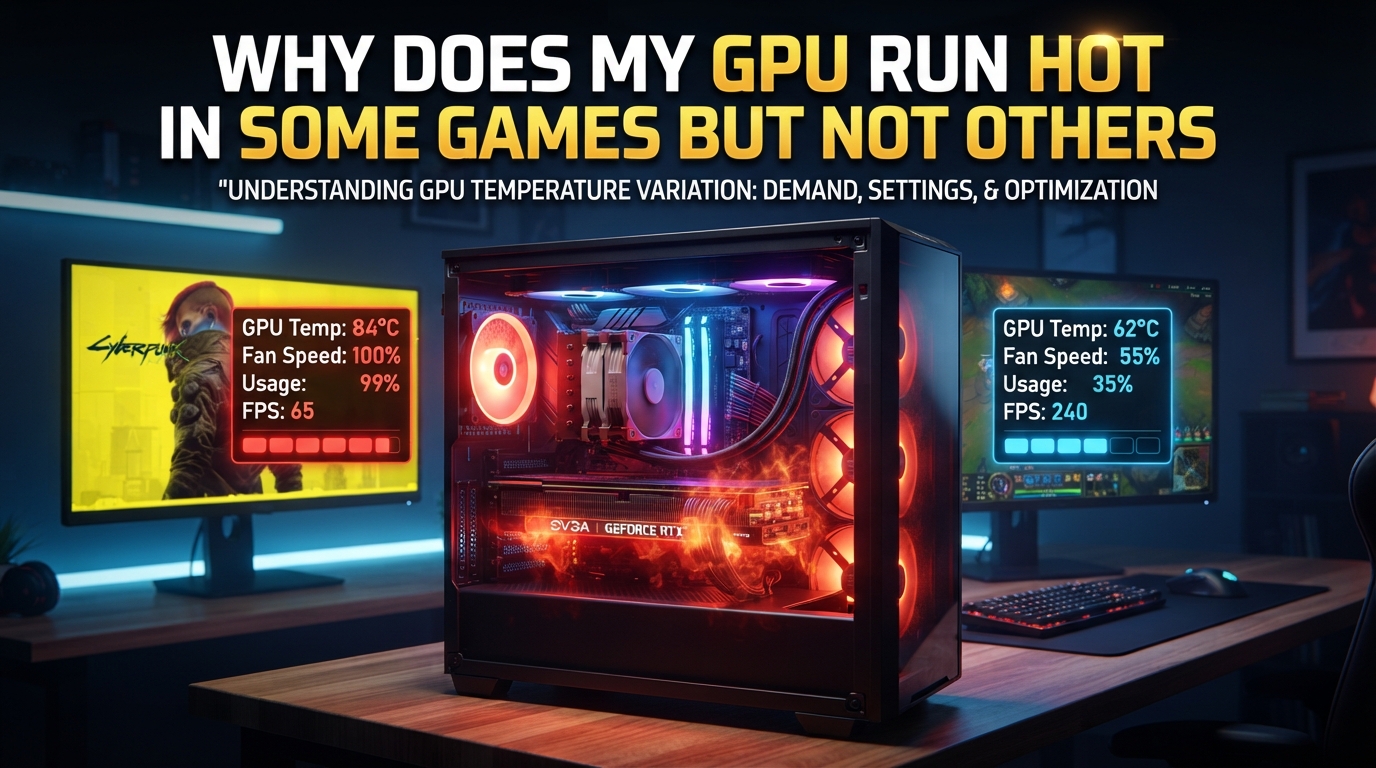
Your GPU runs hot in some games but not others because different games push different parts of the silicon, and shader compilation makes brand new titles spike harder. Some games hammer shader units until the card bottlenecks, while older or well-optimized titles leave headroom on the table.
I have been building PCs and benchmarking GPUs for over a decade, and this question comes up almost weekly. In this guide, I will walk you through the actual reasons behind the temperature swings, what is normal, and when you should care.
Table of Contents
What Are Normal GPU Temperatures While Gaming?
Normal GPU temperatures while gaming sit between 65C and 80C for most modern graphics cards, with up to 85C being totally fine and even 90C acceptable on many models. Idle should sit between 30C and 45C depending on your case airflow.
Modern GPUs from NVIDIA and AMD are engineered to run hot on purpose. The chip makers design boost clocks to scale upward as long as thermal headroom exists, then throttle back near the safety limit. This is why a card that “feels hot” at 83C is not actually struggling.
Here is a quick reference for typical GPU temperature ranges during 2026:
- Idle (desktop, browser, video): 30C to 45C
- Light gaming (esports, indie titles): 55C to 70C
- AAA gaming (Cyberpunk, Hogwarts Legacy, Starfield): 70C to 85C
- Stress test / extreme loads: 80C to 90C
Anything under 90C under full load is generally safe. Once you cross 95C, the card will start thermal throttling to protect itself, and sustained operation above that point shortens component lifespan.
Why Does My GPU Run Hot in Some Games but Not Others?
Your GPU temperature varies between games because each title stresses a different mix of shader units, render targets, VRAM bandwidth, and CPU offload work, and the card draws more power when more of those resources run near 100%. One game can be CPU-bound and leave the GPU cool, while another maxes out the GPU and pushes it into the 80s.
Here are the core reasons this happens.
GPU Utilization Differences
GPU utilization is the single biggest factor. When a game fully loads the GPU, every shader core is switching transistors at high frequency, and that switching produces heat as a byproduct. A game that runs at 40% GPU utilization will run much cooler than one pegged at 99%.
Many esports titles like CS2, Valorant, or League of Legends can actually be CPU-bottlenecked, leaving the GPU with spare capacity. The same GPU can run those at 55C while running Alan Wake 2 at 84C in the same case.
Power Draw Variation
Higher GPU power draw produces more heat. An RTX 4070 running a light game might draw 120W, while the same card in a demanding title pulls 200W. That extra 80W of power converts almost directly into extra heat inside the card.
Frame Rate and Render Time
Frame rate also matters because the GPU works just as hard to draw a frame at any speed, but more frames per second means more work per second. A game running at 200 FPS does twice the work per second compared to 100 FPS, and that extra work shows up as extra heat.
Shader Compilation and the Temperature Spike Effect
Shader compilation is the single most common reason a brand new game makes your GPU run hotter than expected, because the card has to build and cache thousands of shader pipelines on the fly the first time you launch a title. This process hammers the GPU harder than normal gameplay for a few minutes.
Modern games use dozens of shader stages, and each stage must be compiled for your specific GPU architecture. When a game ships, the developers cannot pre-compile every shader combination for every card, so the game compiles them in real time during the first few runs.
What this looks like in practice:
- You launch a new game for the first time
- The game stutters and pauses as shaders compile
- Your GPU sits at 100% usage even on the loading screen
- GPU temperature climbs to 85C+ during a static menu
After the shader cache is built, the next launch will be much faster and cooler. This is why a game that cooked your card on day one runs cool on day five. Community discussions on Reddit and Tom’s Hardware forums confirm this as the number one cause of “why is this one game so much hotter” reports.
Pre-compiled shader caches (NVIDIA’s driver-level shader cache, Steam’s shader pre-caching, or DirectX 12 Ultimate’s pipeline pre-compile) can reduce this spike, but they never eliminate it.
Does Higher FPS Make the GPU Hotter?
Yes, higher FPS makes the GPU hotter because the card has to draw more frames per second, and each frame still requires the same amount of GPU work. Doubling your frame rate can raise GPU temperature by 5C to 10C in demanding scenes.
This sounds counterintuitive at first. More frames should mean the GPU finishes faster, right? Not exactly. The GPU is the bottleneck, so more frames per second means more total work per second. If rendering one frame takes 8ms, the GPU is fully busy the whole time, and asking for twice the frames means twice the energy per second.
Real-world data from community benchmarks shows this clearly:
- RTX 4070 in Cyberpunk 2077 at 60 FPS locked: 76C
- Same card, same scene, unlocked to 144 FPS: 84C
- Same card, capped to 30 FPS for testing: 68C
This is also why capping your frame rate is one of the most effective ways to lower GPU temperature. Tools like RTSS (RivaTuner Statistics Server), NVIDIA Inspector, or the in-game frame limiter let you cap FPS slightly below your refresh rate, which reduces heat without changing the perceived smoothness.
Game Engine Optimization and Genre Differences
Game engine optimization has a huge impact on GPU temperature because well-optimized engines spread work efficiently across the GPU, while poorly optimized engines create bottlenecks that spike power draw. A badly optimized open-world game can run hotter than a well-optimized game with twice the visual fidelity.
Different genres also stress different parts of the GPU. Open-world games like Red Dead Redemption 2 or GTA V push massive draw distances and thousands of on-screen objects, which means the GPU has to handle huge batches of geometry. Ray tracing titles like Control or Cyberpunk 2077 with path tracing enabled stress the RT cores and shader units simultaneously.
Game engines fall into rough optimization tiers:
- Excellent optimization: Unreal Engine 5 titles like Fortnite, id Tech games, console ports done well (Spider-Man Remastered)
- Average optimization: Most UE4 and Unity titles, well-supported older games
- Poor optimization: Day-one PC ports, early-access titles with rushed engines, poorly threaded code
Resolution also plays a role. Running a game at 4K pushes the GPU about four times harder than 1080p, because the card has to shade four times as many pixels per frame. This is why the same game at 4K can hit 87C while the same game at 1080p sits at 72C on the same hardware.
Other Factors That Make GPU Temperatures Vary
Beyond the game itself, several external factors change how hot your GPU runs. Case airflow, thermal paste age, ambient room temperature, and even the GPU model you own all shift the baseline temperature by 5C to 15C.
Case Airflow
Case airflow is one of the biggest variables. A card in a well-ventilated case with two front intake fans and one exhaust will run 5C to 10C cooler than the same card stuffed into a compact case with no airflow. Hot air pooling around the GPU prevents the cooler from dumping heat efficiently.
Thermal Paste Aging
Thermal paste between the GPU die and the heatsink degrades over time. Most pastes last 3 to 5 years before conductivity drops enough to add a few degrees. A new application of quality paste (Arctic MX-4, Thermal Grizzly Kryonaut) can drop temps by 5C to 10C on an older card.
Room and Ambient Temperature
Room temperature directly affects GPU temperature. A GPU that runs at 78C in a 22C room will run closer to 85C in a 28C room during summer. This is seasonal variation, not a sign of a failing card.
GPU Architecture Differences
GPU architecture differences matter too. AMD’s RDNA 3 cards tend to run hotter than NVIDIA’s Ada Lovelace cards at the same performance tier, partly because of how each vendor tunes their boost behavior and fan curves. NVIDIA cards often throttle earlier, while AMD cards are designed to use more of their thermal envelope.
VRAM vs Core Heat
VRAM temperatures are a separate factor. GDDR6X memory on RTX 4080 and 4090 cards can hit 95C to 105C under load because the memory modules sit on the back of the PCB with less direct cooling. High VRAM temps in 4K texture-heavy games do not always show up in the standard GPU temperature reading, but they contribute to overall card heat.
When Should You Worry About GPU Temperatures?
You should worry about GPU temperatures only when the card consistently hits 95C or higher under load, fans ramp to maximum constantly, or you see thermal throttling that drops frame rates below normal. A card that bounces between 70C and 85C across different games is behaving exactly as designed.
Thermal throttling is the GPU’s self-protection mechanism. When the card approaches its maximum safe temperature, it automatically reduces clock speeds to lower power draw and heat output. You will see this as sudden frame rate drops, stuttering, or a noticeable loss of smoothness during sustained heavy scenes.
Warning signs that something is wrong:
- GPU hits 95C+ in light or moderate games
- Fan speed stays at 100% all the time
- Sudden shutdowns or black screens under load
- Performance throttling in games that previously ran fine
- Visible artifacts (glitches, colored blocks) on screen
If you see these signs, the first things to check are case airflow, dust buildup on the heatsink and fans, and thermal paste condition. Most “GPU running hot” issues are cooling problems, not GPU failures.
Frequently Asked Questions
Why does my GPU get so hot when playing games?
Your GPU gets hot when playing games because the processor is doing millions of calculations per second to render frames, and that electrical work produces heat as a byproduct. Modern GPUs are designed to run between 65C and 85C under full load, so warm temps are normal and expected.
Is 70C too hot for a GPU?
No, 70C is a perfectly normal and safe GPU temperature while gaming. Most GPUs do not even reach full boost clocks until they hit 70C to 75C, and they are designed to operate up to 90C or higher without any risk of damage.
Is 90C too hot for a GPU?
90C is within the safe operating range for most modern GPUs, though it is on the higher end. NVIDIA cards throttle around 90C to 92C, while AMD cards are designed to run up to 95C or 100C. Sustained 90C is fine, but anything above 95C is worth investigating.
Does higher FPS make the GPU hotter?
Yes, higher FPS makes the GPU hotter because the card must render more frames per second, which means more total work and more power draw per second. Capping your frame rate below your monitor’s refresh rate is one of the easiest ways to lower GPU temperature.
Why does my GPU temperature fluctuate during gaming?
Your GPU temperature fluctuates during gaming because different scenes and moments in a game stress the GPU differently. Busy scenes with many enemies, particles, and effects draw more power and run hotter, while quiet exploration moments let the card cool down. Shader compilation on first launch also causes temporary spikes.
Final Thoughts
Your GPU runs hot in some games but not others because every game stresses the card differently, and a few titles are simply more demanding or less optimized. As long as temperatures stay under 90C and you are not seeing throttling or shutdowns, you are in normal territory.
If you want to lower temps, the easiest wins are capping your frame rate, cleaning dust from the cooler, and improving case airflow. For most gamers, that is all it takes to keep a card running happily through 2026 and beyond.