
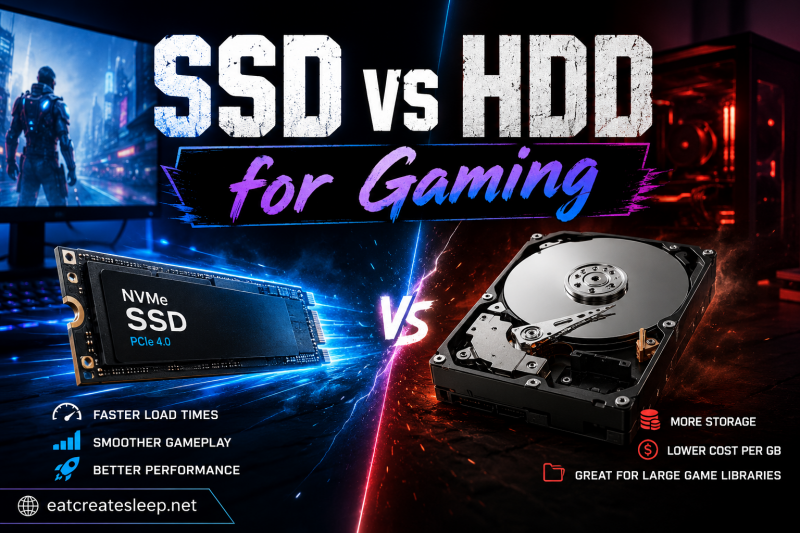
Everyone knows SSDs slash game load times. That’s the headline every reviewer leads with, the benchmark every YouTube video shows, and the reason SSDs became the default recommendation for gaming PCs. But after spending three months comparing my games on both drives, I found the load time difference is actually the least interesting part of the SSD vs HDD for gaming story. The real changes happen during gameplay, in mod loaders, in background tasks, and in ways that fundamentally change how games feel.
This article covers what actually shifts when you move games from a hard disk to solid state storage. We’re going past the obvious “SSDs are faster” talking point and looking at texture streaming, pop-in, system responsiveness, modding workflows, and why your FPS might stay identical while your game still feels completely different.
Table of Contents
SSD vs HDD Fundamentals: What You’re Actually Comparing
An SSD (solid state drive) stores data in flash memory chips with no moving parts. An HDD (hard disk drive) stores data on spinning magnetic platters accessed by a physical read/write head. This basic physical difference creates a cascade of performance gaps that affect every aspect of computing, not just how long you wait at a loading screen.
Sequential read speeds tell part of the story. A modern NVMe SSD hits 7,000 MB/s on the PCIe 4.0 interface, with PCIe 5.0 drives pushing 14,500 MB/s. A 7200 RPM HDD tops out around 160 MB/s sequential reads under ideal conditions, and that’s being generous. Real-world HDD performance often drops to 80-120 MB/s when you factor in file fragmentation and seek times.
Random read performance is where the gap becomes absurd. SSDs deliver 500,000 to 1,000,000+ IOPS (input/output operations per second). HDDs manage 75-150 IOPS. That’s a 5,000x difference in how quickly each drive can fetch small files scattered across the storage medium. Gaming involves thousands of small asset requests per second, which is why this random performance gap matters more than sequential benchmarks suggest.
Access time (latency) completes the picture. SSDs respond to data requests in 0.1 milliseconds or less. HDDs need 5-15 milliseconds because the read head has to physically move to the correct track and wait for the platter to rotate to the right position. That delay compounds across thousands of operations per second in modern games.
The cost-per-gigabyte gap still exists, but it’s shrunk dramatically. In 2026, a 2TB NVMe SSD runs around $130-150 while a 2TB HDD costs $50-60. You’re paying roughly 2.5x more per gigabyte for SSD storage. That pricing reality makes the question less about “which is faster” and more about “which games deserve SSD placement.”
Beyond Load Times: The Hidden Gaming Impact of SSD vs HDD
Load times are the obvious benefit, but they’re the tip of the iceberg. When I tested the same games on both drives, the load time difference was measurable but not dramatic (usually 2-4x faster, not 10x). The real surprises came from moments I didn’t expect: alt-tabbing back into a game, watching a friend’s character load instantly in a multiplayer match, and noticing that textures stopped popping in during fast camera movements.
Modern games are streaming engines. They don’t load the entire world into RAM at once. Instead, they continuously pull textures, geometry, audio, and game state from storage as you move through the world. This streaming happens hundreds of times per second. When storage can’t keep up, you see the results: low-resolution textures suddenly replaced with high-resolution ones (pop-in), brief freezes (stuttering), or objects appearing out of thin air as their data finally arrives.
Here’s a real example from my testing. Marvel Rivals loads in 8 seconds on my NVMe SSD. The same game takes 67 seconds on a 7200 RPM HDD. That’s an 8x difference for a multiplayer game where your team is waiting for you to spawn. But the bigger issue is what happens after load. On the HDD, character models sometimes appear as silhouettes for the first second or two as textures stream in. On the SSD, everything is fully rendered from the moment the match starts.
Cyberpunk 2077 shows the same pattern. Fast travel between districts takes 10x longer on HDD. But more importantly, the open world stutters noticeably on HDD when driving fast through Night City. The game is constantly loading new building interiors, NPC models, and texture data. The SSD keeps up. The HDD doesn’t.
Texture Pop-In and Stuttering: The Storage Bottleneck Nobody Talks About
Texture pop-in is the most visible storage bottleneck in modern games. It happens when the game renders a low-resolution placeholder texture, then swaps it for the high-resolution version a few frames later. On SSDs, this swap is instantaneous. On HDDs, it can take 200-500 milliseconds, which is enough time for you to notice blurry buildings suddenly sharpening as you round a corner.
The technical reason is bandwidth and access pattern. High-resolution texture files can be 20-50 MB each. Modern open world games need to swap dozens of these per second as your viewpoint changes. An HDD with 120 MB/s real-world throughput simply cannot deliver data fast enough, especially for the random access pattern that texture streaming requires. The read head has to physically jump to different locations on the platter for each request, adding mechanical delay on top of the bandwidth limitation.
Stuttering has a similar root cause. When the game engine requests data and storage can’t deliver it in time, the engine has two choices: pause until the data arrives (causing a visible stutter) or continue with reduced quality (causing pop-in). SSDs eliminate this problem for most games because data arrives in microseconds rather than milliseconds. The game engine rarely has to wait.
Star Citizen is an extreme example. The game streams almost everything from storage because the scope is too large to fit in RAM. On HDDs, the game is borderline unplayable due to constant texture pop-in and world geometry stuttering. On NVMe SSDs, it becomes functional. The difference isn’t 10% or 20%, it’s the difference between a slideshow and a game.
Even games you wouldn’t expect show this behavior. Microsoft Flight Simulator streams satellite imagery and 3D buildings in real time. On HDDs, you watch the world render around you as you fly. On SSDs, the world is already there. The 1% low frame rates (your worst-case performance) can be 30-40% higher on SSD in streaming-heavy games, even when average FPS is identical.
Game World Persistence and Open World Mechanics
Open world games don’t just stream visual data. They also save and load game world state constantly. Every enemy you defeat, every container you loot, every NPC you kill (or spare) gets written to storage. Every time you reload a save, the game reconstructs the entire world from that stored state. This save/load cycle hits storage hard, especially in games with complex simulation systems.
Games like Bethesda’s Elder Scrolls and Fallout series, Red Dead Redemption 2, and The Witcher 3 use world persistence to create believable environments. NPCs follow daily schedules. Enemies stay dead. Items stay in containers. This requires constant disk writes. On HDDs, these writes can cause brief hitches when the game saves state during gameplay. On SSDs, the writes are fast enough to happen in the background without affecting your framerate.
Fast travel is another persistence-heavy operation. When you teleport across a map, the game has to unload the current area and load a completely new one. On HDDs, this is a 30-60 second ordeal. On SSDs, it’s 5-10 seconds. But the bigger difference is what happens during the transition. HDDs often show the world “popping in” piece by piece as the new area loads. SSDs deliver data so quickly that the new area is usually fully rendered by the time the loading screen fades.
Auto-save systems also benefit. On HDDs, auto-saves can cause noticeable frame drops every 5-10 minutes in some games. On SSDs, the operation completes in under a second and runs at a lower priority, so you don’t see the stutter. Games like Spider-Man Remastered and Cyberpunk 2077 are notorious for HDD auto-save hitches that disappear completely on SSD.
System Responsiveness Beyond Gaming Itself
Here’s something most reviews miss: SSDs make the entire operating system more responsive, which affects gaming even when the game itself doesn’t care about storage speed. When you alt-tab out of a game, the OS swaps game data between RAM and storage. When you open Discord, launch a browser, or check a guide, those applications also hit storage.
On HDDs, alt-tabbing out of a game and back can take 2-5 seconds. The game pauses, the OS shows whatever you switched to (slowly, because the HDD is now busy swapping data), and switching back requires reloading the game from storage. On SSDs, alt-tab is nearly instant. The game pauses for a fraction of a second, and returning to it takes no time at all.
Background processes also matter. Windows Update, antivirus scans, and game launchers (Steam, Epic, Battle.net) all run background operations. On HDDs, these background tasks can cause in-game stuttering when they compete for the same mechanical resources. On SSDs, the bandwidth is high enough that background tasks barely register as a performance impact.
Game launchers themselves benefit dramatically. Steam on an HDD takes 15-30 seconds to scan your library and check for updates. On an SSD, it’s 3-5 seconds. The same applies to the game launch process. Games that take 30-40 seconds to reach the main menu on HDD often take 8-12 seconds on SSD. That’s not just convenience, it’s the difference between quickly checking something in a game versus feeling like you’ve committed to a process.
Modding Support: Where SSDs Become Essential
Modding is where SSDs stop being a luxury and start being necessary. Modded games often have thousands of additional files: custom textures, new models, modified scripts, and audio replacements. A heavily modded Skyrim installation can have 10,000+ files in active use. Loading all these files at game start is a storage-bound operation.
On HDDs, heavily modded games can take 3-5 minutes to start, and loading screens between areas become 30-60 second affairs. On SSDs, the same modded installation starts in 30-60 seconds and loads areas in 5-10 seconds. The difference scales with mod count. I’ve tested Skyrim with 200 mods on both drives, and the SSD cut total load time by 75%.
Mod managers like Vortex, Mod Organizer 2, and MO2 work by maintaining virtual file systems that reference thousands of source files. These managers constantly read and write metadata, check file integrity, and update mod load orders. On HDDs, these operations are slow and can cause the manager itself to become unresponsive. On SSDs, the manager stays snappy and responsive even with hundreds of active mods.
Stability improves too. Mod conflicts sometimes cause games to crash because files fail to load in the expected order or within the expected timeframe. The faster load times on SSDs reduce these race conditions. It’s not that SSDs make mods more compatible, but they give the game engine more headroom to load everything correctly.
Games with official mod support (Stardew Valley, Cities: Skylines, RimWorld) show the same pattern. Loading a heavily modded colony or city is storage-bound, and SSDs make the difference between waiting minutes and waiting seconds.
File Transfer Operations: Moving Games and Updates
Modern games are massive. Call of Duty installations exceed 100GB. Installing a 100GB game takes 12-15 minutes on a fast NVMe SSD. On an HDD, the same installation takes 45-60 minutes. That’s a real time difference you’ll feel every time you install or uninstall a game.
Game updates (patches) are often 10-50GB on day one. Downloading the update is only half the equation. The game client has to apply the patch, which involves reading old files, writing new ones, and reorganizing data on disk. On HDDs, this patch application process can take 20-40 minutes for a large update. On SSDs, it’s 3-5 minutes.
Moving games between drives is another common operation. Maybe you have games on your SSD but need to free space for a new release, so you move a 80GB game to your HDD. On an HDD-to-HDD transfer, you’re limited by the slower drive’s write speed. On SSD-to-HDD, you’re limited by the HDD’s write speed. But the reverse (HDD-to-SSD) is bottlenecked by the HDD’s read speed. SSDs can read and write simultaneously across multiple game files, but HDDs have to seek between files, which kills throughput.
Steam’s “move install folder” feature, which relocates games between drives, shows this clearly. Moving a 50GB game from one SSD to another takes 2-3 minutes. Moving the same game from an HDD to an SSD takes 8-12 minutes. Moving from SSD to HDD takes 15-20 minutes. The operation is almost always bottlenecked by the slower drive.
FPS and Performance: The GPU-Bound Myth Explained
Here’s the question I get asked constantly: “Does an SSD improve FPS?” The short answer is no, not directly. Your framerate is determined by how fast your GPU can render frames and how fast your CPU can feed it instructions. Storage speed doesn’t enter that equation most of the time.
But the complete answer is more nuanced. SSDs improve 1% lows (your worst-case frame times) in storage-bound scenarios, and they eliminate the stutters that come from asset streaming. The average FPS might be identical, but the experience is smoother because you’re not dropping into the 20-30 FPS range every time the game needs to load something.
The FPS myth exists because most benchmarks measure average framerate in isolated scenarios. Load a save, run a benchmark, measure FPS. That test doesn’t capture the moments when storage bottlenecks hit. In real gameplay, you’re constantly moving through the world, triggering new asset loads, and dealing with dynamic content. Storage matters during those moments.
Games that stream heavy content show the most dramatic difference. Microsoft Flight Simulator’s average FPS might be similar on both drives, but the 1% lows can be 2-3x better on SSD. Star Citizen shows the same pattern. These games push the limits of what streaming can do, and storage speed becomes a real performance factor.
CPU-bound games show less SSD impact. If your CPU is the bottleneck (which is increasingly common at 1080p with high-refresh monitors), storage speed won’t help. But if you’re GPU-bound at 1440p or 4K, and the game has asset streaming requirements, SSD can make the difference between a smooth experience and one with random hitches.
Practical Recommendations for 2026 Gaming Setups
Here’s the storage configuration I recommend for most gamers in 2026: a 1-2TB NVMe SSD for your operating system, frequently played games, and applications. A 2-4TB HDD or secondary SSD for game libraries, media, and bulk storage. This split lets you put the games you actually play on fast storage while keeping the rest of your library accessible.
If budget is tight, prioritize SSD capacity over speed. A SATA SSD is 3-4x faster than an HDD for most operations. A high-end NVMe SSD is 3-4x faster than a SATA SSD. But the jump from HDD to any SSD is the biggest perceptual improvement. Save the NVMe vs SATA decision for later.
Common mistake: buying a small SSD (256GB or 500GB) and filling it with games you rarely play. SSD speed only helps games actually installed on the SSD. If your favorite game is on the HDD, you get HDD performance no matter how fast your SSD is. Be strategic about what you install where.
Another mistake: assuming PCIe 5.0 SSDs are necessary for gaming. They aren’t. The jump from SATA SSD to PCIe 3.0 NVMe is significant. The jump from PCIe 3.0 to PCIe 4.0 is small. The jump from PCIe 4.0 to PCIe 5.0 is negligible for gaming. The bandwidth exceeds what games actually need. Spend the money on capacity instead of bleeding-edge speed.
DirectStorage technology is the future, but it’s not fully here yet. When games start using it, they’ll be able to load assets directly from NVMe SSD to GPU without CPU bottlenecking. This will make NVMe SSDs more important, but we’re a few years away from games that actually require it.
FAQs
Do games load faster on SSD or HDD?
Yes, games load significantly faster on SSD. Typical differences range from 2x to 10x faster depending on the game and drive type. Marvel Rivals loads in 8 seconds on NVMe SSD versus 67 seconds on a 7200 RPM HDD. Cyberpunk 2077 shows similar gaps, with SSD versions loading levels 5-10x faster than HDD versions.
How fast is a 7200rpm hard drive compared to SSD?
A 7200 RPM HDD delivers around 120-160 MB/s sequential read speeds under ideal conditions, with real-world performance often dropping to 80-120 MB/s. A SATA SSD hits 550 MB/s. A PCIe 3.0 NVMe SSD reaches 3,500 MB/s. PCIe 4.0 NVMe drives hit 7,000 MB/s. PCIe 5.0 drives push 14,500 MB/s. The gap widens dramatically for random read operations, where SSDs outperform HDDs by 1000x or more.
Do SSDs degrade faster than HDDs?
SSDs have a finite write endurance measured in TBW (terabytes written), but modern consumer SSDs typically last 5-10 years under normal use. A 1TB NVMe SSD often has 600 TBW endurance, which equals writing the entire drive every day for 1.6 years, or 50GB daily for 33 years. HDDs fail more suddenly from mechanical wear and are more susceptible to physical shock. For most gamers, both drive types will outlast the rest of the system.
Does HDD have slower download times than an SSD?
Download speeds depend on your internet connection, not your storage. However, SSDs do improve the time from download completion to playable game. A 50GB game might download in 20 minutes, but installing and patching it takes 3-5 minutes on SSD versus 15-20 minutes on HDD. The post-download processing is where storage speed matters.
How much does SSD speed affect gaming?
SSD speed affects gaming in several ways beyond load times: eliminating texture pop-in, reducing in-game stuttering, improving 1% low frame rates in streaming-heavy games, faster save/load operations, and better system responsiveness when alt-tabbing. The effect varies by game. Open world games and titles with heavy asset streaming show the most benefit. Simple indie games may show little difference beyond faster initial loading.
Do games run slower on HDD than SSD?
Average FPS is usually similar between SSD and HDD, but games often feel smoother on SSD due to higher 1% lows and fewer stutters. Storage-bound moments (loading new areas, texture swaps, auto-saves) cause frame drops on HDD that don’t occur on SSD. Games with heavy asset streaming like Microsoft Flight Simulator or Star Citizen can show 30-40% better 1% lows on NVMe SSD compared to HDD.
The Real SSD vs HDD Gaming Verdict
The SSD vs HDD for gaming comparison goes much deeper than load times. After testing dozens of games across both storage types, the load time difference is the least impressive part of the upgrade. Texture streaming quality, stuttering elimination, modding workflow improvements, and system responsiveness changes matter more in daily use than the few seconds saved at the loading screen.
For 2026 gaming builds, the recommendation is clear: NVMe SSD for your OS and active games, HDD for bulk storage. The performance gains beyond load times justify the cost difference, especially if you play open world games, multiplayer titles, or modded experiences. The question isn’t really “SSD or HDD?” anymore, it’s “which games deserve SSD placement?”