
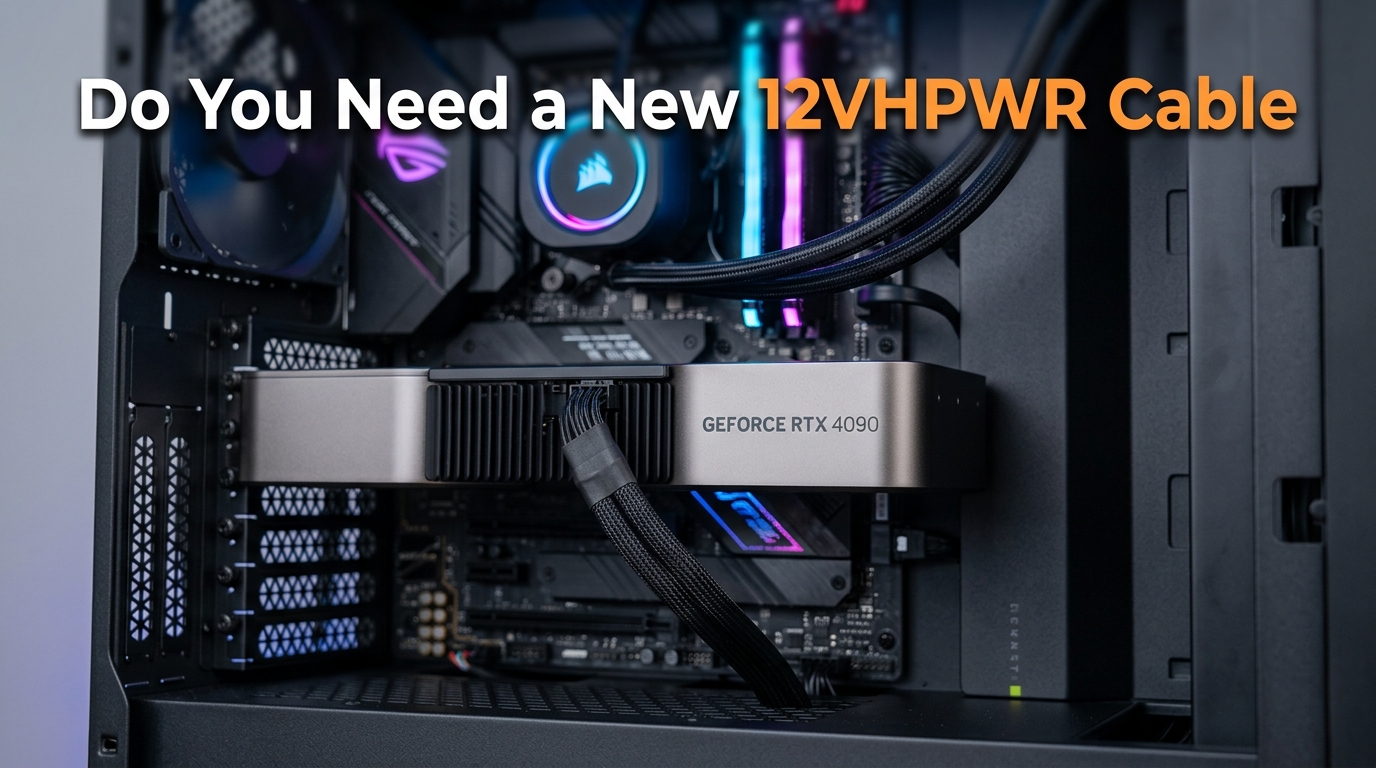
Picture this: you spent weeks picking the perfect graphics card, saved up for months, and finally installed an RTX 4090 or RTX 5090 in your build. Three weeks later, you smell burning plastic during a gaming session. You shut down, pull the side panel off, and discover the 12VHPWR connector has fused itself to your $1,600+ GPU. This exact scenario has played out for hundreds of users across Reddit, tech forums, and repair shops since NVIDIA launched the RTX 40-series in 2026.
If you are reading this article, you are probably asking yourself the same question thousands of PC builders now ask: do you need a new 12VHPWR cable? The short answer is that it depends on your connector condition, your installation habits, and how long you have been using the same cable. I have spent months digging through forum threads, repair shop reports, and manufacturer documentation to build a clear framework for making that decision.
This guide covers everything you need to know about why the 12VHPWR connector melts, how to inspect your cable for damage, when replacement is the right call, and how to install the replacement correctly so you never have to deal with this problem again. Whether you are running an RTX 4090, a new RTX 5090, or even an AMD RX 9070 XT, the information here applies directly to your build.
I will walk you through the technical root causes in plain language, share the 30 to 40 mating cycle lifespan rule that almost nobody talks about, and explain exactly what to do if your connector has already shown signs of damage. By the end, you will have a confident answer to whether you need a new 12VHPWR cable and exactly what to do next.
Table of Contents
Quick Answer: Do You Need a New 12VHPWR Cable?
You need a new 12VHPWR cable if your current connector shows any discoloration, melted plastic, bent pins, or loose fit. You also need a replacement if your cable has been plugged and unplugged more than 30 to 40 times, if you bought your GPU second-hand, or if you are upgrading to a higher-tier card and reusing an old cable. If your cable is under a year old, fully seated, shows zero physical damage, and uses a native connection from an ATX 3.0 or ATX 3.1 power supply, you likely do not need to replace it.
Here is the decision framework I use when readers ask me this question. Run through this checklist honestly before spending money on a replacement cable.
Replace your 12VHPWR cable immediately if any of these apply:
- Visible discoloration, yellowing, or brown marks on the connector or pins
- Any melted, warped, or deformed plastic on the plug
- Bent, recessed, or uneven pin heights when you inspect the connector
- The cable has been plugged and unplugged more than 30 times
- You bought the GPU or PSU used and have no history on the cable
- You are reusing an old cable on a new, higher-wattage GPU
- The latch feels loose or the connector wiggles when fully inserted
- You notice a burning smell, warmth at the connector, or system instability under load
You are probably safe keeping your current cable if:
- The cable is under 12 months old with light to moderate use
- It uses a native 12VHPWR or 12V-2×6 connection from a reputable ATX 3.0/3.1 PSU
- The connector looks clean with no discoloration or deformation
- You installed it correctly with the 35mm cable clearance rule
- You have not repeatedly reseated the connector
The key takeaway is that a 12VHPWR cable is not a lifetime component. Treat it like a consumable, especially if you upgrade hardware often or move your PC around. Spending $30 to $50 on a quality native replacement cable is cheap insurance for a $1,600+ graphics card.
What Is the 12VHPWR Connector?
The 12VHPWR is a 16-pin PCIe 5.0 power connector designed to deliver up to 600 watts to high-end graphics cards through a single compact plug. NVIDIA and the PCI-SIG introduced it alongside the RTX 40-series to replace the tangle of multiple 8-pin PCIe cables that older cards required. The connector uses 12 power pins (six for +12V and six for ground) plus four smaller sense pins that communicate power capability between the GPU and the power supply.
The sense pins (labeled S1 through S4) are what tell your graphics card how much power the cable is rated to deliver. Depending on which sense pins are shorted to ground, the GPU knows whether it is connected to a 150W, 300W, 450W, or 600W power source. This negotiation happens automatically and is one of the cleaner design elements of the connector standard.
For comparison, the older 8-pin PCIe connector maxes out at 150W per cable (300W with transient spikes), and the 6-pin connector handles 75W. A single 12VHPWR cable replaces up to four 8-pin cables, which is why manufacturers adopted it so eagerly for flagship GPUs that draw 450W to 600W under load.
The connector itself is built on the Molex Micro-Fit 3.0 terminal platform with a 3.0mm pin pitch. Each power pin is rated for roughly 9.2 amps of continuous current. When six power pins share the load evenly, that works out fine. The problem, as we will see in the next section, is that the load does not always share evenly.
ATX 3.0 power supplies include a native 12VHPWR cable wired directly into the unit. ATX 3.1 power supplies ship with the updated 12V-2×6 connector, which is mechanically and electrically similar but includes revised sense pin geometry that improves safety. If your PSU is older ATX 2.x, you are likely using an adapter cable that converts three or four 8-pin PCIe connectors into a single 16-pin plug, and these adapters carry additional risk.
Why Do 12VHPWR Connectors Melt? The Root Causes
12VHPWR connectors melt because of a combination of design flaws, installation errors, and connector wear that create localized current imbalance across the six power pins. When one or two pins carry significantly more current than the others, those pins heat up rapidly. At sustained high loads, that heat is enough to deform the plastic housing and melt the solder joints inside the connector.
The most important root cause to understand is the load balancing problem. Here is why it happens.
Poor Load Balancing Across Six Parallel Pins
The 12VHPWR connector relies on six parallel +12V pins sharing the current load equally. In theory, a 600W draw at 12V means roughly 50 amps total, split across six pins for about 8.3 amps per pin. That is within the rated 9.2 amp ceiling for each pin.
In practice, the connector has no active load balancing circuitry. The pins are wired in parallel, so current takes the path of least resistance. If one pin has slightly lower contact resistance than the others (due to manufacturing variance, uneven pin heights, or partial seating), that pin ends up carrying a disproportionate share of the current. Instead of 8.3 amps, a single pin might carry 15 or 20 amps. At that level, the pin overheats within minutes under sustained gaming load.
PCIe 5.0 and ATX 3.0 standards assume the connector is seated perfectly with all pins making uniform contact. Any deviation from that ideal, even by a fraction of a millimeter, creates the conditions for melting. This is why even careful builders have experienced failures.
Improper Seating and the Hidden Latch Problem
The 12VHPWR connector is notoriously difficult to confirm as fully seated. The latch is small, the connector sits flush against the GPU shroud, and there is often no audible click or obvious visual indicator. Multiple Reddit users have reported discovering their connector was only 95% inserted after a melting incident occurred.
When the connector is not fully seated, one or more pins make poor contact or no contact at all. The remaining pins absorb the entire current load, which immediately creates the imbalance scenario described above. NVIDIA itself acknowledged this issue and updated its installation guidance to emphasize pushing the connector in until the latch engages fully.
Cable Bending Near the Connector
The 35mm rule exists for a reason. Bending the cable within 35mm (about 1.4 inches) of the connector puts lateral force on the pins inside the housing. This force can bend pins, deform the contact surfaces, or partially unseat the connector over time. Many melting incidents trace back to tight case clearance that forced the cable into a sharp bend right at the GPU.
Side-panel-mounted GPUs and compact cases are particularly vulnerable. If your case does not give you at least 35mm of straight cable run before any bend, you are at elevated risk regardless of how carefully you install the connector.
Connector Wear and the Mating Cycle Limit
This is the factor most users ignore. Every time you plug and unplug the 12VHPWR connector, the contact surfaces inside wear slightly. The official Micro-Fit 3.0 specification rates these contacts for approximately 30 mating cycles. After that, contact resistance increases measurably, which directly raises melting risk.
If you are the kind of builder who swaps GPUs frequently, runs benchmark tests, or transports your PC to LAN events, you may hit 30 mating cycles within a year. At that point, the cable should be retired even if it looks fine on visual inspection.
Manufacturing Defects in New Cables
Even brand new cables can be defective. JayzTwoCents, a popular hardware YouTuber, demonstrated that some unused 12VHPWR cables shipped with retail power supplies had measurable current imbalance straight out of the box. Uneven pin heights, contaminated contact surfaces, and inconsistent crimping all contribute to this problem.
This is why I recommend testing any new cable with a monitoring tool like the WireView Pro II before trusting it under sustained load. A $40 monitoring device can save a $1,600 GPU.
Signs Your 12VHPWR Cable Needs Replacing
Your 12VHPWR cable needs replacing if you notice discoloration on the connector, melted or deformed plastic, bent or recessed pins, a loose latch, or any burning smell during operation. Catching these warning signs early is the difference between a $40 cable replacement and a full GPU replacement.
Here is a diagnostic checklist I use when inspecting 12VHPWR cables. Run through this list once a month, or any time you have your case open for maintenance.
Visual Warning Signs
- Yellow or brown discoloration on the white plastic connector body, especially near the pin openings
- Warped or wavy plastic on the connector housing that no longer sits flat
- Melted or fused pins inside either the cable-side or GPU-side connector
- Pin height differences where one or more pins sit deeper than the others
- Cracked or brittle plastic around the latch mechanism
- Discolored wire insulation near the connector, indicating heat soak
Physical Warning Signs
- Loose fit where the connector wiggles or shifts when fully latched
- Difficulty latching where the connector no longer clicks into place cleanly
- Visible bending of pins when you look straight into the connector opening
- Wire stiffness near the connector, suggesting heat damage to the insulation
Operational Warning Signs
- Burning plastic smell during gaming or benchmark load
- Warm or hot connector when you touch the cable near the GPU after a session
- System crashes or black screens under heavy GPU load
- GPU throttling that was not present when the system was new
- Fan ramp-up without an obvious temperature cause
If you observe any of the visual or physical warning signs, stop using the cable immediately and order a replacement. Operational signs alone warrant a shutdown and full inspection before you run the system again.
I cannot stress this enough: do not try to clean or repair a discolored connector. The discoloration means the plastic has already begun to break down at a chemical level, and the contact resistance has likely increased enough to cause a future failure. Replace the cable.
12VHPWR vs 12V-2×6: Has the Problem Been Fixed?
The 12V-2×6 connector is a revised version of 12VHPWR with shorter sense pins and a revised socket design that improves safety, but it has not eliminated the melting problem entirely. Reports of 12V-2×6 melting on RTX 5090 cards have appeared on Reddit and tech forums throughout 2026, though at lower rates than the original 12VHPWR failures on RTX 4090 cards.
The key differences between the two connectors come down to sense pin geometry and connector keying. Both improvements reduce (but do not eliminate) the risk of running a partially seated connector under load.
Shorter Sense Pins
On the original 12VHPWR connector, the four sense pins are the same length as the power pins. This means the GPU can detect a connected power source even if the connector is only partially seated. The GPU then attempts to draw full power through contacts that are not fully engaged, which is a primary cause of melting.
On the 12V-2×6 revision, the sense pins are shorter than the power pins. The connector must be fully seated before the sense pins make contact. If the connector is partially inserted, the GPU sees no power source and refuses to boot or throttle heavily. This single change eliminates most partial-seating melting scenarios.
Revised Connector Keying
The 12V-2×6 socket on the GPU side includes a deeper keying notch that makes it harder to insert the connector incorrectly. The cable side has a corresponding rib that must align with the notch. This forces more deliberate insertion and makes a partial seat more obvious to the user.
What 12V-2×6 Does Not Fix
The revision does not address the underlying load balancing problem. Six parallel power pins still share current based on contact resistance, and a defective cable can still create a hotspot. RTX 5090 owners on Reddit have reported melting 12V-2×6 connectors, often traced back to cable defects or aggressive cable bending rather than partial seating.
The revision also does not fix the 30 to 40 mating cycle limit. The contact surfaces are still Molex Micro-Fit 3.0 terminals with the same wear characteristics as the original 12VHPWR.
Compatibility
The 12V-2×6 connector is mechanically backward compatible with 12VHPWR. A 12VHPWR cable will plug into a 12V-2×6 GPU socket and vice versa. However, mixing generations means you lose the safety benefit of the shorter sense pins. For maximum safety, pair a 12V-2×6 GPU with a 12V-2×6 cable from an ATX 3.1 power supply.
How to Properly Install a 12VHPWR Cable
Proper 12VHPWR installation means fully seating the connector until the latch engages, maintaining at least 35mm of straight cable before any bend, avoiding sharp angles inside the case, and verifying the connection visually before powering on. Following these steps correctly eliminates the majority of melting risks.
Here is the step-by-step process I recommend for both new builds and cable replacements.
Step 1: Power Down and Disconnect
Shut down your PC, switch off the power supply, and unplug the AC power cable from the wall. Wait at least 30 seconds for capacitors to discharge. This is not optional, especially if you are working near the GPU power input.
Step 2: Inspect the Cable and GPU Socket
Before plugging anything in, examine both the cable connector and the GPU socket. Look for bent pins, debris, discoloration, or anything that looks off. A new cable with a manufacturing defect will fail no matter how carefully you install it.
Step 3: Plan Your Cable Routing
Route the cable so the first 35mm (about 1.4 inches) of wire coming out of the connector runs perfectly straight. If your case forces a bend closer than that to the connector, consider a 90-degree adapter or a case swap. Do not compromise on this rule.
Step 4: Align and Insert the Connector
Hold the connector straight and parallel to the GPU socket. Do not angle it, twist it, or rock it into place. Push firmly and evenly until the latch clicks into position. You should feel a distinct engagement, though on some connectors the click is subtle.
Step 5: Verify Full Seating
Run your finger along the seam between the connector and the GPU socket. There should be no gap. If you can see any of the pin contacts, the connector is not fully seated. Push harder until it seats flush.
Step 6: Take a Reference Photo
Snap a quick photo of the installed connector with your phone. This gives you a baseline to compare against during future inspections. If the connector walks loose over time, the photo will show the difference.
Step 7: Power On and Monitor
Plug the PC back in, power on, and run a short gaming session or benchmark. Stop after 10 minutes, shut down, and feel the connector area. It should be warm but not hot. If it is too hot to hold your finger against, shut down immediately and reseat the connector.
Common Installation Mistakes to Avoid
- Forcing the connector in at an angle to clear case obstructions
- Bending the cable immediately at the connector to fit a side panel
- Trusting a subtle click without verifying the connector is flush
- Reusing an old adapter cable from a previous build without inspection
- Skipping the post-install verification step entirely
How Long Does a 12VHPWR Cable Last? Lifespan Guide
A 12VHPWR cable lasts approximately 30 to 40 mating cycles according to the official Molex Micro-Fit 3.0 specification, which translates to roughly two to five years of normal use depending on how often you unplug it. For most users who install the cable once and leave it alone, the connector will outlast the GPU. For users who frequently swap hardware or transport their PC, replacement may be needed yearly.
The lifespan question matters because it is the one variable most 12VHPWR guides ignore. A cable that looks fine on visual inspection can still have worn contact surfaces that raise resistance enough to cause melting under load. Here is how to think about lifespan based on your usage pattern.
Light Use: Install Once, Never Unplug
If you built your PC, plugged in the 12VHPWR cable, and have not touched it since, the connector has experienced one or two mating cycles total. Under these conditions, the cable should easily last the lifetime of the GPU, which is typically four to six years before an upgrade.
Inspect the connector visually once a month for discoloration, but otherwise leave it alone. Frequent reseating causes more risk than it prevents on a low-cycle cable.
Moderate Use: Occasional Maintenance and Cleaning
If you open your case every few months for dust cleaning and occasionally reseat the GPU or cable, you may accumulate five to ten mating cycles per year. At this rate, you should plan to replace the cable every three to four years as preventive maintenance, even if it looks fine.
This is the use case where most casual builders fall, and it is also where most melting incidents happen because users assume a low-cycle cable is safe indefinitely.
Heavy Use: Frequent Hardware Swaps or LAN Transport
If you review hardware, swap GPUs regularly, attend LAN events, or transport your PC frequently, you can hit 30 mating cycles within a year. At this level of use, treat the 12VHPWR cable as a consumable item. Budget for a replacement cable every 12 months.
This is also the use case where a 90-degree adapter or extension cable makes sense, because it shifts the wear from the expensive GPU socket to a cheap replaceable adapter.
Replacement Timeline Summary
- Light use (one or two cycles total): Replace at GPU upgrade, or 5+ years
- Moderate use (5 to 10 cycles per year): Replace every 3 to 4 years
- Heavy use (20+ cycles per year): Replace every 12 months
- Any visible damage: Replace immediately regardless of age
Prevention Tips to Avoid Cable Failure
Preventing 12VHPWR cable failure comes down to a handful of habits: install correctly, inspect regularly, avoid cable stress, use native cables over adapters, and monitor temperatures. None of these tips are complicated, but they require consistency.
Here is the prevention checklist I run through with every new build or cable replacement.
Use a Native Cable Whenever Possible
Native 12VHPWR or 12V-2×6 cables wired directly into an ATX 3.0 or ATX 3.1 power supply are safer than adapter cables. Adapters that convert multiple 8-pin connectors into a single 16-pin plug introduce additional points of failure and often have inferior wire gauges. If your PSU does not support native 12VHPWR, seriously consider a PSU upgrade before dropping a 450W+ GPU into your system.
Maintain the 35mm Cable Clearance Rule
Never bend the cable within 35mm (about 1.4 inches) of the connector. If your case makes this impossible, use a 90-degree adapter or relocate the GPU. Sharp bends at the connector are one of the top three causes of melting.
Inspect Monthly, Not Weekly
Inspecting the connector too frequently causes more wear than it prevents. Once a month is the sweet spot. Look for discoloration, feel the connector area for excessive warmth after gaming, and compare against your reference photo from installation day.
Avoid Third-Party Cables Without Research
Some third-party cables from reputable brands like CableMod are generally safe, but forum data shows higher failure rates with third-party cables than with stock PSU cables. If you do use a third-party cable, buy from a brand with a documented warranty and avoid no-name Amazon listings at all costs.
Consider a Monitoring Device
The WireView Pro II plugs in between the PSU and GPU and reports per-pin current draw in real time. If any pin starts carrying disproportionate current, you will see it immediately on the display. For a $1,600+ GPU, a $40 monitoring device is reasonable insurance.
ASRock also sells PSUs with a feature called TempGuard that monitors connector temperature and shuts down the system if it detects a thermal anomaly. ASUS and Zotac offer GPUs with per-pin current monitoring that can detect imbalance before it causes damage.
Power Limit Your GPU If You Are Nervous
If you are running an RTX 4090 or RTX 5090 and want to reduce melting risk, lowering the power limit by 10% in MSI Afterburner or similar software significantly reduces connector load. A 450W card running at 405W draws substantially less current through the connector, which reduces thermal stress on the pins.
This is not a substitute for proper installation and cable selection, but it is a reasonable additional safety layer for users who want maximum protection.
What to Do If Your 12VHPWR Connector Melts
If your 12VHPWR connector melts, power off the system immediately, do not attempt to unplug the cable until it has fully cooled, document the damage with photos, and contact the GPU manufacturer for an RMA. Most manufacturers including NVIDIA, ASUS, MSI, and Gigabyte have expedited RMA processes specifically for 12VHPWR melting incidents.
Here is the step-by-step process to follow if you discover a melted connector.
Step 1: Shut Down and Disconnect Power
Power off the PC normally if possible, or kill power at the PSU switch if the system has already crashed. Unplug the AC cable from the wall. Do not yank the 12VHPWR cable out of the GPU, because melted plastic can tear the socket pins out with it.
Step 2: Let It Cool Completely
Wait at least 30 minutes for the connector and surrounding components to cool. Attempting to separate a melted connector while the plastic is still soft will damage the GPU socket permanently.
Step 3: Document the Damage
Take clear photos of the connector from multiple angles, including the cable side, the GPU socket, and any discoloration on surrounding components. These photos are essential for warranty claims and for documenting the failure pattern.
Step 4: Contact the GPU Manufacturer
Open an RMA request with the manufacturer of your GPU. Mention the 12VHPWR melting specifically, because most manufacturers have dedicated processes for these failures. NVIDIA in particular has been replacing melted-connector GPUs without much pushback, though you may need to ship the card to them for inspection.
Step 5: Replace the Cable and PSU If Needed
Even if the GPU survives or is replaced under warranty, the cable that caused the melt must be discarded. Do not try to clean or reuse it. If the cable was an adapter rather than a native PSU cable, seriously consider upgrading to an ATX 3.1 power supply with a native 12V-2×6 connector before reinstalling the replacement GPU.
Step 6: Consider Professional Inspection
If the motherboard, PSU, or other components were near the melted connector, have a repair shop inspect the system before reassembly. Melted connectors can occasionally damage the PCIe slot, the PSU-side connector, or nearby cables.
FAQs
Why are 12VHPWR cables melting?
12VHPWR cables melt because of poor load balancing across the six parallel power pins, partial connector seating that forces remaining pins to carry extra current, cable bending within 35mm of the connector, and connector wear beyond the 30 to 40 mating cycle limit. Any of these factors can cause one or two pins to carry significantly more than their rated 9.2 amps, generating enough heat to deform the plastic housing and damage the GPU socket.
What is the lifespan of 12VHPWR?
The official lifespan of a 12VHPWR connector is approximately 30 to 40 mating cycles based on the Molex Micro-Fit 3.0 terminal specification. For most users who install the cable once and leave it alone, this means the cable lasts the lifetime of the GPU. For users who frequently swap hardware or transport their PC, the cable may need replacement every 12 months.
Does 12V-2×6 melt?
Yes, 12V-2×6 connectors can still melt, though at lower rates than the original 12VHPWR. The revised connector has shorter sense pins that prevent partial-seating failures, but it does not fix the underlying load balancing problem. RTX 5090 owners have reported 12V-2×6 melting incidents in 2026, often traced back to cable defects or aggressive cable bending rather than partial seating.
Can PSU cables melt?
Yes, PSU cables can melt, particularly the 12VHPWR connector used on high-wattage GPUs. The 12VHPWR connector carries up to 600W through a single compact plug, which means any contact resistance issue or current imbalance generates significant heat. Older 8-pin PCIe connectors can also melt under similar conditions, but the higher power density of 12VHPWR makes failures more common and more damaging.
How do I know if my 12VHPWR cable is damaged?
Signs of 12VHPWR cable damage include yellow or brown discoloration on the connector, warped or melted plastic, bent or recessed pins, a loose latch, burning smell during operation, excessive warmth at the connector after gaming, and system crashes under GPU load. If you observe any of these signs, stop using the cable immediately and order a replacement.
Is it safe to reuse a 12VHPWR cable on a new GPU?
It is generally not recommended to reuse an old 12VHPWR cable on a new GPU unless the cable has very few mating cycles and shows zero signs of wear. Each plug and unplug cycle wears the contact surfaces, and a cable that worked fine on an RTX 4090 may have accumulated enough wear to fail on a new RTX 5090. When upgrading GPUs, budget for a fresh cable as part of the upgrade cost.
Should I upgrade to an ATX 3.1 PSU for safety?
Upgrading to an ATX 3.1 PSU is worth considering if you are running a high-wattage GPU like the RTX 4090 or RTX 5090 on an older ATX 2.x power supply with an adapter cable. ATX 3.1 PSUs ship with native 12V-2×6 cables that eliminate adapter-related risks and include shorter sense pins for safer operation. If your current PSU is ATX 3.0 with a native 12VHPWR cable in good condition, the upgrade is less urgent.
Are third-party 12VHPWR cables safe to use?
Third-party 12VHPWR cables from reputable brands like CableMod can be safe, but forum data shows higher failure rates than with stock PSU cables. If you choose a third-party cable, buy from an established brand with a documented warranty, verify the wire gauge matches or exceeds the original cable specification, and avoid no-name listings from marketplace sellers at all costs.
Conclusion
Figuring out whether you need a new 12VHPWR cable comes down to a simple principle: treat the connector as a wear item, not a lifetime component. If your cable shows any visual damage, has accumulated more than 30 mating cycles, or was inherited with a used GPU purchase, replacing it is the smart call. If your cable is recent, native to an ATX 3.0 or ATX 3.1 PSU, fully seated, and shows zero signs of wear, you are likely fine to keep using it.
The 12VHPWR melting problem is real, but it is also manageable. The root causes (poor load balancing, partial seating, cable bending, and connector wear) are all addressable through proper installation habits, regular inspection, and timely cable replacement. The 30 to 40 mating cycle lifespan is the single most overlooked factor, and treating your cable as a consumable is the mindset shift that prevents most failures.
Do you need a new 12VHPWR cable? Run through the decision framework in this guide, inspect your current connector carefully, and make the call based on what you find. Spending $40 on a quality native replacement cable is the cheapest insurance you will ever buy for a $1,600+ graphics card.