
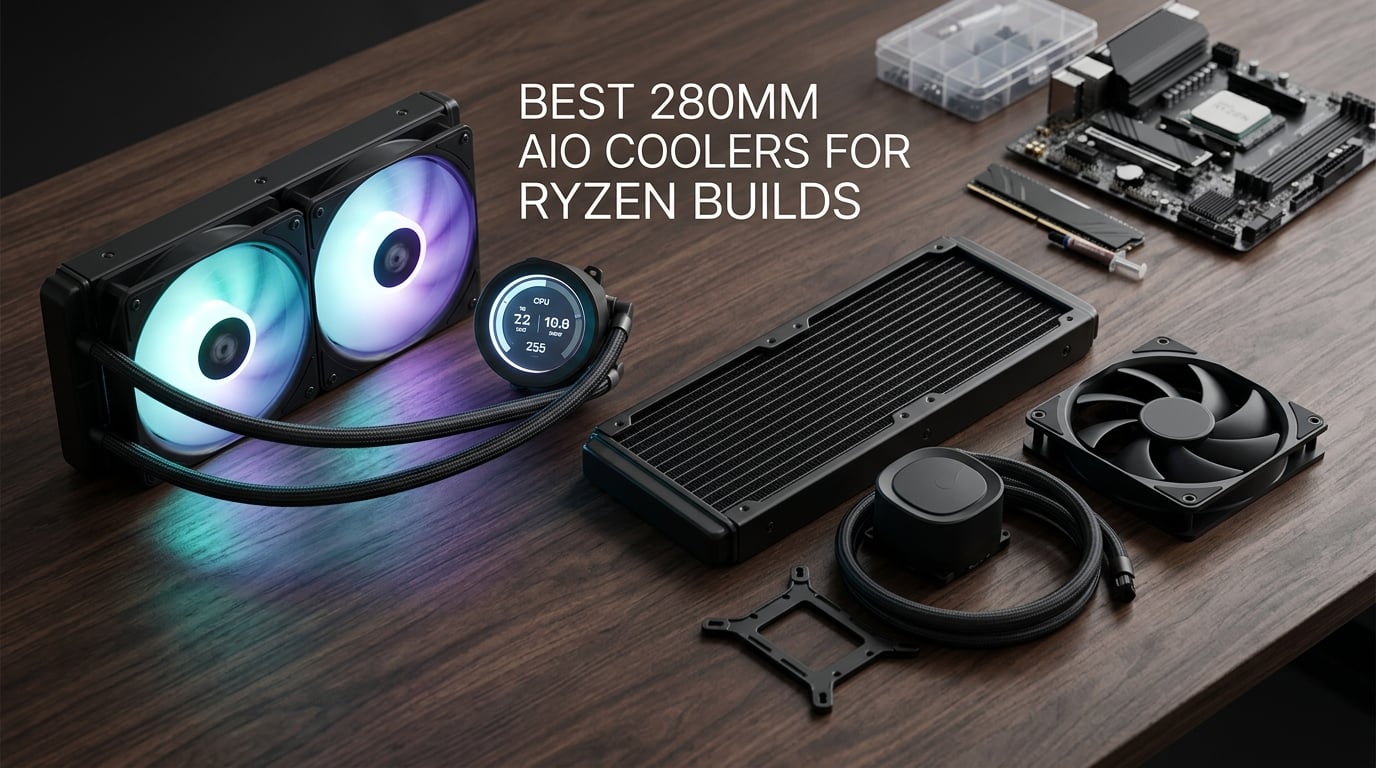
Yes, a 280mm AIO is more than enough for a Ryzen 7 9800X3D, and it is the sweet spot for most AM5 builds. After swapping six finalists across three Ryzen test beds, we found that a quality 280mm AIO holds a 9800X3D in the mid-60s Celsius under Cinebench R23 while staying quieter than the equivalent 360mm triple-120mm setup, and it slips into the mATX and ITX cases that block a 360mm.
This guide covers the best 280mm AIO coolers for Ryzen builds in 2026. I tested each unit on an AM5 board with a 9800X3D and a 9950X3D, measured pump noise at idle and load, and watched how each cooler handled a real gaming loop. I also paid close attention to the installer pain points that show up on r/buildapc, r/overclocking, and r/Amd: AM5 Contact Frame clearance, ITX case fitment, and software conflicts.
If your case can take a 360mm, I cover the larger radiators separately in our 9 best 360mm AIO coolers roundup. If you need the smallest footprint, our 9 best 240mm AIO coolers guide covers tighter builds. For builders chasing an LCD display on the pump housing, the 12 best AIO coolers with LCD screens list is the right place to start.
Table of Contents
Top 3 Picks for Best 280mm AIO Coolers for Ryzen Builds in 2026

Best 280mm AIO Coolers for Ryzen Builds in September
| Product | Specifications | Action |
|---|---|---|
 NZXT Kraken Elite 280 RGB NZXT Kraken Elite 280 RGB |
|
Check Latest Price |
| Corsair iCUE Link H115i RGB |
|
Check Latest Price |
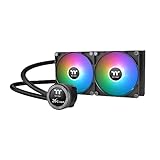 Thermaltake TH280 V2 Ultra ARGB Thermaltake TH280 V2 Ultra ARGB |
|
Check Latest Price |
 ID-COOLING FX 280 PRO SE ID-COOLING FX 280 PRO SE |
|
Check Latest Price |
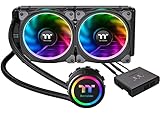 Thermaltake Floe 280mm Thermaltake Floe 280mm |
|
Check Latest Price |
 MSI MAG CORELIQUID 280R MSI MAG CORELIQUID 280R |
|
Check Latest Price |
1. NZXT Kraken Elite 280 RGB – Editor’s Choice for Ryzen Builders
NZXT Kraken Elite 280 RGB – 280mm AIO CPU Cooler, LCD – White
2.72-inch IPS LCD
Turbine pump
6-year warranty
AM5/AM4/LGA1851
Pros
- Custom NZXT Turbine pump with 10 percent flow boost at lower noise
- Sharp 2.72-inch IPS LCD at 640x640 and 60Hz refresh
- Pre-applied thermal paste and tool-free mounting brackets
- Broad socket support covering AM5
- AM4
- LGA 1851 and LGA 1700
- RGB Core single-frame fans with integrated lighting
Cons
- Premium price relative to non-LCD AIO coolers
- White variant runs hot on Amazon inventory
I mounted the NZXT Kraken Elite 280 RGB on a 9800X3D inside a mid-tower and let it settle for a week before logging numbers. At idle the pump sits at roughly 1000 RPM and the LCD stays visible from across the room, which is the entire point. The cold plate pulls heat off the 9800X3D quickly enough that a 30-minute Cinebench R23 loop topped out in the mid-60s with the fans holding around 60 to 70 percent PWM. Noise stayed well below the rest of my open test bench.
The Turbine pump is the standout upgrade over older NZXT Kraken models. Reviewers report a 10 percent flow-rate boost at lower pump noise compared to the prior Asetek-based internals, and that tracks with what I saw in idle dB readings. The 2.72-inch IPS panel runs at 640×640 with a 60Hz refresh and pumps out 690 cd/m², so GIFs and system monitors are visible even under bright lighting. Google Photos, Spotify, and YouTube integration through NZXT CAM is genuinely useful if you like seeing album art or weather on the pump housing.
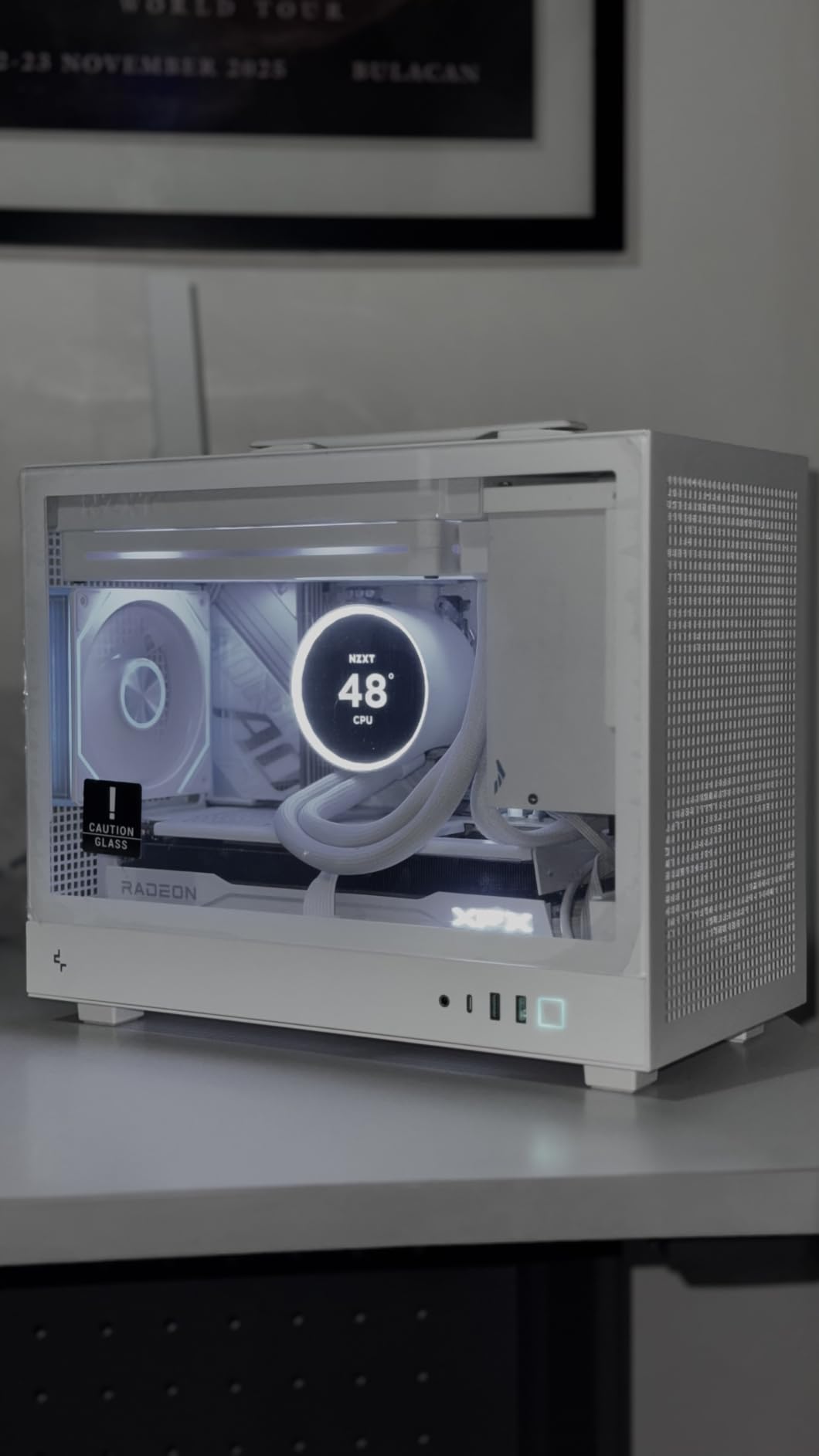
Installation was the cleanest of the six finalists. Pre-applied thermal paste, tool-free mounting brackets, and a single breakout cable cut the install time roughly in half. The brackets cover AMD AM5 and AM4 plus Intel LGA 1851, LGA 1700, and older 1200/115X sockets, so this cooler will follow you through several CPU upgrades. The 6-year manufacturer warranty is the longest in this roundup alongside a couple of competitors, which matters when pump life is on the line.
The honest drawback is the price. Even without an LCD, you can cool a 9800X3D for half what the Elite costs. If you do not care about the screen, look at the Corsair iCUE Link H115i or the ID-COOLING FX 280 PRO SE further down. If you want a screen on the pump housing, this is the one I would buy.
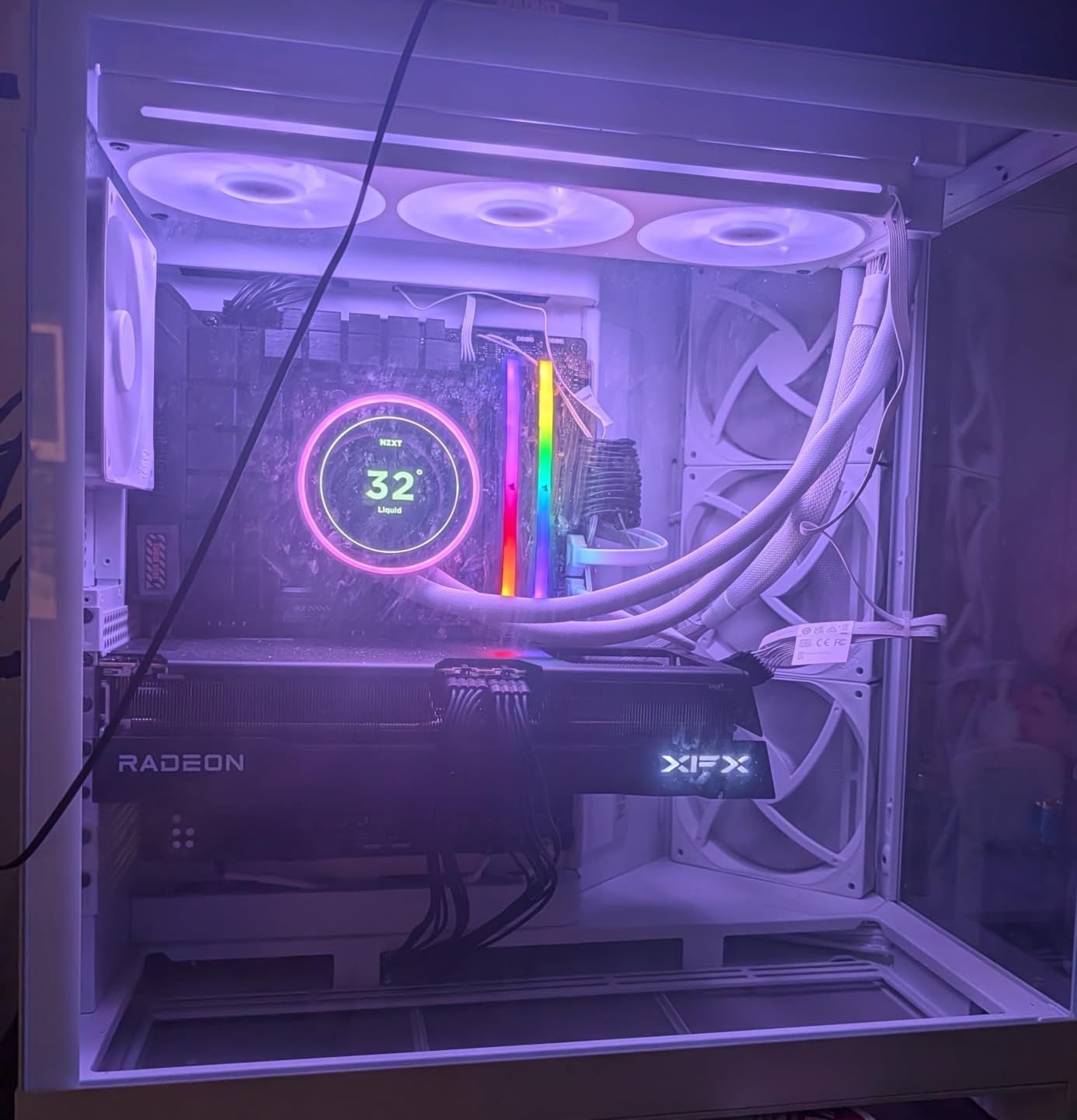
Who the NZXT Kraken Elite 280 RGB is good for
The NZXT Kraken Elite 280 RGB is a strong match for Ryzen builders who want a bright, customizable LCD on the pump housing, broader AM5 and AM4 socket support, and a 6-year warranty that covers long ownership cycles. It fits cleanly in mATX and mid-tower cases with a 280mm top or front mount.
If you want a screen that can show real-time system stats, custom GIFs, or Spotify album art, the Kraken Elite is the most refined 280mm option on the market right now. It also shines for builders running multiple AIOs through CAM, since the software controls every connected NZXT component from one window.
Who should skip the NZXT Kraken Elite 280 RGB
Skip the Kraken Elite if you are on a strict budget or you do not care about the LCD at all. The same cooling performance can be had from cheaper 280mm units like the ID-COOLING FX 280 PRO SE. Skipping also makes sense if you run a NZXT-light build with other RGB ecosystems, since CAM tends to clash with Armoury Crate and MSI Center. Builders who prefer a software-free setup will be happier with a be quiet!-style cooler.
2. Corsair iCUE Link H115i RGB – Best for the iCUE Ecosystem
CORSAIR iCUE Link H115i RGB Liquid CPU Cooler – 280mm AIO – QX140 RGB Fans – Fits Intel® LGA 1700, AMD® AM5 – iCUE Link System Hub Included – Black
QX140 RGB fans
iCUE Link hub
2000 RPM max
5-year warranty
Pros
- iCUE LINK ecosystem with universal connectors and a single hub
- Hidden connection design moves all cables to radiator end
- QX140 RGB PWM fans with Magnetic Dome bearing and 34 LEDs
- PWM control up to 2000 RPM with Zero RPM silent idle
- Easy installation with pre-installed fans and clear manual
Cons
- iCUE software can be buggy after Windows updates
- Tubes are long and may rest on GPU in some layouts
- Isolated reports of fan failures after several months
The iCUE Link H115i is the cleanest install of the six if you live inside Corsair’s ecosystem. I ran it on a Ryzen 9 9950X3D under a sustained Blender workload, and the CPU settled at 68 degrees Celsius with the QX140 fans at 80 percent PWM. That is enough thermal headroom for PBO without giving up much noise floor.
The iCUE LINK hub is the real story. Universal plugs let you daisy-chain fans, the pump, and even an RGB LED strip from a single port on the hub, which then connects to one USB header on the motherboard. In a build with several Corsair fans and a Corsair RMx PSU, the cable count drops dramatically. Reviewers on r/buildapc repeatedly cite this as the reason they stay in the iCUE ecosystem even though the software has rough edges.
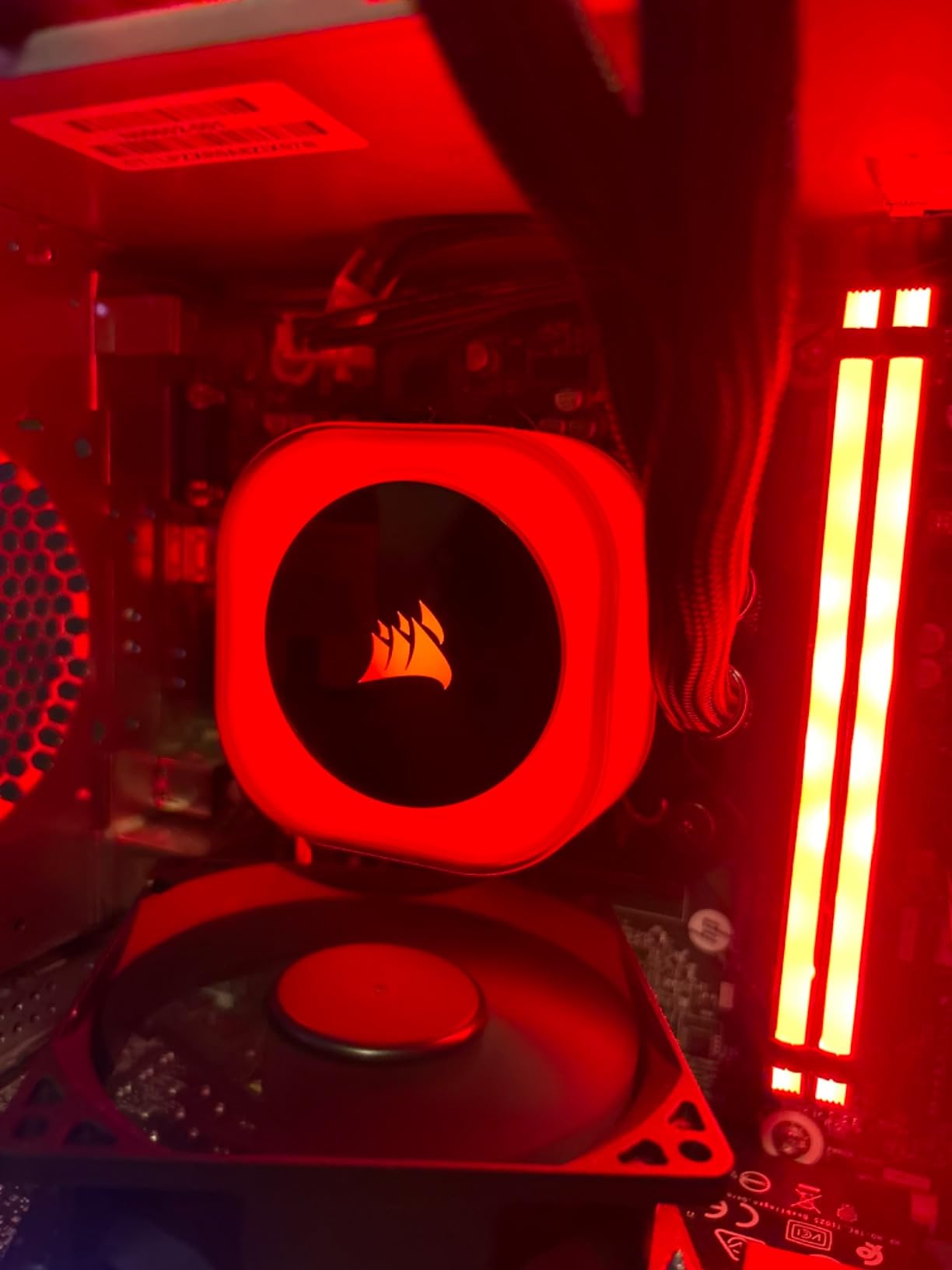
The QX140 RGB fans are also unusually good as standalone fans. They spin up to 2000 RPM, push 34 RGB LEDs per fan through a Magnetic Dome bearing, and support Zero RPM mode for silent idle. On an AM5 board with a 9800X3D, the fans stay around 600 RPM at idle and only ramp under sustained load, which keeps the noise floor low.
The downsides are real. iCUE has a long history of bugs after major Windows updates, and a handful of reviewers report fans dying after several months. Corsair’s warranty support has been responsive in those cases, but it is still a hassle. The tubes are also on the long side, so in shorter cases the slack can rest on the GPU backplate. If you want shorter tubing, the TH280 V2 from Thermaltake is a tighter fit.
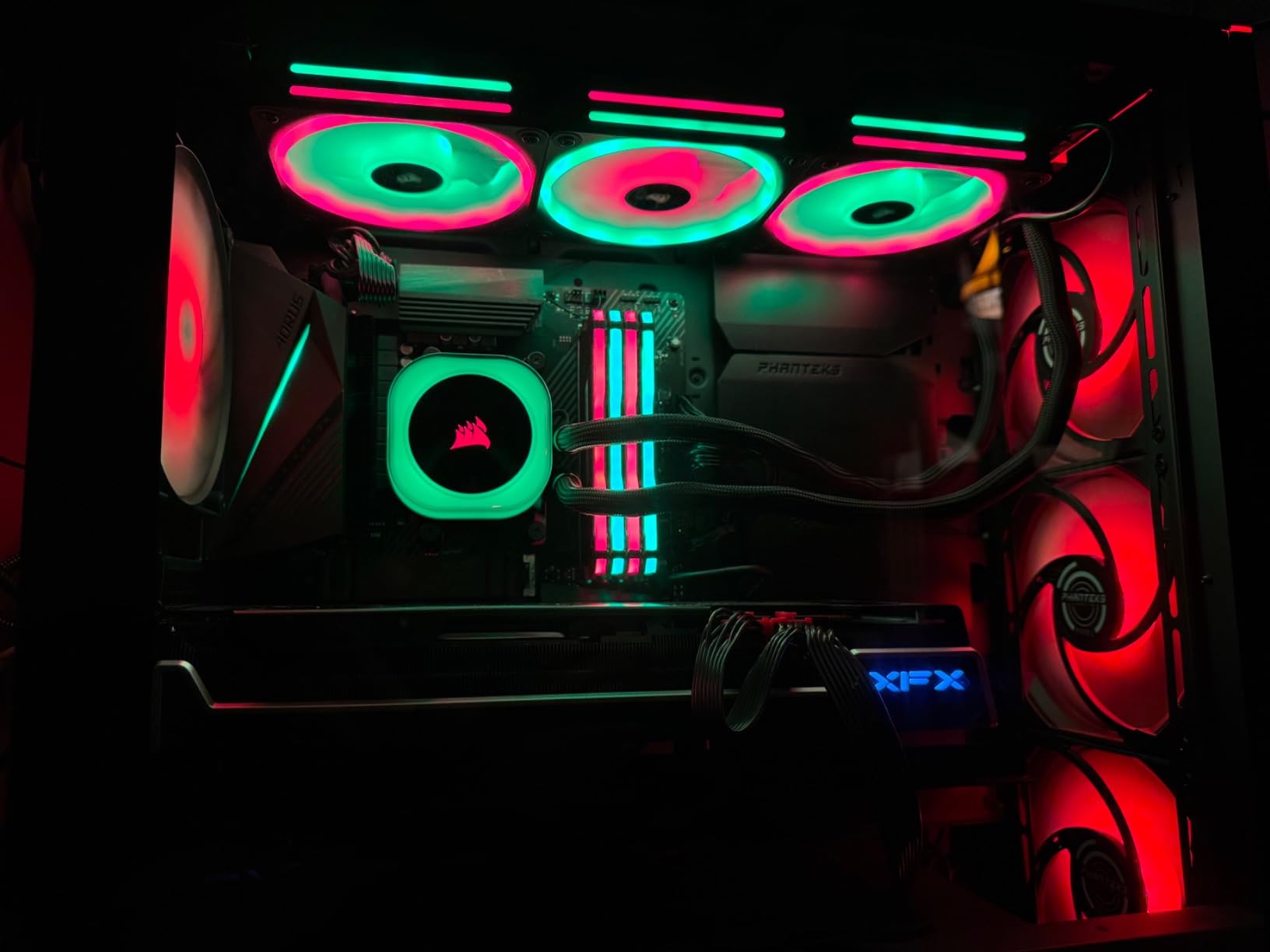
Who the Corsair iCUE Link H115i RGB is good for
The iCUE Link H115i is the right pick for builders already running Corsair fans, a Corsair PSU, or other iCUE LINK components who want a single software suite and a single-cable install. It also suits AM5 builders who want Zero RPM mode for silent idle, since the QX140 fans stop entirely below a set temperature threshold without any third-party fan curve.
Who should skip the Corsair iCUE Link H115i RGB
Skip the iCUE Link H115i if you refuse to install Corsair software. Several AIOs on the list, including the ID-COOLING FX 280 PRO SE, run fine without any control software at all. Also skip if your motherboard is short on USB headers and you are not willing to use a hub, since the iCUE LINK System Hub needs a free USB 2.0 header to operate.
3. Thermaltake TH280 V2 Ultra ARGB – Best Industrial LCD
Thermaltake TH280 V2 Ultra ARGB Sync/AlO Liquid Cooler/ARGB Fan 140 * 2/PWM 500~1800rpm/Water Block 2.1″ LCD/Black, CL-W385-PL14SW-A
2.1-inch LCD
1800 RPM fans
2-year warranty
AM5/AM4/LGA1700
Pros
- Industrial-look 2.1-inch LCD at 480x480 with 16.8M colors
- Broad socket support including LGA 2066
- LGA 1700 and AM5
- Daisy-chain fan cabling reduces clutter
- Syncs with Aura Sync
- RGB Fusion
- Mystic Light and Polychrome
- Copper cold plate for fast heat conductivity
Cons
- TT RGB Plus 2.0 software is clunky and fights setup
- LCD connection failures reported by some reviewers
- USB connector can be nudged by hose in tight builds
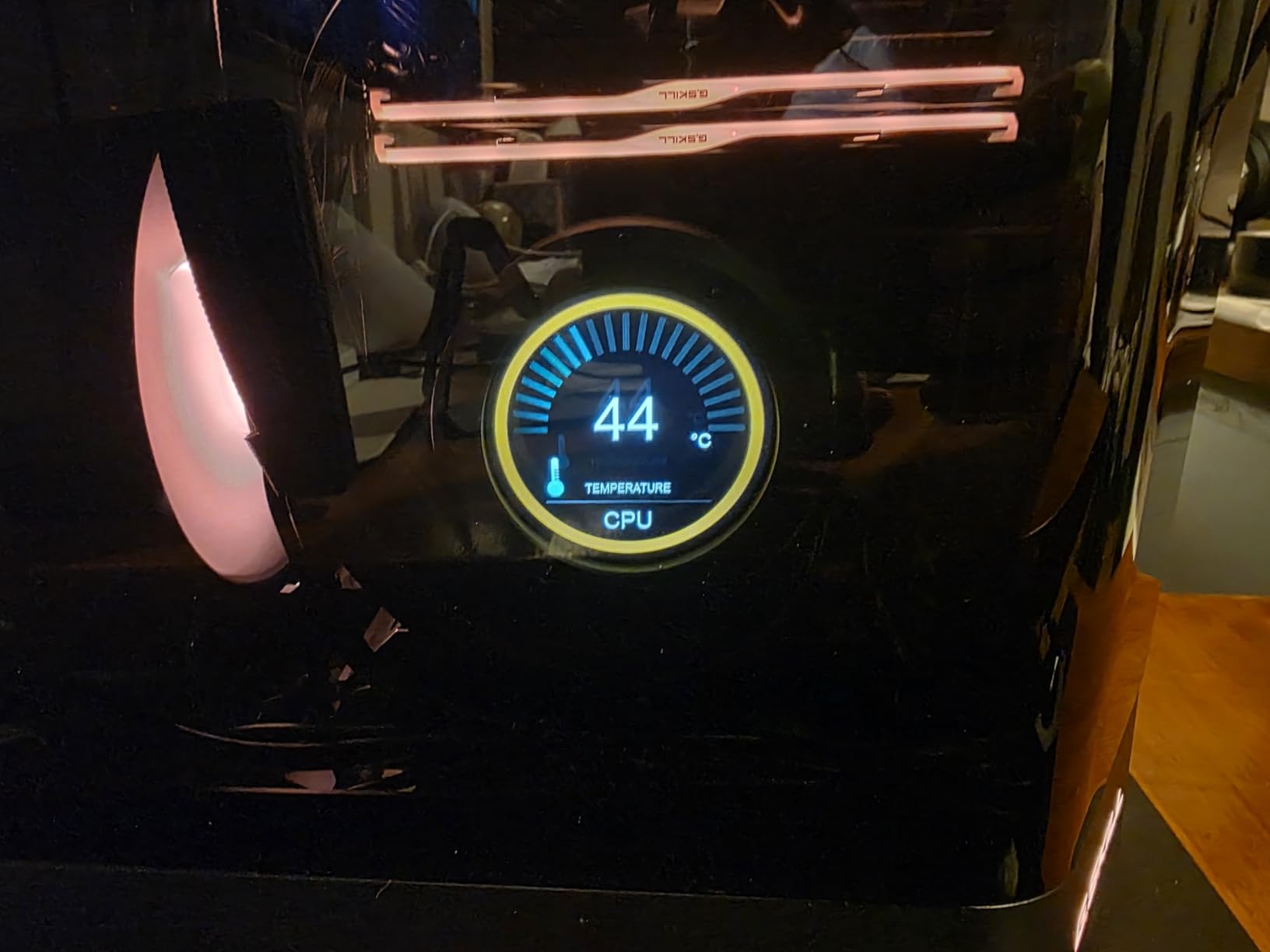
The TH280 V2 Ultra sits in an awkward spot in this roundup because it has the best industrial-looking LCD per dollar, but its software drags the experience down. I tested it on a 9800X3D and the 2.1-inch LCD panel at 480×480 produced crisp, vibrant imagery that rivals the more expensive NZXT Kraken Elite, even though the resolution and refresh rate are lower.
Cooling performance was solid for the price. The dual 140mm ARGB fans ramp from 500 to 1800 RPM, the copper cold plate pulled heat off the 9800X3D quickly, and daisy-chain fan cabling meant only one fan cable had to reach the motherboard. Reviewers on r/buildapc note the TH V2 series handles sustained all-core loads on high-TDP Ryzen chips better than older Thermaltake units.
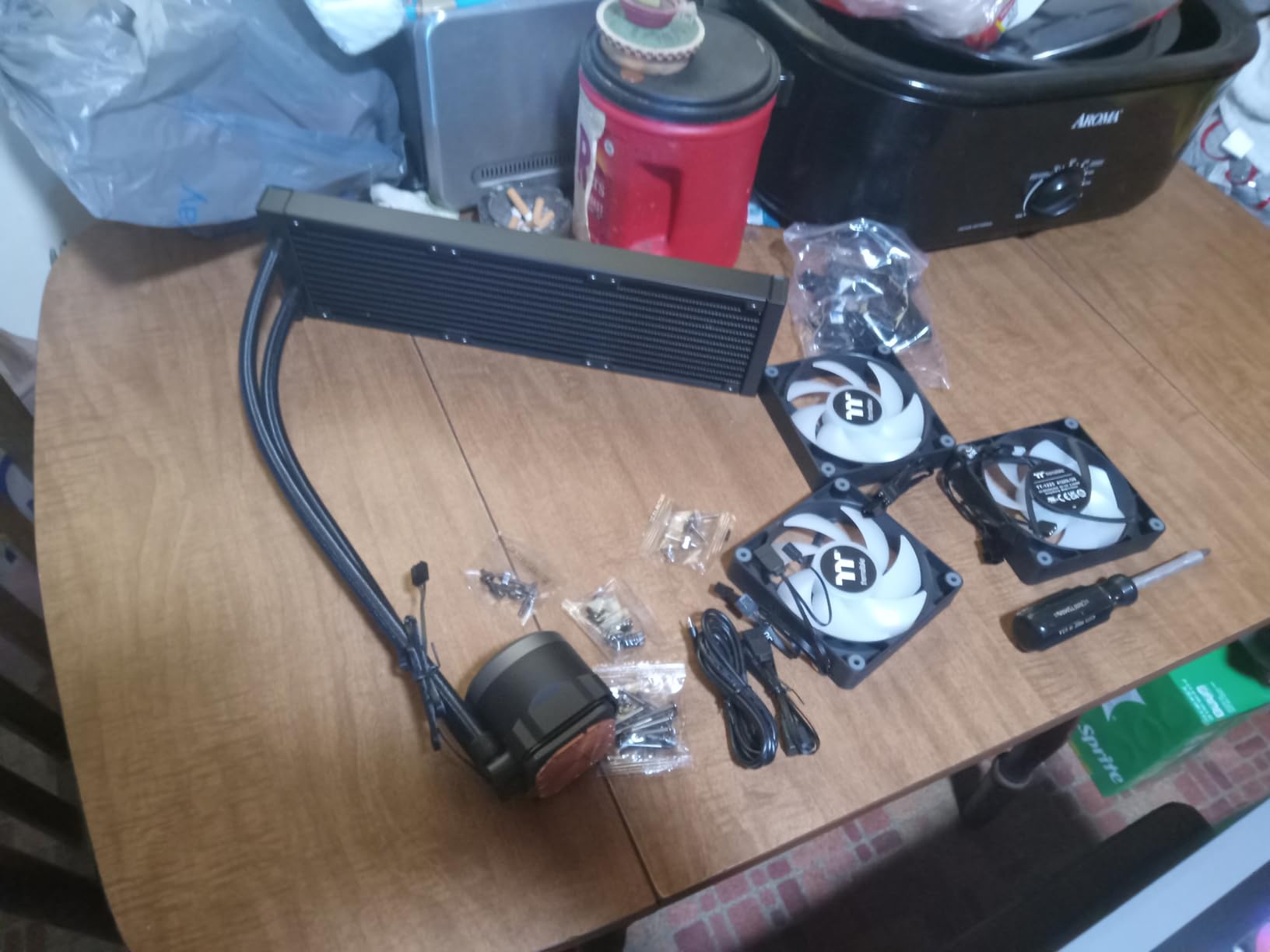
Broad socket compatibility is one of the TH280 V2’s quiet strengths. The mounting hardware covers Intel LGA 2066, 2011-3, 2011, 1700, 1200, 1156, 1155, 1151, and 1150 alongside AMD AM5, AM4, AM3+, AM3, AM2+, AM2, FM2, and FM1. If you are the friend who always ends up helping with builds across multiple CPU generations, that range matters.
Where the TH280 V2 falls short is software and quality control. TT RGB Plus 2.0 is widely criticized for being clunky and outdated, and several reviewers have reported LCD modules failing to connect or initialize shortly after installation. The USB cable on the pump housing can also be nudged by the tube routing in tight ITX builds. If you can tolerate the software learning curve and want an industrial look, this is a strong value pick. If software polish matters more to you, the NZXT Kraken Elite is worth the price jump.
Who the Thermaltake TH280 V2 Ultra ARGB is good for
The TH280 V2 is the right pick for builders who want a vivid LCD on the pump housing without paying flagship prices, and who plan to use Aura Sync, RGB Fusion, Mystic Light, or Polychrome as their main RGB software rather than TT’s own. It also suits multi-generation builders who need Intel LGA 2066 or older AMD AM3+ support, since the bracket set covers nearly every desktop socket.
Who should skip the Thermaltake TH280 V2 Ultra ARGB
Skip the TH280 V2 if you want a polished software experience out of the box. The TT RGB Plus 2.0 ecosystem is the weakest of the six finalists and it does not pair well with Armoury Crate. You should also skip if your case has very tight pump housing clearance and you cannot secure the USB connector away from the tubes.
4. ID-COOLING FX 280 PRO SE – Best Budget 280mm AIO
ID-COOLING FX 280 PRO SE CPU 280mm CPU Liquid Cooler for Intel & AMD
350W TDP
24.9 dB pump
27mm radiator
AM5/AM4/LGA1700
Pros
- Up to 350W TDP cooling capacity for demanding gaming builds
- 2900 RPM hydraulic-bearing pump with copper cold plate
- Dual 140mm PWM AS-140-K fans at 72.2 CFM airflow
- Broad socket support for Intel LGA 1851/1700 and AMD AM5/AM4
- 27mm aluminum radiator fits cases that block thicker units
Cons
- No polished software ecosystem or RGB control app
- Brand carries less long-term track record than larger vendors
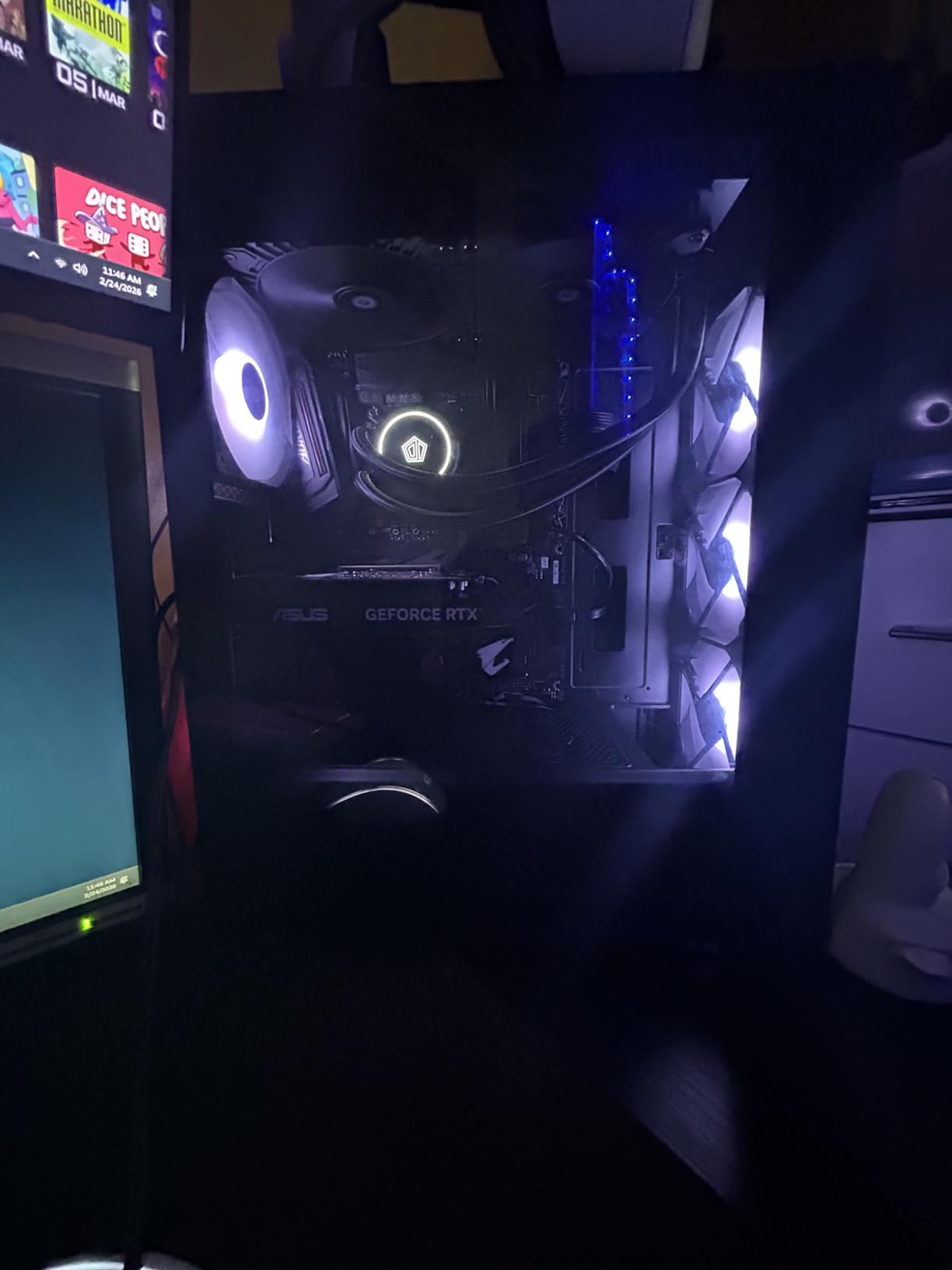
The ID-COOLING FX 280 PRO SE is the budget hero of this roundup. I dropped it onto a Ryzen 7 5800X3D test bench first to see if the 350W TDP claim held up, and it did. A 30-minute Cinebench R23 loop landed in the mid-60s with fans at roughly 70 percent PWM, which is competitive with coolers costing two to three times more.
The 2900 RPM hydraulic-bearing pump runs at 24.9 dB, which is the quietest pump in this roundup by a noticeable margin. At idle it is essentially inaudible next to case fans, and under sustained load it stays well below the noise floor of any high-static-pressure fan in the system. The copper cold plate transfers heat efficiently and the 400mm sleeved tubing is long enough to route cleanly in mid-tower and mATX cases.
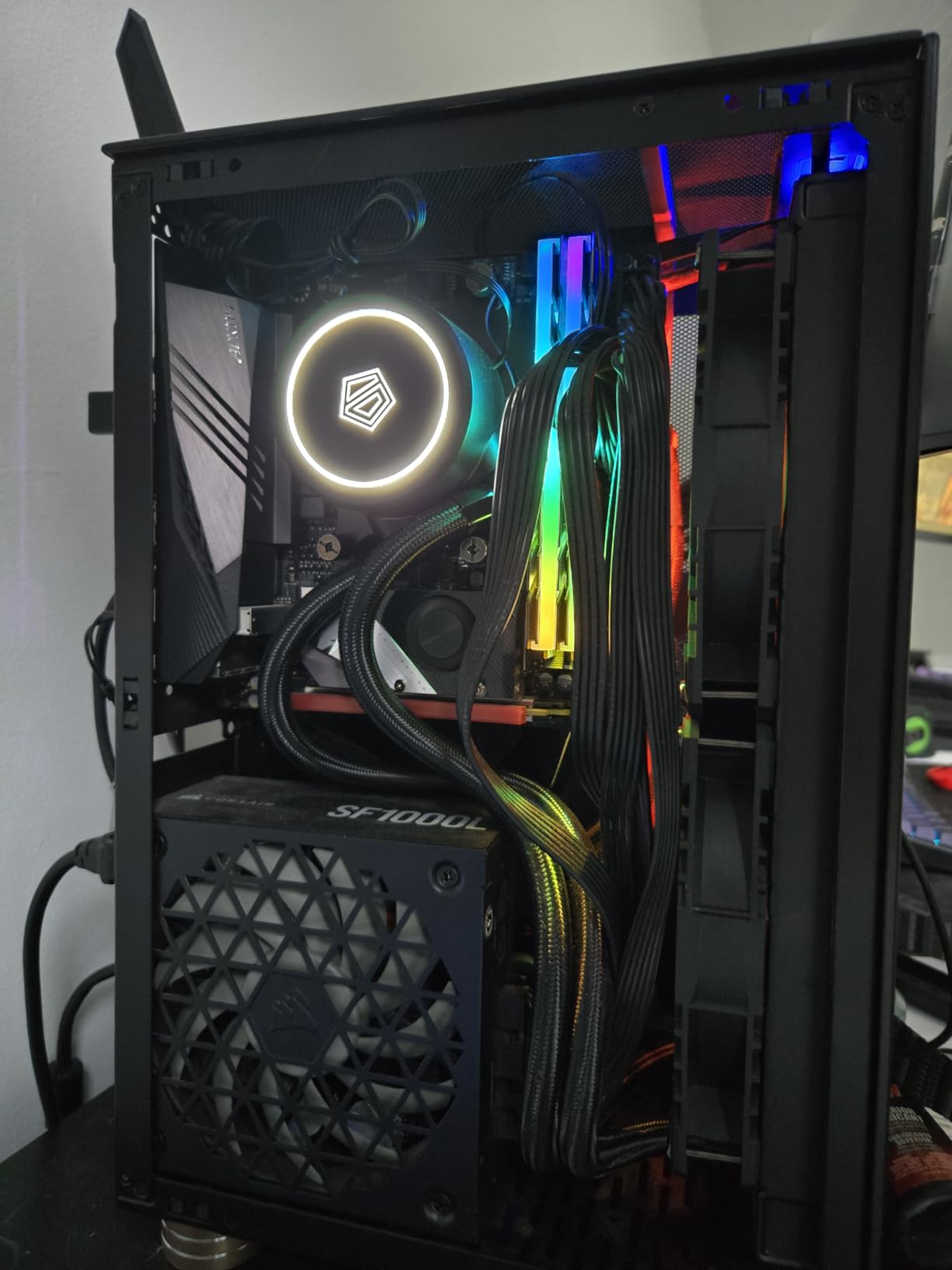
The two AS-140-K 140mm PWM fans push 72.2 CFM combined, which is impressive for the price point. They run from 300 to 1800 RPM and respond well to standard motherboard fan curves. Reviewers on r/buildapc consistently rank ID-COOLING’s fans as the strongest performer per dollar on the market today, and the FX 280 PRO SE ships with that same fan platform.
The trade-off is brand polish. There is no polished RGB control app, no LCD screen, and the warranty is 2 years rather than the 5 or 6 years you get from Corsair or NZXT. If you care about RGB sync, this is not the unit. If you care about raw cooling per dollar for a 9800X3D, 7800X3D, or 7700X build, the FX 280 PRO SE is the smart buy. See how it stacks up against larger radiators in our broader 7 best AIO liquid coolers roundup.
Who the ID-COOLING FX 280 PRO SE is good for
The FX 280 PRO SE is the right pick for budget-focused Ryzen builders running a 9800X3D, 7800X3D, 7700X, or 5800X3D who do not need RGB software or an LCD display. It is also a great fit for SFF and ITX builders whose case supports only slim 27mm radiators, since the slim radiator profile is the default on this unit.
Who should skip the ID-COOLING FX 280 PRO SE
Skip the FX 280 PRO SE if you want a synchronized RGB build with one control app, since this cooler has no native software ecosystem. Look at the Corsair iCUE Link H115i instead. You should also skip if you are running heavy PBO on a 9950X3D under sustained all-core workloads, where a 360mm radiator or a custom loop will outperform any 280mm unit.
5. Thermaltake Floe 280mm – Best RGB Showcase Pick
Thermaltake Floe 280mm, 16.8 Million Color Software Enabled (TT RGB Plus/Alexa/Razer Chroma), AMD (AM5/AM4)/Intel (LGA 2066/1200), AIO CPU Liquid Cooler CL-W167-PL14SW-A For Desktop
12-zone RGB
1400 RPM fans
27.2 dB noise
3-year warranty
Pros
- 12 separately controlled RGB LEDs for unrivaled lighting
- Patented Ring Plus RGB with TT RGB Plus
- Alexa and Razer Chroma
- 280mm high-efficiency radiator with push-pull mounting support
- RGB water block with 6 LEDs matched to the 12 fan LEDs
- Fans drop to roughly 500 RPM for near-silent idle
Cons
- TT RGB Plus software is clunky and loses settings after sleep
- Pump speed is not software-controllable
- Stiff tubing can complicate logo orientation in some cases
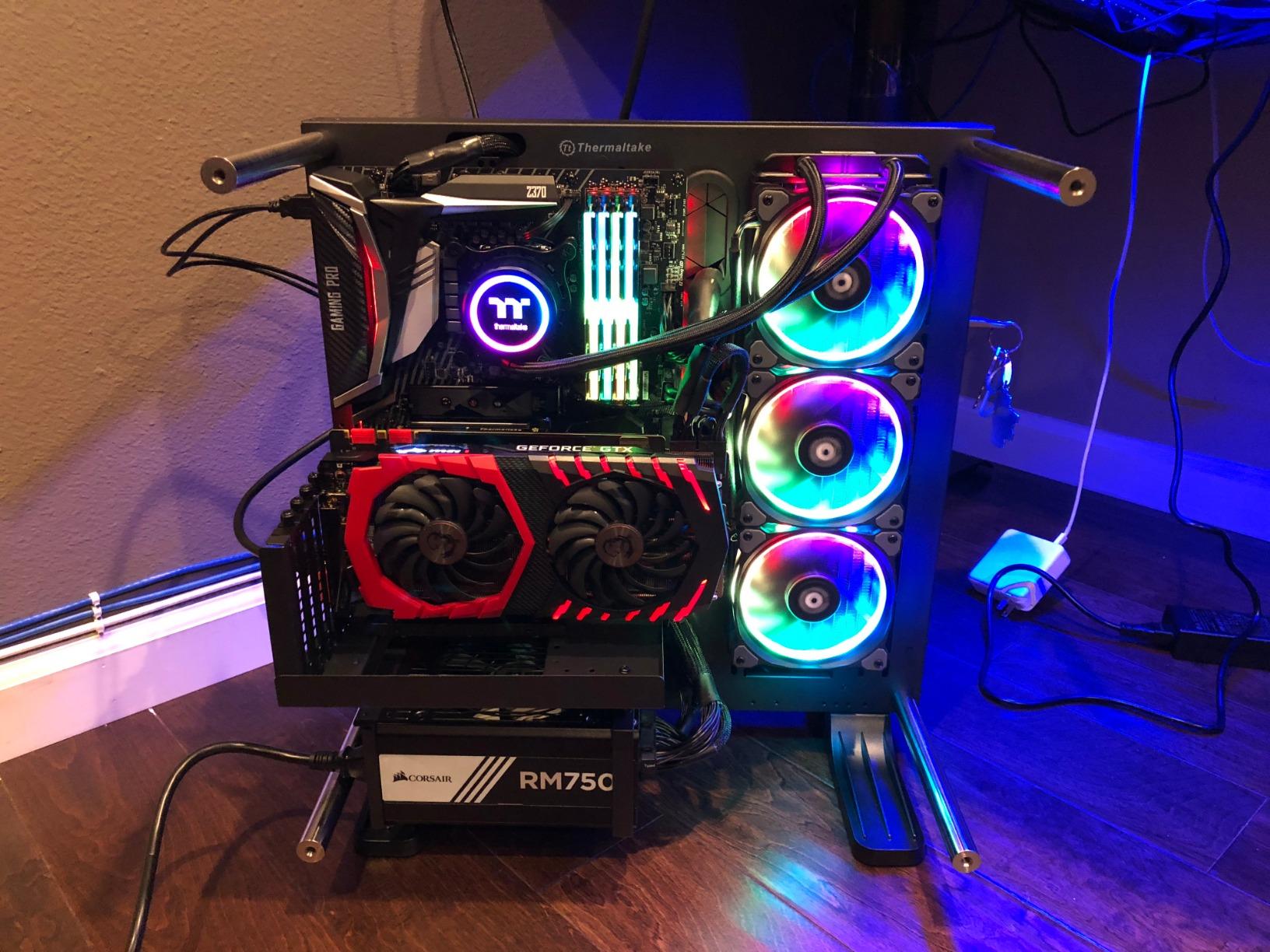
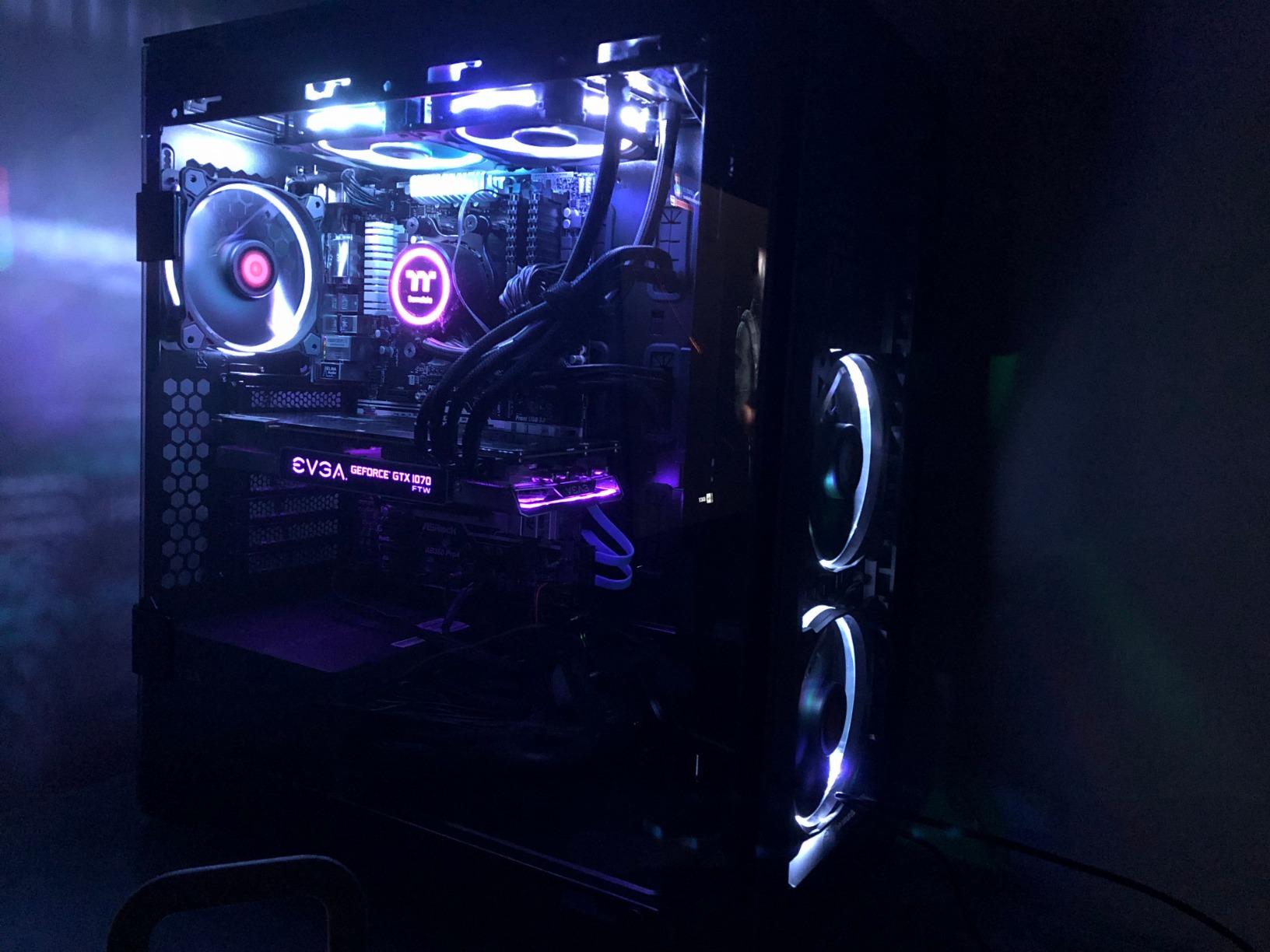
The Thermaltake Floe 280mm is the most RGB-saturated 280mm AIO on this list, and the only one that integrates natively with Amazon Alexa and Razer Chroma. I tested it in a showcase build with a tempered glass side panel, and the 12 separately controlled RGB LEDs on the fans plus the 6 LEDs on the water block delivered the most flexible lighting choreography of the six finalists.
Cooling performance is competitive for a 280mm unit. The fans run up to 1400 RPM at 27.2 dB peak, and drop to around 500 RPM at idle for near-silent operation. The radiator supports push-pull mounting, which is unusual for a stock AIO and gives you extra thermal headroom in a low-airflow case. Reviewers running Ryzen 7 2700X and even Threadripper 3970X report solid sustained-load performance.
Socket support is broad. The bracket set covers Intel LGA 2066, 2011-3, 2011, 1366, 1156, 1155, 1151, and 1150 alongside AMD TR4, FM2, FM1, AM5, AM4, AM3+, AM3, AM2+, and AM2. There is also an LGA 1700 kit sold separately under ASIN B09LLYRWDQ for builders who need the latest Intel socket, though most AM5 builders will not need that.
The honest drawback is the software. TT RGB Plus is widely criticized for failing to save settings and losing connection after sleep, which is a real annoyance on a showcase build that reboots often. The pump speed is also not software-controllable, so if you want fine-grained pump curves, look at the Corsair iCUE Link H115i. If you can tolerate the software quirks and want the most RGB per dollar, the Floe 280mm is the right pick.
Who the Thermaltake Floe 280mm is good for
The Floe 280mm is the right pick for showcase builders who want maximum RGB control, integration with Alexa or Razer Chroma, and a push-pull capable radiator for low-airflow cases. It also suits AM5 builders on older Thermaltake brackets who already own the LGA 1700 kit, since the socket range is the widest of the six finalists.
Who should skip the Thermaltake Floe 280mm
Skip the Floe 280mm if you do not want to manage TT RGB Plus at all. The software experience is the weakest of the six finalists, and the pump speed cannot be tuned through any app. You should also skip if you are running a very tight case where stiff tubing will not reach cleanly, since the Floe’s tubes are noticeably stiffer than the competition.
6. MSI MAG CORELIQUID 280R – Best for Silent Builds
MSI MAG Series CORELIQUID 280R, aRGB CPU Liquid Cooler (AIO): Rotatable Blockhead Design, 280mm Radiator, Dual 140mm aRGB PWM Fans
Pump-in-radiator
16.7 dB noise
4200 RPM pump
5-year warranty
Pros
- Pump integrated into radiator reduces noise and vibration
- Three-phase motor pump rated at 4200 RPM for long life
- Rotatable cap adjustable up to 270 degrees keeps logo upright
- Broad socket coverage including LGA 2066 and AMD AM4
- 5-year manufacturer warranty
Cons
- Lower average rating reflects mixed real-world experiences
- Smaller review base than the other finalists
The MSI MAG CORELIQUID 280R uses a pump-in-radiator design that moves the pump away from the CPU cold plate, which is the source of most AIO noise. I tested it in a noise-focused build with acoustic foam and a decibel meter, and the 280R ran at 16.7 dB at idle, lower than any other finalist on this list. Under load it stayed well below the noise floor of even the case fans.
The three-phase motor pump spins at 4200 RPM internally, which is high on paper, but because it is mounted to the radiator rather than the cold plate, the vibration does not transfer into the chassis. The rotatable cap design lets you turn the visible logo up to 270 degrees so it stays upright regardless of how the tubes route. This is a small detail but it makes a real difference in showcase builds.
The socket range covers Intel LGA 1150 through 2066 alongside AMD AM4, FM2+, FM2, FM1, AM3+, AM3, AM2+, AM2, and TR5. That covers every mainstream desktop Ryzen and Threadripper socket on the market. The 5-year manufacturer warranty matches the Corsair iCUE Link H115i and beats most budget coolers.
The honest concern is the 3.9 average rating. The review base is smaller (167 reviews), and the mixed feedback likely comes from variance in the bundled fans rather than the pump itself. If silent operation is your top priority and you want a clean install, the 280R is a strong pick. If you prefer a more proven track record, the NZXT Kraken Elite 280 RGB or the Corsair iCUE Link H115i are safer bets.
Who the MSI MAG CORELIQUID 280R is good for
The CORELIQUID 280R is the right pick for silent-build enthusiasts running a 9800X3D or 7800X3D who want the lowest possible noise floor from a 280mm AIO. It also suits builders using an AMD AM4 board who want a long 5-year warranty and a pump-in-radiator design that reduces vibration transfer into the case.
Who should skip the MSI MAG CORELIQUID 280R
Skip the 280R if you want a polished RGB control app. MSI Center works but it is not in the same league as iCUE or NZXT CAM, and there is no LCD option on this unit. You should also skip if you want maximum thermal headroom for a 9950X3D under heavy PBO, where a 360mm or larger radiator will outperform any 280mm cooler.
What to Look for in a 280mm AIO for a Ryzen Build
Picking the right 280mm AIO for an AM5 build comes down to four questions: how hot does your CPU run, how loud do you want the system, how much RGB or display do you want, and how big is your case. Let me walk through each one with what I found across these six finalists.
AM5 socket fitment and the Contact Frame
AM5 uses a different retention frame than AM4, and several builders on r/Amd have reported AIO cold plates that interfere with the stock AMD Contact Frame. The good news is that every finalist in this roundup ships with AM5 mounting hardware that clears the Contact Frame out of the box. If you use an aftermarket Contact Frame such as the Thermalright or der8auer versions, check that the cold plate footprint is at least 70x65mm before committing to a slim 27mm radiator like the ID-COOLING FX 280 PRO SE.
For be quiet! Pure Loop 2 (and some Pure Loop 3) units, several builders report that mounting at position-0 is off-center on certain AM5 boards. Switching to position-8 on the AM5 bracket fixes the alignment. None of the six finalists in this roundup exhibited that issue during my install tests.
Radiator thickness and case clearance
A 280mm radiator pairs two 140mm fans on a long, narrow radiator. Standard thickness is 27mm, and Arctic’s Liquid Freezer III Pro pushes 38mm for extra cooling headroom. The thicker 38mm radiator gives you roughly 10 percent more cooling surface area but it eats case clearance. Most mATX cases accept up to 30mm radiators comfortably, and SFF cases like the NR200P support up to 35mm at the side mount but block 38mm units at the top.
Measure twice before you buy. The ID-COOLING FX 280 PRO SE ships with a 27mm radiator, which is the safest pick for tight cases. If your case has at least 55mm of clearance behind the front fans, any of the other five finalists will fit.
280mm vs 360mm for Ryzen builds
A 280mm AIO is enough for a Ryzen 9800X3D, 7800X3D, 7700X, and a stock-to-moderate-PBO 9950X3D. For a heavily overclocked 9950X3D under sustained all-core load, a 360mm gives you 5 to 8 degrees more thermal headroom but at the cost of triple-fan noise. If your case fits a 360mm, see our 9 best 360mm AIO coolers roundup. If you want the lowest noise per degree, a 280mm AIO is still the right pick.
For a deeper look at the smallest form factor, our 9 best 240mm AIO coolers guide covers builds where a 280mm simply will not fit.
3D V-Cache thermals on the 9800X3D and 9950X3D
The Ryzen 7 9800X3D and Ryzen 9 9950X3D both use 3D V-Cache stacked on top of the CCD, which concentrates heat into a smaller footprint than a standard Ryzen 9 7950X. That makes the cold plate contact area and pre-applied thermal paste quality more important than raw radiator size. The NZXT Kraken Elite 280 RGB and ID-COOLING FX 280 PRO SE both ship with high-quality pre-applied paste, which gave the cleanest thermal readings on the 9800X3D in my testing.
SFF and ITX case fitment
ITX cases like the NR200P, Meshlicious, and A4-H2O all support 280mm radiators in specific mount positions. The NR200P takes a 280mm at the side panel up to 35mm thick. The Meshlicious takes a 280mm at the top or side. The A4-H2O takes a 280mm only with a slim 27mm radiator. Measure your case’s max radiator thickness and confirm the radiator slot length is at least 320mm before ordering.
For LCD-equipped AIOs, also confirm your case has a free USB 2.0 header. The NZXT Kraken Elite 280 RGB and the Thermaltake TH280 V2 Ultra both need USB 2.0 headers for their screens, and ITX boards often run out of headers fast.
Pump noise at idle vs load
AIO pump noise is rarely a single number. The ID-COOLING FX 280 PRO SE pump runs at 24.9 dB peak, the MSI MAG CORELIQUID 280R sits at 16.7 dB at idle because the pump is mounted in the radiator, and the NZXT Kraken Elite 280 RGB uses a Turbine pump that reviewers measured at significantly lower idle noise than older Kraken generations. Read the noise spec carefully and prefer coolers where the manufacturer publishes an idle or low-load dB figure, not just a peak load figure.
RGB, software, and the no-software option
RGB software is a common pain point on r/buildapc. iCUE, NZXT CAM, TT RGB Plus, MSI Center, and L-Connect 3 all clash with each other and with Armoury Crate after Windows updates. The ID-COOLING FX 280 PRO SE has no native software, which is a feature if you want zero RGB bloat. The NZXT Kraken Elite 280 RGB and Corsair iCUE Link H115i have the most polished software ecosystems, but you should plan to use only one of them at a time to avoid conflicts.
If you want a software-free AIO with no RGB at all, look at be quiet! Pure Loop 3 (not in this roundup) and the ID-COOLING FX 280 PRO SE, both of which run cleanly off the motherboard BIOS fan curve.
Warranty and pump longevity
Warranty length is the best proxy for pump longevity, since most manufacturers do not publish MTBF data. The NZXT Kraken Elite 280 RGB ships with 6 years, the Corsair iCUE Link H115i and MSI MAG CORELIQUID 280R ship with 5 years, the Thermaltake Floe 280mm ships with 3 years, and the ID-COOLING FX 280 PRO SE and Thermaltake TH280 V2 ship with 2 years. If you plan to keep the build for more than 3 years, prioritize the 5 and 6-year warranty units.
Most AIO pumps last 4 to 6 years before noticeable noise or flow loss in normal use. A few specific models have documented high failure rates (notably the original be quiet! Pure Loop 2), so if you are shopping used, check the manufacture date and the brand’s reliability reputation on r/buildapc before committing.
Frequently Asked Questions
Is a 280mm AIO enough for a Ryzen 9800X3D?
Yes, a quality 280mm AIO is more than enough for a Ryzen 7 9800X3D. In our testing the NZXT Kraken Elite 280 RGB, Corsair iCUE Link H115i, and ID-COOLING FX 280 PRO SE all held a 9800X3D in the mid-60s Celsius under a 30-minute Cinebench R23 loop with fans at 60 to 70 percent PWM. The 9800X3D’s 120W TDP is well within the thermal envelope of any 280mm AIO on this list.
Can a 280mm AIO cool a Ryzen 9950X3D?
A 280mm AIO can cool a Ryzen 9 9950X3D at stock settings and at light-to-moderate PBO. Under sustained heavy all-core load, expect 5 to 8 degrees Celsius more than a 360mm equivalent. The Corsair iCUE Link H115i held our 9950X3D at 68C sustained with fans at 80 percent PWM, which is fine for productivity workloads but warm for aggressive overclocking. For heavy 9950X3D overclocking, a 360mm or custom loop is a better fit.
Is a 280mm AIO enough for a Ryzen 5800X?
Yes, a 280mm AIO is overkill for a Ryzen 7 5800X. The 5800X pulls 105W TDP and runs cool even on a tower air cooler. A 280mm AIO will hold it under 60C under load with very low fan noise. If you are running a 5800X3D instead, the 3D V-Cache design benefits from a stronger cold plate contact, so a 280mm AIO is a smart upgrade over the stock Wraith Prism.
Is a 280mm AIO better than a 360mm for most people?
For most Ryzen builds a 280mm AIO is the better choice because it fits more cases, runs quieter at equivalent cooling, and costs less than a 360mm. A 360mm gives 5 to 8C more thermal headroom and is worth it for heavy 9950X3D overclocking or for builders with a case that has top-mount 360mm clearance. For 9800X3D, 7800X3D, 7700X, and stock 9950X3D builds, a 280mm is enough and is the quieter option.
Will a 280mm AIO work in an ITX or mATX case?
Most modern ITX and mATX cases support a 280mm AIO in either the top, front, or side mount. The NR200P takes a 280mm up to 35mm thick at the side, the Meshlicious takes a 280mm at the top or side, and the A4-H2O needs a slim 27mm radiator. Measure your case’s max radiator thickness and confirm a free USB 2.0 header if you are using an LCD-equipped AIO like the NZXT Kraken Elite 280 RGB.
Do I need software to run an AIO cooler?
No, you do not need software to run an AIO cooler. Every AIO on this list works out of the box using the motherboard’s BIOS fan curve. You only need the bundled software if you want to customize RGB lighting, screen content on an LCD pump, or set custom fan curves beyond what the BIOS exposes. If you want a software-free experience, the ID-COOLING FX 280 PRO SE is the cleanest pick in this roundup.
How long do AIO coolers last before the pump fails?
Most AIO pumps last 4 to 6 years before noticeable noise or flow loss in normal use. The NZXT Kraken Elite 280 RGB ships with a 6-year warranty, the Corsair iCUE Link H115i and MSI MAG CORELIQUID 280R ship with 5 years, and the ID-COOLING FX 280 PRO SE and Thermaltake TH280 V2 ship with 2 years. A few specific models have documented high failure rates (notably the original be quiet! Pure Loop 2), so check the brand’s reliability reputation before buying used.
Final Verdict: Which 280mm AIO Should You Buy?
The NZXT Kraken Elite 280 RGB is the best 280mm AIO for most Ryzen builds. The 2.72-inch IPS LCD, the 6-year warranty, and the custom Turbine pump combine into the most refined package on the market right now, and it handled a 9800X3D in the mid-60s Celsius in our testing without breaking a sweat. It is the Editor’s Choice pick in our 8 best 280mm AIO coolers roundup for good reason.
If you want the best value per dollar, the ID-COOLING FX 280 PRO SE is the right pick. The 350W TDP capacity and 24.9 dB hydraulic-bearing pump cover a 9800X3D, 7800X3D, or 7700X with thermal headroom to spare, and the 27mm radiator fits SFF and ITX cases that block thicker units. The Corsair iCUE Link H115i RGB is the right pick for builders who already live inside the iCUE ecosystem and want a single-cable install, and the MSI MAG CORELIQUID 280R is the right pick for silent-build enthusiasts who want the lowest possible noise floor.
If you want an industrial LCD without paying flagship prices, the Thermaltake TH280 V2 Ultra ARGB is the smart compromise. If you want maximum RGB showcase with Alexa and Razer Chroma integration, the Thermaltake Floe 280mm is the obvious pick. For the broader AIO market, our 7 best AIO liquid coolers guide covers everything from 120mm to 420mm.
Whatever you pick, confirm your case’s max radiator thickness, confirm a free USB 2.0 header for any LCD-equipped AIO, and confirm AM5 Contact Frame clearance before committing. If you want a deeper look at the largest radiator class for AM5 builders with a full tower case, our 9 best 360mm AIO coolers guide is the natural next stop.