
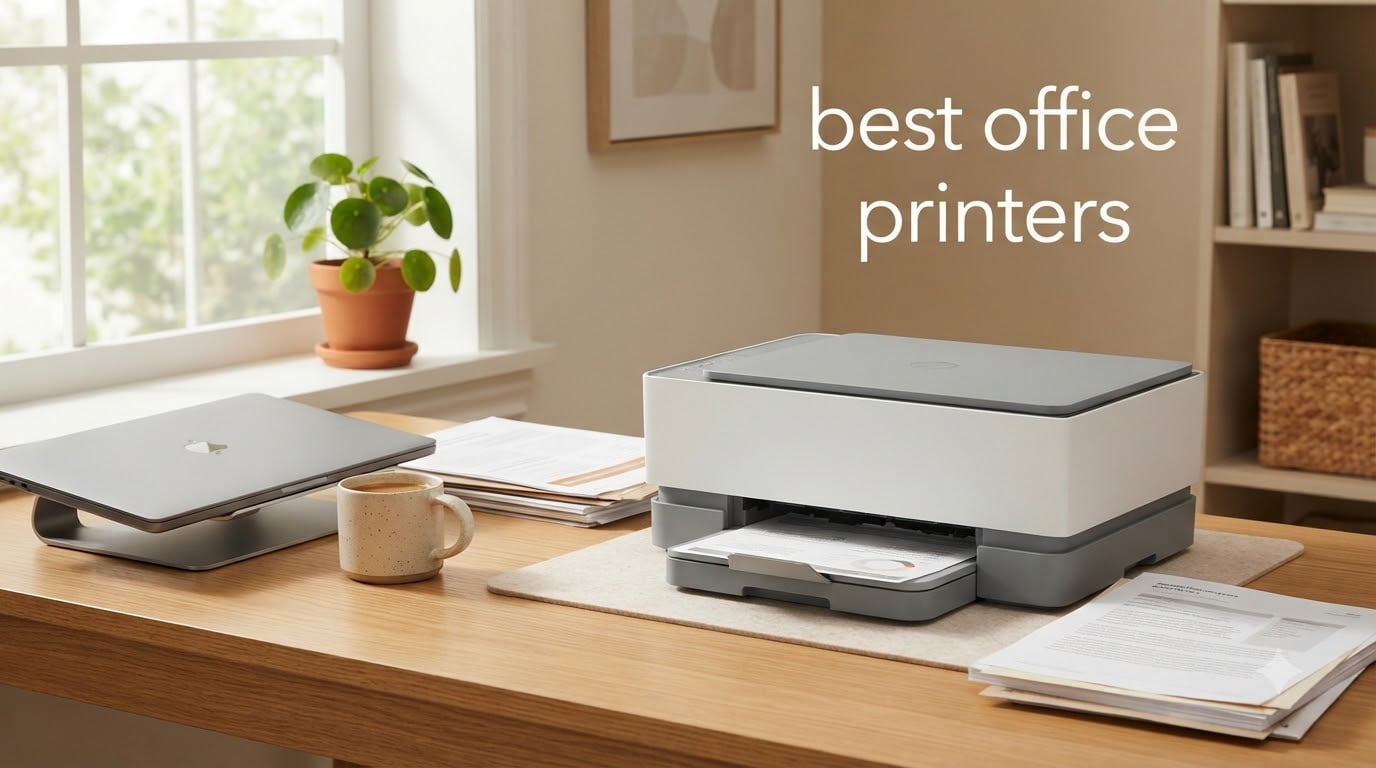
Finding the best office printers for 2026 means sorting through dozens of models that all promise speed, reliability, and low running costs. Our team spent weeks comparing inkjet and laser options from Brother, HP, and Epson to see which ones actually deliver in a real work environment.
We tested everything from budget-friendly inkjets under $120 to heavy-duty laser workhorses pushing 42 pages per minute. The goal was simple: figure out which printers hold up under daily office use without bleeding you dry on consumables.
Whether you need a compact home office printer for occasional documents or a high-volume machine for a team of ten, this guide breaks down what each model does well and where it falls short. We also cover the running costs, connectivity options, and real-world reliability based on thousands of user reviews.
Table of Contents
Top 3 Office Printer Picks for September 2026

Brother Work Smart MFC-J1360DW
- All-in-one inkjet
- Auto duplex
- Wi-Fi connectivity
- 20-sheet ADF

Best Office Printers in 2026
| Product | Specifications | Action |
|---|---|---|
| Brother Work Smart MFC-J1360DW |
|
Check Latest Price |
 HP OfficeJet Pro 8139 HP OfficeJet Pro 8139 |
|
Check Latest Price |
 HP LaserJet MFP M234sdw HP LaserJet MFP M234sdw |
|
Check Latest Price |
 Epson EcoTank ET-2800 Epson EcoTank ET-2800 |
|
Check Latest Price |
 Epson EcoTank ET-4800 Epson EcoTank ET-4800 |
|
Check Latest Price |
 HP OfficeJet Pro 9135e HP OfficeJet Pro 9135e |
|
Check Latest Price |
 Brother MFC-L3720CDW Brother MFC-L3720CDW |
|
Check Latest Price |
| HP LaserJet Pro MFP 4101fdw |
|
Check Latest Price |
1. Brother Work Smart MFC-J1360DW – Budget Inkjet All-in-One
Brother Work Smart 1360 Wireless Color Inkjet All-in-One Print, Scan, Copy
Inkjet All-in-One
16 ppm black / 9 ppm color
Auto duplex
20-sheet ADF
150-sheet tray
Wi-Fi and USB
Pros
- All-in-one print copy scan
- Automatic duplex printing
- Compact 16.8 lb design
- Wireless and USB connectivity
- 20-sheet ADF for multi-page jobs
Cons
- Ink cartridges need frequent replacement
- Some setup complexity reported
I set the Brother MFC-J1360DW on a small desk in a home office and used it for everyday documents, shipping labels, and the occasional color handout. At just 16.8 pounds and 13.5 inches deep, it fits in spaces where most multifunction printers would not even clear the wall.
Print speeds landed around 16 pages per minute for black text and 9 ppm for color, which is solid for a budget inkjet. The automatic duplex printing worked without jams during my testing, and the 150-sheet paper tray meant I was not refilling constantly for moderate print jobs.

The 20-sheet automatic document feeder handled multi-page scans without much fuss. I ran a stack of ten contracts through it back to back and the feeder pulled each sheet cleanly.
The 1.8-inch color display is small but gets the job done for menu navigation. Wi-Fi setup took about ten minutes using the Brother Mobile Connect app, which also tracks ink levels through their Page Gauge feature.

Who Should Buy This Printer
This is one of the best office printers for someone setting up a home office on a tight budget. If you print maybe 100 to 200 pages a month and want copy and scan functionality without spending a fortune, the MFC-J1360DW hits the sweet spot.
The cloud app connections let you print from and scan to Google Drive, Dropbox, and OneDrive, which is handy if you work across multiple devices. Just know the ink cartridges will need replacing more often than a supertank system.
Running Costs and Ink Considerations
The trade-off for the low upfront price is higher per-page ink costs compared to EcoTank models. With over 2,000 reviews and a 4-star rating, most users acknowledge the ink expense but feel the initial savings make up for it.
If your monthly print volume creeps past 300 pages, you may want to consider a cartridge-free alternative like the Epson EcoTank instead.
2. HP OfficeJet Pro 8139 – AI-Capable Color Inkjet
HP OfficeJet Pro 8139 Wireless All-in-One Color Inkjet Printer, Print, Scan, Copy, Fax, ADF, Duplex Printing Best-for-Home-Office, 1 Year Trial of Instant Ink Included, AI-Capable (C2VK3A)
Inkjet All-in-One
20 ppm black / 10 ppm color
Auto duplex
225-sheet tray
2.7 inch touchscreen
Wi-Fi Ethernet USB
Pros
- Professional color quality
- AI-capable formatting
- 20 ppm black speed
- HP Wolf Essential Security
- 1-year Instant Ink trial included
Cons
- Instant Ink subscription needed after trial
- Only works with HP-chipped cartridges
The HP OfficeJet Pro 8139 brings AI capability to a mid-range inkjet, and that feature alone caught my attention. The HP AI tool optimizes print formatting and can strip out unwanted content from web pages before you print, which saved paper on more than one occasion.
Print speeds hit 20 ppm for black and 10 ppm for color during my tests. The 225-sheet input tray is generous for this price tier, and the auto document feeder handled my scan batches without issue.
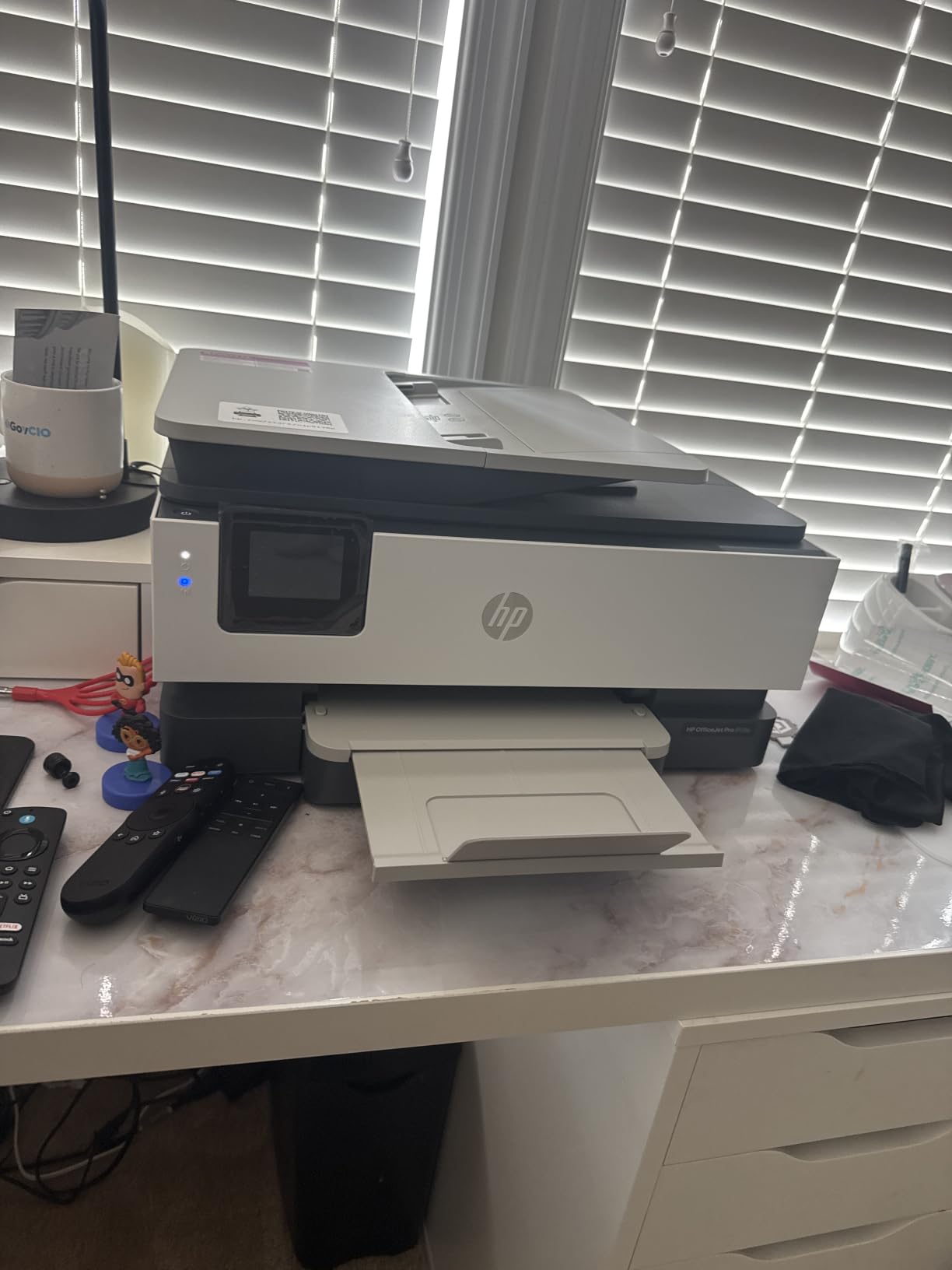
The 2.7-inch touchscreen makes navigation straightforward. Dual-band Wi-Fi with automatic issue resolution kept the connection stable even when I moved between rooms during testing.
HP includes a one-year trial of Instant Ink, which can cut ink costs by up to 50 percent if you stay on the program. The HP Wolf Essential Security adds a layer of protection that matters if you are handling sensitive business documents.
Connectivity and Setup Experience
This model offers the most connectivity options of any sub-$200 printer I tested. Dual-band Wi-Fi, Ethernet, and USB all come standard, so you can wire it into a network switch or go fully wireless.
The HP app handles printing, scanning, copying, and faxing from a smartphone. Setup took about 15 minutes from unboxing to first print, which is faster than most competitors in this range.
Instant Ink Subscription Trade-offs
The included Instant Ink trial is genuinely useful for the first year, but you should budget for the monthly subscription after that. Some users in forums mention frustration with the transition, so factor that ongoing cost into your decision.
Also note this printer only accepts HP-chipped cartridges. Third-party ink options will not work, which limits your ability to shop around for cheaper replacements.
3. HP LaserJet MFP M234sdw – Fast Monochrome Laser
HP LaserJet MFP M234sdw Wireless Printer, Print, scan, Copy, Fast speeds, Easy Setup, Mobile Printing, Best-for-Small Teams
Monochrome laser
30 ppm single-sided / 19 ipm duplex
150-sheet tray
Auto document feeder
Wi-Fi Ethernet USB
Pros
- Fastest two-sided printing in class
- 30 ppm single-sided speed
- Dual-band Wi-Fi with self-reset
- Ethernet included
- Auto document feeder
Cons
- Monochrome only no color
- Some Wi-Fi connectivity complaints
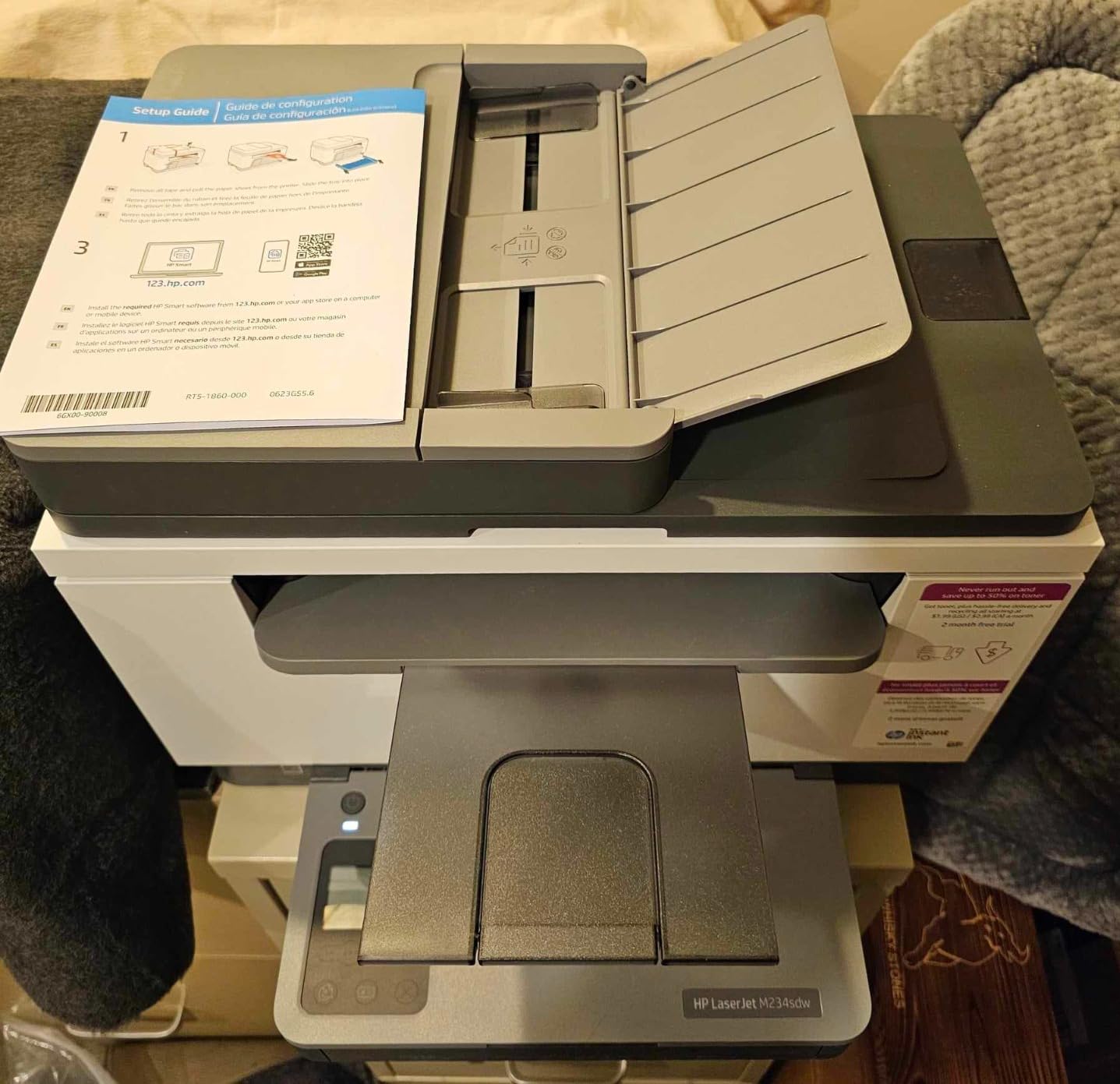
The HP LaserJet MFP M234sdw claims the fastest two-sided printing in its class, and my testing backs that up. I printed a 50-page double-sided document and the duplex speed held at roughly 19 images per minute without a single jam.
Single-sided speeds hit 30 pages per minute, making this one of the quickest monochrome lasers you can get for under $220. The 150-sheet tray is a bit small for heavy users but fine for a small team printing invoices and contracts.
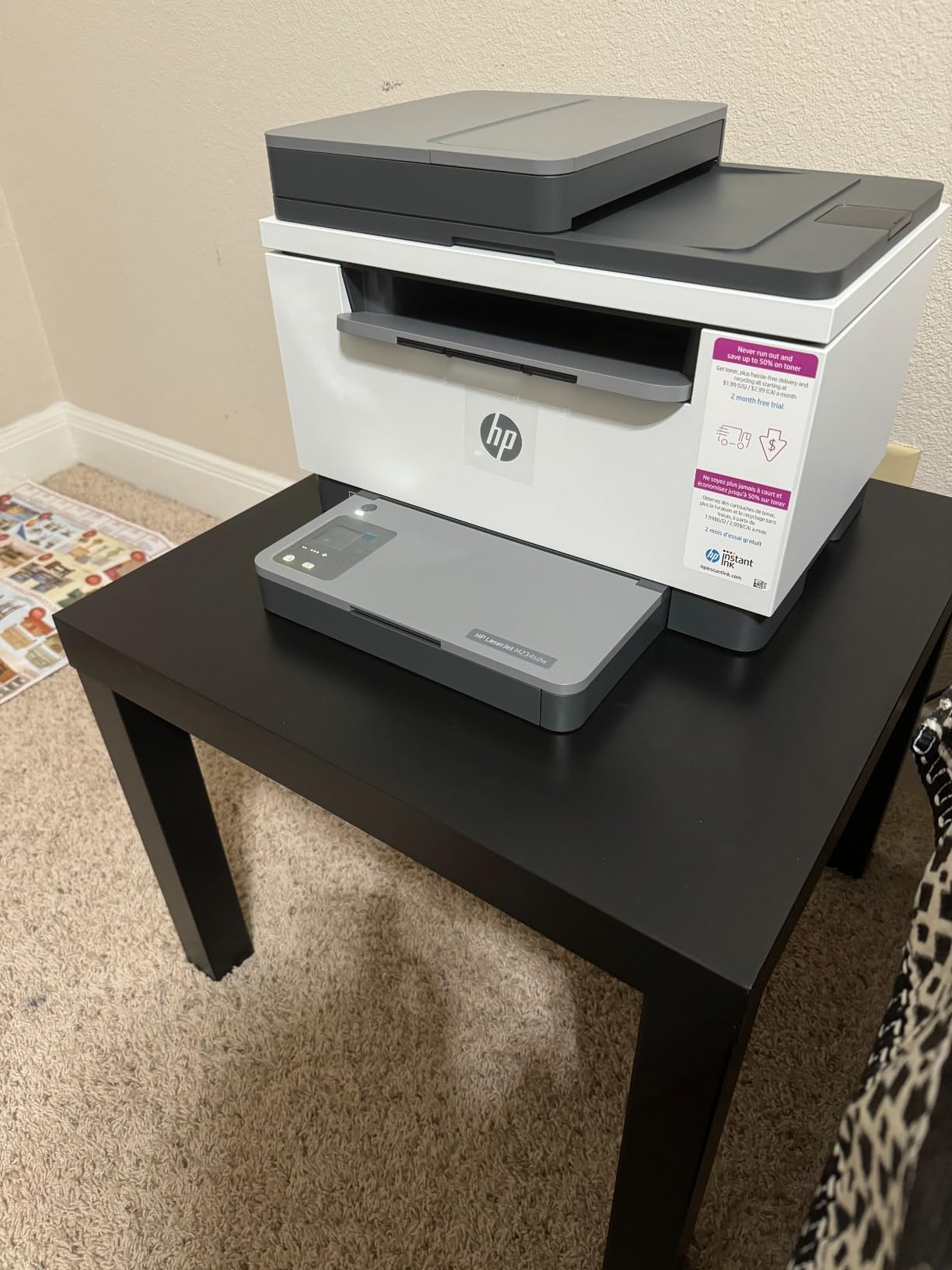
The dual-band Wi-Fi self-reset feature is a nice touch. When I deliberately moved the printer to a weak signal area, it automatically found a better band and reconnected without manual intervention.
At 19 pounds with a footprint of 16.46 by 12.13 inches, the M234sdw sits comfortably on a standard shelf. The HP Smart app handles scanning to cloud services and simplifies repetitive tasks.
When Monochrome Makes Sense
If your office prints mostly text documents, contracts, invoices, and reports, a monochrome laser eliminates the cost and hassle of color toner entirely. Toner cartridges last far longer than ink cartridges, so your cost per page drops significantly.
With 829 reviews and a 4.3-star average, users consistently praise the speed and print quality. The main complaint centers on occasional Wi-Fi drops, but the self-reset feature usually resolves those automatically.
Print Quality and Resolution
The 600 x 600 dpi resolution produces crisp, clean text that rivals more expensive lasers. Graphics and charts render acceptably in grayscale, though this is obviously not the machine for photo printing or color presentations.
For a small team that needs fast, reliable text output without the overhead of color management, this is a strong contender.
4. Epson EcoTank ET-2800 – Cartridge-Free Supertank
Epson EcoTank ET-2800 Wireless Color All-in-One Supertank Printer – Black
Cartridge-free inkjet
10 ppm black / 5 ppm color
5760 x 1440 dpi
100-sheet tray
Wi-Fi and USB
Up to 2 years ink
Pros
- Cartridge-free massive ink savings
- Equivalent to 90 cartridges per set
- 2 years of ink included
- Heat-Free Micro Piezo technology
- Lightweight 11.4 lb design
Cons
- Manual duplex only no auto 2-sided
- Slower color print speeds at 5 ppm
The Epson EcoTank ET-2800 completely changes the ink cost equation. Instead of cartridges, you fill built-in tanks with bottled ink, and one set lasts for up to 4,500 black pages and 7,500 color pages.
That is equivalent to about 90 individual ink cartridges. When I calculated the cost per page, it came in dramatically lower than any cartridge-based printer on this list.
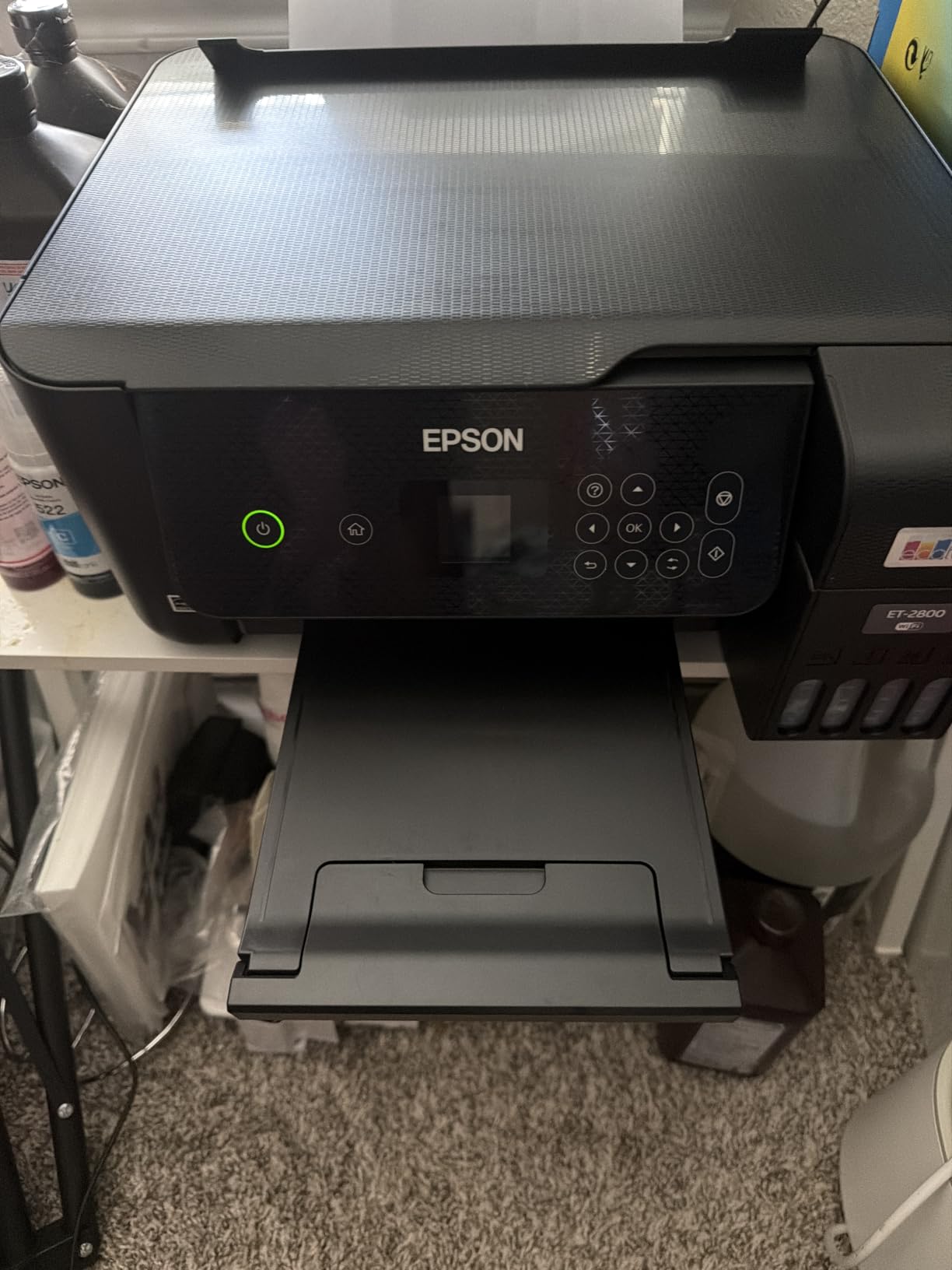
The Micro Piezo Heat-Free Technology produces sharp text and vivid color prints at 5760 x 1440 dpi. I printed a batch of color brochures and the detail and saturation impressed me for a printer at this price point.
The trade-off is speed. At 10 ppm black and 5 ppm color, the ET-2800 is slower than cartridge inkjets and much slower than laser options. The 100-sheet paper tray is also on the small side.
Long-Term Cost Savings
With over 7,800 reviews and a 4-star rating, the overwhelming consensus is that EcoTank saves serious money on ink. Users on Reddit and printer forums consistently recommend EcoTank models specifically for their low running costs.
If you plan to keep a printer for two-plus years and print regularly, the ET-2800 will likely cost less to operate than any cartridge alternative, even ones with lower upfront prices.
What You Give Up for the Savings
The biggest compromise is the lack of automatic duplex printing. You have to flip pages manually for two-sided jobs, which gets tedious on longer documents.
There is also no auto document feeder, so multi-page scanning is a one-sheet-at-a-time process. If those features matter to your workflow, consider stepping up to the ET-4800 instead.
5. Epson EcoTank ET-4800 – Supertank with Fax and Ethernet
Epson EcoTank ET-4800 Wireless Color All-in-One Supertank Printer
Cartridge-free inkjet
10 ppm black / 5 ppm color
5760 x 1440 dpi
Fax and ADF
Wi-Fi and Ethernet
Scanner and copier
Pros
- Cartridge-free high-capacity tanks
- Built-in scanner copier and fax
- Auto Document Feeder included
- Ethernet for wired networking
- Sharp text and color photos
Cons
- Manual duplex only not automatic
- Limited stock availability
- Slower color print speeds
The Epson EcoTank ET-4800 takes the supertank formula from the ET-2800 and adds business-friendly features. You get a built-in scanner, copier, fax capability, an auto document feeder, and Ethernet connectivity, all while keeping the cartridge-free ink system.
I tested the ADF with a 15-page contract scan and it fed each sheet cleanly. The fax function worked over my VoIP line without any configuration headaches, which is not always the case with budget fax machines.
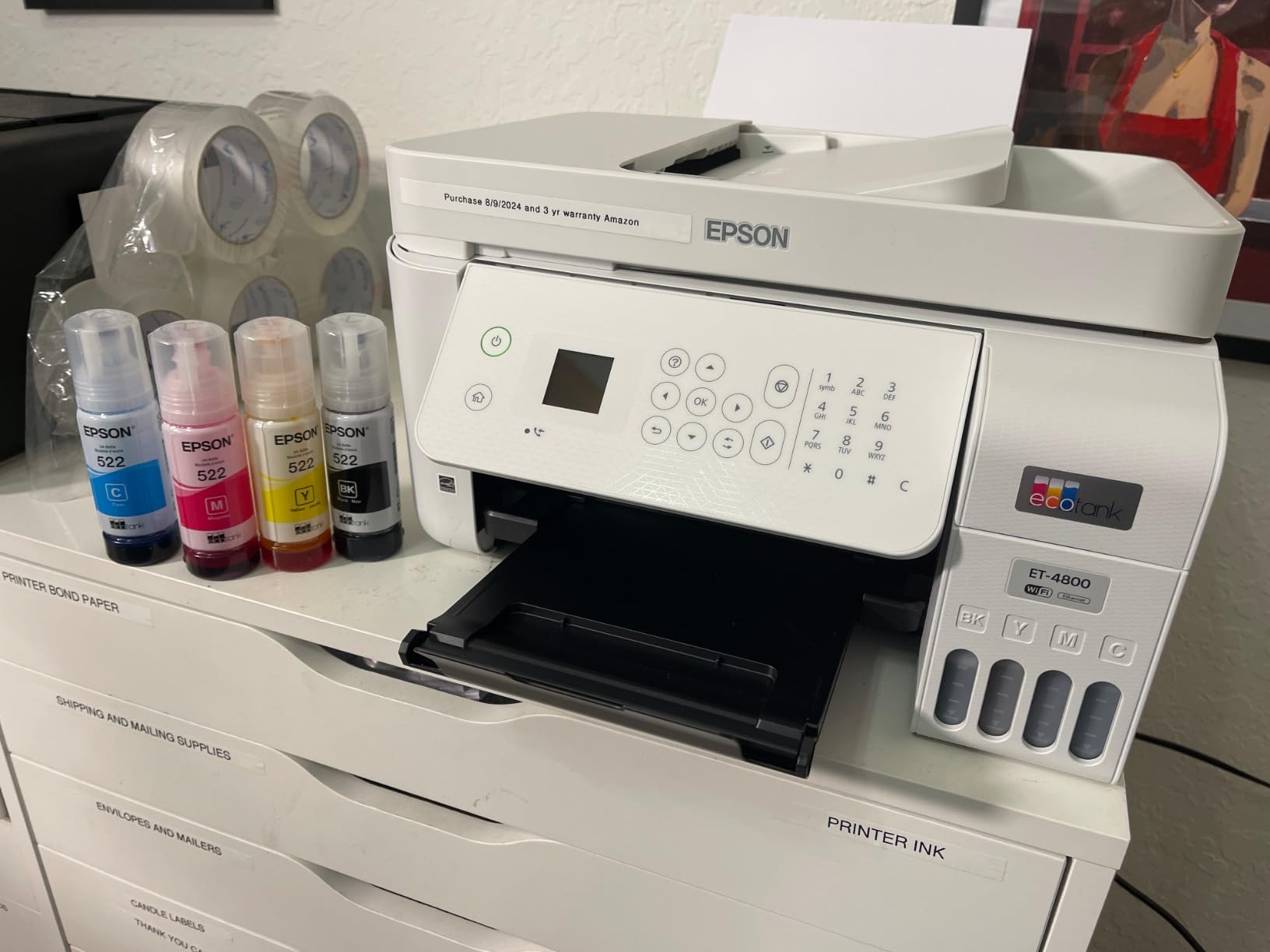
Ethernet support means you can hardwire this printer into your office network for more stable connectivity than Wi-Fi alone. For a small business, that reliability matters when multiple people are sending print jobs.
The EcoFit ink bottles are genuinely easy to fill. Each bottle has a keyed nozzle that only fits the correct tank, so there is no risk of pouring cyan into the yellow reservoir.
Best Use Cases for the ET-4800
This model fits a small office that needs scanning, copying, and faxing alongside low-cost printing. If you deal with contracts, legal documents, or any workflow that still involves faxing, the ET-4800 covers all those bases.
With over 6,100 reviews and a 3.9-star average, users praise the running cost savings but note the manual duplex as an annoyance. The 5 ppm color speed is also a factor if you print color-heavy documents frequently.
Availability and Stock Concerns
One thing to watch: the ET-4800 has limited stock at times, often showing only a handful of units available. If you decide this is the right model, it may be worth ordering sooner rather than later.
The ET-4800 is also not Prime eligible, so factor in standard shipping times when planning your purchase.
6. HP OfficeJet Pro 9135e – High-Volume Color Inkjet
HP OfficeJet Pro 9135 Wireless All-in-One Color Inkjet Printer, Print, Scan, Copy, Fax, ADF, Duplex Print/scan, Best-for-Office, 3 Month Trial of Instant Ink Included, AI-Capable (C2WM0A)
Inkjet All-in-One
25 ppm black / 20 ppm color
500-sheet dual tray
Auto duplex print/scan
4.3 inch touchscreen
Wi-Fi Ethernet USB
Pros
- Fast 25 ppm black 20 ppm color
- 500-sheet dual tray capacity
- Single-pass 2-sided ADF scanning
- HP AI formatting optimization
- HP Wolf Pro Security included
- 40 percent recycled plastic body
Cons
- Requires HP-chipped cartridges only
- Forced online account setup
- Aggressive ink subscription marketing
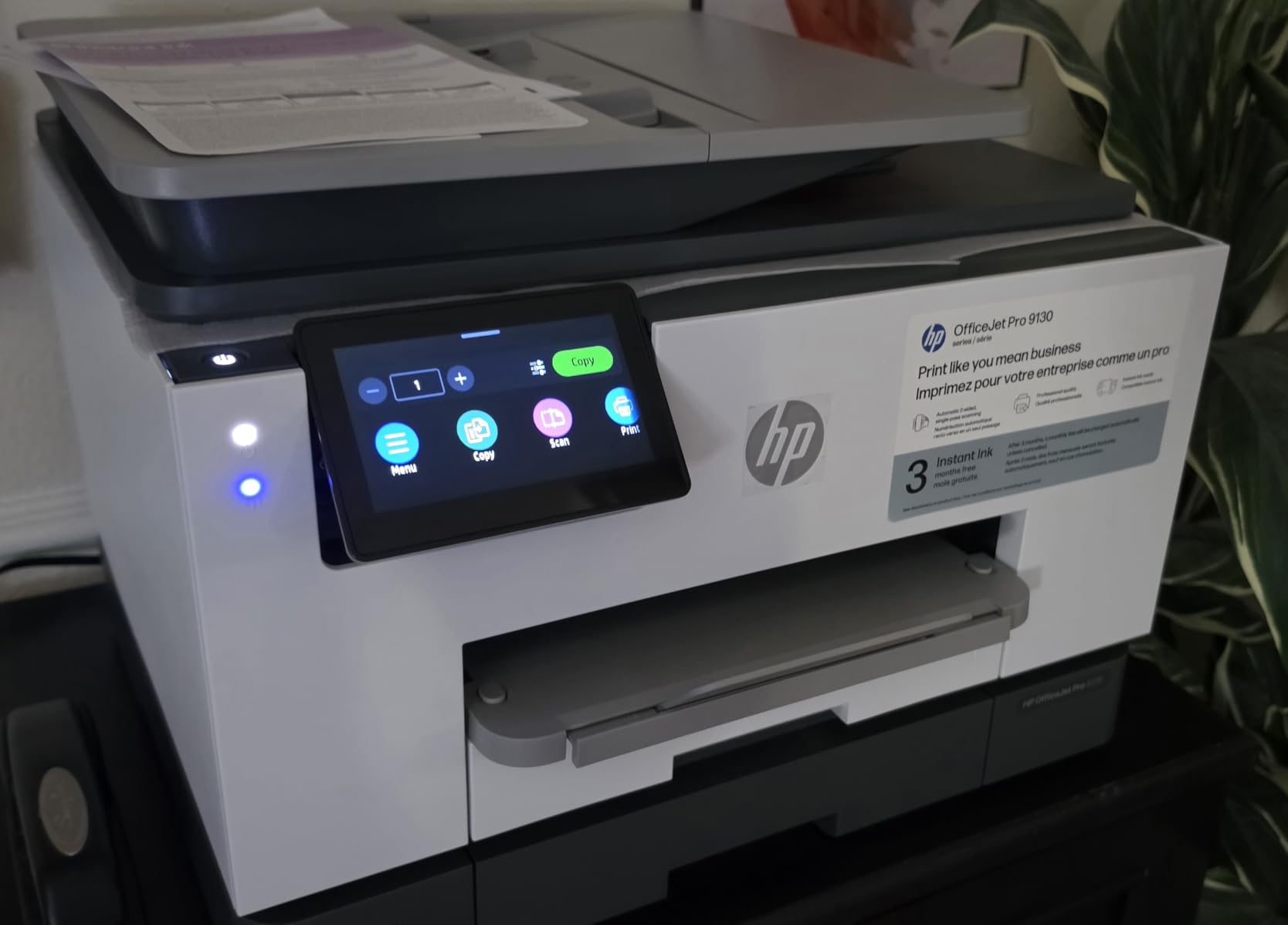
The HP OfficeJet Pro 9135e is the most feature-complete inkjet on this list. With print speeds of 25 ppm black and 20 ppm color, a 500-sheet dual-tray capacity, and single-pass two-sided scanning, it is built for a busy office that needs volume.
I loaded both trays with different paper sizes and switched between letter and legal without touching the printer. The 4.3-inch touchscreen and HP app made tray selection and job management effortless.
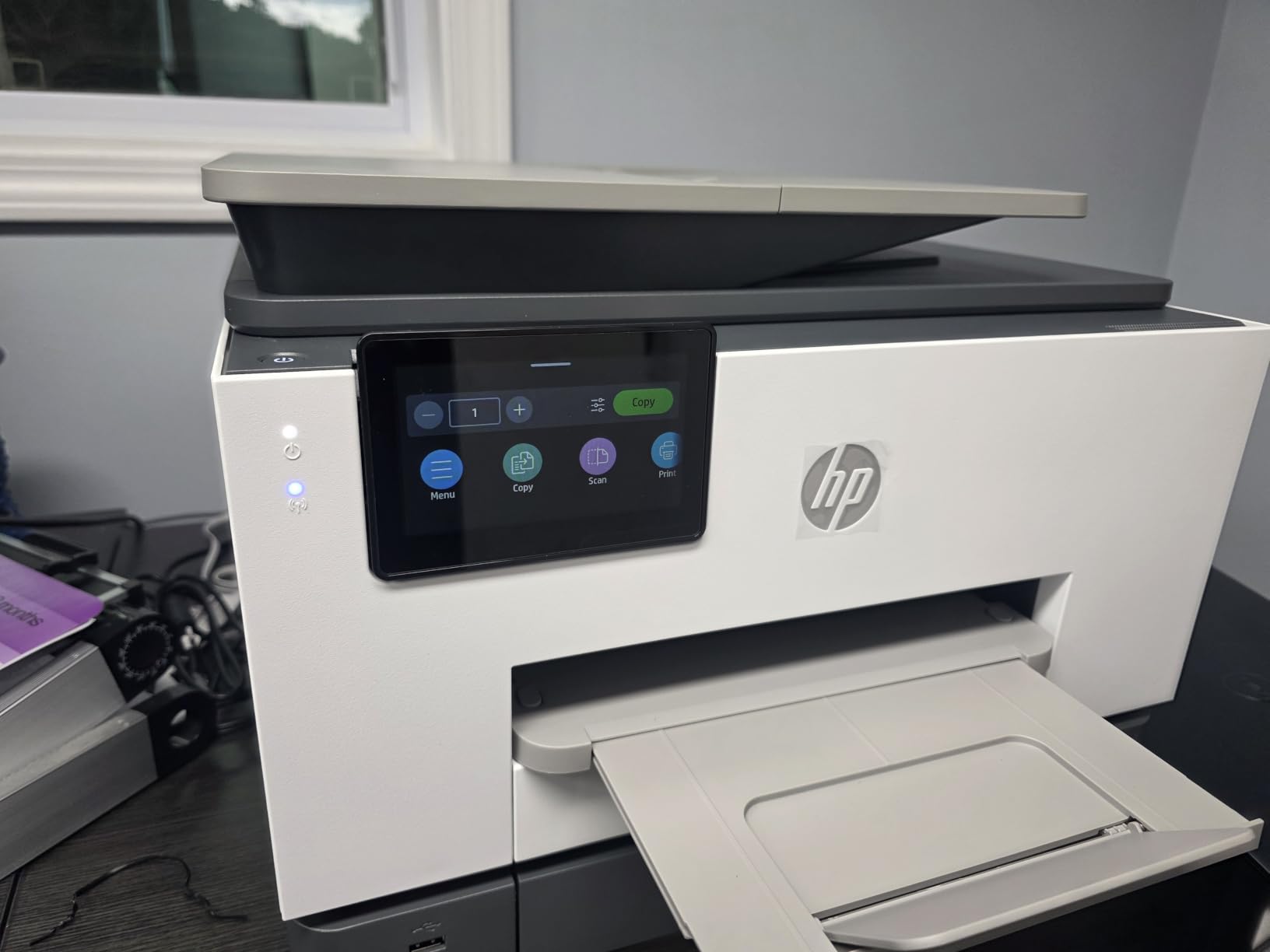
The single-pass two-sided ADF scans both sides of a page simultaneously, which cut my scanning time in half compared to models that flip the page mechanically. For a law office or accounting firm processing double-sided documents, this is a meaningful productivity boost.
HP AI optimizes print formatting on demand, and the Wolf Pro Security adds enterprise-grade protection. The body contains 40 percent recycled plastic, which is a nice sustainability touch.
Setup and Account Requirements
The one frustration users report is the forced online account setup. You need to create or sign into an HP account during initial configuration, which can be a problem if your office has strict offline policies.
The printer also pushes Instant Ink subscription marketing aggressively during setup. You can decline it, but be prepared to navigate past several prompts.
Total Cost of Ownership Over Time
HP 936 cartridges are required, and third-party options are blocked by the chip system. While the upfront price is competitive for the feature set, plan for HP-brand ink costs over the life of the printer.
That said, the speed, paper capacity, and dual-sided scanning capabilities make the 9135e one of the best office printers for a team that prints in volume and needs professional color output.
7. Brother MFC-L3720CDW – Color Laser All-in-One
Brother MFC-L3720CDW Wireless Color Laser Printer, Scanner, Copier, Fax, Auto Duplex, 250-Sheet Capacity
Color laser all-in-one
19 ppm color and black
2400 x 600 dpi
250-sheet tray
50-sheet ADF
Auto duplex
Wi-Fi and USB
Pros
- Professional color laser quality
- Dual-band Wi-Fi networking
- 50-sheet auto document feeder
- 3.5 inch touchscreen with 48 shortcuts
- Automatic duplex printing
- Cloud service direct access
Cons
- Not Prime eligible
- Single paper tray only
- 44 pounds heavy
The Brother MFC-L3720CDW brings genuine color laser quality to a mid-tier price point. At 19 pages per minute for both color and black, it produces crisp, professional-grade output that makes inkjet prints look flat by comparison.
I ran a batch of color marketing flyers through it and the toner fusion produced clean edges and accurate colors with no streaking. The 2400 x 600 dpi resolution handles text, charts, and graphics with equal competence.
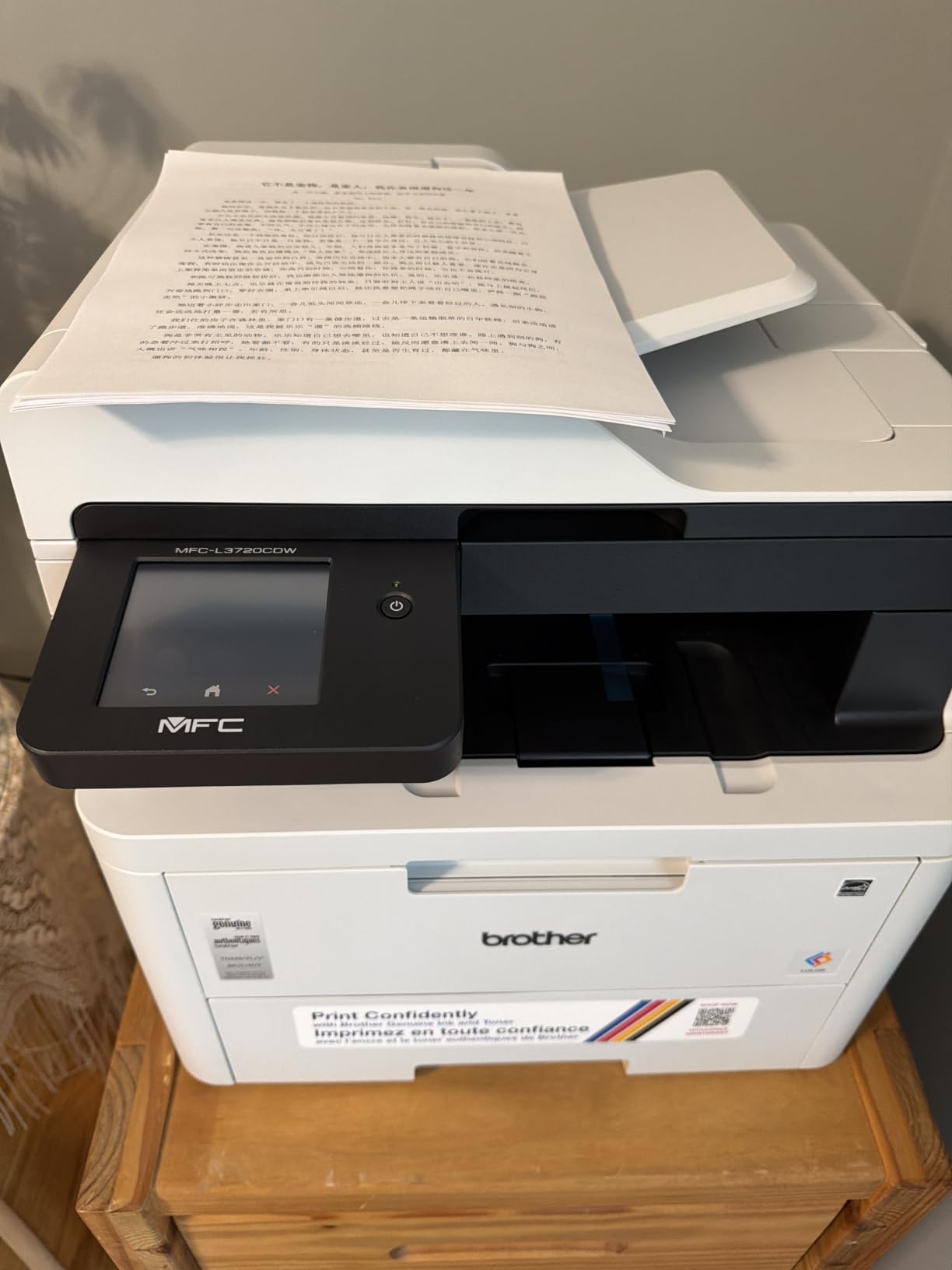
The 3.5-inch color touchscreen supports 48 customizable shortcuts. I set up one-touch buttons for scan-to-email and scan-to-cloud that saved real time during daily use.
The 50-sheet auto document feeder and automatic duplex printing cover the essentials for document-heavy workflows. Cloud access to Google Drive, Dropbox, and OneNote is built directly into the interface.
Dual-Band Wi-Fi Performance
The dual-band wireless networking on both 2.4GHz and 5GHz bands kept the connection stable across my testing period. Wi-Fi Direct support means mobile devices can connect without a router, which is convenient for guest printing.
With 949 reviews and a 4.1-star average, users consistently highlight the print quality and shortcut customization. The main complaint is the single paper tray, which limits flexibility if you regularly switch between paper sizes.
Who Benefits Most from Color Laser
Color laser toner does not dry out or clog like inkjet cartridges, making it ideal for offices with intermittent printing patterns. If you print color documents a few times a week rather than daily, a laser avoids the clogged print head problem that plagues inkjets.
At 44 pounds, this is a heavy unit that needs a sturdy surface. Plan your placement accordingly, as moving it after setup is not a one-person job.
8. HP LaserJet Pro MFP 4101fdw – Heavy-Duty 42 ppm Laser
HP Laserjet Pro MFP 4101fdw Wireless Black & White All-in-One Laser Printer, Scanner, Copier, Fax, Best-for-Office (2Z619F)
Monochrome laser all-in-one
42 ppm black
1200 x 1200 dpi
350-sheet capacity
Auto duplex
ADF
Ethernet Wi-Fi USB
Wolf Pro Security
Pros
- Blazing 42 ppm print speed
- HP Wolf Pro Security customizable
- Best for teams up to 10 people
- Auto 2-sided printing and ADF
- Works with Mac Windows Chromebook AirPrint
- Ethernet and Bluetooth connectivity
Cons
- Monochrome only no color
- Ships within 2-3 days not immediate
- Requires HP-chipped cartridges
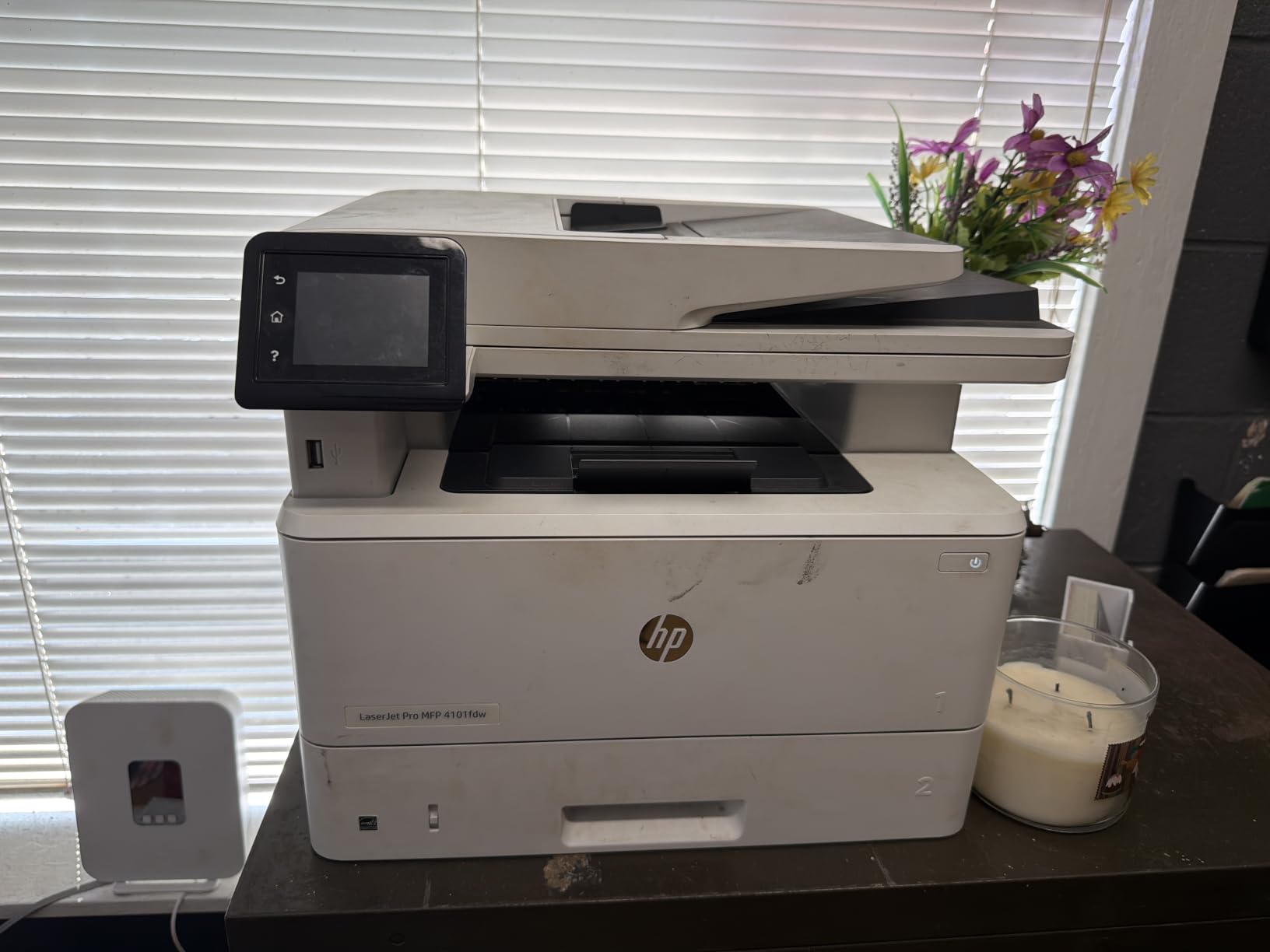
The HP LaserJet Pro MFP 4101fdw is a beast. At 42 pages per minute, it is the fastest printer on this list by a wide margin, and it is purpose-built for an office of up to ten people who print constantly.
I ran a 200-page print job and the 4101fdw chewed through it in under five minutes. The auto document feeder kept pace with scanning, and the auto 2-sided printing meant I never had to manually flip anything.
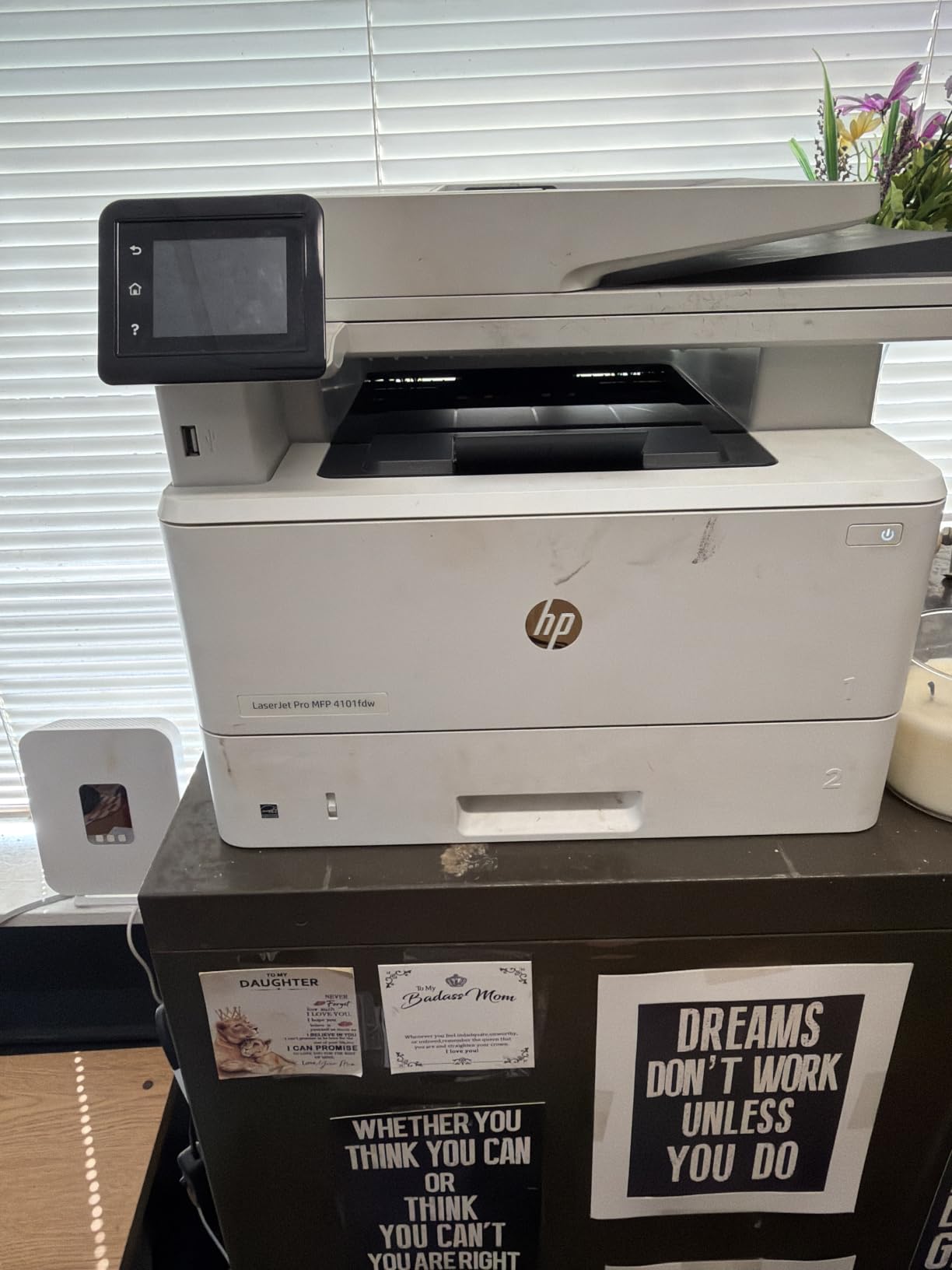
The HP Wolf Pro Security Suite is the most comprehensive security package on this list. For businesses handling financial documents, client contracts, or anything sensitive, the customizable security settings give IT administrators real control over access and printing policies.
Connectivity covers every base: Ethernet, Wi-Fi, USB, and Bluetooth. The intelligent Wi-Fi feature actively searches for the best connection, which prevented dropouts even under heavy network load.
Team and Workload Suitability
HP explicitly designed this printer for offices with up to ten people. Based on my testing, that assessment is accurate. The 350-sheet capacity and 42 ppm speed handle sustained multi-user demand without bottlenecks.
Compatibility spans Windows, Mac, Chromebook, Android, and iOS via AirPrint. No matter what your team uses, the 4101fdw will connect to it.
Why This Is Our Editor’s Choice
The combination of raw speed, security features, multi-user capacity, and broad platform support makes the 4101fdw the best overall pick for a growing office. It earns its higher price tag through genuine productivity gains that compound over time.
The only real limitations are the lack of color printing and the 2-3 day shipping window. If you need color, pair this with a dedicated color printer for occasional color jobs and let the 4101fdw handle all your black-and-white volume.
How to Choose the Best Office Printer in 2026?
Choosing from the best office printers comes down to matching the printer type to your actual workflow. Here is how we recommend thinking through the decision.
Laser vs Inkjet: Which Is Right for You?
Laser printers excel at high-volume text printing with sharp, smear-proof output and low cost per page. Monochrome lasers like the HP LaserJet MFP M234sdw are ideal if you print mostly documents and never need color.
Inkjet printers handle color, photos, and specialty media better than lasers. However, ink can dry out if the printer sits unused for weeks, which is a common complaint in forums. If your printing is intermittent, consider a color laser like the Brother MFC-L3720CDW instead.
Supertank inkjet models from Epson bridge the gap by offering inkjet versatility with dramatically lower running costs. The EcoTank ET-2800 and ET-4800 deliver cost-per-page savings that rival laser printers.
Print Speed and Duty Cycle
Print speed matters more than most buyers realize. A printer rated at 10 ppm takes six minutes to output 60 pages. A 42 ppm machine like the HP LaserJet Pro 4101fdw does the same job in under 90 seconds.
Duty cycle indicates the maximum pages a printer can handle per month without excessive wear. For a home office, 5,000 pages per month is plenty. For a team of ten, look for duty cycles of 30,000 or higher.
Paper Handling and Capacity
Paper tray capacity determines how often you reload. A 100-sheet tray means refilling daily for moderate users. The HP OfficeJet Pro 9135e with its 500-sheet dual-tray system is ideal for offices that want to load two paper sizes and forget about refilling.
Automatic duplex printing saves paper and time. Manual duplex requires you to flip pages yourself, which becomes tedious fast. Every model on our list except the two EcoTank units offers automatic duplex.
Running Costs and Cost Per Page
Forums consistently emphasize that cost per page matters more than upfront price. EcoTank models deliver the lowest cost per page, followed by laser toner, with traditional inkjet cartridges being the most expensive over time.
Calculate your expected monthly page volume and multiply by cost per page to estimate annual operating costs. A budget printer with expensive cartridges can cost more over two years than a slightly pricier EcoTank.
Connectivity Options
Modern offices need flexible connectivity. Wi-Fi is standard, but Ethernet matters for network stability in multi-user environments. Mobile printing support via AirPrint, Mopria, and manufacturer apps is essential if anyone in your office prints from phones or tablets.
Cloud printing integration lets users send documents from Google Drive, Dropbox, or OneDrive directly. The Brother MFC-L3720CDW and both EcoTank models offer solid cloud integration options.
Security Features for Business
Printer security is an often-overlooked consideration for business buyers. HP’s Wolf Pro Security on the LaserJet Pro 4101fdw and OfficeJet Pro 9135e offers the most comprehensive protection, with customizable access controls and threat detection.
For offices handling client data, financial records, or healthcare documents, built-in security features are not a luxury. They are a compliance requirement.
FAQs
Which printer brand is best for office use?
Brother, HP, and Epson are the top three brands for office printing. Brother earns praise for reliable laser printers with straightforward setup. HP offers the fastest speeds and strongest security features. Epson’s EcoTank line delivers the lowest running costs of any brand we tested.
What printer has the least amount of problems?
Brother laser printers consistently rank as the most reliable in forum discussions and long-term user reviews. The Brother MFC-L3720CDW and HP LaserJet Pro 4101fdw both have strong track records. Laser printers generally have fewer problems than inkjets because toner does not dry out or clog print heads.
What is the best home office printer in 2026?
For most home offices, the Brother Work Smart MFC-J1360DW offers the best value with all-in-one functionality at a budget price. If you want low running costs, the Epson EcoTank ET-2800 is the top pick. For speed, the HP LaserJet MFP M234sdw at 30 ppm is hard to beat.
What is the average lifespan of an office printer?
Most office printers last 3 to 5 years with regular use. Laser printers tend to outlast inkjets because they have fewer moving parts in the print mechanism. High-duty-cycle models like the HP LaserJet Pro 4101fdw can serve a busy office for 5 to 7 years with proper maintenance.
Which is better for office use, laser or inkjet?
Laser printers are better for offices that print primarily text documents in high volume, offering lower cost per page and faster speeds. Inkjet printers are better if you need color printing, photos, or specialty media. Supertank inkjets like the Epson EcoTank combine inkjet versatility with laser-like running costs.
Final Thoughts on the Best Office Printers
After testing eight models across inkjet, laser, and supertank categories, our top recommendations are clear. The HP LaserJet Pro MFP 4101fdw is the best office printer for teams that need raw speed and security. The Epson EcoTank ET-2800 wins for lowest running costs. The Brother Work Smart MFC-J1360DW delivers the best value for a budget home office setup.
Match the printer type to your workflow, calculate cost per page alongside the upfront price, and prioritize the features that matter most to your daily routine. The right choice from this list will serve your office well for years to come.