
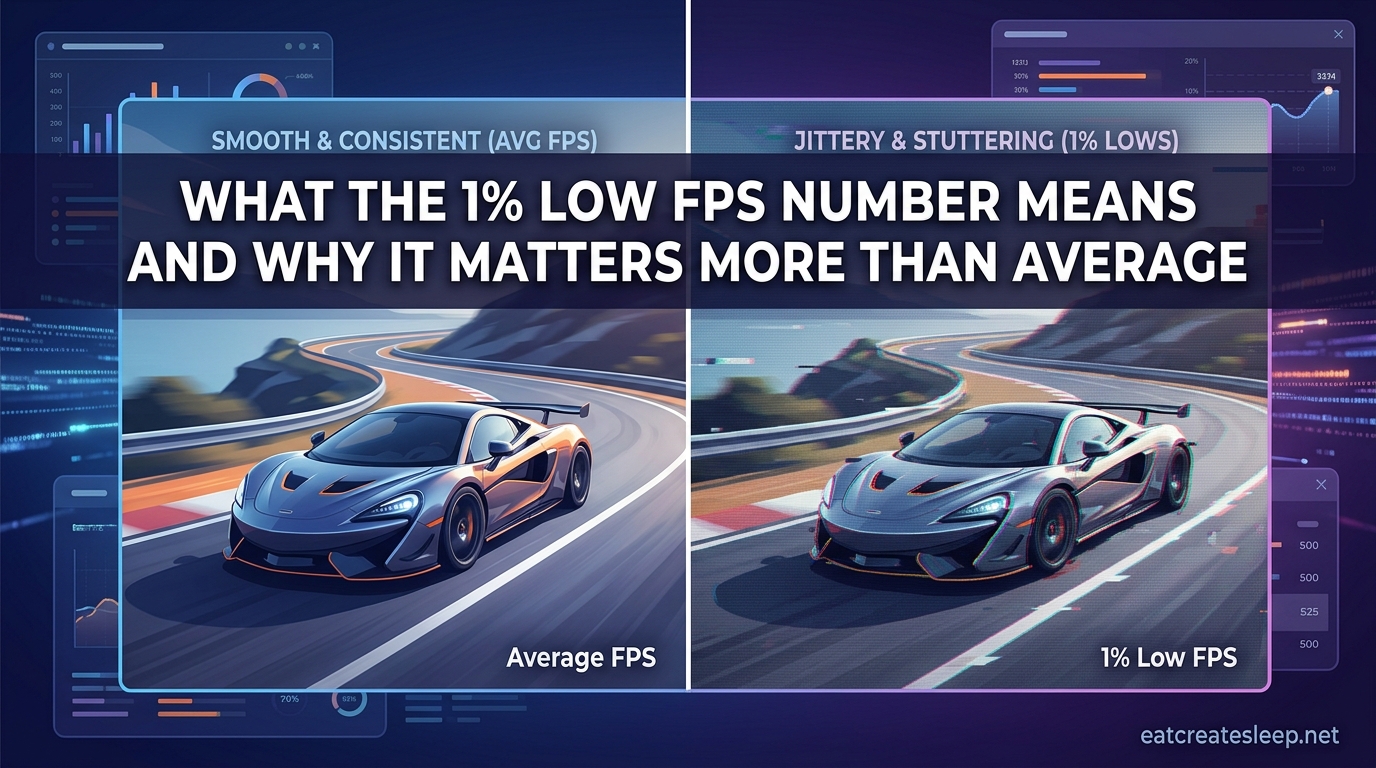
You just built a brand-new PC. You fire up your favorite game, glance at the FPS counter, and see a glorious 140 frames per second. Everything should feel buttery smooth, right? Except it does not. The camera stutters when you turn. Explosions cause momentary freezes. Something feels off, and you cannot figure out why.
This is one of the most common frustrations PC gamers bring to forums like r/buildapc and r/pcmasterrace. The average FPS number on your screen tells you one story, while your eyes are experiencing a completely different one. The culprit is almost always hiding in a metric you might not even be tracking.
That metric is the 1% low FPS. It reveals how your system performs during its worst moments, not its best. And in 2026, with games pushing hardware harder than ever, understanding this single number can completely change how you tune your setup.
In this guide, I will explain exactly what the 1% low FPS number means, how it differs from average FPS, why it often matters more, what causes it to tank, and how to fix it. Whether you are chasing competitive smoothness in an esports title or just want your open-world RPG to stop hitching during combat, this number is the key.
Table of Contents
What the 1% Low FPS Number Means?
The 1% low FPS is the average framerate of the slowest 1% of frames rendered during a measured period of gameplay. Think of it as a report card for your PC’s worst moments rather than its typical performance. The lower this number, the more noticeable the stutters feel during actual play.
Here is how it gets calculated. A benchmarking tool records the time it takes your system to render every single frame over a set period. It then sorts all of those frames from fastest to slowest. The tool isolates the slowest 1% of those frames, averages their frame rates together, and reports that as the 1% low.
A simple way to picture this: imagine you rendered 10,000 frames during a 60-second benchmark. The slowest 100 frames (which is 1% of 10,000) get grouped together. The average frame rate of those 100 worst frames is your 1% low FPS.
This matters because those slowest frames are exactly the moments you actually feel. A frame that takes 40 milliseconds to render instead of the usual 7 milliseconds is a stutter you will notice, even if every other frame arrives on time. Your eyes are extremely sensitive to inconsistency, and the 1% low captures that inconsistency in a single number.
What Is the 0.1% Low FPS?
If the 1% low captures your worst 1% of frames, the 0.1% low goes even deeper. It isolates the absolute slowest 0.1% of frames, which represents the rarest but most severe hitches in your gameplay.
Out of those same 10,000 frames, the 0.1% low only looks at the 10 slowest ones. These are the big freezes you experience during explosions, fast camera turns, or moments when a game streams in new world data. The 0.1% low is sometimes called the 99.9th percentile, and it surfaces the most extreme frame drops that the 1% low can average away.
Both metrics matter, but they tell you slightly different things. The 1% low gives you a sense of overall consistency during typical intense gameplay. The 0.1% low tells you about the truly jarring moments that can break immersion or cost you a fight in a competitive match. Hardware reviewers like GamersNexus report both numbers for this reason.
Average FPS vs 1% Low FPS: Why Average Is Misleading
Average FPS is the number most people obsess over, and it is also the number most likely to lie to you. An average simply divides the total number of frames by the total time, which means a few very fast frames can mask a lot of very slow ones.
Consider two systems running the same game for one minute:
System A delivers a steady 100 FPS the entire time, with no stutters at all. Its average is 100, and its 1% low is also around 100.
System B delivers 130 FPS most of the time, but every few seconds it drops to 35 FPS for a brief moment. Its average is still around 120, which looks better than System A on paper. But its 1% low sits near 35, and System B will feel noticeably choppy during those dips.
This is exactly the scenario forum users describe when they say their game stutters despite a high average frame rate. They see a big number in the corner of the screen, assume everything is fine, and then wonder why the experience feels rough.
Frame time variance is the technical concept that explains this. When every frame takes the same amount of time to render, gameplay feels smooth regardless of the absolute frame rate. When frame times swing wildly, even an average of 120 FPS can feel worse than a locked 60. The 1% low captures that variance in a way the average simply cannot.
For competitive players in shooters like Valorant, CS2, or Apex Legends, this distinction is everything. A single hitch during a gunfight can mean the difference between winning and losing. For single-player fans, a low 1% low translates into camera stutters during exploration and frame drops during the most visually intense story moments, exactly when you want the experience to feel cinematic.
Why the 1% Low FPS Matters More Than the Average
The 1% low matters more than the average because human perception is tuned to detect changes, not steady states. Your brain filters out consistent motion but flags sudden disruptions instantly. A frame that arrives 50 milliseconds late stands out like a sore thumb.
This is why gamers on forums consistently report the same complaint: “My average FPS is over 100 but my game feels choppy.” The average number is fine, but the 1% low is collapsing during specific in-game events. Without tracking the 1% low, there is no way to diagnose what your eyes already know.
In 2026, with ray tracing, path tracing, and complex shader effects becoming standard in AAA releases, the gap between average FPS and 1% low is wider than ever. A GPU might average 90 FPS in a game with ray tracing enabled, but its 1% low could be sitting at 45. That is the difference between a smooth experience and one that feels broken during combat.
Competitive players have understood this for years. A consistent 240 FPS with a 1% low of 220 will feel dramatically better in a fast-paced shooter than an inconsistent 300 FPS with a 1% low of 120. Smoothness wins fights, and the 1% low measures smoothness.
Trust signals from the PC hardware community back this up. Reviewers like GamersNexus, Hardware Unboxed, and others have made 1% lows a standard part of every benchmark precisely because averages stopped telling the full story. If you are comparing two graphics cards or two CPUs, the 1% low is often the number that should decide your purchase.
What Causes Bad 1% Lows
Understanding what drags your 1% low down is the first step toward fixing it. The causes fall into a handful of categories, and identifying which one applies to your system is the key to real improvement.
- CPU bottleneck: When your CPU cannot feed instructions to your GPU fast enough, frame times spike during CPU-heavy moments like large crowds, physics calculations, or AI processing. This is the single most common cause of low 1% lows with high average FPS.
- GPU bottleneck: When your GPU is maxed out at 100% usage, any additional load causes frame times to stretch. This often shows up as GPU-bound stutters in graphically intense scenes.
- VRAM limits: If a game exceeds your GPU’s available VRAM, it starts swapping textures in and out of system RAM. This causes severe hitching, especially when moving between areas or turning to face new scenery.
- Shader compilation stutter: Modern games compile shaders on the fly, and each compilation event can freeze the frame for tens of milliseconds. This is a notorious issue in recent Unreal Engine 5 titles and PC ports from consoles.
- Thermal throttling: If your CPU or GPU hits its thermal limit, it reduces clock speeds to protect itself. Those drops happen exactly when the system is under maximum load, which is also when you can least afford frame drops.
- RAM configuration: Running memory at default JEDEC speeds instead of enabling XMP or EXPO profiles can starve the CPU of bandwidth. Forum users on r/buildapc frequently trace mysterious 1% low issues back to a forgotten XMP toggle in the BIOS.
- Storage speed: Games that stream assets from storage can stutter on slower hard drives. An NVMe SSD eliminates most asset-loading hitches, while an older SATA SSD or HDD can cause periodic frame drops.
- Background processes: Antivirus scans, browser tabs, streaming software, and even RGB utilities can steal CPU cycles at the worst moments, creating random hitches that show up in the 1% low.
If your 1% low is collapsing during specific in-game events, the cause is usually tied to what is happening on screen. Stutters during explosions point toward GPU or VRAM limits. Stutters when entering new areas point toward storage or asset streaming. Stutters during large battles point toward CPU bottlenecks.
How to Monitor Your 1% Low FPS
You cannot fix what you cannot measure, and the good news is that monitoring your 1% low FPS is straightforward with free tools. Here are the most reliable options for 2026.
- CapFrameX: A favorite among hardware reviewers. It records frame times, calculates 1% and 0.1% lows automatically, and produces detailed frametime graphs that show exactly when stutters occur.
- MSI Afterburner with RivaTuner Statistics Server: The classic overlay tool. It displays real-time FPS, frame times, CPU and GPU usage, and temperatures during gameplay. It does not calculate 1% lows on its own, but you can use it alongside CapFrameX for full coverage.
- PresentMon: A lightweight command-line tool from Intel that captures frame presentation data. Several graphical frontends exist for it, and it powers many commercial benchmarking utilities behind the scenes.
- NVIDIA Frame View: If you run an NVIDIA GPU, this tool captures detailed performance data including 1% lows directly from the driver layer.
- In-game benchmarks: Many modern titles include built-in benchmarks that report 1% lows automatically. These are useful for comparing settings changes on the same system without external software.
For most gamers, CapFrameX paired with the MSI Afterburner overlay is the best starting point. Run a benchmark in your target game, capture 60 to 90 seconds of gameplay, and look at the 1% low number along with the frametime graph. Spikes in that graph are your stutters, and they map directly to what your eyes perceive.
How to Improve Your 1% Lows
Once you know your 1% low is the problem, improving it usually comes down to either reducing the load on your system or upgrading the component that is bottlenecking. Here are the most effective fixes, ordered from free and easy to expensive.
- Cap your frame rate: Locking your FPS to a number your system can sustain eliminates the wild swings that tank the 1% low. If your 1% low is around 90, cap your frame rate at 90 or 100. The experience will feel dramatically smoother than an uncapped 140 with dips to 60.
- Enable XMP or EXPO: This is the single most overlooked fix. If your RAM is running at default speeds instead of its rated XMP or EXPO profile, you are leaving significant CPU performance on the table. Forum users routinely trace 1% low problems to this one BIOS setting.
- Reduce CPU-heavy settings: Lower shadow quality, physics complexity, draw distance, and crowd density. These settings hit the CPU hard and are common causes of CPU-bound 1% low drops.
- Reduce GPU-heavy settings selectively: Ray tracing, ultra textures, and volumetric effects can push VRAM usage past safe limits. Dial these back one notch to free up GPU headroom.
- Update your drivers: Graphics drivers include game-specific optimizations that can dramatically improve 1% lows. Always test on the latest stable driver before assuming your hardware is the problem.
- Close background applications: Browser tabs, streaming software, and RGB utilities steal CPU cycles. Close everything you do not need while gaming.
- Reapply thermal paste or improve cooling: If thermal throttling is the issue, better cooling will restore lost clock speeds during intense moments and raise your 1% low.
- Upgrade your CPU: If you are CPU-bound, a faster gaming CPU is the only permanent fix. AMD’s X3D processors, like the 5800X3D and 9800X3D, are frequently recommended on forums specifically for their impact on 1% lows thanks to their massive L3 cache.
- Add more RAM or VRAM: If your game is spilling into system RAM from VRAM, or if you are running 8GB of system RAM in 2026, an upgrade will directly improve your 1% low.
Start with the free fixes. Capping your frame rate and enabling XMP together solve a surprising percentage of 1% low problems. Only move to hardware upgrades once you have confirmed through monitoring that a specific component is the bottleneck.
What Is a Good 1% Low FPS?
There is no universal answer, but a useful rule of thumb is that your 1% low should sit at roughly 70 to 80 percent of your average FPS. If your average is 100 FPS and your 1% low is 75 or higher, your gameplay will feel smooth. If your 1% low is sitting at 40 while your average is 100, you have a stutter problem.
For competitive shooters, aim for a 1% low that matches or exceeds your monitor’s refresh rate. If you play on a 144Hz display, your 1% low should be at least 120 FPS for a consistently smooth experience. Anything below 100 will produce visible stutters during fast camera movements.
For single-player games, a 1% low of 60 FPS is generally the comfort floor. Below 60, the stutters become noticeable even to players who are not sensitive to frame timing. A 1% low of 90 or higher will feel excellent in almost any genre.
For visually demanding AAA games with ray tracing enabled, a 1% low of 45 to 60 is often acceptable, especially if you are targeting a cinematic experience rather than competitive responsiveness.
FAQs
Is 1% low FPS important?
Yes, 1% low FPS is often more important than average FPS for real-world gaming. It measures the slowest 1% of frames, which are the moments you actually feel as stutters. A high average with a low 1% low means your game will feel choppy despite a big number on your FPS counter.
Is 99th FPS the same as 1% low?
Yes, the 99th percentile FPS and the 1% low FPS refer to the same metric viewed from opposite ends. The 1% low isolates the slowest 1% of frames and averages their framerate. The 99th percentile represents the same boundary from the fast end. Both describe your system’s worst-case frame performance.
What is a good 1% low FPS?
A good 1% low FPS sits at roughly 70 to 80 percent of your average FPS. For competitive gaming on a 144Hz monitor, aim for a 1% low of at least 120 FPS. For single-player titles, a 1% low of 60 FPS or higher will feel smooth to most players. Below 45, stutters become clearly noticeable.
Why is my game stuttering even though I have high FPS?
Stutters with high average FPS usually mean your 1% low is collapsing during specific in-game events. Common causes include a CPU bottleneck, VRAM limits, shader compilation, thermal throttling, RAM running without XMP or EXPO enabled, background processes stealing CPU cycles, or slow storage causing asset streaming hitches.
How to fix CPU 1% lows?
To fix CPU-bound 1% lows, start by enabling XMP or EXPO in your BIOS, capping your frame rate to a sustainable level, lowering CPU-heavy settings like shadows and crowd density, closing background applications, and updating your chipset and graphics drivers. If the problem persists, upgrading to a faster gaming CPU, particularly one with large L3 cache like AMD’s X3D series, is the most effective permanent fix.
Conclusion
The 1% low FPS number is the single most honest metric in PC gaming performance. While average FPS tells you what your system is capable of at its best, the 1% low tells you what it actually delivers during the moments that matter. A high average paired with a low 1% low is the signature of a system that looks great in benchmarks but feels rough in your hands.
Understanding what the 1% low FPS number means gives you a real advantage. You can diagnose stutters, compare hardware fairly, tune settings with purpose, and avoid the trap of chasing bigger average FPS numbers that do nothing for actual smoothness. The fix is rarely a mystery once you know what to look for.
Start by monitoring your 1% lows in your favorite games. Enable XMP, cap your frame rate to a sustainable number, and work through the fixes above. Once your 1% low sits close to your average, you will finally experience the smoothness your hardware is actually capable of delivering.