
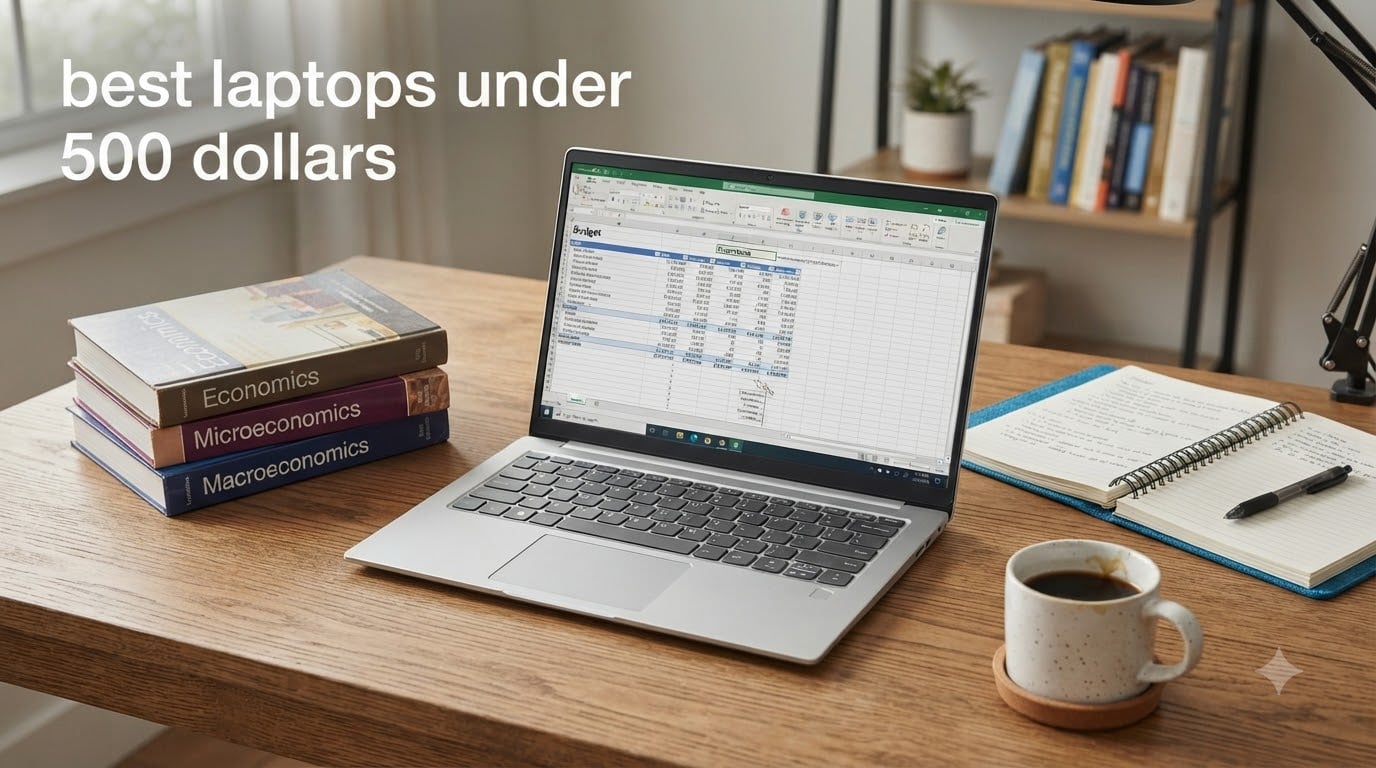
Finding the best laptops under 500 dollars in 2026 is harder than it should be, because this price range is full of traps. Some machines look like bargains until you notice the 768p screen, the 4GB of RAM, or the Windows S mode lock that prevents you from installing real Chrome. I have spent the last several weeks digging through spec sheets, verified buyer reviews, and owner photos for eight of the most popular budget laptops on Amazon right now.
Here is the honest truth up front: at this price you can absolutely get a laptop that handles web browsing, Microsoft Office, Zoom calls, streaming, and full-time student work. What you cannot get is a gaming machine or a video editing workstation. Anyone who tells you otherwise is selling something.
My picks below lean on real-world feedback, not marketing copy. I paid close attention to the complaints owners repeat over and over: soldered RAM, tiny 128GB drives, dim screens, and S mode restrictions. That is also why a couple of the recommendations here come with an external hard drive bundled in, which changes the storage math completely.
Whether you are a student, a remote worker, or you just need a reliable everyday laptop for the house, there is a solid option below. Let us start with the three that beat everything else on value.
Table of Contents
Top 3 Picks for the Best Laptops Under 500 Dollars in 2026
These three stood out from the pack. The ASUS Vivobook Go is the most complete package, the Acer Aspire 3 is the proven crowd favorite, and the Lenovo IdeaPad Slim 3i is the highest-rated newcomer of the bunch.

ASUS Vivobook Go 15 E1504FA-AS54
- AMD Ryzen 5 7520U
- 512GB SSD
- 15.6 inch FHD
- webcam privacy shutter

Best Laptops Under 500 Dollars in October
Here is the full lineup side by side. Every laptop on this list comes in under the $500 mark while still offering a Full HD display or a compelling reason to accept less.
| Product | Specifications | Action |
|---|---|---|
| ASUS Vivobook Go 15 |
|
Check Latest Price |
| Acer Aspire 3 A315-24P |
|
Check Latest Price |
 Lenovo IdeaPad Slim 3i 2026 Lenovo IdeaPad Slim 3i 2026 |
|
Check Latest Price |
 HP Pavilion 15 HP Pavilion 15 |
|
Check Latest Price |
 HP Essential 15.6 HP Essential 15.6 |
|
Check Latest Price |
 Lenovo 2026 15.6 Business Lenovo 2026 15.6 Business |
|
Check Latest Price |
 HP 2026 14 Student Silver HP 2026 14 Student Silver |
|
Check Latest Price |
 HP 2026 14 Frost Blue HP 2026 14 Frost Blue |
|
Check Latest Price |
1. ASUS Vivobook Go 15 (E1504FA-AS54) – Best Overall Windows Laptop
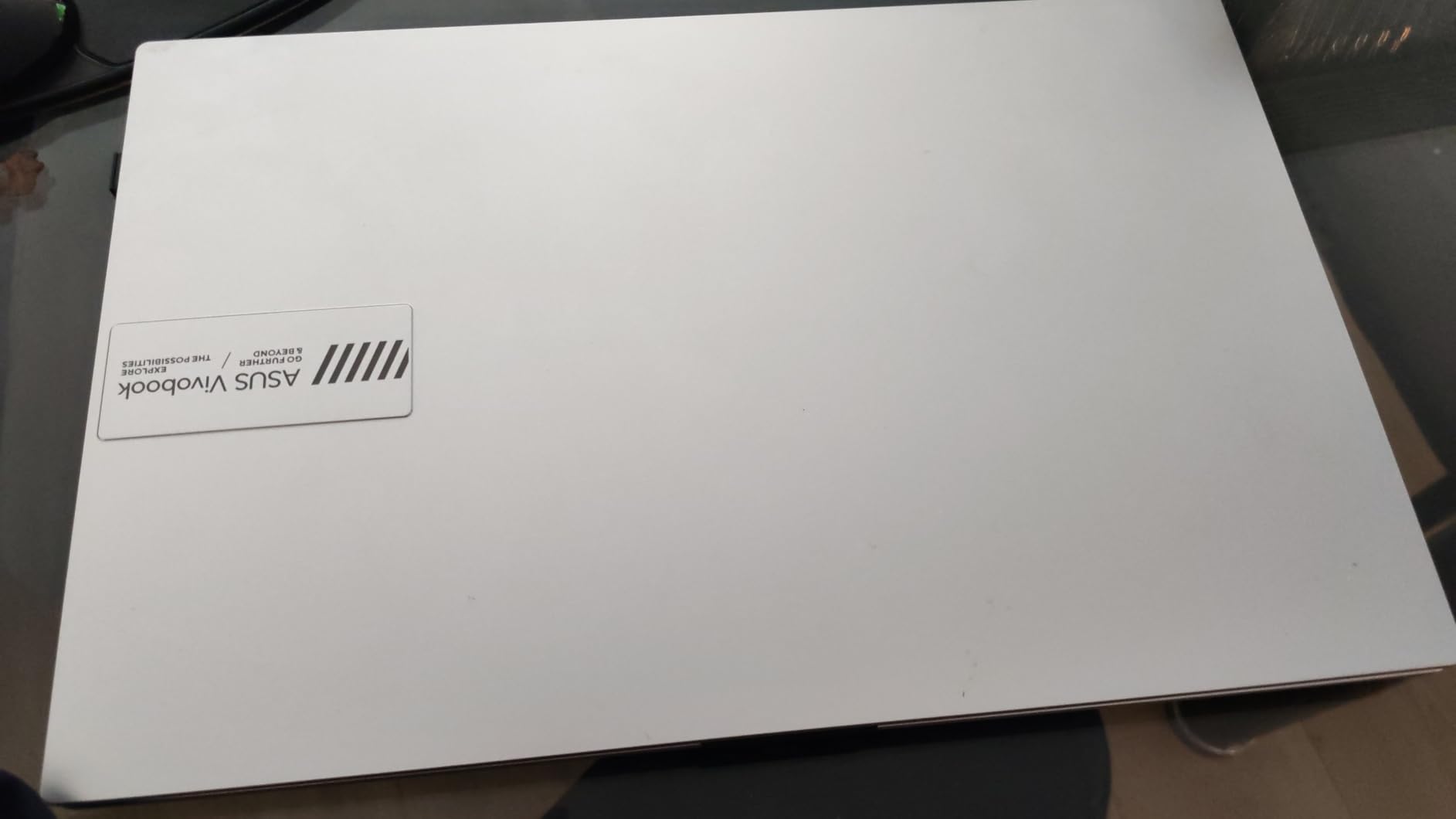
ASUS Vivobook Go 15.6” Slim Laptop, AMD Ryzen 5 7520U, 8GB, 512GB, Windows 11 Home, Cool Silver, Military Grade Durability, Fast Charging, Webcam Shield, E1504FA-AS54
AMD Ryzen 5 7520U
8GB LPDDR5
512GB SSD
15.6 inch FHD
3.6 lbs
Pros
- Fast everyday performance
- 512GB SSD is rare at this price
- Military-grade durability testing
- Privacy webcam shutter
- Lightweight 3.6 lb design
Cons
- RAM is soldered and not upgradable
- Occasional Wi-Fi driver complaints
- Keyboard is not backlit
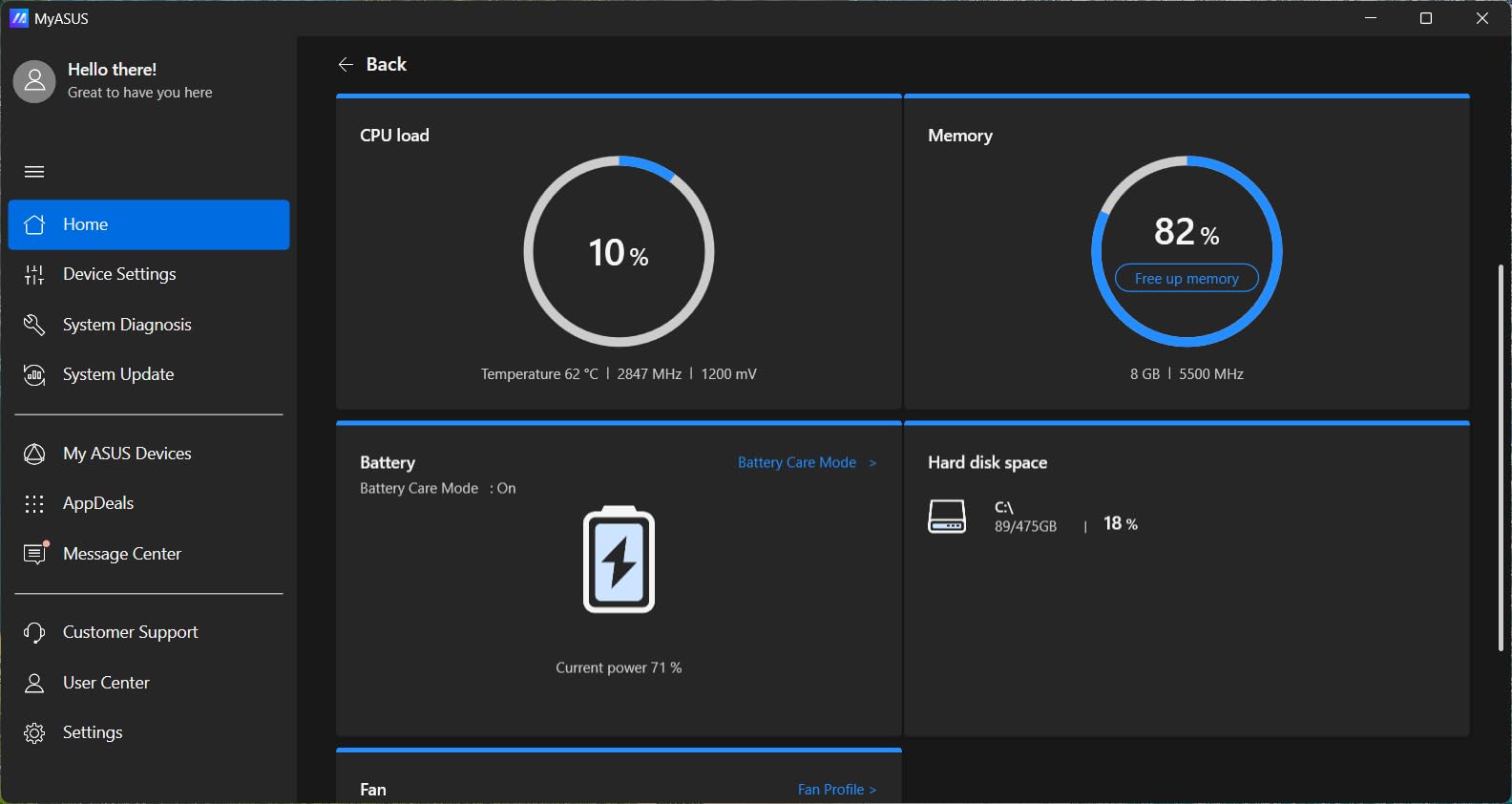
The Vivobook Go is the laptop I would hand to most people who ask me what to buy under $500. The Ryzen 5 7520U is genuinely quick for this class, and the 512GB SSD means you will not be playing storage Tetris six months from now. Every other laptop on this list offers 256GB or less, so this alone justifies the top spot.
In day-to-day use, owners describe it as snappy for browsing, documents, and streaming. ASUS also pushed fast charging and a 180-degree lay-flat hinge onto this model, which is a nice touch when you want to share the screen across a table.
The privacy webcam shutter is something I usually only see on business laptops, and it matters more than people think in the Zoom era. SonicMaster audio also gets consistent praise, which is unusual for budget laptops where speakers are normally an afterthought.
The downsides are the classic budget trinity: soldered RAM, no keyboard backlight, and a plastic body. None of those are dealbreakers at this price, and ASUS at least put the machine through military-grade durability testing to compensate.
Who should buy this one
Students and remote workers who want the most balanced laptop under $500 with enough storage to last through a full degree. It is also the best pick if you install a lot of software, thanks to that 512GB drive.
Anyone who wants a machine that feels quick rather than merely adequate will appreciate the Ryzen 5 chip. It has more headroom than the Intel N-series processors in the rest of this lineup.
Who should skip it
If you plan to keep a laptop for six years and upgrade the RAM later, this is not the one, because the memory is permanently soldered. People who type in the dark a lot should also note the missing keyboard backlight.
2. Acer Aspire 3 A315-24P-R7VH – Best Value for the Money
acer Aspire 3 A315-24P-R7VH Slim Laptop | 15.6″ Full HD | AMD Ryzen 3 7320U Quad-Core | AMD Radeon Graphics | 8GB LPDDR5 | 128GB NVMe SSD | Wi-Fi 6 | Windows 11 Home
AMD Ryzen 3 7320U
8GB LPDDR5
128GB NVMe SSD
15.6 inch FHD IPS
Wi-Fi 6
Pros
- Lowest cost way into a Ryzen laptop
- 1080p IPS display
- Lightweight 3.9 lb build
- 11 hour battery claim
- Wi-Fi 6
Cons
- Only 128GB of storage
- Keyboard backlight missing despite some listings
- RAM is soldered
- Weak speakers
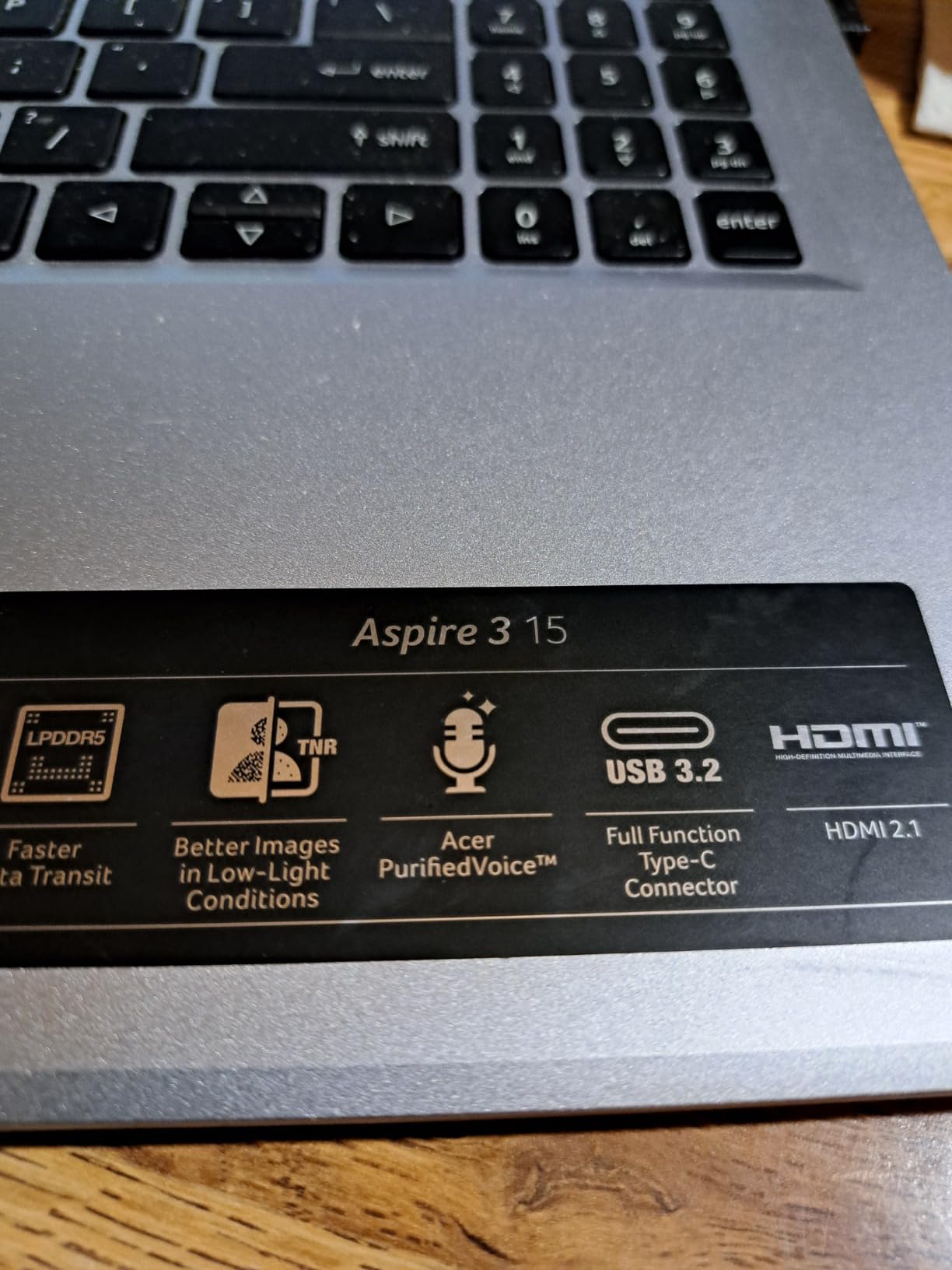
With over 4,600 ratings, the Aspire 3 is the most battle-tested laptop on this list. It is the model most often recommended in Reddit budget laptop threads, and for good reason: it pairs a real Ryzen 3 processor with a 1080p IPS screen at the lowest price in this lineup.
Owners consistently describe it as fast for browsing, Office work, and streaming, with quiet fan operation. The 15.6-inch IPS panel is one of the better screens you will find on any cheap laptop, and Wi-Fi 6 keeps it feeling modern on newer routers.
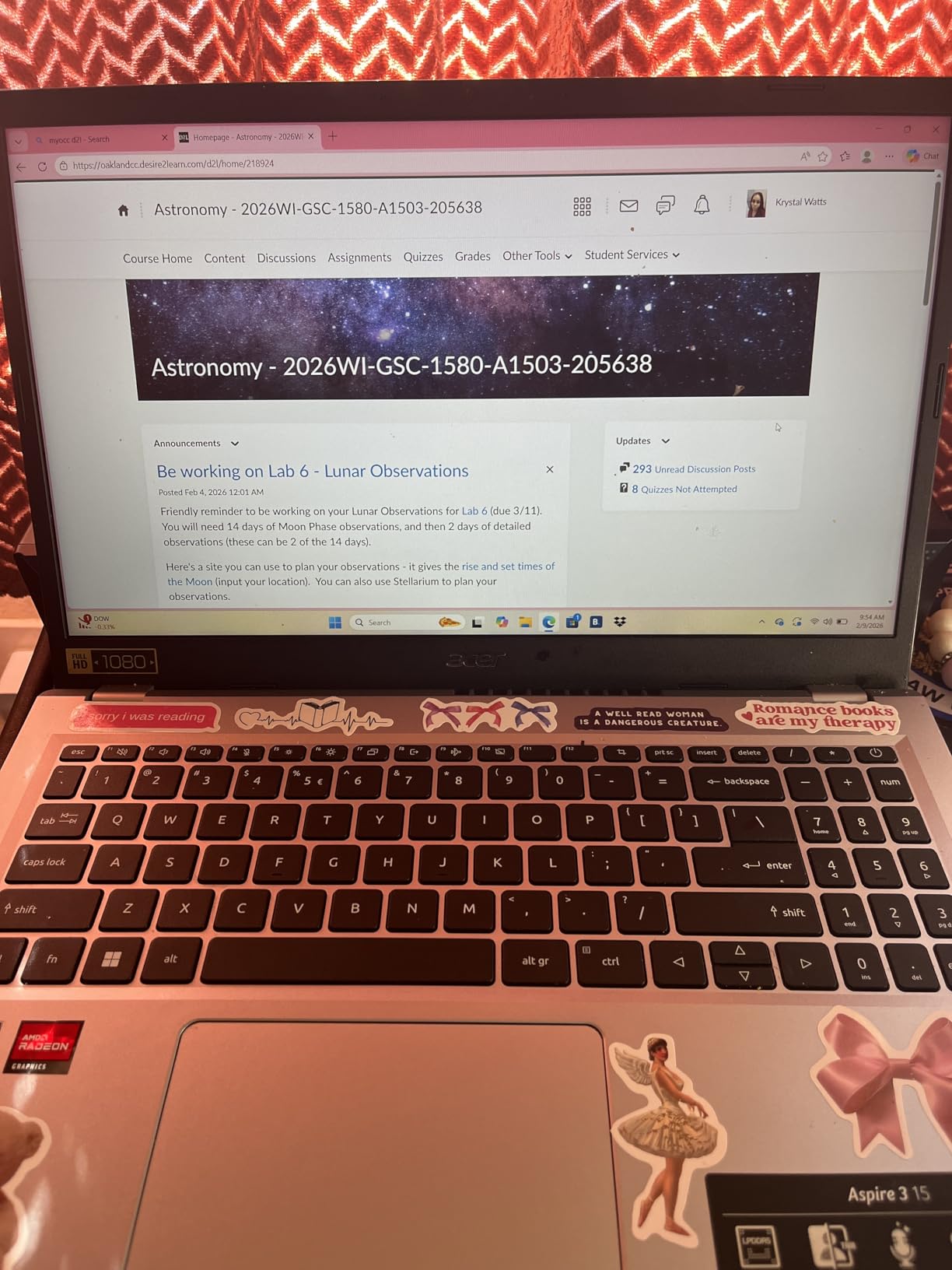
The catch is the 128GB NVMe SSD, which fills up fast once Windows, updates, and a semester of files pile on. You will want to budget for cloud storage or an external drive, or treat this as a cloud-first machine.
A few buyers were also burned by listings that implied a backlit keyboard that does not exist, and the speakers are genuinely poor. Headphones or a cheap Bluetooth speaker solve the audio problem. The fan stays quiet, though, which students in libraries will appreciate.
Who should buy this one
Anyone who wants the cheapest dependable Windows laptop with a proper 1080p display and a capable Ryzen chip. It is perfect as a secondary machine, a kid’s school laptop, or a first computer for coursework.
It is also the pick if you value proven reliability, because few budget laptops have this much owner feedback behind them.
Who should skip it
If you store a lot of photos, videos, or games locally, 128GB will frustrate you quickly. Heavy multitaskers should also consider that the 8GB of RAM can never be expanded.
3. Lenovo IdeaPad Slim 3i 2026 – Best for Students
Lenovo 14″ FHD Laptop 2026 Edition, IdeaPad Slim 3 Touchscreen Chromebook
Intel N150
8GB LPDDR5
128GB UFS
15.6 inch FHD
Microsoft 365 included
Pros
- Highest rating in this lineup at 4.5 stars
- Microsoft 365 pre-installed
- MIL-STD-810H durability testing
- Numeric keypad
- Only 3.42 lbs
Cons
- 128GB storage fills fast
- No fingerprint reader
- Not a touchscreen
The IdeaPad Slim 3i is the highest-rated laptop in this guide at 4.5 stars, albeit from a smaller pool of 36 reviews. What makes it a student favorite is the bundle: Windows 11 plus a full Microsoft 365 subscription means you can write essays on day one without buying anything else.
At 3.42 pounds it is the lightest 15.6-inch machine here, and Lenovo put it through MIL-STD-810H military-grade durability testing. That combination of light and tough is exactly what a backpack-bound laptop needs.
The Intel N150 is an efficient quad-core that handles documents, browsing, and video calls without drama. You also get a proper port spread including USB-C with charging and DisplayPort, HDMI, and an SD card reader, which photographers and note-takers will use constantly.
The 128GB of UFS storage is the main compromise, and it is slower than a true NVMe SSD. The HD webcam has a privacy shutter, and the anti-glare FHD screen with an 88 percent screen-to-body ratio looks more modern than the price suggests.
Who should buy this one
Students who want Microsoft Office included and a durable, light laptop for carrying between classes. The numeric keypad also makes it a fit for business and accounting coursework.
It is a smart pick for nursing and college students who mostly live in Word, PowerPoint, and the browser.
Who should skip it
If you need to store large files locally or install several heavy programs, the 128GB drive will pinch. Anyone wanting biometric login should look elsewhere since there is no fingerprint reader.
4. HP Pavilion 15 – Best for Upgradability
HP Essential Laptop 2026, Copilot AI, 128GB SSD, AMD Processor, Office 365
Intel N100
8GB DDR4 (upgradable to 32GB)
256GB NVMe SSD
15.6 inch FHD anti-glare
Pros
- RAM can be upgraded to 32GB
- 256GB PCIe NVMe SSD
- Full-size keyboard with numpad
- 50 percent charge in under an hour
- Easy setup
Cons
- Screen brightness is low
- Can lag after long sessions
- Not built for heavy workloads
The HP Pavilion 15 solves the single biggest complaint in the budget laptop world: soldered RAM. Its 8GB of DDR4 is socketed and officially upgradeable to 32GB, which means this is one of the few laptops under $500 that can actually grow with you.
Owners highlight the easy out-of-box setup and reliable everyday performance. The 256GB PCIe NVMe SSD is a real SSD, not slower eMMC or UFS storage, so boot times and file transfers feel quick.
HP claims all-day battery life, and the fast charging is genuinely useful: you get to 50 percent in under an hour. The anti-glare FHD screen is comfortable for long writing sessions, though it is dimmer than I would like in a bright room.
Some owners report occasional lag after extended uptime, which is typical of 8GB machines running lots of browser tabs. The good news is that a cheap RAM upgrade fixes that permanently, something no other laptop in this guide can say.
Who should buy this one
Anyone who wants a laptop they can upgrade later instead of replacing. Adding RAM and a bigger SSD down the road can extend its life by years.
It also suits buyers who want the familiar HP Pavilion experience with a numpad and comfortable full-size keyboard for spreadsheets.
Who should skip it
If you never plan to open a screwdriver and just want maximum performance today, the Ryzen-based picks above deliver more speed out of the box. People who work outdoors or near bright windows may find the display too dim.
5. HP Essential 15.6 (2026 Edition) – Best Keyboard and Display Combo
HP Essential 15.6″ Laptop, 2026 Edition, 8GB RAM, 256GB SSD, Win11
Intel N100
8GB DDR4
256GB NVMe SSD
15.6 inch 1920x1200 IPS
Backlit keyboard
Pros
- Taller 1920x1200 display
- Backlit keyboard with numpad
- Solid sales rank at number 157 in Computers
- 8+ hour battery life
- Wi-Fi 6E
Cons
- Some reports of boot problems
- Mixed long-term durability feedback
The HP Essential 15.6 quietly offers two things almost no budget laptop has: a backlit keyboard and a taller 1920×1200 IPS display. That extra vertical space is a real productivity boost for documents, spreadsheets, and browsing.
This is also the most popular laptop on this list by sales rank, sitting at number 157 in all of Computers and Accessories. When a budget HP sells at that volume with a 4.4-star rating, it is doing something right.
The N100 processor is modest but fine for Office, web, and video calls. HP pairs it with 8GB of RAM and a 256GB NVMe SSD, which is the comfortable baseline spec for Windows 11 in 2026.
I do have to be straight about the cons: a minority of buyers reported boot problems, and long-term durability feedback is mixed. HP’s warranty covers you, but it is worth registering the product on day one.
Who should buy this one
Anyone who types at night and wants the only backlit keyboard among the traditional picks here. The 16:10 display also makes it a great choice for writers and students who live in documents.
Who should skip it
If zero hassle is the priority and you cannot risk even a small chance of a warranty exchange, the Lenovo and ASUS picks have cleaner reliability feedback. Power users will find the N100 limiting.
6. Lenovo 2026 15.6 Business Laptop – Best Port Selection and Storage
Lenovo 2026 15.6 FHD Laptop • 8GB DDR5 • 256GB PCIe SSD • 500GB HDD
Intel N100
8GB DDR5
256GB PCIe 4.0 SSD + 500GB HDD
15.6 inch FHD
Gigabit Ethernet
Pros
- 256GB SSD plus 500GB hard drive
- DDR5 RAM
- Rare Gigabit Ethernet port
- 11 hour battery
- Camera privacy shutter and TPM 2.0
Cons
- No keyboard backlight
- Integrated graphics only
- Some bloatware preinstalled
This Lenovo is the storage champion of the group with 756GB of total capacity: a fast 256GB PCIe 4.0 SSD for Windows and apps, plus a 500GB hard drive for everything else. That dual-drive setup is almost unheard of under $500.
It also has a port selection borrowed from a business laptop: two USB-C, two USB-A, HDMI, and a Gigabit Ethernet jack. If you have ever struggled with hotel or office Wi-Fi, that wired network port is a lifesaver for video conferencing.
The 8GB of DDR5 RAM keeps multitasking smooth, and Lenovo claims 11 hours of battery with USB-C fast charging. Security features like the physical webcam shutter, TPM 2.0 encryption, and a Kensington lock slot round out the business DNA.
With 212 reviews at 4.4 stars, there is decent owner evidence behind it. The complaints are minor: no backlit keyboard, integrated graphics that rule out serious gaming, and some preinstalled bloatware worth removing on day one.
Who should buy this one
Small business users, remote workers, and students who need serious storage plus wired internet reliability. It is the closest thing to a business-grade machine at a consumer budget price.
Who should skip it
If you want the thinnest, lightest machine or a backlit keyboard, look at the HP Essential or IdeaPad instead. Gamers should not expect playable frame rates in modern titles.
7. HP 2026 14-inch Student Laptop (Frost Silver) – Best Software Bundle
HP 2026 Laptop Student Business, Office 365, 128GB Storage, Intel Processor
Intel N150
8GB DDR4
128GB UFS + 500GB external HDD
14 inch HD
1 year Office 365
Pros
- One year of Microsoft Office 365 included
- 500GB external hard drive in the box
- Lightweight 3.33 lb build
- SD card reader
- 4.5 star rating
Cons
- 768p display resolution
- 128GB internal storage
- Windows S mode restrictions
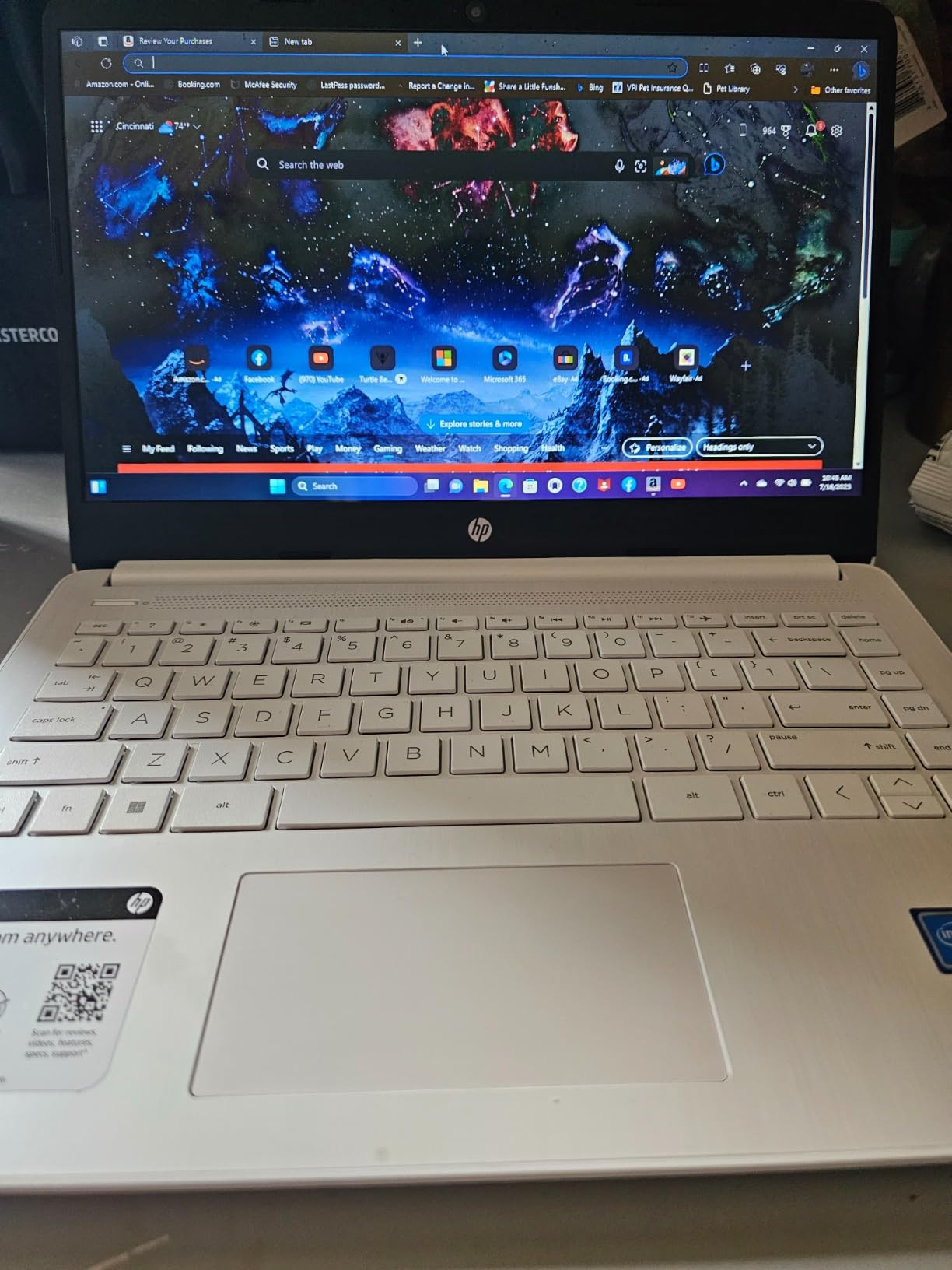
This 14-inch HP earns a 4.5-star rating from 87 owners by solving the two biggest budget laptop problems in one box. You get a year of Office 365 and a 500GB portable hard drive included, so software and storage are handled from day one.
At 3.33 pounds with an N150 quad-core chip, it is a genuinely portable everyday machine for browsing, documents, and video calls. Battery life gets consistent praise from owners who use it for full school days.
The trade-off is the 1366×768 display, which is noticeably less sharp than the 1080p panels on the larger laptops above. For text-heavy work it is serviceable, but side by side with the Aspire 3 the difference is obvious.
The other thing to know is that it ships in Windows 11 S mode, which limits installations to Microsoft Store apps. You can switch out of S mode for free, but a few buyers reported Chrome quirks before doing so.
Who should buy this one
Students who want Office included, extra storage in the box, and a light 14-inch machine for carrying all day. It is the best complete starter package on this list.
Who should skip it
If display quality is a priority, the 768p screen is the weakest here. People who install lots of desktop software should also be ready to exit S mode immediately.
8. HP 2026 14-inch (Frost Blue) – Cheapest Complete Package
HP 2026 Laptop, 1 Year Office 365&AI-Copilot, 128GB UFS with 500GB Ext HDD
Intel N150
4GB DDR4
128GB UFS + 500GB external HDD
14 inch HD
Office 365 and Copilot
Pros
- Lowest price on this list
- Office 365 and AI Copilot included
- 500GB external HDD included
- Lightest footprint
- Fun Frost Blue color
Cons
- Only 4GB of RAM
- 768p display
- Windows S mode limits app installs
At the very bottom of the budget range, this Frost Blue HP still manages to include Office 365, AI Copilot, and a 500GB external hard drive. With 271 reviews at 4.4 stars, it is a popular gift and student machine, and nothing else on this list costs less.
The N150 processor handles browsing and documents fine, and the ultra-light body is easy to carry everywhere. For a middle schooler or a household backup laptop, it covers the basics without complaint.
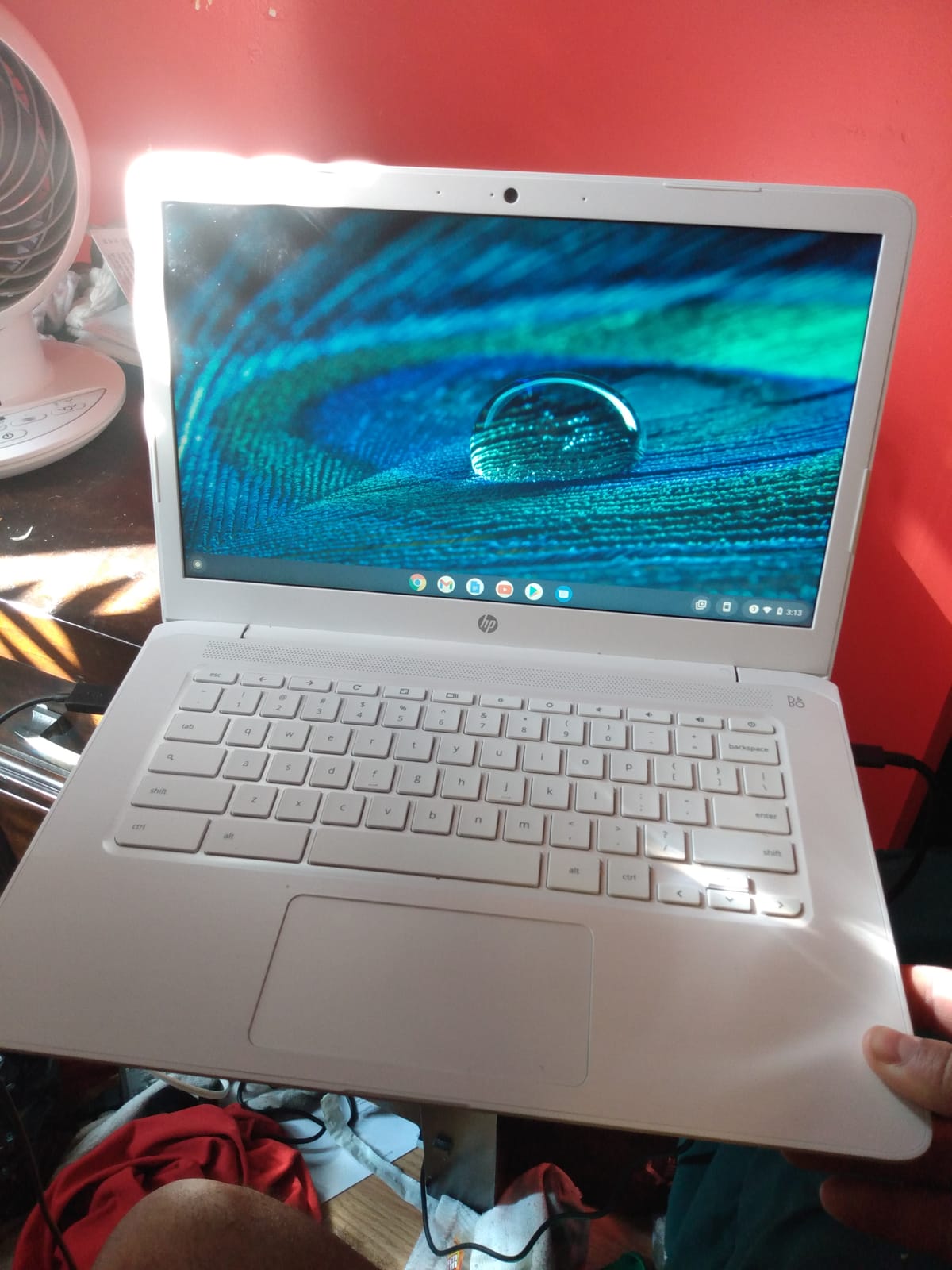
I want to be blunt about the limitation: 4GB of RAM is the floor for Windows 11. It works for one browser window and Word, but heavy multitab sessions will bog down. The RAM is technically upgradeable to 32GB, though on a machine this cheap, paying a shop to do it may not make sense.
S mode is also stricter here, and several owners hit the Chrome installation issue before switching out of it. Once you make that free switch, day-to-day use becomes much smoother.
Who should buy this one
Anyone who needs the cheapest workable laptop with software and storage bundled in. It suits younger students, light users, and anyone wanting an emergency backup machine.
Who should skip it
If you can stretch your budget at all, spending a little more for 8GB of RAM is the single best upgrade you can make. The 4GB limit will be felt daily by anyone who keeps many tabs or apps open.
How to Choose the Best Laptop Under 500 Dollars?
Before you click buy on any budget laptop, run through this quick checklist. It reflects the mistakes buyers report most often in reviews and forums.
Get 8GB of RAM, full stop
4GB is not enough for Windows 11 in 2026. Owners of 4GB machines consistently report slowdowns once a few tabs are open. Every pick in this list except the Frost Blue HP carries 8GB for exactly this reason.
Check whether the RAM is soldered
Most budget laptops solder the RAM to the motherboard, so 8GB is all you will ever have. If you want future-proofing, the HP Pavilion 15 is the rare model here with upgradeable memory up to 32GB.
Prefer NVMe SSD storage and at least 256GB
Slow eMMC and small UFS drives are how manufacturers cut costs, and they are the number one regret in owner reviews. 128GB fills up fast; 256GB is comfortable. Bundled external drives, like on the two HP 14-inch models, are a workable workaround.
Insist on a 1080p display
A 1920×1080 screen is the single biggest quality-of-life upgrade at this price. The two 14-inch HP models use 1366×768 panels to hit their price, and owners notice the difference. The HP Essential goes further with a taller 1920×1200 panel.
Windows S mode: know what you are getting into
Several budget HPs ship in S mode, which only allows Microsoft Store apps. Switching out is free and permanent, but do it consciously. Students who need specific software, including lockdown browsers for exams, should test compatibility before committing.
Windows laptop or Chromebook?
Chromebooks do not appear in this lineup because at close to $500 a Windows machine is usually the better buy. A Chromebook makes sense under $300 or when your entire workflow lives in a browser. If you need desktop Office, specific school software, or Windows-only tools, stick with Windows.
New or refurbished?
Forum regulars on r/SuggestALaptop often recommend refurbished business ThinkPads and Latitudes over new budget consumer laptops for their superior keyboards and durability. The trade-off is older hardware and shorter battery life. If you prefer new with a warranty, the Lenovo 2026 business model above gets you business-grade features anyway.
Set real battery expectations
Marketing claims of 11 hours rarely survive real-world use. Expect 6 to 9 hours of mixed work from the best models here, less when streaming video. Fast charging, available on the ASUS, HP, and Lenovo picks, matters more than the headline number.
Frequently Asked Questions
What is the best laptop to buy under $500?
The ASUS Vivobook Go 15 (E1504FA-AS54) is the best laptop under $500 overall, thanks to its AMD Ryzen 5 7520U processor, 8GB of RAM, and a rare-at-this-price 512GB SSD. The Acer Aspire 3 A315-24P is the best value alternative with a 1080p IPS display and over 4,600 positive ratings.
Are 500 dollar laptops worth it?
Yes, if your needs are realistic. A laptop under $500 easily handles web browsing, Microsoft Office, video calls, streaming, and student coursework. It will not run modern games or video editing software well, so it is worth it for everyday use rather than demanding creative work.
What specs do I need in a budget laptop?
Aim for at least an Intel N150, Core i3, AMD Ryzen 3, or better processor, 8GB of RAM, a 256GB SSD, and a 1920×1080 display. Avoid 4GB of RAM and 64GB of eMMC storage, which are the two most common causes of regret in budget laptop reviews.
Is 8GB of RAM enough for a laptop under $500?
Yes, 8GB is the sweet spot for Windows 11 at this price. It supports comfortable browsing with multiple tabs, Office apps, and Zoom calls. If you can find an upgradeable model like the HP Pavilion 15, you can add more RAM later instead of buying a new laptop.
Can a laptop under $500 handle gaming?
Only light gaming. Integrated graphics in this price range can run older or low-demand titles like Minecraft or esports games at reduced settings, but modern AAA games are not realistic. Cloud gaming services are the practical way to play demanding games on a budget laptop.
Final Thoughts on the Best Laptops Under 500 Dollars
You do not have to gamble to get a great laptop under $500 in 2026. The ASUS Vivobook Go 15 is my overall pick for its 512GB SSD and Ryzen 5 speed, the Acer Aspire 3 remains the value king with 4,600-plus reviews behind it, and the Lenovo IdeaPad Slim 3i is the student-friendly choice with Office included.
Focus on the fundamentals, 8GB of RAM, a real SSD, and a 1080p screen, and any pick on this list will serve you well for years of everyday work. Check the latest prices with the buttons above, since budget laptop stock and deals shift weekly.
1 thought on “8 Best Laptops Under 500 Dollars (October 2026) Expert Reviews”