
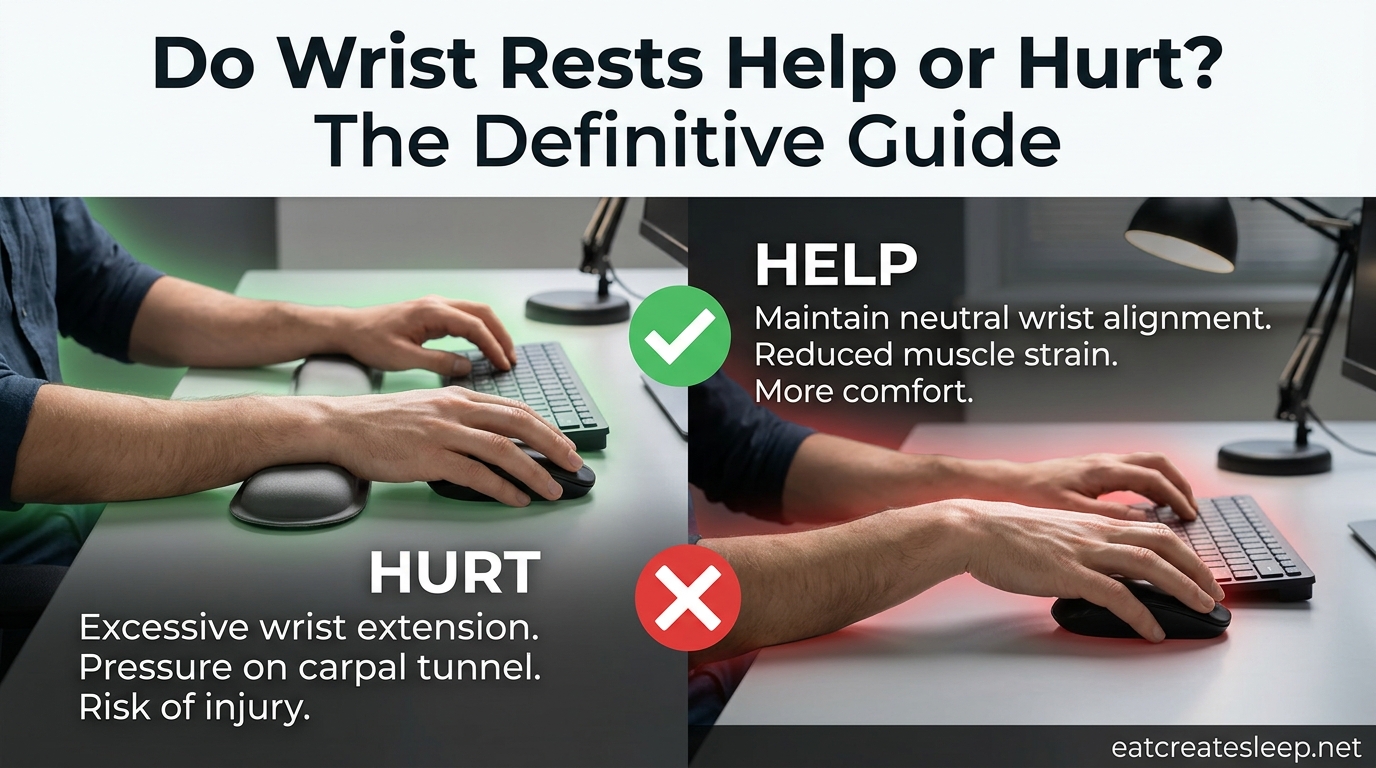
Do wrist rests help or hurt? It is one of the most debated questions in office ergonomics, and the answer most people get is frustratingly vague: “it depends.” Our team has spent months reviewing the OSHA guidelines, the CSA Z412:24 standard, the medical literature on carpal tunnel syndrome, and hundreds of real user experiences from forums like r/MechanicalKeyboards and Geekhack. The short version is that wrist rests help some people and hurt others, and the difference almost always comes down to how you use them, not whether you own one.
The longer version is that wrist rests were designed to give your hands a soft place to land between bursts of typing, not to support your wrists while you actively type. When used as a parking spot for your wrists during continuous typing, they can compress the carpal tunnel, irritate tendons, and increase contact stress on the median nerve. When used correctly as a brief rest point with your arms floating during active keying, they can reduce shoulder fatigue, prevent the sharp edge of the desk from digging into your forearms, and remind you to take microbreaks.
This guide breaks down exactly when wrist rests help, when they hurt, and how to use them the right way. We will cover wrist anatomy so the risks make sense, walk through the proper palm-heel technique, separate mouse wrist rests from keyboard wrist rests, and give you a simple checklist for deciding whether you need one at all.
Table of Contents
Quick Answer: Do Wrist Rests Help or Hurt?
Wrist rests help when used as a between-keystroke resting point with the palm heel (not the wrist itself) making contact, and they hurt when used as a continuous support that your wrists press into while typing. According to OSHA, the goal is to maintain a neutral wrist position and avoid contact stress, and a poorly used wrist rest creates exactly the contact stress OSHA warns against. The Canadian Centre for Occupational Health and Safety (CCOHS), referencing the CSA Z412:24 standard, draws a clear line between a true wrist rest and a palm support, and notes that leaning the wrist on a rest for long periods places pressure directly on the carpal tunnel.
In plain terms, wrist rests are tools, not cures. They will not prevent carpal tunnel syndrome on their own, and they can contribute to it if misused. Whether one helps or hurts you depends on three things: your typing technique, your overall workstation setup, and whether your hands actually need a rest point at all.
The benefits, when used correctly:
- Reduced shoulder and neck tension from holding arms suspended.
- Protection from hard desk edges pressing into the forearms.
- A physical cue to drop the shoulders and pause between bursts.
The risks, when used incorrectly:
- Direct pressure on the carpal tunnel compressing the median nerve.
- Tendon irritation from wrist pivoting across the rest surface.
- Increased contact stress that OSHA specifically warns against.
Understanding the Wrist: A Quick Anatomy Lesson
To understand why wrist rests can hurt, it helps to know what sits underneath them. The underside of your wrist contains the carpal tunnel, a narrow passageway formed by bones and a tough ligament called the transverse carpal ligament. Running through that tunnel is the median nerve along with nine flexor tendons that bend your fingers.
There is almost no padding over the carpal tunnel. The skin, a thin layer of fat, and some connective tissue are all that separate the tunnel from whatever surface your wrist presses against. When you rest the soft underside of your wrist on a firm pad, you are placing direct pressure on a nerve and a bundle of tendons with very little cushioning.
This is why the location of contact matters so much. Pressing on the palm heel, the fleshy base of the thumb and pinky side, avoids the carpal tunnel because the bones of the hand take the load. Pressing on the wrist itself, the area between the heel and the forearm, places that load directly over the tunnel and the tendons running through it.
The wrist extensor muscles, the tendons on the back of the forearm that lift the hand up, also pass over the wrist joint. When your hand is planted on a rest and pivoting side to side to reach keys, those extensors work overtime and the tendons on the palm side stretch and compress. Over hours, that combination can lead to tenosynovitis, an inflammation of the tendon sheath, and lateral epicondylitis, better known as tennis elbow.
How Wrist Rests Can Hurt You
The biggest danger of a wrist rest is not the rest itself but the habit it encourages. Once your wrists have a soft surface to sit on, the natural tendency is to leave them there while typing. That single habit causes most of the problems associated with wrist rests.
Pressure on the Carpal Tunnel
CCOHS is blunt about this: leaning the wrists on a rest for long periods puts a lot of pressure on the carpal tunnel area. The median nerve, which supplies sensation to the thumb, index, middle, and part of the ring finger, does not tolerate compression well. Sustained pressure can produce numbness, tingling, and eventually the classic symptoms of carpal tunnel syndrome.
This is also why the hardness of the rest matters. A memory foam or gel pad spreads the load better than a wooden rest, but no material eliminates the pressure entirely if your wrist stays planted during active typing. The Orthopedics Associates of Rhode Island point out that even soft rests create enough contact stress to matter over an eight-hour workday.
Wrist Pivoting and Tendon Irritation
When your wrist is anchored to a rest, your hand has to pivot at the wrist to reach keys at the edges of the keyboard. Every time you stretch for a number key or reach for the backspace, the tendons crossing the wrist bend and glide under load. Do that a few thousand times per day and the tendon sheaths become irritated, which is one path to tenosynovitis.
This is the same mechanism that bothers mechanical keyboard users with tall wooden rests. The keyboard sits at one height, the rest sits at another, and the wrist has to bend upward to clear the keys before it can come down to type. Users on r/MechanicalKeyboards frequently report that wooden rests “get in the way” and push the wrist into extension, the opposite of the neutral position you want.
Encouraging Bad Posture
A wrist rest can mask a workstation problem instead of fixing it. If your keyboard is too high, your wrists will bend upward whether you have a rest or not, and the rest simply makes that bad angle feel comfortable enough to ignore. The same goes for a desk that is too tall, a chair that is too low, or a keyboard without adjustable feet. The rest numbs the warning signal your body would otherwise send.
How Wrist Rests Can Help You
Wrist rests are not all risk and no reward. Used as intended, they solve real problems, especially for people whose desks, chairs, or keyboards put them in a poor starting position that they cannot easily fix.
Shoulder and Neck Tension Relief
Vitrue Health makes a point that most critics skip: the original purpose of a wrist rest was to give the arms a place to rest so the shoulders and neck could relax. Holding your hands suspended over a keyboard for hours forces the shoulder and upper back muscles to carry the weight of your forearms. A rest lets you set that weight down between typing bursts, which can reduce the shoulder tension and trapezius strain that desk workers complain about constantly.
This is why some users report wrist pain disappearing within a week of adding a rest. The rest did not fix their wrists; it gave their shoulders a break, and the referred pain in their arms went away.
Desk Edge Protection
If you work at a desk with a sharp front edge, your forearms take a beating. The edge presses into the soft tissue on the underside of the forearm, restricting blood flow and creating a pressure point that can cause soreness and even nerve irritation over time. A wrist rest, or better yet a rounded desk edge or ergonomic keyboard tray, removes that contact stress entirely.
A Posture Reminder
A good wrist rest, positioned at the correct height, doubles as a physical cue to keep your wrists roughly level with the keyboard. When the rest is the right thickness, your wrists slide over it without bending up or down, and any time your hand drops below or rises above the rest, you feel it immediately. That feedback loop helps you self-correct throughout the day.
Wrist Rest vs Palm Support: What’s the Difference?
The CSA Z412:24 standard, which CCOHS references, draws a meaningful distinction between a wrist rest and a palm support, and the difference is more than terminology. A wrist rest is designed to support the wrist itself, meaning the soft area over the carpal tunnel. A palm support is designed to support the palm heel, the bony base of the hand that can take pressure without compressing any nerves.
This is why CCOHS and most ergonomics professionals prefer the term palm support. The product that helps you is one that contacts the heel of your hand, not your wrist, and a rest that is too close to the keyboard or too thick will force wrist contact instead of palm contact. If you are shopping for one, look at where your hand actually lands when you pause typing. The pad should meet the fleshy part of your palm, not the crease of your wrist.
Quick comparison:
- Wrist rest: Contacts the soft underside of the wrist, places pressure on the carpal tunnel, generally discouraged by ergonomics professionals for continuous use.
- Palm support: Contacts the bony heel of the palm, avoids the carpal tunnel, the preferred option when a rest is needed.
- No rest: Hands float over the keyboard during typing, wrists rest on the pad only between bursts, considered ideal by most specialists.
How to Use a Wrist Rest Correctly
If you decide to use a wrist rest, the technique matters more than the product. The following steps are based on OSHA’s computer workstation guidelines and the CSA Z412:24 standard, and they apply whether you are typing, gaming, or doing data entry.
Step 1: Float During Active Typing
Your hands should float over the keyboard while you are actively keying. Your forearms, not your wrists, should carry the weight, and your wrists should stay roughly straight, not bent up, down, left, or right. The rest is for pauses, not for parking. If you cannot type without resting your wrists, your keyboard may be too high or your chair too low.
Step 2: Contact With the Palm Heel Only
When you do pause, lower the heel of your palm onto the rest, not the wrist itself. The contact point should be the fleshy base of the thumb and the outside edge of the hand below the pinky. The crease of your wrist, the area directly over the carpal tunnel, should never touch the pad.
Step 3: Keep the Wrist Neutral
Neutral wrist position means your hand is in a straight line with your forearm, not bent upward into extension or downward into flexion. A wrist rest that is too thick forces extension. A keyboard that is too high forces extension. The rest should be the same height as the front edge of the keyboard or only slightly lower, so your wrist stays flat when your palm heel touches it.
Step 4: Position It Close to the Keyboard
The rest should sit flush against the front edge of the keyboard with no gap. If there is a gap, your wrist has to bridge it, which means your wrist, not your palm, makes contact with the rest. Slide the rest forward until it touches the keyboard, and make sure it does not slide around during use. Many users add a non-slip base or a strip of grip tape to keep the rest from wandering.
Step 5: Take Real Breaks
No rest, however well-designed, can compensate for hours of continuous typing. OSHA recommends brief stretches, posture changes, and microbreaks throughout the day. Stand up, roll your shoulders, stretch your fingers backward, and let your hands drop to your sides for a few seconds. The wrist rest is a tool within a larger ergonomic routine, not a substitute for movement.
Mouse Wrist Rests: Separate Guidance
Most of the wrist rest debate centers on keyboards, but mouse wrist rests deserve their own conversation because the mechanics are different. When you mouse, your hand moves continuously and often rests on the pad for the entire session, which means the contact stress problem is worse, not better.
The same rules apply but more strictly. Your palm heel, not your wrist, should touch the pad. The pad should sit at a height that keeps your wrist neutral, not bent upward. And because mousing keeps the hand planted for long stretches, you should lift your hand off the pad every few minutes to relieve pressure and restore blood flow.
Forum users on r/ErgoMechKeyboards frequently point out that a mouse wrist rest is more likely to cause harm than a keyboard rest, simply because the hand stays on it longer. If you only buy one rest, prioritize the keyboard, and consider a vertical mouse or a trackball instead of adding a mouse wrist rest. Both options keep the wrist in a more neutral position without requiring a pad at all.
Signs You Should (and Shouldn’t) Use a Wrist Rest
Not everyone needs a wrist rest, and some people are better off without one. The following checklists are drawn from the OSHA workstation guidelines, the CCOHS recommendations, and patterns we noticed across hundreds of forum posts from desk workers, gamers, and mechanical keyboard users.
Signs You Should Use a Wrist Rest
You may benefit from a wrist rest if:
- Your desk or keyboard is slightly too high and you cannot adjust it, leaving your wrists bent upward when you type.
- You feel shoulder or upper back tension by the end of the day from holding your arms suspended over the keyboard.
- The front edge of your desk is sharp and presses into your forearms when you rest them between tasks.
- You take frequent microbreaks and want a soft place to set your hands down for those few seconds.
Signs You Shouldn’t Use a Wrist Rest
You should probably skip the wrist rest if:
- You already float your hands while typing and your wrists never touch the desk, in which case a rest is unnecessary and may encourage bad habits.
- Your keyboard is at the correct height and your wrists are already neutral without support.
- You have been diagnosed with carpal tunnel syndrome, in which case direct wrist pressure is the last thing you want, and a palm support or no rest at all is safer.
- You use a mechanical keyboard with a tall wooden rest that forces your wrists into extension, since that rest is actively working against you.
Alternatives to Wrist Rests
If you decide a wrist rest is not for you, several alternatives solve the same problems without the risks.
The floating technique: Most ergonomics specialists consider this the gold standard. Your hands hover over the keyboard during typing, your forearms carry the weight, and your wrists never make contact with anything. It takes practice and shoulder strength, but it eliminates the pressure problem entirely.
A split keyboard: Split keyboards angle the two halves of the keyboard to match the natural angle of your wrists, reducing the side-to-side stretching that causes tendon irritation. Orthopedic specialists often recommend them for users with existing wrist pain.
A keyboard tray: An adjustable keyboard tray mounted under the desk lets you set the keyboard at the correct height and negative tilt, which keeps your wrists neutral without any rest at all. This is the fix OSHA recommends before reaching for a wrist rest.
Frequent breaks and stretches: No equipment replaces movement. Set a timer, stand up every 30 minutes, and stretch your wrists, fingers, and shoulders. A 30-second break every half hour does more for your wrists than any pad on the market.
FAQs
Are wrist rests actually good for you?
Wrist rests are good for you when used correctly as a brief resting point for the palm heel between bursts of typing, and they can reduce shoulder and neck tension. They are bad for you when used as a continuous support that your wrists press into while typing, because that places direct pressure on the carpal tunnel and can contribute to nerve compression and tendon irritation.
Should you use a wrist rest while typing?
No, you should not rest your wrists on a wrist rest during active typing. Your hands should float over the keyboard with your forearms carrying the weight, keeping your wrists in a neutral, straight position. The wrist rest, if you use one, should only contact the palm heel during brief pauses between typing bursts.
How to stop wrist pain while typing?
To stop wrist pain while typing, keep your wrists in a neutral position with your hands floating over the keyboard, position your keyboard at elbow height, take a 30-second break every 30 minutes to stretch your fingers and wrists, consider a split keyboard if you stretch for keys, and avoid resting your wrists on a pad or desk edge during active typing.
Do wrist rests prevent carpal tunnel syndrome?
No, wrist rests do not prevent carpal tunnel syndrome, and the research cited by Ergo Canada and OSHA suggests that in most cases they provide no significant ergonomic benefit on their own. A poorly used wrist rest that places pressure on the carpal tunnel may actually increase the risk of nerve compression over time.
What is a typist wrist injury?
A typist wrist injury is a repetitive strain injury caused by prolonged typing, most commonly carpal tunnel syndrome, tenosynovitis, or tendonitis. These conditions result from sustained awkward wrist angles, repeated tendon gliding under load, and direct pressure on the wrist, often worsened by poor workstation setup and lack of breaks.
Are wrist rests good or bad for you?
Wrist rests are neither good nor bad on their own. They are good when they contact the palm heel during brief typing pauses and bad when they support the wrist during continuous typing. The deciding factor is technique: floating hands with palm-heel contact between bursts is safe, while planted wrists with active keying is harmful.
Conclusion
So, do wrist rests help or hurt? They help when they support the palm heel between typing bursts with your hands floating during active keying, and they hurt when they become a parking spot for your wrists during continuous typing. The technique matters more than the product, and the safest setup is one where your wrists stay neutral, your forearms carry the weight, and the rest is a brief landing pad rather than a crutch. Check your workstation height first, learn the floating technique, and only add a wrist rest if it solves a specific problem the rest of your setup cannot.