
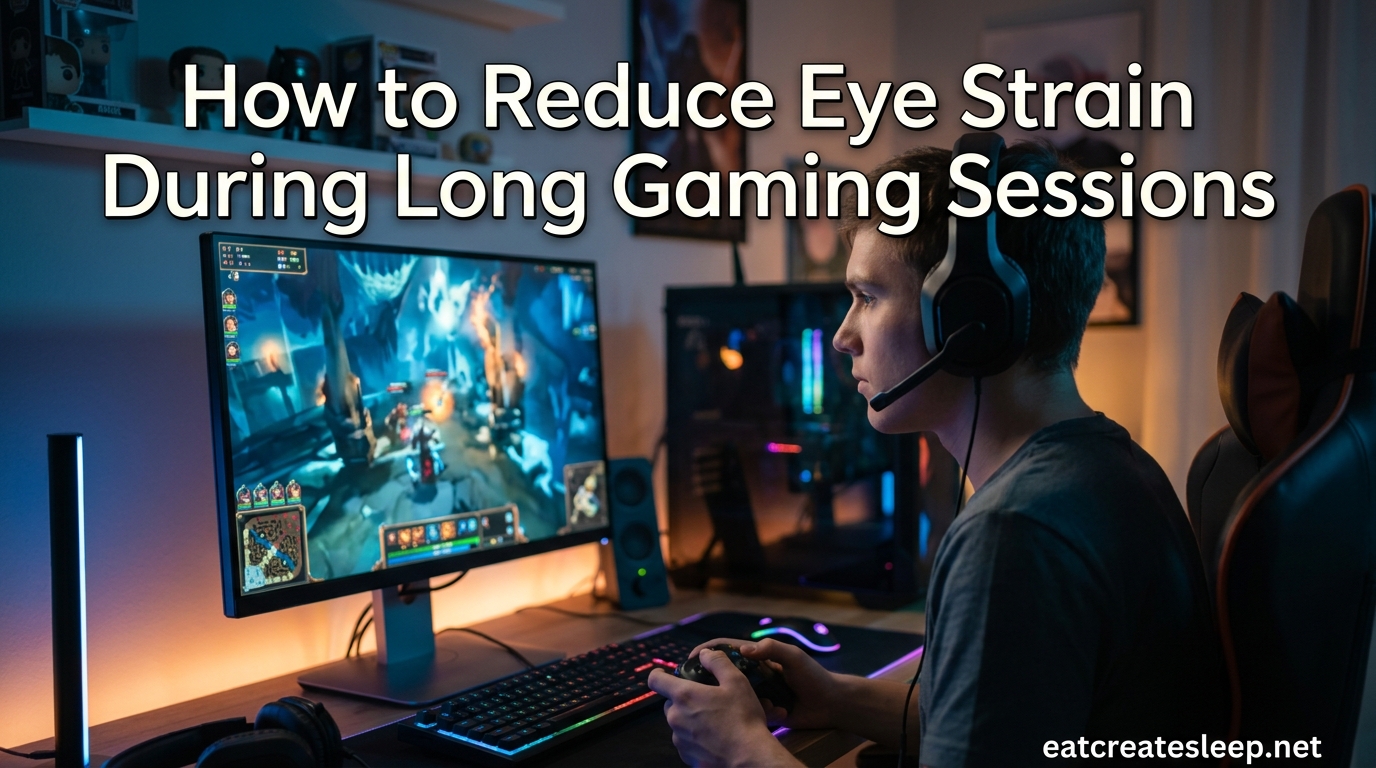
If your eyes feel like sandpaper after a long raid night, or your head pounds halfway through a ranked session, you are not imagining things. Gamers are one of the groups most affected by digital eye strain, and learning how to reduce eye strain during long gaming sessions can protect both your performance and your vision.
The average gamer stares at a screen for 4 to 8 hours straight without realizing how much damage that does to the ciliary muscles, the tiny muscles inside your eyes that control focus. The longer you play without breaks, the more those muscles fatigue, and the worse you feel.
In this guide, I will walk you through what gaming eye strain actually is, why it hits gamers harder than office workers, and the practical steps you can take today to game longer without wrecking your eyes. I have pulled together advice from optometric sources, real gamer experiences from forums like Reddit and Steam Community, and the latest setup recommendations so you get a complete picture.
The core method is simple: take regular breaks, optimize your screen settings, fix your lighting, and blink more often. The 20-20-20 rule is the starting point, but there is a lot more you can do, and we will cover all of it.
Table of Contents
What Is Eye Strain in Gamers?
Eye strain in gamers, also called digital eye strain or Computer Vision Syndrome, is a condition caused by prolonged screen time where the muscles in and around your eyes become overworked. Gaming demands intense, sustained focus at a fixed distance, rapid eye movements to track fast action, and a blink rate that drops well below normal.
The American Optometric Association defines digital eye strain as the physical discomfort felt after two or more hours in front of a digital screen. For gamers, that threshold is hit almost every session.
When you stare at a screen, three muscle systems work overtime. The ciliary muscles inside your eyes contract to keep the lens focused at a near distance. The extraocular muscles on the outside of your eyeballs move your eyes rapidly to follow on-screen action. The intraocular muscles control pupil size, constantly adjusting to changes in screen brightness. None of these muscles were designed to hold a static, contracted position for hours at a time.
“Gamer eyes” is the informal term gamers use to describe the tired, gritty, overworked feeling that sets in after extended play. It is not a medical diagnosis, but it captures a real condition. The combination of near focus, reduced blinking, screen glare, and blue light exposure adds up to measurable fatigue.
Gamers are hit harder than office workers for a few specific reasons. Games require faster reaction times, which means more rapid eye movement. Many games use high-contrast visuals with flashing effects. Competitive players often sit closer to their monitors. And during a ranked match or raid, you simply forget to blink.
Common Symptoms of Gaming Eye Strain
Spotting the symptoms early can save you from a full-blown headache and a wasted evening. Here are the most common signs that your eyes are overworked, based on both clinical sources and reports from gamers on Reddit and the Steam Community forums:
- Dry, gritty, or burning eyes – Your blink rate drops by up to 60 percent during gaming, which dries out the tear film.
- Headaches, especially around the temples or behind the eyes – Caused by sustained muscle contraction.
- Blurred or double vision – The ciliary muscles fatigue and can no longer hold focus.
- Eye heaviness or a feeling that your eyelids weigh too much – The levator palpebrae muscle that holds your eyelids up gets tired.
- Sensitivity to light – Especially noticeable after late-night sessions.
- Neck and shoulder pain – Often linked to poor monitor height, which strains both posture and eye alignment.
- Eyes crossing or drifting inward – Multiple gamers on Reddit report their eyes going crossed after 15 to 20 minutes of intense play, especially with certain game modes enabled.
- Difficulty refocusing on distant objects after stopping – A sign that your accommodative system is locked in near focus.
One Reddit user described their experience this way: their eyes would start crossing within 15 minutes of enabling “game mode” on their monitor. Another gamer with over 4,600 hours logged in a single title said they only realized something was wrong when headaches became a daily occurrence. These stories are common, and they all point to the same root cause.
If you notice any of these symptoms during or after gaming, your eyes are telling you they need a break. The good news is that almost all of these symptoms are reversible with the right habits.
The Core Methods for Reducing Eye Strain
Reducing eye strain comes down to five pillars: taking regular breaks, setting up your monitor correctly, optimizing room lighting, tuning your display settings, and keeping your eyes lubricated. Master these and marathon sessions become far more comfortable.
Let me break each one down in detail.
The 20-20-20 Rule (Explained for Gamers)
The 20-20-20 rule is the single most recommended tip from optometrists for reducing digital eye strain. It works like this: every 20 minutes, look at something 20 feet away for at least 20 seconds. That is the entire rule.
Looking into the distance relaxes the ciliary muscles that stay contracted while you focus on your screen. Twenty seconds is long enough for those muscles to fully release tension and reset.
For gamers, the challenge is not understanding the rule, it is actually following it. Mid-match, no one wants to look away. Here is how to make it work in practice:
- Use between-match downtime. In games with matchmaking queues, load screens, or round resets, those 30 to 60 second windows are perfect for a 20-second distant gaze.
- Set a phone timer or use a break reminder app. Apps like Eye Care 20 20 20, Stretchly, or Workrave ping you at intervals and some even lock your screen until you take the break.
- Look out a window if possible. Windows give you a genuine 20-foot-plus view, which is more effective than looking across a small room.
- Use automated gameplay pauses. Some games and platforms let you set afk timers or auto-pause reminders in single-player titles.
If 20 minutes feels too frequent during competitive play, aim for at least once per hour. Something is better than nothing, and even closing your eyes for 30 seconds between matches helps the muscles recover.
Optimize Your Monitor Setup
Your monitor is the single biggest factor in eye comfort. Position, size, refresh rate, and panel technology all play a role.
Monitor distance: Your screen should sit about an arm’s length away, roughly 20 to 30 inches from your face. Too close forces your eyes to work harder to focus, too far makes you squint and lean forward, which strains your neck.
Monitor height: The top of your screen should be at or slightly below eye level. Looking slightly downward (about 15 to 20 degrees) is the natural resting position for your eyes. Looking up at a monitor forces the extraocular muscles to hold an unnatural position and dries your eyes faster because your eyelids open wider.
Refresh rate: A higher refresh rate reduces micro-flicker that your conscious brain does not notice but your eyes still process. Aim for at least 120Hz, though 144Hz or higher is ideal for both competitive play and eye comfort. Lower refresh rates, especially at 60Hz, force your eyes to work harder to track motion.
Watch out for PWM flicker: Pulse Width Modulation is a brightness-control method used on many monitors and TVs that essentially flickers the backlight rapidly. Some gamers are highly sensitive to it. If you notice eye strain that hits within 15 to 20 minutes of turning on a specific monitor, PWM may be the culprit. Look for monitors advertised as “flicker-free” or “DC dimming,” which use a constant-current method instead.
Monitor size: For desk gaming, 24 to 27 inches at 1440p is the sweet spot. Ultrawide monitors can cause more strain because your eyes must travel further to scan the screen. If you use an ultrawide, increase HUD scaling so text and UI elements are easier to read without squinting.
Console gaming note: If you play on a TV, sit about 1.5 to 2.5 times the diagonal screen size away. For a 55-inch TV, that means roughly 7 to 11 feet. Too close to a large TV is just as bad as too close to a monitor.
Lighting That Protects Your Eyes
Lighting matters more than most gamers realize. Playing in a pitch-black room with a bright monitor is one of the worst things you can do to your eyes.
When your room is dark and your screen is bright, your pupils constantly dilate and constrict as your eyes move between bright UI elements and dark backgrounds. This rapid adjustment exhausts the iris muscles and increases perceived brightness contrast, which directly causes fatigue.
Here is how to set up lighting that reduces strain:
Use bias lighting. Bias lighting is soft, indirect light placed behind your monitor. It raises the ambient light level around the screen without creating glare, which reduces the contrast between your bright screen and the dark room. A simple LED strip behind your monitor does the job and costs very little. Multiple forum users swear by this as the single biggest upgrade they made to their setup.
Avoid overhead lights directly above your monitor. These create screen glare and force your eyes to deal with bright reflections. If you must use overhead lighting, angle the lights or use a diffuser.
Match room brightness to screen brightness. Your monitor should not be dramatically brighter or darker than the room around it. A good test: turn your monitor off and look at the wall behind it. If the room suddenly feels very dark, your screen is too bright. If the room feels about the same, you are in a good range.
Late-night gaming specifically: Avoid full darkness. Keep a low-warmth lamp or your bias lighting on. Warm-toned light (around 2700K to 3000K) is easier on the eyes at night than cool blue light.
Console and living room setups: The same principle applies to TV gaming. Keep a dim light on behind or beside the TV. Avoid playing in a fully darkened room even if it feels more immersive.
Display Settings That Reduce Eye Fatigue
Tuning your monitor settings can make a massive difference in comfort. Here are the settings that matter most for eye health:
Brightness: Your monitor brightness should roughly match the lighting in your room. A common mistake is running your monitor at 80 to 100 percent brightness in a dim room. For most setups, 30 to 50 percent brightness is actually more comfortable. Many monitors have an auto-brightness sensor, but if yours does not, adjust manually throughout the day.
Contrast: Aim for a contrast ratio that gives you clear distinction between dark and light areas without crushing the blacks. Around 60 to 70 percent contrast works for most panels. Too much contrast fatigues the eyes by forcing them to process extreme light and dark simultaneously.
Color temperature: Warmer color temperatures (lower Kelvin values) produce less blue light and are easier on the eyes, especially at night. Most monitors have a “warm” or “reading” preset. You can also use built-in blue light filters like Windows Night Light, macOS Night Shift, or your monitor’s low blue light mode.
Blue light filters: Built-in software filters work well and cost nothing. Set them to turn on automatically a few hours before your usual gaming time in the evening. Some gamers also use physical blue light screen protectors, which can help reduce glare as a bonus.
HUD scaling and font size: If you find yourself squinting at UI elements, increase the HUD scale in your game settings. Most modern games allow this. Squinting is a direct cause of eye strain because it forces the orbicularis oculi muscles around your eyes to contract continuously.
Sharpness: Avoid over-sharpening. Too much sharpness creates artificial halos around text and objects, which your eyes try to resolve and cannot. Default sharpness is usually fine.
Response time settings: Some gaming monitors have aggressive overdrive settings that reduce motion blur but introduce visual artifacts that can strain the eyes. If you notice ghosting or inverse ghosting, dial the overdrive setting back to “normal” or “medium.”
Break Strategies That Actually Work
The 20-20-20 rule is the foundation, but it only works if you actually follow it. Gamers are notorious for ignoring break reminders. Here are strategies that real gamers use to force breaks into their sessions:
1. The between-match reset. Most multiplayer games have natural break points: matchmaking queues, post-match summaries, respawn screens, or load times. Train yourself to look away from the screen during every one of these. Even 15 to 20 seconds helps.
2. The hourly power-down. Set a repeating timer on your phone for every 60 minutes. When it goes off, close your eyes for 60 seconds, then look at something distant for another 60 seconds. This full reset gives your ciliary muscles a proper break.
3. The 5-minute physical break. Every 90 to 120 minutes, get up entirely. Walk to another room, get water, stretch your neck and shoulders. Your eyes benefit from the distance change, and your body benefits from the movement. Forum users consistently report that getting up is more effective than just looking away.
4. Automated gameplay pauses. In single-player games, many titles have auto-pause settings. If your game supports it, set an auto-save or afk warning every hour. Some games will dim or pause the screen when you are inactive, which is a built-in reminder to take a break.
5. Micro-blink breaks. Every 5 to 10 minutes, consciously blink your eyes fully and hold them shut for 2 to 3 seconds. Do this five times. This resets your tear film and reduces dryness dramatically. This tip comes from the esports healthcare community and is one of the simplest things you can do.
6. Use a break reminder app. Apps like Eye Care 20 20 20, Stretchly, Workrave, and EyeLeo all do similar things: they interrupt you at set intervals and walk you through a short eye or stretch break. Some gamers find them annoying, but the annoyance is the point. If you cannot remember to take breaks, let software do it for you.
7. Long-session limits. If you are planning a marathon session, cap it. Set a hard stop at 4 hours, take a 30-minute break, then decide if you want to continue. Pushing through 8-hour sessions without a real break is how gamers end up with headaches that last into the next day.
Eye Exercises for Gamers
Eye exercises are not a replacement for breaks, but they help retrain your focusing system and relieve tension. Do these during your longer breaks, not during gameplay.
Near-to-far focus shift: Hold your thumb about 10 inches from your face. Focus on it for 3 to 5 seconds, then shift your focus to an object at least 20 feet away for another 3 to 5 seconds. Repeat 10 times. This exercise directly works the ciliary muscles and helps them recover their full range of motion.
Smooth pursuit: Hold your thumb out at arm’s length and slowly move it left, right, up, and down while keeping your head still. Follow it with your eyes only. This exercises the extraocular muscles that track motion on your screen.
Target gaze: Pick four points in your room: high left, high right, low left, low right. Look at each one in sequence, holding for 2 seconds at each. Repeat five times. This stretches your eye muscles through their full range of movement.
Palming: Rub your hands together until warm, then cup them gently over your closed eyes without pressing on your eyelids. Breathe slowly for 30 to 60 seconds. The warmth and darkness give your entire visual system a reset. Many gamers report this as the single most relaxing exercise.
Figure eight: Imagine a large figure eight on the wall about 10 feet away. Trace it slowly with your eyes, first one direction, then the other. This combines smooth pursuit with range-of-motion work.
Do these exercises for about 2 to 3 minutes total during your hourly break. They take almost no time but make a measurable difference in how your eyes feel at the end of a session.
Hydration, Blinking, and Eye Drops
The mechanical causes of eye strain get most of the attention, but the chemical and moisture side is just as important. Your eyes need lubrication, and gaming actively strips it away.
The blink rate problem: Normal blink rate is about 15 to 20 times per minute. When you game, that drops to 5 to 7 times per minute. Less blinking means less tear distribution across the surface of your eye, which leads directly to dryness, grittiness, and irritation.
The fix is part habit, part tools. Consciously blink more often, especially during downtime. Use the micro-blink breaks mentioned earlier. Position your screen slightly below eye level so your eyelids cover more of your eye surface.
Artificial tears and lubricating eye drops: Over-the-counter artificial tears are one of the most effective tools for gaming eye strain. Use preservative-free drops, which are safe for frequent use. Put in a drop at the start of your session and again every 1 to 2 hours. Avoid “redness relief” drops, which can cause rebound redness with regular use.
Hydration: Dehydration reduces tear production. If you are drinking energy drinks or coffee during gaming sessions (both are diuretics), you are actively drying out your eyes. Drink water alongside your other beverages. Aim for at least one glass of water per hour of gaming.
Humidity: Dry air makes dry eyes worse. If your gaming room is dry, especially in winter, consider a small humidifier. Several forum users credit a humidifier as the thing that finally resolved their chronic dry-eye symptoms during gaming.
Contact lens considerations: Contact lenses sit on the surface of your eye and accelerate drying. If you wear contacts during marathon sessions, you are at much higher risk of irritation. Consider gaming in glasses instead, or use rewetting drops designed for contacts every hour. Some gamers keep a pair of computer glasses specifically for long sessions.
When to See an Eye Doctor
Most gaming eye strain is preventable and reversible with the habits described above. But sometimes the problem is not your setup, it is your vision. If you have tried all the standard advice and still get headaches, blurred vision, or eye pain during gaming, it is time for an eye exam.
Many gamers do not realize they need vision correction until gaming forces the issue. A Reddit user shared that getting glasses for astigmatism eliminated their eye strain completely after years of discomfort. Uncorrected astigmatism, mild nearsightedness, or unequal prescriptions between your eyes all force your visual system to work harder, which shows up as strain during sustained screen use.
See an eye doctor if you experience any of the following:
- Eye strain that persists even after taking regular breaks for several weeks.
- Headaches that occur specifically during or after gaming.
- Blurred vision that does not resolve within a few minutes of stopping.
- One eye that feels worse than the other.
- Double vision during or after gaming.
- Light sensitivity that lasts beyond your gaming session.
- Squinting to read text on your screen that used to be clear.
An optometrist can check for refractive errors, assess your binocular vision (how well your eyes work together), and screen for conditions like dry eye syndrome. If you game regularly, mention it during your exam. Some optometrists specialize in computer vision and can recommend specific lens coatings or prescriptions optimized for screen distance.
There is also growing concern about myopia progression linked to prolonged near work, especially in younger gamers. The American Optometric Association has flagged increased screen time as a contributing factor to rising myopia rates. If you are under 30 and game heavily, regular eye exams are worth the investment.
Quick Checklist: Eye-Friendly Gaming Setup
Here is a fast reference checklist you can use every time you sit down for a session. Print it, screenshot it, or bookmark this page.
- Monitor sits 20 to 30 inches from your face.
- Top of the screen is at or slightly below eye level.
- Monitor brightness matches room lighting (usually 30 to 50 percent).
- Refresh rate is set to at least 120Hz.
- Flicker-free or DC dimming mode is enabled.
- Bias lighting is on behind the monitor.
- Room is never pitch black during gaming.
- Blue light filter or warm color temperature is enabled, especially at night.
- HUD scaling is large enough to read without squinting.
- Break reminder is set for every 20 to 60 minutes.
- Artificial tears are within reach.
- Water is on your desk alongside any energy drinks.
- Console players sit 1.5 to 2.5 times the screen diagonal away from the TV.
- You consciously blink during every queue, load screen, and downtime.
- You take a real physical break every 90 to 120 minutes.
If you check off every item on this list, you have done more for your eye health than the vast majority of gamers.
FAQs
How to stop eye strain while gaming?
To stop eye strain while gaming, follow the 20-20-20 rule: every 20 minutes, look at something 20 feet away for 20 seconds. Also position your monitor 20 to 30 inches away with the top at eye level, use bias lighting behind your screen, match monitor brightness to room lighting, blink consciously during downtime, use artificial tears every 1 to 2 hours, and take a full physical break every 90 to 120 minutes.
What is the 20/20/20 rule for gaming?
The 20-20-20 rule for gaming means every 20 minutes of play, you look at something 20 feet away for at least 20 seconds. This relaxes the ciliary muscles that contract during near focus on your screen. For gamers, the best way to follow this rule is to look away during matchmaking queues, load screens, and between-match downtime. You can also use reminder apps like Eye Care 20 20 20 or Stretchly to prompt you.
What is the 30 30 30 rule for eyes?
The 30 30 30 rule is a variation of the 20-20-20 rule that some eye care professionals recommend, especially for children. It means every 30 minutes, look at something 30 feet away for 30 seconds. The longer interval and duration give your eyes a slightly deeper reset. For gamers who find 20 minutes too frequent during competitive play, the 30 30 30 rule is a reasonable alternative.
What are gamer eyes?
Gamer eyes is an informal term gamers use to describe the tired, gritty, and overworked feeling that sets in after extended screen time. It is not a medical diagnosis, but it describes the real symptoms of digital eye strain or Computer Vision Syndrome: dryness, burning, blurred vision, headaches, and a heavy feeling in the eyelids. The condition is caused by reduced blinking, sustained near focus, and prolonged exposure to screen glare and blue light.
Do blue light glasses help with gaming?
Blue light glasses can help reduce perceived eye strain for some gamers, especially during late-night sessions, but the evidence is mixed. The bigger contributors to gaming eye strain are reduced blink rate, sustained near focus, and screen glare. Blue light filters built into your operating system (like Windows Night Light or macOS Night Shift) work just as well for most people. If you try blue light glasses and notice improvement, they are worth keeping, but they should not replace breaks and proper monitor setup.
How long does gaming eye strain last?
Mild gaming eye strain usually fades within 1 to 2 hours after you stop playing, once your eye muscles relax and your tear film recovers. If symptoms persist into the next day, or if you experience headaches that linger, you may need longer breaks, a setup adjustment, or an eye exam. Chronic eye strain that does not resolve can indicate an underlying vision issue such as uncorrected astigmatism or dry eye syndrome.
Why do my eyes hurt when I play video games?
Your eyes hurt during gaming because of three main factors: your blink rate drops by up to 60 percent, the ciliary muscles inside your eyes stay contracted to maintain near focus, and your extraocular muscles work overtime tracking fast on-screen motion. Screen glare, blue light, high contrast, and sitting too close to the monitor all make it worse. If only one specific game causes strain, the culprit may be that game’s HUD size, color scheme, refresh rate compatibility, or motion blur settings.
Conclusion
Learning how to reduce eye strain during long gaming sessions is not complicated, but it does require building new habits. The five pillars, breaks, monitor setup, lighting, display settings, and eye moisture, work together. Skip any one of them and the others become less effective.
Start with the 20-20-20 rule. It costs nothing, takes 20 seconds, and addresses the root cause of most gaming eye strain. Add bias lighting behind your monitor, drop your brightness to match the room, and keep artificial tears on your desk. Those four changes alone will make a noticeable difference within a week.
If symptoms persist despite good habits, get an eye exam. Many gamers discover they have uncorrected astigmatism or a slight prescription imbalance that has been causing strain for years. A 30-minute appointment can solve a problem that no amount of monitor tuning will fix.
Your eyes are the most important piece of gaming hardware you own. Treat them like you treat your GPU, with regular maintenance, proper cooling (read: breaks and hydration), and prompt attention when something feels off. Game long, game hard, and protect your vision while you do it.