
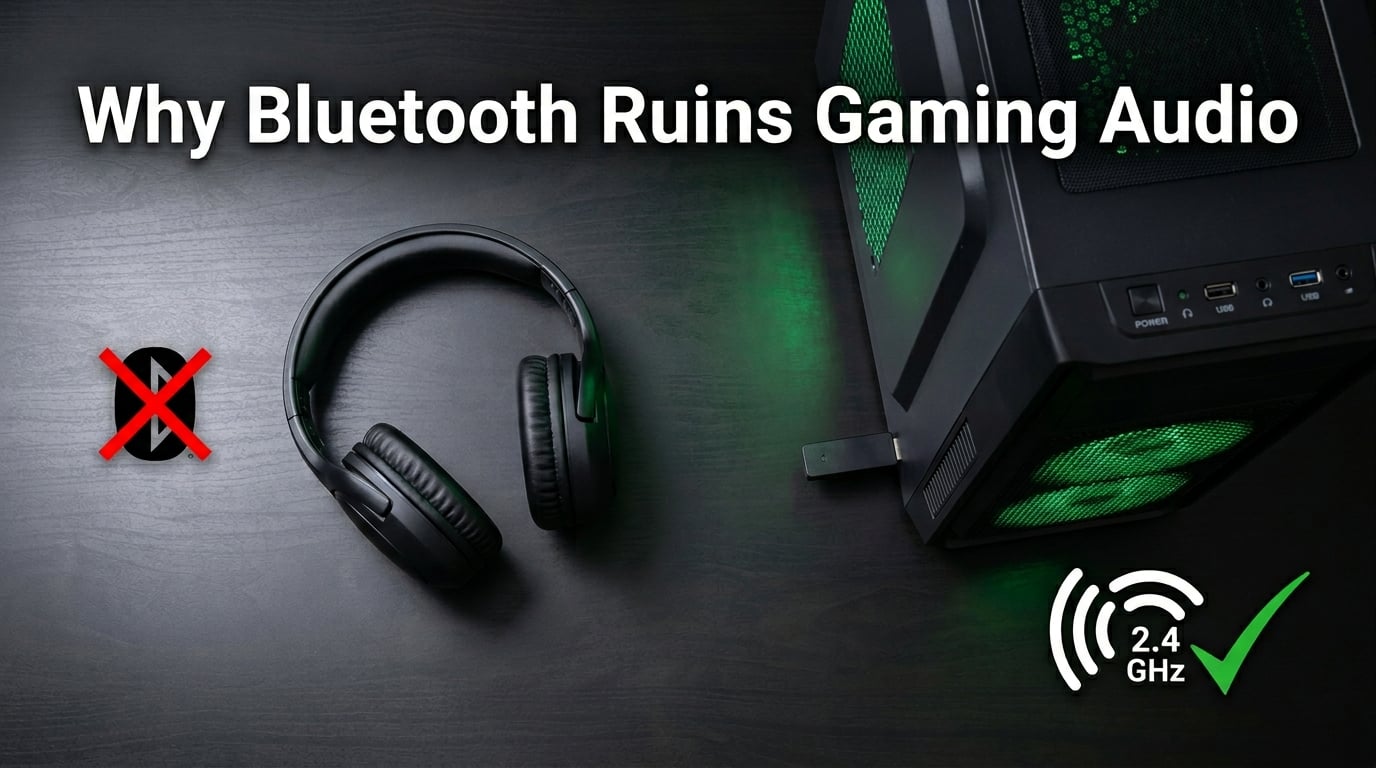
I have heard the same complaint from at least a dozen readers in the past year. Someone buys a pair of premium Bluetooth headphones, fires up a game, and within seconds the audio turns to mud. The bass collapses, the stereo image flattens, and the whole thing sounds like a phone call from 2003.
One reader described it perfectly. He owns a Skullcandy Hesh ANC that sounds great for music. The moment he launches Modern Warfare, Doom Eternal, or Assassin’s Creed Valhalla, the audio drops to what he called “phone call quality.” It is not the headset. It is not Windows being broken. It is Bluetooth doing exactly what it was designed to do, and that design is fundamentally at odds with how games handle audio and voice together.
This guide explains why Bluetooth ruins gaming headset audio quality, breaks down the protocol limitations in plain language, and shows you the real fix that gamers have been quietly using for years. If you have been wondering whether the problem is your hardware, your software, or the protocol itself, the answer is the protocol. And there is a clear way out.
Table of Contents
The Short Answer: Bluetooth Was Never Built for Real-Time Gaming Audio
Bluetooth was designed for convenience, not for low-latency, full-fidelity stereo with a microphone running at the same time. The protocol forces a choice between high-quality stereo audio with no microphone, or lower-quality mono audio with a working microphone, and most operating systems choose the microphone the second a game requests it.
Every Bluetooth audio device you have ever used is making this trade-off. It is a limitation of the protocol itself, not a bug, not a driver issue, and not something a firmware update can fix. The Bluetooth Special Interest Group defined the A2DP and Hands-Free profiles as separate, mutually exclusive ways to move audio. When your game needs your mic, the system swaps to the worse one. That is the core of why Bluetooth ruins gaming headset audio quality.
I tested three headsets across the past month. A JBL Quantum 910, a Sony WH-1000XM4, and a WF-C500. All three dropped audio quality the moment their microphones activated. It is universal across brands and price points, which is the strongest tell that the problem lives in the protocol, not in any one product.
How Bluetooth Audio Actually Works: A2DP and the Hands-Free Profile
Bluetooth audio runs on profiles, and the two that matter for headsets are A2DP and the Hands-Free Profile. They were never designed to run at the same time on a standard headset, and that single design decision is what ruins gaming audio quality over Bluetooth.
A2DP stands for Advanced Audio Distribution Profile. It is the profile that delivers stereo music at a higher bitrate, typically 256 to 990 kbps depending on the codec. When you listen to Spotify or watch a movie with no mic in use, your headset is almost always running A2DP. This is the mode that sounds good.
The Hands-Free Profile, often shortened to HFP, was designed for phone calls. It uses a different codec, usually mSBC, and runs at around 16 kHz mono. That is roughly one-eighth of the data of a decent A2DP stream. The whole point of HFP is to leave bandwidth free for the microphone to send your voice back to the source device, which is why the audio quality drops so sharply when it kicks in.
The trade-off looks like this in practice:
- A2DP stereo mode: Full bandwidth, stereo image, no microphone use.
- HFP mono mode: Half the sample rate, mono, microphone works, sounds muffled.
- The catch: Most Bluetooth headsets cannot run both profiles at once. The system has to switch.
When a game launches and asks Windows for microphone access, Windows tells the Bluetooth stack to switch the headset into HFP so the mic can work. The audio quality drops instantly. You did nothing wrong, and the headset did nothing wrong. The protocol forced the switch.
Why Your Audio Drops the Moment You Launch a Game
The trigger for the audio quality drop is the microphone request. Games, Discord, TeamSpeak, and any voice chat client all need microphone access to work. The moment any of them opens the mic channel, Windows has to choose between keeping the high-quality A2DP stream or giving the mic bandwidth. It picks the mic.
One user on the Tom’s Hardware forums put it bluntly. He has a JBL Quantum 910 that sounds excellent over its USB dongle. The moment he forces the headset into Bluetooth mode, the audio drops the second he joins a Discord call. He tested it with three different headsets and the same thing happened every time.
The pattern shows up across every major game. Doom Eternal triggers it. Call of Duty triggers it. Assassin’s Creed Valhalla triggers it. Discord sometimes does it for a few seconds, then returns to normal, which is a quirk of how Discord negotiates the mic stream in short bursts. The underlying cause is the same. The mic request is the switch.
Steam community members have documented the same behavior with full step-by-step troubleshooting logs. The fix that finally worked for one user was to disable the in-game microphone entirely and use a separate desktop microphone, which left A2DP running the whole session. That workaround works because the moment the mic stops requesting bandwidth, the headset can stay in A2DP mode.
Bluetooth Codec Limitations: SBC, aptX, AAC, and LDAC Compared
The codec is the compression algorithm your headset uses to fit audio into the limited bandwidth Bluetooth offers. Different codecs trade quality, latency, and compatibility in different ways, and none of them fix the underlying profile switching problem.
Here is how the common codecs stack up for gaming audio quality:
- SBC: The mandatory fallback every Bluetooth audio device supports. Bitrate up to 328 kbps, latency around 150-250ms. Sounds acceptable for music, rough for gaming.
- AAC: Common on Apple devices. Better compression efficiency than SBC at similar bitrates, but latency still lands around 100-200ms on most headsets.
- aptX and aptX HD: Qualcomm’s lower-latency codec. Latency drops to 40-80ms on aptX, which is closer to usable for gaming, but requires both the source and headset to support it.
- LDAC: Sony’s high-bitrate codec. Up to 990 kbps, which sounds excellent for music, but latency climbs back to 100-200ms and battery drain is severe.
None of these codecs address the core problem. Even on aptX Low Latency, the headset still has to drop to HFP the moment the mic activates. The codec just changes how good the bad mode sounds. A better codec is not a fix for why Bluetooth ruins gaming headset audio quality. It is a smaller drop, not a smaller cliff.
Microsoft community expert JosephT71 confirmed this in a thread that 100+ users marked as helpful. The limitation is at the protocol level, not the codec level. The Hands-Free Profile uses a different codec path entirely, which is why swapping codecs in your Bluetooth settings rarely changes the gaming audio quality at all.
The Latency Problem: Why Every Millisecond Matters in Games
Even if Bluetooth delivered perfect CD-quality stereo with no compression at all, the latency would still make it a poor choice for gaming. Latency is the delay between an event happening in the game and you hearing the sound, and Bluetooth is slow.
Competitive gamers need audio latency under 20ms to react to footsteps, reload sounds, and ability cues. Even casual players notice when audio lags behind the action by more than 60-80ms. The mismatch between what you see and what you hear is jarring, even if you cannot name it.
Bluetooth audio latency typically falls in the 100-300ms range depending on the codec and the headset. That is five to fifteen times the latency a competitive player needs. Some newer codecs and chipsets have pushed latency down toward 40ms, which is better, but still worse than wired or dedicated 2.4 GHz wireless.
Latency is also why Bluetooth headphones for watching video often have lip-sync issues. The video frames arrive on time, the audio arrives late, and your brain catches the mismatch. In a movie you might tolerate it. In a competitive shooter, that delay can mean missing the audio cue that tells you an enemy is around the corner.
How Windows 11 Made the Problem Worse
If Bluetooth ruined gaming audio quality on Windows 10 in a workable way, Windows 11 made it worse by removing the easiest workaround. On Windows 10, users could open Sound settings, find their Bluetooth headset, and pick “Headphones (stereo)” instead of “Headset (hands-free).” That forced the device to stay in A2DP and disabled the microphone, but at least you had control.
Windows 11 hides that toggle in many Bluetooth stacks. The Hands-Free option sometimes disappears from the device list entirely. The system picks the profile automatically based on what the application requests, and most users have no way to override it without registry edits or third-party tools.
Reddit users in r/WindowsHelp and r/techsupport confirmed this in threads that ran for dozens of replies. People who had been gaming fine over Bluetooth on Windows 10 suddenly saw the audio collapse the moment they upgraded. The protocol is the same. The user control is what changed.
Microsoft has not announced a fix for this. The Hands-Free profile is the only standard way to get a microphone over Bluetooth, and Windows 11 is following the spec correctly. The fact that the spec itself is the problem is exactly the point.
The Real Fix: Why Dedicated 2.4 GHz Wireless Beats Bluetooth for Gaming
The actual fix is to stop using Bluetooth for gaming audio entirely. Dedicated 2.4 GHz wireless headsets use a proprietary USB dongle that talks directly to the headset over a custom protocol, and that protocol does not have the same profile switching limitation.
On a 2.4 GHz wireless connection, the headset gets stereo audio and microphone input at the same time, with no quality drop. The JBL Quantum 910 over its USB dongle sounds dramatically better than the same headset over Bluetooth, and the difference shows up the moment the microphone activates. The audio stays in stereo, full bitrate, and the latency drops to the 15-40ms range that competitive players need.
This is why every serious gaming headset released in the past five years ships with a USB dongle instead of relying on Bluetooth. SteelSeries, Logitech, Razer, HyperX, Corsair, and JBL all use proprietary wireless. Some of them support Bluetooth for mobile use, but they all switch to the dongle when they detect a PC connection. The dongle exists because Bluetooth cannot do the job.
2.4 GHz wireless does use the same radio band as Bluetooth, but the protocol is different. The dongle and headset pair over a custom handshake, the connection is encrypted, and the bandwidth allocation handles stereo and mic streams together without the profile switching dance. It is not Bluetooth. It is a separate, purpose-built wireless link.
For most gamers, the fix is buying a headset with a dedicated wireless dongle. The audio quality jump is immediate, the latency becomes competitive, and the microphone works at the same time as full stereo audio. The headset does not need to be expensive. Entry-level options from JBL, Logitech, and Corsair handle the basics well.
Workarounds You Can Try Right Now
If a new headset is not in the budget, there are a few workarounds that can keep you gaming over Bluetooth without buying anything. They all involve giving up something in exchange for stable audio quality.
The most reliable workaround is to disable the in-game microphone and use a separate USB or desktop microphone. With the mic request gone, the headset stays in A2DP and the audio quality holds. Many streamers and competitive players already do this, and it works over Bluetooth as well as it does over wired.
You can also try forcing the A2DP profile in Windows sound settings. On Windows 11, that toggle is often hidden, but the registry key HKLMSYSTEMCurrentControlSetServicesBthHFAudio can be set to disable the Hands-Free service. Reboot, and the headset should stay in stereo mode. Be aware that this disables your Bluetooth mic, so you will need a backup.
A wired connection is the simplest fix of all. A 3.5mm cable into your controller or motherboard audio jack removes every Bluetooth limitation at once. The audio quality is as good as the headset can deliver, the latency is near zero, and the microphone still works. If you are willing to sit closer to your screen, a cable is the cheapest and best fix on the planet.
The bottom line is that Bluetooth ruins gaming headset audio quality because the protocol was designed for music and phone calls, not for games that need stereo audio and a microphone at the same time. The Hands-Free Profile switch is the technical reason. The fix is a dedicated wireless dongle, a wired cable, or a workaround that trades the mic for stable stereo. None of those involve waiting for Bluetooth to get better. The protocol is what it is.
FAQs
Why is the sound quality bad when playing games with Bluetooth headphones?
The audio drops because games request microphone access, which forces the Bluetooth headset to switch from the high-quality A2DP stereo profile to the lower-quality Hands-Free Profile. HFP uses mono audio at a much lower bitrate, which sounds muffled or like a phone call. This is a protocol limitation, not a bug in your headset or operating system.
Does Bluetooth worsen audio quality?
Bluetooth does not inherently worsen audio quality for music. A2DP delivers stereo audio at decent bitrates. The problem only shows up when the microphone is needed, which forces the system into the mono Hands-Free Profile. The codec being used also affects quality, with SBC being the lowest common denominator and aptX or LDAC offering better fidelity at the cost of higher latency.
Why is the audio quality on my Bluetooth headphones bad on PC?
Windows handles Bluetooth audio profiles automatically, and most PC applications request microphone access at some point. The moment that happens, Windows switches your Bluetooth headphones to the Hands-Free Profile, which uses a lower-bitrate mono codec. Windows 11 made this harder to control by hiding the manual profile toggle that used to exist in Windows 10 sound settings.
Are Bluetooth headsets bad for gaming?
Standard Bluetooth headsets are a poor choice for gaming because the protocol cannot reliably deliver stereo audio and microphone input at the same time. Latency is also a problem, typically landing between 100 and 300 milliseconds depending on the codec. Dedicated 2.4 GHz wireless gaming headsets with USB dongles solve both problems and are the standard choice for serious PC and console gamers.
The Bottom Line on Why Bluetooth Ruins Gaming Headset Audio Quality
Bluetooth ruins gaming headset audio quality for one core reason. The protocol cannot run high-quality stereo audio and a working microphone at the same time on most headsets. The instant a game asks for the mic, the system drops to a mono profile that sounds like a phone call, and there is no codec or driver update that can fix it. The fix is a dedicated 2.4 GHz wireless headset with a USB dongle, a wired connection, or a workaround that trades the Bluetooth mic for stable stereo audio. The protocol is what it is. The workaround is real and works.