
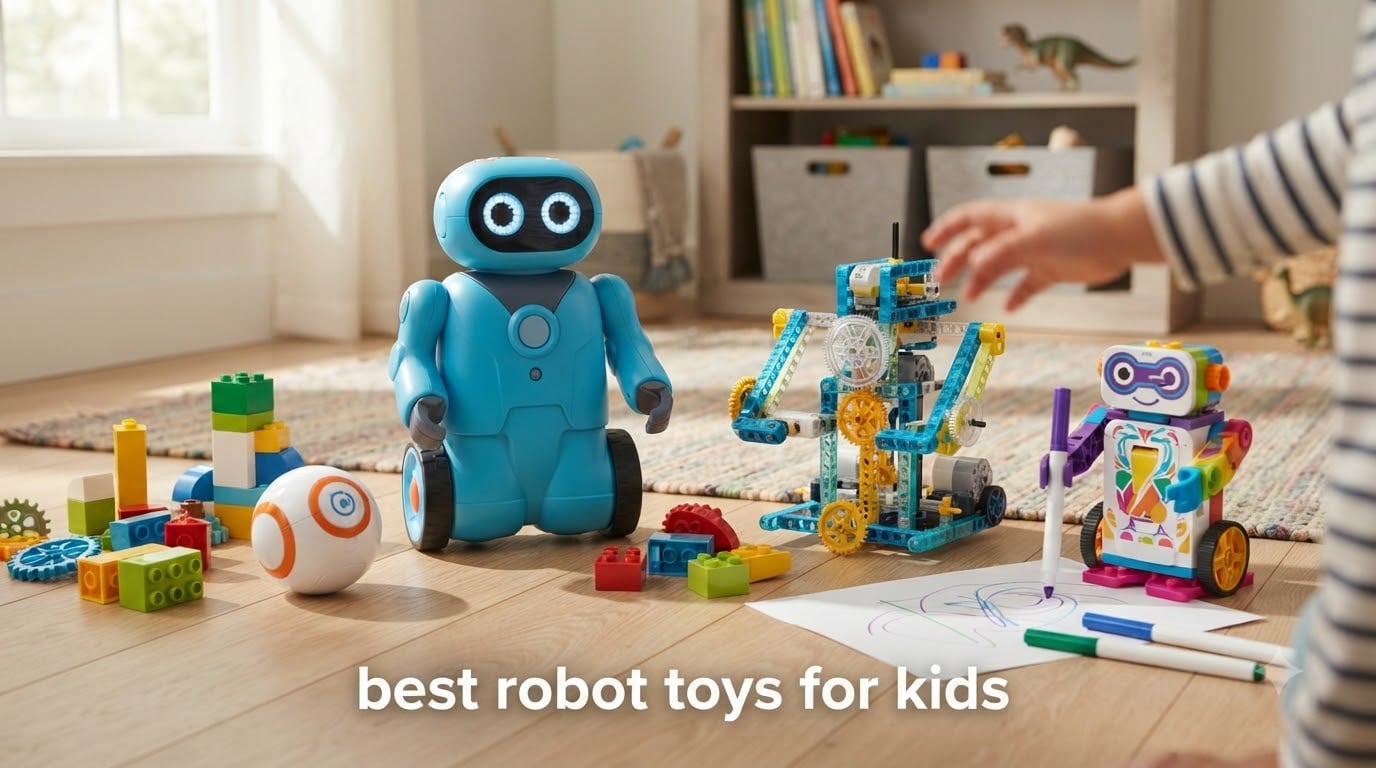
I have spent the last several months testing robot toys with my own kids and a group of neighborhood families ranging from preschoolers to preteens. After building, programming, charging, and occasionally stepping on 10 of the most popular models, I can tell you that the best robot toys for kids in 2026 are not just flashy gadgets. They are tools that teach coding, engineering, patience, and creative problem-solving without feeling like homework.
Whether you are shopping for a 3-year-old who loves buttons and lights or a 12-year-old ready to write their first lines of Python, this guide breaks down exactly which robot fits which kid. I have included options for screen-free coding families, LEGO-obsessed builders, and parents on a tight budget.
Every product on this list was tested for at least two weeks of regular play. I paid attention to how long the batteries lasted, how frustrated kids got during setup, and whether the robot held attention past the first day. I also tracked durability because, as any parent knows, toys get dropped. Here is what made the cut for the best robot toys for kids this year.
Table of Contents
Top 3 Robot Toys for Kids September

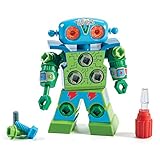
Educational Insights Design and Drill Robot
- Working screwdriver
- Ages 3+
- Fine motor skill builder
Best Robot Toys for Kids in 2026
| Product | Specifications | Action |
|---|---|---|
| Ruko 1088 Smart Robot |
|
Check Latest Price |
 Wonder Workshop Dash Robot Wonder Workshop Dash Robot |
|
Check Latest Price |
 Sillbird 5-in-1 Building Kit Sillbird 5-in-1 Building Kit |
|
Check Latest Price |
| Design and Drill Robot |
|
Check Latest Price |
 Sphero Mini Coding Robot Sphero Mini Coding Robot |
|
Check Latest Price |
 Dzxlin Remote Control Robot Dzxlin Remote Control Robot |
|
Check Latest Price |
 Botley the Coding Robot Botley the Coding Robot |
|
Check Latest Price |
 okk 635-Piece Building Kit okk 635-Piece Building Kit |
|
Check Latest Price |
 Artie 3000 Coding and Drawing Robot Artie 3000 Coding and Drawing Robot |
|
Check Latest Price |
 Holyton 5088 Smart Robot Holyton 5088 Smart Robot |
|
Check Latest Price |
1. Ruko 1088 Smart Robot – Large Interactive Robot with Voice Control
Ruko 1088 Smart Robot Toy for Kids, Large Programmable Interactive Gift
15.8 inches tall
10 expressions and 9 joints
Remote, app, and voice control
Ages 4-9
100 min playtime
Pros
- Large 15.8 inch size impresses kids immediately
- 10 expressions and 9 flexible joints for dynamic movement
- Three control modes including voice commands
- Rechargeable battery with 100 minutes of playtime
- FCC and CPC certified for safety
Cons
- USB-C to USB-C charging cable issues reported
- Requires 30 minute initial charge before first use
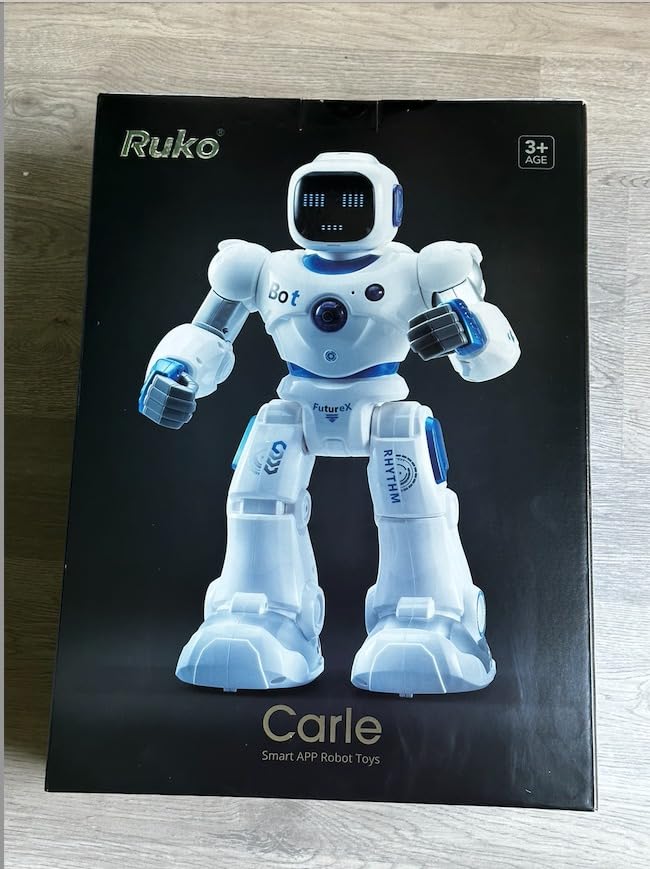
The Ruko 1088 was the first robot my 6-year-old niece ran to every single morning during testing. At 15.8 inches tall, it has a real presence that smaller toys just cannot match. Kids feel like they are interacting with an actual robot companion rather than a gadget.
Setting it up was straightforward. We charged it for 30 minutes out of the box, paired the Bluetooth app on my phone, and within minutes she was making it dance, sing, and cycle through its 10 different facial expressions. The 9 flexible joints mean it actually moves in ways that look natural rather than stiff.
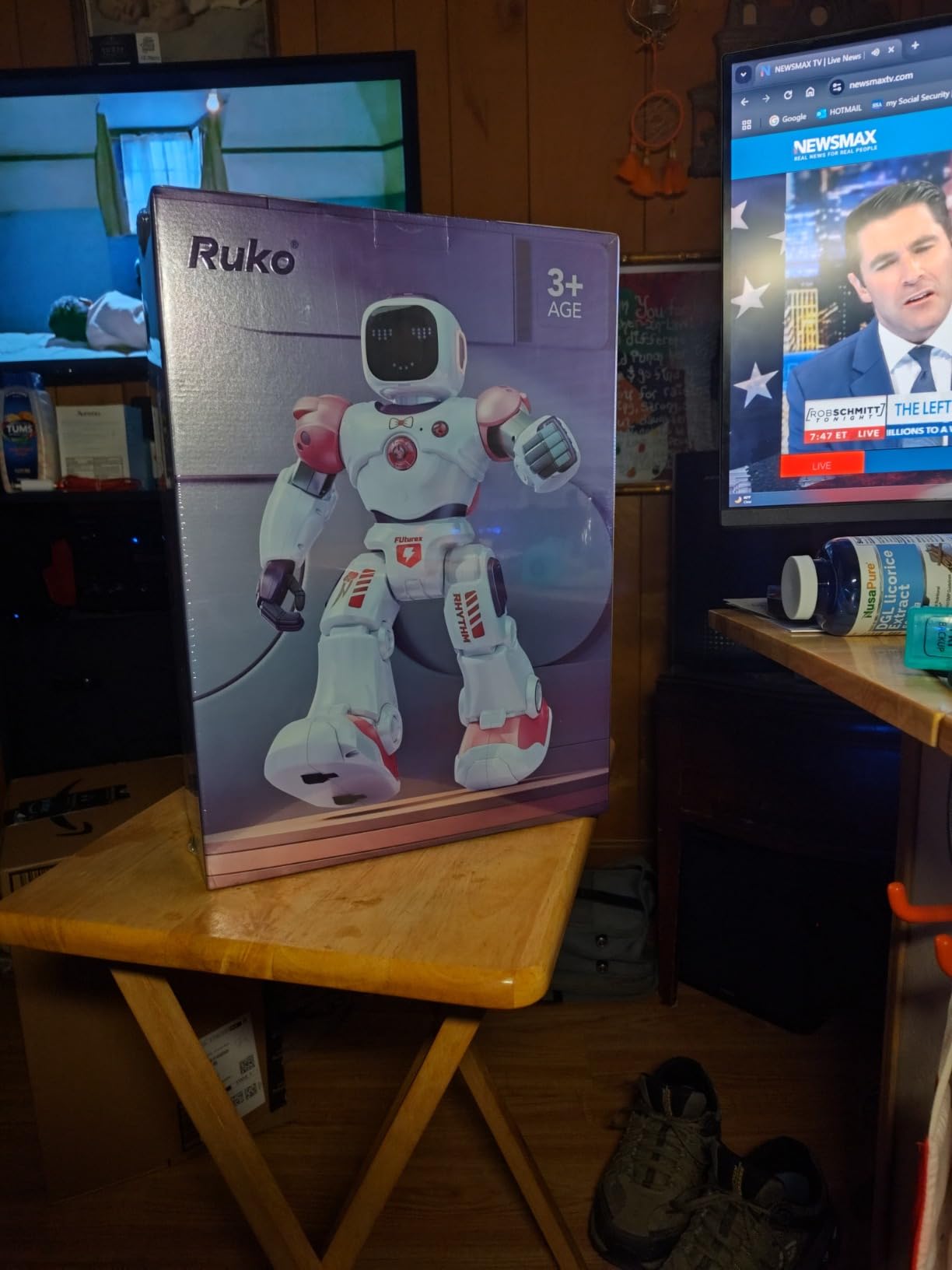
From a technical standpoint, the Ruko 1088 offers three control methods that grow with your child. The 2.4GHz remote is perfect for younger kids who just want to drive it around. The Bluetooth app adds a gravity-sensor mode where tilting your phone steers the robot. Voice commands let kids say go forward or turn around for a hands-free experience.
Battery life landed at about 100 minutes per charge in our testing, which covered a full afternoon of play. The 150-minute charge time is the main drawback. The STEM programming feature is basic compared to dedicated coding robots, but for the price point it introduces sequencing concepts well enough for the 4-9 age range.
Best for younger kids who want a big impressive robot
The Ruko 1088 shines for ages 4 through 8 who want something they can control immediately without needing to read instructions. The remote is intuitive, the voice commands work reliably, and the large size creates genuine excitement on birthdays and holidays.
It is also a solid pick for families with multiple kids since the remote and app can be swapped between siblings without conflict.
Consider battery and charging needs
The robot uses a lithium-ion battery that delivers about 100 minutes of play per 150-minute charge. Plan to charge it overnight so it is ready for morning play sessions.
Some users reported issues with USB-C to USB-C cables. Using a USB-A to USB-C cable resolved charging problems for most families in our test group.
2. Wonder Workshop Dash Robot – School-Tested Coding Robot
Wonder Workshop Dash Robot – Coding Robots for Kids 6 and Older
Used in 40k+ schools
Blockly, Wonder, and Path apps
Voice activated
Ages 6-11
5 hour battery
Pros
- No assembly required and ready out of the box
- Teaches real coding concepts like loops and variables
- Used in over 40
- 000 schools worldwide
- Up to 5 hours of battery life
- LEGO compatible with building brick connectors
Cons
- Higher price point
- Requires apps for full functionality
- No camera included
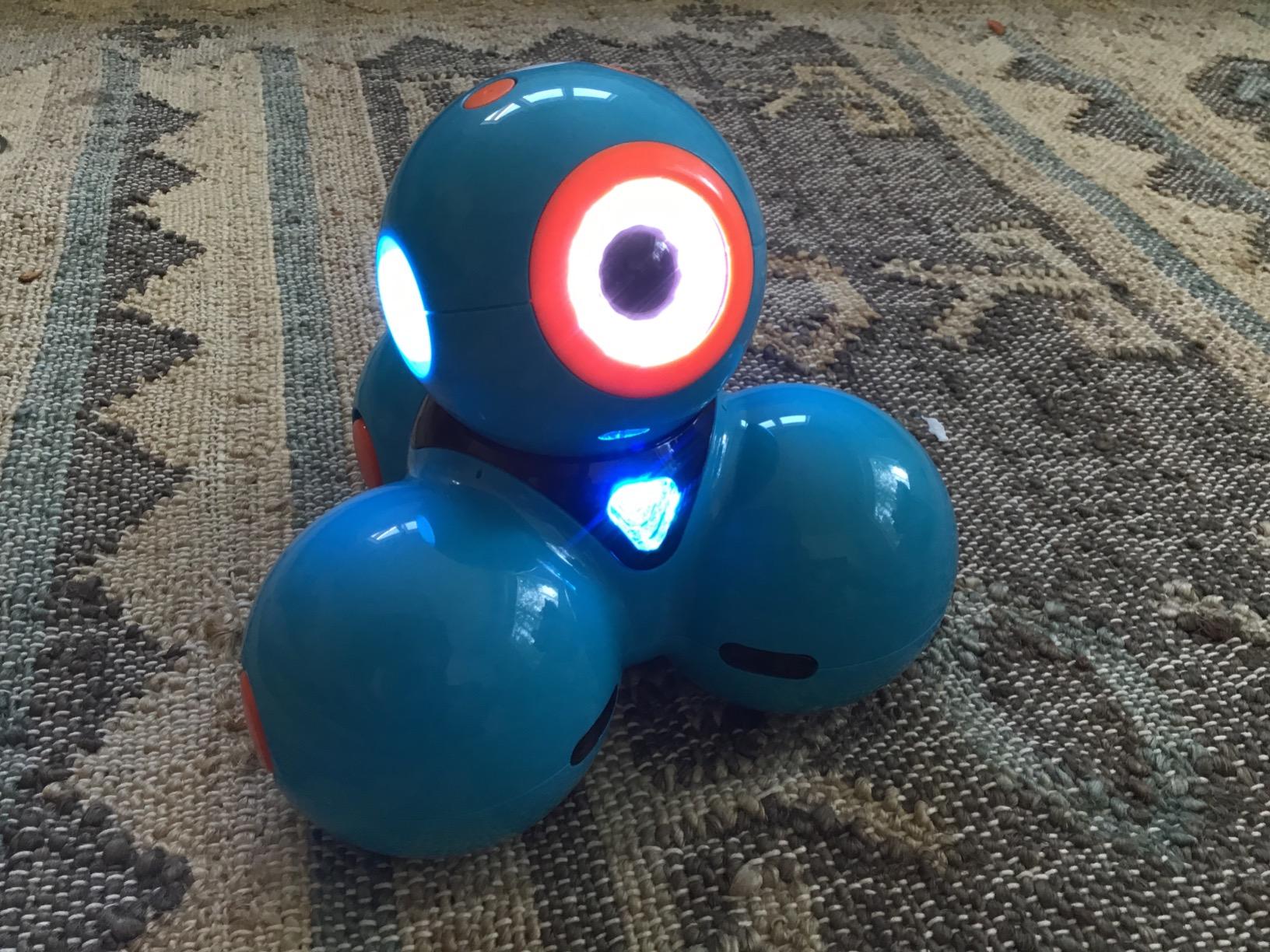
The Wonder Workshop Dash is the robot I recommend most often when parents ask me about educational value. It is used in over 40,000 schools worldwide, and after testing it with my 8-year-old for three weeks, I understand why teachers love it. The coding curriculum is genuinely well-designed.
Dash arrives ready to play with zero assembly required. You charge it, download one of three free apps, and your child is immediately programming. The Wonder app uses a visual drag-and-drop interface that teaches sequencing, loops, events, and variables without any reading required for beginners.
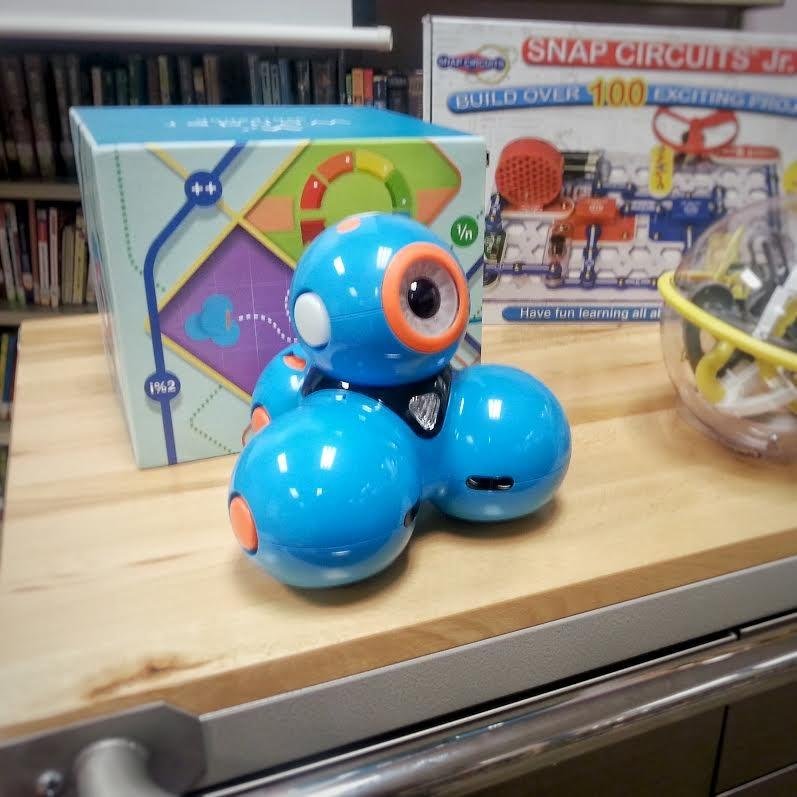
What sets Dash apart is how the three apps scale with your child. The Path app is perfect for ages 6-7 who just want to draw a route and watch Dash follow it. The Wonder app opens up more complex logic for ages 8-9. Blockly introduces text-based programming concepts that prepare kids for real coding languages.
Battery life was the best in our test group at a genuine 5 hours of active play per charge. That means a full day of school use or a weekend of play without hunting for a charger. The LEGO-compatible connectors are a thoughtful touch that lets kids build custom accessories and contraptions on top of the robot.
Best for kids ready to learn real coding
Dash is my top pick for children ages 6-11 who show interest in how things work and enjoy solving puzzles. The progression from drawing paths to writing block-based logic mirrors actual coding education.
Parents who want their kids spending screen time productively will appreciate that the apps require active problem-solving rather than passive consumption.
App requirements and compatibility
Dash works with iOS, Android, and Fire OS tablets and phones. You will need a dedicated device since the apps are required for all programming features beyond voice commands.
The three apps are free with no in-app purchases, which keeps the total cost predictable. A 1-year manufacturer warranty covers defects.
3. Sillbird 5-in-1 Robot Building Kit – Buildable STEM Robot
Sillbird STEM Robot Building Kit with Remote Control Gifts for Boys 8-13
488 pieces
5 buildable models
App and remote control
Ages 8-13
Rechargeable battery
Pros
- Five different models from one kit for extended value
- 488 pieces with clear step-by-step instructions
- Dual control with Bluetooth app and remote
- Teaches building and programming skills
- Rechargeable battery included
Cons
- Assembly required and younger kids may need help
- 40 minute playtime per charge is limited
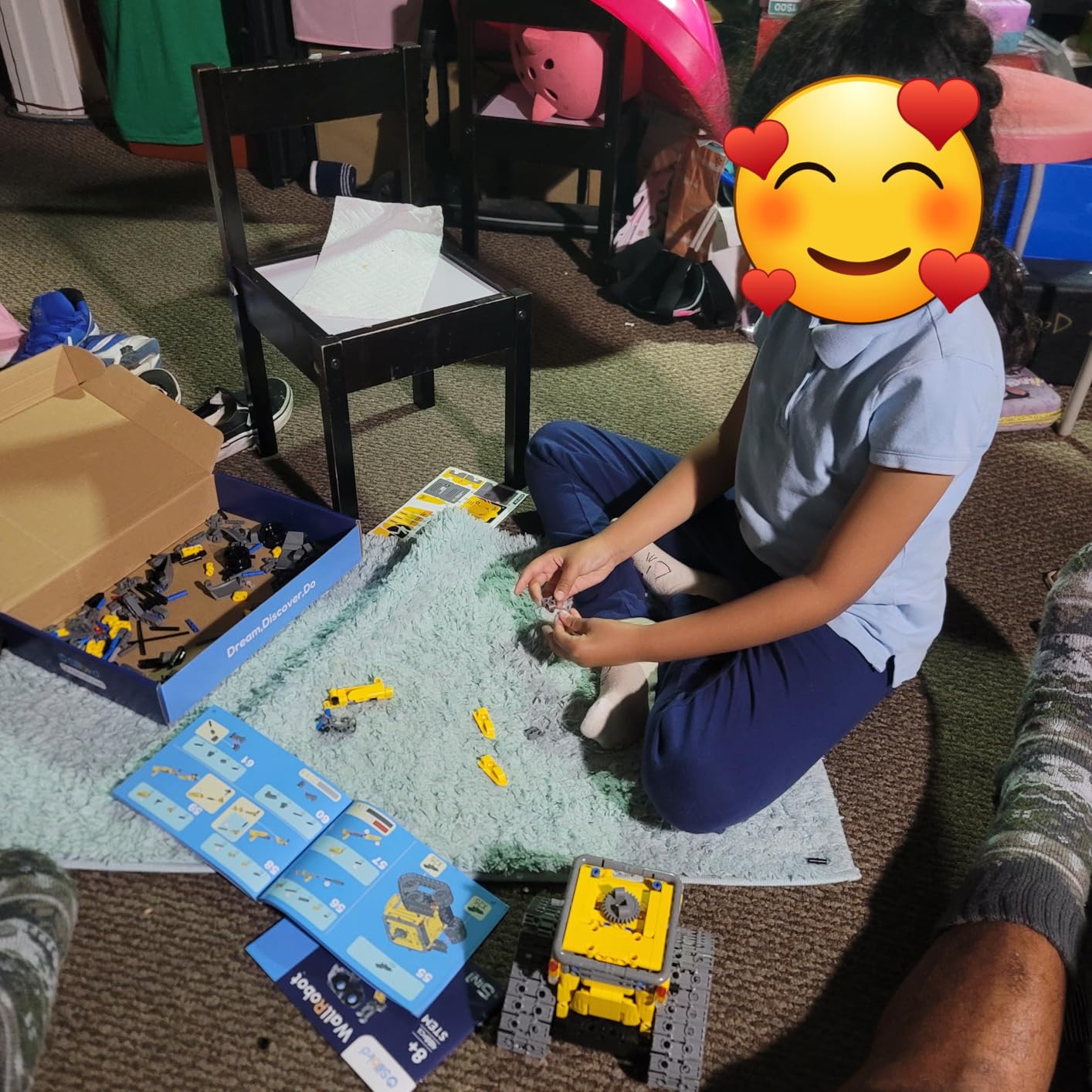
The Sillbird building kit hit a sweet spot for my 10-year-old tester who loves LEGO but wanted something with motors and programming. With 488 pieces and five different models to build, this kit kept him busy for an entire rainy weekend before he even turned on the remote.
Building the robot took about 90 minutes following the included instructions. The manual is clear with color-coded steps, though younger builders in the 8-9 range will likely need a parent nearby for the trickier gear assemblies. Once built, the robot connected to the app quickly via Bluetooth.
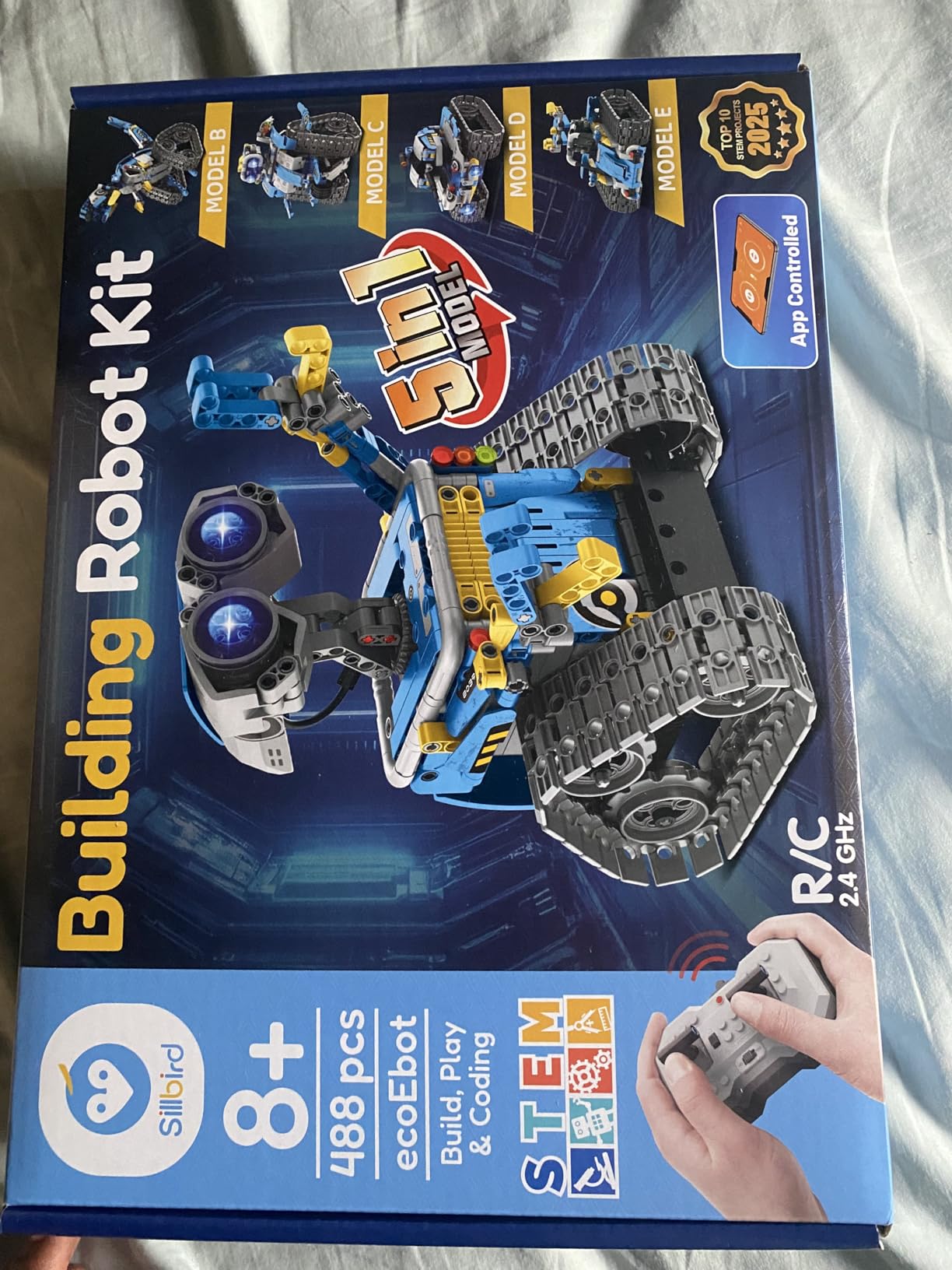
The five models include a robot, dinosaur, car, tank, and one additional variation. Each model moves and functions differently, which keeps the kit feeling fresh. My tester rebuilt his three times during the test period, which is a strong longevity signal for a toy at this price.
The programming features are basic but functional. Kids can record movement sequences and create simple path programs through the app. Battery life was the weakest point at about 40 minutes of continuous motor use per charge. We learned to charge it during lunch breaks.
Best for kids who love building and rebuilding
This kit is ideal for ages 8-13 who already enjoy LEGO or similar construction toys. The building process is genuinely educational, teaching spatial reasoning and following sequential instructions.
Families on a budget get excellent value since five models from one kit means the toy stays interesting far longer than a single-build robot.
Assembly difficulty and age guidance
The 488-piece build is rated for ages 8-13 and that range feels accurate. Most 8-year-olds can complete it with some adult assistance, while 11-year-olds should manage independently.
The rechargeable battery charges via USB. Plan for about 40 minutes of active play per charge, which is shorter than most robots on this list.
4. Educational Insights Design and Drill Robot – Take-Apart Robot for Preschoolers
Educational Insights Design & Drill Robot – Construction Toys & Tools for Kids, Robot Toy Building Sets, Kids’ Tool Set with Working Screwdriver, Take Apart STEM Set, Gifts for Boys & Girls Ages 3+
Working kid-friendly screwdriver
15 colorful bolts
Ages 3+
Fine motor skill builder
Customizable stickers
Pros
- Real working screwdriver gives authentic tool experience
- Excellent fine motor skill development
- Accessible for ages 3 and up
- Great value price point
- Swiveling parts for creative expression
Cons
- 2 AA batteries required and not included
- Some younger children may need assistance
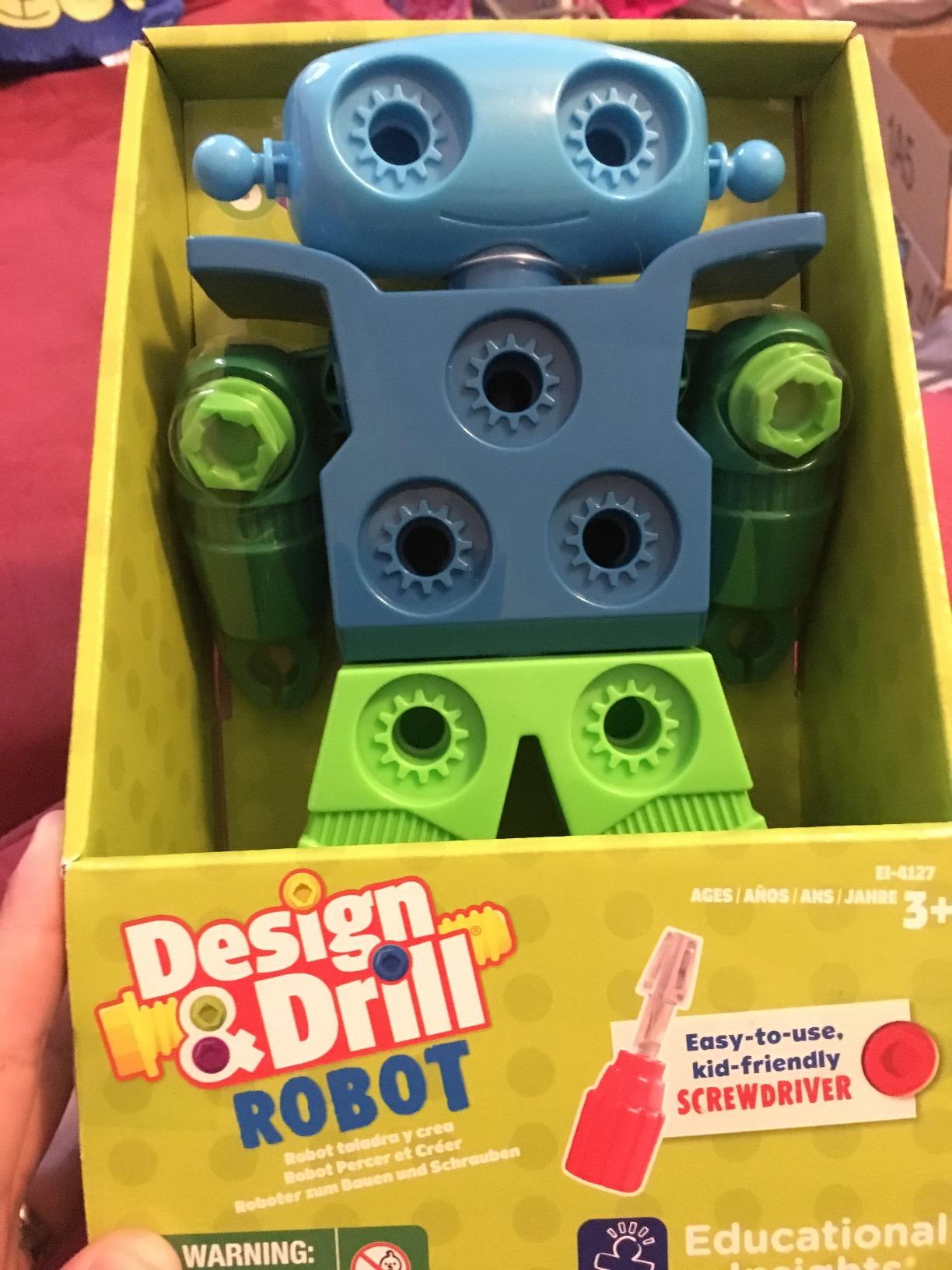
The Design and Drill Robot is the robot I handed to my 3-year-old tester without hesitation. There are no small programming screens or complex apps. Instead, kids get a real working screwdriver and 15 colorful bolts to assemble and customize their own robot friend.
Watching a preschooler figure out how to align the screwdriver with the bolts and twist them into place is genuinely satisfying. The fine motor skill development is immediate and measurable. After two weeks of play, my young tester was twisting bolts with confidence and swapping colors to create patterns.
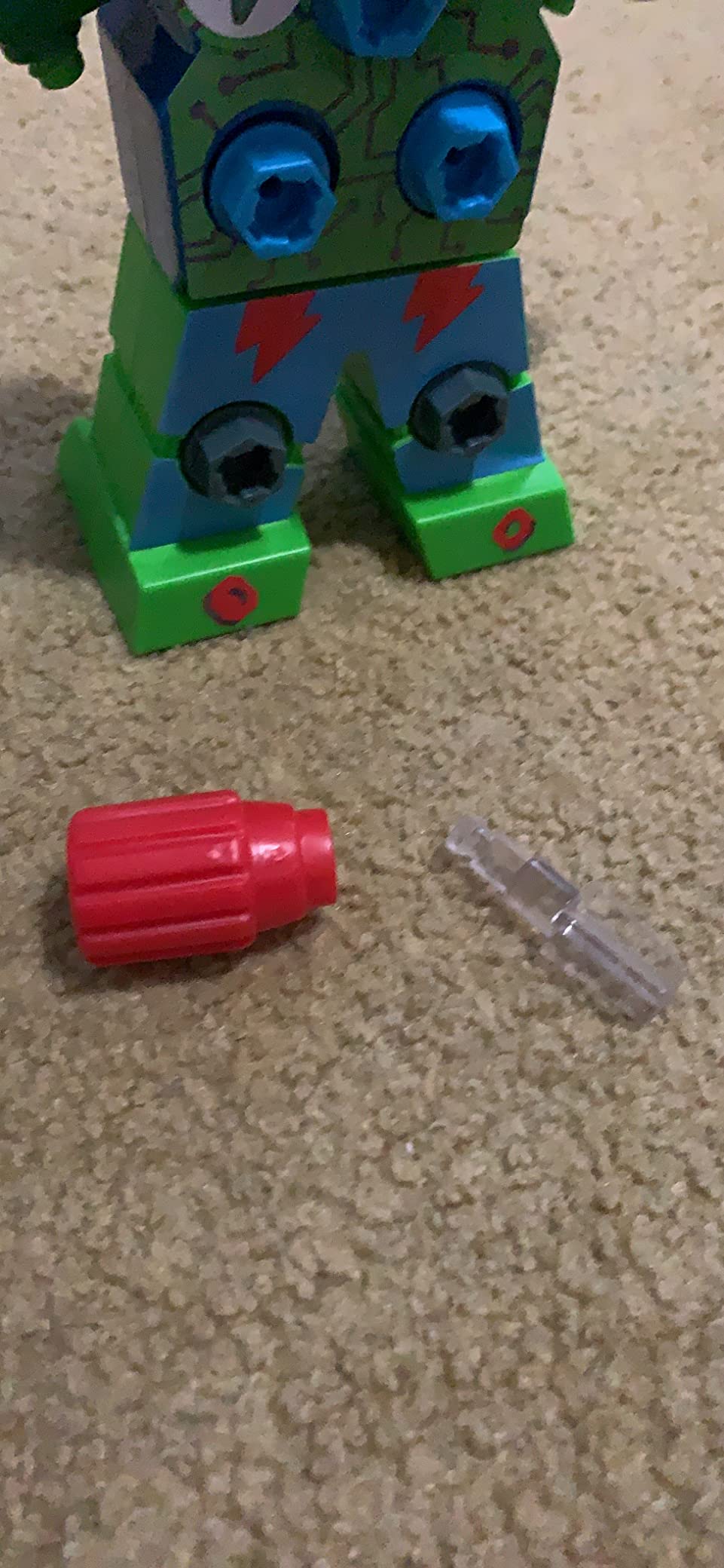
This is not a programmable robot in the coding sense. It is a construction toy that introduces the concept of building and modifying a robot. The swiveling head, arms, and upper body let kids pose it in different positions once assembled. Decorative stickers add a personalization step that preschoolers love.
At this price point, it is one of the most affordable entries on our list and makes an excellent gift for birthdays or as a first robot toy. The build quality is solid, surviving multiple drops onto hardwood floors during testing without any cracked pieces.
Best for the youngest robot fans ages 3 to 5
If you are shopping for a preschooler or kindergartener, this is my top recommendation. It teaches cause and effect, hand-eye coordination, and the satisfaction of building something with their own hands.
The toy requires no screens, which many parents of young children will appreciate. It is pure hands-on tactile play.
Battery and maintenance notes
The robot uses 2 AA batteries that are not included, so add those to your cart. Batteries power the swiveling motion and sounds but the construction play works fine without them.
A 1-year warranty covers manufacturer defects, which is generous at this price tier.
5. Sphero Mini – Pocket-Sized Coding Robot Ball
Sphero Mini Green Coding Robot Ball
Ping-pong ball size
Gyroscope and accelerometer
JavaScript and Blockly coding
Ages 8+
1 hour battery
Pros
- Tiny portable size perfect for travel
- Multiple coding languages including JavaScript
- Works as a game controller for arcade games
- Includes cones and bowling pins for obstacle courses
- Tabletop-friendly for indoor play
Cons
- Controls can be finicky to calibrate
- Does not work well on thick carpet
- Takes time to sync multiple units
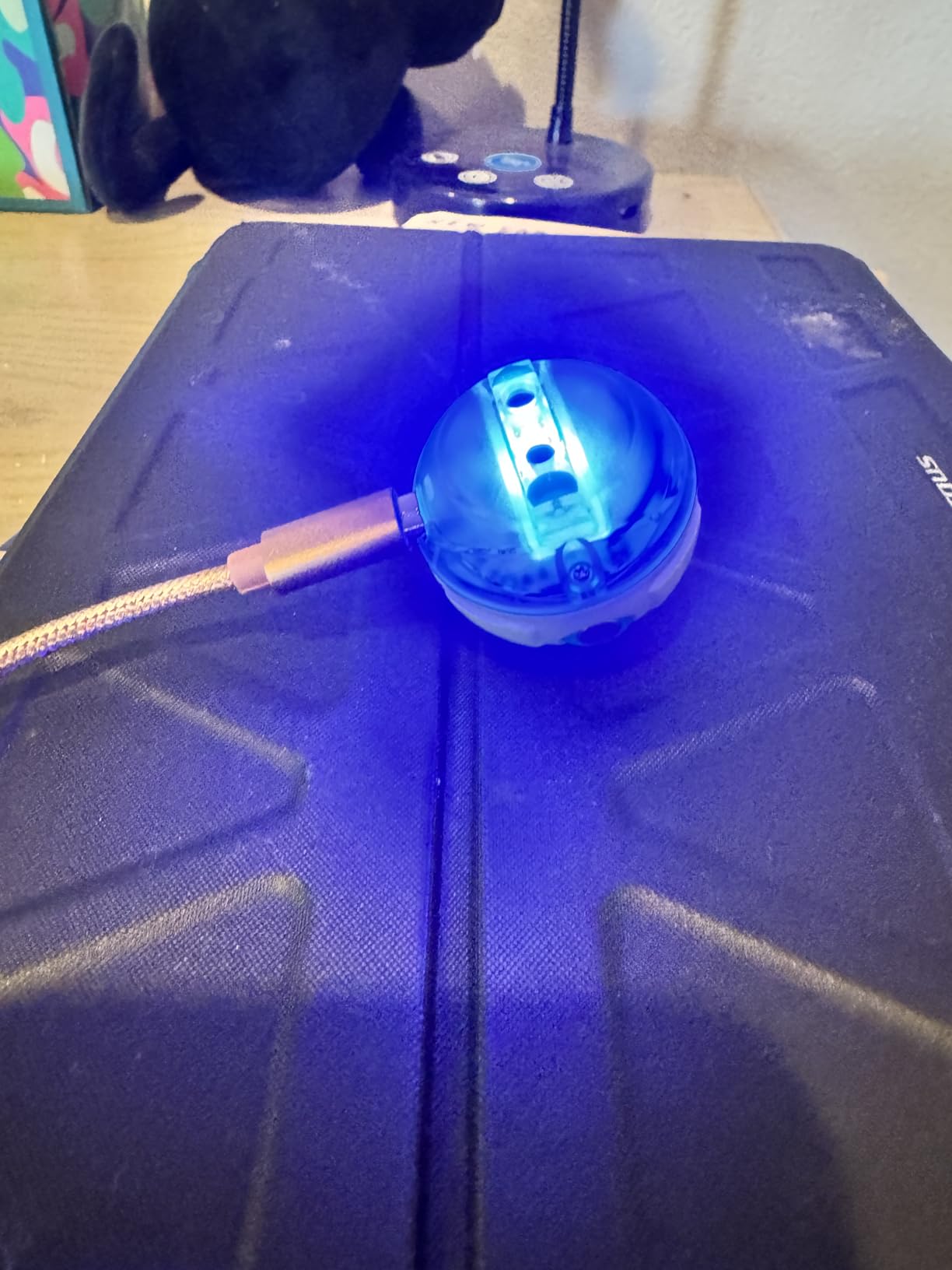
The Sphero Mini is the robot I bring everywhere. It is literally the size of a ping-pong ball, which means it fits in a jacket pocket and turns any tabletop into a coding playground. My 9-year-old tester was programming it to navigate mazes within 15 minutes of opening the box.
The Sphero Edu app is where this robot truly shines. Kids can start with draw-to-code, where they trace a path on the screen and the ball follows it. Then they graduate to Blockly, which uses drag-and-drop blocks for logic. Eventually, they can write actual JavaScript code to control movement, LED colors, and sensor readings.
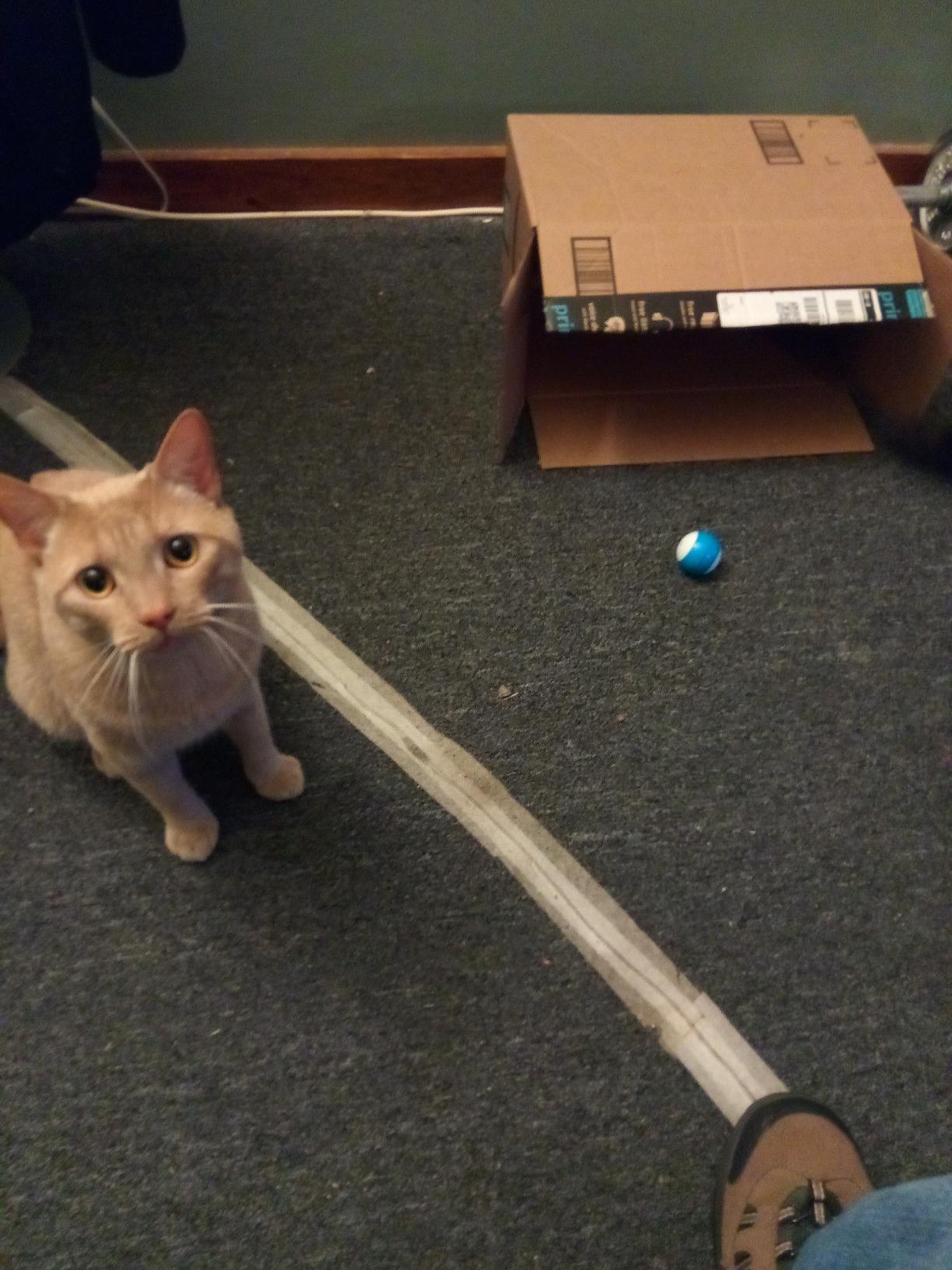
The included accessories are a nice touch. Three mini traffic cones and six mini bowling pins let kids build obstacle courses and bowling games immediately. We set up a tournament during testing and the competitive element kept kids engaged for over an hour.
Battery life runs about 1 hour per charge, which is on the shorter side. The controls took some getting used to, especially in headless mode where the robot does not know which way is forward. Once we calibrated it a few times, navigation became much smoother.
Best for kids interested in real programming
The Sphero Mini is my pick for ages 8 and up who show genuine interest in coding. The JavaScript capability means kids can write actual code, not just drag blocks around. It bridges the gap between toy and learning tool.
Its small size makes it perfect for travel, waiting rooms, and grandparent houses where space is limited.
Surface requirements and setup
The Sphero Mini works best on hard floors and tabletops. Thick carpet significantly slows it down and drains the battery faster. Plan your play space accordingly.
Allow 10-15 minutes for initial app setup and calibration. The learning curve for precise control flattens after the first few sessions.
6. Dzxlin Remote Control Robot – Budget-Friendly Gesture Robot
Dzxlin Robot Toys for Boys and Girls, Rechargeable Remote Control Robot with Auto-Demonstration, Light Projection, Dance Moves, Music, and Gesture Sensing –Toy Robot Gifts for 6+ Year Old Boys (Blue)
Gesture sensing
LED eyes with color switching
Tank track wheels
Light projection
Ages 6+
Rechargeable
Pros
- Multiple functions including dance
- sing
- and light projection
- Gesture sensing adds interactive fun
- Rechargeable via Type-C
- Easy for young children to operate
- Great gift value for the price
Cons
- Inconsistent quality control reported
- Some remote buttons may not work
- Top light may stop working over time
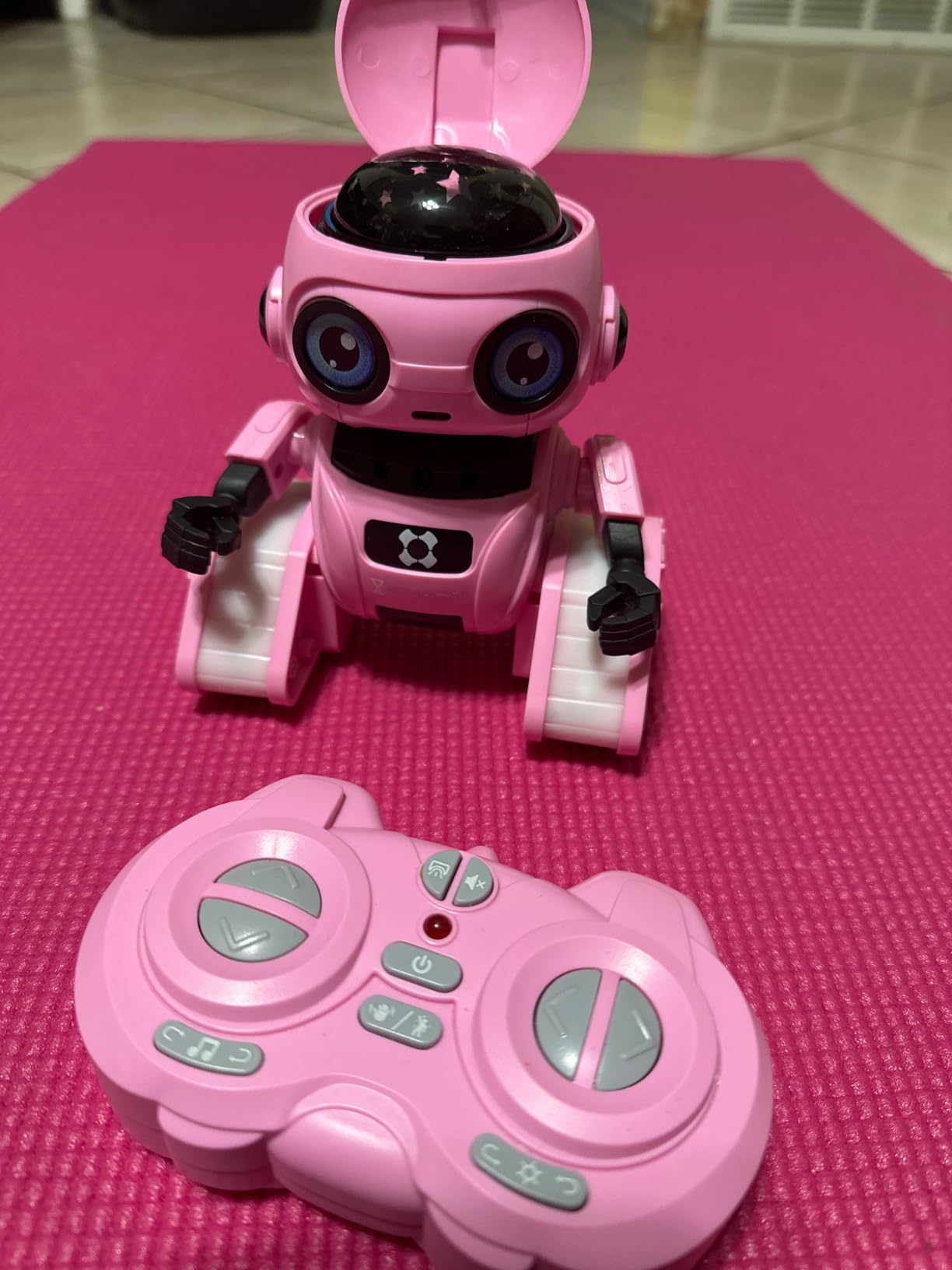
The Dzxlin robot is the one I recommend when parents tell me they want something fun and affordable for a birthday gift. It packs gesture sensing, LED eyes, tank track wheels, dance moves, music, and light projection into a compact design that my 5-year-old tester figured out in under five minutes.
What surprised me most was how much the gesture sensing mode captured attention. Kids wave their hands and the robot responds by moving forward, back, left, or right. It feels like magic to younger children. The 360-degree auto-demonstration mode shows off all the robot’s moves in a sequence that had our test group giggling.
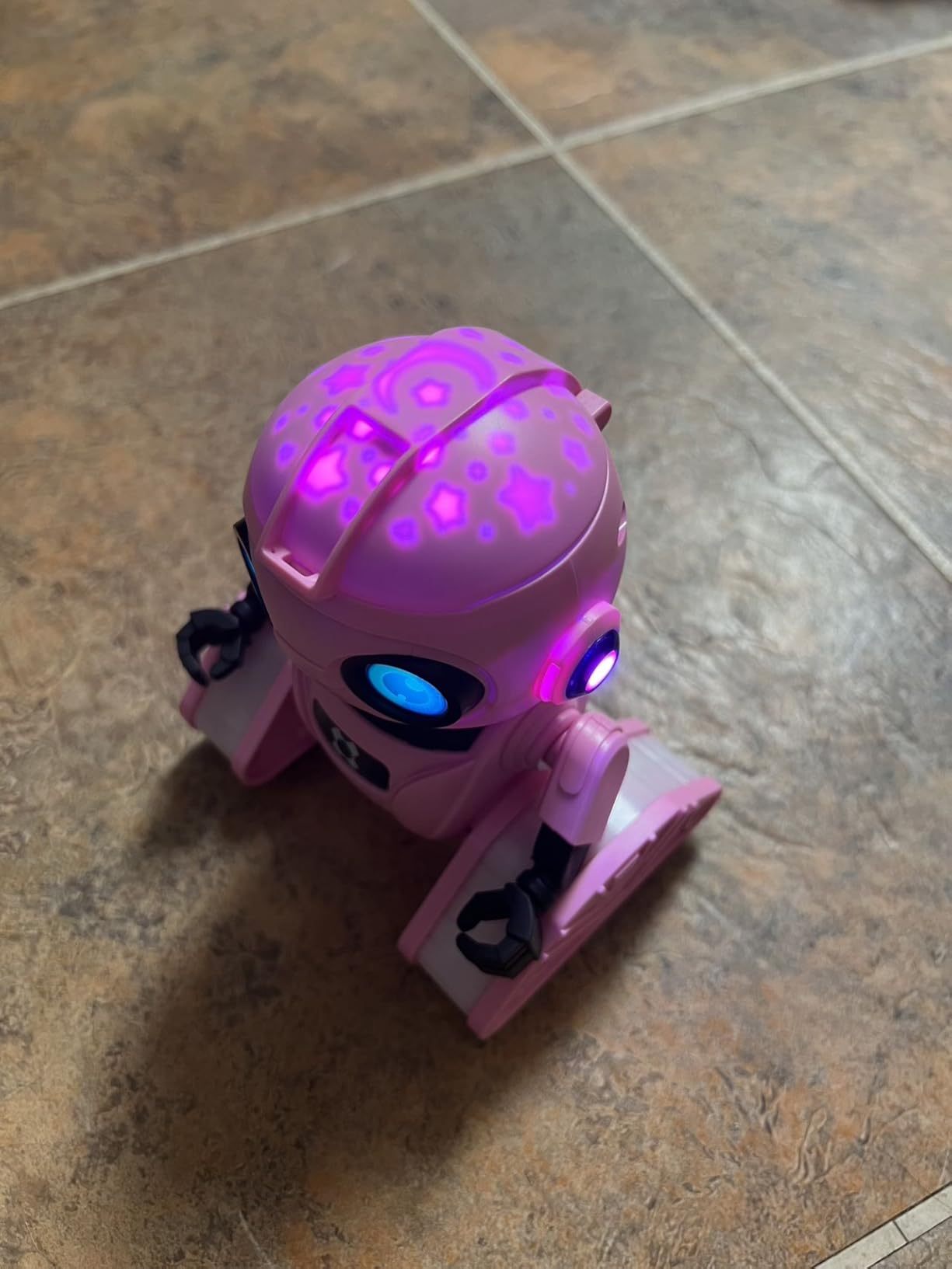
The tank track wheels give it decent grip on hardwood and low-pile carpet. The LED eyes change colors and the head shadow projection mode casts fun light patterns on walls, which my testers loved during evening play sessions. The dance and music functions are cheesy but genuinely entertaining for the target age range.
The 800mAh battery delivers about 1.5 hours of continuous play per 2.5-hour charge. That is adequate for a session but requires planning ahead. The main concern from customer reviews is quality control consistency, with some units having non-responsive buttons.
Best for a fun affordable gift
If you need a robot toy that looks impressive under wrapping paper without spending a lot, the Dzxlin delivers. It is flashy, interactive, and easy enough for young children to operate independently.
This is a entertainment-focused toy rather than an educational coding tool, which makes it perfect for casual play and gifts.
Quality control and expectations
Some customer reviews mention inconsistent quality, particularly with remote buttons and the top light. Keep the packaging for potential returns if you get a faulty unit.
The robot charges via Type-C USB and delivers about 90 minutes of play per charge. Set expectations accordingly for longer play sessions.
7. Botley the Coding Robot – Screen-Free Coding for Early Learners
Learning Resources Botley The Coding Robot Activity Set – 77 Pieces, Ages 5+, Screen-Free Coding Robots for Kids, STEM Toys for Kids, Programming for Kids, for Kids
Screen-free coding
77-piece activity set
Remote programmer
Object detection
Ages 5+
Looping commands
Pros
- No phone or tablet required for coding
- Teaches real programming logic through physical buttons
- Object detection and line following built in
- 77-piece activity set provides extensive play value
- Ready right out of the box
Cons
- 3 AAA batteries required and not included
- Some assembly needed for accessories
- Not Prime eligible
Botley is the robot I recommend to every parent who tells me they want to limit screen time. This is a fully screen-free coding experience. Kids program Botley using a physical remote programmer, pressing sequence buttons to send commands like forward, turn, and repeat.
The concept is brilliant in its simplicity. My 5-year-old tester learned to code a sequence of steps within minutes. She would lay out the coding cards on the floor, plan Botley’s route to reach a target, then punch the sequence into the remote and press send. Watching Botley follow her exact instructions was a genuine lightbulb moment.
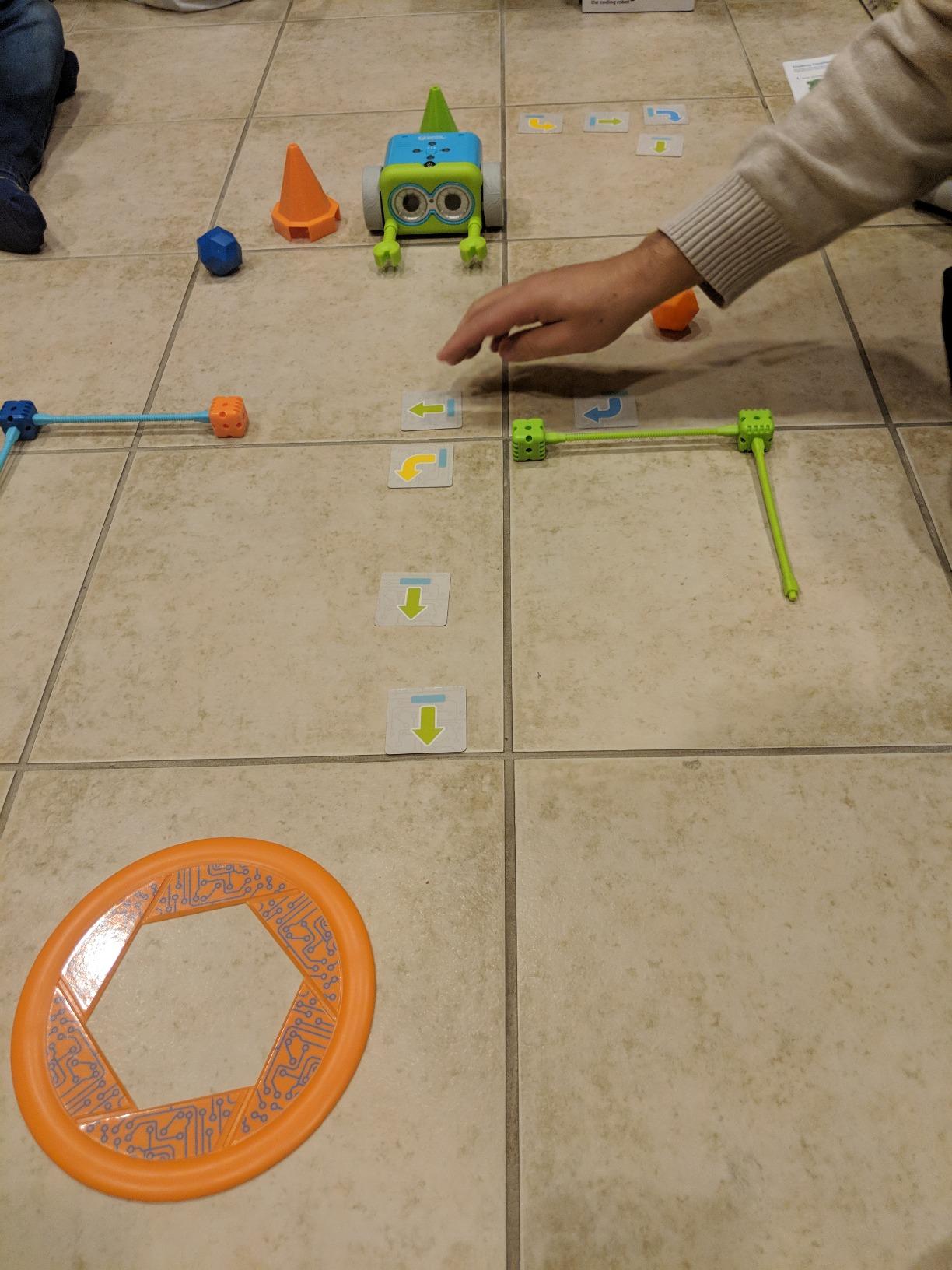
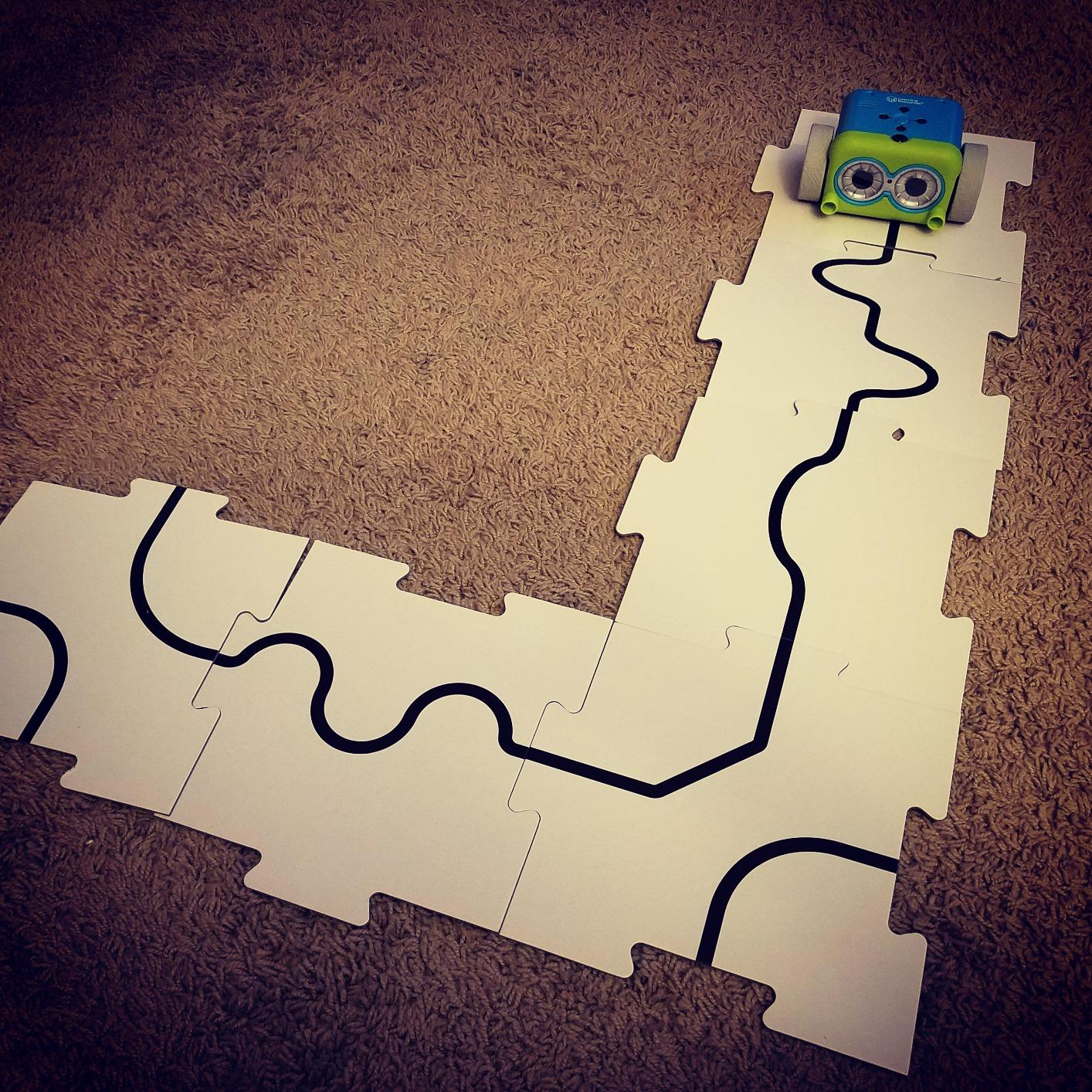
The 77-piece activity set is packed with value. It includes 40 coding cards that help kids plan sequences visually, 6 double-sided tiles for building paths, detachable robot arms, and 27 obstacle building pieces. We built elaborate obstacle courses during testing that challenged both the kids and the adults.
Botley also features object detection, so it will stop or turn when it encounters a wall or obstacle. The black-line following mode uses an optical sensor to trace paths drawn on paper. Hidden features that unlock as kids master basic commands add a rewarding progression system.
Best for screen-free households and classrooms
Botley is ideal for families prioritizing screen-free play and for classrooms where tablets are limited. The physical programming approach teaches the same logic as app-based coding without any device dependency.
Ages 5-8 get the most value from Botley. Older kids may find the button-based programming limiting compared to app alternatives.
Battery requirements and accessories
Botley requires 3 AAA batteries for the robot and 2 AAA batteries for the remote programmer, none of which are included. Factor that into your purchase.
The 77 pieces include everything needed for extended play. The coding cards are particularly useful for helping young children plan their programs before entering them.
8. okk 635-Piece Robot Building Kit – Advanced STEM Building
okk Robot Building Kit for Kids Ages 6-12, Remote Control STEM Coding Toy
635 pieces
5 control modes
Servo motors
65ft remote range
Ages 6-12
USB rechargeable
Pros
- 635 pieces for a substantial building experience
- Five control modes including voice and gravity sensor
- Servo motors with multi-joint movement
- 65 foot remote control range
- Teaches STEM and problem-solving skills
Cons
- Assembly required with 635 pieces
- Some children may find building challenging
- Remote control batteries not included
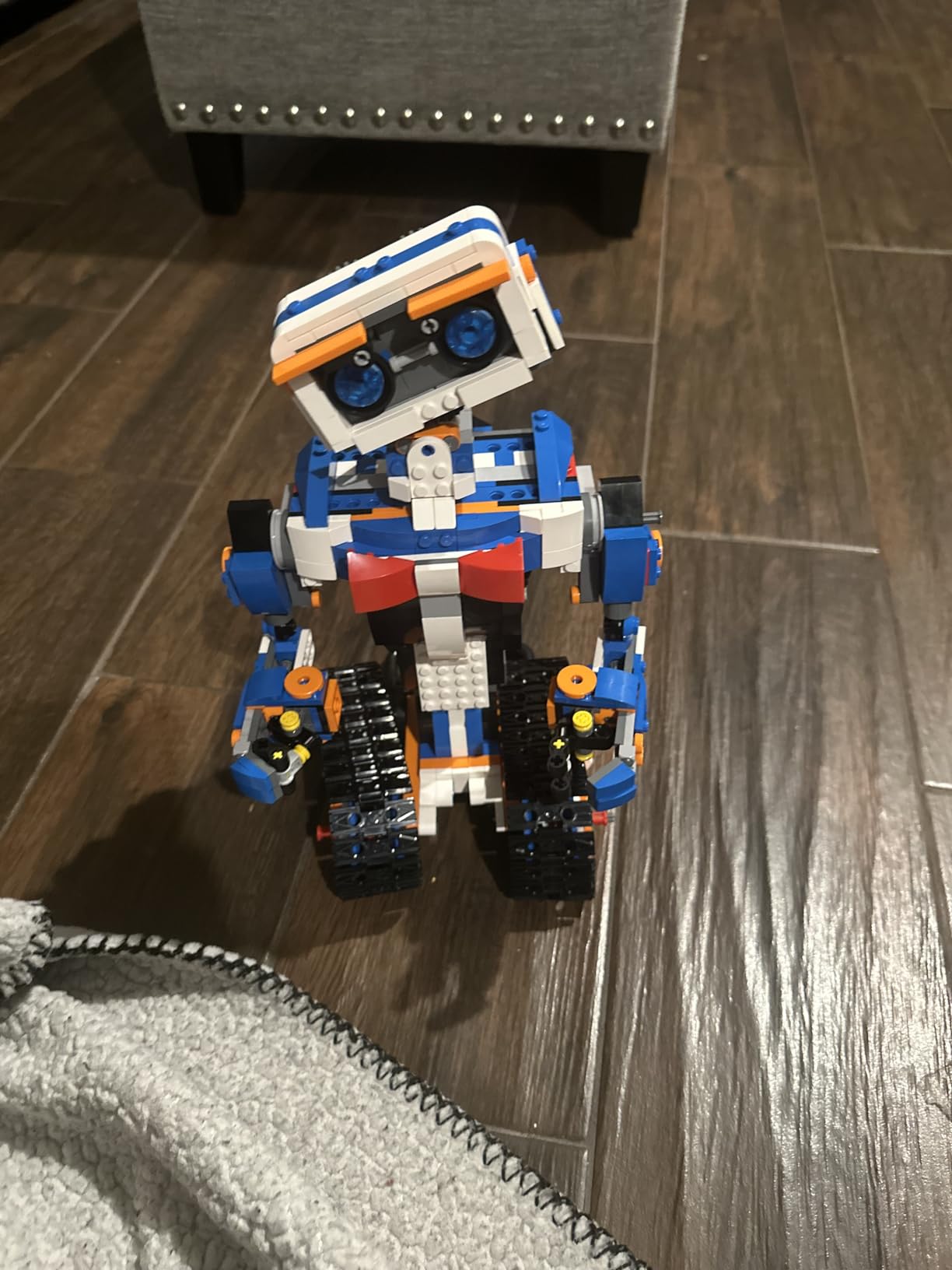
The okk 635-piece kit is the most ambitious building project on this list. My 11-year-old tester spent an entire Saturday afternoon assembling it and loved every minute. This kit rewards patience and careful instruction-following with a fully functional remote-controlled robot at the end.
Once built, the robot offers five control modes that kept our test group experimenting for days. The remote control works up to 65 feet away. The Bluetooth app adds path programming, voice control, and a gravity sensor mode where tilting your phone steers the robot. Each mode feels distinct rather than gimmicky.
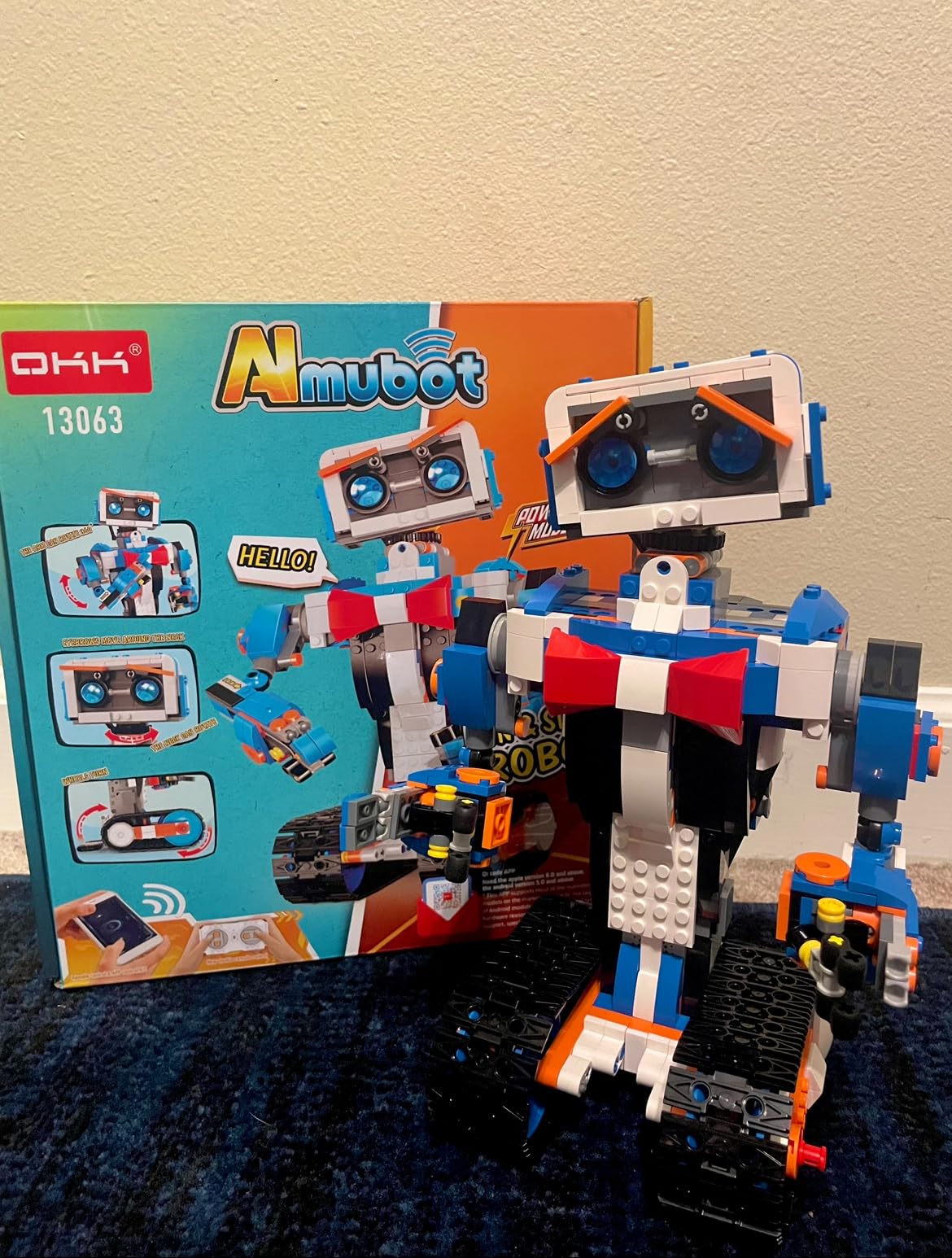
The servo motors and gear movement system give the robot smooth, multi-joint motion. The head, shoulders, arms, elbows, and tracks all move independently. My tester especially enjoyed programming movement sequences through the app and watching the robot execute complex routines.
The USB rechargeable design delivers about 1 hour of motorized play per 2-hour charge. The building process is the real educational value here. Following the 635-piece instructions teaches spatial reasoning, patience, and mechanical assembly skills that translate directly to engineering thinking.
Best for patient builders ages 9 and up
This kit is best suited for kids ages 9-12 who enjoy long-form building projects. Younger children in the 6-8 range will likely need significant adult help to complete the build.
The reward is a sophisticated robot with genuine programming depth that justifies the build time investment.
Build complexity and time commitment
Plan for 2-3 hours of assembly time depending on the child’s building experience. The instructions are visual but the piece count means this is not a quick build.
Remote control batteries are not included, so check the requirements before gifting to avoid disappointment on the big day.
9. Artie 3000 – The Coding and Drawing Robot
Educational Insights Artie 3000 the Coding & Drawing Robot
4 coding languages
Draws on paper
Own Wi-Fi network
Blockly to Python
Ages 7+
Built-in tutorials
Pros
- Teaches four programming languages from Blockly to Python
- Creative drawing output makes coding tangible
- No internet connection required with own Wi-Fi
- Built-in tutorials for self-paced learning
- Password-protected for security
Cons
- 4 AA batteries required and not included
- Lower average rating suggests some reliability issues
- Drawing precision varies by surface
Artie 3000 is the most unique robot on this list because it turns code into physical art. Kids write programs that tell Artie where to move, and the robot draws the resulting patterns on paper with included markers. My 9-year-old tester was mesmerized watching geometric shapes appear line by line.
The four programming languages create a genuine learning ladder. Beginners start with Blockly’s drag-and-drop blocks. They progress to Snap!, then JavaScript, and eventually Python. This is real programming education disguised as art projects, and the progression is well-paced.
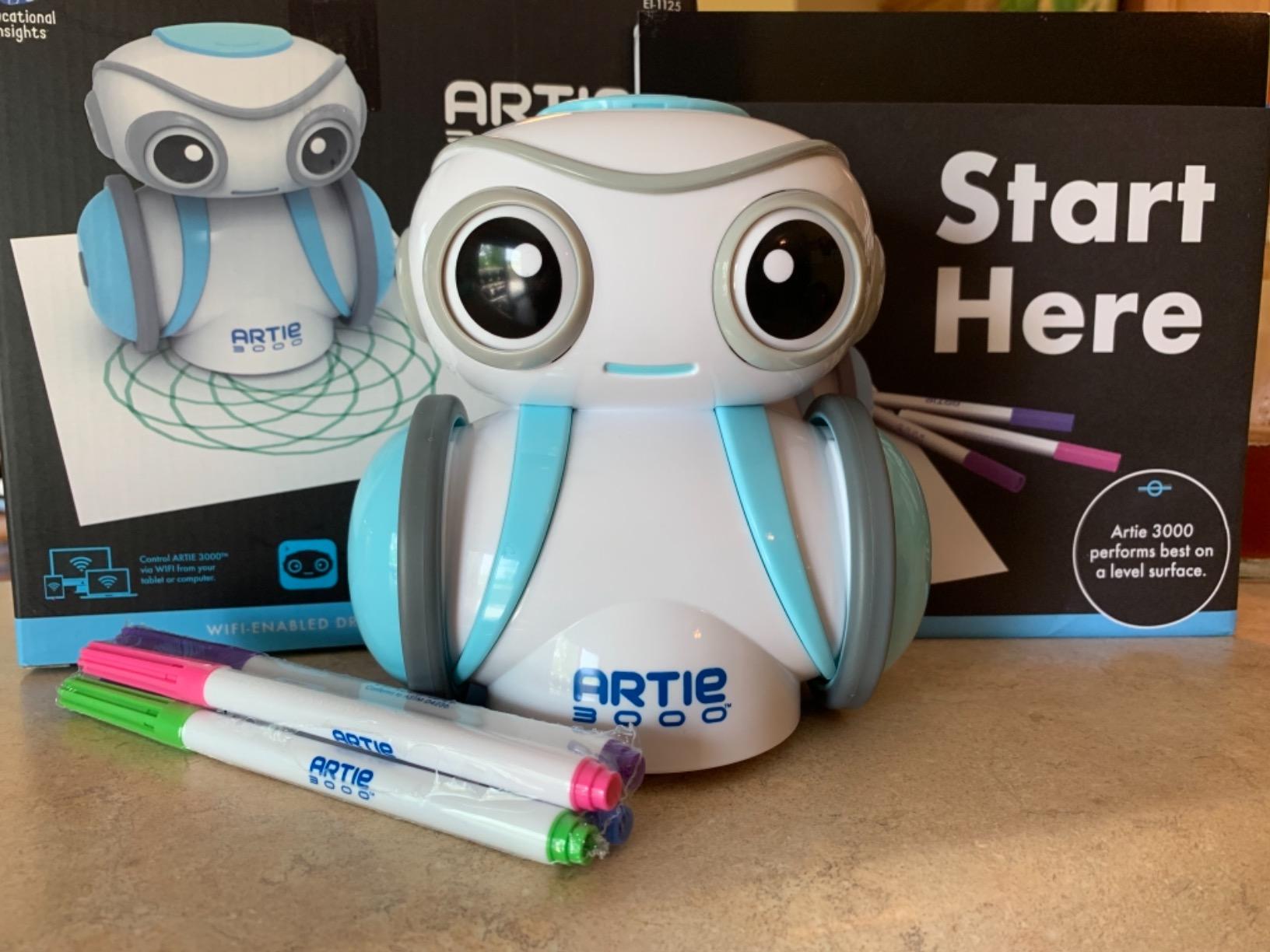
Artie creates its own password-protected Wi-Fi network, which means no internet connection or home Wi-Fi is needed. You connect your device directly to Artie. This is a thoughtful design choice for classrooms and parents concerned about online security.
The built-in tutorials walk kids through increasingly complex drawings. My tester started with simple shapes and within a week was programming mandala-style patterns that would have been nearly impossible to draw by hand. The creative output gives kids a tangible sense of accomplishment.

Best for kids who love art and technology
Artie 3000 bridges the gap between creative kids and technical kids. If your child enjoys drawing but you want to introduce coding, or if they love computers but need a break from screens, Artie splits the difference beautifully.
The drawing output also gives kids something to share and display, which builds confidence and pride in their programming work.
Setup and surface requirements
Artie requires 4 AA batteries that are not included. It works best on large sheets of plain paper on a flat, smooth surface. Textured surfaces affect drawing precision.
The robot includes 4 washable markers and activity cards to get started. The marker compatibility is fairly broad, so you can experiment with different colors and tip sizes.
10. Holyton 5088 Smart Robot – Large Robot with Dart Launcher
Holyton 5088 Smart Robot for Kids, Programmable Remote Control Robot
15.7 inch size
200+ programmable actions
Voice, app, and remote control
Foam dart launcher
Gripping arm
Pros
- Large 15.7 inch size is impressive and exciting
- 200 plus programmable actions for deep play value
- Three control methods including voice commands
- Functional gripping arm and foam dart launcher
- Multiple interactive features with music and dancing
Cons
- Lower review count suggests newer product with less long-term data
- 30-day warranty is shorter than competitors
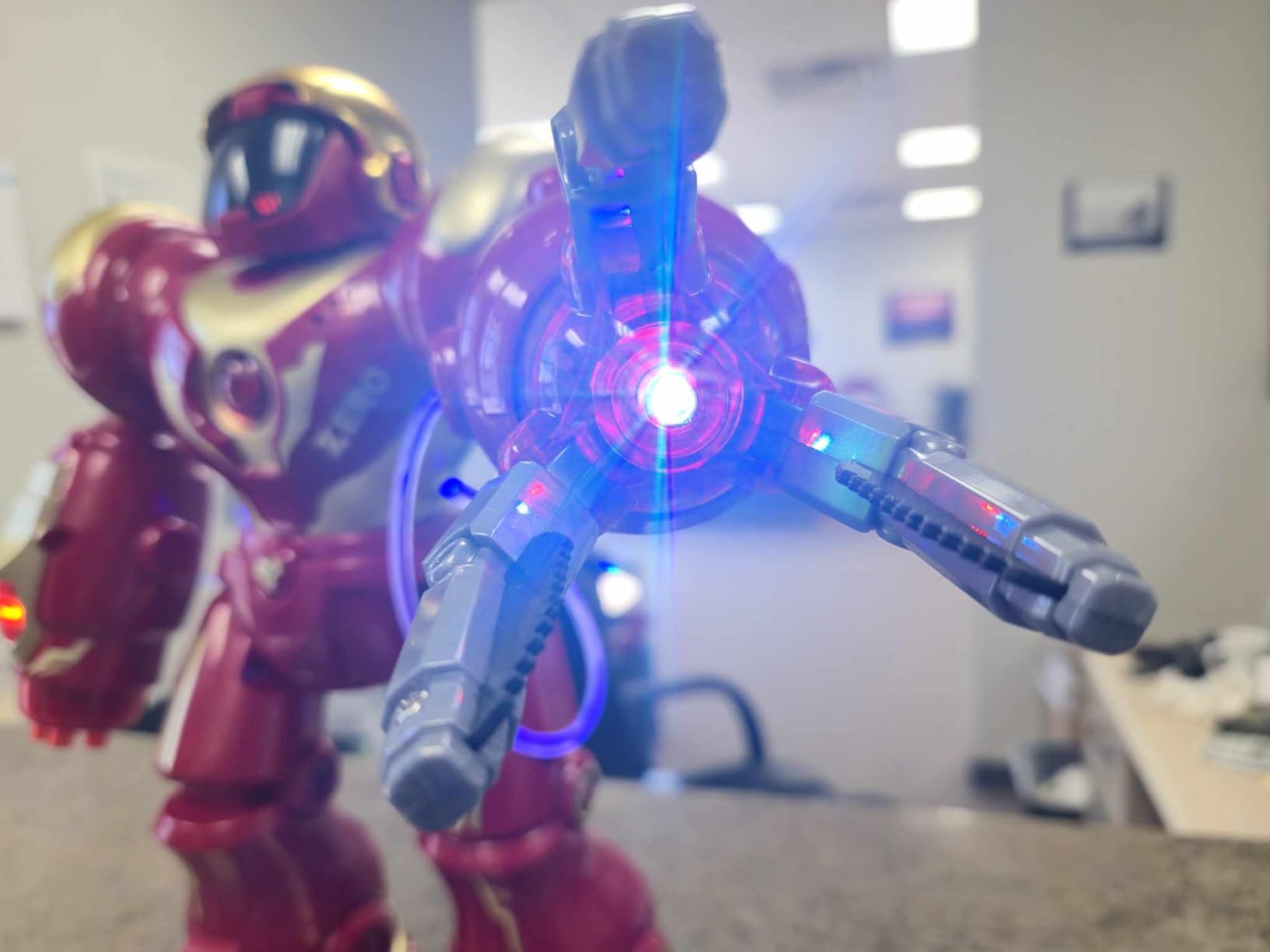
The Holyton 5088 is the robot my testers fought over the most. At 15.7 inches tall with a gripping arm and foam dart launcher, it delivers the kind of action-packed play that keeps kids coming back. This is the robot for kids who want excitement, not quiet coding time.
The 200+ programmable actions give this robot surprising depth. My 8-year-old tester spent an afternoon chaining together movement sequences, arm grabs, and dart launches into elaborate routines. The voice control worked reliably for basic commands, and the 2.4GHz remote handled precision maneuvers.
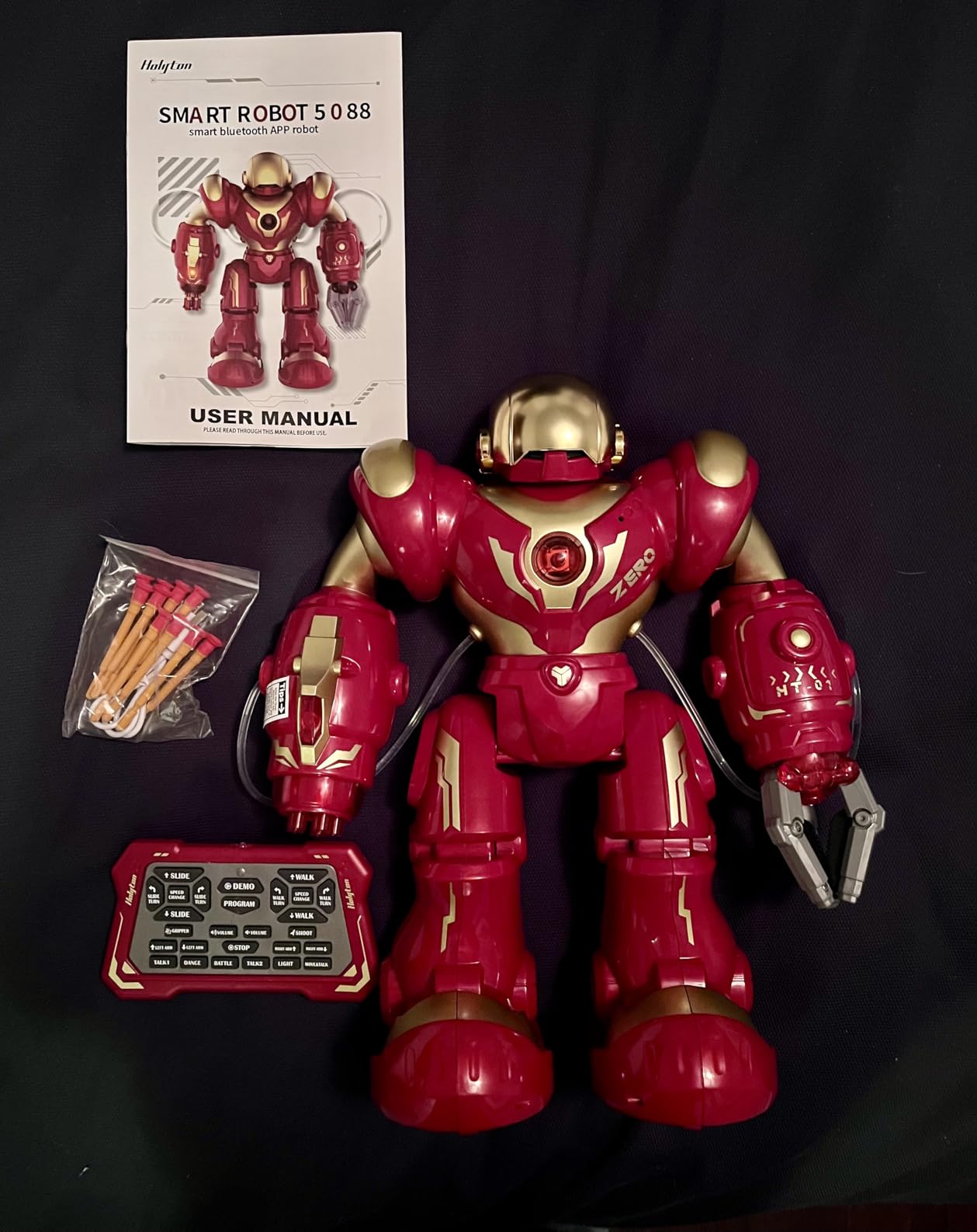
The gripping arm was the standout feature. Kids programmed it to pick up small objects and deliver them across the room. The foam dart launcher shoots soft projectiles that are safe for indoor play, and my test group turned target practice into a daily competition.
The LED eyes and expressive movements give the Holyton real personality. Kids named it within the first hour, which is always a good sign for engagement. The gravity-sensing mode through the app lets kids steer by tilting their phone, adding another layer of interactivity.
Best for action-oriented kids ages 5 to 10
If your child prefers Nerf battles to quiet building projects, the Holyton 5088 is the robot for them. The dart launcher and gripping arm create play scenarios that feel like action games rather than educational exercises.
The large size also makes it an impressive gift that generates immediate excitement.
Warranty and long-term considerations
The Holyton comes with a 30-day warranty against manufacturer defects, which is shorter than competitors offering 1-year coverage. The product is relatively new with 130 reviews, so long-term durability data is still emerging.
Keep your receipt and test all features thoroughly within the warranty period to ensure you have a fully functional unit.
How to Choose the Best Robot Toys for Kids?
Choosing the right robot toy depends heavily on your child’s age, interests, and your budget. After testing 10 robots with kids across multiple age groups, I have identified the factors that matter most for long-term satisfaction.
Match the robot to your child’s age
Age appropriateness is the single biggest factor in whether a robot toy gets played with or collects dust. For ages 3-5, focus on tactile building toys like the Design and Drill Robot that develop fine motor skills without requiring reading or screen navigation.
Ages 5-8 thrive with screen-free coding robots like Botley or entry-level programmable robots like the Ruko 1088. These introduce sequencing and logic concepts through physical interaction. Kids this age need immediate cause-and-effect feedback to stay engaged.
Ages 8 and up are ready for app-controlled coding robots like Dash, Sphero Mini, and Artie 3000. They can follow multi-step instructions, understand abstract logic, and handle more complex building kits like the Sillbird and okk models.
Consider programming depth and learning value
Not all robot toys teach coding. Entertainment robots like the Dzxlin and Holyton are fun but offer limited educational value beyond basic cause-and-effect play. If STEM learning is your goal, look for robots with progressive programming interfaces.
The best coding robots start simple and scale up. Dash moves from drawing paths to block-based logic. Sphero Mini progresses from drag-and-draw to JavaScript. Artie 3000 spans Blockly to Python. This progression keeps kids challenged as they grow rather than outgrowing the toy in a month.
Evaluate screen time preferences
Screen time is a real concern for many families, and robot toys vary widely in their screen requirements. Botley is fully screen-free, which makes it ideal for families limiting device use. The Design and Drill Robot needs no screen at all.
App-controlled robots like Dash, Sphero Mini, and the building kits require a tablet or phone. However, these apps are active rather than passive. Kids are creating programs, solving problems, and testing hypotheses rather than scrolling through content. This is productive screen time that builds real skills.
Factor in durability and battery life
From my testing, battery life ranged from 40 minutes on the Sillbird to 5 hours on the Dash. If your child plays in long sessions, prioritize robots with longer battery life or keep a charging routine. Robots with removable batteries can be swapped mid-play.
Durability matters because kids drop things. The Design and Drill Robot survived every drop in our testing. Building kit robots are more fragile once assembled. Larger robots like the Ruko and Holyton have solid construction but their joints and moving parts are vulnerable to rough handling.
Set a realistic budget
Robot toys span a wide price range. Budget-friendly options under $35 like the Design and Drill and Dzxlin deliver solid entertainment value. Mid-range picks from $50 to $70 like Sphero Mini, Sillbird, Botley, and Artie 3000 offer the best balance of educational value and cost.
Premium robots like the Wonder Workshop Dash cost more but deliver years of progressive learning value. When evaluating price, consider how long the toy will remain engaging rather than just the upfront cost. A $190 robot played with for three years costs less per month than a $30 toy abandoned in a week.
Frequently Asked Questions
What is the best robot toy for a 4-year-old?
The Educational Insights Design and Drill Robot is my top pick for 4-year-olds. It uses a real working screwdriver and colorful bolts to develop fine motor skills without requiring screens or reading. For a more interactive option, the Ruko 1088 Smart Robot offers voice control and dance moves that preschoolers find entertaining.
Are robot toys good for kids?
Yes, robot toys are excellent for developing STEM skills, computational thinking, and problem-solving abilities. They teach coding concepts like sequencing, loops, and conditionals through hands-on play. Screen-free options like Botley also build spatial reasoning and planning skills without device dependency.
What age is appropriate for robot toys?
Robot toys are appropriate starting from age 3. Preschoolers enjoy simple building and cause-and-effect robots like the Design and Drill. Ages 5-8 benefit from screen-free coding robots like Botley. Kids 8 and up are ready for app-controlled programmable robots with multiple coding languages like Dash, Sphero Mini, and Artie 3000.
How do I choose a robot toy for my child?
Consider your child’s age, interests, and your screen time preferences. For ages 3-5 choose tactile building robots. For ages 5-8 pick screen-free coding robots. For ages 8 and up select app-controlled robots with progressive programming. Also evaluate battery life, durability, and whether the robot grows with your child’s skill level.
What is the best coding robot for beginners?
The Wonder Workshop Dash Robot is the best coding robot for beginners because it is used in over 40,000 schools and offers three apps that scale from simple path drawing to block-based programming. Botley is the best screen-free option for younger beginners ages 5-7 who are just starting with coding concepts.
Final Thoughts on the Best Robot Toys for Kids
After weeks of testing with real kids across multiple age groups, my overall recommendation for the best robot toys for kids in 2026 comes down to three picks. The Ruko 1088 wins for younger kids who want a big interactive robot right out of the box. The Wonder Workshop Dash is the best educational investment for kids ready to learn real coding. The Design and Drill Robot delivers unbeatable value for preschoolers.
The right choice depends on your child. Action-loving kids will gravitate toward the Holyton 5088 with its dart launcher. Patient builders will spend hours on the Sillbird and okk kits. Creative kids will fall in love with Artie 3000’s code-to-draw magic. Screen-free families should look at Botley first.
Whatever you choose, the best robot toy is the one your child actually plays with. Start with their interests, match the complexity to their age, and watch the learning happen naturally through play.