
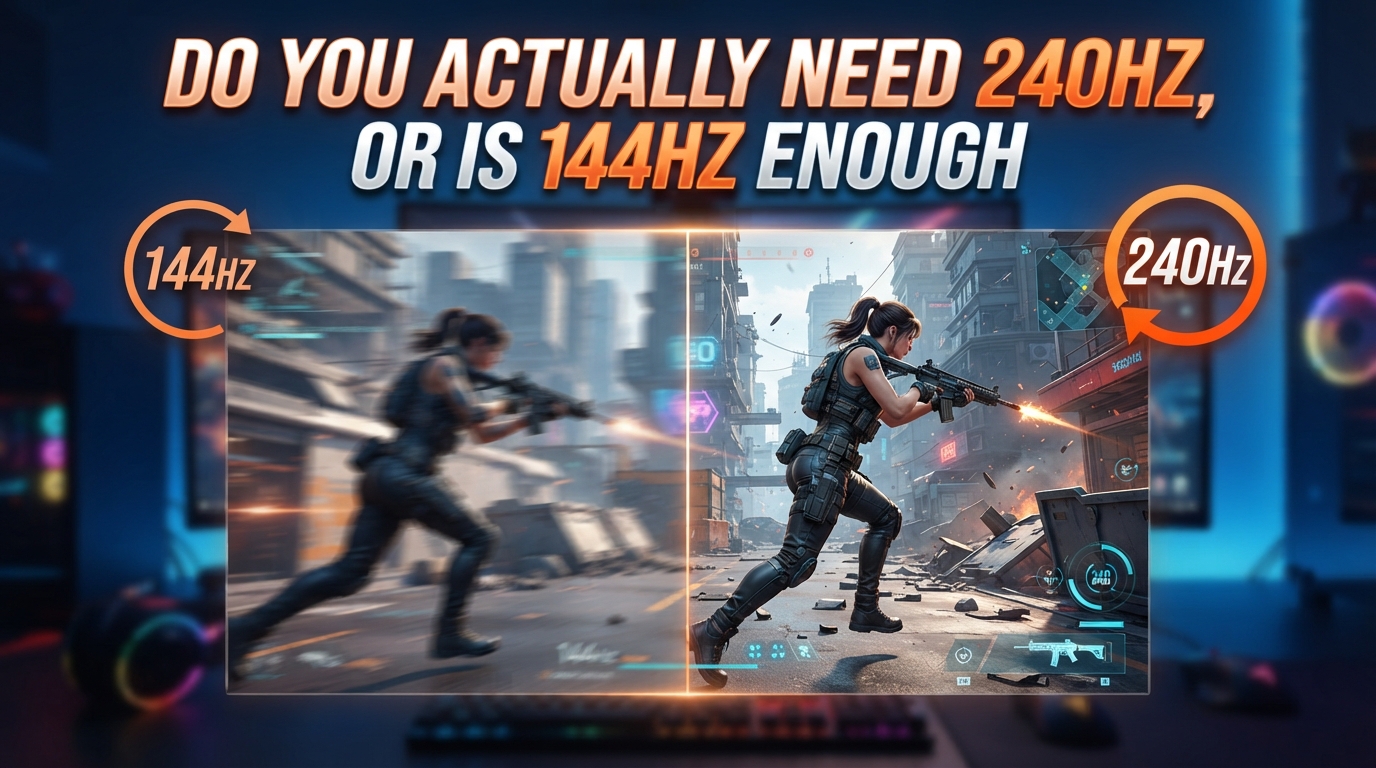
Do you actually need 240Hz, or is 144Hz enough for the games you play? I have asked myself this exact question twice in the last three years, once when I upgraded from a 60Hz panel and again when I started eyeing 240Hz displays. The first jump felt like putting on prescription glasses after years of squinting. The second jump felt more like switching from a sports car to a slightly faster sports car on a road with speed limits.
The honest answer is that for the majority of gamers, 144Hz is more than enough. But for a specific group of players, 240Hz is a genuine upgrade that can affect your performance. This guide breaks down the difference, when each refresh rate makes sense, and how to tell which one you should buy in 2026.
Table of Contents
Quick Answer: Do You Actually Need 240Hz?
No, most gamers do not actually need 240Hz. If you play single-player games, RPGs, strategy titles, or anything that does not require frame-perfect reactions, 144Hz delivers a smooth experience that your eyes will struggle to distinguish from 240Hz. You need 240Hz only if you play competitive FPS titles seriously, you already own a high-end GPU that can push 240+ FPS, and you can tell the difference in side-by-side testing.
One competitive Overwatch player put it this way on Reddit: “The difference between 144Hz and 240Hz is still very apparent and definitely makes a difference. Gameplay does feel smoother overall.” That is a real user experience from someone who plays daily at high ranks. It is also a real experience that does not change the fact that 144Hz is the practical sweet spot for the other 90% of gaming.
What Refresh Rate Actually Means (And Why It Matters)
Refresh rate, measured in Hertz (Hz), is the number of times your monitor redraws the image on screen every second. A 60Hz monitor refreshes 60 times per second, a 144Hz monitor refreshes 144 times per second, and a 240Hz monitor refreshes 240 times per second. Higher numbers mean smoother motion, less visible flicker, and a shorter delay between your actions and what you see.
The math here is straightforward and worth understanding. At 60Hz, each frame stays on screen for about 16.67 milliseconds. At 144Hz, that drops to 6.94 milliseconds per frame. At 240Hz, it drops further to 4.17 milliseconds per frame. That 2.77 millisecond difference between 144Hz and 240Hz sounds tiny, but in competitive gaming it is the gap between seeing an enemy peek a corner and reacting just slightly faster than your opponent.
Refresh Rate vs Frame Rate: They Are Not the Same Thing
Refresh rate belongs to your monitor. Frame rate, measured in frames per second (FPS), belongs to your graphics card. Your GPU pushes out frames, and your monitor displays them. If your GPU outputs 200 FPS but your monitor is 144Hz, you are wasting 56 frames every second because your display cannot show them.
This is why 240Hz is only useful if your hardware can keep up. A 240Hz monitor on a system that runs games at 80 FPS will look identical to a 144Hz monitor running the same game at 80 FPS. The monitor can refresh faster, but it has nothing new to display. The full benefit of 240Hz only kicks in when your GPU consistently delivers 240 FPS or close to it.
What About Input Lag?
Input lag is the delay between pressing a key or moving your mouse and seeing the result on screen. A higher refresh rate reduces this delay because the monitor updates more often. At 240Hz, your latest mouse input is shown within 4.17 milliseconds of the GPU finishing the frame. At 144Hz, it can take up to 6.94 milliseconds.
That difference is small in absolute terms, but it compounds. Over the course of a 30-minute Valorant match with hundreds of crosshair adjustments, the cumulative effect is real. Pro players and high-rank competitors notice it. Most casual players do not, and that is okay.
240Hz vs 144Hz: The Real-World Difference
Here is the part nobody wants to say out loud: the difference between 60Hz and 144Hz is dramatic, and the difference between 144Hz and 240Hz is subtle. I have tested both transitions personally, and the community agrees. Going from 60Hz to 144Hz is the kind of upgrade you cannot go back from. Going from 144Hz to 240Hz is a refinement that some people love and some people genuinely regret paying for.
A common sentiment on r/pcmasterrace and r/Competitiveoverwatch is that the 60Hz to 144Hz jump feels like a generational leap, while the 144Hz to 240Hz jump feels like turning a dial from 9 to 10. Both are improvements, but one is in a different category of impact.
Input Lag Comparison
- 60Hz: up to 16.67ms of input lag potential
- 144Hz: up to 6.94ms of input lag potential
- 240Hz: up to 4.17ms of input lag potential
The 4.17ms ceiling at 240Hz is genuinely fast. Whether you can feel the difference in a real match depends on your sensitivity to motion, the game you play, and how often you make rapid crosshair movements. In testing with friends, only our most competitive players could pick out the 240Hz panel in blind tests consistently.
Motion Clarity Comparison
Motion clarity refers to how sharp fast-moving objects appear on screen. At 240Hz, the smaller gap between frames means less motion blur and clearer silhouettes during fast camera turns. This is most noticeable in games like CS2, Valorant, and Apex Legends where you whip your view around constantly to track enemies.
For story-driven games, RPGs, or anything where you spend more time looking at menus and dialogue than flicking your crosshair, motion clarity gains become academic. You are not flicking 180 degrees every two seconds in Baldur’s Gate 3, so the extra clarity does nothing for you.
When 240Hz Is Actually Worth It
240Hz is worth the upgrade for a specific kind of player. If you recognize yourself in the list below, 240Hz will probably be a noticeable and appreciated upgrade.
You Should Buy 240Hz If You Are:
- A competitive FPS player who plays Valorant, CS2, Overwatch, or Apex Legends at a high rank
- Already running a high-end GPU (RTX 4070 Ti or better, RX 7800 XT or better) that can push 240+ FPS in your main games
- Aiming for amateur or semi-pro esports play where small advantages matter
- Sensitive to motion and can pick up small smoothness differences in side-by-side tests
- Willing to spend the premium for a slightly smoother experience
If that list describes you, 240Hz is a real upgrade and not a marketing gimmick. The refresh rate is the same one used in professional esports tournaments, and there is a reason every pro player runs a 240Hz or higher monitor.
When 144Hz Is More Than Enough
For everyone else, 144Hz is the right answer. I say this as someone who has owned both 144Hz and 240Hz monitors side by side, and the 144Hz panel has been my daily driver for most of 2026.
You Are Fine With 144Hz If You:
- Play mostly single-player games, RPGs, or strategy titles
- Run a mid-range GPU (RTX 4060, RX 7600, or similar) that pushes 80 to 144 FPS
- Do not play competitive ranked FPS games at a high level
- Care more about visual quality (resolution, ray tracing) than raw frame rate
- Have a limited budget and want the best value
A 144Hz IPS monitor in 2026 is genuinely excellent. It gives you smooth gameplay, lower input lag than 60Hz, and the difference between it and 240Hz is small enough that most people will not notice without an A/B test. You also get more monitor for your money, often with better panels, better color accuracy, and higher resolution than budget 240Hz options.
Game-by-Game: What Refresh Rate Each Genre Needs
Different games have different frame rate needs. A 240Hz monitor in a 60 FPS console game is wasted hardware, while a 144Hz monitor in a competitive FPS you can push to 300 FPS is also wasted. Here is how I would approach refresh rate by game type.
Competitive FPS (Valorant, CS2, Overwatch 2, Apex Legends)
These games are the strongest case for 240Hz. They reward fast reactions, they are well-optimized for high frame rates, and they are the titles where every millisecond counts. If you play any of these games seriously and your GPU can handle it, 240Hz is a meaningful upgrade. I would prioritize 240Hz over higher resolution in this category because frame rate wins gunfights.
Battle Royale (Fortnite, Warzone, PUBG)
Battle royales are somewhere in the middle. They have competitive elements but also long loot-and-roam phases where refresh rate barely matters. 240Hz helps in the final circles and close-range fights, but it does not make a huge difference during the early game when you are landing and looting. 144Hz is a solid choice here, with 240Hz being a nice-to-have for ranked play.
MMOs and RPGs (World of Warcraft, Final Fantasy XIV, Baldur’s Gate 3)
These games do not need 240Hz. Most MMO combat is slower-paced, and the visual style benefits more from color accuracy and resolution than raw frame rate. A good 144Hz IPS panel with strong color reproduction is the sweet spot. Save your money and put it toward a 1440p or 4K monitor with HDR support instead.
Action RPGs and Open World (Cyberpunk 2077, Elden Ring, GTA V)
For these games, 144Hz is plenty. Cyberpunk 2077 and Elden Ring run best when you balance frame rate with visual quality, and 240Hz is rarely achievable at high settings anyway. A 144Hz monitor with G-Sync or FreeSync support gives you smooth gameplay without demanding an impossible frame rate from your GPU.
Simulation and Strategy (Civilization, Microsoft Flight Simulator, Cities: Skylines)
You do not need 240Hz for these games. They are capped at lower frame rates, run slowly on purpose, and benefit more from a large high-resolution display than from a fast one. A 75Hz or 100Hz monitor is honestly fine here. Spend the budget on screen real estate.
Console Gaming (PS5, Xbox Series X)
Console gamers should not bother with 240Hz. Both the PS5 and Xbox Series X cap at 120Hz in supported titles, and most console games target 60 FPS. A 120Hz or 144Hz monitor is the maximum useful ceiling for console gaming. Anything higher is money you could put toward a bigger screen or a better TV.
GPU and Hardware Requirements for 240Hz
Your monitor is only half the equation. To actually benefit from 240Hz, your GPU needs to push 240 FPS or close to it. That is a tall order, even in competitive games.
What You Need to Hit 240 FPS
To hit a stable 240 FPS in Valorant or CS2 at 1080p, an RTX 4070 or RX 7800 XT is a realistic minimum. For 1440p at 240Hz, you are looking at an RTX 4080 or RX 7900 XTX. For 4K at 240Hz, you are in RTX 4090 territory, and even that struggles in some modern AAA titles.
There is no point buying a 240Hz monitor if your GPU tops out at 120 FPS. You will not see the benefit, and you will have spent money on a feature you cannot use. Always match your monitor to your hardware, not the other way around.
Cables and Ports
To run a 240Hz monitor at full speed, you need the right cable. DisplayPort 1.4 supports 240Hz at 1080p and 1440p without issues. HDMI 2.0 caps out at 144Hz at 1080p, and HDMI 2.1 is required for 4K at 120Hz or higher. If you are buying a 240Hz monitor, make sure your GPU has the right port and you have a cable that supports the bandwidth.
Adaptive Sync: G-Sync and FreeSync
Even with a 240Hz monitor, your frame rate will dip sometimes. That is where G-Sync (Nvidia) and FreeSync (AMD) come in. These technologies sync your monitor’s refresh rate to your GPU’s output, eliminating screen tearing and stuttering when your FPS drops below the maximum refresh rate.
If you are buying a 240Hz monitor in 2026, get one with adaptive sync support. It makes the experience smoother during those moments when your GPU cannot keep up, and it is essentially a free upgrade in visual quality.
Practical Decision Guide: Should You Buy 240Hz?
Here is a quick checklist to help you decide. Be honest with yourself when answering these.
- Do you play competitive FPS games at a high rank? If yes, 240Hz helps.
- Can your GPU push 240+ FPS in your most-played games? If no, 240Hz is wasted.
- Have you tested a 240Hz monitor in person and noticed the difference? If no, you might not benefit.
- Is your budget better spent on resolution, panel quality, or HDR? If yes, 144Hz is the smarter buy.
- Do you play on console? If yes, 120Hz is the maximum you need.
My honest recommendation for most readers is to buy a high-quality 144Hz monitor. Spend the savings on a better GPU or a 1440p panel with strong color accuracy. If you are a competitive player with the hardware to back it up, 240Hz is a real upgrade worth pursuing. For everyone else, it is a luxury, not a necessity.
Frequently Asked Questions
Is 144Hz or 240Hz better for gaming?
240Hz is technically better because it offers lower input lag, smoother motion, and a higher frame rate ceiling. However, 144Hz is better for most gamers because it costs less, runs on more hardware, and the visual difference from 240Hz is small unless you play competitive FPS at a high level. The best refresh rate for you depends on your games, your GPU, and your sensitivity to motion.
Do you really need 240Hz for gaming?
Most gamers do not really need 240Hz. You need 240Hz only if you play competitive FPS games like Valorant, CS2, or Overwatch at a high rank, and you have a GPU that can push 240+ FPS consistently. For single-player games, RPGs, and casual play, 144Hz delivers a smooth experience that is more than enough.
Does 240Hz actually give you an advantage?
Yes, 240Hz gives a measurable advantage in competitive FPS games. The lower input lag (4.17ms vs 6.94ms) and smoother motion let you see and react to enemies slightly faster. Pro players and high-rank competitors notice this advantage. Casual players and lower-rank players typically do not, because reaction time and game sense matter more than a few milliseconds of input lag.
Is the jump from 144 to 240Hz noticeable?
The jump from 144Hz to 240Hz is noticeable but subtle, especially compared to the dramatic jump from 60Hz to 144Hz. Sensitive players and competitive gamers can feel the difference, but many casual players cannot tell 144Hz and 240Hz apart in blind tests. The difference is most apparent in fast camera movements during FPS games and least apparent in slow-paced single-player titles.
The Honest Verdict on 240Hz
Do you actually need 240Hz, or is 144Hz enough for the games you play? For most people reading this, 144Hz is enough. The 60Hz to 144Hz jump is the one that genuinely changes how games feel, and the 144Hz to 240Hz jump is a refinement that only competitive players with high-end hardware will fully appreciate.
If you are a competitive FPS player with the GPU to match, 240Hz is a real upgrade worth pursuing. If you are everyone else, save your money. A great 144Hz monitor in 2026 is a better buy than an okay 240Hz monitor, and your games will look and feel excellent either way. Match your monitor to your games, your hardware, and your budget, and you will end up with a setup that serves you well for years.