
The fastest way to record two microphones is a two-input audio interface: two XLR mic preamps, phantom power on each, and a single USB-C cable back to your computer. Everything else in this list is detail on that idea, and every product below has two genuine mic preamps rather than a single XLR with a wishful second channel.
Two microphones is the awkward middle of home recording. One mic is easy, four is a mixer. With two, you are usually recording a co-host, a guest interview, or a vocal plus a guitar, and the hard part is not the number of sockets. It is that two microphones rarely output the same level, so one voice ends up louder than the other and you spend the edit chasing gain.
We spent weeks moving between these eight units with two-mic setups, watching what happened when a dynamic met a condenser on the same board, and how much usable headroom was left at the top of the gain knob. The short version: the Focusrite Scarlett 2i2 4th Gen is the safest all-round pick, the MOTU M2 is the value champion, and the Audient EVO 4 solves the two-person headphone problem that trips up most beginners.
Before we get into the picks, one honest note. If you and your co-host are in different cities and each records locally through a remote platform, you do not need any of this. More on that near the end, because buying hardware you will never plug a mic into is the most common waste in this category. If you want the wider picture on interfaces in general, our guide to 7 best XLR audio interfaces covers the input-count basics.
Table of Contents
Top 3 Picks for Two-Microphone Recording in October

Focusrite Scarlett 2i2 4th Gen
- 2 mic preamps
- 120dB dynamic range
- Auto Gain and Clip Safe
- 24-bit/192kHz

All 8 Audio Interfaces for Two Microphones Compared in 2026
| Product | Specifications | Action |
|---|---|---|
| Focusrite Scarlett 2i2 4th Gen |
|
Check Latest Price |
 MOTU M2 MOTU M2 |
|
Check Latest Price |
| Audient EVO 4 |
|
Check Latest Price |
 Audient iD14 MKII Audient iD14 MKII |
|
Check Latest Price |
 Universal Audio Volt 2 Universal Audio Volt 2 |
|
Check Latest Price |
 Tascam US-2x2HR Tascam US-2x2HR |
|
Check Latest Price |
 Behringer UMC22 Behringer UMC22 |
|
Check Latest Price |
 M-Audio M-Track Duo M-Audio M-Track Duo |
|
Check Latest Price |
1. Focusrite Scarlett 2i2 4th Gen — The Safe Default for Two Mics
Focusrite Scarlett 2i2 4th Gen USB-C Audio Interface
2 mic preamps plus 2 Hi-Z inputs
120dB dynamic range
24-bit/192kHz over USB-C
Pros
- Auto Gain sets levels and Clip Safe prevents clipped takes
- 120dB dynamic range from flagship converter design
- Air mode adds presence to vocals and guitar
- Runs on macOS Windows and iOS
- Bundles Pro Tools Intro+ and Ableton Live Lite
Cons
- Only two preamps with no spare headroom for a third source
- Single headphone output limits two-person monitoring
- Windows setup takes extra steps compared with Mac
The Scarlett 2i2 has been the default answer for two microphones for years, and the 4th Gen fixes most of what made people grumble about earlier versions. Our team ran a two-person voice session on it with a dynamic on channel one and a condenser on channel two, which is the setup that normally produces a lopsided file.
Auto Gain is the reason this is our top pick. Press it and the interface listens to both inputs and sets levels itself, then Clip Safe quietly pulls a channel back if something spikes. For a first two-mic session, that removes the single most common beginner mistake, which is setting both knobs to the same position and wondering why the condenser is louder.
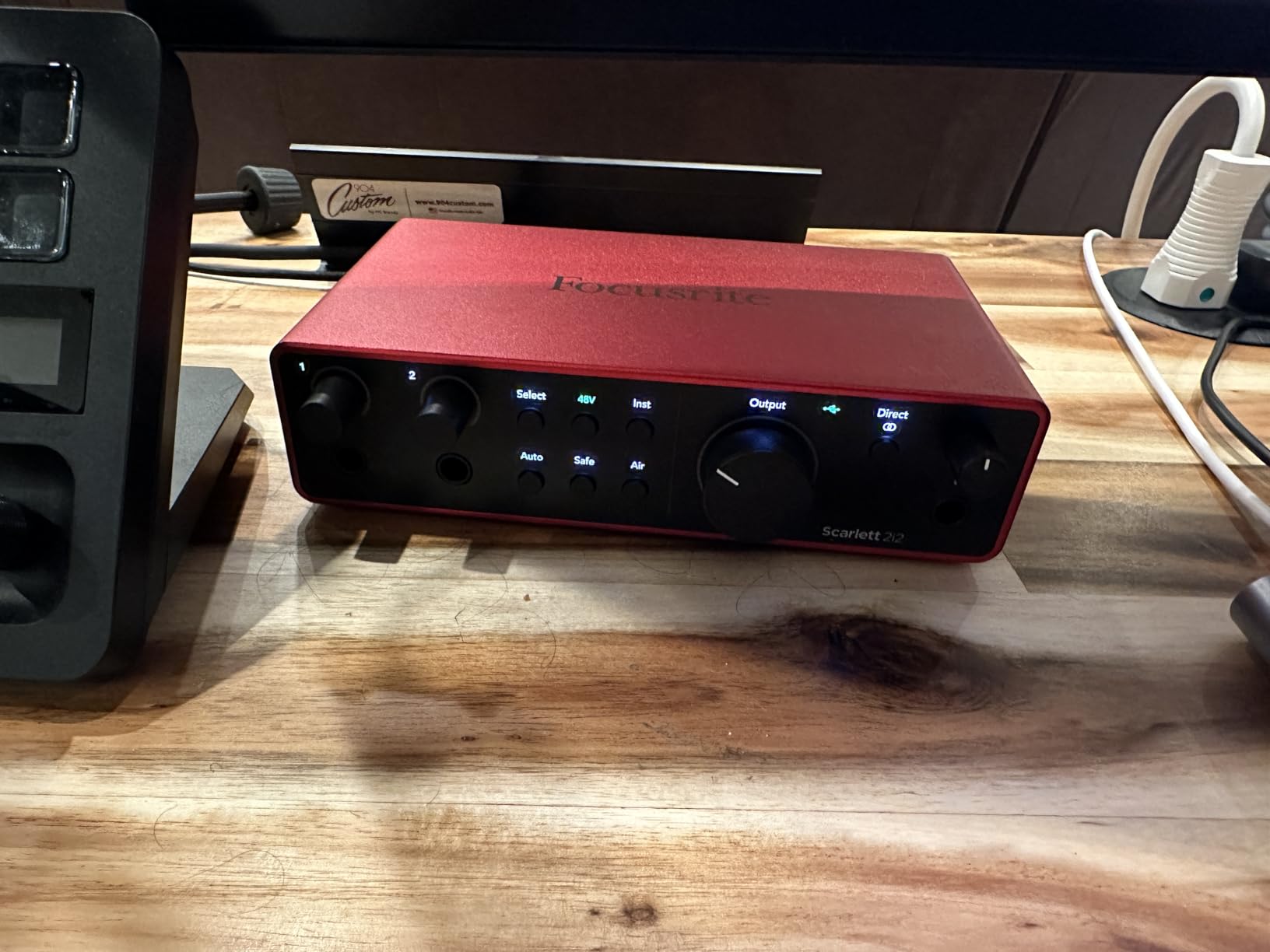
Underneath those assists sit two mic preamps and two Hi-Z instrument inputs, with 120dB dynamic range from the same converter design used in Focusrite’s flagship units. It runs 24-bit/192kHz, so if you ever want the headroom it is there, and the Air mode adds a little presence and harmonic drive that flatters voice without a plugin.
The honest limitation is that this is a two-channel box, and one headphone jack. Two people in one room will need a headphone splitter, or a second cheap interface for the guest. For music and voice-over work it is a genuinely excellent fit, and our broader home studio interface picks cover the higher-channel end of the market.
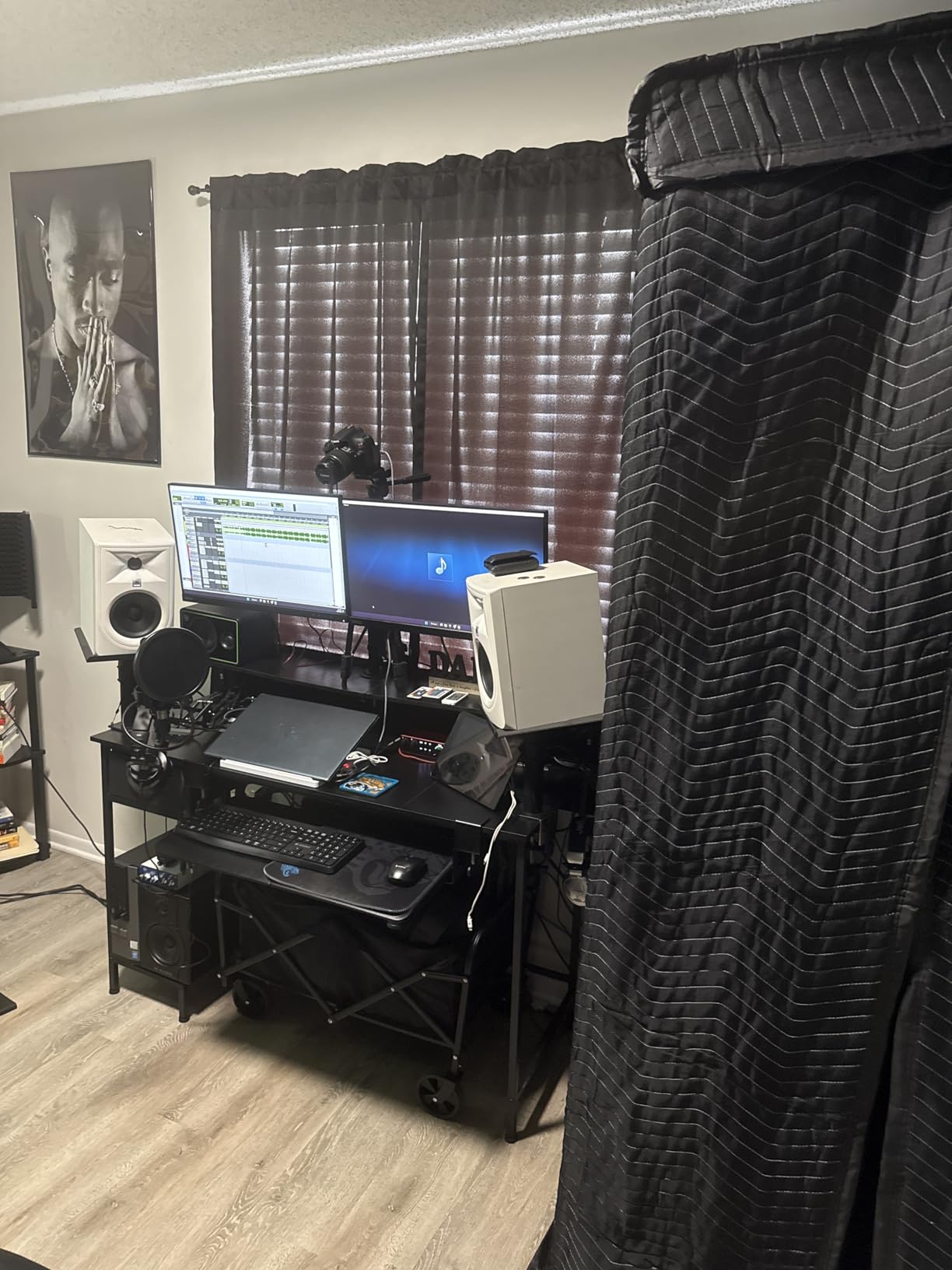
What the Scarlett 2i2 4th Gen handles well for two mics
Gain staging is the whole game with two microphones, and Auto Gain gets you to a workable starting point in seconds. Clip Safe then acts as a safety net across a two-hour conversation without you watching anything.
The bundled software is more than token value. Pro Tools Intro+, Ableton Live Lite and Cubase LE give you a licence-free path to actually record, which matters if the microphones are new to you.
Where two-mic work falls short
One headphone output is a real limitation for two performers in one room. Owners report splitting the single jack so both can hear playback, though each person then shares one mix and cannot set their own level.
If you plan to add a third voice later, there is no spare preamp here. Reviewers note the two preamps are excellent but exhaust the unit at exactly the point you might want to grow.
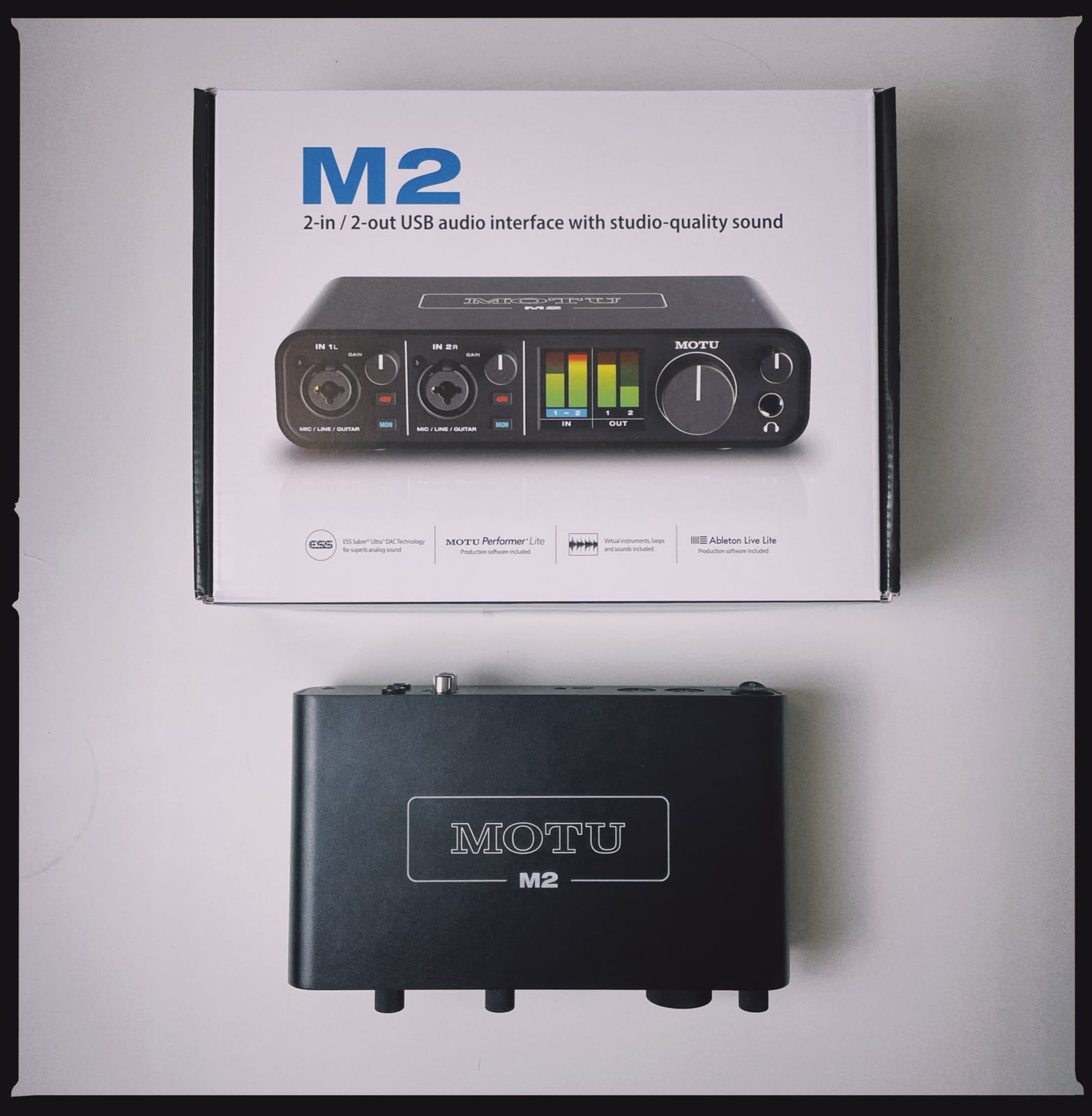
2. MOTU M2 — Best Value Two-Mic Interface With Real Meters
MOTU M2 USB-C Audio Interface
2 combo inputs, ESS Sabre32 converters
24-bit/192kHz
LCD meters, MIDI I/O, metal build
Pros
- ESS Sabre32 converters deliver clean detailed sound
- LCD meter screens make level setting readable
- Two combo inputs handle two microphones at once
- Metal construction feels more solid than plastic units
- 6+GB of free MOTU content included
Cons
- Two channels only with no room for expansion
- Bundled software is MOTU-specific rather than Ableton Live Lite
- MIDI I/O is largely redundant for most users
The MOTU M2 is the one we reach for when a friend wants to spend as little as possible without landing on plastic. It has two combo inputs, ESS Sabre32 converters, and 24-bit/192kHz operation, and the chassis is metal rather than the moulded plastic you get at the bottom of the market.
The reason it edges out its budget rivals is the LCD meter. With two microphones, you are constantly asking one question: are both levels right? A two-line meter answers that instantly, and it beats counting clip LEDs on a unit like the Behringer UMC22 below.
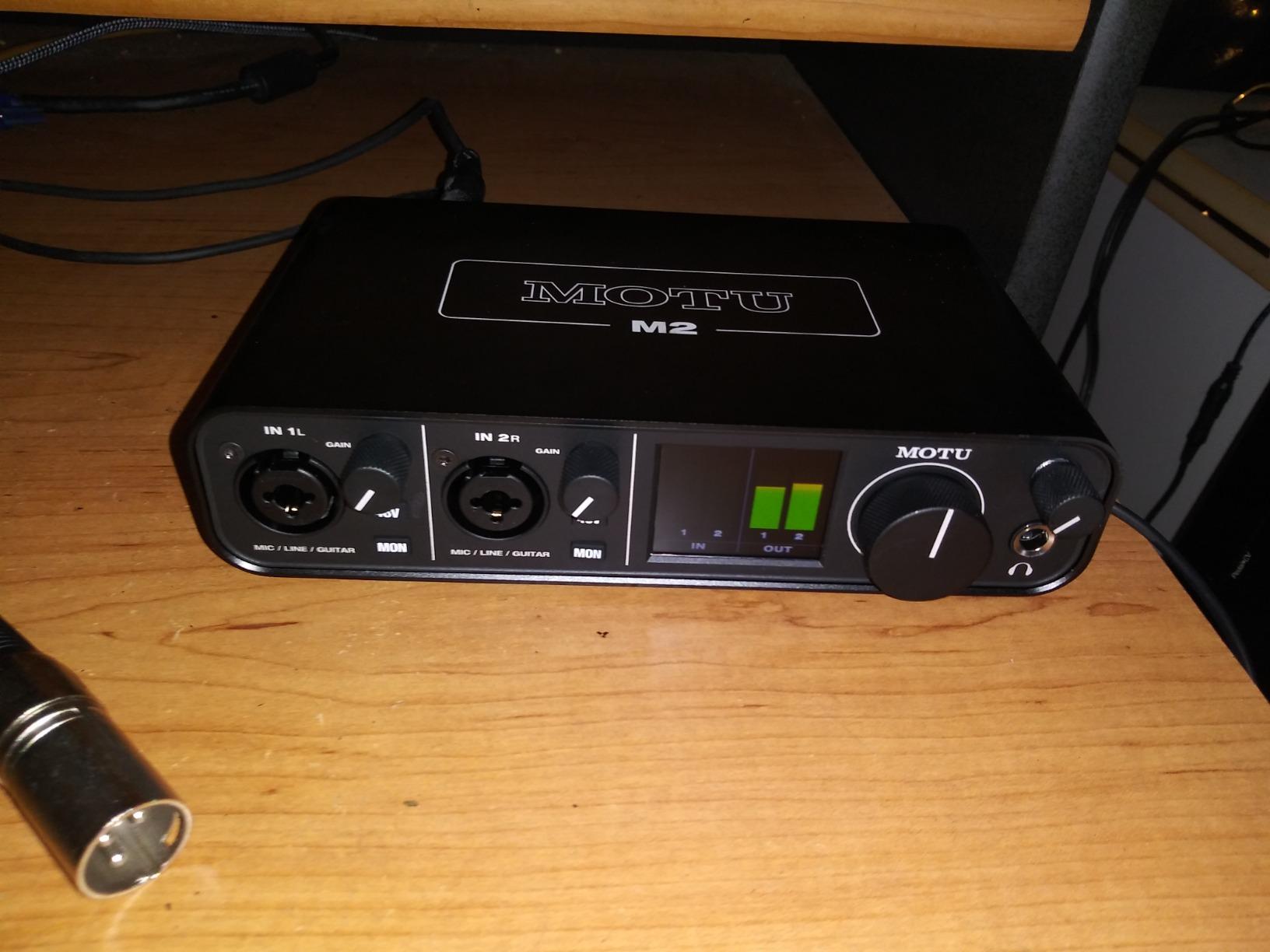
Hardware monitoring is there for low-latency tracking, and MIDI I/O is a bonus for anyone with a controller. Owners like the build quality and the readouts, and the 4.6 average from 1,568 ratings sits among the strongest satisfaction levels in this whole list.
The compromise is honest rather than hidden. Two channels means two channels, and the bundled content is MOTU-specific software rather than the Ableton Live Lite that most buyers assume comes in the box.
Why the M2 suits a two-mic session
Metering is the quiet hero feature. When a dynamic and a condenser disagree by 10 dB, being able to see both bars settles the argument faster than any plugin.
It also covers more than microphones. Combo inputs accept instruments, so a vocal plus guitar arrangement works without extra hardware, and it runs on macOS, Windows and iOS.
Where it falls short
If your show grows to three or four voices, the M2 is out. There is no expandability and no extra preamp hiding behind a menu.
MIDI I/O is genuinely redundant for spoken-word podcasting. Nobody plugging a keyboard in through an XLR cable, and reviewers flag it as wasted spend for this use case.
3. Audient EVO 4 — Best for Two-Person Headphone Monitoring
Audient EVO 4 USB Audio Interface
2 JFET mic preamps
4 headphone outputs
Loopback, Super Rotary, USB bus power
Pros
- Four headphone outputs let multiple performers monitor independently
- JFET mic preamps give a vocal-forward character
- Smart Gain and Super Rotary simplify level setting
- Loopback supports streaming and podcast workflows
- Bus-powered over USB 2.0 with a compact footprint
Cons
- Limited to a 96kHz sample rate
- Only two mic preamps so it sits between one-channel and four-channel classes
- Smart touch point controls lack tactile feedback
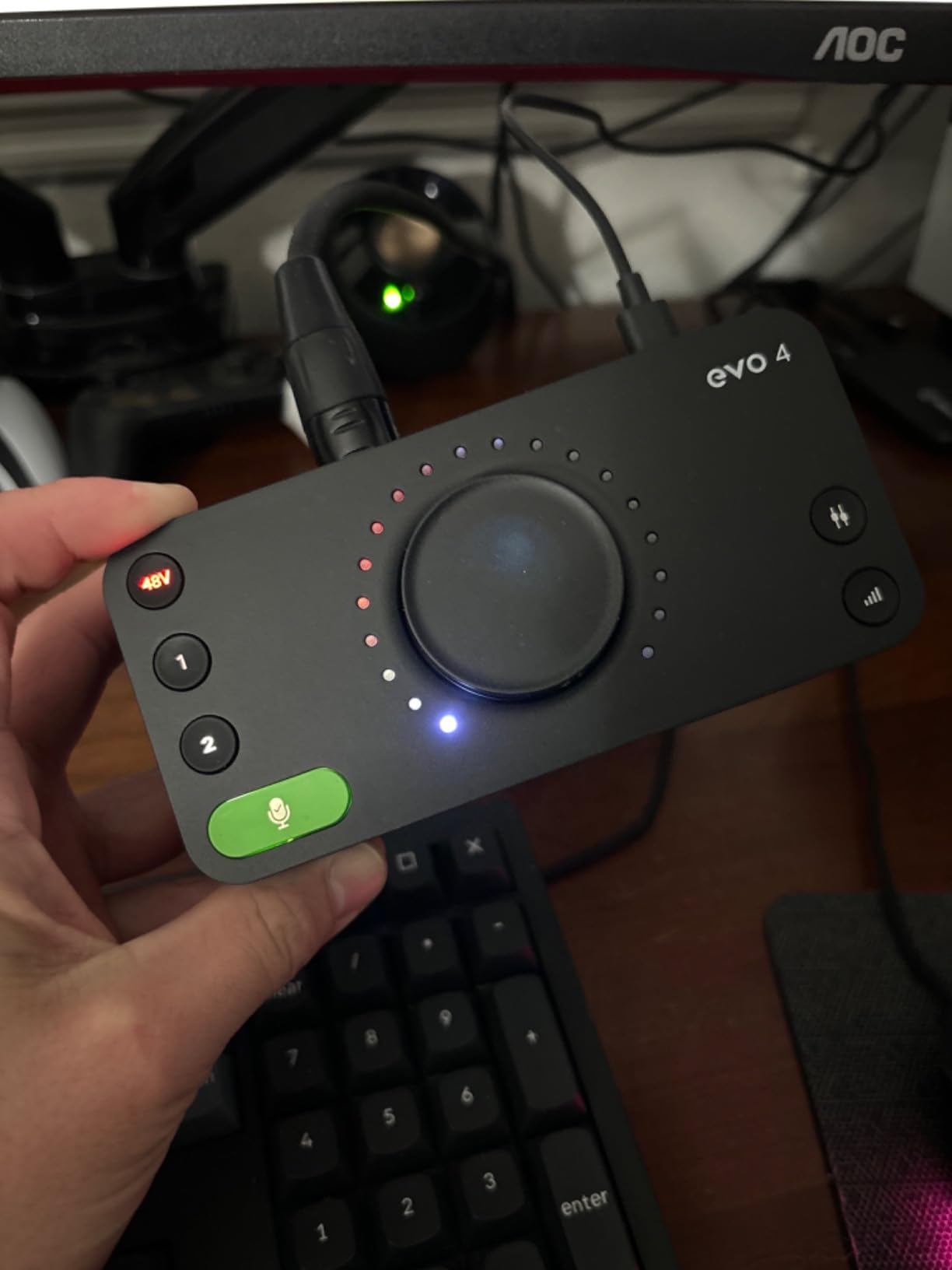
This is the interface we recommend when two actual humans are in the room and both of them need to hear themselves. Four headphone outputs is the feature that changes a two-mic session from workable to pleasant, and almost nothing else in this price class offers it.
The EVO 4 uses two JFET mic preamps with 24-bit/96kHz AKM converters, and the character is warmer and more vocal-forward than the flat, clinical response you get from a purely digital signal path. Reviewers consistently single out the preamp sound and the headphone outputs as the reasons to buy.
There is a loopback function, which captures whatever is playing from your computer back into a recording. If a remote guest comes in over a browser call, that audio can be captured on its own track instead of being re-recorded from speakers.
It is bus-powered over USB 2.0, so one cable carries data and power. Our picks for streaming audio interfaces lean on that loopback path, and the EVO 4 handles it without extra hardware.
Why the EVO 4 wins for two people in one room
Four headphone outputs means each person gets an independent mix at their own level. No splitter, no shared pair, no one host nudging the volume every time the guest moves.
Smart Gain through the Super Rotary encoder takes some of the tedium out of setting two dissimilar microphones to matching levels, which is the problem that makes two-mic recording frustrating.
Where the EVO 4 disappoints
The 96kHz ceiling is the most cited drawback, and it is half the 192kHz of the newer Scarlett and MOTU units. For speech it makes no practical difference, but you are buying into a smaller ceiling than rivals.
The smart touch point controls have no physical detent. Owners who prefer a knob with feel find themselves wishing the encoder did more of the work, and there are only two preamps if a third source ever appears.
4. Audient iD14 MKII — Best for Class-A Preamp Quality
Audient Audio Interface iD14 MKII, 2 Class-A Microphone Preamps (High Performance USB Audio Interface, USB-C Connector, Monitor Mix and Monitor Panning Function, 2 Headphone Outputs), Black
2 discrete Class-A mic preamps from ASP8024
2 headphone outputs
Monitor mix and panning, metal body
Pros
- Two discrete Class-A preamps from Audient's console line
- Two separate headphone outputs for independent mixes
- Monitor mix and panning control what each performer hears
- All-metal chassis feels durable and stable
- Bundled Cubase LE and Loopmasters content
Cons
- 96kHz maximum sample rate is below current units
- Larger and heavier than the two-input competition
- Bus power makes it less portable than smaller units
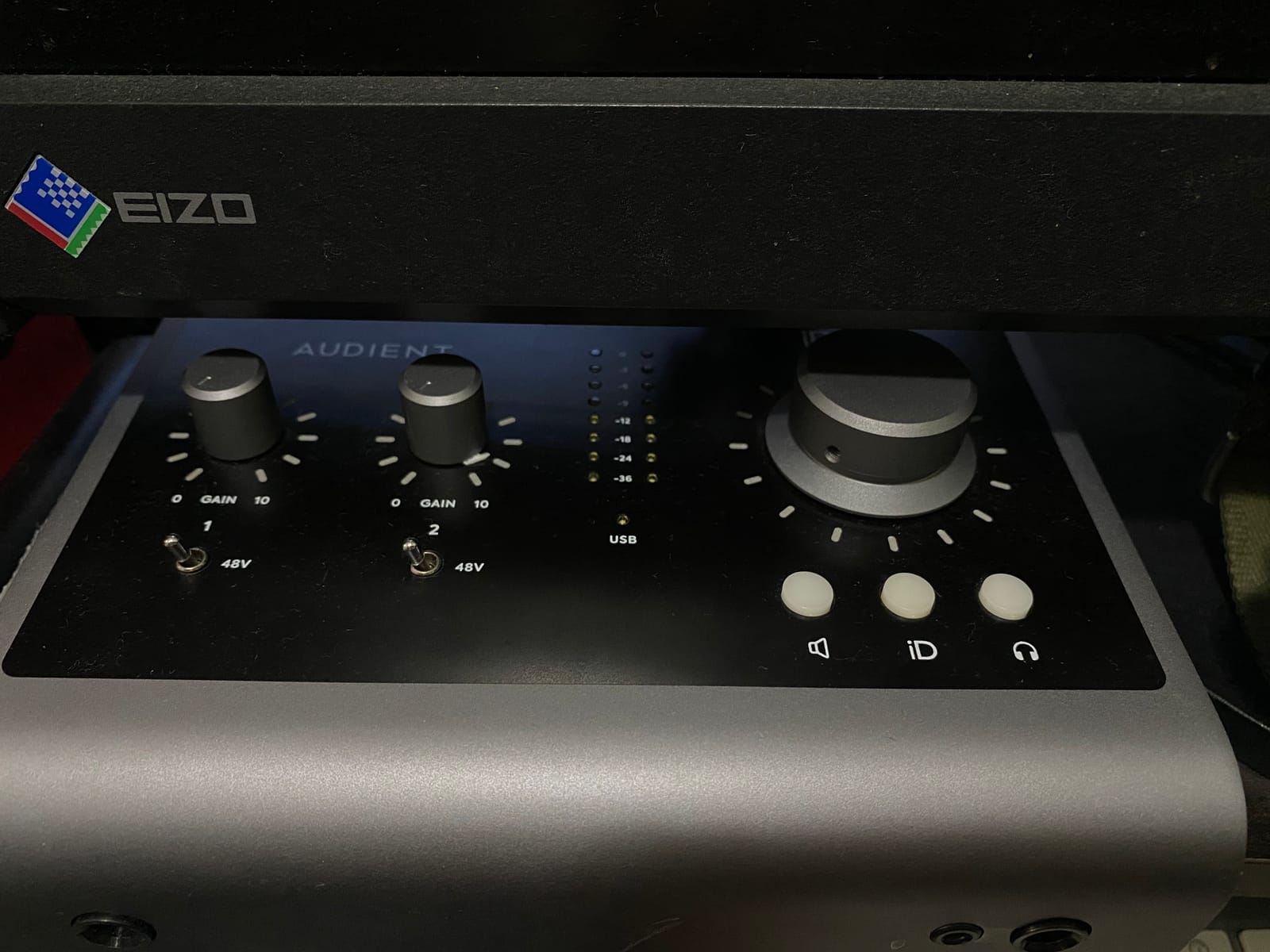
Of everything we tested, the iD14 MKII produced the two-microphone recording we were least inclined to edit afterwards. Two discrete Class-A preamps taken from Audient’s ASP8024 HE console do something to the harmonic content of voice that a purely digital preamp does not.
It also has two independent headphone outputs and, crucially, monitor mix and monitor panning functions. That means you can set the mix going to the guest’s headphones differently from the mix going to the host, which solves the classic co-host problem where one speaker monitors a vocal they are supposed to be talking over.
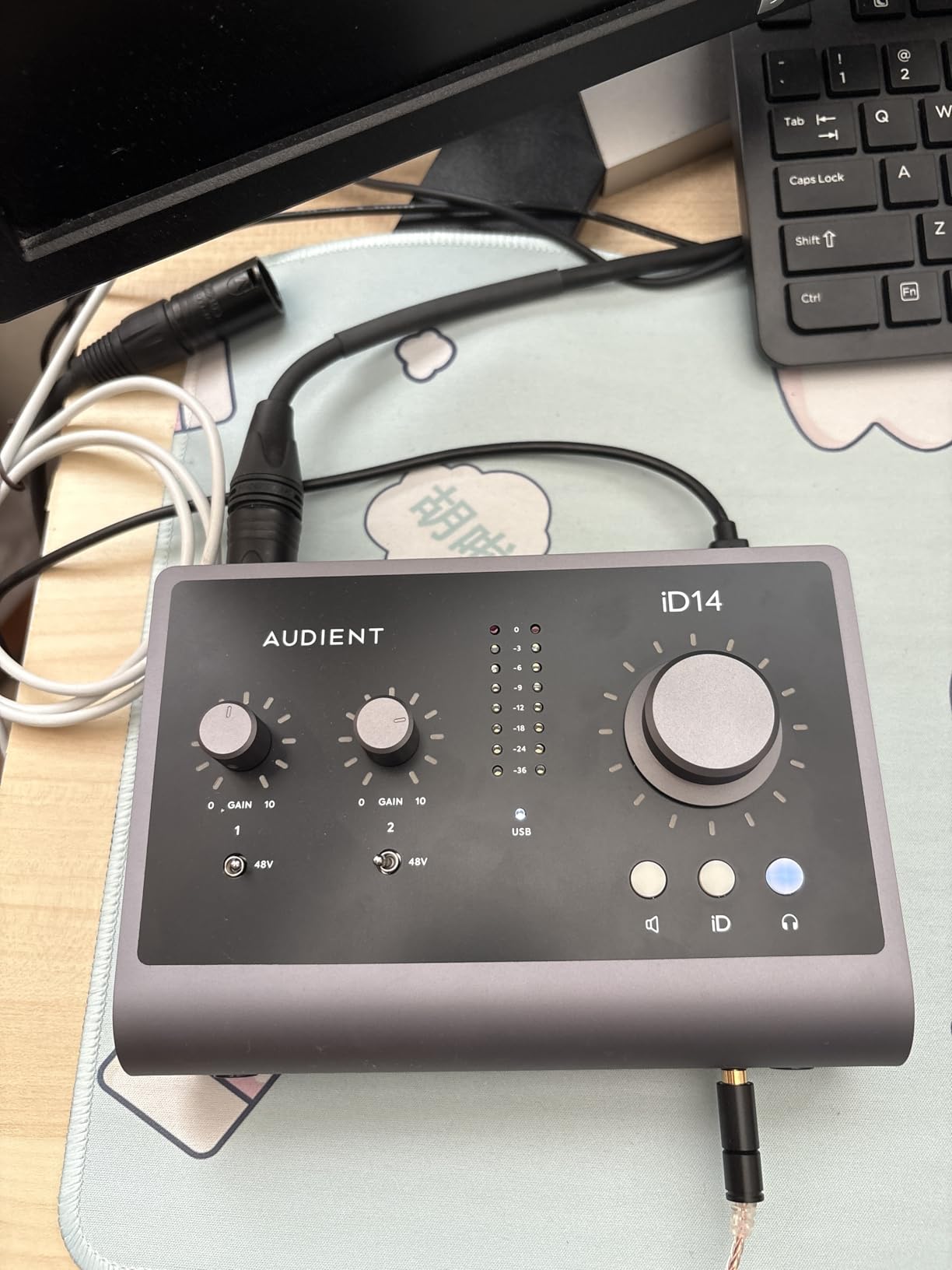
The all-metal housing is heavier than the competition at 907 grams and it will not slide when a cable gets yanked. It includes a 1m USB-C cable and works with Mac, PC and iOS.
Against that, the sample rate tops out at 96kHz, the same ceiling as the EVO 4. Steinberg Cubase LE, Cubasis LE 2 and Loopmasters content come bundled, which is a genuinely usable starting package rather than a trial.
What the iD14 MKII does better for two mics
Class-A preamp architecture is not a marketing flourish here. When you stack two different microphones and one is a condenser with more output than the dynamic next to it, the extra headroom and harmonic behaviour leave more usable signal before you reach for gain reduction in software.
Per-performer monitor mix and panning is the feature nobody else at this channel count does properly. Each person hears a mix built for their own voice.
Where it costs you
You are paying for preamp quality and paying for it in a 96kHz ceiling. If your project is archival or mastering-adjacent, that limitation will nag.
It is also the least portable unit here, and the bus power requirement means it wants a laptop with a real USB port rather than a thin hub.
5. Universal Audio Volt 2 — Best for Tube-Warm Character and Free Software
Universal Audio Volt 2 USB Audio Interface
2 XLR/combo preamps
610 tube emulation in Vintage mode
24-bit/192kHz, LUNA included
Pros
- Vintage mode emulates UA's classic 610 tube preamps
- Two XLR combo inputs take two microphones at once
- LUNA DAW and UAD plug-ins bundled add real value
- Plug-and-play on macOS with no drivers to install
- 24-bit/192kHz converters capture fine detail
Cons
- Preamp gain feels low for some dynamic microphones
- Only two LED level indicators make precise gain staging harder
- UA desktop app can be finicky after registration
The Volt 2 stands apart because Vintage mode puts a 610-style tube circuit in the preamp path. Owners frequently describe it as the best-sounding interface in this group, and it holds a 4.6 average from 748 ratings.
Two XLR combo inputs handle two microphones at once, and it runs 24-bit/192kHz. There is MIDI in and out as well, which is more useful here than on the MOTU because the Volt 2 was built for instrument and vocal work rather than pure speech.
The software bundle is the quiet headline. LUNA, Universal Audio’s own digital audio workstation, plus UAD plug-ins come included, and that is a real recording package rather than a demo. If you later want to see how the interface compares with dedicated XLR-to-USB boxes, we covered those in our XLR to USB interface guide.
It supports macOS, Windows, iPad and iPhone on iOS 14 and later, though iOS needs the external power supply and a Lightning to USB camera adapter.
Where the Volt 2 earns its place
Vintage mode adds harmonic richness to a flat-sounding dynamic mic in a way that editing cannot. For a voice recorded in an untreated room, that character is doing real work.
Two mics at once, plus bundled software worth more than the box suggests, makes it a strong first serious interface for someone who will grow past a podcast.
Where the Volt 2 falls short
Gain headroom is the common reservation. Pairing a very quiet dynamic with a loud condenser, reviewers report the preamp runs out of clean headroom before the meters look alarming.
Only two LED level indicators make precise gain matching harder than it should be, and the UA desktop app has a reputation for being finicky to launch after registration.
6. Tascam US-2x2HR — Best for Low-Latency Tracking
Tascam US-2x2HR 2 Mic 2IN/2OUT High Resolution Versatile USB Audio Interface for Recording, Streaming, Podcasting, Songwriting
2 combo XLR with Ultra-HDDA preamps
48V phantom
Buffer size down to 4 samples
Pros
- Heavy metal chassis with a tilted base for desk use
- All physical knobs and switches so it works well on Linux
- Ultra-HDDA mic preamps with 48V phantom on both combo inputs
- Monitor balance knob blends headphone and monitor levels
- Buffer size selectable down to 4 samples
Cons
- A small number of reports of high whining noise with a microphone
- Occasional reports of units failing after a few months
- Lowest review count in this group at 303 ratings
If you sing and record at the same time, the Tascam is the one to look at. Its driver allows a buffer size selectable down to 4 samples, and that is the difference between monitoring a performance and hearing yourself half a second late.
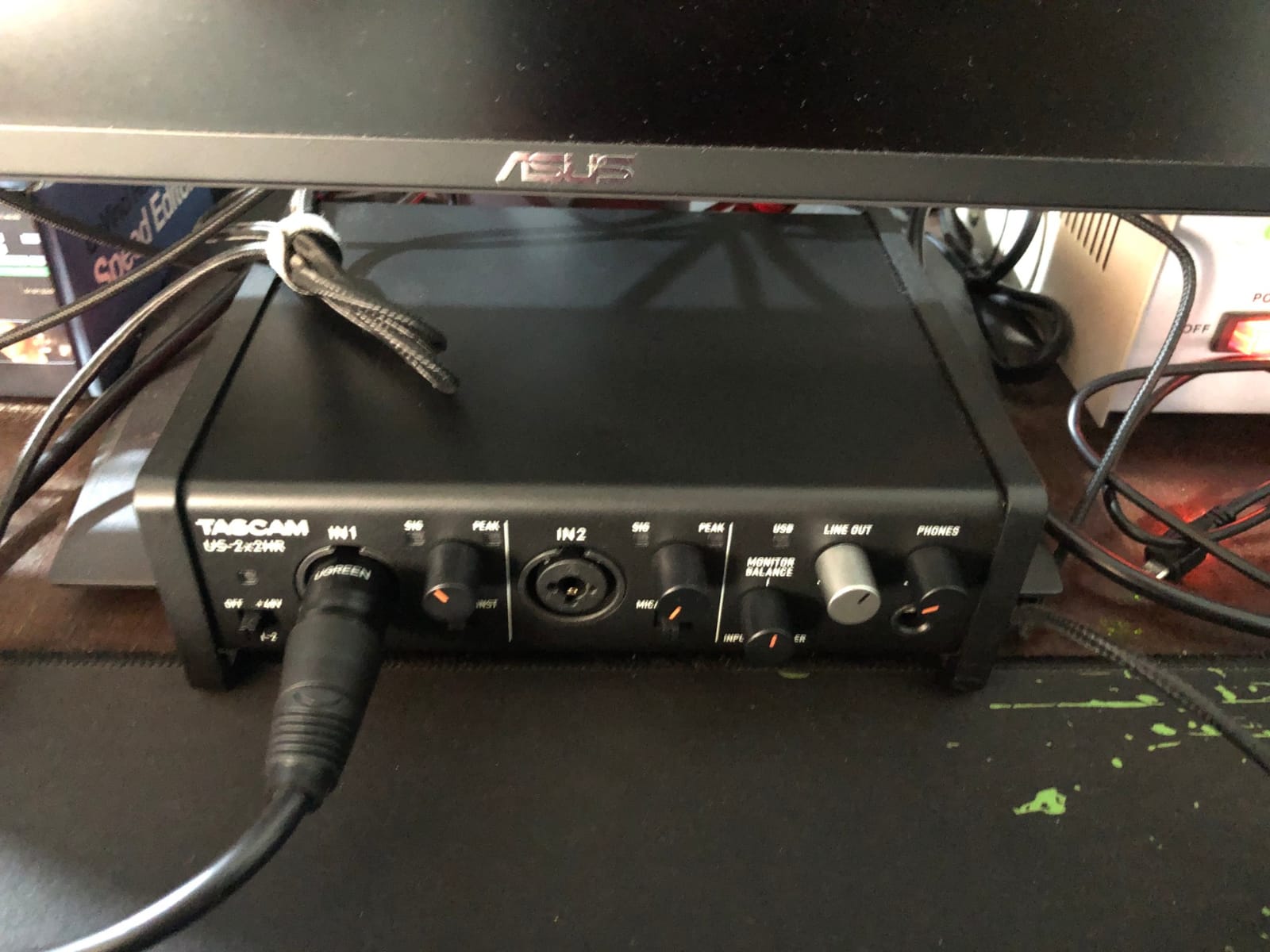
Both combo XLR inputs carry Ultra-HDDA mic preamps with 48V phantom power, and there are two combo TRS line inputs with guitar input support behind them. Physical knobs handle gain, monitor balance and headphone level, with peak and signal LEDs.
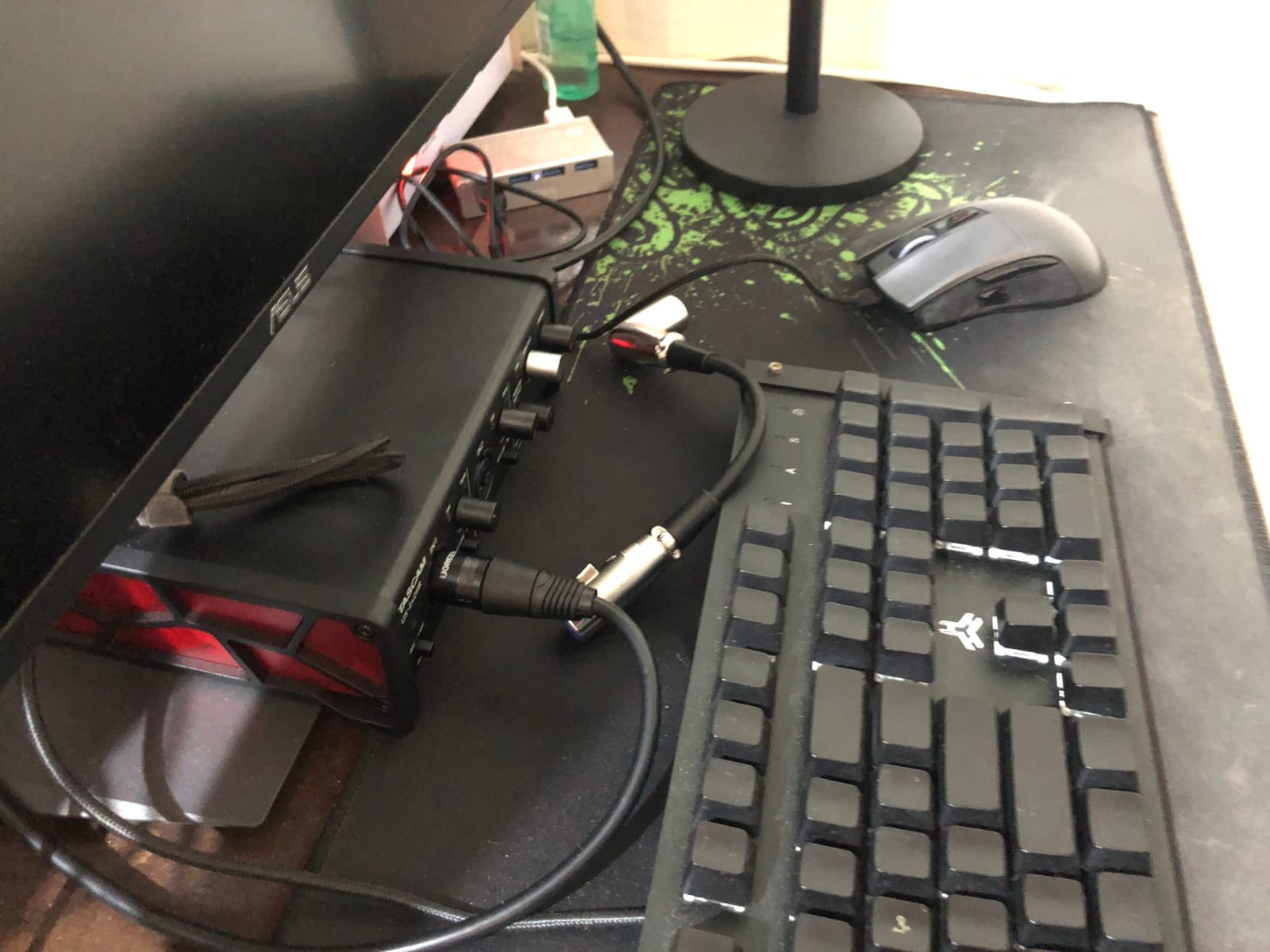
All controls being physical makes it unusually well behaved on Linux, since nothing depends on a virtual control surface being recognised. The metal chassis and tilted base also make it the most stable unit here when you move cables around.
Reviewers often compare its sound favourably with the Focusrite 2i2. The monitor balance knob lets you blend between direct headphone monitoring and computer playback without leaving your desk.
Where the US-2x2HR earns its place
Latency is the whole selling point. Four-sample buffers mean a vocalist tracking to headphones can react to what they hear rather than to what they remember hearing.
Loopback and MIDI are both built in, so it covers streaming and controller duties without needing a second box.
Where the Tascam costs you
At 303 ratings it has by far the smallest review base in this group, so buyer confidence rests on a thinner body of evidence than the alternatives.
There are a small number of reports of high whining noise when a microphone is connected, and occasional reports of units failing after a few months. Neither is widespread, but both are worth knowing before you commit.
7. Behringer UMC22 — Budget Pick Starting Out
Behringer UMC22 Audiophile 2×2, 48 kHz USB Audio Interface with Midas Mic Preamplifier | For Recording Microphones and Instruments
2 Midas-designed combo inputs
USB bus powered
96kHz max, direct monitor switch
Pros
- Low entry cost for a genuine two-microphone interface
- Midas-designed mic preamp on both combo inputs
- Direct monitor select with status and signal clip LEDs
- Bus-powered over USB so no separate power supply
- Works with Pro Tools Ableton Live and Cubase
Cons
- Maximum sample rate limited to 96kHz
- Only one headphone output so two performers cannot each monitor
- Budget converters with less detail than current-generation rivals
The UMC22 has been the budget reference in two-input interfaces for long enough that 12,798 ratings have piled up behind it, averaging 4.5 stars. Two combo inputs accept balanced XLR, quarter-inch TRS and unbalanced TS, and there is an extra quarter-inch instrument input on the front.
The preamps are Midas-designed, which is not a marketing trick at this tier. Phantom power is on a rear switch rather than per channel, which matters more than it sounds, and we will get to why in a moment.
It is bus-powered over USB and weighs 16 ounces, so it fits in a laptop bag with the microphones. The direct monitor select switch gives you zero-latency monitoring, with status and signal clip LEDs for level reference.
It also just works. Owners record in Pro Tools, Ableton Live and Cubase without driver drama, which is more than can be said for plenty of budget hardware.
Why the UMC22 remains the sensible first box
Two real XLR inputs and a Midas preamp on each is a real starting point, not a compromise you will need to replace in a year. The combo inputs accept a microphone at the same time as a line source, so one channel is not wasted.
It is also the easiest unit here to move between two locations, at 16 ounces with no power brick. For someone recording an interview in a spare room and a show in a home office, that portability counts.
Where the UMC22 shows its age
The 96kHz maximum sample rate is the first limitation, and it is a third of what the newer units reach.
One headphone output is the harder problem in a two-person room. Two performers cannot each get a private feed, and the cheapest fix is a splitter, which gives both people the same mix. Phantom power is a single rear switch rather than a per-channel control, so you need to know what is on the end of each cable before you flip it.
8. M-Audio M-Track Duo — Best Two-Input Bargain
M-AUDIO M-Track Duo USB Audio Interface
2 combo XLR/line/instrument inputs
Phantom power
USB/Direct switch for zero-latency monitoring
Pros
- Two genuine XLR inputs at a very low price
- Zero-latency direct monitoring via the USB/Direct switch
- Clean low-noise headphone monitoring even with gain open
- Works immediately on macOS Windows iOS and Android
- Bundled MPC Beats and Ableton Live Lite
Cons
- Gain pots taper sharply in the top of their travel
- Phantom power feels under-driven with some condenser microphones
- Light all-plastic chassis that slides when cables move
The M-Track Duo is the cheapest credible way to get two XLR inputs, two combo line and instrument sockets, and phantom power in one box. It holds a 4.4 average from 6,539 ratings, and 73 percent of those ratings are five stars.
The USB/Direct switch is the detail that matters most. Flip it and you monitor the inputs directly with zero latency, which is what you want while a guest is talking and you cannot tolerate the delay of a software round trip.
Crystal preamps handle both dynamic and condenser microphones, and headphone monitoring stays low-noise even with the gain open wide. It runs on macOS, Windows, iOS and Android, and MPC Beats comes bundled from Akai Professional.
That bundled software is the quiet win. A beginner with two microphones and no recording application can have a usable multitrack session on the same afternoon they unbox it.
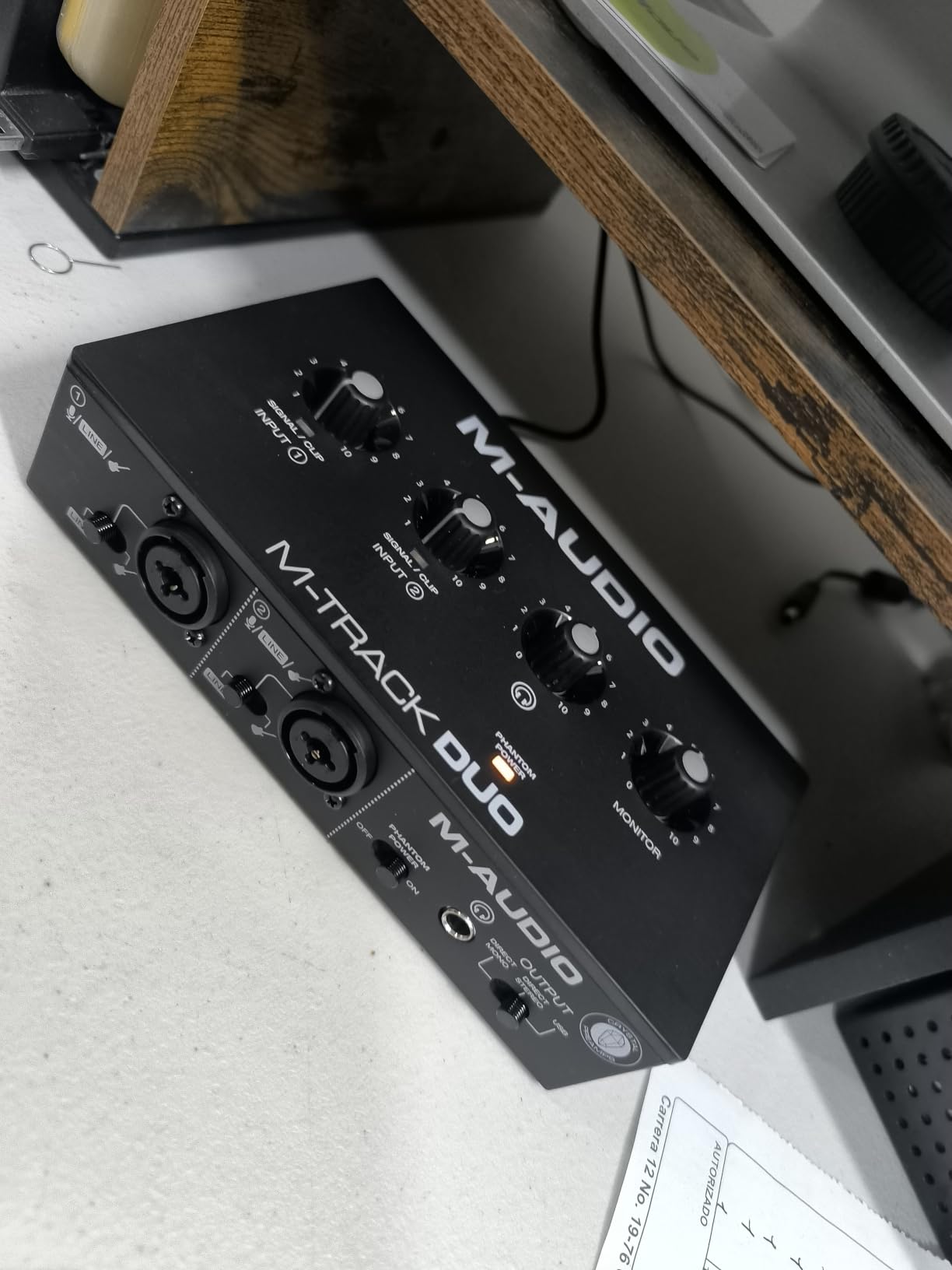
Why the M-Track Duo earns a place
Zero-latency direct monitoring on a budget box is unusual. For anyone who has tried to record themselves and given up because of the delay, that switch alone justifies the unit.
Cross-platform support extends to iOS and Android, so the same box can serve a laptop session and a tablet recording.
Where the M-Track Duo frustrates
The gain pots are the most repeated complaint. Their taper means levels jump sharply in the final 5 to 10 percent of travel, which makes precise level matching between two different microphones harder than it needs to be.
Phantom power feels under-driven with some condenser microphones, and the all-plastic, 0.3 kg chassis slides across the desk when front cables move. It also tops out at 48kHz.
How to Record Two Mics as Separate Tracks
Most of the trouble people report with two microphones is a routing mistake rather than a hardware problem. Two mics into one interface arrive at your computer as two channels, and if your session is set to stereo you get one blended file instead of two editable voices.
Plug both XLR cables in. One microphone per combo input, and connect the interface to your computer with the USB or USB-C cable supplied.
Set the channel configuration to 2 mono, not stereo. This is the step that matters. In your DAW or recording app, choose two mono channels rather than one stereo pair.
Set gain on channel one, then match channel two. Take the hotter microphone down until both hit similar peaks, rather than pushing the quieter one up.
Give each person an independent headphone feed where the interface allows it. Four outputs on the Audient EVO 4, two on the iD14 MKII, or a splitter elsewhere.
Record ten seconds of both voices talking and check the levels. Adjust before the interview starts, not twenty minutes into it.
Users report that this 2-mono-versus-stereo confusion is the single most common reason two-microphone recordings arrive unusable. Fix it before the conversation, and the rest of the session goes smoothly.
What to Look for in an Audio Interface for Two Microphones
1. Two independent XLR mic preamps. Two combo inputs are the minimum viable count. Each needs its own gain control, and both must record as separate mono channels. Some budget units advertise two inputs where the second is a line socket only.
2. Phantom power you can control per channel. A mic preamp is the small amplifier that lifts a microphone signal to line level before conversion. Phantom power is the 48V DC sent up the XLR cable to power condenser microphones. Condenser microphones need it, dynamic microphones do not, and a passive ribbon microphone must never receive it. Several boxes on this list, including the Behringer UMC22, use a single switch rather than per-channel control, so check what is connected before you flip it.
3. Direct monitoring with a switch you can actually find. Direct monitoring routes the microphone signal straight to your headphones without passing through the computer, which removes latency. On the M-Track Duo it is the USB/Direct switch, on the MOTU M2 it is hardware monitoring, and on the Tascam US-2x2HR it is blendable with a monitor balance knob.
4. Headphone outputs sized for two people. This is where most two-mic lists go wrong. A single headphone jack forces two performers to share one feed, and the second person ends up unmonitored or sharing a single pair of headphones. The Audient EVO 4 has four outputs, the iD14 MKII has two, and everything else needs a splitter.
5. Loopback if a remote guest will ever join. Loopback captures playback from your computer back into a recording, so a browser call or a video reference can be captured on its own track. The Audient EVO 4 and the Tascam US-2x2HR both include it.
6. Sample rate and converters matched to your work. Anything at 48kHz is fine for speech and most music. The 96kHz ceiling on the Behringer UMC22 and both Audient units only matters for archival or high-resolution work. Users also note that a better interface cannot rescue a bad microphone, but a poor interface will undo what a good one does.
7. Gain headroom for quiet microphones. A low-output dynamic such as an SM7B needs far more clean gain than a typical condenser. When pairing a very quiet microphone with a loud one, budget preamps run out of headroom first, which is why the preamp architecture, rather than the converter resolution, is worth paying up for.
The result is a genuine trade-off between cost and headroom. We recommend the best XLR audio interfaces we tested as the broader context if you want to see how these two-input units compare with larger channel counts.
When You Do Not Need an Audio Interface at All
If you and your co-host are not in the same room, none of the eight products above will help you. Remote recording platforms have each person record a local high-quality track, then upload it for the host to sync and edit, so you need one interface per person rather than one interface with two preamps.
That workflow gives you isolated local audio with no internet-quality compression, and it removes gain matching between two mismatched microphones entirely, because nobody is sharing a room. The trade-off is dependence on a stable connection and on the platform. If both voices happen to be in one room, a two-input interface is exactly what you need.
Frequently Asked Questions
What is the best audio interface for connecting two mics?
For most two-microphone setups, the Focusrite Scarlett 2i2 4th Gen is the best all-round choice. It has two mic preamps with 48V phantom power, Auto Gain that sets levels automatically, and Clip Safe that prevents clipped takes. The Audient EVO 4 is the better pick if two people in the room each need their own headphone feed, because it has four headphone outputs. The MOTU M2 offers the strongest value at this channel count.
What is a good audio interface with 2 inputs?
A good two-input interface needs two independent XLR mic preamps, each with its own gain control and 48V phantom power, plus the ability to record both inputs as separate mono tracks. Two combo XLR/TRS inputs are the standard configuration. Sample rate is secondary for speech: 48kHz is sufficient, and 96kHz or above matters mainly for archival work.
Do all XLR mics need phantom power?
No. Condenser microphones require 48V phantom power because they need an external power source. Dynamic microphones generate their own signal and do not need it. Active ribbon microphones usually take phantom power, while passive ribbon microphones must never receive it, since the voltage can damage the ribbon. Several budget interfaces apply phantom power through a single switch rather than per channel, so confirm what is connected before switching it on.
How do I record two microphones as separate tracks?
Plug each microphone into its own XLR combo input, connect the interface to your computer by USB, and set the recording session to 2 mono channels rather than stereo. Each microphone then records to its own track and can be edited independently. Set gain on the louder microphone down until both peaks match, rather than raising the quieter one. Two mono channels is the step people most often miss, and a stereo setting blends both voices into one uneditable file.
Do I need an audio interface for a podcast with two hosts?
Only if both hosts are recording in the same room. If you and your co-host are in different locations, a remote platform where each person records a local track means you need one interface per person and no gain matching between mismatched microphones. For same-room recording, a two-input interface gives you independent gain, phantom power and control, and each host should have a separate headphone feed.
Conclusion
The best audio interfaces for two microphones come down to one question: are two people in the same room? If so, pick the Focusrite Scarlett 2i2 4th Gen for the smoothest level matching, the MOTU M2 for value and readable meters, or the Audient EVO 4 if both speakers need their own headphone feed.
Set the session to 2 mono, match the gain on the hotter microphone down rather than the quieter one up, and give each person a separate set of closed-back headphones. That setup is what turns two microphones into two usable tracks, and it is unchanged in 2026 no matter which interface you pick.