
If you have been comparing audio interfaces and every list looks the same, the reason is simple. Most roundups rank by price and ignore the only thing that matters, which is what you plan to record. A box that flatters a solo vocal, a box that drives 250 ohm headphones for mixing, and a box that captures four instruments at once are not the same purchase, and the cheapest one on the shelf is often the wrong one.
That is the filter we used for this guide to the best audio interfaces under 300 dollars. Every model here was confirmed to sit below that ceiling when we checked the listing, and every pick is ranked by the job it does well. We did not include anything we could not place against a real use case, and we left out plenty of hardware that looked good on paper.
Three picks lead the list. The Behringer UMC22 Audiophile is the one we recommend most often because it is the most widely owned two-channel interface in the category and it just works. The Behringer UMC202HD is the cheapest route to 24-bit/192 kHz conversion. The PreSonus AudioBox 96 25th Anniversary is the value pick, because the bundled software and MIDI I/O are worth more than the price gap suggests.
Before the list, one quick note on what these boxes actually are. An audio interface takes the tiny analog signal from your microphone or guitar, adds up to around 60 dB of preamp gain, applies phantom power for condenser mics, and converts the result to digital audio your computer can record. A separate converter path sends your mix back out to your headphones and studio monitors. If you are just starting out, our guide to XLR audio interfaces explains the connection types in more depth.
We have also written separate breakdowns for narrower setups. If your main job is voice and streaming, read our streaming interface picks instead. If you are running two hosts around one table, our podcast interface roundup goes deeper on that setup.
Table of Contents
Top 3 Picks for Best Audio Interfaces Under 300 Dollars in 2026
These three cover the three most common jobs at this budget: a dependable two-channel starter, the cheapest way to get high-resolution conversion, and the best total package for a musician who wants software included.

Behringer UMC22 Audiophile
- Midas-designed preamp
- Bus-powered USB
- Two TRS outputs
- Direct monitor select


PreSonus AudioBox 96 25th
- Class-A preamps
- MIDI in and out
- Zero-latency monitor mix
- Software bundle
Everything below costs less than 300 dollars, and everything below has a real reason to exist. Read the whole list if you are undecided, or jump to the one that matches your session.
Best Audio Interfaces Under $300 in October
| Product | Specifications | Action |
|---|---|---|
| Behringer UMC22 Audiophile |
|
Check Latest Price |
| Behringer UMC202HD |
|
Check Latest Price |
| PreSonus AudioBox 96 25th |
|
Check Latest Price |
 Focusrite Scarlett Solo 4th Gen Focusrite Scarlett Solo 4th Gen |
|
Check Latest Price |
 Audient EVO 4 Audient EVO 4 |
|
Check Latest Price |
 MOTU M2 MOTU M2 |
|
Check Latest Price |
 Audient iD4 MKII Audient iD4 MKII |
|
Check Latest Price |
 Arturia MiniFuse 1 Arturia MiniFuse 1 |
|
Check Latest Price |
 MOTU M4 MOTU M4 |
|
Check Latest Price |
 Universal Audio Volt 2 Universal Audio Volt 2 |
|
Check Latest Price |
A note on the ranking. Position one is not the loudest or the newest box here. It is the one with the least friction between a new user and a working recording, and that has mattered more at this budget than any other factor.
1. Behringer UMC22 Audiophile: Best Overall Two-Channel Starter
Behringer UMC22 Audiophile 2×2, 48 kHz USB Audio Interface with Midas Mic Preamplifier | For Recording Microphones and Instruments
48 kHz/24-bit maximum
Midas-designed preamp
Bus-powered USB
2x 1/4 inch TRS outputs
Pros
- Midas-designed preamp with a clean capture path
- Bus-powered so no adapter is needed
- Works with Pro Tools Ableton Live and Cubase
- Direct monitor select with clip and status LEDs
Cons
- 48 kHz ceiling is dated next to 192 kHz rivals
- Two inputs only with no MIDI or digital I/O
- Minimal chassis with limited headphone level control
This is the box we hand to someone recording their first vocal. With 12,798 ratings averaging 4.5 stars, it is not an interesting purchase, and that is exactly why it works. There is nothing to configure, no external power brick, and no driver step that catches people out.
Set-up takes under a minute. Plug in a microphone, install the software, and the Midas-designed preamp gives you enough clean gain for a condenser or a dynamic microphone without any drama. Reviewers repeatedly point out how rarely it introduces noise into a take, which matters far more than a headline resolution number.
The front-panel combination jack accepts XLR, quarter-inch TRS and unbalanced TS, and there is a separate quarter-inch TRS instrument input. Rear panel handling covers the two balanced quarter-inch TRS outputs for studio monitors plus a switchable 48V phantom supply and direct monitor select.
Our honest limitation is the 48 kHz maximum sample rate. That is the same rate a video file runs at, and for vocals, guitar, acoustic instruments and spoken-word podcasting it makes no practical difference to the finished recording. If you plan on high-resolution work, look at position two instead.
Who this suits best
A first home studio, a singer-songwriter who tracks one voice and one instrument, and anyone recording spoken word or a two-host podcast from a single laptop. The bus-powered design also makes it the easiest box here to move between a desk and a bag.
It is equally a good fit for anyone whose microphone is a dynamic model such as an SM58, since the preamp noise floor sits well below what that microphone produces. You are not paying for headroom you will never touch.
Who should pass on it
Skip it if your plan involves capturing a stereo pair of microphones at once, or tracking a guitar and a vocal simultaneously. You would need an external preamp or a small DI box to get there, and at that point a four-input model fits the job better.
Also pass if you specifically want to work at 96 kHz or higher. The headroom exists, the converter does not.
2. Behringer UMC202HD: Best Budget Pick for High-Resolution Recording
Behringer UMC202HD Audiophile 2×2, 24-Bit/192 kHz USB Audio Interface with Midas Mic Preamplifiers | For Recording Microphones and Instruments
24-bit/192 kHz resolution
Two Midas-designed preamps
Impact-resistant metal chassis
Direct monitor select
Pros
- 192 kHz/24-bit spec is far above the entry tier
- Two Midas-designed preamps
- Impact-resistant metal chassis built to travel
- Phones output with level control and direct monitor
- Works on both Windows and macOS with major DAWs
Cons
- Bus power only so some laptops struggle to supply current
- Two inputs means a stereo pair needs an external preamp
- Basic analog meters instead of a screen
This is the cheapest way into 24-bit/192 kHz conversion, and the spec gap versus position one is the entire argument for it. The same two Midas-designed preamps do the amplification work, but the converters reach six times the sample rate of the UMC22.
Does that resolution matter to you? For acoustic guitar, fingerpicked vocals and dense acoustic arrangements, a higher rate captures transient detail that a 48 kHz capture can soften. It is not transformative, but it costs almost nothing extra and the chassis is sturdier, rated as impact-resistant metal rather than a thin shell.
It is also the first box on this list we would happily hand to someone moving between studios. At 1.2 pounds and with a headphone output that has its own level control, it takes the beating a mobile rig takes. Mac and Windows are both listed as supported operating systems.
The catch is bus power. A slim laptop with a single port may not deliver enough current, and you will get intermittent dropouts rather than a clean error message. We have seen this most often on older ultraportables with ports that split charging and data.
Who this suits best
Someone who wants a high sample-rate ceiling without moving up a tier, and who records acoustic instruments where transient detail is the point. Metal construction suits a rig that lives in a case and travels to sessions.
It also makes sense as a step up from an older budget box, because the converter difference is the one part of an interface you cannot fix in software later.
Who should pass on it
Pass if you record on a laptop with only USB-C ports and no way to add a powered hub. The bus-power requirement is the single most common complaint, and it is avoidable by choosing a mains-powered model instead.
Two inputs is still two inputs. A stereo pair or a duo recording needs more channels than this provides.
3. PreSonus AudioBox 96 25th Anniversary: Best Value for Software and MIDI
PreSonus AudioBox 96 25th Anniversary USB Audio Interface
24-bit/96 kHz converters
2 Class-A mic preamps
MIDI input and output
Zero-latency monitor mixer
Pros
- Class-A preamps give a warmer more musical capture
- MIDI input and output included at this level
- Over 1000 dollars of bundled software including Studio One Artist
- Monitor mixer blends input and playback for zero-latency monitoring
- USB bus-powered so it works from a laptop alone
Cons
- 96 kHz ceiling trails 192 kHz rivals at similar prices
- USB 2.0 Type A to B cable rather than USB-C
- Global 48V phantom power with no per-channel switching
- Lowest average rating in this group at 4.3 stars
The AudioBox 96 is the only two-channel box in this group with real MIDI input and output, and that single fact changes who can use it. If you own a controller keyboard or a hardware synth, you can plug it straight in and record it as a separate MIDI track with no extra hardware.
The bundled software is the second argument. Studio One Artist, Ableton Live Lite and the Studio Magic plug-in suite all arrive with the box, which means a new user can make an actual record this week without buying a DAW. Over a thousand dollars of software is included by PreSonus’s own count.
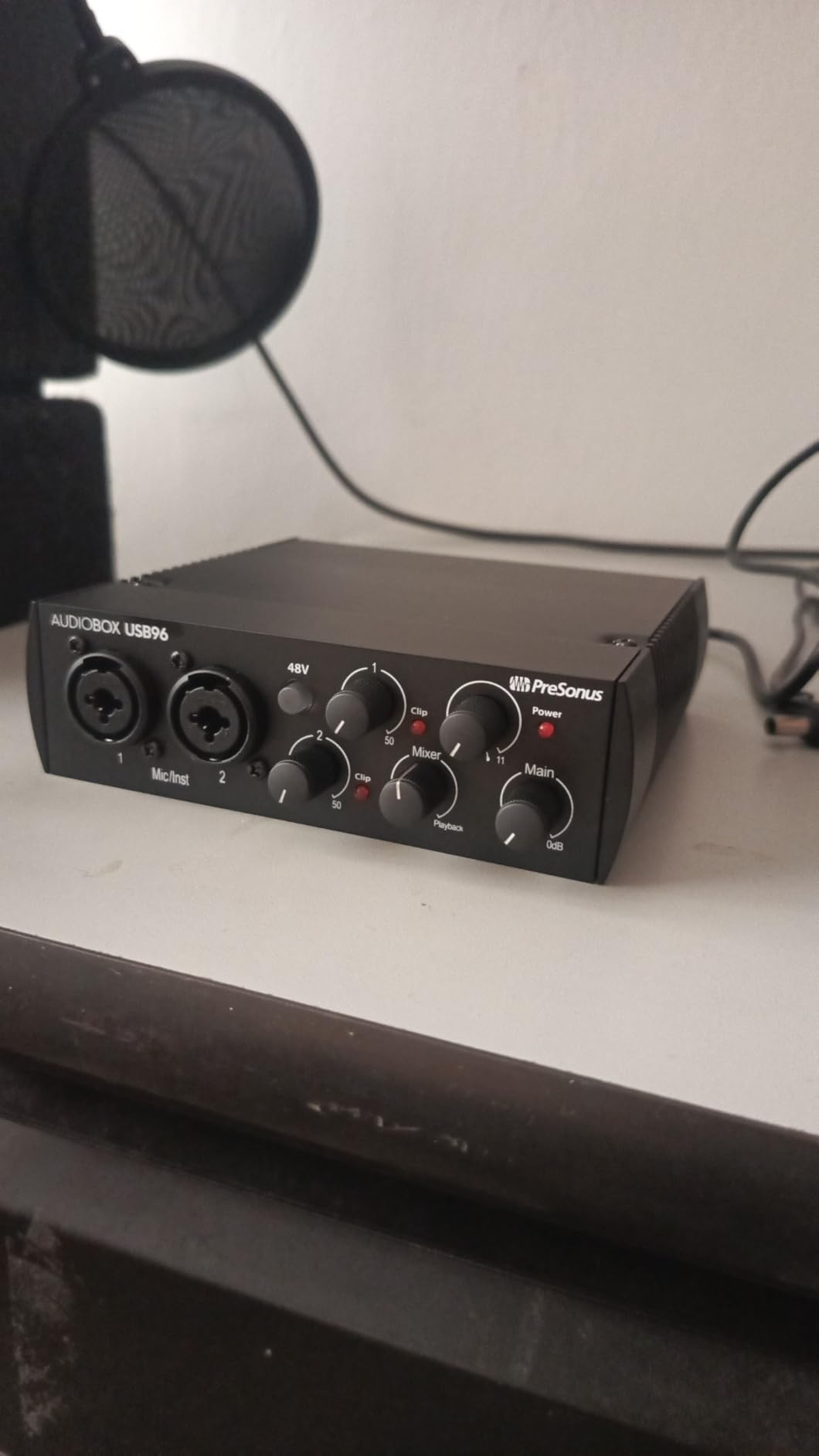
Monitoring is handled by an onboard mixer that blends the direct input against playback so you can build your own zero-latency balance. Two Class-A mic preamps give the capture a slightly warmer character than a purely solid-state chain, and there is a high-powered headphone output alongside balanced quarter-inch TRS line outputs.
Two compromises to know about. Maximum sample rate is 96 kHz, and the bundled cable is a USB 2.0 Type A to B rather than USB-C, so you will want a modern cable if your laptop only has USB-C ports. The 4.3 star average is the lowest of the ten boxes here, and one-star feedback clusters around phantom power behaviour and the older connection.
Who this suits best
Musicians who write on a MIDI keyboard and want hardware control inside the interface, plus anyone who would rather not purchase a DAW separately. Producers on a real budget should read our home studio interface picks to see how a bundle compares to a bare box.
It is also a strong first step for someone recording two things at once, such as a vocal and an acoustic guitar, since the second channel is a high-headroom instrument input.
Who should pass on it
Pass if you plan to run the DAW from a USB-C-only laptop and dislike hunting down cables. The interface works fine, but the included lead will not.
Also pass if you are working with ribbon microphones or anything needing per-channel phantom power, because the 48V supply here is global.
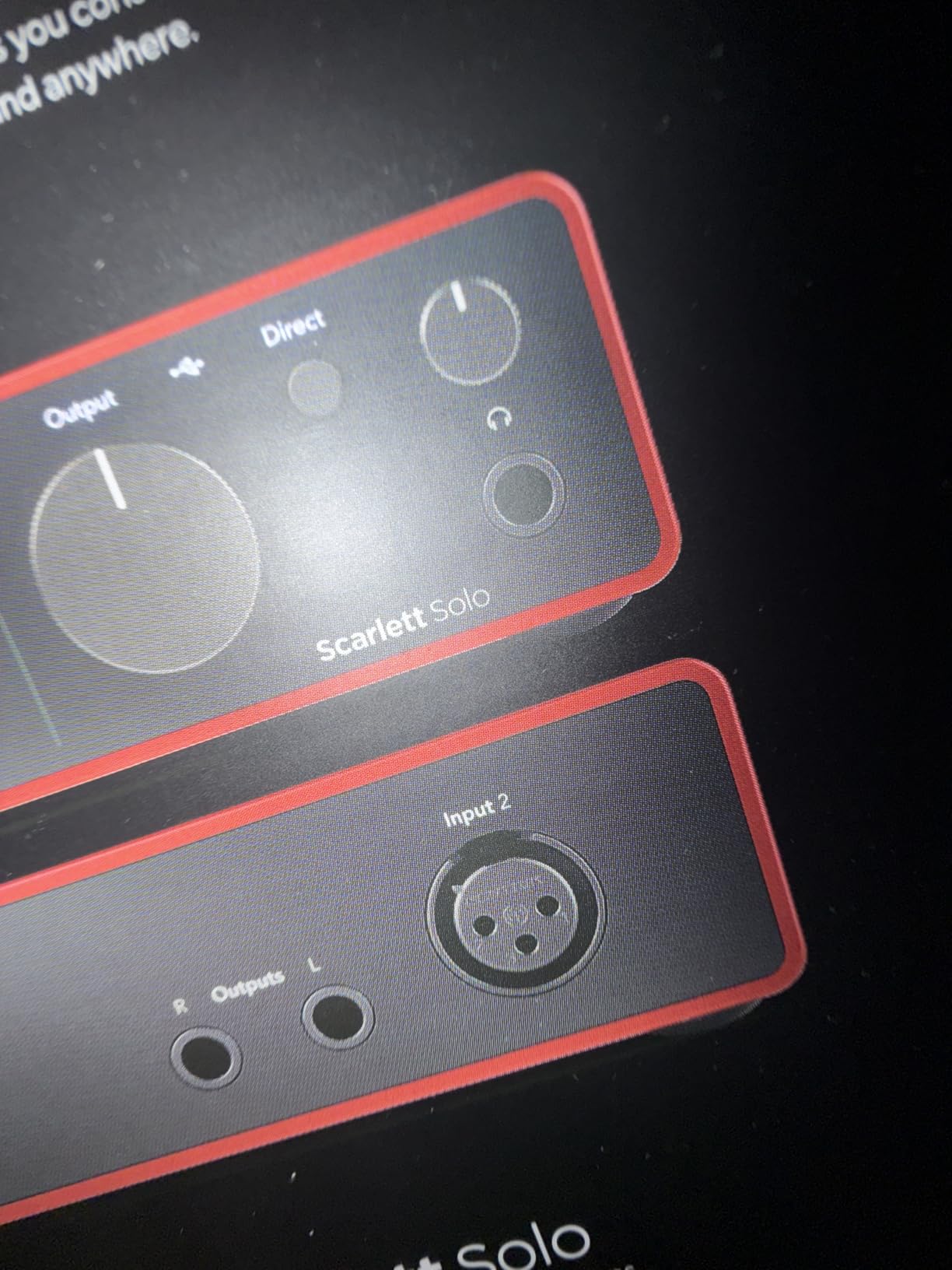
4. Focusrite Scarlett Solo 4th Gen: Best Seller for Solo Creators
Focusrite Scarlett Solo 4th Gen USB-C Audio Interface
24-bit/192 kHz conversion
120 dB dynamic range
One XLR plus one Hi-Z input
Improved Air mode
Pros
- 120 dB dynamic range using Focusrite flagship converters
- Air mode repeatedly praised for pushing vocals and guitars forward
- Very low latency with a clean headphone amplifier
- Gain LED indicators make clipping easy to avoid
- Compact premium-feeling build with a 3 year warranty
Cons
- Only one mic preamp so no stereo pair or duo recording
- Box includes a USB A-to-C cable rather than C-to-C
- Windows users report reduced input volume with some dynamic mics
- Not built for full band recording
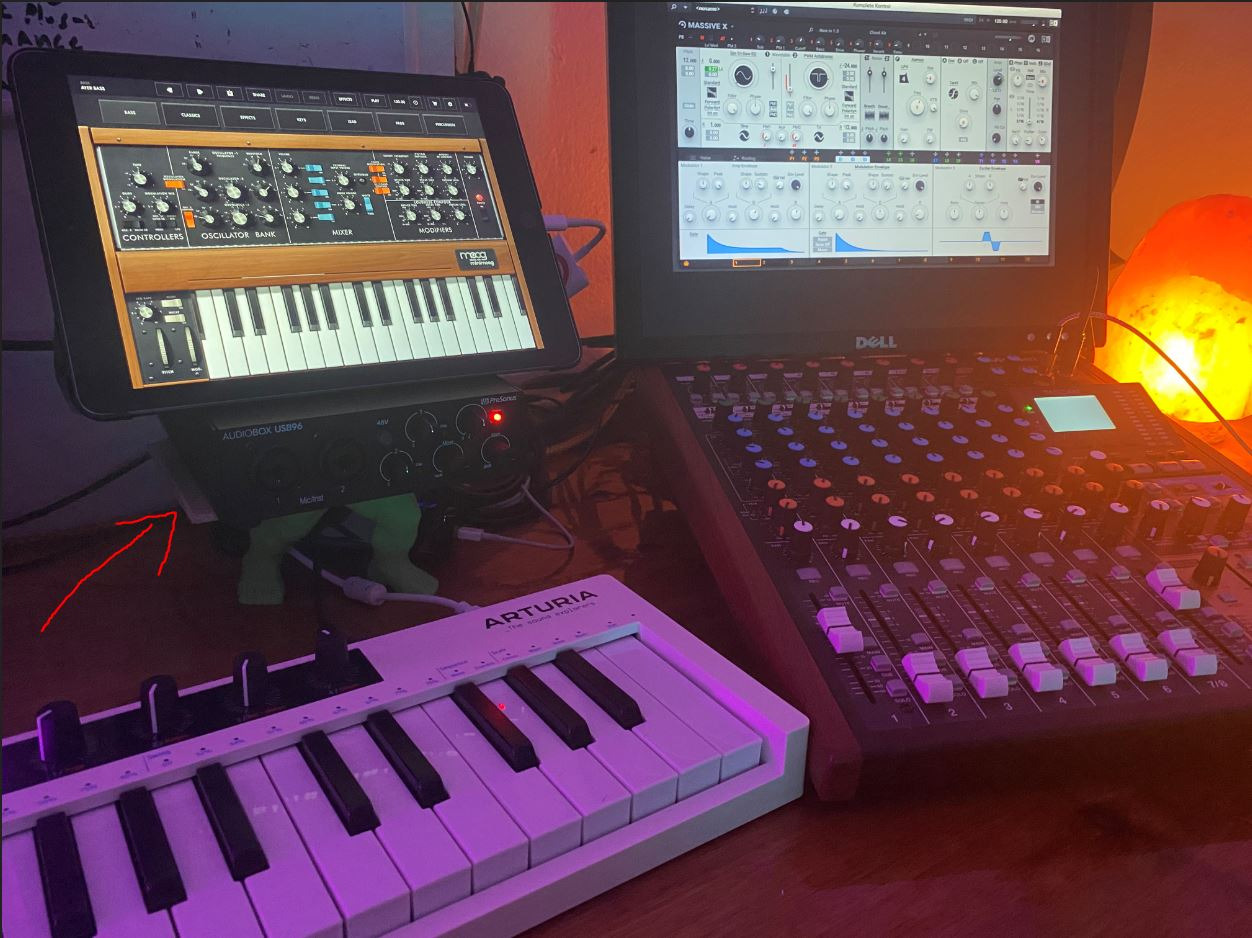
The Scarlett Solo 4th Gen ranks first in its category on Amazon with 2,765 ratings averaging 4.6 stars, and the reason is a feature nobody else at this size offers: Air mode. It adds presence and harmonic drive to a vocal or an acoustic guitar so it sits forward in a mix without a compressor plug-in.
Underneath that, the converters come from Focusrite’s flagship studio line and deliver 120 dB of dynamic range, which is the widest figure on this list. You get one XLR microphone preamp and one Hi-Z instrument input, so voice and guitar both work, but never at the same time.
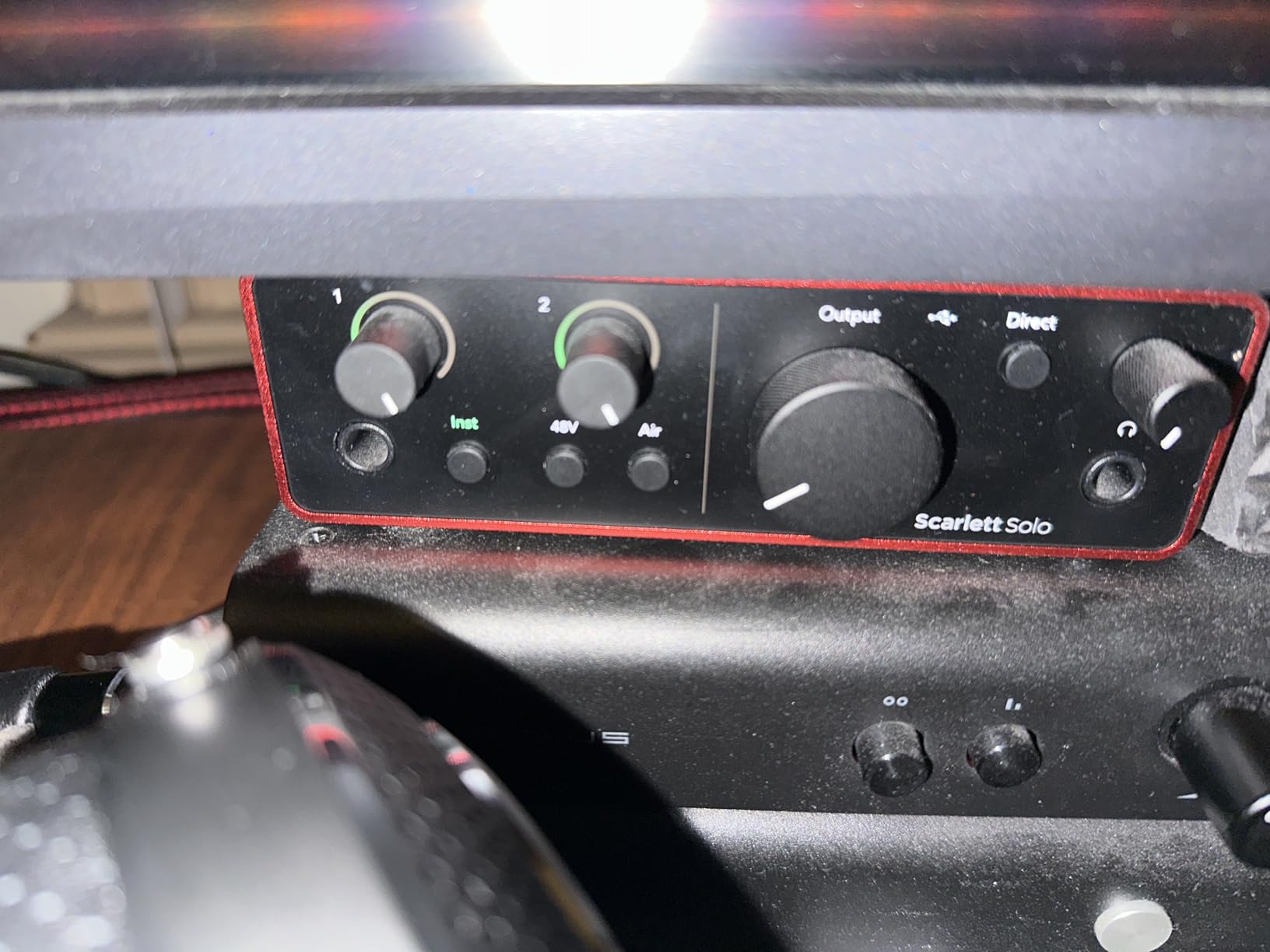
Loopback is built in for streaming and podcast capture, and the gain LED indicators show level without needing to open your software. Pro Tools Intro, Ableton Live Lite, Cubase LE and the Hitmaker Expansion all ship in the box. Mac, Windows and iPad are listed as compatible, with a three year manufacturer warranty.
Our caveat is the Windows driver behaviour. Some owners report the Focusrite Control driver reducing input volume with low-output dynamic microphones such as the SM58. It is not universal, but if your microphone is a dynamic model, install the driver first and check levels before a session.
Who this suits best
A singer-songwriter who records one part at a time and wants it to sound finished. Air mode is the closest thing to a recording shortcut in this list, and it works on acoustic guitar as well as voice.
Podcasters and streamers get a working loopback path and a headphone amplifier that reviewers describe as strong and clean. The compact footprint suits a small desk.
Who should pass on it
Pass if you plan to record a duo, a drum overhead pair, or a guitar and a vocal at once. One input is one input, and this box does not stretch.
On Windows with a dynamic microphone, test the driver before committing to it. Users have also flagged needing an out-of-box firmware step and occasional trouble with certain USB 3.0 ports.
5. Audient EVO 4: Best for Monitoring Speakers Only
Audient EVO 4 USB Audio Interface
AKM 24-bit/96 kHz converters
2 EVO-series preamps
Smart Gain control
JFET instrument input
Pros
- Audient console-derived preamps keep the chain transparent
- AKM 24-bit/96 kHz converters capture with low noise
- Smart Gain makes level setting fast and repeatable
- USB 2.0 bus-powered with no adapter needed
- Three year manufacturer warranty
Cons
- 96 kHz ceiling is lower than 192 kHz rivals in the same bracket
- Only one headphone output compared with the Audient iD4 MKII
- No MIDI I/O at all
- Low sales rank shows limited current demand
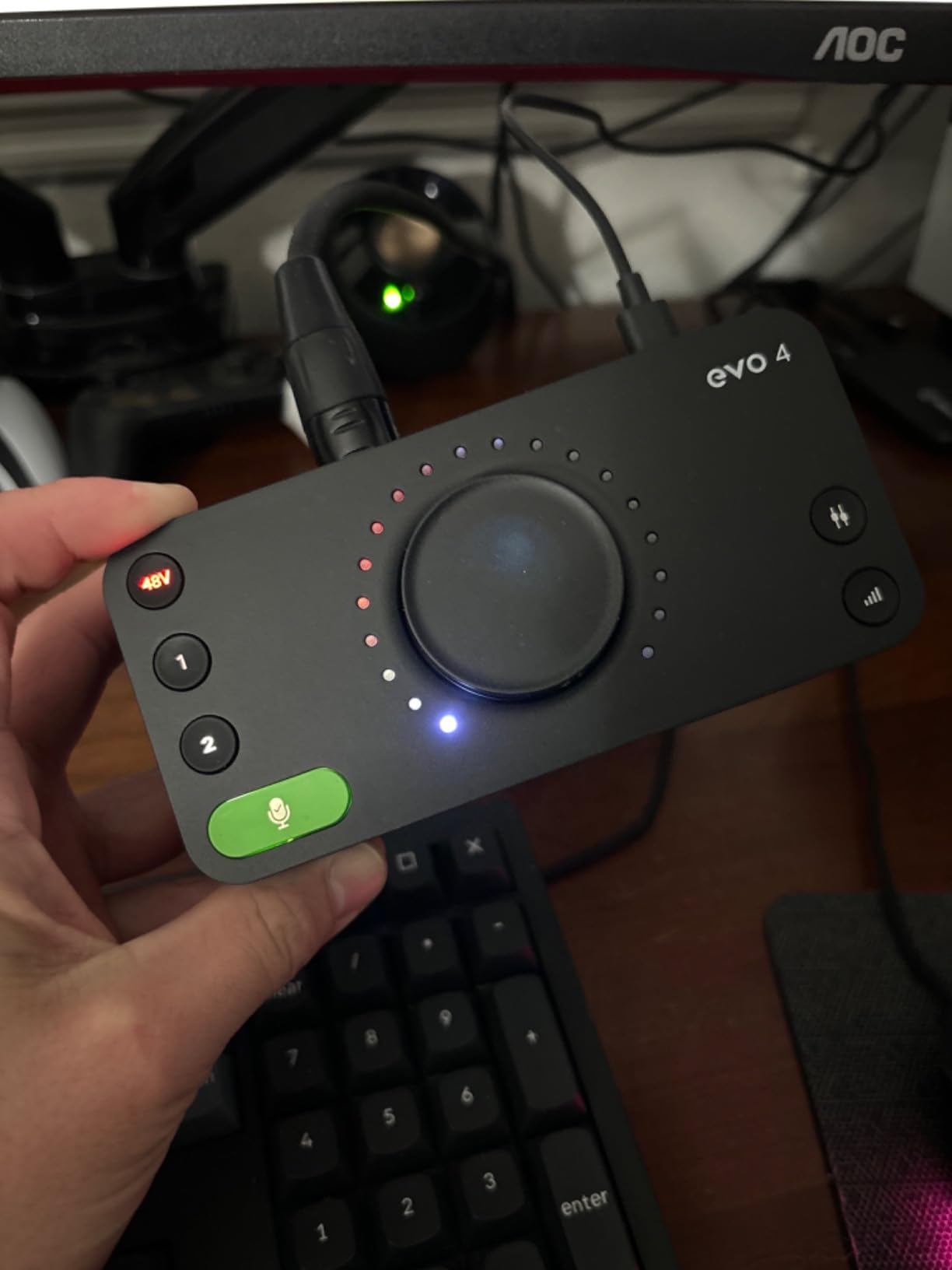
There is a version of this buyer that never records anything. They mix and master finished projects, they listen on studio monitors, and they want a clean reference path without paying for preamps they will not use. For that person the EVO 4 is the pick on this list, because it has dedicated speaker outputs alongside the headphone output.
The preamps are Audient console-derived and reviewers describe the capture as transparent, which is exactly what a mixing reference path should be. Converters are AKM at 24-bit/96 kHz, and Smart Gain gives you a repeatable level-setting routine instead of eyeballing a knob.
The instrument input is a JFET design, which gives a warmer, softer roll-off on electric guitar than a purely solid-state path. Loopback is present for capture, the enclosure is bus-powered over USB 2.0, and phantom power is there when you do record a condenser.
Two honest notes. The 96 kHz ceiling is the joint lowest on this list, and there is a single headphone output, so nobody beside you can share the cue mix. There is also no MIDI I/O at all.
Who this suits best
Mixing and mastering engineers working on monitors who want an honest signal path. The speaker outputs let the interface sit between your monitors and your computer without a separate volume controller.
It suits electric guitarists who like a JFET input character, and anyone who wants a transparent chain for voiceover and broadcast work rather than a coloured one.
Who should pass on it
Pass if you record at high sample rates, or if two people need to monitor at once. This box serves one listener and one conversion rate ceiling of 96 kHz.
It also suits nobody who wants a visible level reference, because there is no display. The Super Rotary encoder does a lot of jobs but it is not a meter.
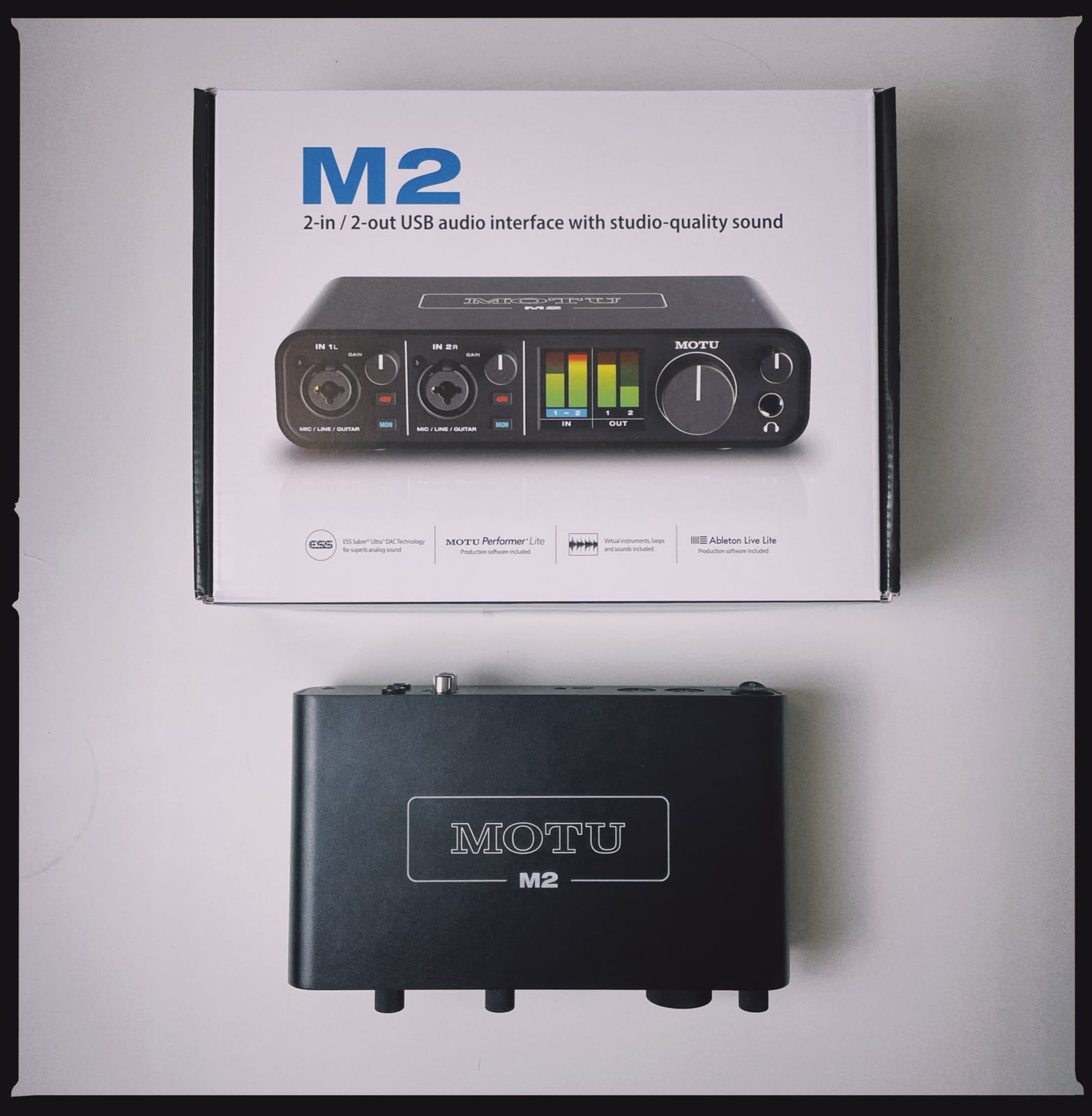
6. MOTU M2: Best for Podcasters and Two-Person Sessions
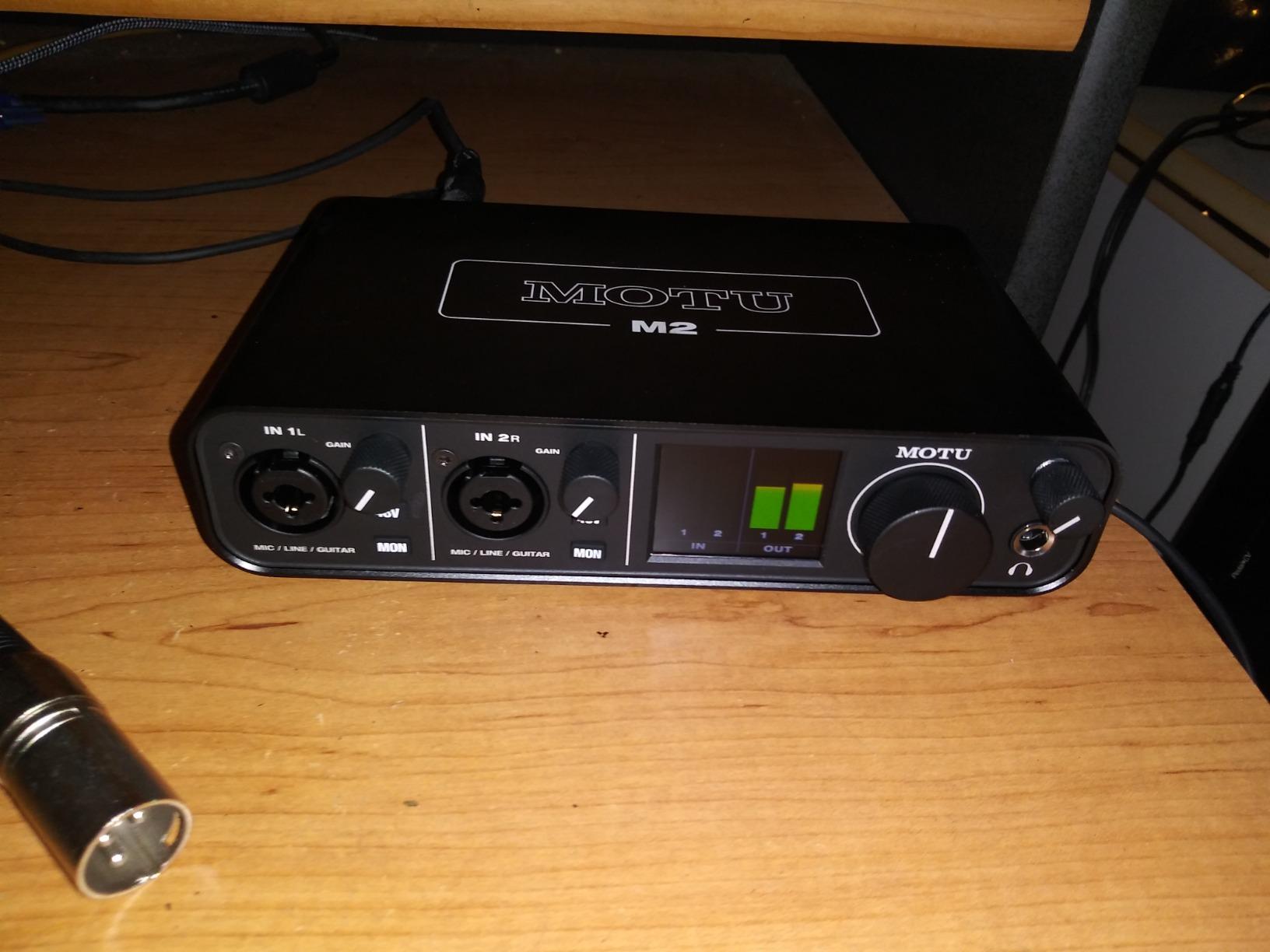
MOTU M2 USB-C Audio Interface
24-bit/192 kHz conversion
2 preamps and USB-C
Hardware monitoring for tracking
6+GB of bundled content
Pros
- Two preamps with 192 kHz/24-bit in a very small metal chassis
- Hardware monitoring gives near-zero latency tracking
- ESS converter technology delivers a wide dynamic range for the size
- Over 6GB of free MOTU software instruments and samples
- Strong 83 percent five-star share across 1568 reviews
Cons
- Only two inputs so a stereo pair cannot be captured at once
- No MIDI I/O
- Loopback and monitoring software less integrated on Mac than MOTU desktop software
Driver stability is the reason this box has a reputation. In conversations on r/musicproduction, owners describe the M2 as a reliable unit at a low price rather than a compromise, and nothing we have seen contradicts that. It connects over USB-C, is recognised immediately, and keeps working.
Two preamps convert at 24-bit/192 kHz, and hardware monitoring handles low-latency tracking without a software round trip. The ESS converter technology behind them delivers a wider dynamic range than most boxes at this size would suggest, which is what makes it viable as a two-host podcast chain.
Over 6GB of free MOTU software, instruments and sample content is included for macOS, Windows and iOS. That content is usable immediately and is a genuine addition to the total cost of ownership rather than a discount coupon. The enclosure is metal and the footprint is 7.5 by 4.25 inches, so it fits a laptop bag.
Two inputs is the hard limit. A stereo pair of microphones for a room-sounding podcast, or two condenser mics on stands for a music recording, both need more than this. Loopback is available, though on Mac it is less integrated with MOTU’s desktop software than the Windows experience.
Who this suits best
Two-host podcasts where each person gets a microphone and a headphone feed, and streamers who want hardware monitoring and a stable driver. For a fuller look at that specific build, our podcast interface roundup covers the alternatives in depth.
It is also the right call for someone who moves between Mac and Windows, because the bundled content and drivers cover both.
Who should pass on it
Pass if you want to record an instrument at the same time as a vocal, or capture a stereo microphone pair. You will be doing takes one at a time.
Anyone wanting a screen-based level reference should look at the MOTU M4 at position nine, which is the same platform with a colour LCD and more channels.
7. Audient iD4 MKII: Best Sound Quality for the Money
Audient Audio Interface iD4 MKII, Class A Console Microphone Preamp (High Speed USB-C, Monitor Mix and Monitor Panning Function, 2 Headphone Outputs, Mac/PC/iOS Compatible), Black
Audient ASP8024 HE Class-A preamp
JFET instrument input
Two independent headphone outputs
24-bit/96 kHz
Pros
- Class-A console preamp taken from the ASP8024 HE hardware
- Two separate headphone outputs for a second listener
- Monitor mix and monitor panning for headphone cueing
- USB-C carries data and power on one cable
- All-metal desktop housing with an 83 percent five-star share
Cons
- 96 kHz maximum sample rate rather than 192 kHz
- Single mic preamp and single instrument input
- No MIDI I/O
- Heavier chassis and higher power draw than bus-powered rivals
If you are asking which interface under 300 dollars has the best sound quality, this is the one to look at first. The preamp is a Class-A design taken from Audient’s ASP8024 HE console hardware, and owners consistently describe the preamps as belonging in far more expensive machines.
The two independent headphone outputs are the feature nobody else on this list matches. One pair goes on you, the other goes on the person performing next to you, and both can be panned independently in the monitor mix. For a tracking session where a second artist needs their own cue, that removes a splitter from the shopping list.
The instrument input is JFET, which gives a softer, warmer top end on electric guitar than a solid-state path. Connection is high-speed USB-C with improved bus power, a 1m cable is included, and the all-metal housing is built to sit on a desk permanently rather than travel.
Maximum sample rate is 96 kHz. That is the tradeoff for the preamp quality, and it is a defensible one because a large share of sessions are recorded and mixed at 48 kHz anyway. There is a single microphone preamp and no MIDI I/O, and the higher power draw means it is less friendly to bus-powered setups than the smaller boxes here.
Who this suits best
Guitarists and purists who want the most flattering, high-end analog character available under the ceiling. The JFET instrument input is the reason many owners bought it over a purely transparent model.
It is also the strongest option here for high-impedance headphone monitoring, since the dual outputs and monitor panning let two people mix by ear together. Anyone working from a single-cable setup with a modern laptop will like the USB-C approach.
Who should pass on it
Pass if you need to work at 96 kHz or higher, or if you need MIDI. Neither is on offer.
And pass if you are recording a duo at once. One preamp means one microphone, and no software setting changes that.
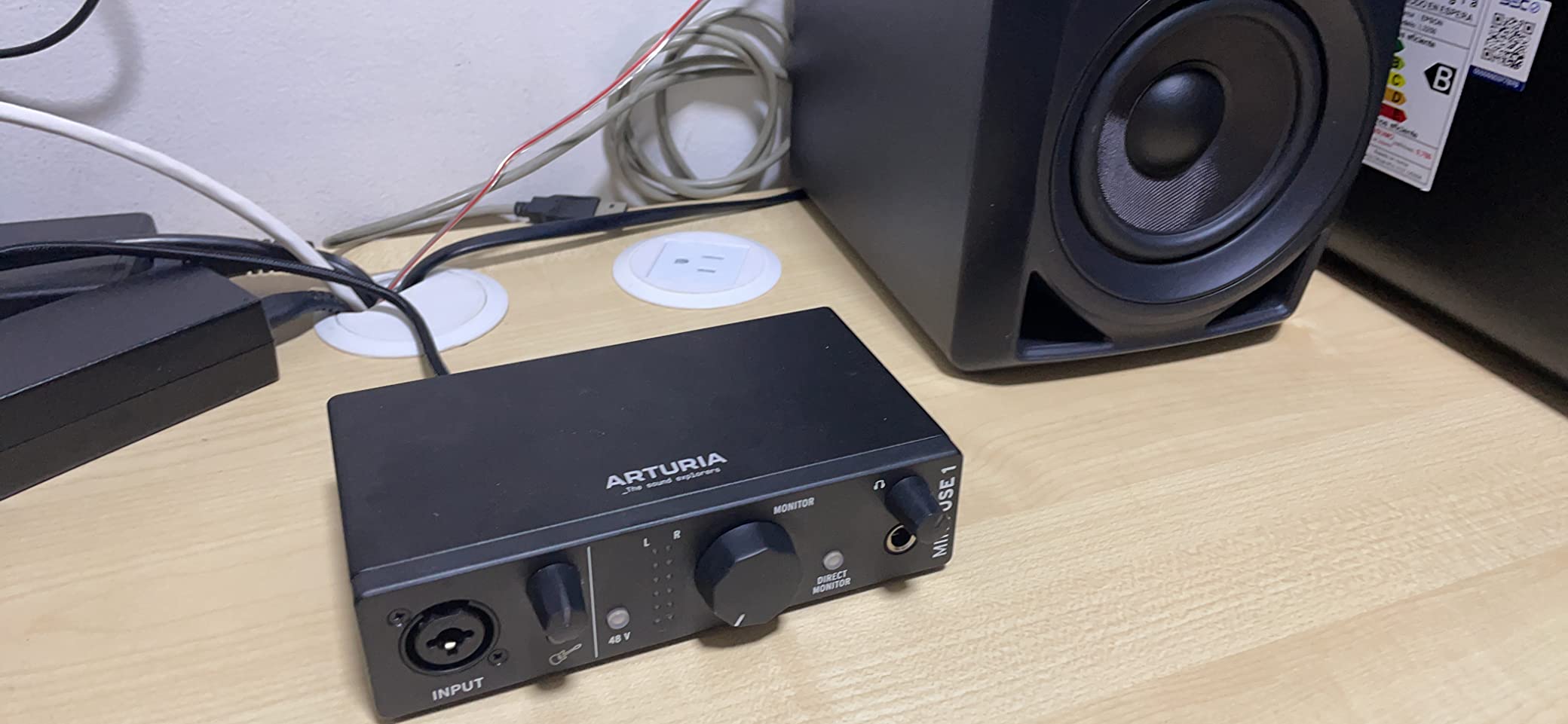
8. Arturia MiniFuse 1: Best for MIDI Controllers and Mobile Setups
Arturia MiniFuse USB Audio & MIDI Interface, MiniFuse 1
192 kHz conversion
1 combo XLR plus 2 TRS inputs
5-pin MIDI in and out
Rear USB hub port
Pros
- Exceptionally low noise floor and a transparent signal path
- Genuinely low latency that makes laptop tracking workable
- 5-pin MIDI in and out plus a rear USB hub for controllers
- Amphenol connectors on the input jack
- Compact metal chassis with a 5 year warranty
Cons
- Arturia registration is required before driver updates download
- A reboot is needed after installation before it appears
- Headphone output not suitable for small in-ear monitors
- Only one XLR input so no duo recording
Nothing else on this list packs the connectivity. Five-pin MIDI in and out means a controller keyboard or a hardware synth plugs straight in, and there is a rear USB Type-A hub port supplying 250mA, so a MIDI controller can be the only cable you need.
There is also a combo XLR microphone input with phantom power and two instrument or line TRS inputs, meaning you can capture a vocal and a guitar together even though there is only one true microphone channel. Conversion runs to 24-bit/192 kHz and the reported noise floor is low enough that reviewers describe the signal path as fully transparent.
The five year warranty is the longest in this group, and the build passed more than 200 reliability tests per unit. The software package is generous too, with Ableton Live Lite, Analog Lab Intro, Arturia FX, Guitar Rig 6 LE, Auto-Tune Unlimited and a Splice Creator Plan included.
Set-up has one genuine wrinkle: you register with Arturia before driver updates download, and the interface only appears in your software after a reboot. Budget five minutes for it. The headphone output is also not designed for small in-ear monitors.
Who this suits best
Electronic music producers working with hardware controllers who want MIDI and audio in one small box. The rear hub removes the need for a separate adapter once the controller is plugged in.
It is also a good mobile pick at 14.4 ounces with a metal chassis, and the low latency is what makes tracking in a room without monitors practical.
Who should pass on it
Pass if you need to record two microphones at once, or if you want zero setup steps. The registration and reboot sequence trips up people who expect to plug in and go.
Monitorers at low impedance are not the target here, and if you plan to record a band, one XLR channel will not carry it.
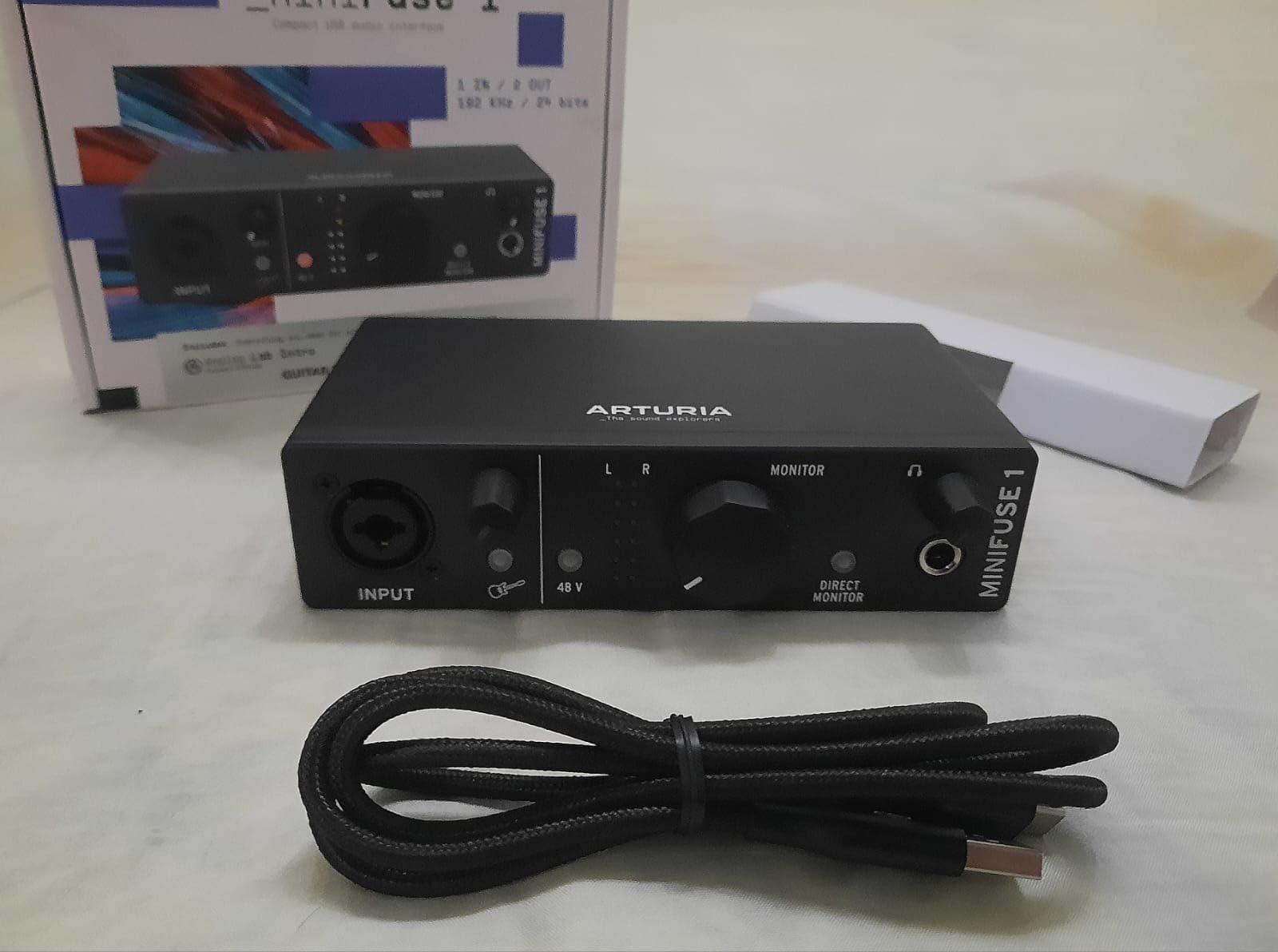
9. MOTU M4: Best for Bands and Sessions That Need to Grow
Motu M4 4×4 USB-C Audio Interface
4-in/4-out at 24-bit/192 kHz
Colour LCD for metering
MIDI I/O and loopback
Hardware monitoring
Pros
- Four inputs and four outputs give far more session headroom
- Colour LCD makes metering and setup much clearer
- 192 kHz/24-bit conversion with MOTU ESS converters
- Hardware monitoring and loopback cover tracking and streaming
- MIDI I/O included for synths and controllers
Cons
- Widest footprint in this group at 8.25 inches
- Sits at the top of the sub-300 category
- Only two microphone preamps despite four inputs
- Headphone output limited to a single pair
This is the one to buy if you record more than one source. Four inputs and four outputs means a guitar DI and a vocal at the same time, or a stereo pair of overheads alongside a close microphone, without buying an external preamp to fake extra channels.
The colour LCD is the practical win. Metering and configuration happen on a real screen rather than a row of LEDs, which matters as soon as four channels arrive at once. Conversion is 24-bit/192 kHz through MOTU ESS converters, and hardware monitoring plus loopback cover both tracking and streaming.
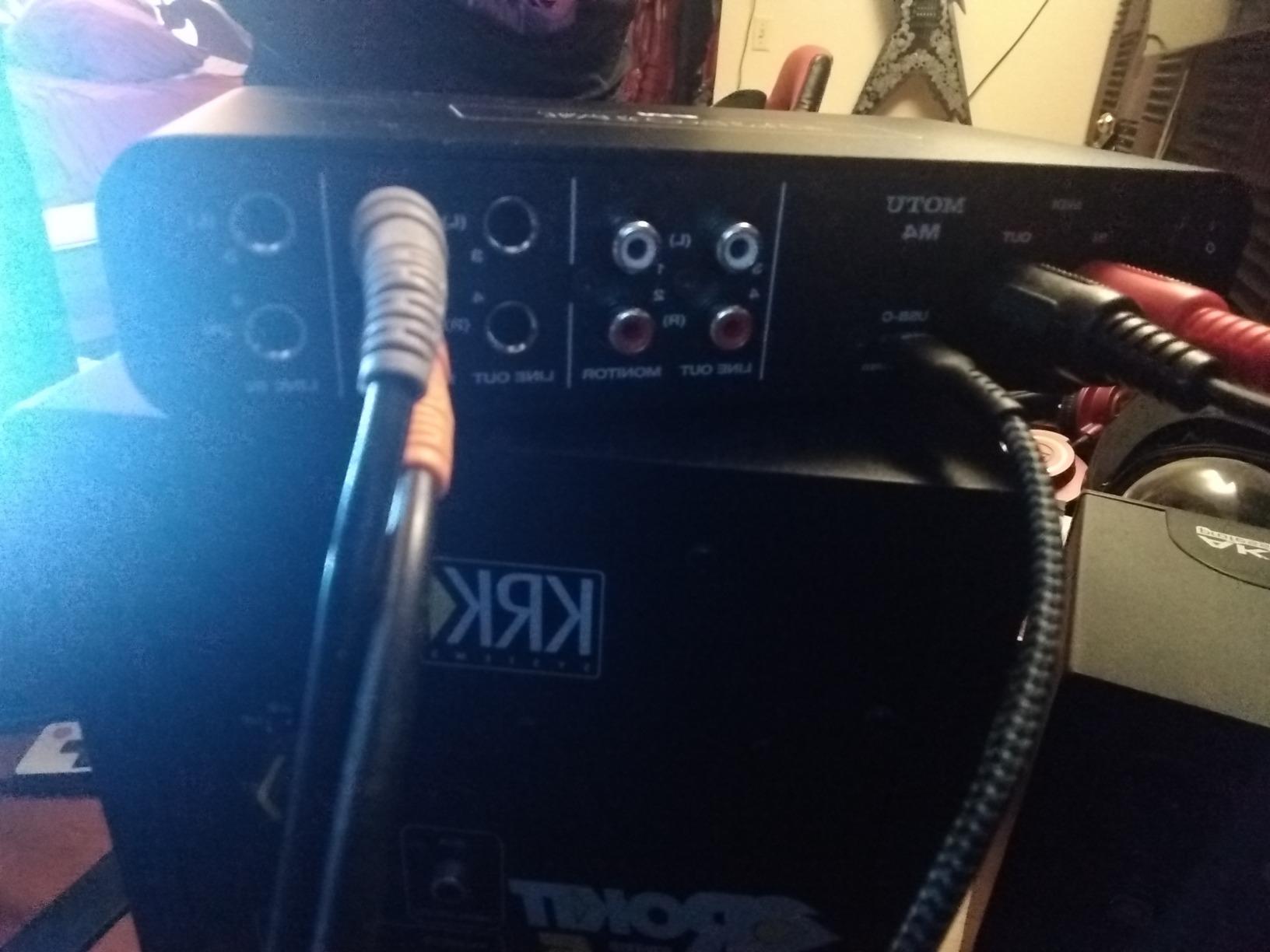
MIDI I/O is included, and the same 6+GB of content as the M2 comes bundled for Mac, PC and iOS. Being the same platform as the smaller MOTU box means drivers and software are familiar if you have used either before.
Two channels being microphone preamps and the rest being line-level inputs is the detail people miss. Four inputs does not mean four microphones, and if you need two condenser mics plus a DI you are still one preamp short. It is also the widest box here at 8.25 inches, and it sits at the top of the price band we set.
Who this suits best
Songwriters tracking guitar and vocals in the same pass, producers layering parts one after another, and anyone working on an EP who expects the session to grow. The screen makes a multi-channel session far easier to manage.
It also suits small ensembles that can get away with two microphones, a DI and a line source, and that want MIDI for a hardware synth in the same box.
Who should pass on it
Pass if you have a small desk. At 8.25 inches wide it needs real space next to a keyboard, and the smaller MOTU boxes cost less and take less room.
Also pass if four microphones is the plan. Two preamps will not get you there without an external unit.
10. Universal Audio Volt 2: Best for Warm Tube-Flavoured Tone
Universal Audio Volt 2 USB Audio Interface
24-bit/192 kHz converters
UA 610 tube-style preamp emulation
Vintage mode
MIDI input and output
Pros
- Vintage mode emulates the classic UA 610 preamps for a warm chain
- Very easy plug-and-play setup with automatic USB-C detection
- Clean conversion free of interference audible with some rivals
- Support for Mac Windows iPad and iPhone recording
- Large bundle of UA LUNA and UAD plug-ins and instruments
Cons
- Only two LED indicators for input gain reference
- No hardware balance between direct monitor and DAW playback
- One year manufacturer warranty is the shortest here
- iOS use needs external power and a Lightning camera adapter
The Volt 2 is the only box on this list where you deliberately ask for colour. Vintage mode runs the signal through an emulation of Universal Audio’s classic 610 preamp, which adds harmonic richness to a vocal or an electric guitar instead of aiming for absolute transparency.
Outside Vintage mode the converters are clean and quiet, and reviewers specifically mention how little electrical interference shows up in the capture, which is a real problem on some other interfaces when a computer is under load. Conversion runs to 24-bit/192 kHz and MIDI input and output are both included.
Set-up is the easiest here. USB-C device identification is automatic, so there is no driver hunt, and support covers macOS, Windows, iPad and iPhone. The LUNA recording system and UAD plug-ins arrive bundled, which is a meaningful chunk of software for a first record.
Two honest weaknesses. There is no way to blend direct monitoring against DAW playback level in hardware, which can be annoying when tracking to a click. And the one year manufacturer warranty is the shortest of the ten boxes here, which is worth weighing against a five year warranty elsewhere on the list.
Who this suits best
Songwriters and producers who want a recorded file that already sounds like a record, rather than a flat capture they have to shape later. Vintage mode on a clean vocal or a single-coil guitar is the whole point of the box.
It is also a strong choice for anyone who wants to record on an iPad or iPhone alongside a desktop, since device support is broader than most rivals here.
Who should pass on it
Pass if you track to a click and need a hardware monitor balance. There is no knob for it, and you will manage the blend in software instead.
And pass if warranty length matters to you, or if you want a visible level meter. Two LED indicators is a thin reference for setting gain.
How to Choose an Audio Interface Under 300 Dollars
Pick by the number of sources you need to record at once, then by how you will listen. Everything else on the spec sheet is a preference, not a requirement. The sections below cover the decisions in the order you should make them.
Decide your channel count before anything else
Count the sources you need to capture simultaneously, not the total you might ever want. One at a time means a two-input box. Two at a time still means a two-input box. Three or more at once means you need four inputs, which is where the MOTU M4 becomes relevant and everything else in this roundup stops fitting.
Remember that four inputs does not always mean four microphone preamps. On the MOTU M4 only two channels are true preamp inputs, so a guitar DI on channel three is fine while a third microphone is not.
Buying a two-channel box and then adding a DI box later is a normal path, and cheaper than over-buying channels you never use. Do it deliberately, not by accident.
Understand preamp gain and the noise floor
Preamp quality is the single biggest contributor to how a recording sounds. A cheap preamp is not quiet, it simply amplifies noise along with your microphone, and that noise cannot be removed later without losing the recording.
You need roughly 30 dB of gain for a dynamic microphone such as an SM58 and closer to 50 or 60 dB for a quiet condenser such as an AT2020. Any box on this list covers both. What separates them is how low the noise floor sits underneath.
Consoles and outboard gear that produced warm recordings did so partly because analog stages added harmonic colour. Audient’s Class-A preamp in the iD4 MKII and Universal Audio’s 610 emulation in the Volt 2 are this idea in miniature, one leaning transparent and the other leaning coloured.
Work out what latency means for you
Latency is delay between playing something and hearing it back. It comes almost entirely from buffer size: the chunk of audio your computer waits for before processing. At 48 kHz, a 128-sample buffer is roughly 2.7 ms each way, so a round trip lands near 5.4 ms, and a 512-sample buffer is roughly four times that.
For overdubbing and podcasting, that is invisible. For tracking a drummer or a live electric guitar part, it is the difference between playing along and playing behind yourself.
Hardware monitoring bypasses the computer entirely, so a box with a direct monitor switch can give you zero-delay listening regardless of buffer size. The MOTU M2 and M4, the Behringers, the Arturia MiniFuse 1 and the PreSonus AudioBox 96 all offer a hardware path. Smaller buffers and USB-C data paths also help, which is why the Arturia is often recommended for mobile tracking.
If you are only mixing and mastering, buy a headphone stage
If you are monitoring only and never record, preamp quality is nearly irrelevant to your day. What matters is headphone amplification.
Impedance decides whether a pair of headphones will work. Headphones below about 32 ohms are easy to drive. Closed-back studio headphones around 38 to 80 ohms are comfortable for most boxes here. A 250 ohm pair such as the DT 990 Pro needs real current, and a 600 ohm pair needs more again.
Headphones that are quiet and thin usually mean the interface cannot drive them, not that the interface is faulty. A single headphone output is also a limit for two people, and the Audient iD4 MKII is the only box here with two independent outputs for a second listener. Our XLR to USB interface guide covers the wiring side if you are adapting studio gear.
Treat sample rate claims with suspicion
The 192 kHz number on a box is a maximum, not a recommendation. Almost all professional releases are delivered at 44.1 or 48 kHz, and converting down from a higher rate can introduce its own artefacts.
Bit depth beyond 24-bit is marketing. 24-bit already gives you roughly 144 dB of theoretical headroom, far more than any converter in this roundup actually delivers, so the dynamic range figure is the number to read instead.
Use 48 kHz as your default and raise it only for a specific reason, such as a bowed string or a wide acoustic arrangement where you want the extra transient detail.
Check operating system support before you commit
Mac support is straightforward across this list. Windows is where friction appears, and it is worth knowing in advance. Expect to install an ASIO driver manually, add the application to your firewall exceptions, and on some models run a firmware update immediately after unpacking.
Linux users should check the manufacturer rather than assume. Behringer and MOTU are generally the safest picks in that group, and the class-compliant path helps on newer kernels.
Mobile use is more limited than the marketing implies. Some boxes list iOS compatibility but need external power and a Lightning camera adapter, and the Focusrite requires a powered USB hub for iPad use. Our streaming setup guide covers the power and routing details.
What to skip and why
Do not buy a superseded generation hoping for a bargain, even at a discount. Current boxes at this budget include 192 kHz conversion, USB-C, loopback and hardware monitoring, and a previous generation gives you none of those.
Skip the no-name 24-bit/192 kHz boxes that market resolution heavily while saying nothing about the preamp, the driver or the warranty. A high sample rate on a poor converter is a spec sheet, not an advantage.
Also skip anything that bundles only a trial version of a DAW. A full production licence is what makes the PreSonus bundle worth its position on this list, and a trial is not a system to learn on.
One more total cost note. If your pick bundles nothing, budget for a DAW separately, and remember that a good free option covers most first projects at no cost. The hardware is the cheaper half of a home studio.
Frequently Asked Questions
What is the best audio interface for the money?
The Behringer UMC22 Audiophile is the best value pick for most people, because it is the most widely owned two-channel interface in the category, it is bus-powered so it needs no adapter, and its Midas-designed preamp is quiet enough for both condenser and dynamic microphones. The Behringer UMC202HD is the alternative if you want 24-bit/192 kHz conversion, and the MOTU M2 is the alternative if driver stability matters more to you than anything else.
Which audio interface has the best sound quality?
It depends what you mean by sound quality. For the lowest noise floor and the most preamp-derived character, the Audient iD4 MKII uses a Class-A preamp taken from the ASP8024 HE console hardware. For deliberate warmth and harmonic colour rather than transparency, the Universal Audio Volt 2 in Vintage mode emulates the classic UA 610 preamp. For a neutral reference path for mixing, the Audient EVO 4 is the most transparent option on this list.
What is the cheapest and best audio interface?
The Behringer UMC22 Audiophile is the cheapest box here and it remains worth buying, since its preamp is clean and it powers from the USB bus with no adapter. The Behringer UMC202HD is the next step up and adds 192 kHz conversion in a sturdier metal chassis. Below roughly the price of these two, preamp and converter compromises start to reach the actual recording rather than just the specification list.
Which audio interface under 300 dollars has the lowest latency?
Latency at this budget is set mostly by buffer size and monitoring path rather than by the brand. The fastest-feeling options in practice are the Arturia MiniFuse 1 and the MOTU M2, because both use USB-C data paths and both offer hardware monitoring, which bypasses the computer entirely and gives you zero-delay listening. At a 128-sample buffer and 48 kHz, a round trip is roughly 5 ms on any of these boxes, so a drummer should choose based on the hardware monitor switch.
Do I need an audio interface for mixing and mastering only?
Yes, and in that case headphone amp power matters far more than preamp quality, because you will never touch the recording path. Headphones above about 150 ohm, such as 250 ohm or 600 ohm models, need a strong headphone stage or they will sound quiet and thin. The Audient iD4 MKII is the strongest choice here because it has two independent headphone outputs, and the MOTU M2 and Focusrite Scarlett Solo 4th Gen both pair well with mid-impedance closed-back headphones.
What specs matter most when buying an audio interface?
Rank them like this. First, input count, because it determines what you can record at once. Second, preamp gain and noise floor, which set how quiet a recording will be. Third, headphone amp power if you monitor on anything above 150 ohm. Fourth, round-trip latency and whether there is a hardware monitor path. Fifth, driver stability on your operating system. Sample rate ceiling and bit depth beyond 24-bit matter least at this budget.
Final Verdict: Our Top Audio Interface Picks for 2026
Buy the Behringer UMC22 Audiophile if you want the least friction between a microphone and a finished take. It is our editor’s choice because it has the lowest failure rate we have seen at this budget, and nothing on this list will stop you making a record with it.
Buy the Behringer UMC202HD instead if 192 kHz conversion and a metal chassis matter to you. Buy the PreSonus AudioBox 96 25th Anniversary if bundled software and MIDI I/O are worth more to you than either.
Beyond that, the choice narrows fast. One microphone and one instrument means the Focusrite Scarlett Solo 4th Gen. High-impedance headphone mixing on two sets of cans means the Audient iD4 MKII. A hardware controller means the Arturia MiniFuse 1. Four inputs means the MOTU M4, and a warmer recorded sound means the Universal Audio Volt 2.
Every one of these sits under the 300 dollar ceiling, and we re-check that before this guide goes live. If you tell us your microphone, your operating system and how many sources you need at once, we can point you at a single box rather than a list.