
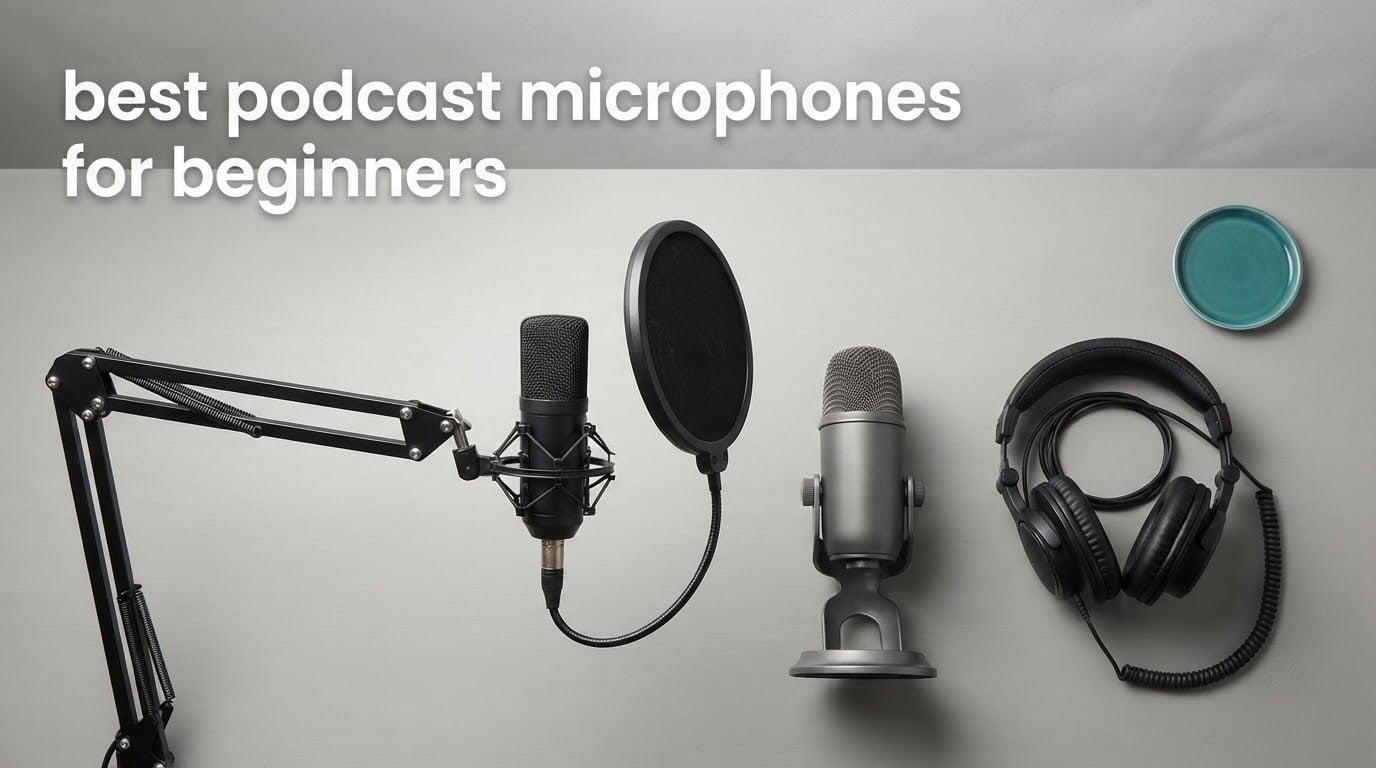
The best podcast microphones for beginners are USB desk mics that plug straight into your computer and need no audio interface. The Logitech Blue Yeti is the one most beginners should buy first: it has a gain knob, a hardware mute and a headphone jack built into the body, so you can hear yourself and fix problems without buying anything else. If your room is noisy or you want a later upgrade to studio gear, a dynamic mic like the FIFINE AmpliGame AM8 or the Samson Q2U rejects room sound far better than any condenser here.
That is the whole decision for most first-time podcasters. Audio quality is the single highest-leverage fix in a show, and the gap between a laptop or headset microphone and a real podcast mic is obvious within the first episode. What matters is not the logo on the box but whether you can hear yourself, adjust the level, and stop the room from ruining the recording.
We compared ten beginner-friendly microphones across capsule type, connection method, on-body controls, monitoring, and what actually ships in the box. Several came with everything a beginner usually gets wrong on day one: a boom arm, a shock mount, a pop filter. Our method was simple: read the specifications, read what owners actually report after months of use, and judge each mic on how quickly it produces a usable take in a normal room.
If you also record on camera or stream, our picks for gaming microphones cover that side of the market with USB options built for desk setups.
Table of Contents
Top 3 Best Podcast Microphones for Beginners in 2026

Logitech Blue Yeti
- Onboard gain
- mute and headphone volume
- Four pickup patterns
- Zero-latency monitoring

FIFINE T669
- Boom arm
- shock mount and pop filter included
- Cardioid condenser capsule
- USB plug-and-play

The Yeti wins because it removes every reason a beginner gets stuck: gain, monitoring and mute are all physical controls you can find by looking at it. The T669 wins on included accessories, and the K669B wins on doing the fundamentals well for the least outlay.
All 10 Best Podcast Microphones for Beginners Compared at a Glance in October
| Product | Specifications | Action |
|---|---|---|
| Logitech Blue Yeti |
|
Check Latest Price |
| FIFINE T669 |
|
Check Latest Price |
| FIFINE K669B |
|
Check Latest Price |
 TONOR USB Condenser TONOR USB Condenser |
|
Check Latest Price |
 MAONO A04 MAONO A04 |
|
Check Latest Price |
 FIFINE AmpliGame AM8 FIFINE AmpliGame AM8 |
|
Check Latest Price |
 ZealSound USB Mic ZealSound USB Mic |
|
Check Latest Price |
 Samson Q2U Samson Q2U |
|
Check Latest Price |
 TONOR Dynamic USB/XLR TONOR Dynamic USB/XLR |
|
Check Latest Price |
 Shure MV7X Shure MV7X |
|
Check Latest Price |
1. Logitech Blue Yeti – Best Overall for Beginners with Built-in Controls
Logitech Creators Blue Yeti USB Microphone for PC, Mac, Gaming, Recording, Streaming, Podcasting, Studio and Computer Condenser Mic with Blue VO!CE effects, 4 Pickup Patterns, Plug and Play – Blackout
USB condenser
Three-capsule array
Four pickup patterns
Headphone monitoring
Pros
- Plug-and-play with no interface needed
- Onboard headphone volume
- gain and instant mute
- Four patterns including stereo and bidirectional
- Sturdy metal body with adjustable desktop stand
Cons
- Condenser sensitivity picks up room noise and plosives
- Large body that takes up desk space
- Uses mini-USB rather than USB-C
- Matching shock mount is hard to source
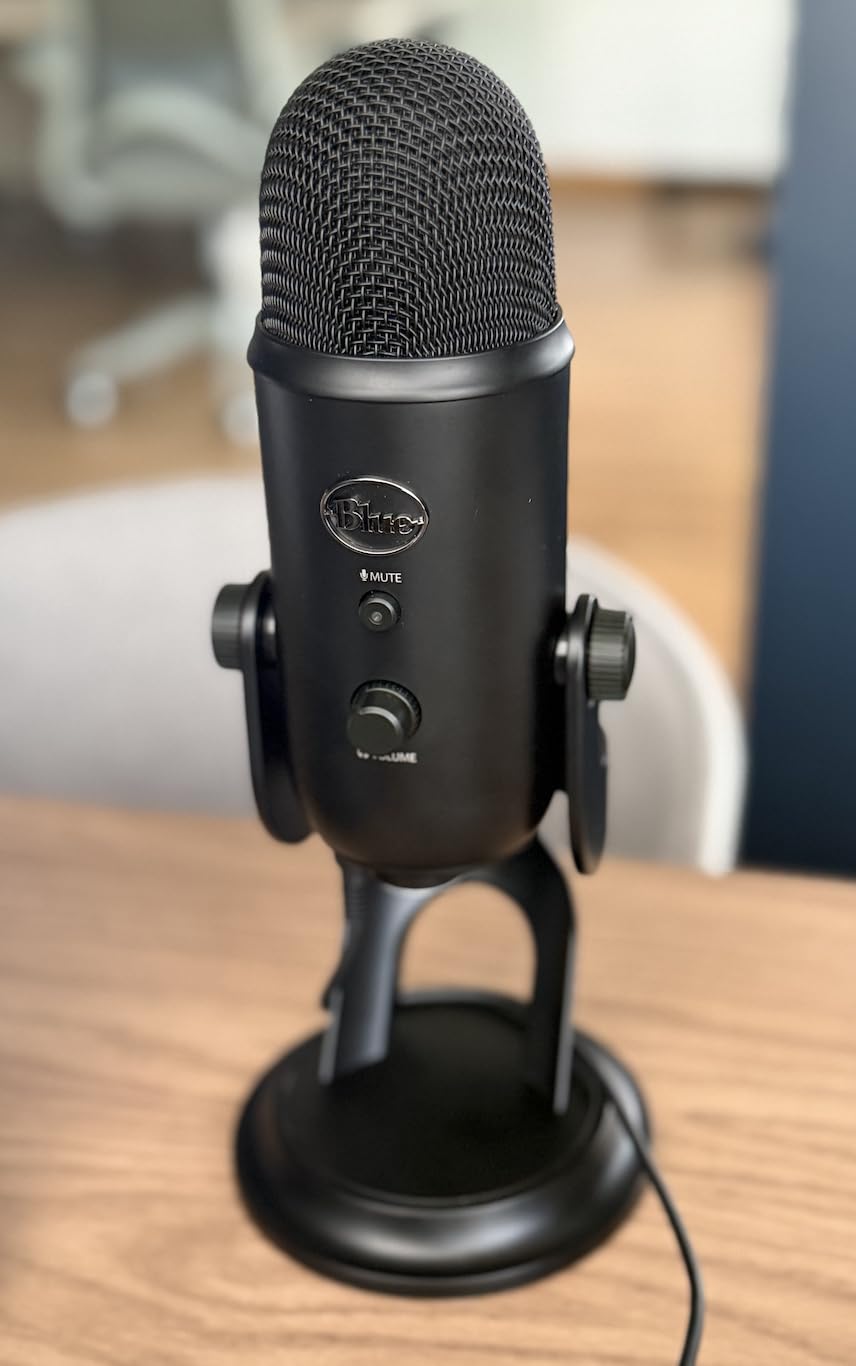
I started recording voice work with the Blue Yeti because there is nothing to figure out. The USB cable goes in, the mic shows up as an input, and the gain knob and headphone volume are right there on the base. That last detail is the reason I recommend it first: monitoring yourself in real time is the fastest way to learn what distance and gain actually do.
The three-capsule array gives you four patterns, which sounds like overkill until you record a two-person interview and realise you can point it between two speakers in stereo or bidirectional mode instead of buying a second mic. Voice quality is warm and full, and owners consistently describe it as the first upgrade that made their show sound like a show rather than a phone call.
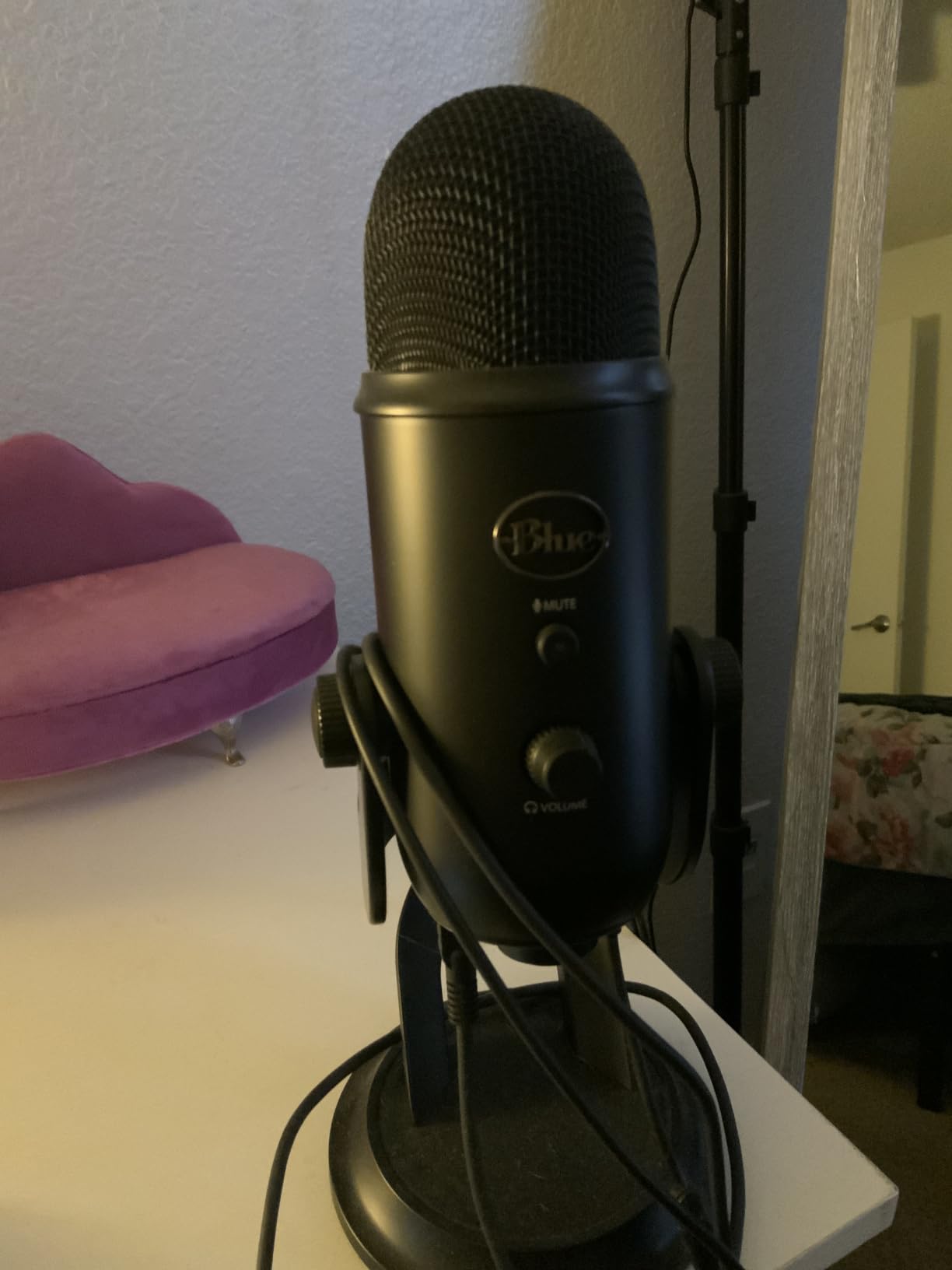
The catch is that a condenser is sensitive. Keyboard clicks, a fan, a passing car and your own breathing all arrive with your voice unless you get close and keep the gain low. At four to six inches with the gain pulled back, the room mostly disappears. Add a pop filter and it is genuinely clean.
Two practical notes. The body is 3.5 pounds and 11.61 inches tall, so it eats desk space and blocks your face on camera unless you swing it to a boom arm. It also uses a mini-USB port, which is dated but not a problem if you keep the supplied cable.
Who the Blue Yeti suits
It suits a solo podcaster who wants video, streaming and podcasting from one device, and anyone who records in a room they can partly control with soft furnishings. It also suits anyone who has been burned by thin, distorted audio from gain mistakes, because the physical gain knob makes that fix immediate.
If you move rooms or record in a shared apartment, a dynamic will serve you better. The Yeti captures whatever else is happening in the space.
Where the Blue Yeti falls short
It is a condenser, so untreated rooms are its weakness, and owners repeatedly mention breathing and plosives needing close placement. The bulky body is a real nuisance on a small desk, and the shock mount that matches it is expensive and awkward to source, so a boom arm setup needs planning.
2. FIFINE T669 – Best All-in-One Kit with Boom Arm and Pop Filter
FIFINE T669 Studio Condenser USB Microphone for Recording Podcasting
USB condenser
Cardioid unidirectional
Boom arm kit
1 year warranty
Pros
- Mic
- steel boom arm
- shock mount and pop filter in one box
- Sturdy arm holds the mic without sagging
- Cardioid pickup cuts household background noise
- No drivers needed on Windows or macOS
- Includes an 8.2 ft cable
Cons
- Pop filter grip is weakly glued and twists
- No hardware mute button
- Volume knob has failed for some owners early on
- C-clamp slips on rounded desks
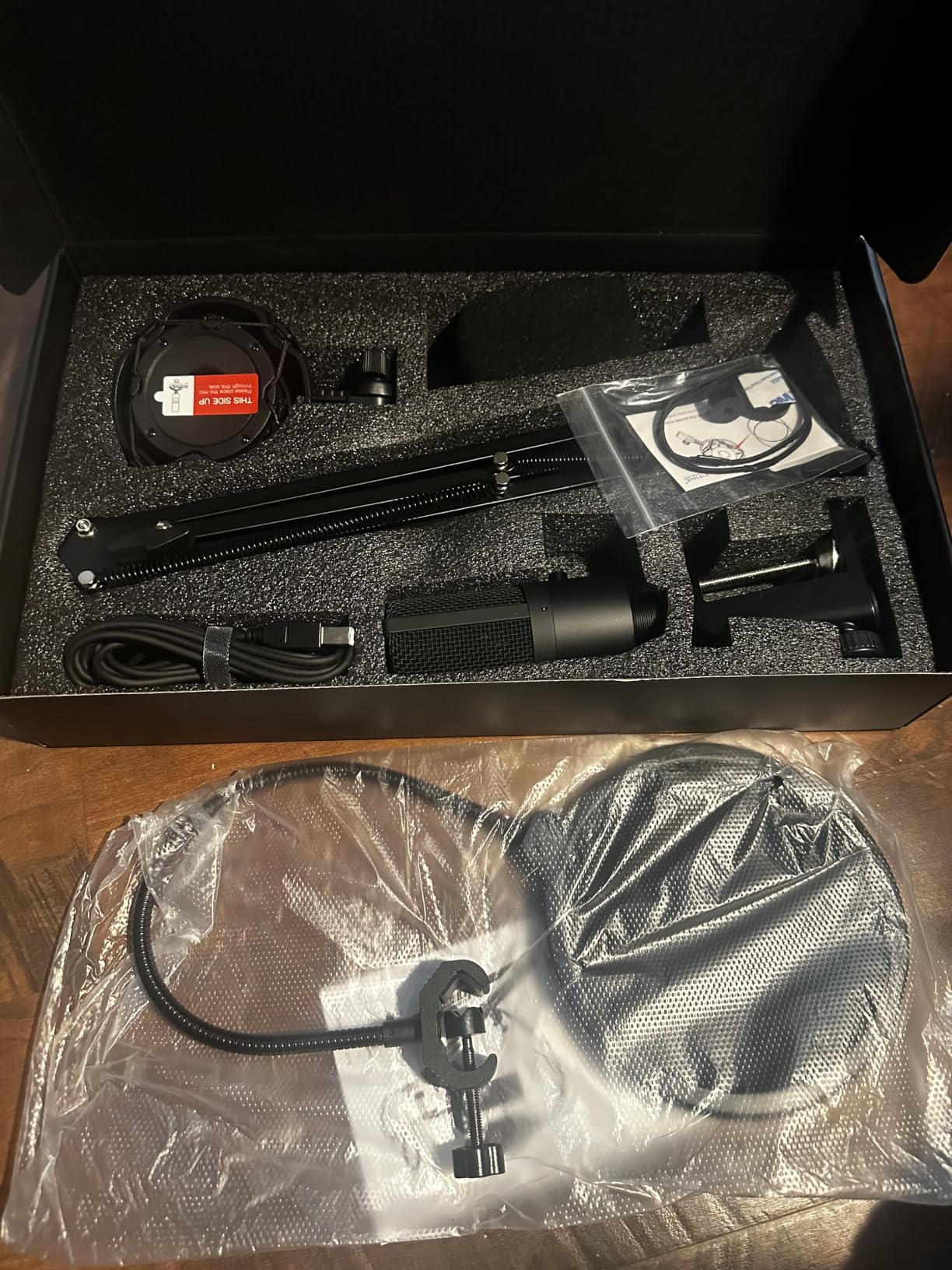
The T669 is the answer when you want to skip the accessory shopping. The box holds the mic, an adjustable steel scissor boom arm with a desk clamp, a shock mount, a double pop filter, a foam windscreen and a long cable. For a first purchase, that removes the three accessories beginners most often forget and then blame the microphone for.
Owners describe the sound as warm and clearly better than a laptop or headset mic, which is the whole point at this level. The cardioid pattern does more work than the pattern on cheaper condensers, cutting down deliveries and barking outside. It sets up in minutes with no tools.
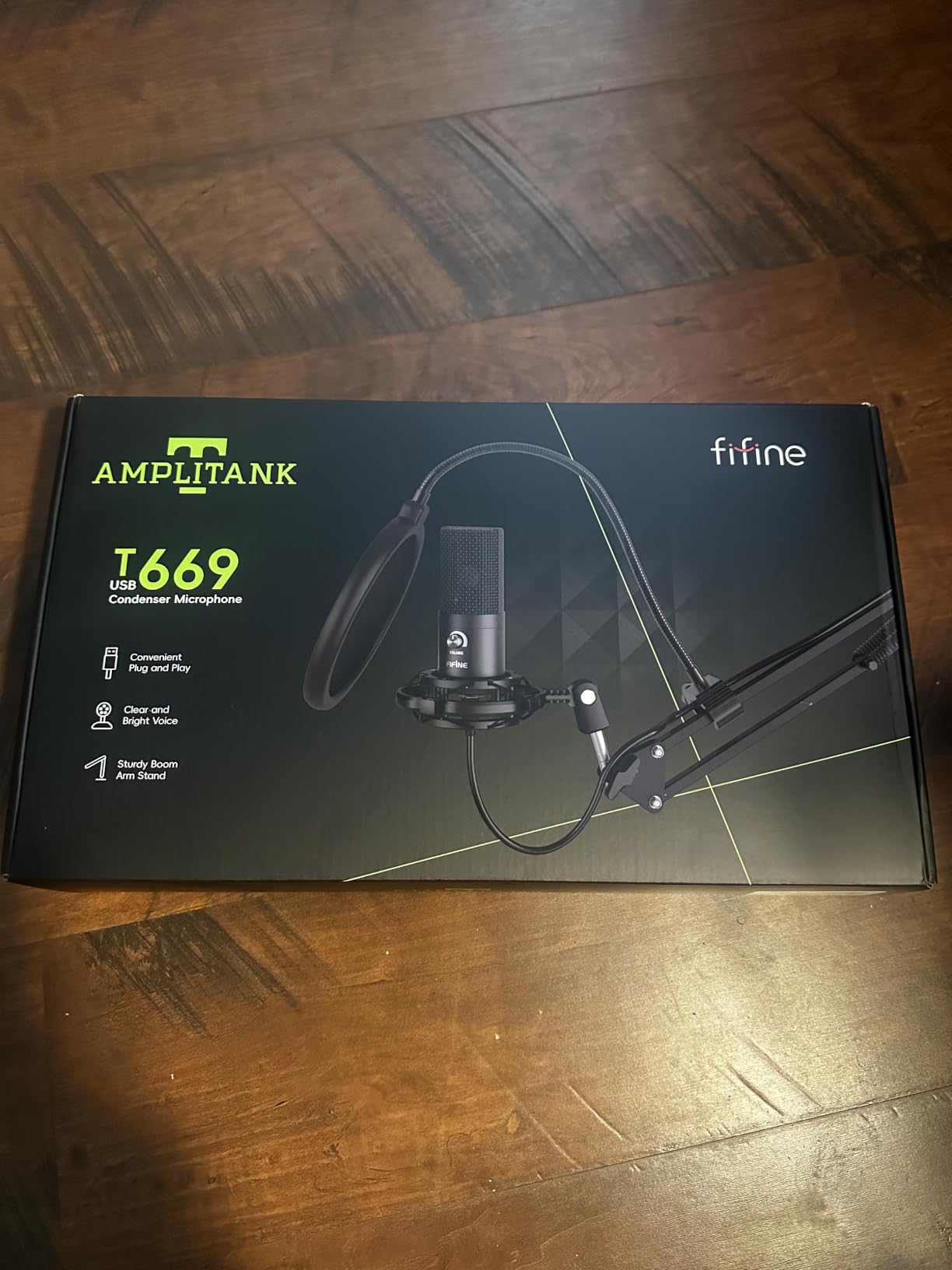
Assembly is where the money shows. The scissor arm reaches and holds position properly, which is rare at this level, but the pop filter attaches with a grip that owners report twisting or hanging loose. Plan to re-seat it or use the foam windscreen instead when a consonant hits.
Two more things to know. There is no mute button, so muting means turning the volume knob to zero, which is not the same as disconnecting the signal. A few owners have had the volume knob fail within months, so check it during the return window if your retailer allows one.
Who the T669 suits
It suits anyone starting a show who would rather spend once than assemble a kit piece by piece. It also suits a first-timer who has never mounted a microphone and wants the arm already sized and clamped.
Budget matters here. If you already own a boom arm and a pop filter, that money is better spent on a different microphone.
Where the T669 falls short
Accessory quality, not audio, is the complaint line. The pop filter grip, the desk clamp on a rounded table and an occasional volume knob failure are what owners mention. It is also a USB-only mic, so there is no upgrade path to an interface.
3. FIFINE K669B – Best Low-Cost Mic That Beats a Laptop
FIFINE K669B USB Microphone, Condenser Recording Mic for Vocals, Meeting
USB condenser
Cardioid
5.6 oz metal body
1 year warranty
Pros
- Reviewers find it close to a Blue Yeti in cardioid mode
- Compact metal body with a small footprint
- Volume knob doubles as a privacy mute
- No drivers
- works on PC
- Mac and console
Cons
- No noise cancellation so it picks up rooms away
- No hardware mute button
- Single cardioid pattern only
- Light tripod can feel unstable
The K669B answers the question most first-time buyers ask: is the cheap tier actually usable? The most-upvoted review on its page is a head-to-head against a much more expensive USB condenser, and the verdict there is that in cardioid mode you would struggle to tell them apart in a finished episode.
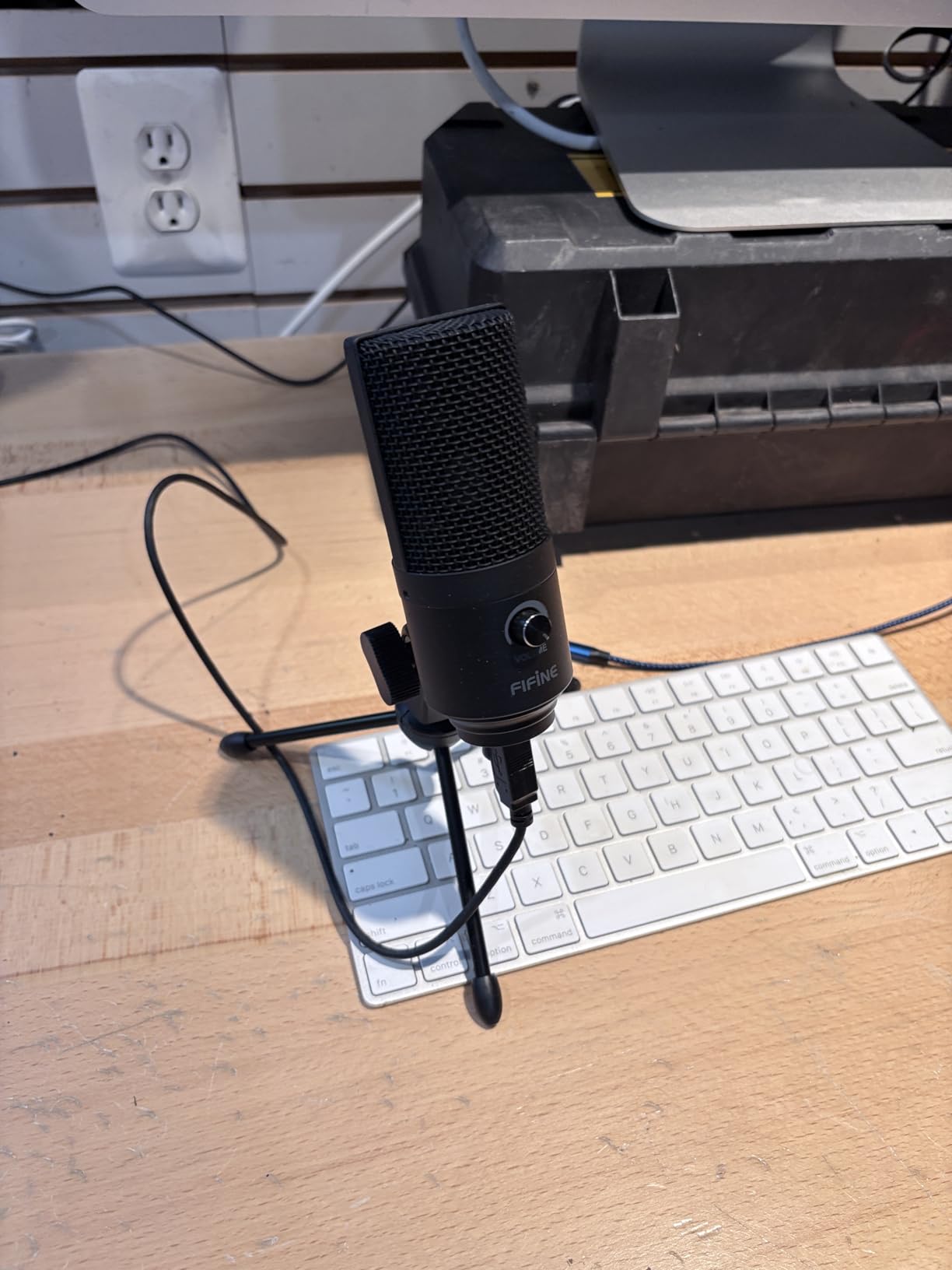
It weighs 5.6 ounces, takes almost no desk space and has a metal body rather than plastic. The volume knob on the body is genuinely useful for daily use, and it works across Windows, macOS, consoles and chat apps without installing anything.
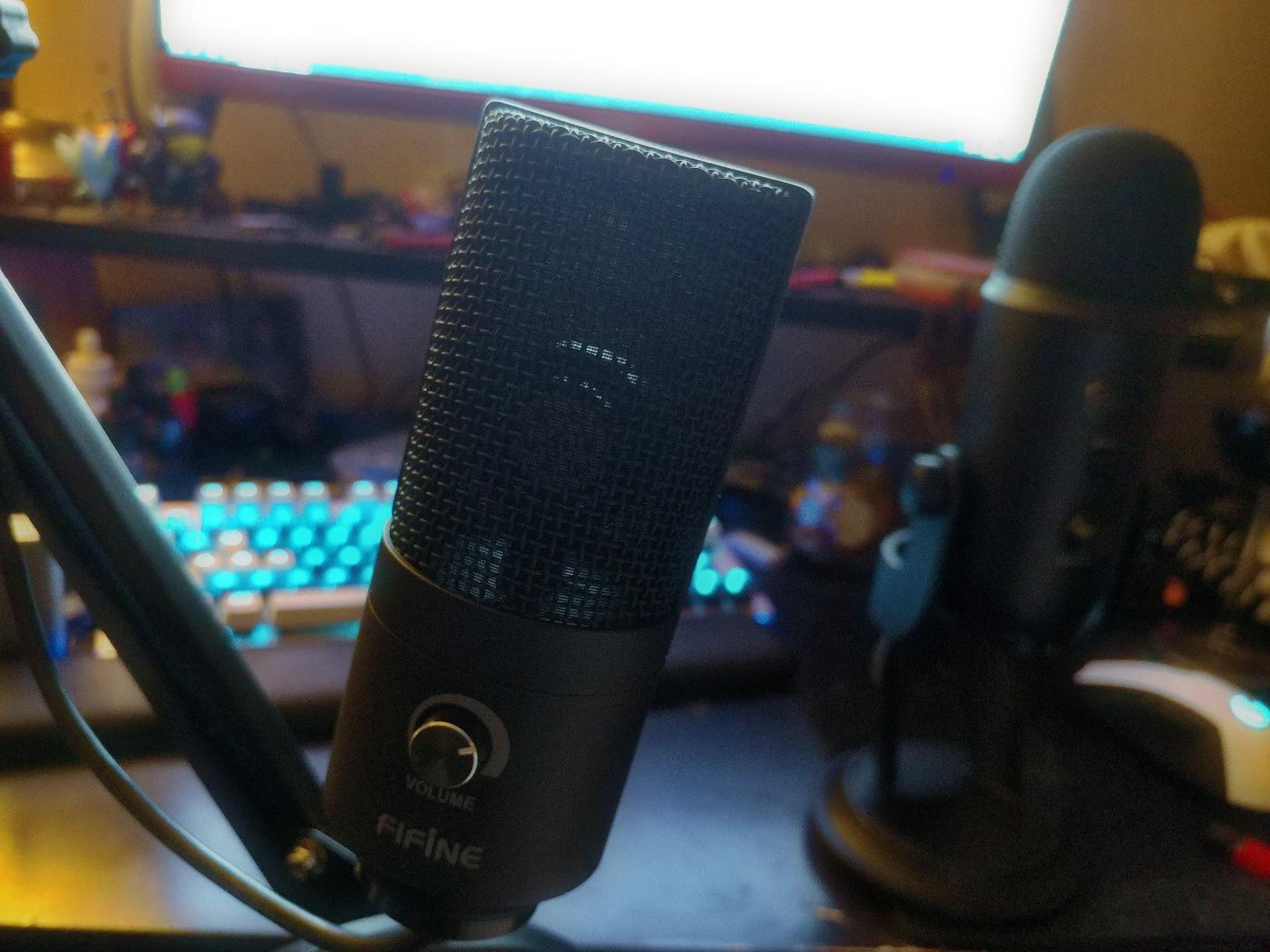
What you give up is processing and flexibility. There is no noise reduction of any kind, so in a live home it captures sound from other rooms, and there is only a cardioid pattern, so a two-person conversation needs either careful placement or a second mic.
Sensitivity is the other trap. Speak too close and the extra noise is audible in the file. Keep it four to six inches away, add a pop filter, and the recording is clean.
Who the K669B suits
It suits a beginner on a tight budget, a student with a small desk, and anyone recording voice work or calls where clarity matters more than polish. Several owners buy multiples for different rooms or machines.
It is also a good test microphone: if you learn gain and distance on this one, upgrading later is painless.
Where the K669B falls short
It has no mute button and no noise handling, so it is the wrong choice for a noisy apartment or a shared wall. The tripod stand is light and can wobble on a large desk, and you will still need a pop filter.
4. TONOR USB Condenser – Best True Entry Tier with a Hardware Mute
TONOR Podcast Microphone, USB Computer Mic, Cardioid Condenser PC Microfono
USB 2.0 cardioid
One-click mute
345 g
2 year warranty
Pros
- Lowest entry cost with stand
- shock mount and pop filter included
- Real hardware mute button on the body
- Small footprint with a foldable tripod
- Recognised by Zoom
- Skype and Discord instantly
Cons
- PVC plastic body feels less premium
- Sound sits a step below metal condensers
- App auto-gain must be disabled or levels drift
- Mini shock mount gives limited isolation
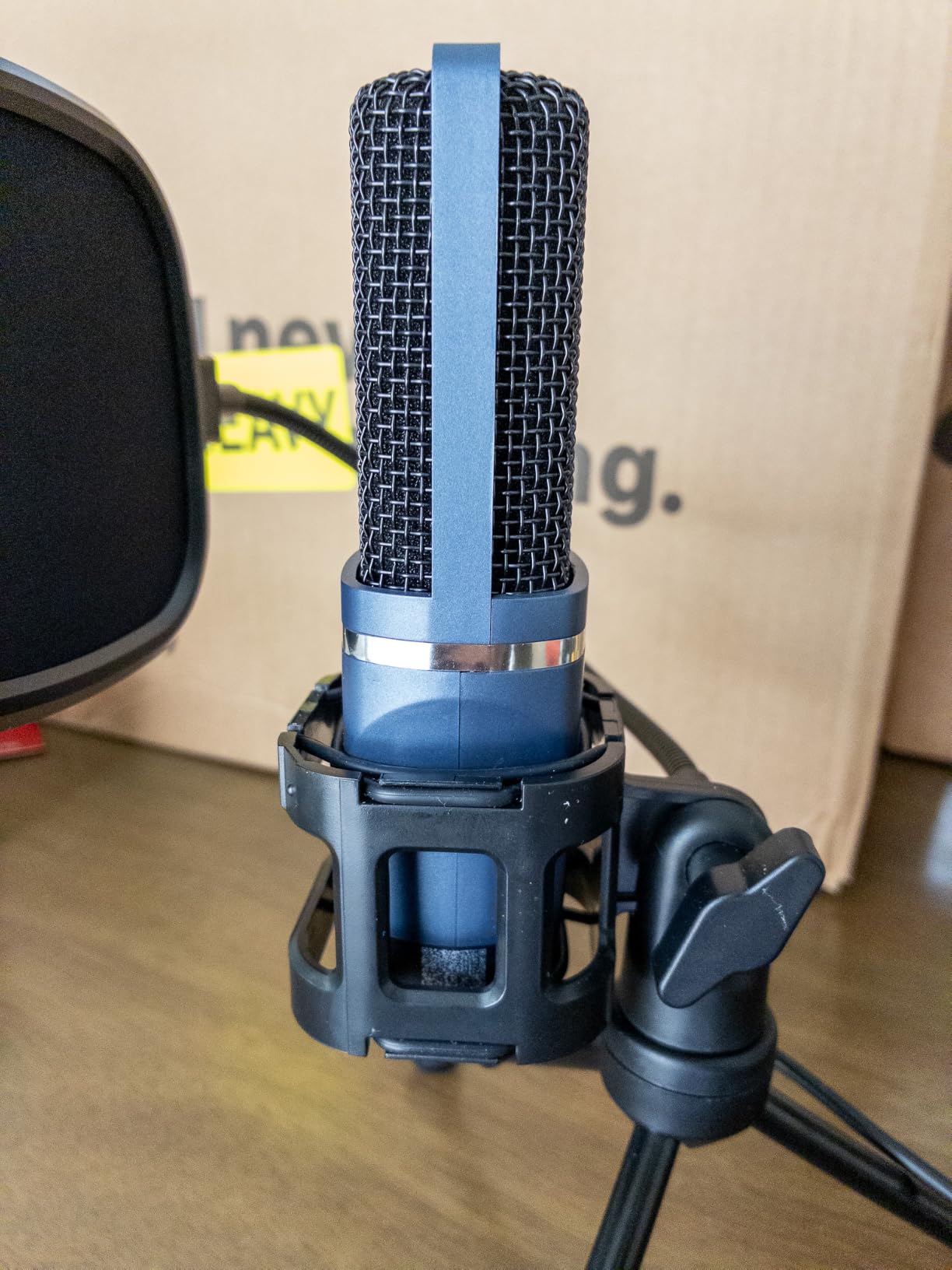
This is the cheapest way to get a real microphone instead of a laptop built-in, and it is the only one in this roundup with a genuine one-click mute button on the body at the entry tier. Zoom, Skype and Discord recognise it immediately, which matters if your first recordings are calls rather than episodes.
The package is generous for the money: a foldable tripod, a mini shock mount and a pop filter are all included. The cardioid pattern keeps your voice in front and drops most of what is behind the mic.
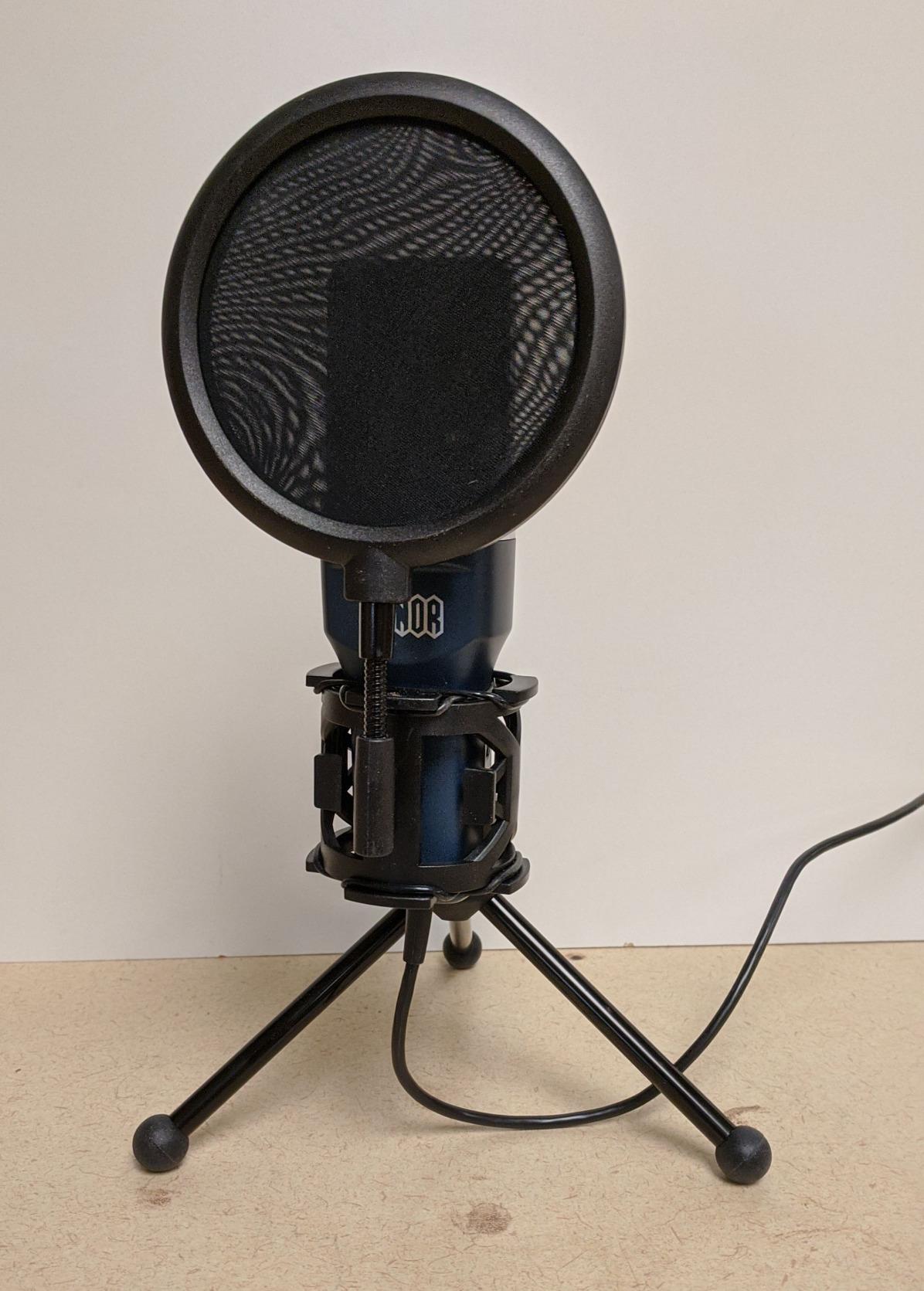
The 4.3-star average across more than 35,000 reviews tells you what to expect. Owners are split between genuinely pleased beginners and people who found it adequate rather than impressive. Audio quality is described as a step below metal-bodied condensers in the same bracket, and the plastic housing feels like it.
There is one setting issue worth knowing. Several owners found that levels drift unless automatic gain control in the recording app is switched off, which is a two-minute fix in your software settings.
Who the TONOR suits
It suits a first-time creator testing whether podcasting is for them, or anyone who needs a hardware mute and does not want to spend more. The two-year warranty is a plus at this level.
It also works as a secondary microphone for a co-host on a budget.
Where the TONOR falls short
Build feel and audio refinement are the limits. The PVC body and the small shock mount do little against desk vibration, and the finish on the pop filter mount is not as tidy as metal kits. If sound quality matters to you, spend one tier higher.
5. MAONO A04 – Best Condenser Tone with a Full Accessory Bundle
MAONO A04 USB Microphone, 192kHz/24Bit Condenser Mic Kit for PC Podcast
USB condenser
192kHz/24-bit
16mm cardioid capsule
1 year warranty
Pros
- Warm detailed condenser capture at high sample rate
- Boom arm
- shock mount
- pop filter and windscreen included
- Metal construction throughout
- Sets up in about five minutes
Cons
- Very hot fixed input level with no volume control
- No headphone monitoring port
- No hardware mute
- Thin aluminium boom arm joint has broken for some owners
The A04 is the one I would pick if your voice is warm rather than bright, or if you record narration. Radio and voiceover users comparing it to studio microphones describe it as surprisingly capable after light noise reduction in post, and the 192kHz/24-bit chipset gives your software more to work with.
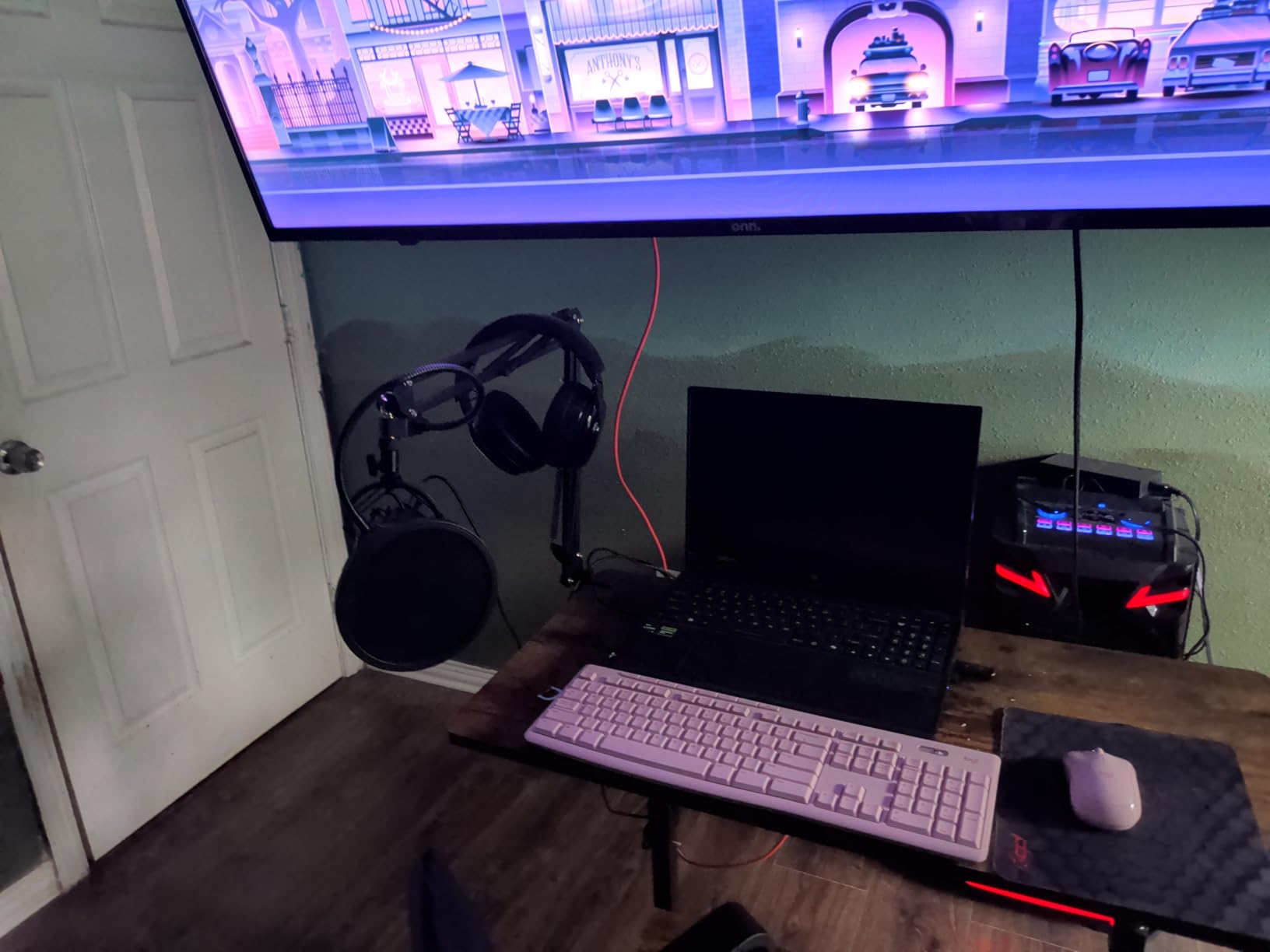
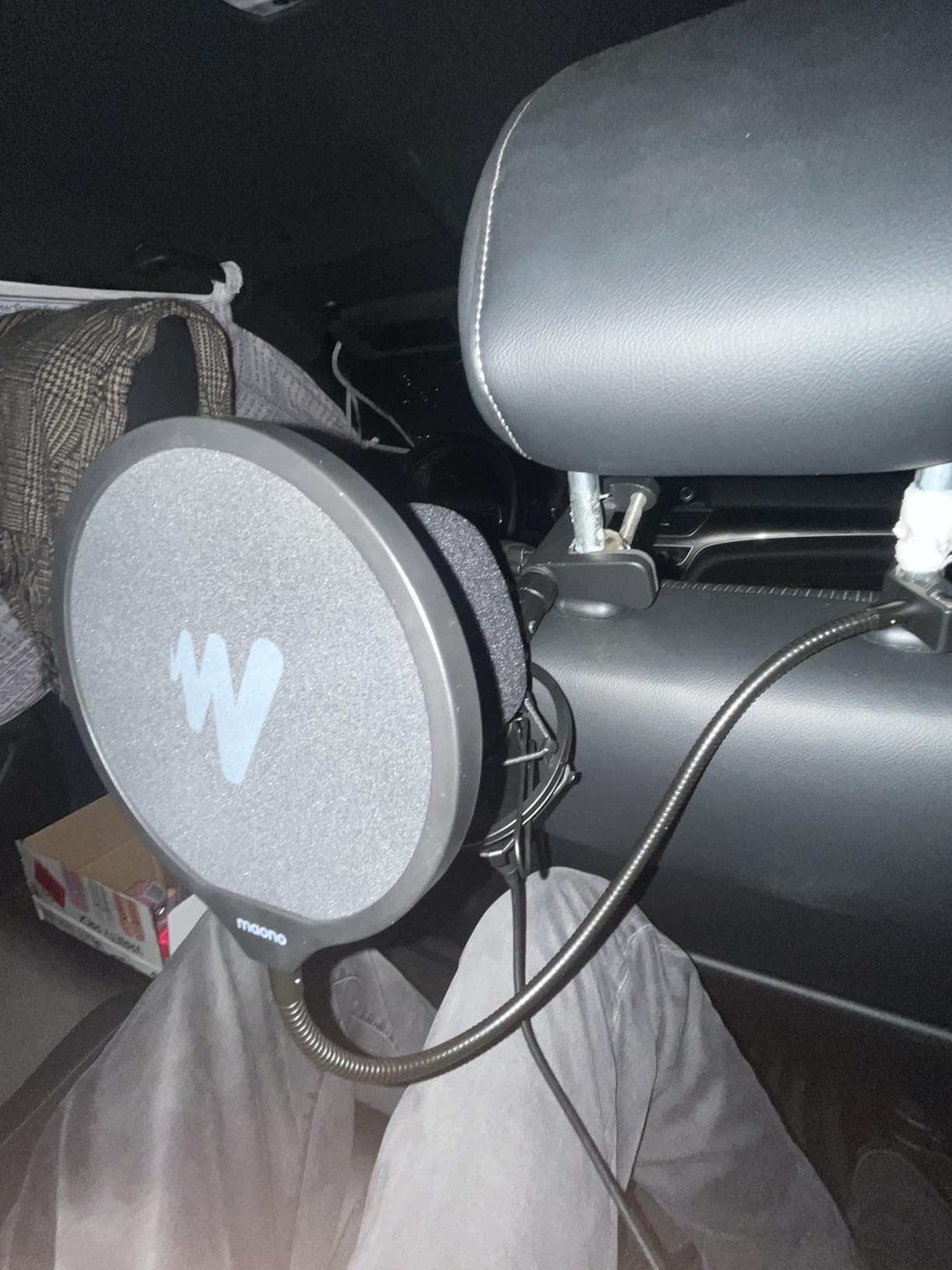
Everything is included: a scissor boom arm with a desk clamp, a metal shock mount, a pop filter, a foam windscreen and a USB-A/USB-C to USB-B cable. It works on PC, Mac, consoles and mobile phones, and sets up in about five minutes with no drivers.
The most repeated technical complaint is the input level. It is hot and there is no way to adjust it on the mic, so plosives can spike and you have to control gain in software instead. A pop filter is not optional here.
There is also no headphone jack, so you cannot monitor yourself live. That is the feature that would otherwise make this the easiest first mic, and its absence is why it sits below the top three.
Who the MAONO A04 suits
It suits a narrator, audiobook reader or podcaster who wants a warmer condenser character than a typical dynamic and wants every accessory in one purchase. It also suits console users, since it works on PS4 and PS5.
Buyers who already own a boom arm can ignore the one in the box.
Where the MAONO A04 falls short
No monitoring port, no input volume control and no hardware mute make daily recording less pleasant. Some owners have broken the thin aluminium joint on the boom arm after about a year, so if you plan to move it often, buy a sturdier arm.
6. FIFINE AmpliGame AM8 – Best for a Noisy Room with USB and XLR
FIFINE AmpliGame AM8 USB/XLR Dynamic Microphone for Gaming Streaming
Dynamic cardioid
USB and XLR dual output
50Hz-16KHz
1 year warranty
Pros
- Dynamic capsule rejects keyboard
- fan and traffic noise
- Real USB and XLR output for a later upgrade
- Tap-to-mute with an LED reminder outside software
- Headphone jack with monitoring volume
- Mounts on most stands with included threads
Cons
- No XLR cable or boom arm included
- RGB lighting is dim and cut by cable movement
- Mute is a capacitive touch control
- Mostly plastic body
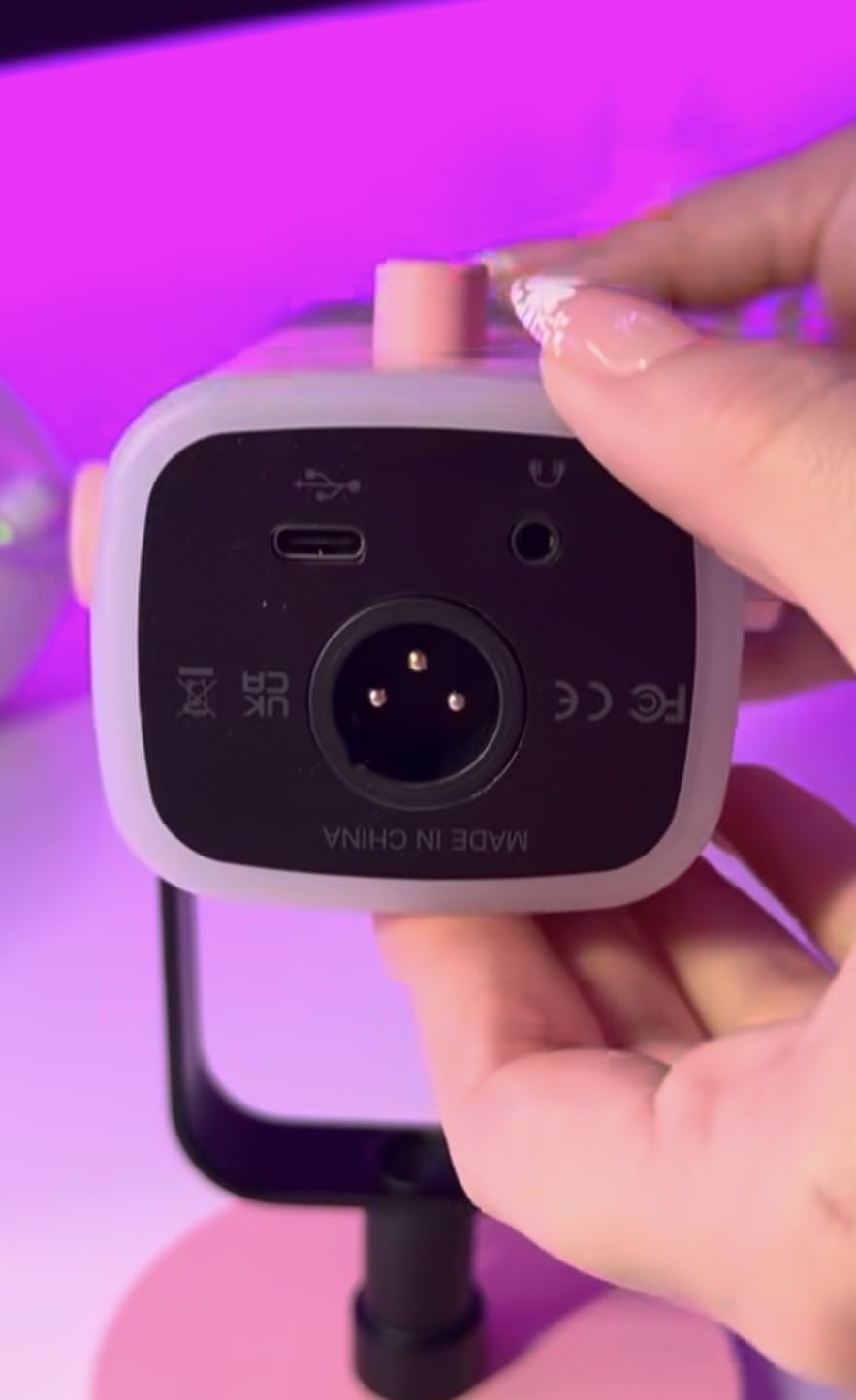
The AM8 is the first mic on this list I would suggest to someone in a noisy apartment. A dynamic capsule ignores most of the room, so a desk fan, a mechanical keyboard and traffic outside stop mattering the moment you switch from a condenser to this one.
It also has both outputs. Plug in USB today and record on your computer with no interface, then move to XLR later if you decide you want a mixer. Long-term owners report almost no audible difference between the two modes, which makes the hybrid design a genuine safety net rather than a marketing line.
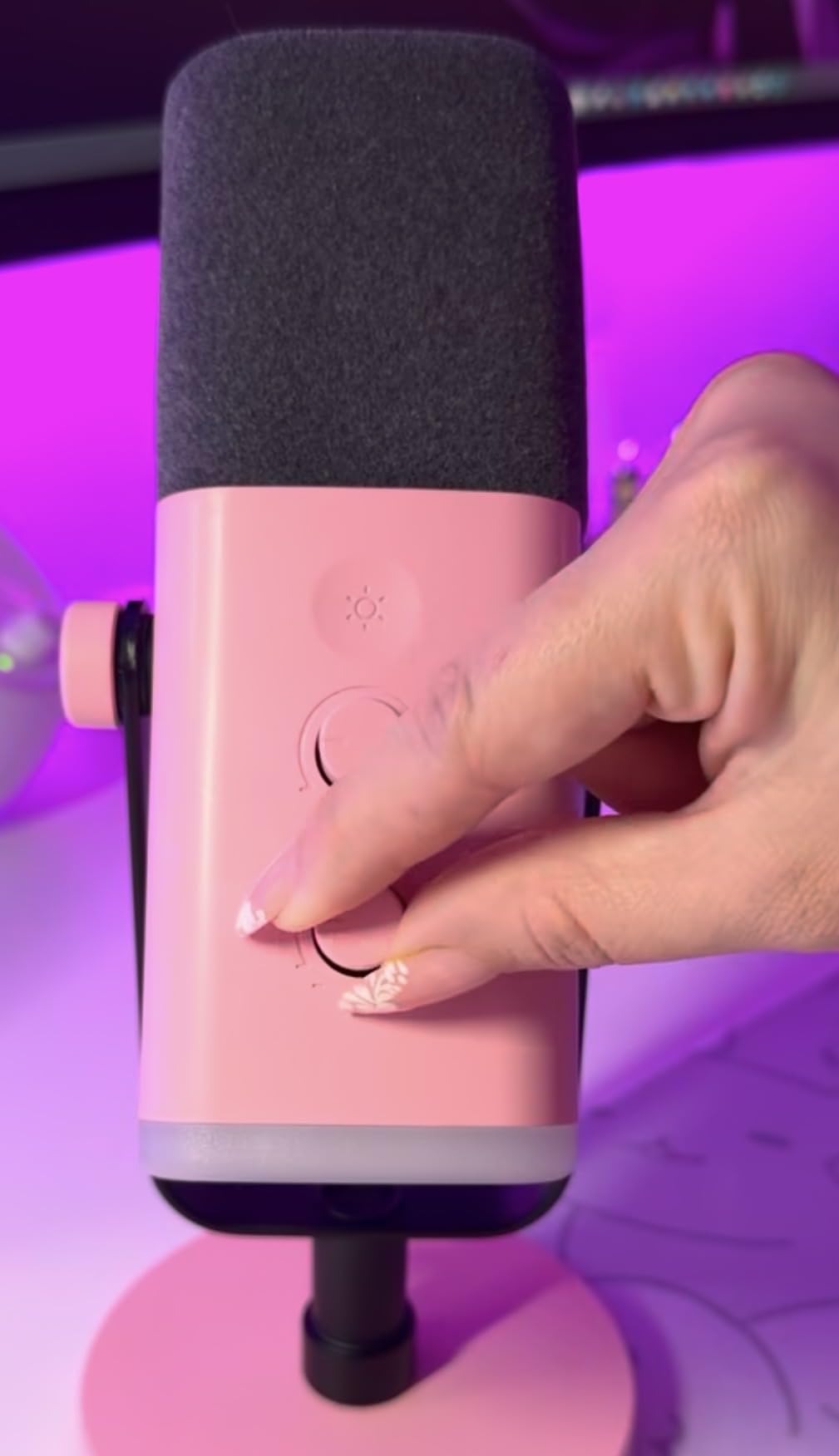
Daily controls are unusually complete for the tier: tap-to-mute that works independently of your software, an LED mute reminder, a headphone jack with its own volume, and a mic gain knob. Built-in 3/8 and 5/8 inch threads mean it fits most stands.
The suggested working distance is two to six inches, which is closer than most people expect. The included windscreen helps against hum from nearby electrical appliances, and you will want to stay near that range for full output.
Who the AM8 suits
It suits anyone recording in an untreated or shared-wall room, and anyone who is not certain whether to commit to a USB or an interface setup. It is also a good choice if you also stream and want a mic that can follow you into a mixer later.
Buyers who move to XLR later should budget for a cable, which is not included.
Where the AM8 falls short
The criticisms are cosmetic rather than audio. The RGB ring is dim and can switch off if the cable is nudged, the mute is a touch control rather than a physical press, and the body is largely plastic with a stand base that collects dust. It also needs you to stay close.
7. ZealSound USB Mic – Best for Recording on a Phone or Tablet Too
ZealSound Podcast Microphone for PC, Noise Cancellation USB Mic with Gain, Volume Adjustment & Mute Button, Monitoring & Echo, for YouTube, TikTok, Podcasting, Streaming, iPhone, iPad, Android, Mac
USB and 3.5mm
Zero-latency monitoring
Noise reduction mode
365 day warranty
Pros
- Gain
- echo
- mic volume and monitoring volume all on the body
- Zero-latency headphone monitoring with its own control
- USB-C and Lightning adapters included for phone recording
- Weighted metal base with a rotatable body
Cons
- Noise reduction mode clips words if left on during speech
- Two overlapping speakers produce robotic cross-talk
- Can pick up AC hum in small busy rooms
- Short USB-C mobile adapter lead
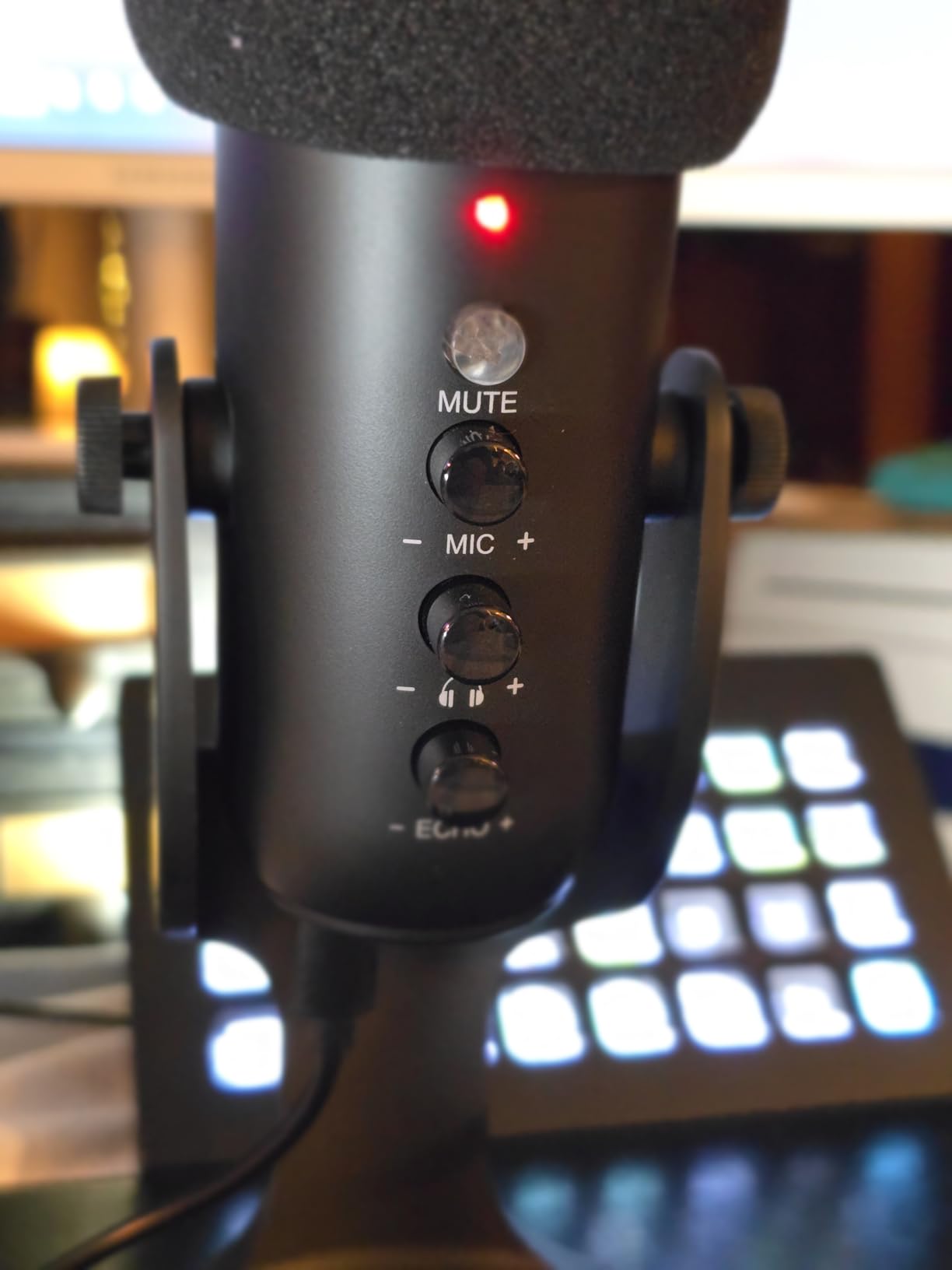
The ZealSound is unusual for the price. Almost every competitor at this level gives you one knob, and this one gives you mic volume, monitoring volume, echo adjustment, gain and mute, each with its own physical control. For a beginner who distrusts software menus, that matters more than any spec sheet line.
The included USB-C and Lightning adapters make it one of the few mics here you can take from a computer to an iPad or phone without buying anything. Zero-latency headphone monitoring with independent volume means you hear yourself in real time, which speeds up learning more than any other single feature.
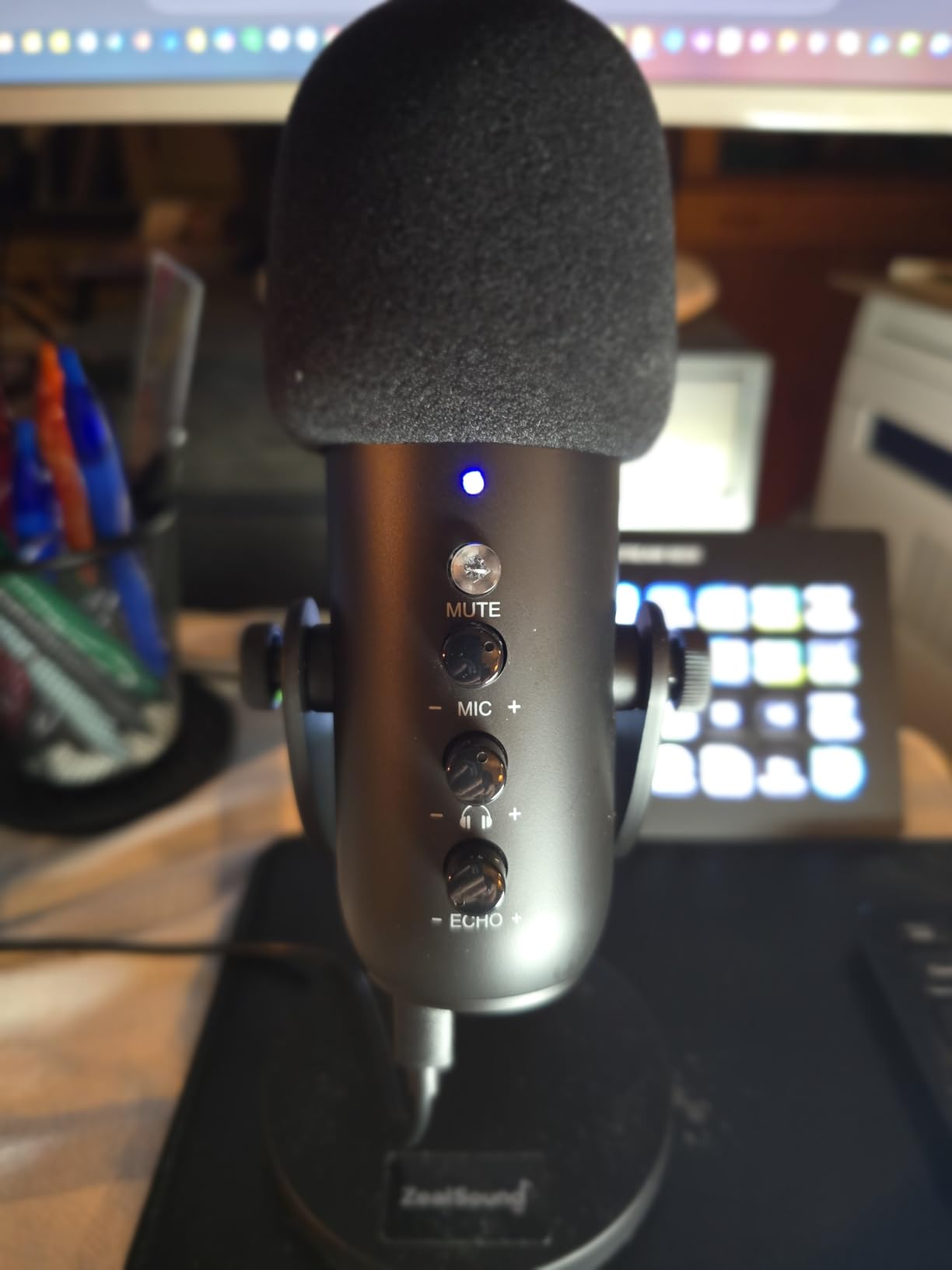
Use the noise reduction mode carefully. It does reduce keyboard clicks, fan noise and background chatter, and owners like it when applied properly. It is also the single most-cited frustration, because leaving it engaged during speech clips words out of the recording.
It is a single-voice cardioid mic. When two people talk over each other, you get robotic cross-talk rather than two clean tracks, so treat it as a solo and interview mic rather than a co-hosted setup.
Who the ZealSound suits
It suits someone who records field notes or interviews on a phone and edits on a computer, and anyone who wants every control on the hardware. It also suits a beginner who is bothered by echo and wants an echo adjustment to experiment with.
If you plan to buy wireless lavaliers instead, our wireless lavalier microphone guide covers that route.
Where the ZealSound falls short
The processing cuts both ways. The noise mode can eat words, sibilance on s sounds is sharp until you adjust it in software, and some owners pick up air conditioning hum in small rooms. The mobile adapter lead is also short and may not clear a thick phone case.
8. Samson Q2U – Best Handheld Mic with an XLR Upgrade Path
Samson Q2U USB/XLR Dynamic Microphone Recording and Podcasting Pack
Dynamic handheld
USB-C and XLR
50Hz-15kHz
2 year warranty
Pros
- Handheld form factor is intuitive if you have never mounted a mic
- Dual USB-C and XLR output for a later interface upgrade
- Warm full-bodied voice with very little background noise
- Metal build that survives drops
Cons
- Must speak into the top at close range for full output
- Included tripod stand has a loose clamp screw
- Pops without a windscreen or pop filter
- Needs a computer and recording software
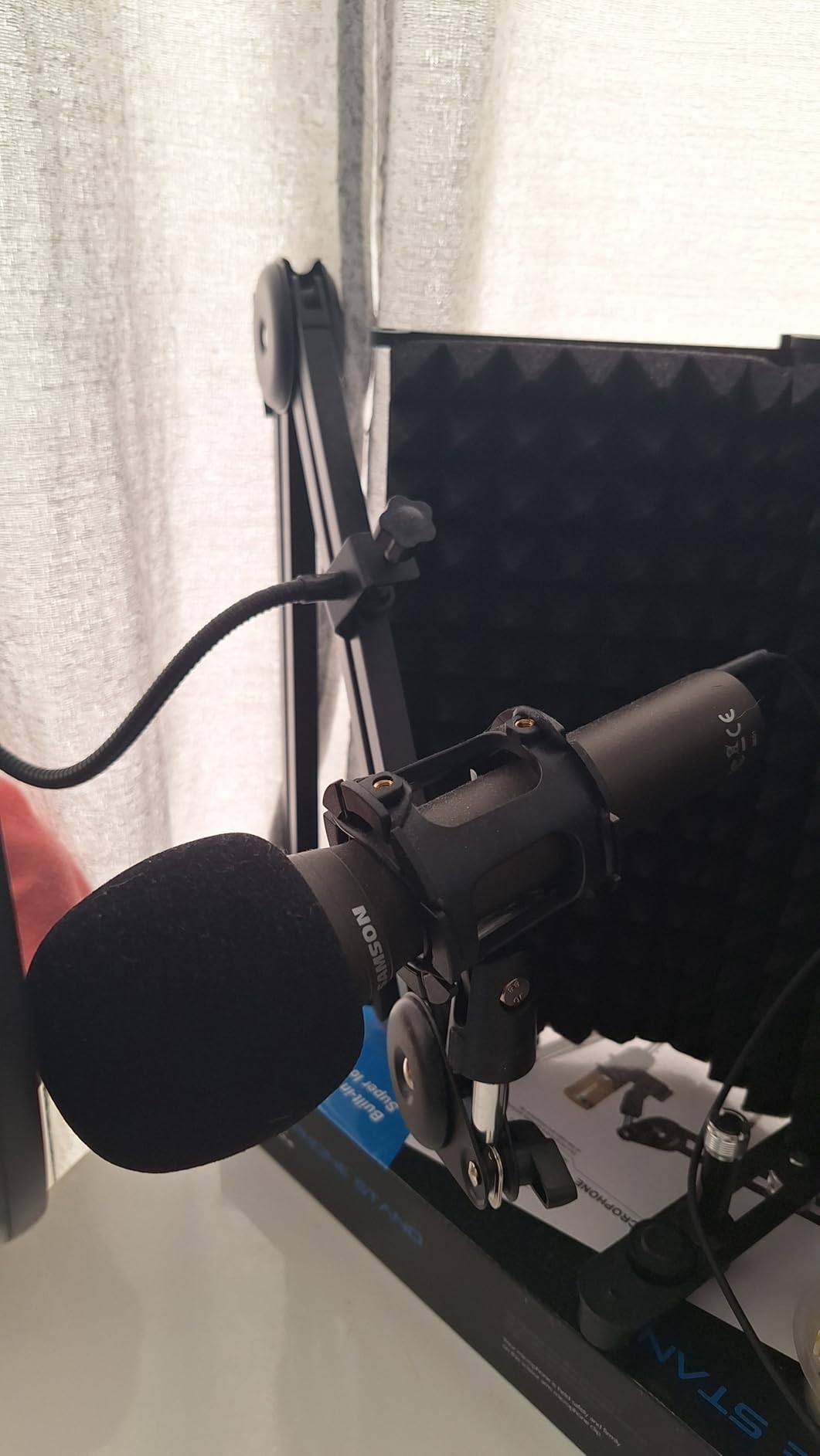
The Samson Q2U is the pick that keeps coming up in podcasting communities when people ask for an easy first setup, and the reason is the handheld shape. If you have never positioned a side-address studio microphone, a mic you hold and point is far easier to get right on the first try.
It is a dynamic mic with USB-C and XLR on the same body. Start on USB with no interface, and if you later want a mixer, the XLR port is already there. Sound is described as warm and full-bodied with very little background noise at low gain, which is exactly what an untreated room needs.
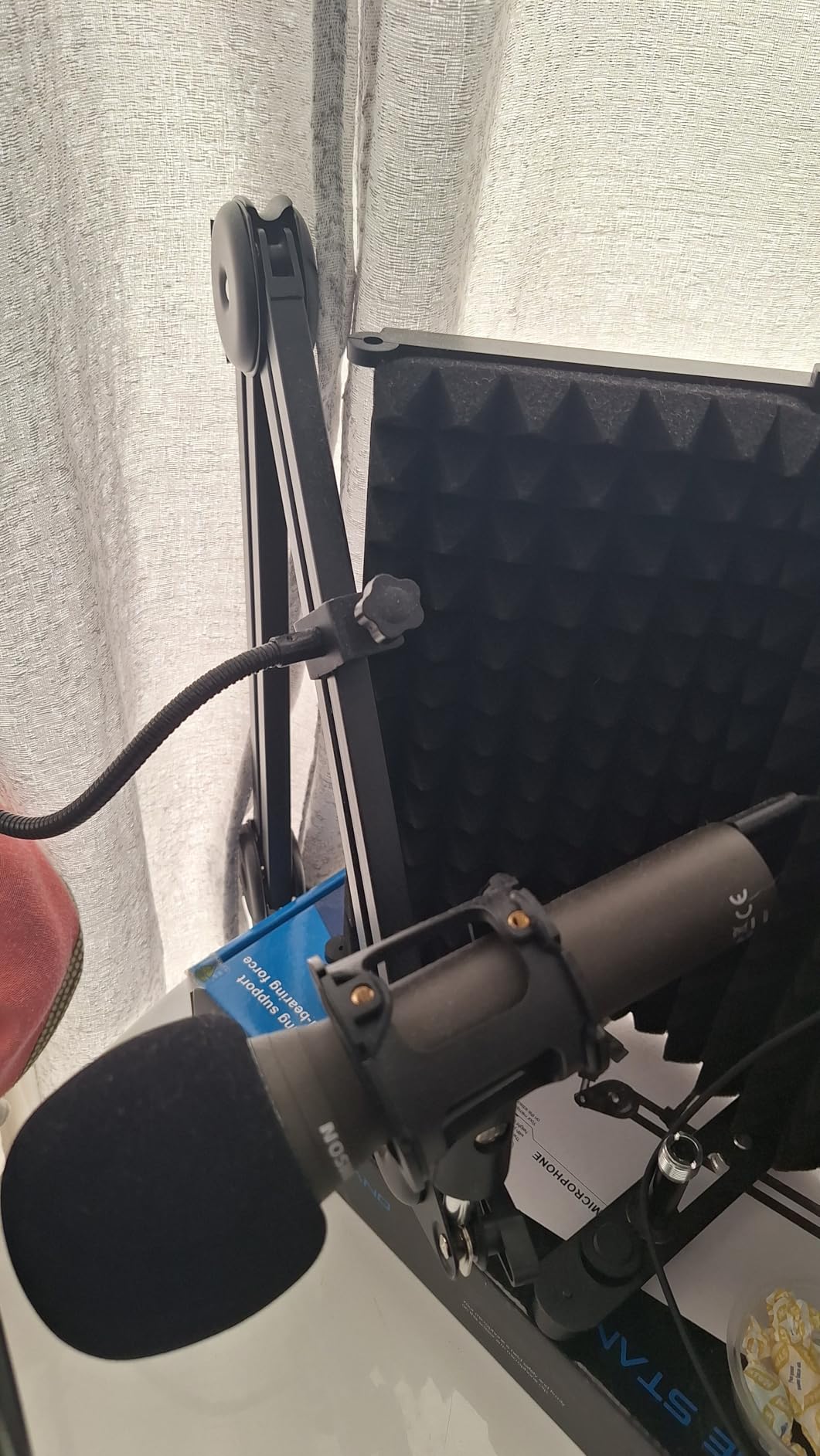
Two details matter. You speak into the top, not the side, and you stay close, because output drops off fast if you talk across it. The second is plosives: the included foam windscreen helps, but most owners end up adding a pop filter.
There is also a boot-time quirk where the computer occasionally does not detect it until the USB cable is re-seated, which accounts for most of the critical reviews.
Who the Q2U suits
It suits an absolute beginner who wants the least technical setup, and anyone who wants a broadcast look for on-camera hosting. It also suits a creator who knows an interface is in their future but does not want to buy one yet.
If you plan to sit at a desk rather than hold the mic, a side-address model with a stand is more comfortable.
Where the Q2U falls short
The included tripod stand has a loose clamp screw that droops when nudged, and the handheld position encourages desk bumps. It is not a standalone recorder either, so you still need a computer and free recording software.
9. TONOR Dynamic USB/XLR – Best Metal Build with Dual Output
TONOR Dynamic Podcast Microphone, XLR/USB Mic for Recording, Streaming
Dynamic cardioid
USB and XLR
50Hz-14KHz
2 year warranty
Pros
- Warm broadcast-style tone after light EQ
- Dual USB and XLR with both cables included
- Zinc alloy and steel shell resists drops
- 3.5mm headphone jack for live monitoring
Cons
- Dark profile with rounded high frequencies over USB
- Headphone volume has been reported not to work
- Monitoring hears only this mic
- Bundle mount is clamp-only
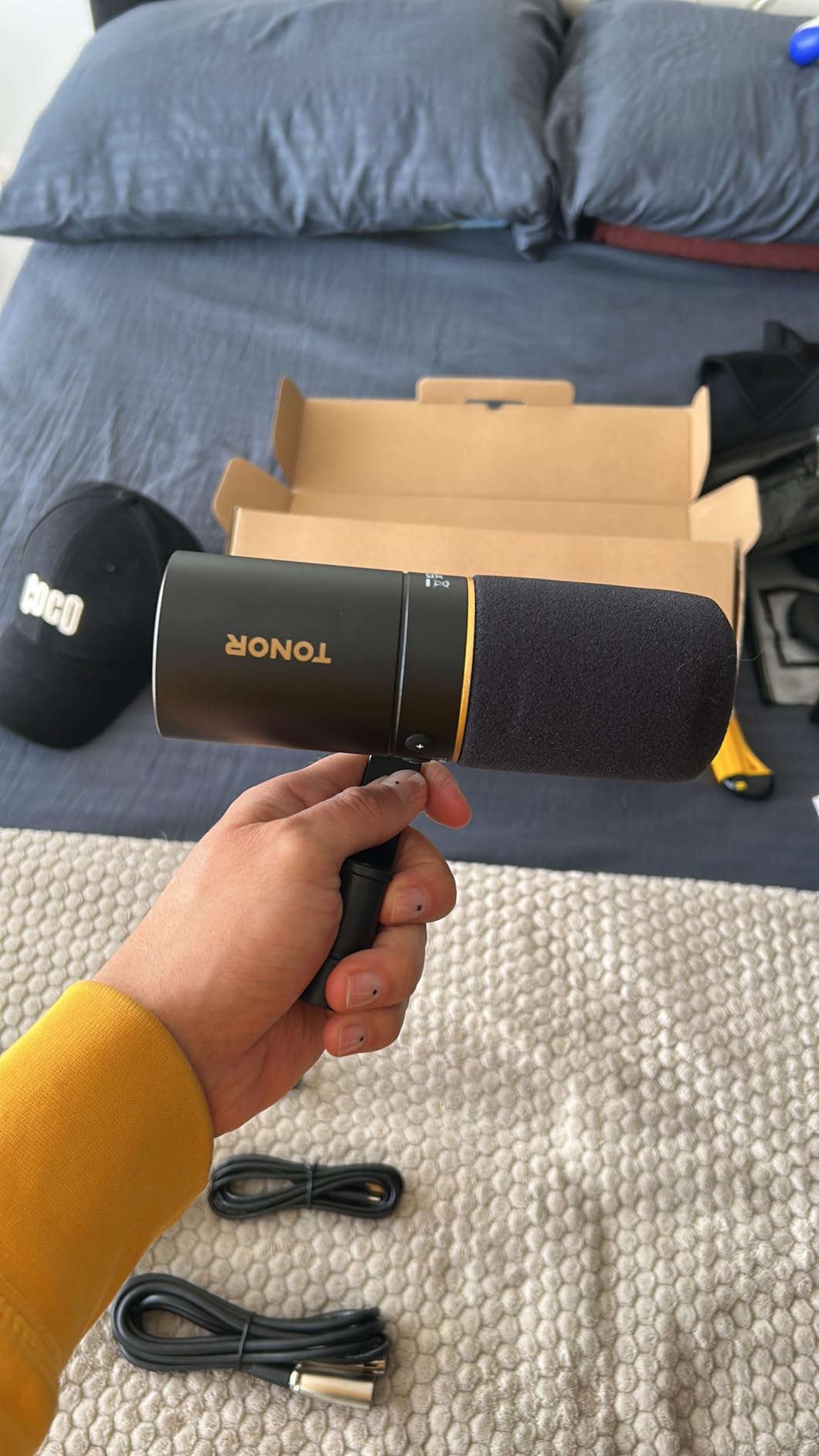
This one gets recommended by reviewers who compared it against well-known broadcast dynamics and concluded it is the best dual USB and XLR option in its bracket. The tone is warm and slightly dark, which suits spoken word and needs only a light brightness lift in editing.
Build is the standout. The zinc alloy shell and steel internals feel a class above plastic competitors nearby, and both USB and XLR cables are in the box, which is unusual. A 95dB signal-to-noise ratio and cardioid pattern keep the room out well for a dynamic.
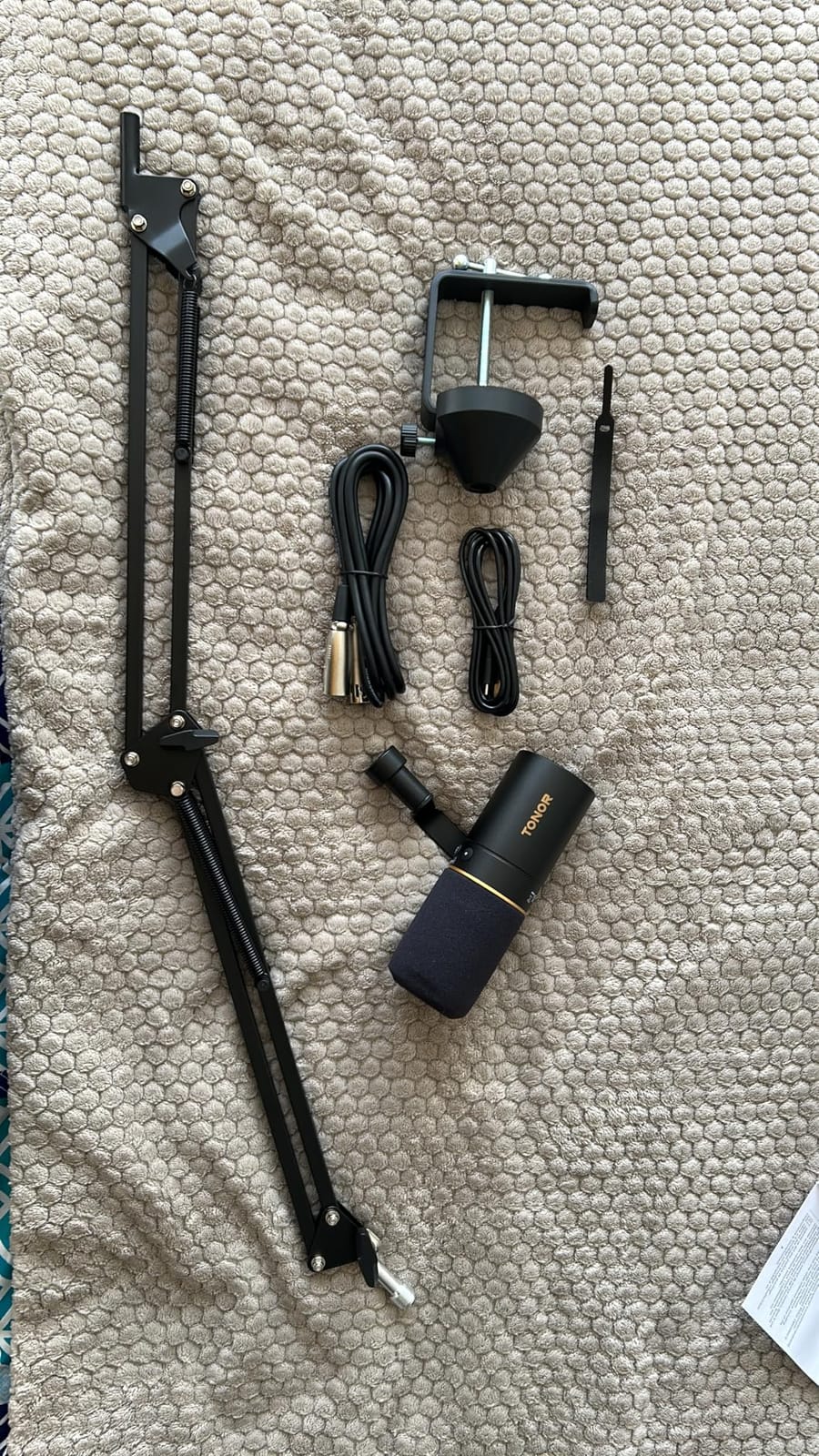
The headphone jack gives you zero-latency monitoring, which is the single best habit a beginner can form. Be aware of two limitations owners report: the headphone volume control does not always respond, and monitoring here hears only your mic, not other audio on the computer.
Frequency response runs 50Hz to 14KHz, so the top end is rounded compared with a condenser. That is fine for voice and means less sibilance to fight.
Who the TONOR Dynamic suits
It suits a beginner who wants a metal microphone that feels durable and still wants the option of an interface. It is also a good second microphone for a co-host at a similar price.
If you already own a desk boom arm, this pairs well because both cables are included.
Where the TONOR Dynamic falls short
The sound is dark by design, so if you have a bright voice you will want EQ. Instructions are largely pictograms with little plain-language guidance, and some bundle versions include a clamp-on mount only, with an awkward hinge tension.
10. Shure MV7X – Best Upgrade Later Once You Own an Interface
Shure MV7X XLR Dynamic Podcast & Recording Microphone – Black
XLR only
Dynamic cardioid
50-16000 Hz
2 year warranty
Pros
- Broadcast-style voice isolation that handles untreated rooms
- All-metal body built to survive travel
- Integrated shock mount and 3/8 inch adapter included
- Highest five-star share in this roundup at 84 percent
Cons
- XLR only so an audio interface is required first
- No stand
- boom arm or XLR cable in the box
- Price sits beyond a first-microphone budget
- Fixed shock mount cannot be adjusted
The MV7X has the strongest satisfaction signal of anything we reviewed, with 84 percent five-star ratings. Owners point to broadcast-style isolation, an all-metal body and straightforward integration with an interface, and the dynamic capsule keeps working in rooms that would ruin a condenser.
The integrated shock mount is a smart design choice for a first serious microphone, because vibration handling is already handled and the included adapter fits most boom arms.
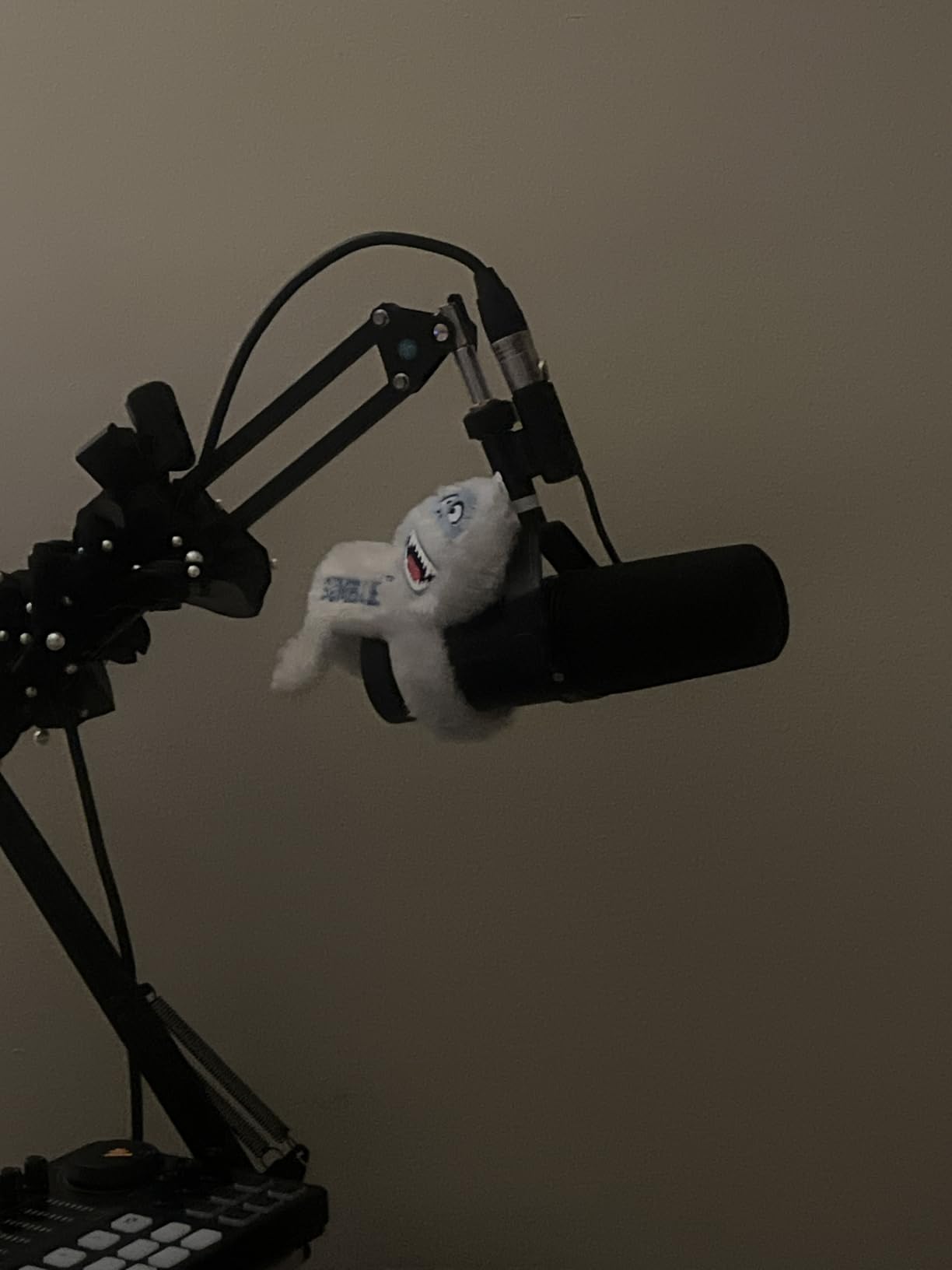
Here is the honest caveat. This is an XLR-only unit, so nothing happens until you own an audio interface or mixer with phantom power and enough gain. That second purchase is real money and real setup, which is exactly why it does not belong in a first-mic budget.
No stand, boom arm or XLR cable is included either. At this price you are buying the microphone and assembling the rest yourself.
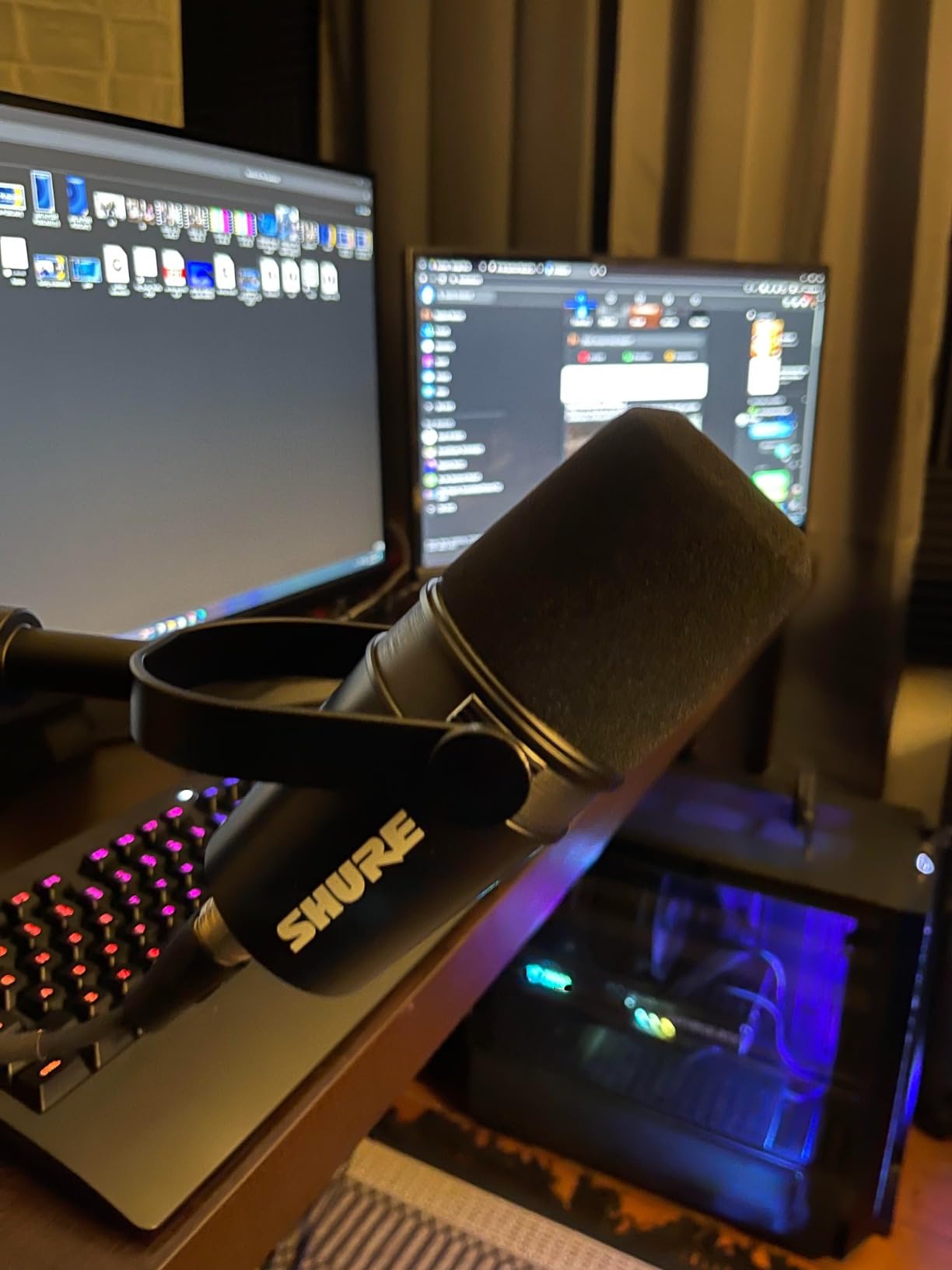
Who the MV7X suits
It suits a creator who has already recorded a dozen episodes and has decided the limitation is the microphone rather than the technique. It also suits anyone recording in a noisy space who needs isolation and does not want a cloudlifter-style extra box.
Buyers who also produce video benefit from the broadcast look and the compact body.
Where the MV7X falls short
It does nothing at all without an interface, and the missing stand, arm and cable add to the total. The shock mount is fixed rather than adjustable, so positioning is less flexible than on a standard mounted mic.
How to Choose a Beginner Podcast Microphone in 2026
Once you accept that the microphone is one part of a system, the choice gets much easier. Capsule type decides how forgiving your room is, connection type decides what else you need to buy, and the room decides how much of your budget goes to the microphone at all.
Dynamic or condenser: which type should you buy first?
Buy a dynamic if you are in an untreated room, a shared apartment or anywhere with traffic, pets, a desk fan or thin walls. Dynamic capsules are less sensitive, so they reject sound arriving from off-axis, and they need far less gain. That is the single biggest reason we recommend a dynamic to most beginners.
Buy a condenser if your room is small, soft-furnished and reasonably quiet. Condenser capsules are more sensitive and more detailed, which is why they appear on so many studio and broadcast shows. The cost is that they capture the room along with your voice. If you want a cheap comparison across a wider range, our microphones under 100 dollars guide covers both types.
USB, XLR or hybrid: do you need an audio interface?
No interface needed if you buy USB or use a hybrid on USB. A USB microphone contains its own preamp and converts your voice to a digital signal your computer takes directly. Interface needed if you buy pure XLR, such as the Shure MV7X, because XLR sends an unbalanced analogue signal that needs preamp gain and phantom power before any software can use it.
Hybrid mics such as the FIFINE AM8, the Samson Q2U and the TONOR Dynamic are the safest first purchase for that reason. You start on USB with nothing else to buy, and if you later want a mixer, the XLR port is already on the microphone. If you are recording two people in the same room, budget for two microphones and check whether your recorder or software handles two USB inputs before you buy.
What the room does to your recording
Room tone, echo and reflections are recorded just as faithfully as your voice, and no microphone can separate them afterwards. Before buying anything more expensive, try a closet with clothes on both sides, a corner with curtains and a rug, or any small soft-furnished space in your home. The difference is often larger than the difference between a mid-tier and a premium microphone.
Starter kit checklist for a first recording setup
You need four things: a microphone, a pop filter, something to hold it, and free recording software. Headphones are strongly recommended if your mic has a monitoring jack. An audio interface is only needed for an XLR microphone. Audacity, GarageBand and OBS Studio are all free and handle recording, multi-input routing and editing on their own.
A shotgun microphone aimed at a speaker is a different approach to the same problem, and we cover that format in our shotgun microphone guide.
Quick Tips for Great Audio on Your First Episodes
Stay three to six inches from the microphone. Closer means a stronger signal, less room noise and fewer plosives. Speak across the front of a side-address mic rather than straight into it.
Soften the room before you spend more money. Hang curtains, add a rug, record in a closet or under a thick blanket over a frame. Reflections come from hard flat surfaces, not from a quiet street.
Monitor with headphones. Plug them into the mic if it has a jack, or into the computer otherwise. Hearing yourself in real time teaches level and distance faster than any tutorial.
Set gain so peaks land around minus six to minus three decibels. Watch the meter while you speak normally. Clipping is unrecoverable and thin-sounding audio usually means the gain is too low, not too high.
Do a pop filter, even with a foam windscreen. P and B sounds are the most common reason a beginner deletes and re-records an intro.
Frequently Asked Questions
What type of microphone is best for a beginner podcaster?
A dynamic cardioid microphone connected by USB or USB and XLR is the best first purchase for most beginners. It rejects room noise, needs little gain, and works in an untreated room without extra equipment. Buy a condenser instead only if your recording space is small, soft-furnished and quiet.
Which microphone is best for podcasts?
For a beginner podcasting setup, the Logitech Blue Yeti is the most complete first choice because gain, mute and headphone volume are all built into the body. The FIFINE AmpliGame AM8 is the better pick in a noisy room because its dynamic capsule ignores more of the surroundings.
What is the best equipment for a beginner to start podcasting?
Start with a microphone, a pop filter, a stand or boom arm and free recording software such as Audacity, GarageBand or OBS Studio. Add headphones if your microphone has a monitoring jack. An audio interface is only required for a pure XLR microphone. Kits like the FIFINE T669 and MAONO A04 bundle most of these together.
Do I need an audio interface for podcasting?
Only if you buy a pure XLR microphone. USB microphones and hybrid microphones used on USB connect straight to your computer and contain their own preamp. Hybrid models such as the FIFINE AM8, Samson Q2U and TONOR Dynamic give you a USB start now and an XLR path later without changing microphones.
Should I buy a condenser or a dynamic microphone for podcasting?
Choose a dynamic for an untreated, noisy or shared room because it rejects off-axis sound and forgives a bad space. Choose a condenser for a small, soft, quiet room where you want more detail and air in the voice. Beginners in ordinary home rooms are rarely disappointed by a dynamic.
How far away should I be from my podcast microphone?
Three to six inches is the useful range for spoken voice, with closer placement giving a stronger signal and more rejection of the room. Speak slightly across the front of a side-address microphone rather than directly into the grille to reduce plosives.
The Beginner Podcast Microphone Verdict for 2026
The best podcast microphones for beginners are USB desk models with physical gain control and headphone monitoring, and the Logitech Blue Yeti remains the pick most beginners should make first because every setting a newcomer gets wrong is adjustable on the body. Buy the FIFINE T669 if you want the boom arm, shock mount and pop filter in the same box, and move up to the FIFINE AmpliGame AM8 or the Samson Q2U the moment your room noise becomes the problem.
Record something this week rather than researching another week. Whichever mic you choose, add a pop filter, get within four inches of it, listen with headphones, and publish the first episode. You will learn more from that recording than from any comparison chart, and the microphone you have is almost certainly good enough to start.